
Odoo App · Point of Sale
POS Partial Gift Card Redeem
Let POS customers redeem part of a gift card and keep the remaining balance.

Overview
Odoo's standard Point of Sale handles gift cards as a one-shot payment. POS Partial Gift Card Redeem extends that so a customer can spend a portion of the card now and keep the rest for later.
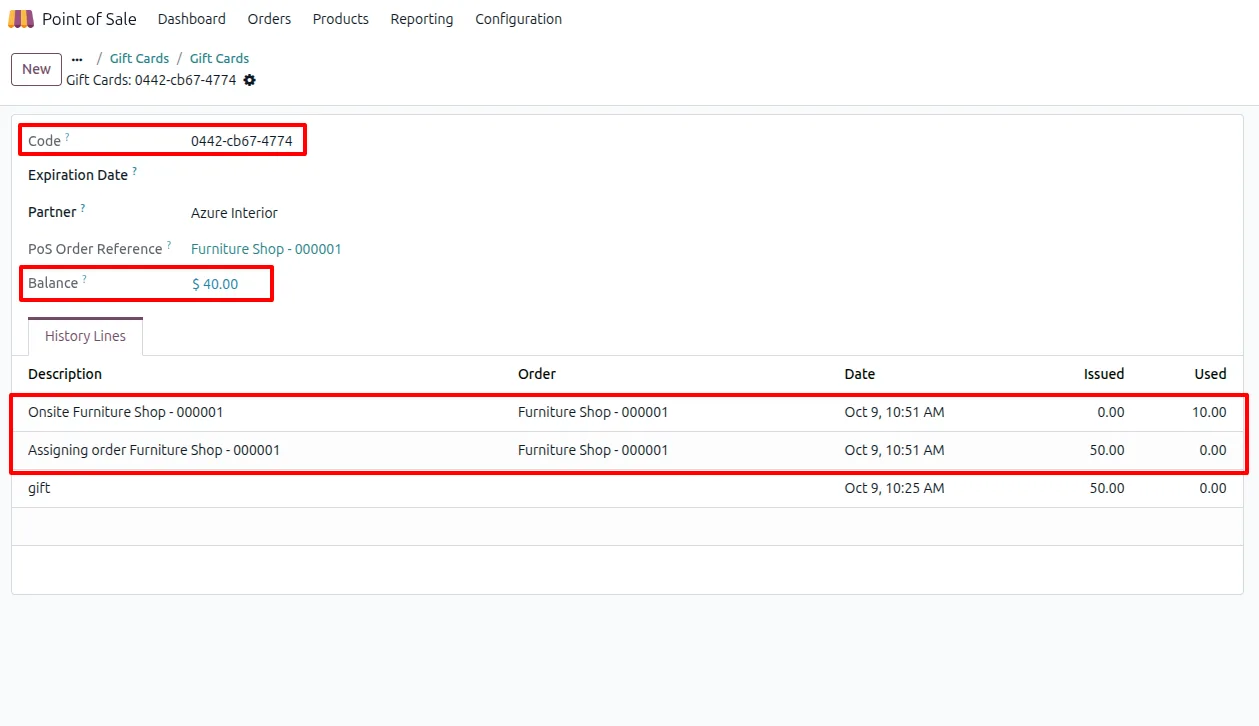
Built by TechUltra Solutions, the module lets the cashier choose how much of the gift card to apply to a sale. After each redemption the system recalculates and updates the remaining balance, so the card holds its leftover value across visits.
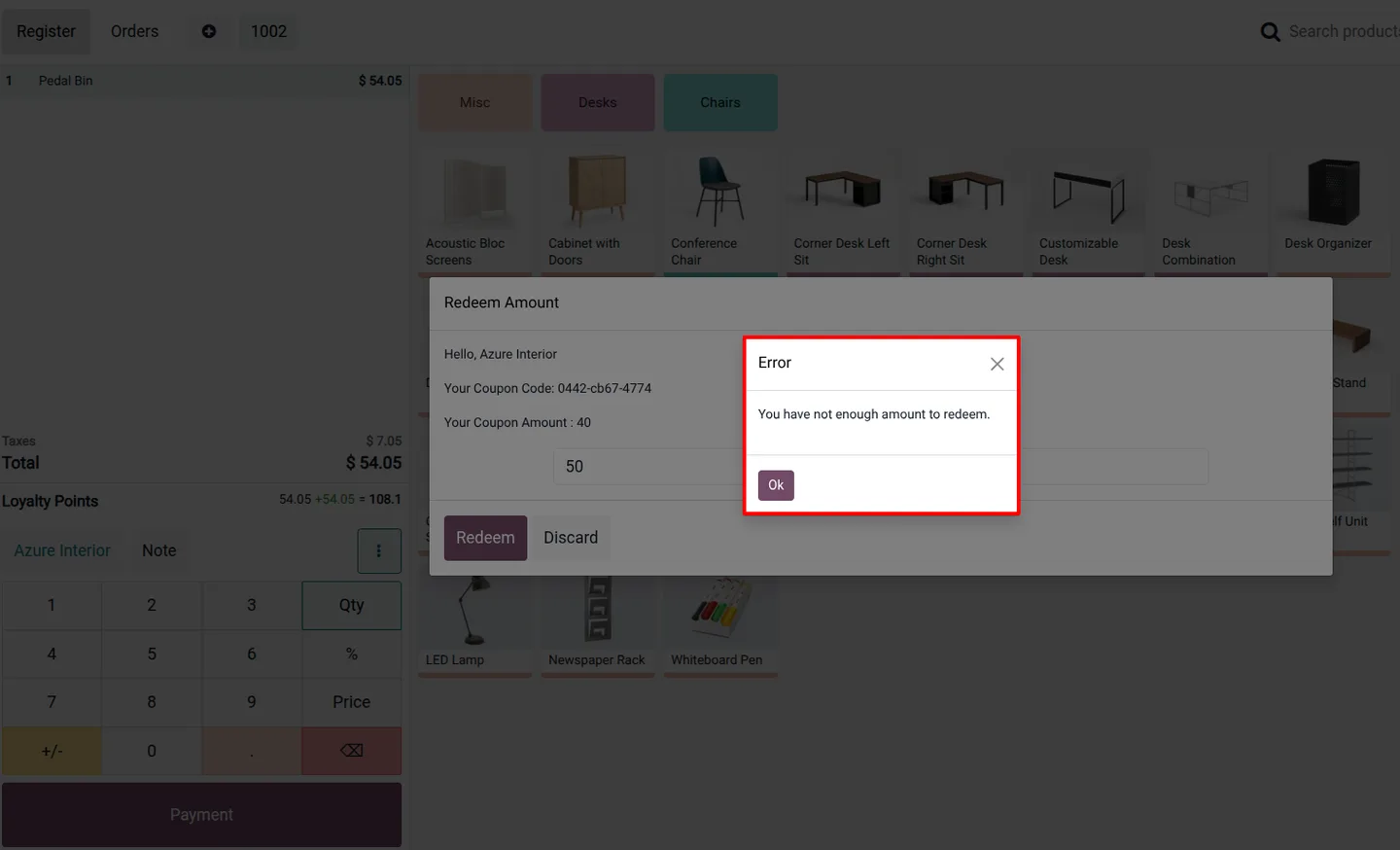
It also surfaces gift code details on the POS screen and stops customers from spending more than they have — if someone tries to redeem above the remaining balance, the POS shows an error. The module builds on Odoo's native gift card and loyalty setup, so it works once installed with no extra configuration.
Key features
-
Customer-chosen redemption amount
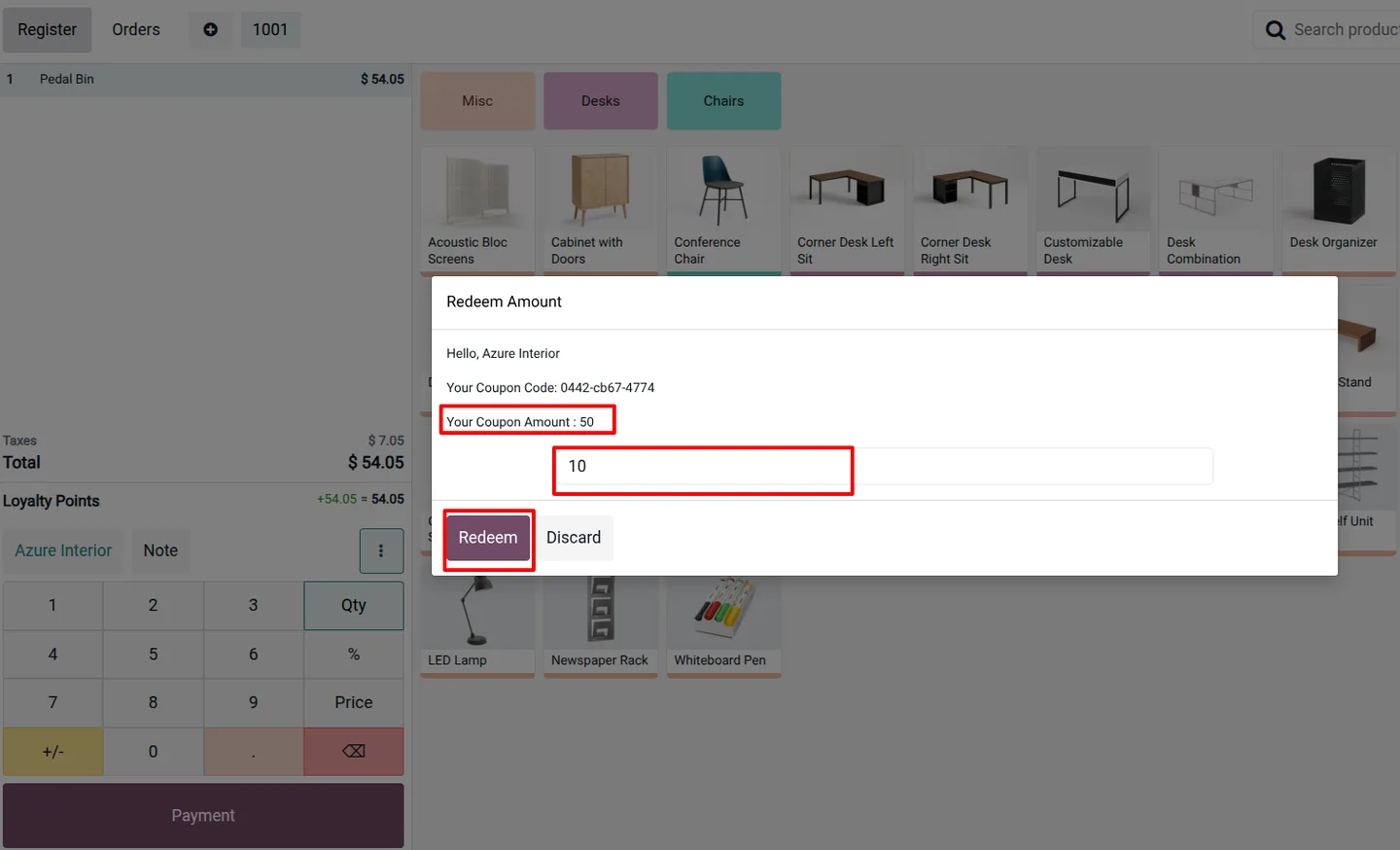
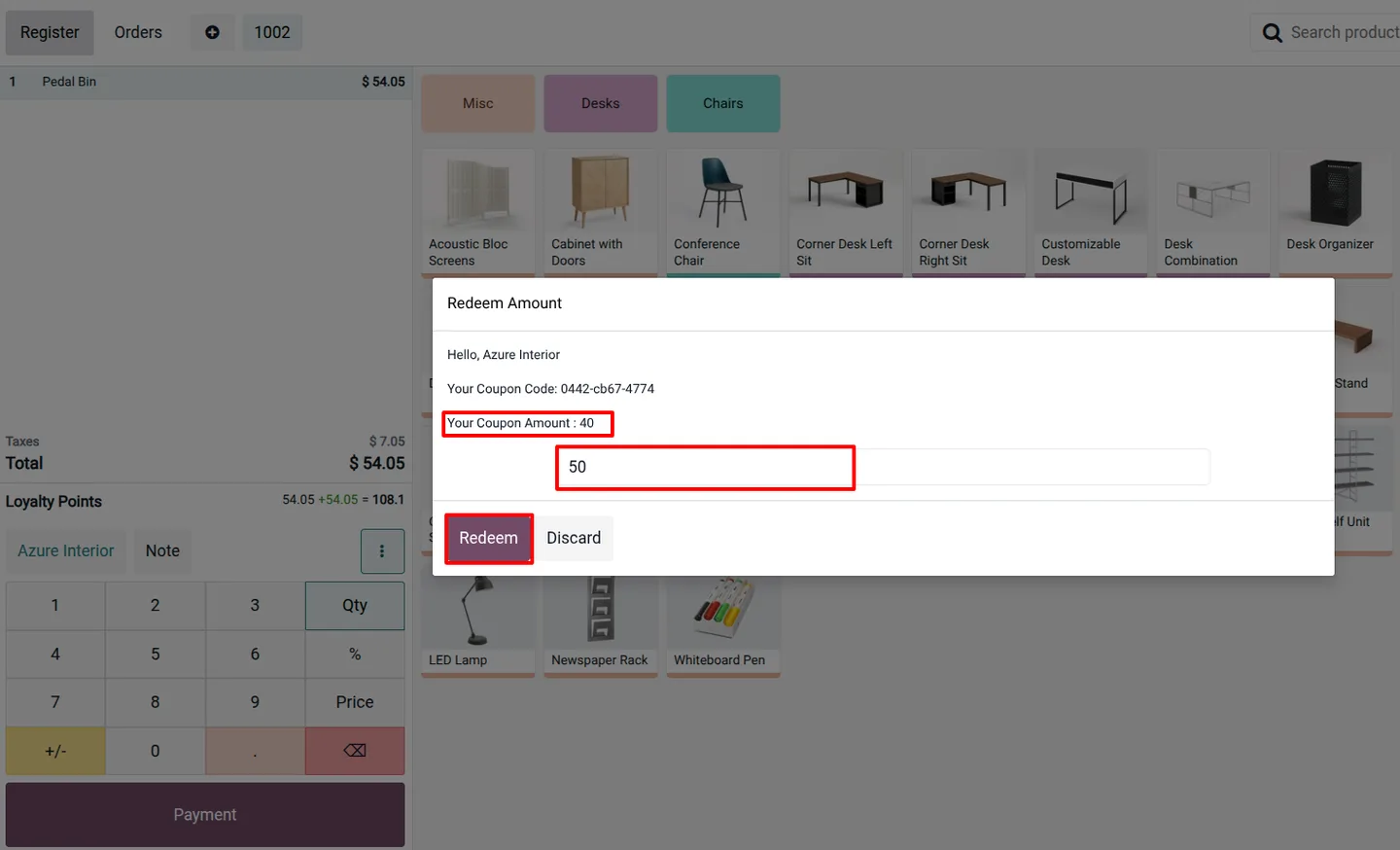
The cashier enters how much of the gift card the customer wants to spend on this sale, rather than redeeming the full balance every time.
-
Automatic balance updates
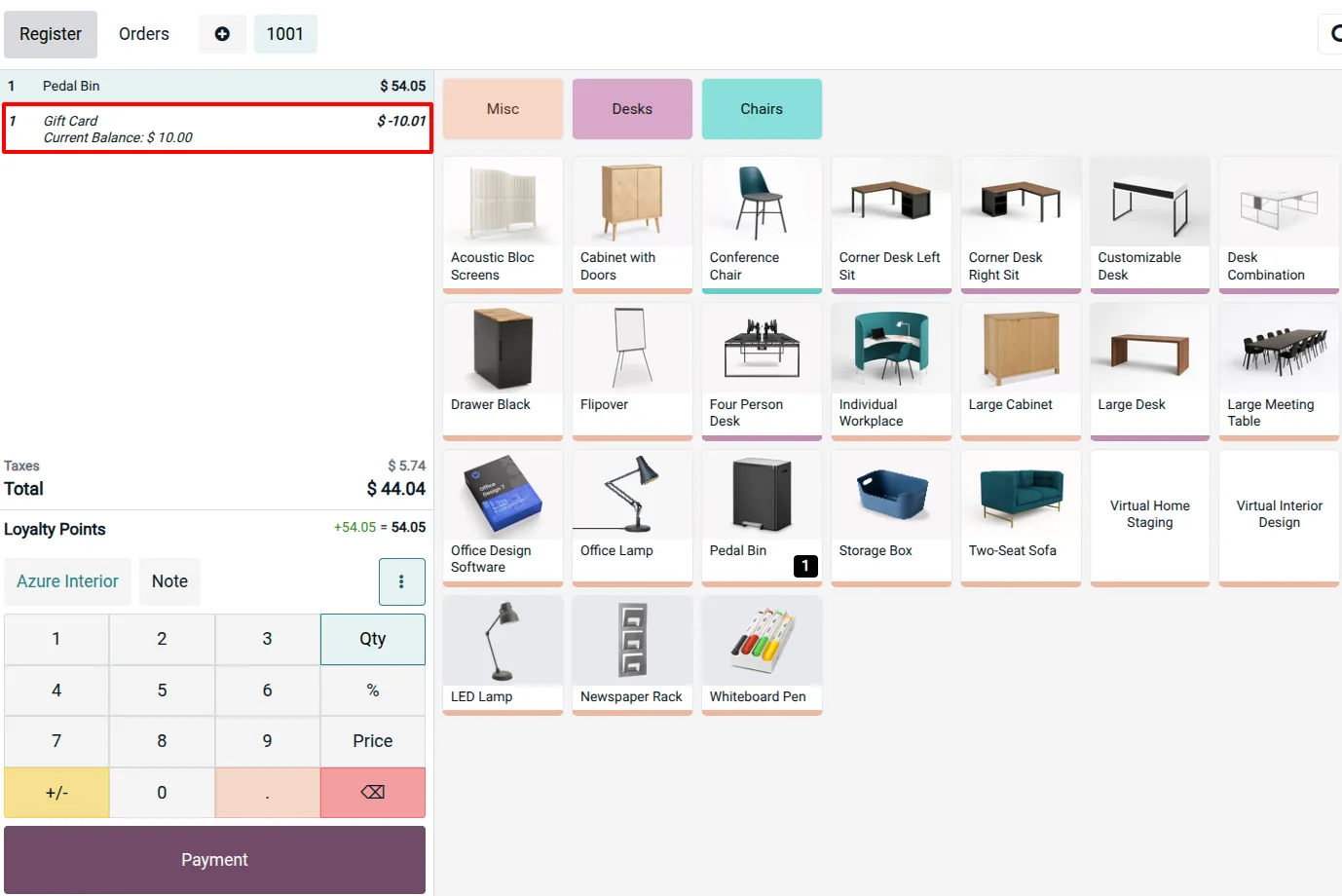
After each redemption the system recalculates the gift card and updates the remaining balance, so the figure shown is always current.
-
Gift code details on the POS screen
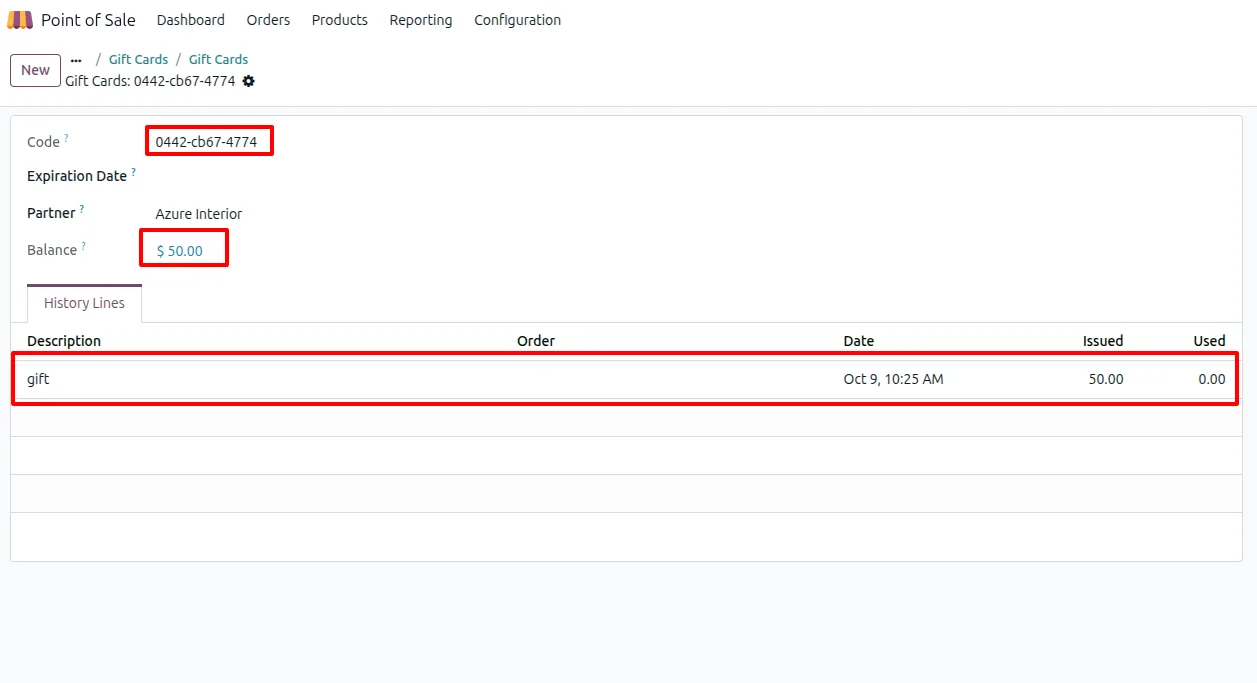
Customers and cashiers can view the gift code details directly at the POS terminal, including how much value is left on the card.
-
Loyalty points support
Loyalty points can still be added for customers alongside gift card redemption, so partial payments and loyalty rewards work together.
-
Over-redemption protection
If a customer tries to redeem more than the card's remaining balance, the POS displays an error message instead of allowing the transaction.
-
Customer pays only the difference
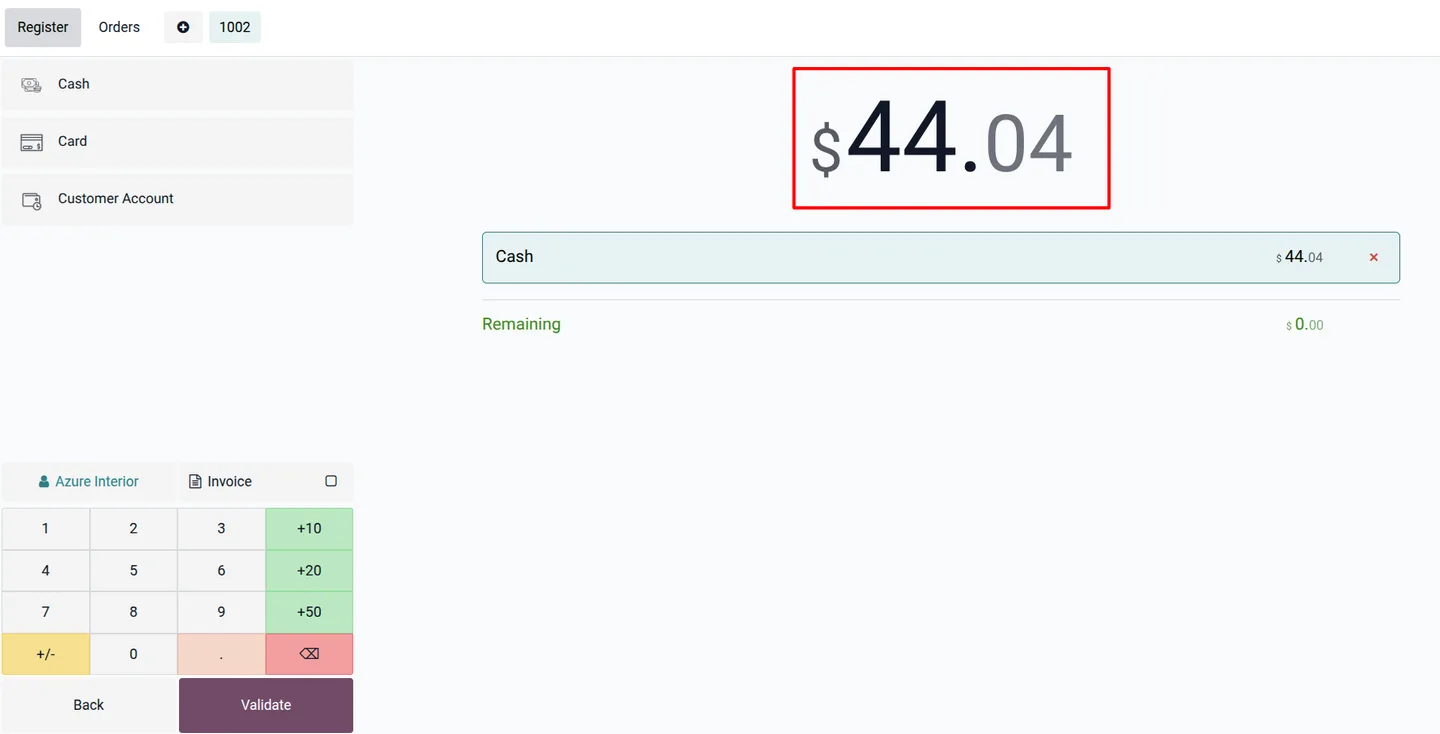
After applying the chosen gift card amount, the customer settles just the discounted remainder with another payment method.
-
No extra configuration
The module is preconfigured. Once installed, partial redemption is available at the POS without any additional setup beyond the standard gift card steps.
POS Partial Gift Card Redeem in Odoo
Every screen, in the order you meet it — configuration first, then the module in use.
Technical details
Specification
- Publisher
- TechUltra Solutions Private Limited
- Technical name
- tus_pos_partial_giftcard
- Odoo versions
- 16.0, 17.0, 18.0, 19.0, 20.0
- Lines of code
- 155
- License
- Odoo Proprietary License v1.0 (OPL-1)
- Price
- $16 (one-time)
Deployment
- Odoo Online
- Odoo.sh
- On-premise
Odoo dependencies
- Point of Sale
- Invoicing
- Inventory
- Discuss
Support
90 days of bug-fix support, Monday to Friday (10:00–19:00 IST). Raise a ticket at support@techultra.in.
Setup & configuration
From install to first call — here is the path.
- 1
Install the module
In Odoo, open Apps, remove the Apps filter, search for “POS Partial Gift Card Redeem”, and click Install.
- 2
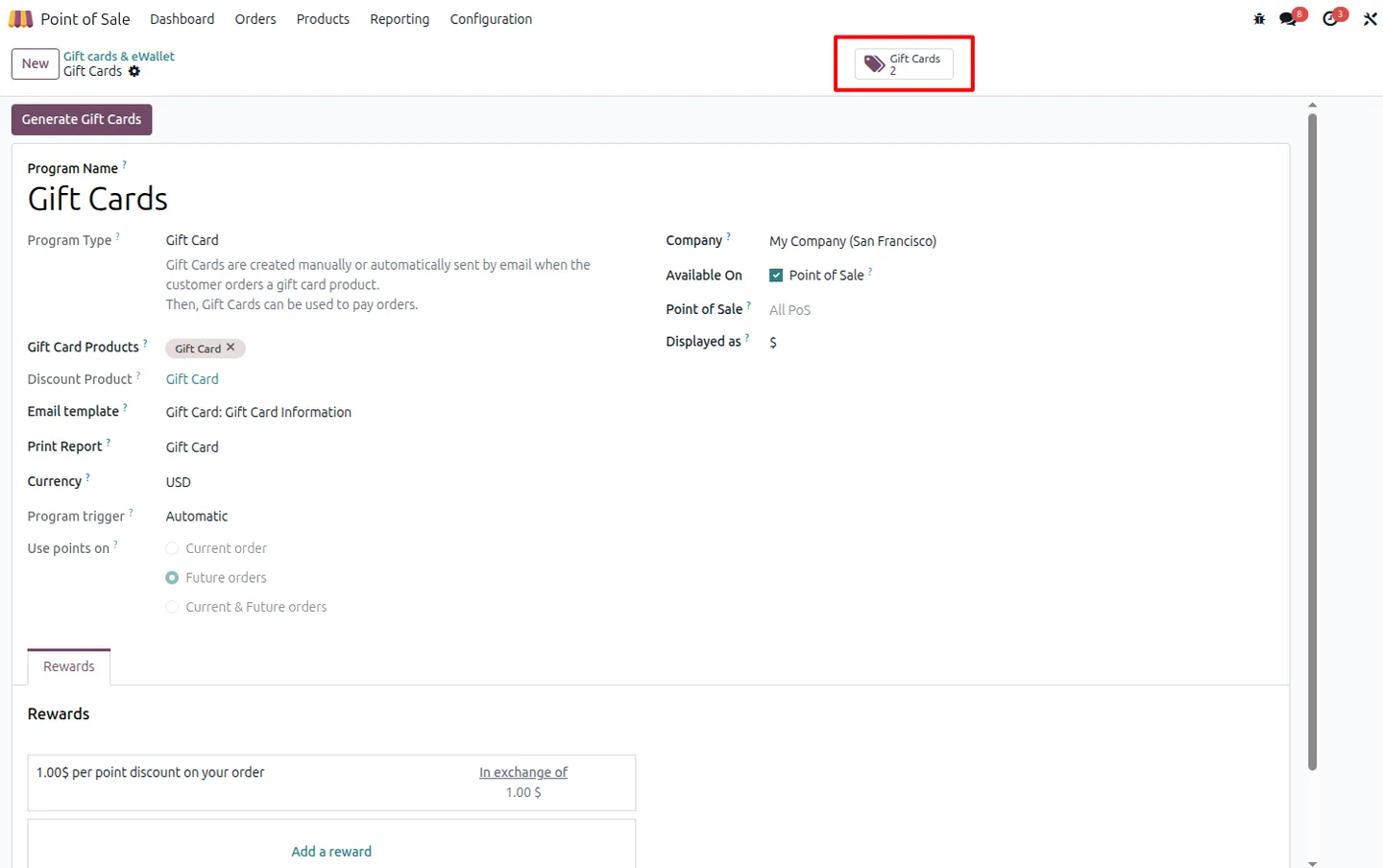
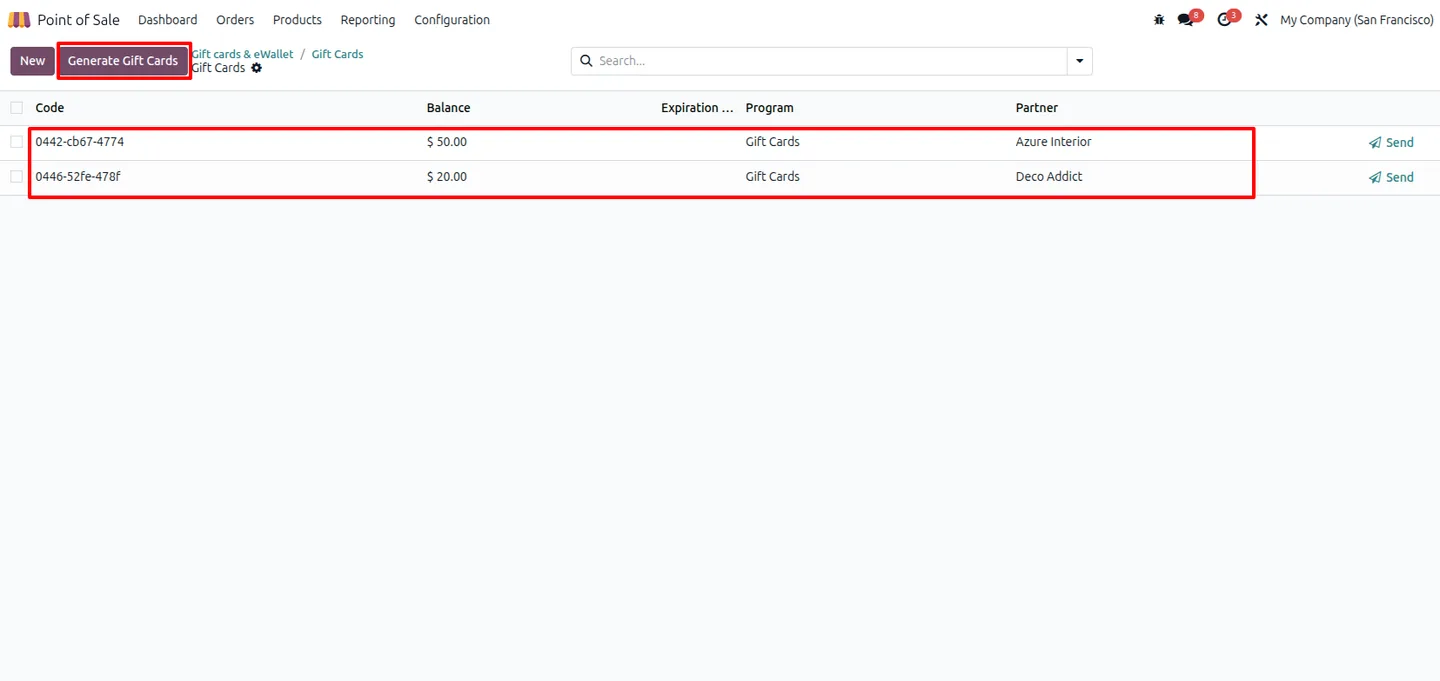
Generate gift cards
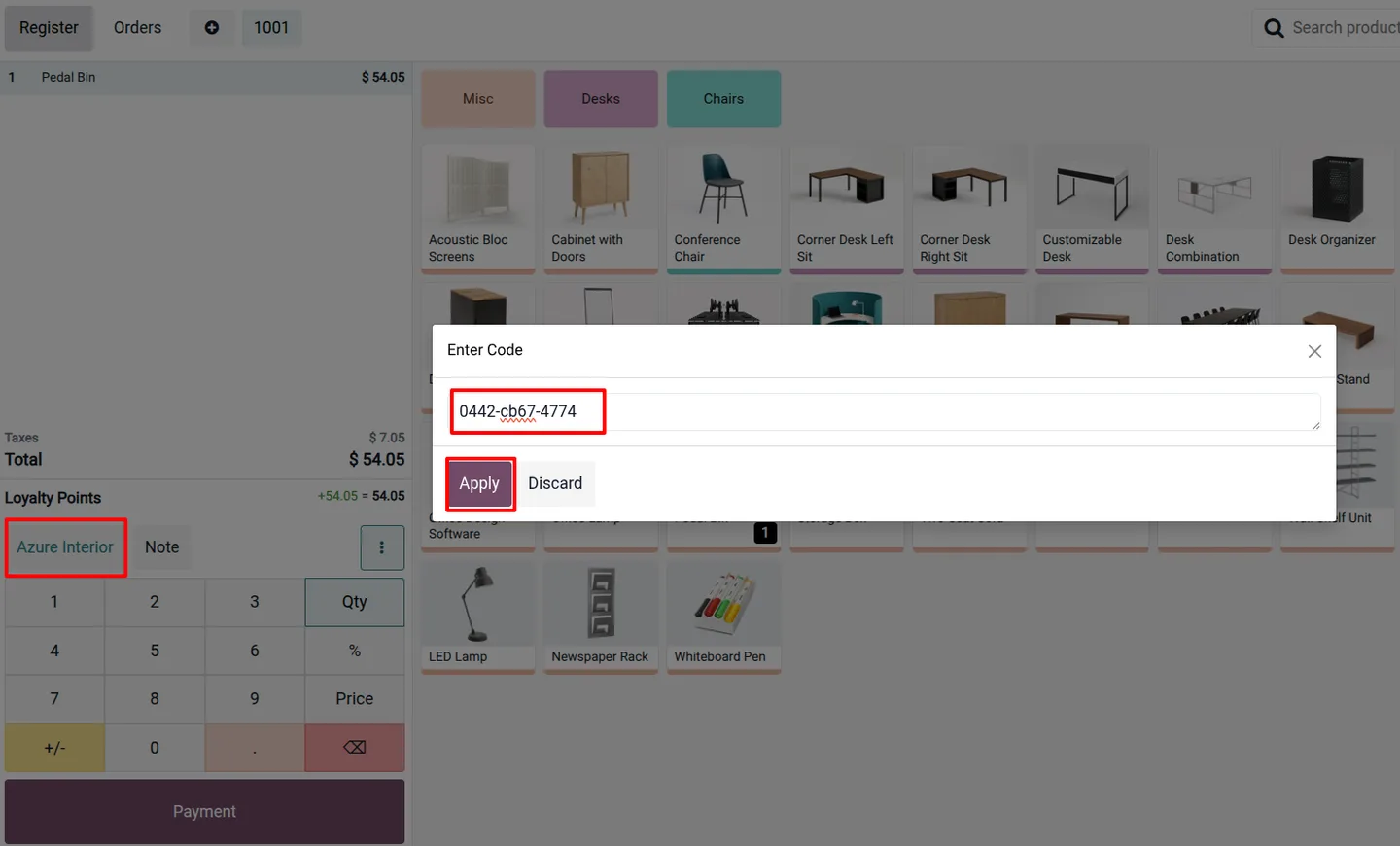
Go to Point of Sale → Products → Gift Cards & eWallets, enter the required details, and select Generate Gift Cards. The generated cards appear in the list ready to use.
- 3
Open a POS session
Start a Point of Sale session as usual. No extra POS settings are needed — partial redemption is available out of the box.
- 4
Apply a partial redemption
On the order, redeem a gift card and enter the amount the customer wants to use. The POS shows the gift code details and the value left on the card.
- 5
Collect the remaining balance
The customer pays the discounted remainder with another payment method, and the gift card keeps its leftover value for a future visit.
Frequently asked questions
-
Can a customer use only part of a gift card?
Yes. That is the purpose of the module. The cashier enters the amount to apply, and the unused value stays on the card for later — Odoo's standard POS treats a gift card as a single full payment.
-
How is the remaining balance tracked?
After each redemption the system recalculates and updates the gift card's remaining balance automatically, so the value shown at the POS is always current.
-
What happens if a customer tries to overspend the card?
The POS displays an error message and blocks the transaction if the requested amount is more than the card's remaining balance.
-
Does it work with Odoo loyalty points?
Yes. Loyalty points can still be added for customers, so partial gift card redemption and loyalty rewards run side by side.
-
Does the module need configuration?
No. It is preconfigured. Beyond the standard step of generating gift cards, no additional setup is required to use partial redemption.
-
Which Odoo versions are supported?
The module supports Odoo 16.0, 17.0, 18.0, 19.0, and 20.0, in both the Community and Enterprise editions.
-
Is support included?
Yes. The module includes 90 days of bug-fix support, Monday to Friday, 10:00–19:00 IST.
Listing verified against the Odoo App Store:
Related solutions
Whole-platform solutions that complement POS Partial Gift Card Redeem.
Related services
Get the most out of this module with senior TechUltra consultants.
Odoo Customization Services
Odoo customization from a Gold Partner: custom modules, workflows, reports and Studio changes, written upgrade-safe and quoted at a fixed scope. Free scoping call.
Hire Odoo Developers
Hire certified Odoo developers from a Gold Partner: one developer or a team, full-time or part-time, 70–160 hours a month. Silver, Gold or Platinum plan, free trial.
Odoo Support Services & Maintenance
Odoo support services from a Gold Partner: functional and technical support plus server cover for Enterprise and Community, 30-minute P1 response, 24/7 option.







