

Odoo App · Point of Sale
POS Loyalty Birthday Reward
Email customers a single-use birthday coupon and redeem it at the Odoo POS.

Overview
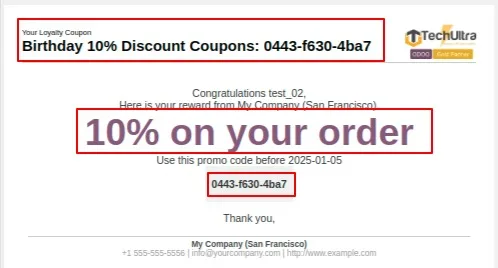
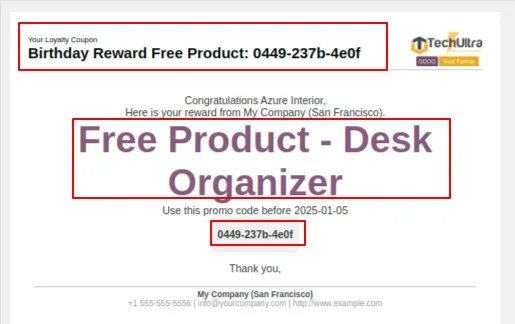
POS Loyalty Birthday Reward gives retailers a simple, automatic way to mark customer birthdays. When a contact's birth date comes around, the module generates a unique coupon code and emails it to the customer with a personalised message and your company branding — no manual list to track.
Built by TechUltra Solutions, the reward is redeemed straight in the Odoo Point of Sale. The cashier enters the code, the module validates it instantly against your rules, and applies either a percentage discount on a product or a free product, depending on how the birthday program is configured.
Every code is single-use. If a customer tries to redeem one that has already been claimed, the POS shows a clear message and blocks it. Business rules — minimum purchase amount, eligible product categories, and a validity period — keep the offer controlled, and the final receipt lists the products, the applied code, and the discount.
Key features
-
Automatic birthday coupons
When a customer's birth date arrives, the module generates a unique coupon code for them — no manual list or batch job to run.
-
Personalised reward emails
The code is emailed to the customer with a personalised message and your company branding, so the offer arrives without staff effort.
-
Redeem at the POS
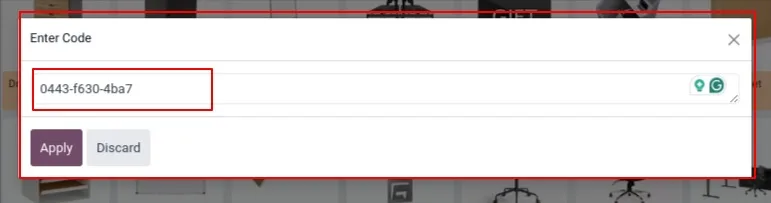
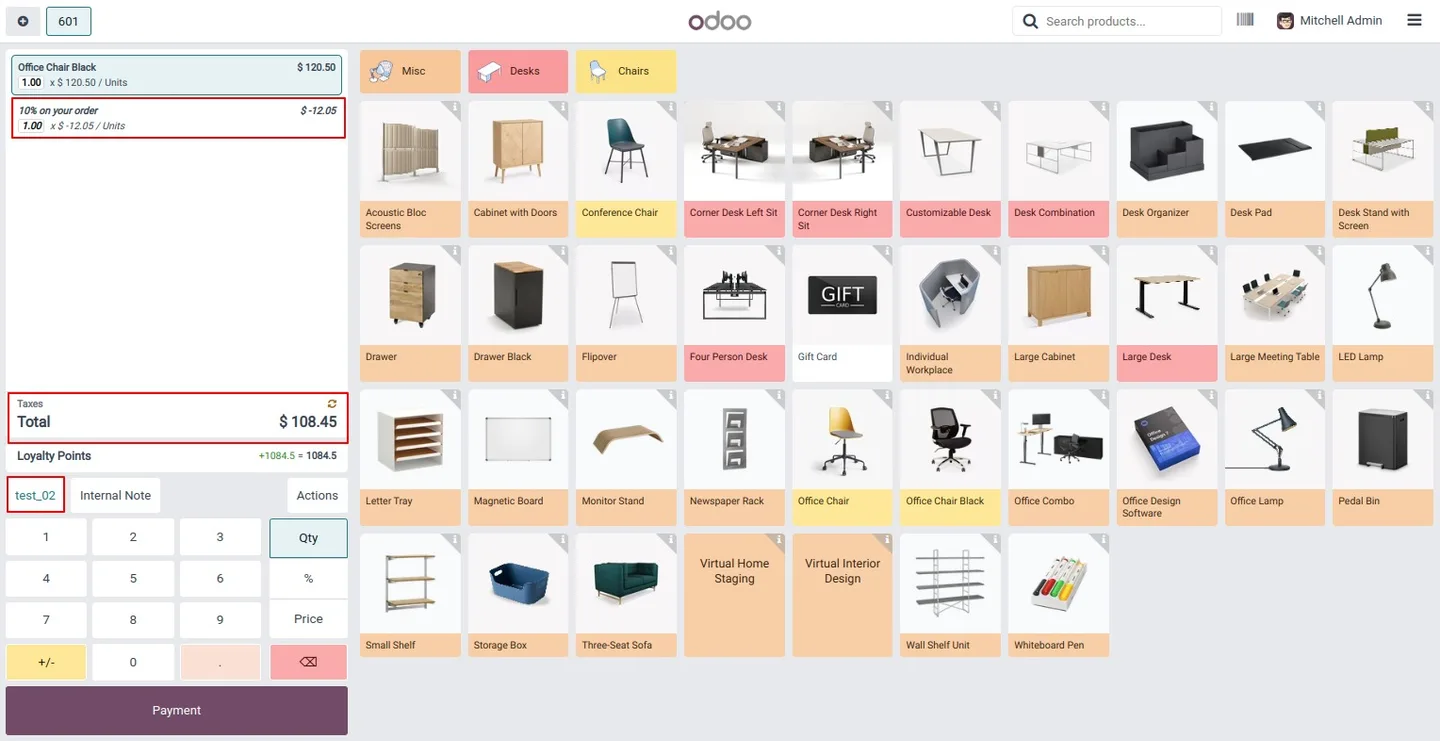
The cashier enters the birthday code in the Odoo Point of Sale and the reward is applied to the current order.
-
Single-use enforcement
Each coupon code can be redeemed only once. The module tracks claimed codes so a reward cannot be used twice.
-
Reuse blocked with a clear message
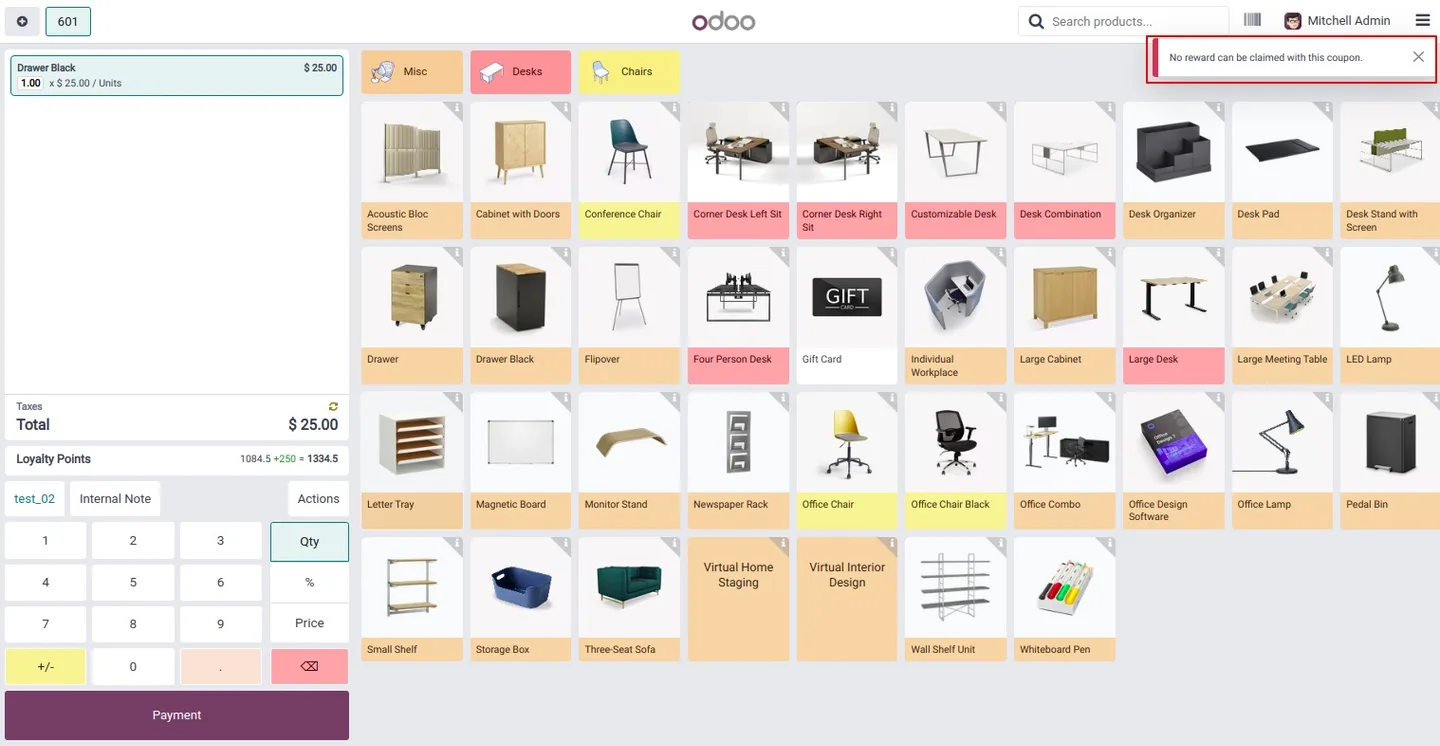
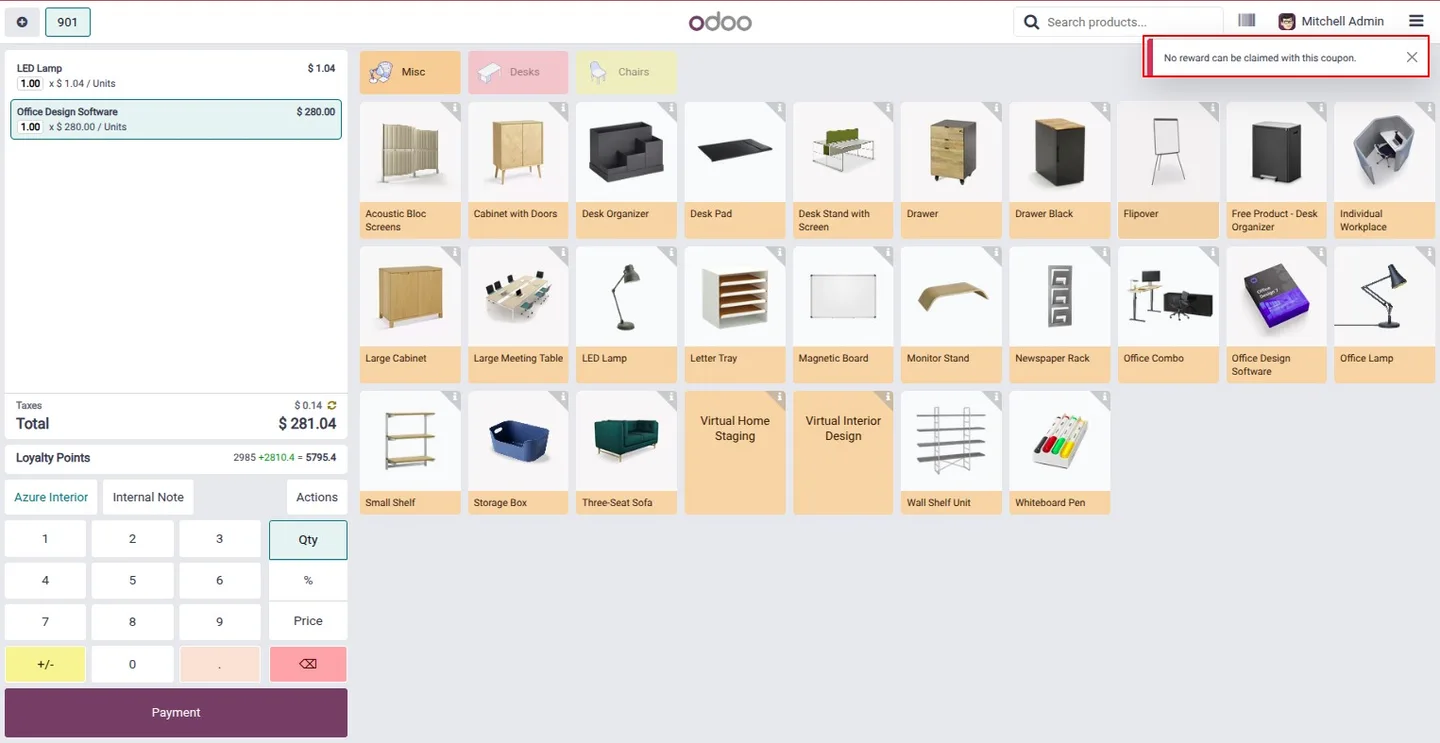
If a customer presents an already-redeemed code, the POS shows a notification and refuses the discount instead of applying it silently.
-
Instant code validation
The code is checked the moment it is entered — validity, conditions, and prior use are all verified during redemption.
-
Discount or free product
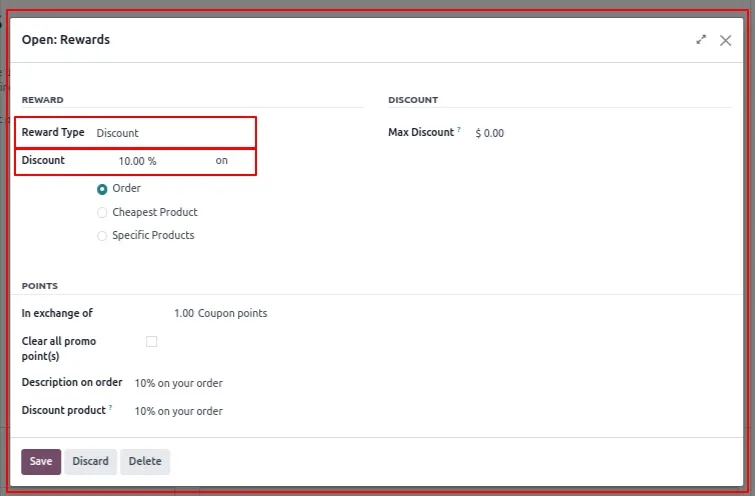
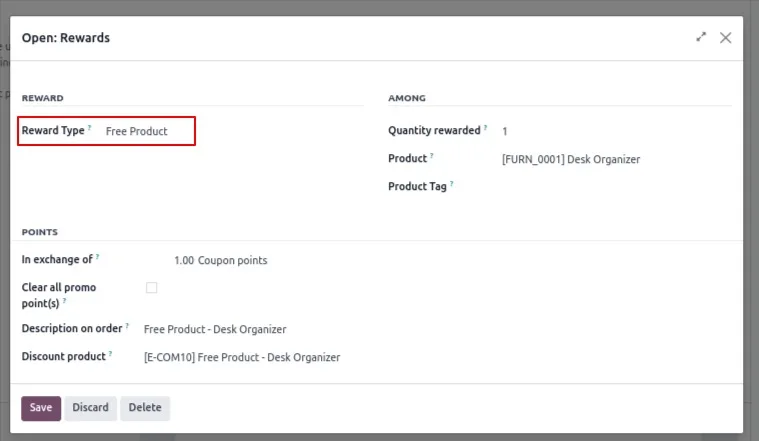
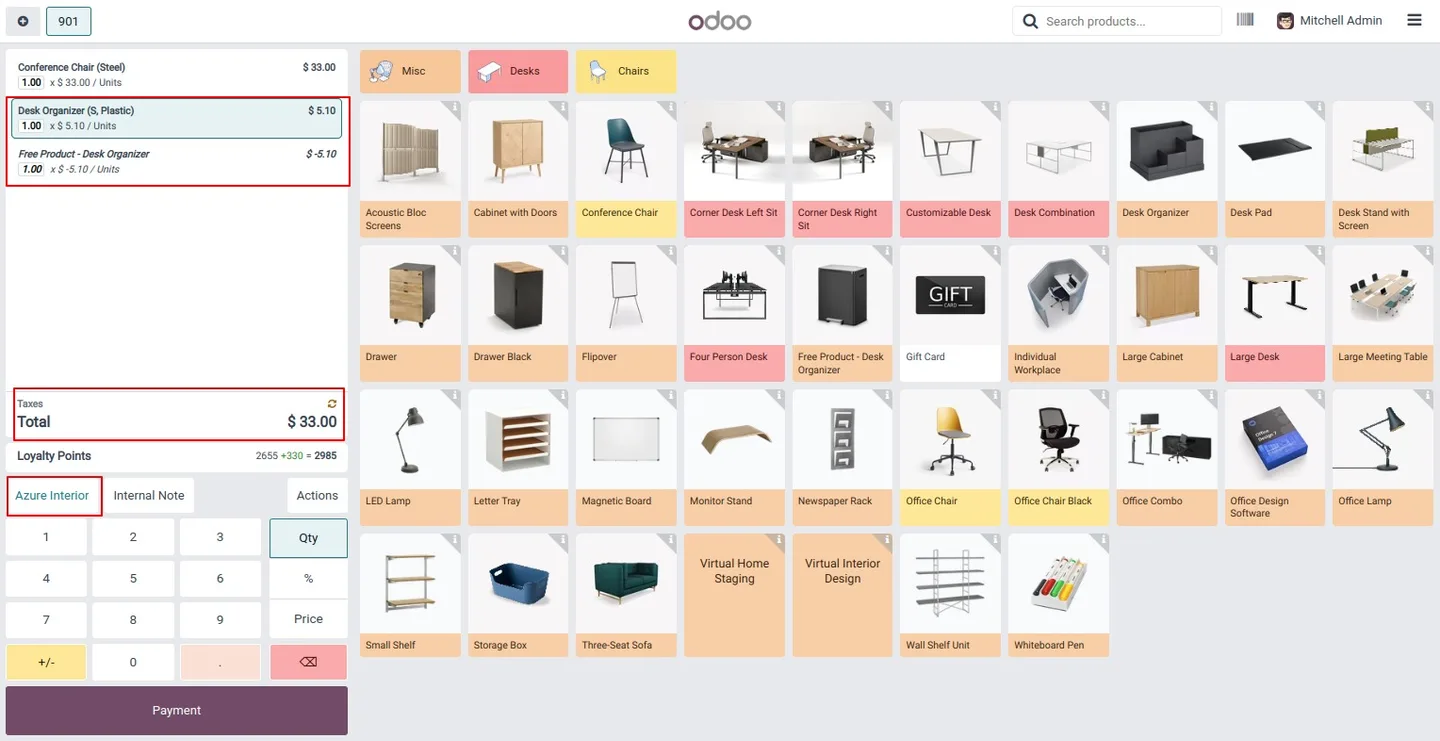
Choose the reward type per program: a percentage discount on a product, or a free product handed to the customer.
-
Configurable business rules
Set a minimum purchase amount, restrict the offer to specific product categories, and define an expiration date for each coupon.
-
Detailed redemption receipt
The final receipt lists the product information, the applied coupon code, the discount amount, and the order total.
-
Cashier-friendly error messages
Clear messages guide the cashier and customer when an invalid or expired code is entered, so checkout is not held up.
POS Loyalty Birthday Reward in Odoo
Every screen, in the order you meet it — configuration first, then the module in use.
Technical details
Specification
- Publisher
- TechUltra Solutions Private Limited
- Technical name
- pos_loyalty_birthday_reward
- Odoo versions
- 16.0, 17.0, 18.0, 19.0, 20.0
- Lines of code
- 224
- License
- Odoo Proprietary License v1.0 (OPL-1)
- Price
- $20 (one-time)
Deployment
- Odoo Online
- Odoo.sh
- On-premise
Odoo dependencies
- Point of Sale
- Invoicing
- Inventory
- Discuss
Support
90 days of bug-fix support, Monday to Friday (10:00–19:00 IST). Raise a ticket at support@techultra.in.
Setup & configuration
From install to first call — here is the path.
- 1
Install the module
In Odoo, open Apps, remove the Apps filter, search for “POS Loyalty Birthday Reward”, and click Install.
- 2
Enable the birthday reward program
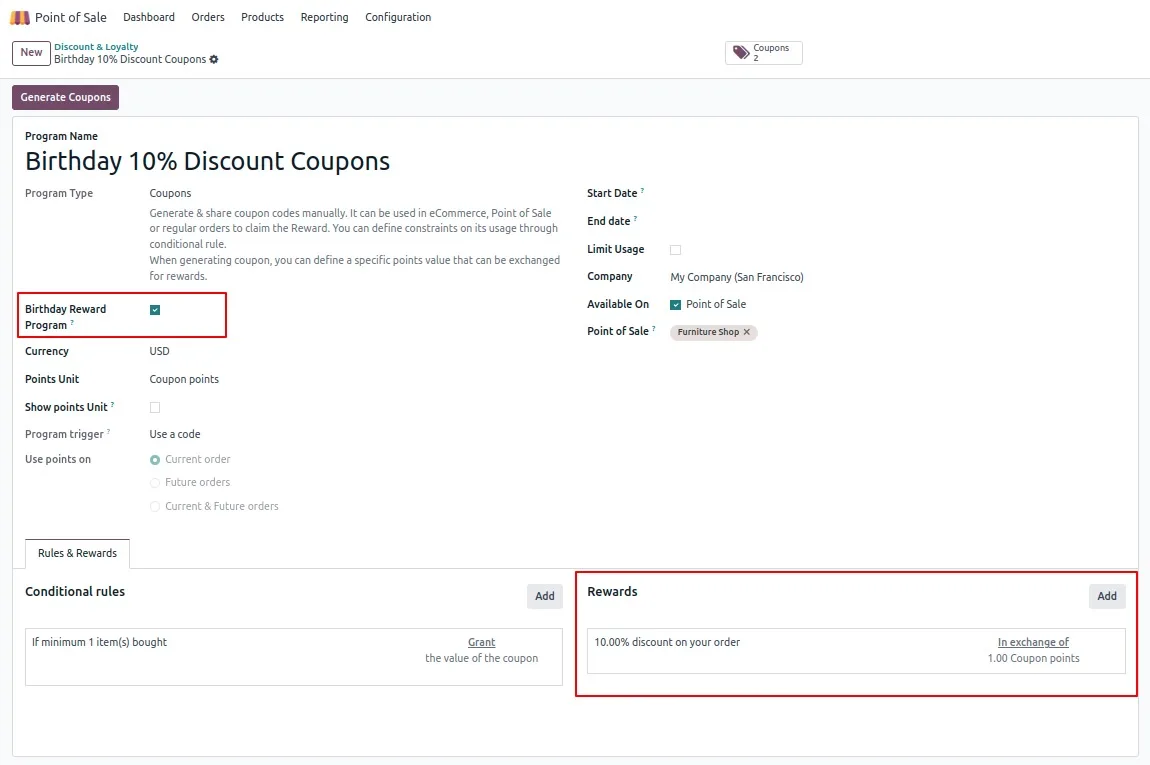
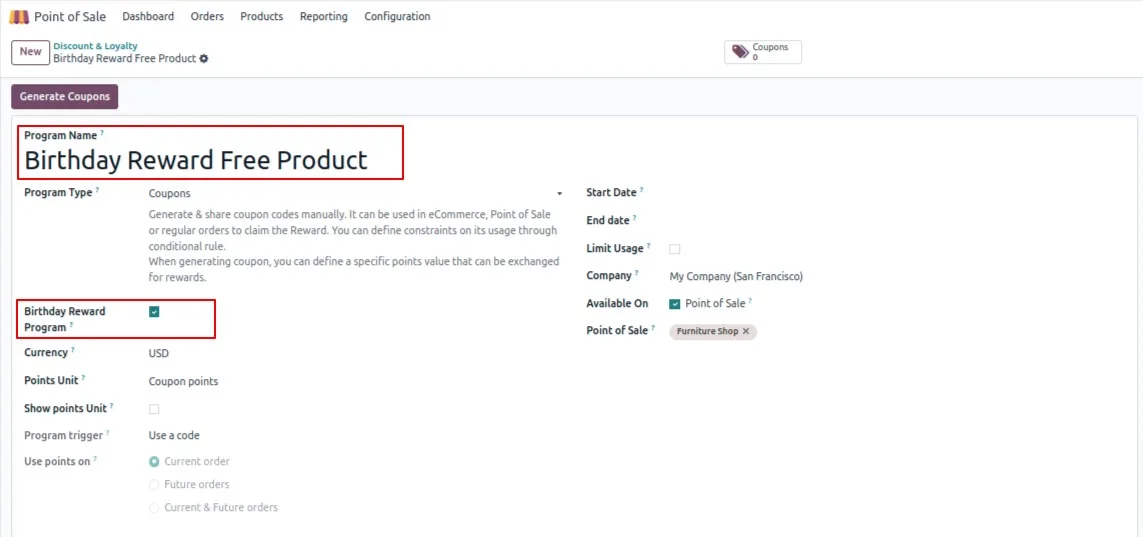
In the Point of Sale settings, tick the Birthday Reward Program option and choose the reward type — a discount on a product or a free product.
- 3
Set the reward and rules
Configure the reward parameters, such as the discount percentage or the free product, the coupon validity period, and the applicable product categories.
- 4
Add customer birth dates
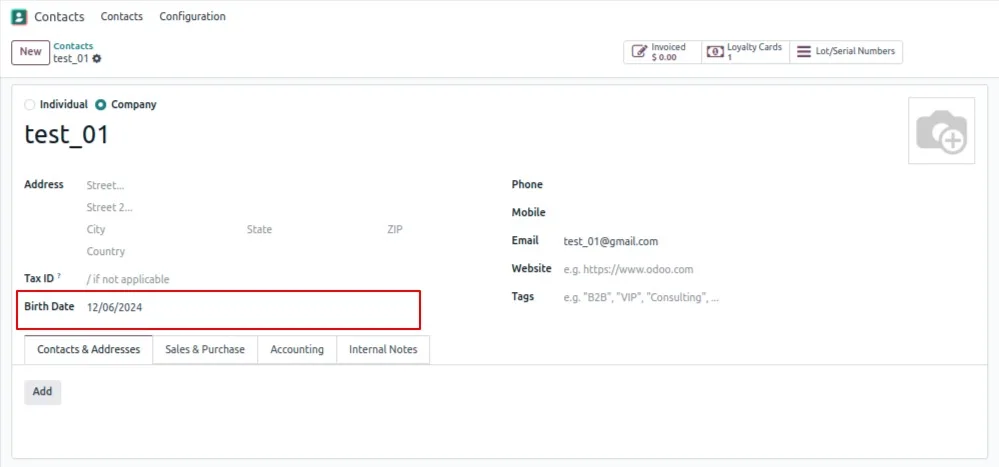
In the Contacts app, enter each customer's date in the BirthDate field so the module knows when to generate a reward.
- 5
Let the system email the coupon
On the customer's birthday, the module generates a unique code and emails it automatically, with the offer valid for one month.
- 6
Redeem the code at checkout
In the POS, after adding the products, choose Enter Code, type the birthday coupon, and the module validates it and applies the reward.
Frequently asked questions
-
How does a customer get a birthday coupon?
When the date in a contact's BirthDate field arrives, the module automatically generates a unique coupon code and emails it to the customer with a personalised message.
-
Where is the coupon redeemed?
At the Odoo Point of Sale. The cashier adds the order's products, chooses Enter Code, and types the birthday coupon to apply the reward.
-
Can a coupon be used more than once?
No. Each code is single-use. If a customer presents one that has already been claimed, the POS shows a message and refuses the discount.
-
What kind of reward can I offer?
Per program you can choose a percentage discount on a product or a free product. You set the reward type and parameters in the Point of Sale settings.
-
Can I limit when and how the coupon applies?
Yes. You can set a minimum purchase amount, restrict the offer to specific product categories, and define an expiration date — coupons are typically valid for one month.
-
What does the customer receipt show?
The final receipt lists the product information, the applied coupon code, the discount amount, and the order total.
-
Which Odoo versions are supported?
The module supports Odoo 16.0, 17.0, 18.0, 19.0, and 20.0, in both the Community and Enterprise editions.
-
Is support included?
Yes. The module includes 90 days of bug-fix support, Monday to Friday, 10:00–19:00 IST.
Listing verified against the Odoo App Store:
Related solutions
Whole-platform solutions that complement POS Loyalty Birthday Reward.
Related services
Get the most out of this module with senior TechUltra consultants.
Odoo Customization Services
Odoo customization from a Gold Partner: custom modules, workflows, reports and Studio changes, written upgrade-safe and quoted at a fixed scope. Free scoping call.
Hire Odoo Developers
Hire certified Odoo developers from a Gold Partner: one developer or a team, full-time or part-time, 70–160 hours a month. Silver, Gold or Platinum plan, free trial.
Odoo Support Services & Maintenance
Odoo support services from a Gold Partner: functional and technical support plus server cover for Enterprise and Community, 30-minute P1 response, 24/7 option.







