

Odoo App · Point of Sale
POS Close Session From Backend
Close Point of Sale sessions and post journal entries from the Odoo backend.

Overview
POS Close Session From Backend takes a daily chore off the shop floor. Standard Odoo closes a POS session and posts its journal entries from inside the POS app — fine for one register, slow when you run several across multiple locations.
Built by TechUltra Solutions, this module adds a “Close session and post entries” button to the session record in the Odoo backend. A manager can close registers and post the accounting entries from the back office, without opening the POS interface for each one.
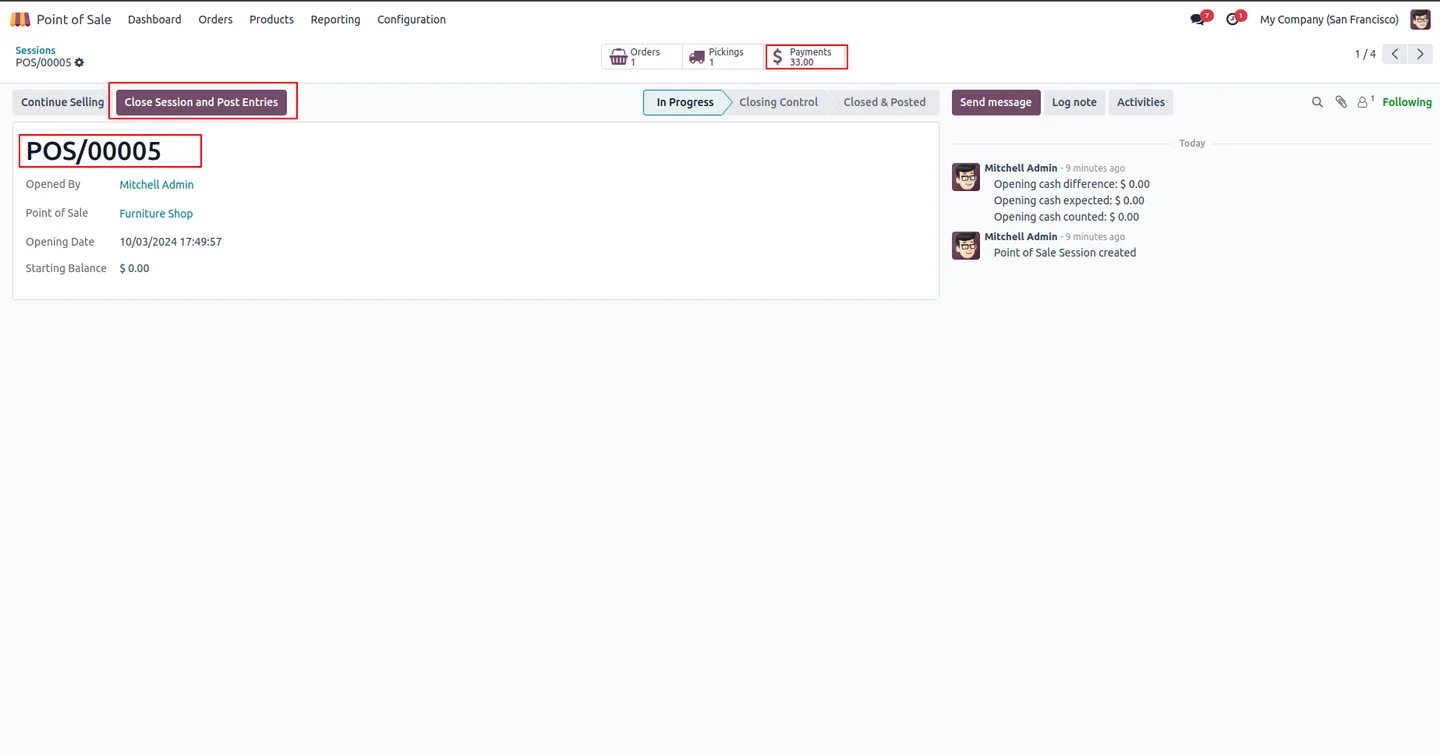
Before closing, the session record shows its full details so you can review takings and stages and confirm the numbers are right. The module needs no configuration — install it, open the session, and the button is there.
Key features
-
Close sessions from the backend
Close a POS session and post its journal entries directly from the session record in the Odoo back office, away from the POS app.
-
Post journal entries in one click
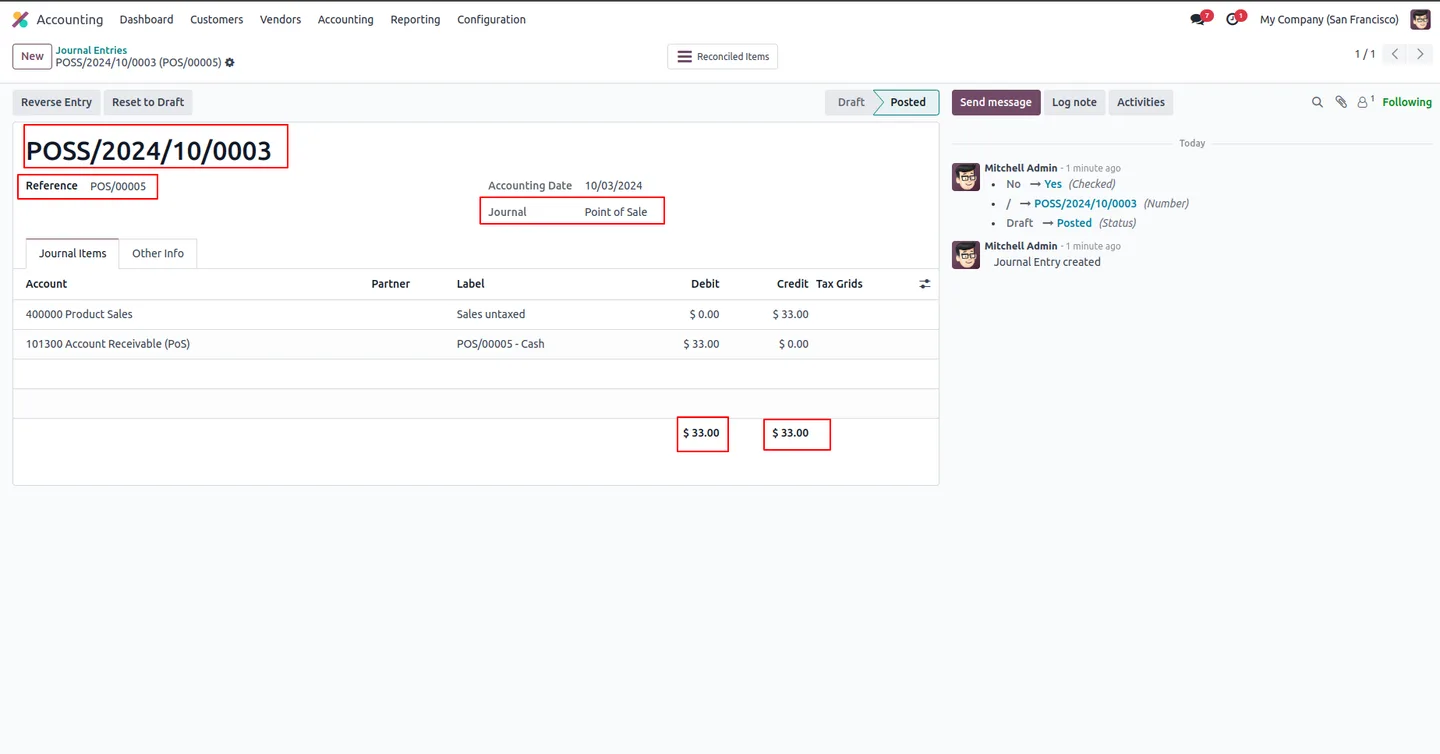
The close-and-post-entries button finalises the session's accounting entries, so closing and posting happen together in a single action.
-
Built for multi-location retail
Managing registers across several shops is faster when each session can be closed from one backend screen instead of every POS terminal.
-
Pre-close session review
Open the session record to review its details before closing, so you can confirm the takings and figures are accurate first.
-
Session stage control
Move a POS session through its stages from the backend, keeping the status of every register clear and current.
-
No configuration needed
The module works as soon as it is installed — there are no settings to enable before the backend close button appears.
-
Simple, familiar interface
The close action sits on the standard Odoo session record, so it fits the workflow your team already knows.
POS Close Session From Backend in Odoo
Every screen, in the order you meet it — configuration first, then the module in use.
Technical details
Specification
- Publisher
- TechUltra Solutions Private Limited
- Technical name
- pos_close_session_from_bakcend
- Odoo versions
- 16.0, 17.0, 18.0, 19.0, 20.0
- Lines of code
- 150
- License
- Odoo Proprietary License v1.0 (OPL-1)
- Price
- $25 (one-time)
Deployment
- Odoo Online
- Odoo.sh
- On-premise
Odoo dependencies
- Point of Sale
- Invoicing
- Inventory
- Discuss
Support
90 days of bug-fix support, Monday to Friday (10:00–19:00 IST). Raise a ticket at support@techultra.in.
Setup & configuration
From install to first call — here is the path.
- 1
Install the module
In Odoo, open Apps, remove the Apps filter, search for “POS Close Session From Backend”, and click Install.
- 2
Open a POS session
Go to Point of Sale → Orders → Sessions and open the session you want to close.
- 3
Review the session details
Check the session record — takings, stage, and figures — to confirm everything is accurate before closing.
- 4
Close and post entries
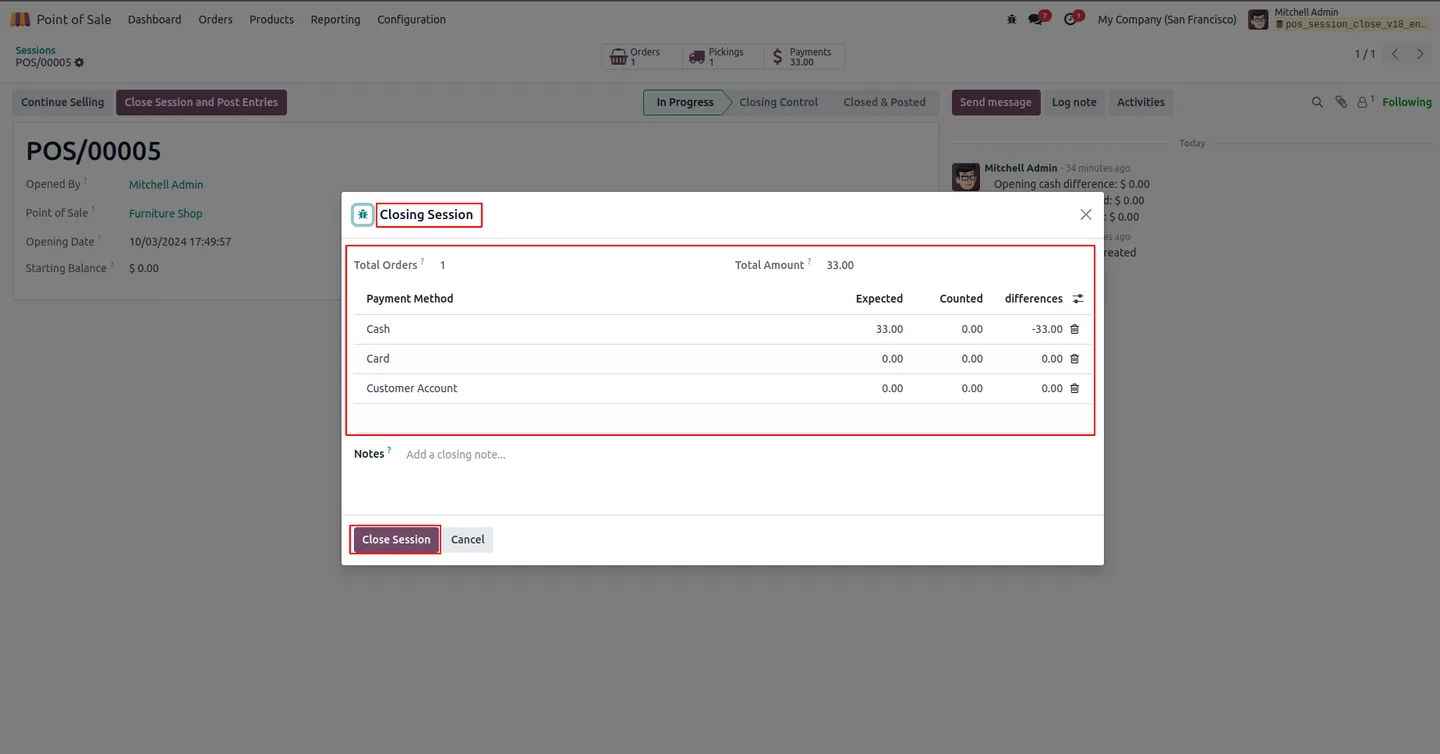
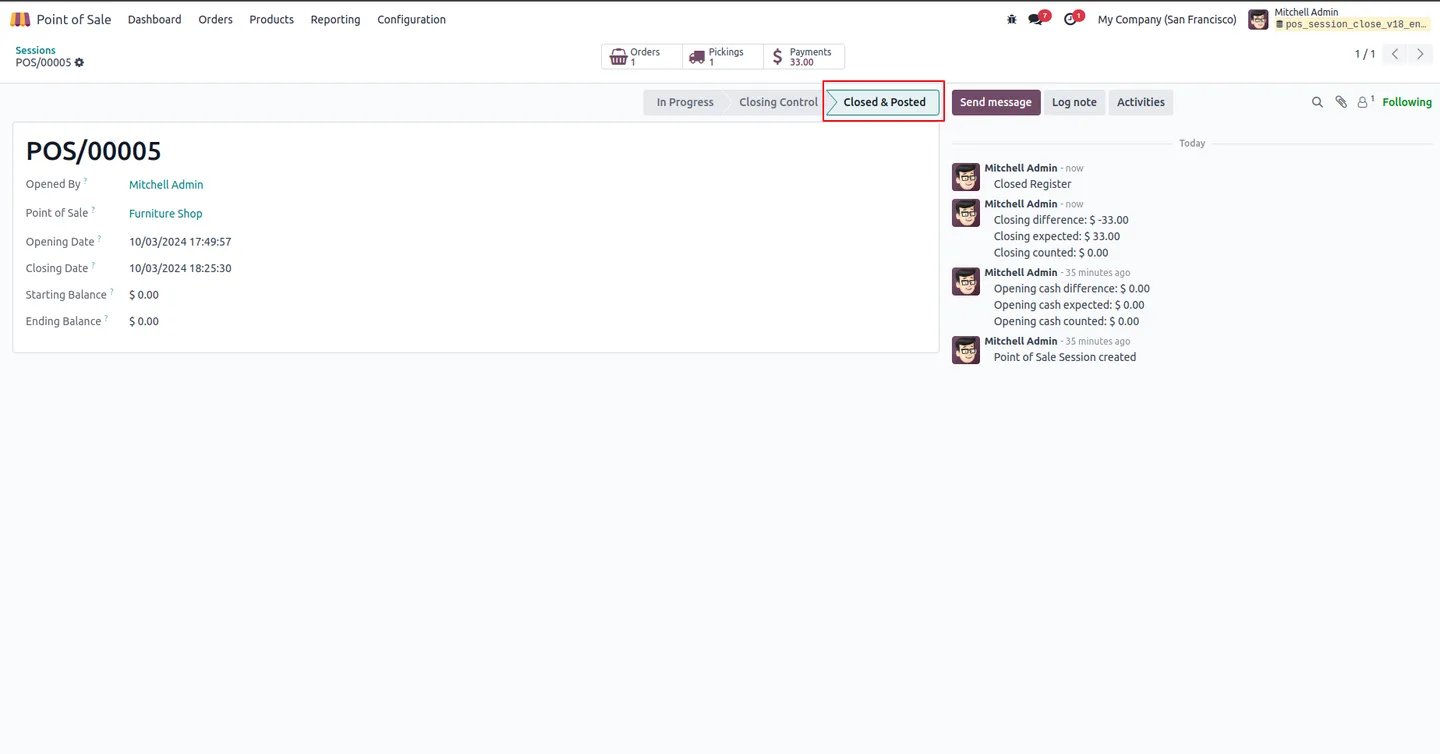
Click the “Close session and post entries” button. The session closes and its journal entries are posted from the backend.
Frequently asked questions
-
How do I close a POS session from the backend?
Go to Point of Sale → Orders → Sessions, open the session, and click the “Close session and post entries” button. The session closes and its journal entries are posted without opening the POS app.
-
Does it post the journal entries as well as close the session?
Yes. The close-and-post-entries button finalises the session and posts its accounting journal entries together in a single action.
-
Can I review a session before closing it?
Yes. Open the session record to review its details — takings, stage, and figures — so you can confirm accuracy before closing.
-
Why close sessions from the backend instead of the POS app?
Closing from the backend is faster when you run registers across multiple locations, since each session can be closed from one back-office screen rather than every POS terminal.
-
Does the module need any configuration?
No. The module works as soon as it is installed — the backend close button appears on the session record with no settings to enable.
-
Which Odoo versions are supported?
POS Close Session From Backend supports Odoo 16.0, 17.0, 18.0, 19.0, and 20.0.
-
Which Odoo apps does it depend on?
The module builds on Point of Sale, Invoicing, Inventory, and Discuss, since closing a session posts accounting entries and updates stock.
-
Is support included?
Yes. The module includes 90 days of bug-fix support, Monday to Friday, 10:00–19:00 IST.
Listing verified against the Odoo App Store:
Related solutions
Whole-platform solutions that complement POS Close Session From Backend.
Related services
Get the most out of this module with senior TechUltra consultants.
Odoo Customization Services
Odoo customization from a Gold Partner: custom modules, workflows, reports and Studio changes, written upgrade-safe and quoted at a fixed scope. Free scoping call.
Hire Odoo Developers
Hire certified Odoo developers from a Gold Partner: one developer or a team, full-time or part-time, 70–160 hours a month. Silver, Gold or Platinum plan, free trial.
Odoo Support Services & Maintenance
Odoo support services from a Gold Partner: functional and technical support plus server cover for Enterprise and Community, 30-minute P1 response, 24/7 option.







