
Odoo App · Reporting & PDF
PDF Split & Merge
Split, extract, and merge PDF files directly inside Odoo — no external tools.

Overview
PDF Split & Merge turns Odoo into a working PDF manager. Users upload one or more PDFs, choose pages to split out or merge together, preview the result, and download the new file — all inside the same Odoo session they already use for invoices, contracts, and reports.
Built by TechUltra Solutions for businesses that handle high document volumes, the module focuses on the two operations that account for most ad-hoc PDF work: splitting large multi-page files into single pages or page ranges, and combining several PDFs into one structured document in the order you choose.
A live preview lets users verify the output before downloading, and built-in validation catches invalid ranges and broken PDFs before they generate a file. The module supports Odoo 16.0, 17.0, 18.0, 19.0, and 20.0 in both Community and Enterprise editions.
Key features
-
Split multi-page PDFs
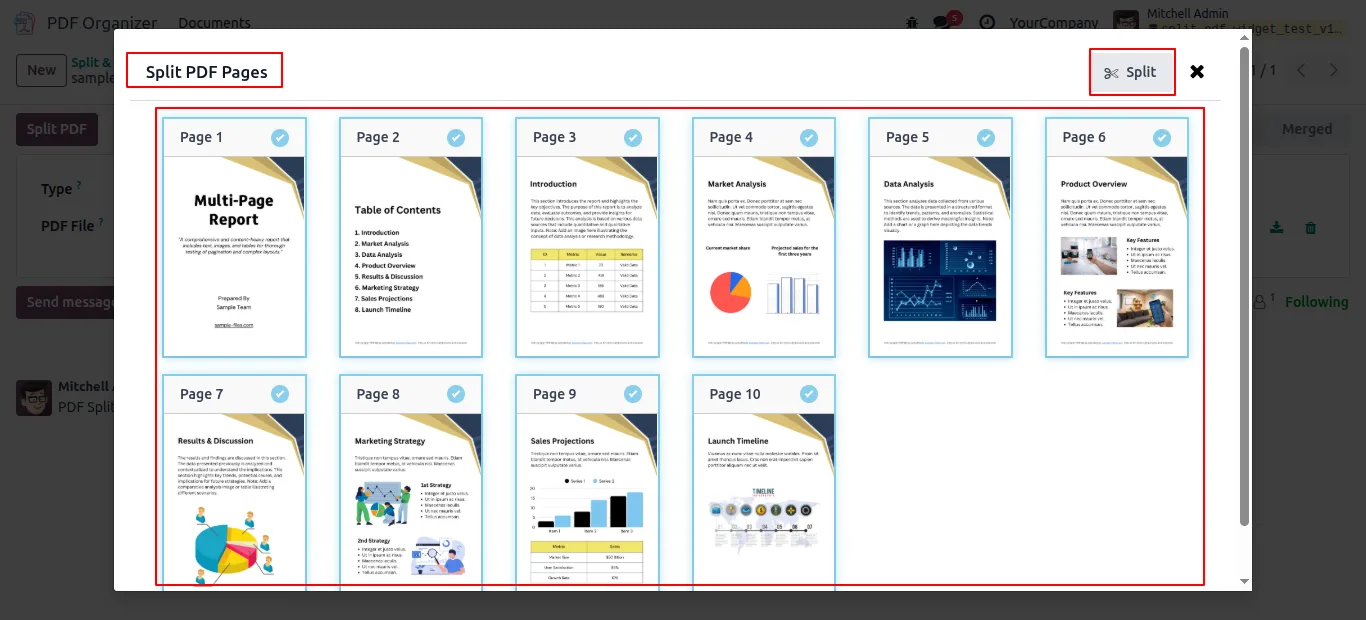
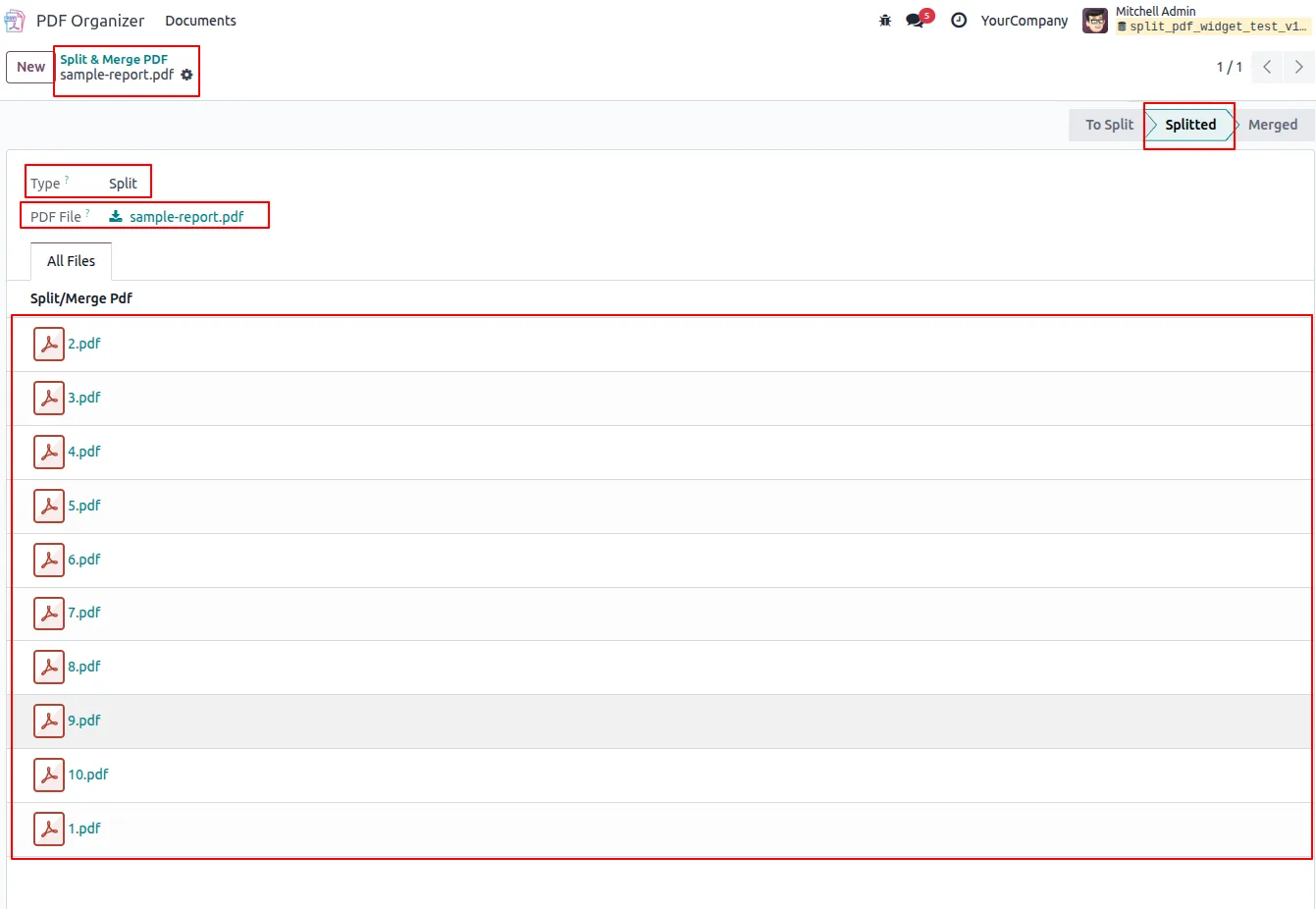
Break a large multi-page PDF into individual single-page files — useful for separating a batch invoice export or a multi-contract scan into one record per document.
-
Selective page extraction
Choose exact page ranges and generate a new PDF from only those pages. Avoids duplicating the entire source file when you only need pages 3 to 7.
-
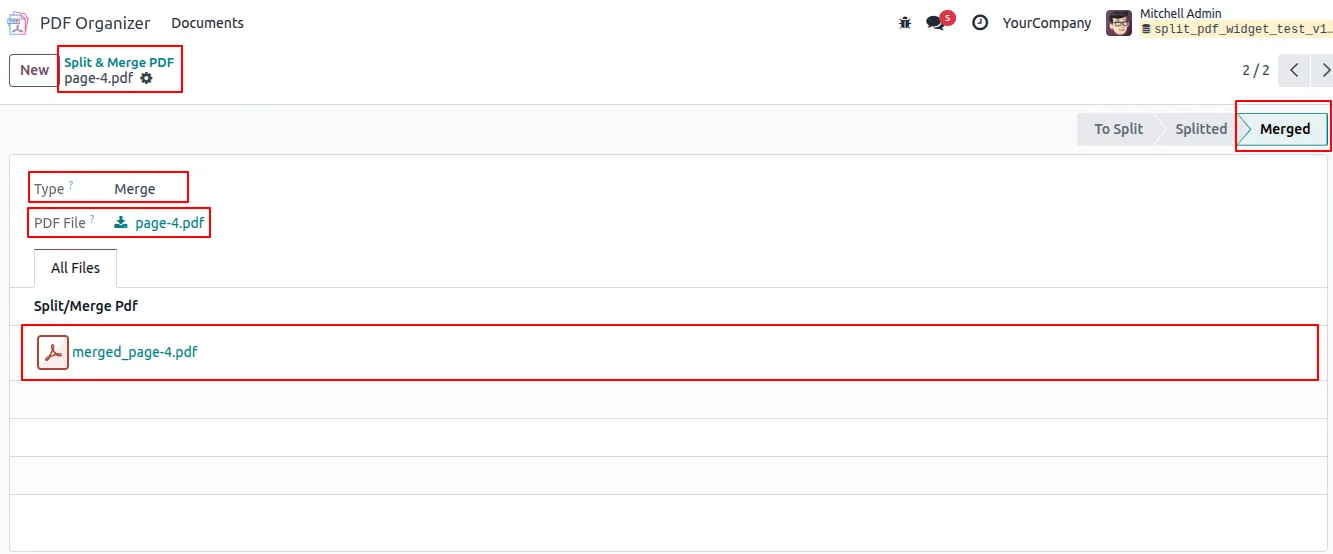
Merge multiple PDFs
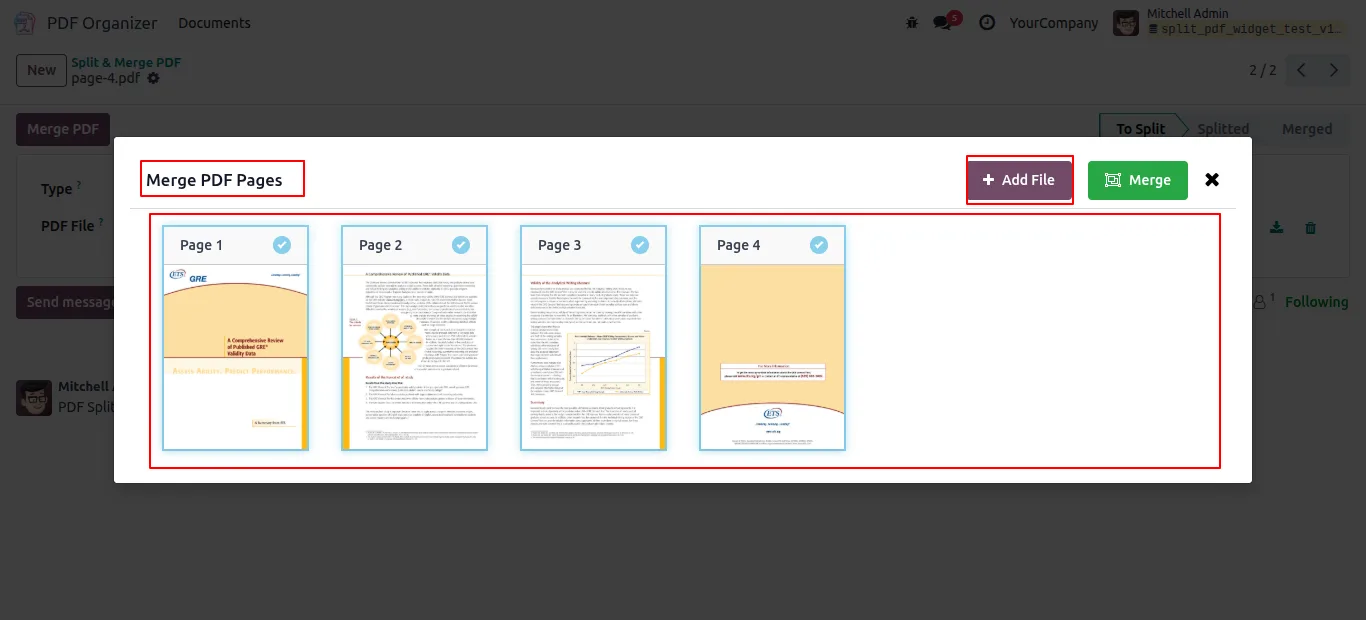
Combine several PDF files into a single document, with full control over the order so the merged file matches the structure you want.
-
Reorder pages before merging
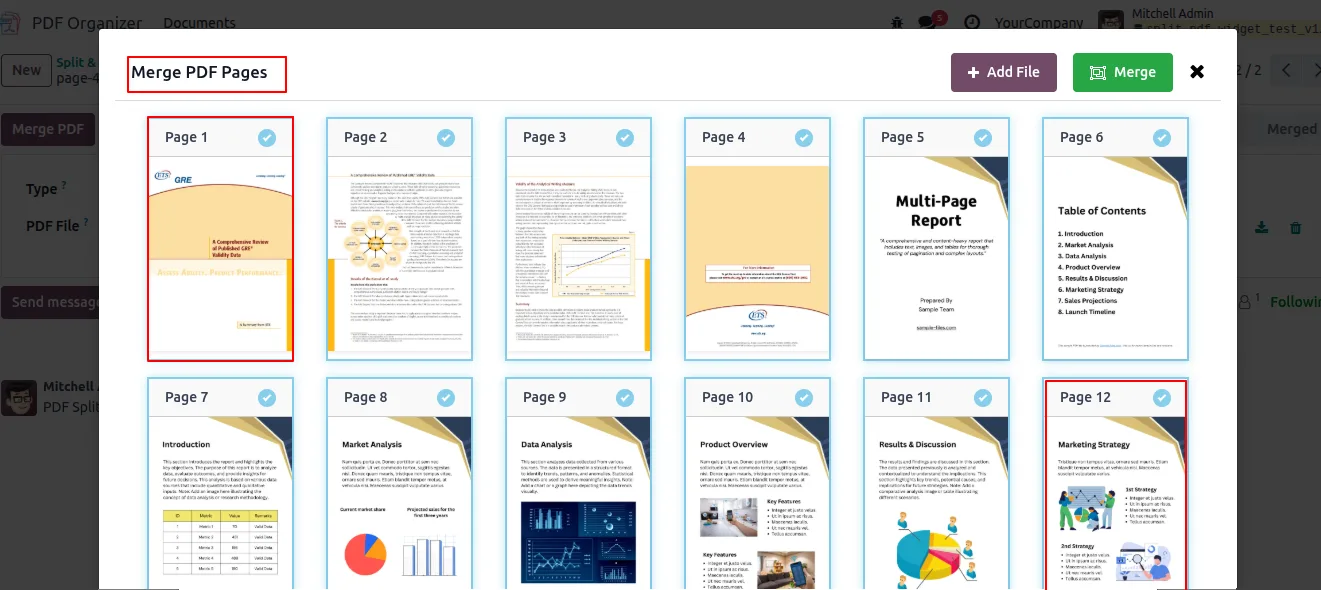
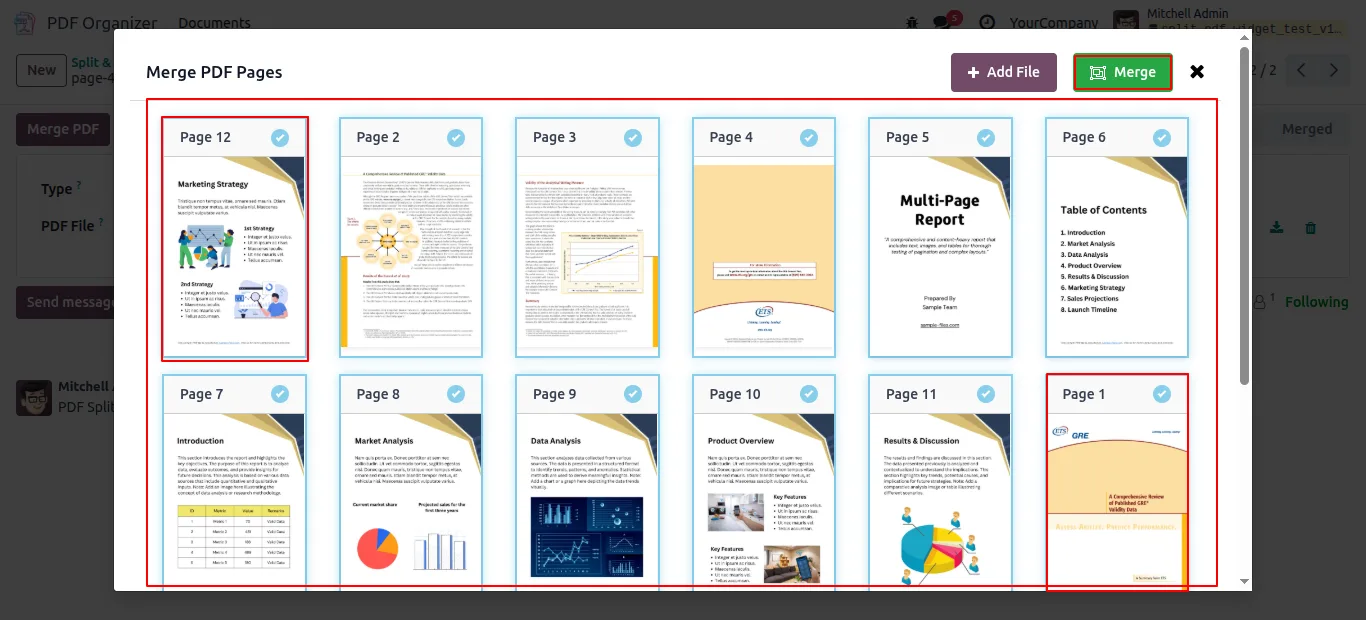
Add files to the merge queue, then drag or reorder them so the final document follows the sequence you need — no need to re-export from the source app.
-
Live preview before download
Preview the split or merged PDF inside Odoo before generating the final file. Catches range mistakes and ordering errors before they reach the recipient.
-
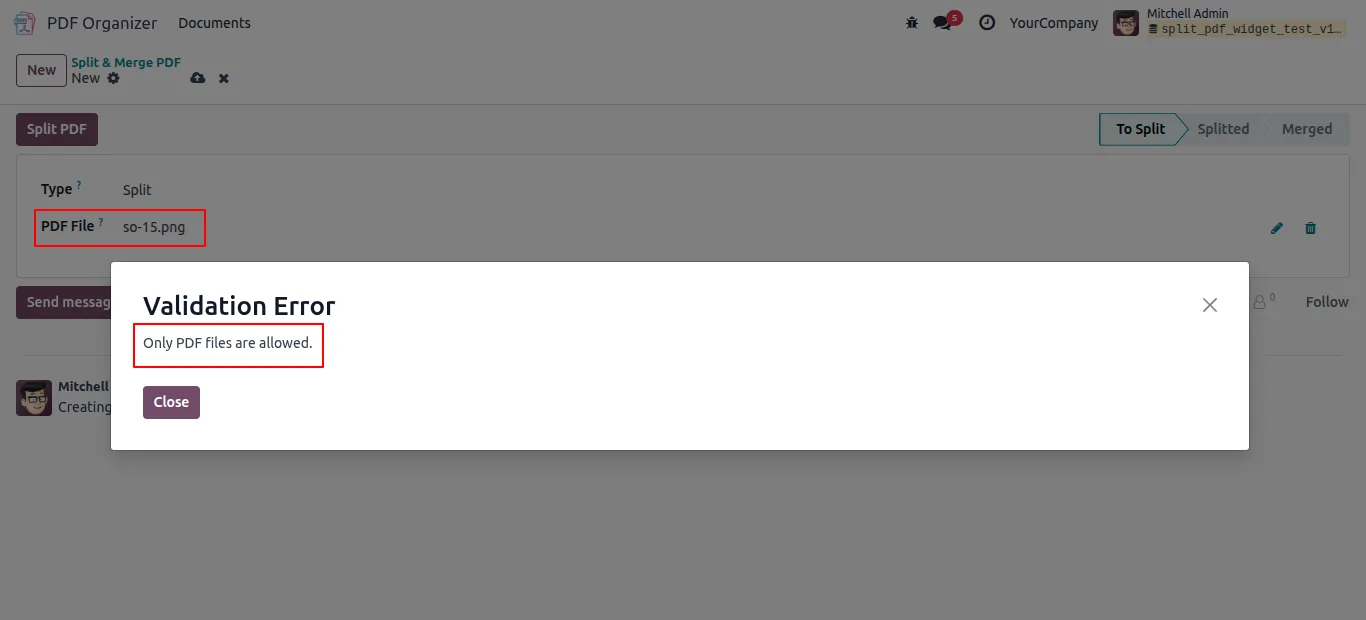
Validation on every operation
Validation rules check inputs (page ranges, file count, PDF integrity) and surface clear errors instead of producing a broken file silently.
-
No external tool needed
Replaces the workflow of downloading PDFs, opening a third-party PDF editor, and re-uploading the result. Everything runs inside Odoo and respects your access controls.
-
Clean, low-friction UI
A simple interface that does not require technical knowledge — built for finance, procurement, and ops teams that work with PDFs every day.
PDF Split & Merge in Odoo
Every screen, in the order you meet it — configuration first, then the module in use.
Technical details
Specification
- Publisher
- TechUltra Solutions Private Limited
- Technical name
- pdf_split_and_merge
- Odoo versions
- 16.0, 17.0, 18.0, 19.0, 20.0
- Lines of code
- 789
- License
- Odoo Proprietary License v1.0 (OPL-1)
- Price
- $17.47 (one-time)
Deployment
- Odoo Online
- Odoo.sh
- On-premise
Odoo dependencies
- Discuss
Support
90 days of bug-fix support, Monday to Friday (10:00–19:00 IST). Raise a ticket at support@techultra.in.
Setup & configuration
From install to first call — here is the path.
- 1
Install the module
In Odoo, open Apps, remove the Apps filter, search for “PDF Split & Merge” (technical name pdf_split_and_merge), and click Install.
- 2
Open the PDF tool
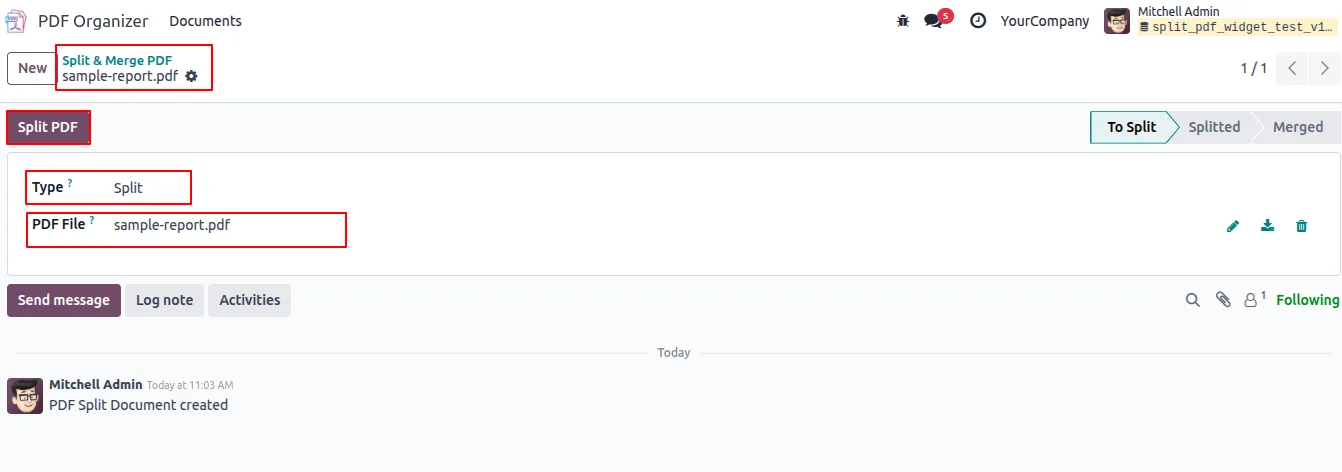
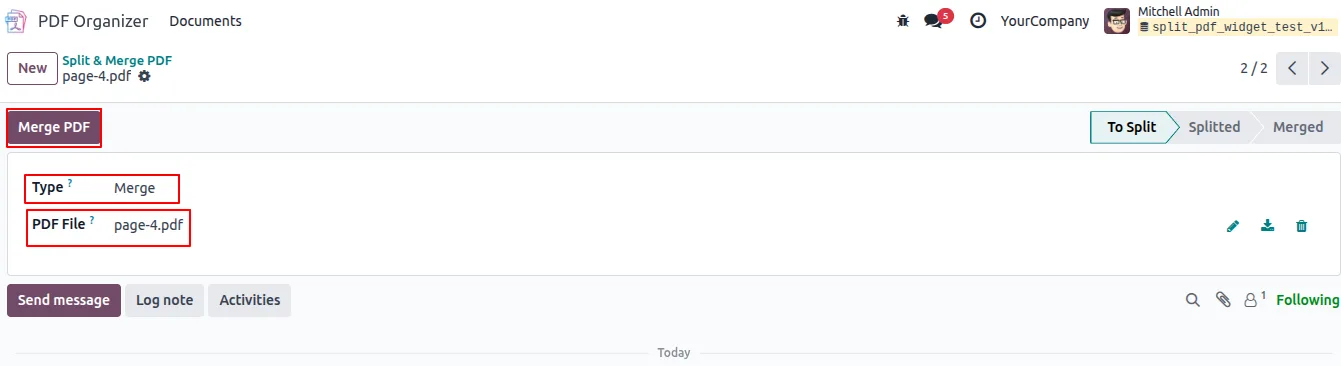
After install, the PDF Split & Merge action is available in the side menu. Open it to start a new split or merge operation.
- 3
Split a PDF
Upload a source PDF, enter the page ranges you want to extract (for example 1-3, 5, 8-10), preview the result, and download the generated file.
- 4
Merge PDFs
Add two or more PDF files to the merge queue, reorder them so the sequence matches what you want, preview the combined document, and download the merged PDF.
- 5
Fix validation errors before download
If a range is invalid or a file is unreadable, the module shows a validation error. Adjust the input and try again — no broken PDFs are produced.
Frequently asked questions
-
Do I need a separate PDF editor like Acrobat?
No. The point of the module is to keep PDF splitting and merging inside Odoo. You upload, preview, and download the result without opening another app.
-
Can I extract only a specific range of pages?
Yes. You can choose exact page ranges (for example 1-3, 5, 8-10) and generate a new PDF that contains only those pages.
-
Can I control the order of files when merging?
Yes. After adding PDFs to the merge queue you can reorder them so the merged document follows the structure you need.
-
Is there a way to check the output before downloading?
Yes. A live preview shows the split or merged PDF inside Odoo so you can confirm pages and order before generating the final file.
-
What happens if I enter an invalid page range?
The module's validation rules surface a clear error in the interface instead of producing a broken PDF. Fix the input and run the operation again.
-
Which Odoo versions are supported?
Odoo 16.0, 17.0, 18.0, 19, and 20.0, in both Community and Enterprise editions.
-
Does this work on Odoo Online?
Yes. The module installs on Odoo Online, Odoo.sh, and on-premise Odoo deployments.
-
Is support included?
Yes. The module includes 90 days of bug-fix support, Monday to Friday, 10:00–19:00 IST. Tickets go to support@techultra.in.
Listing verified against the Odoo App Store:
Related services
Get the most out of this module with senior TechUltra consultants.
Odoo Customization Services
Odoo customization from a Gold Partner: custom modules, workflows, reports and Studio changes, written upgrade-safe and quoted at a fixed scope. Free scoping call.
Hire Odoo Developers
Hire certified Odoo developers from a Gold Partner: one developer or a team, full-time or part-time, 70–160 hours a month. Silver, Gold or Platinum plan, free trial.
Odoo Support Services & Maintenance
Odoo support services from a Gold Partner: functional and technical support plus server cover for Enterprise and Community, 30-minute P1 response, 24/7 option.







