

Odoo App · CRM & Email
Partner Mail Insights
Smart buttons on every Odoo contact for incoming and outgoing email — counts and full filtered history.

Overview
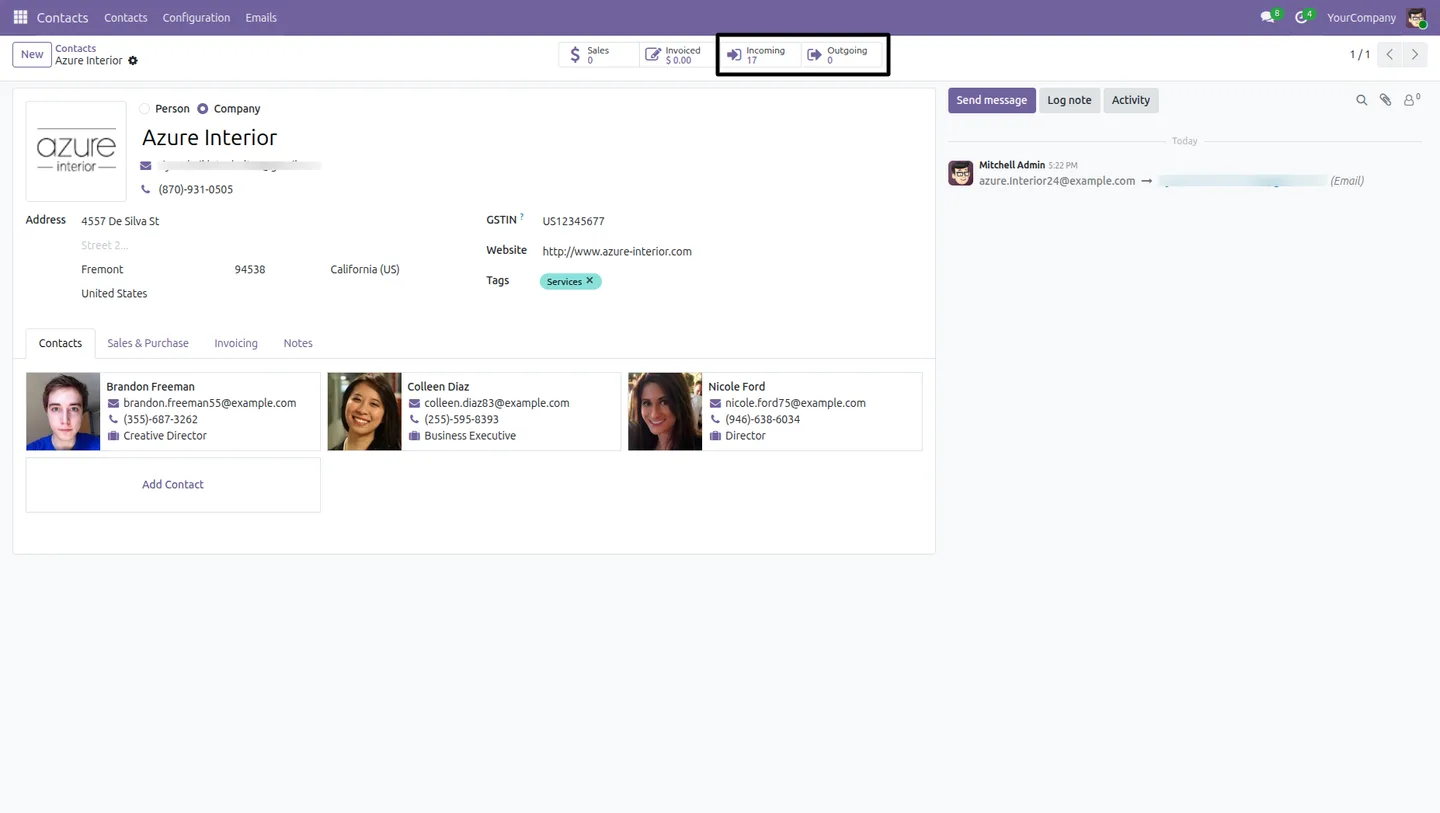
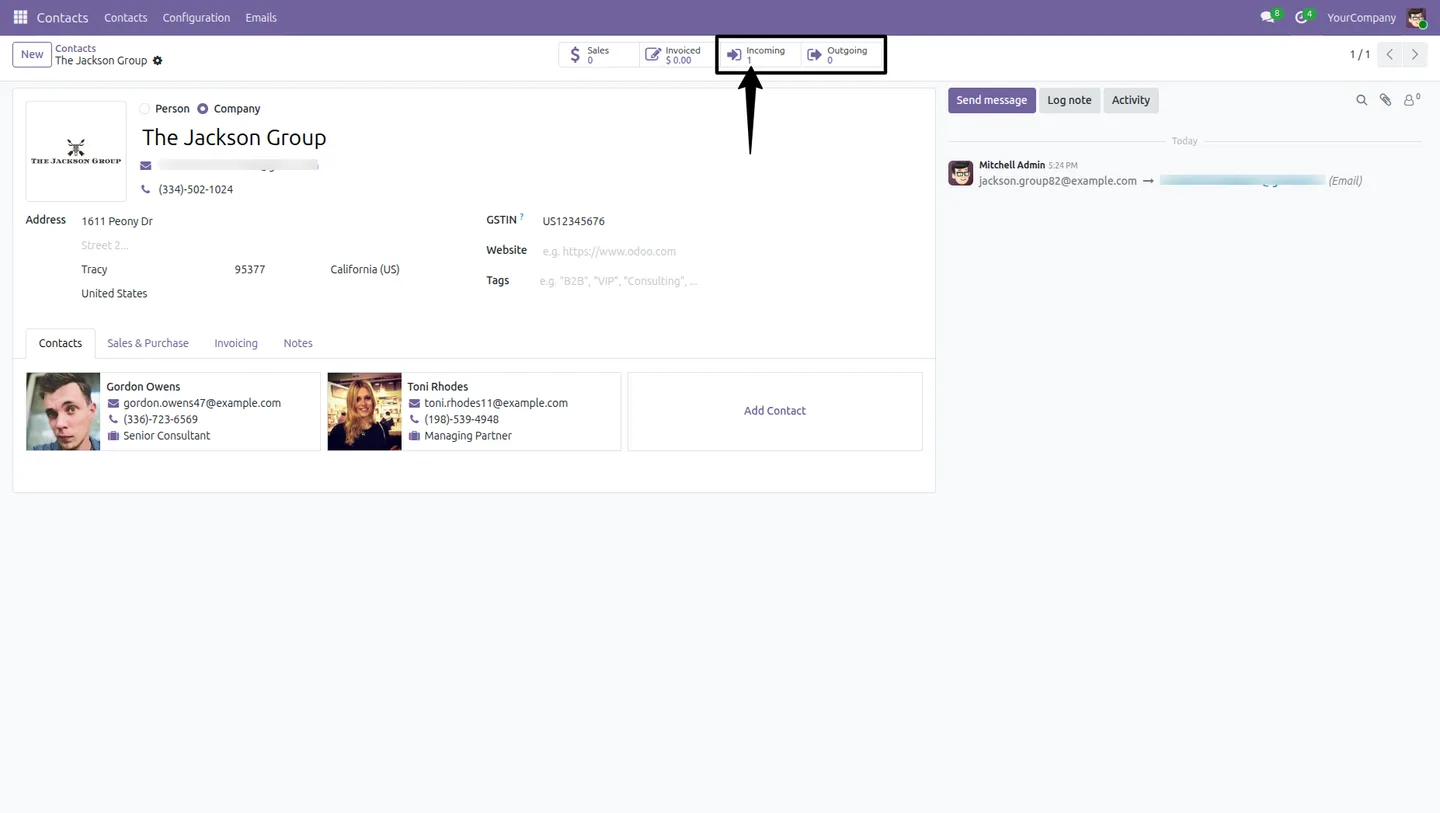
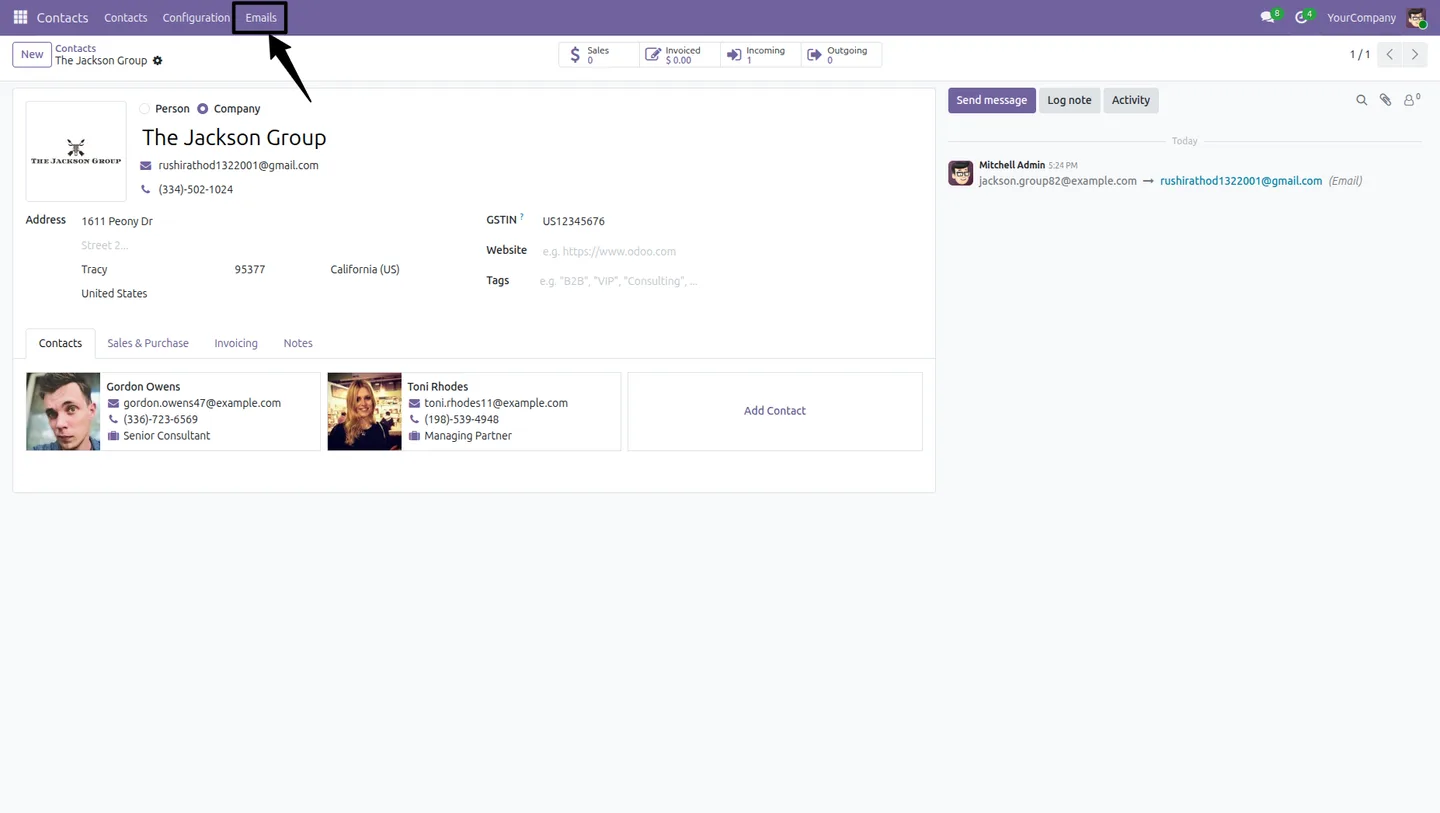
Partner Mail Insights adds two smart buttons — Incoming Emails and Outgoing Emails — to every contact in Odoo. The counts update automatically as messages flow in and out, so anyone opening a contact sees the volume of email traffic at a glance.
Built by TechUltra Solutions, the module tracks email correctly even when partners appear in CC or are buried in mixed recipient lists. It matches on sender, recipient, author, email_to, email_from, and email_cc, so the counter and history reflect the real communication picture, not just the obvious mainline thread.
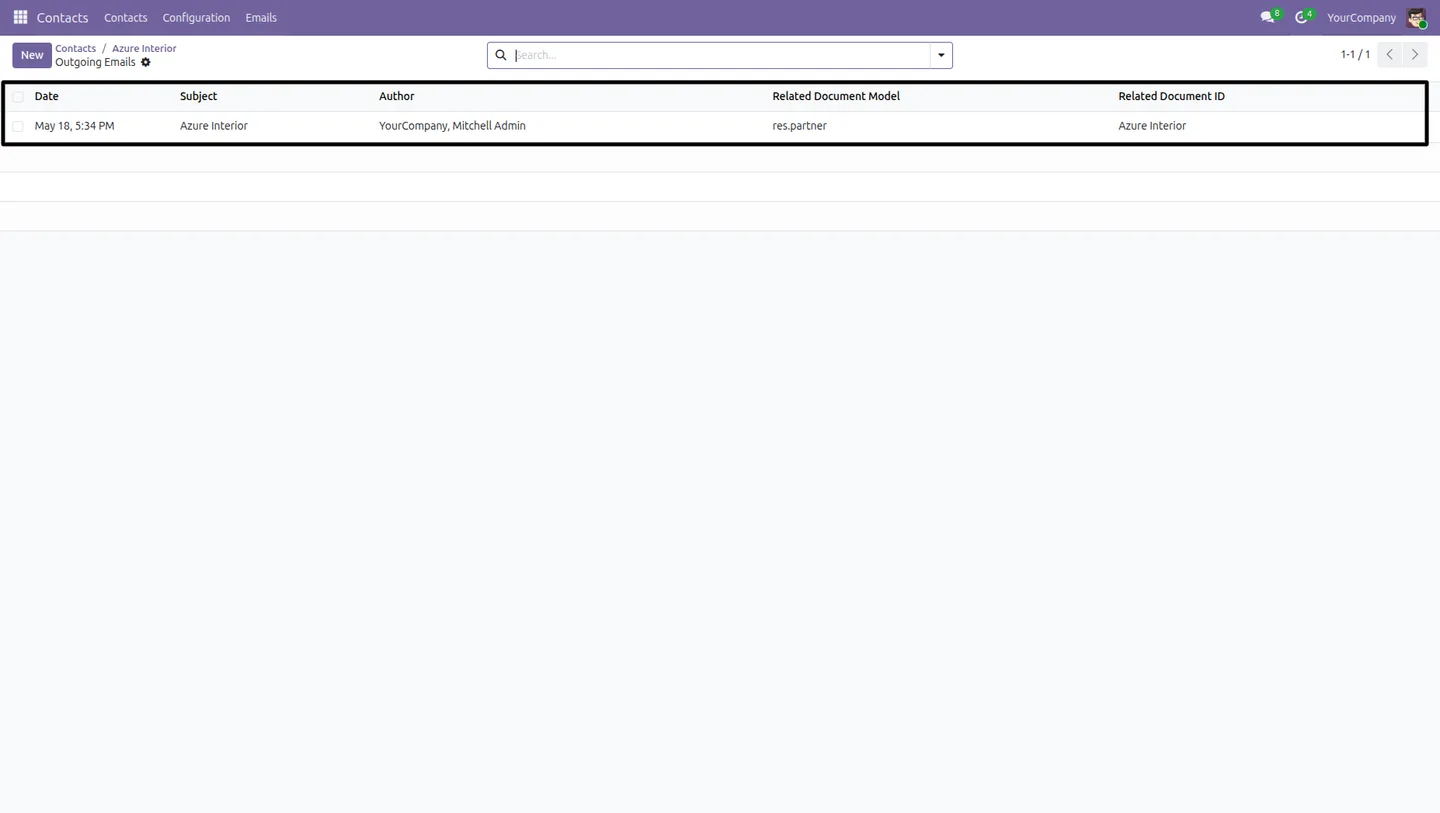
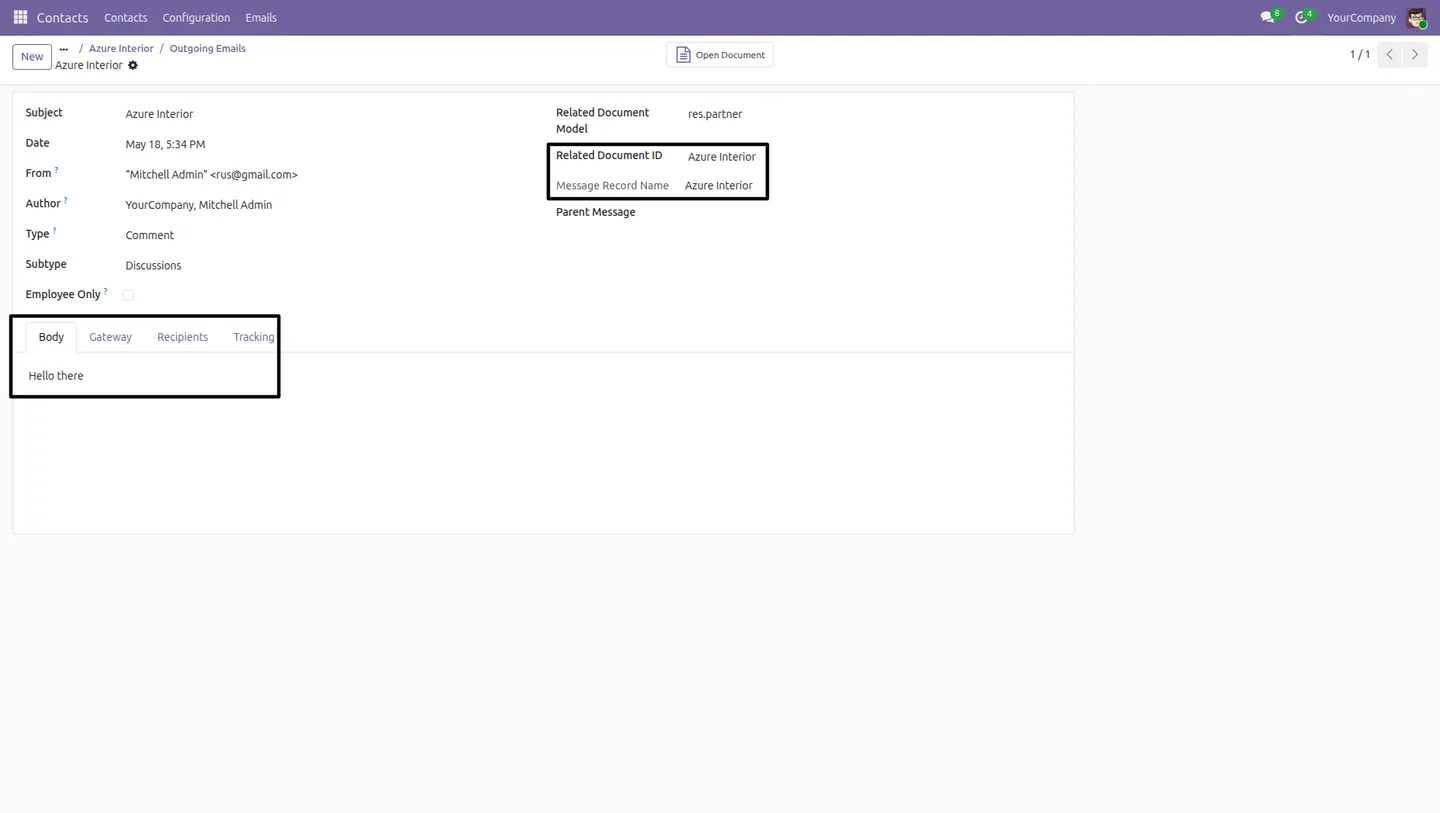
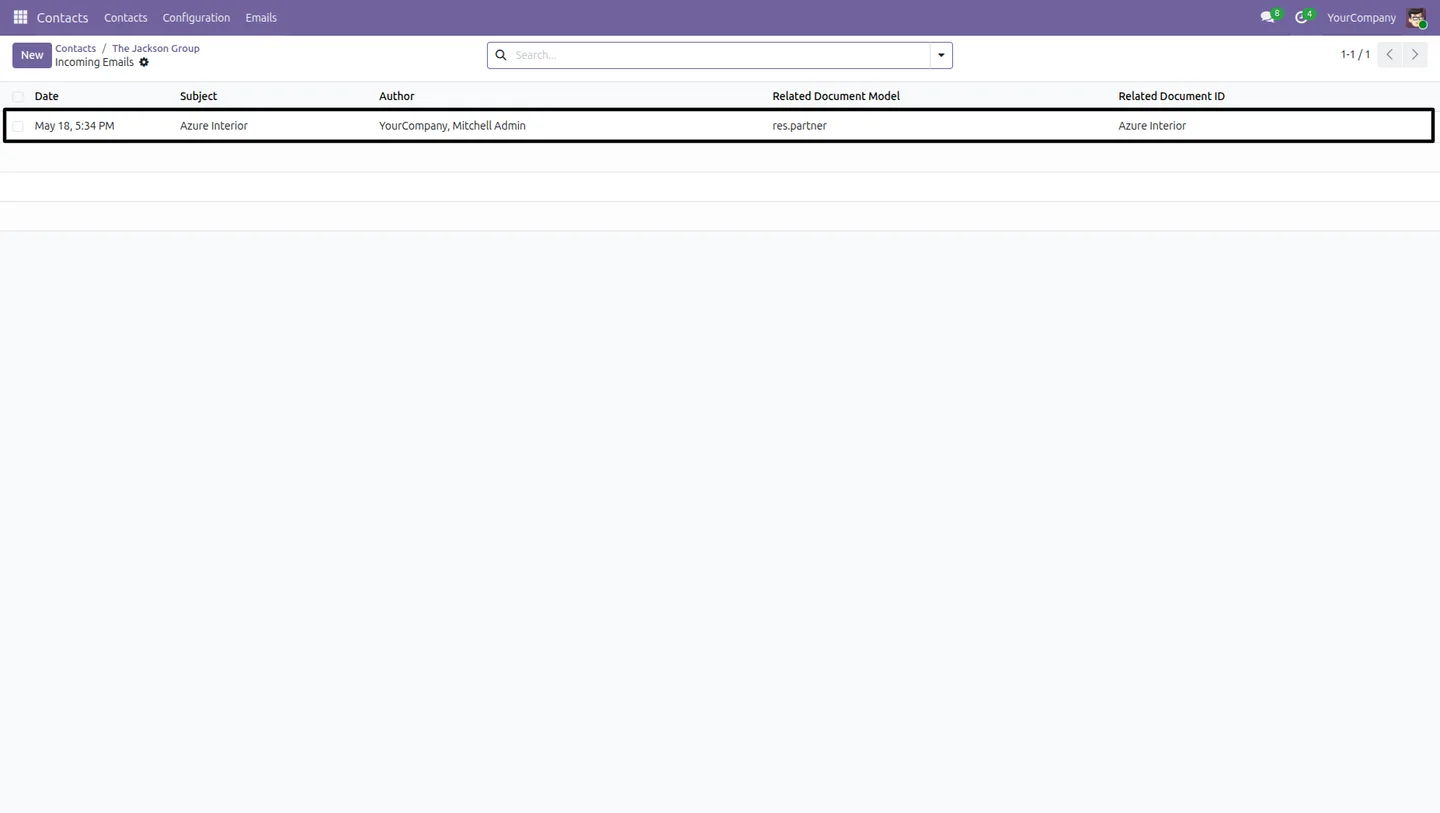
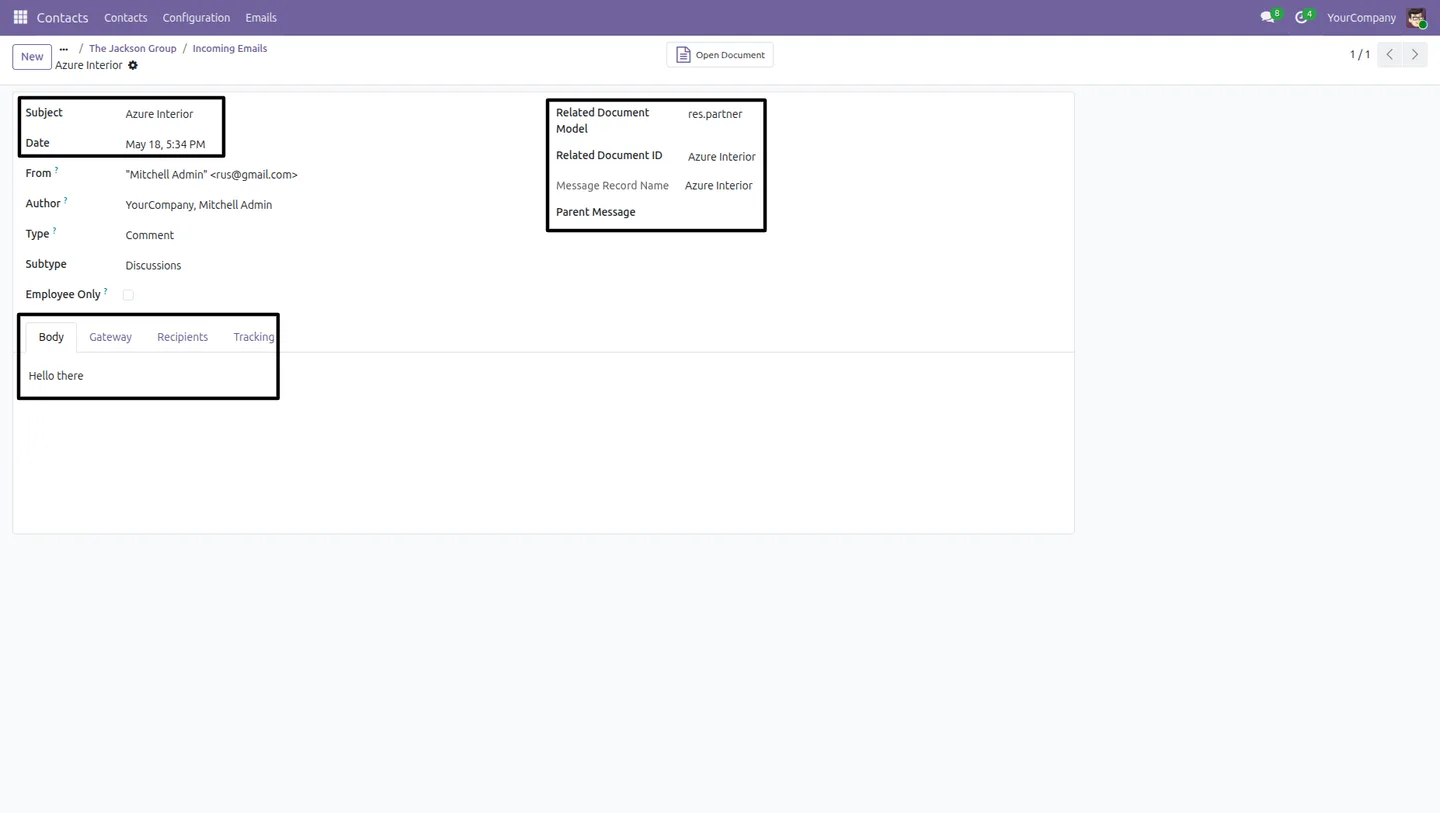
Clicking either smart button opens the matching email records filtered to that partner, which removes the usual chatter-scrolling and search-bar tinkering. The integration is fully native — no new menus to learn, no extra configuration to maintain.
Key features
-
Incoming and outgoing smart buttons
Adds dedicated smart buttons on the Odoo Contact form to quickly access incoming and outgoing emails linked to a partner.
-
Real-time email counters
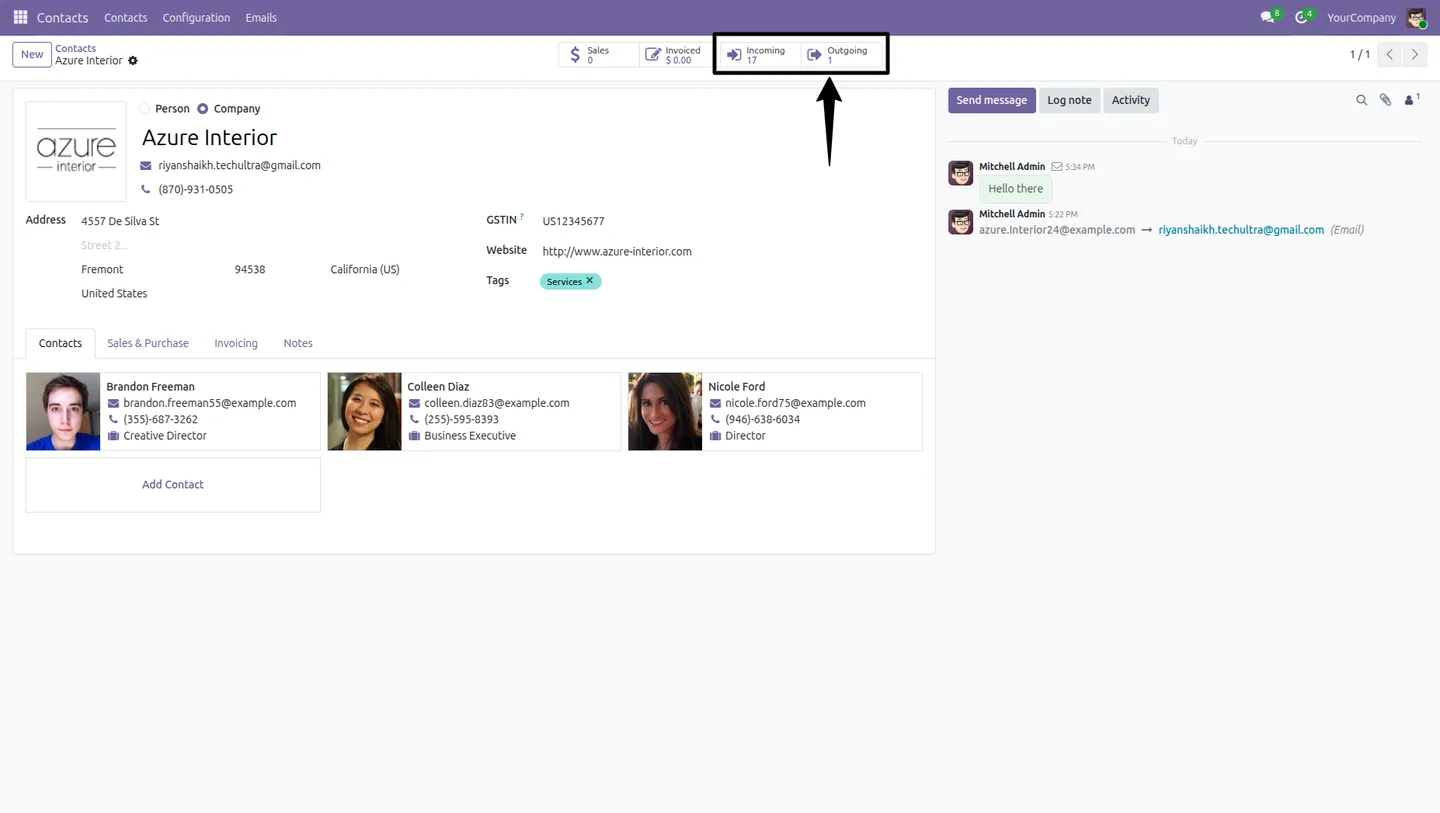
Displays automatically updated email counts for both received and sent communications directly on the contact form.
-
Advanced partner-based tracking
Tracks emails using sender, author, recipients, email_to, email_from, and email_cc details for an accurate communication history.
-
One-click filtered email access
Opens related email records instantly with predefined filters, eliminating manual searches through Odoo's mail menus.
-
Centralised communication management
Provides a complete communication history for customers, vendors, and contacts from a single partner profile.
-
Sales and support productivity
Helps sales, CRM, and support teams quickly review customer interactions and communication frequency before a call or meeting.
-
Enhanced customer traceability
Improves follow-up tracking, communication transparency, and customer relationship management across the whole team.
-
Native Odoo Contacts integration
Fully integrated with the standard Odoo Contacts app — the smart buttons appear right on the contact form, with no extra menus.
Partner Mail Insights in Odoo
Every screen, in the order you meet it — configuration first, then the module in use.


Technical details
Specification
- Publisher
- TechUltra Solutions Private Limited
- Technical name
- partner_mail_insights
- Odoo versions
- 16.0, 17.0, 18.0, 19.0, 20.0
- Lines of code
- 96
- License
- Odoo Proprietary License v1.0 (OPL-1)
- Price
- $8.82 (one-time)
Deployment
- Odoo Online
- Odoo.sh
- On-premise
Odoo dependencies
- Contacts
- Discuss
Support
90 days of bug-fix support, Monday to Friday (10:00–19:00 IST). Raise a ticket at support@techultra.in.
Setup & configuration
From install to first call — here is the path.
- 1
Install the module
In Odoo, open Apps, remove the Apps filter, search for “Partner Mail Insights”, and click Install.
- 2
Open any contact
Go to Contacts and open any partner — customer, vendor, or internal contact. Two new smart buttons appear at the top of the form: Incoming Emails and Outgoing Emails.
- 3
Send or receive a message
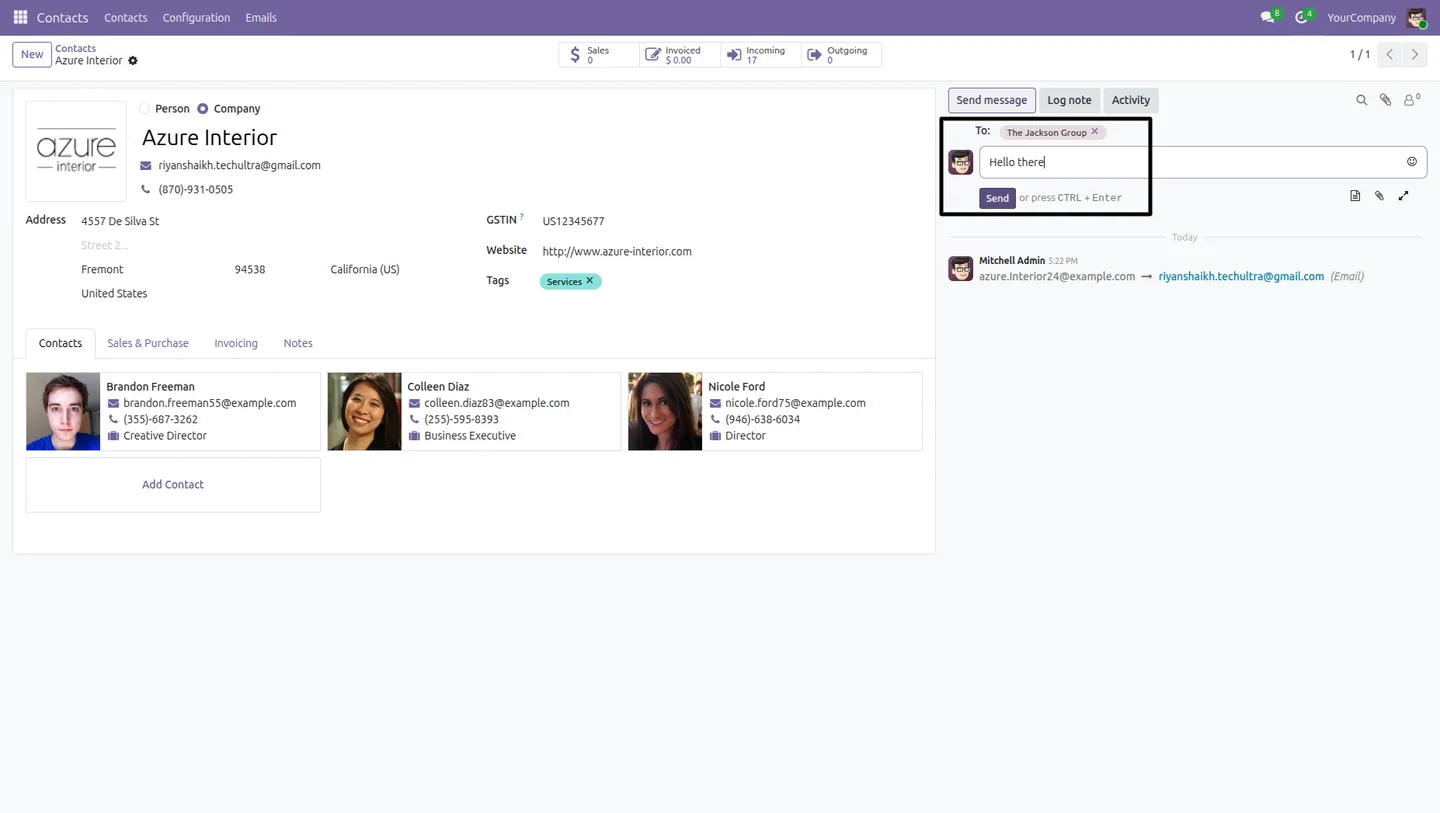
Compose a message from the contact's chatter, or wait for the next inbound email. The counters increment automatically based on sender, author, email_to, email_from, and email_cc.
- 4
Drill into the filtered history
Click the Incoming Emails or Outgoing Emails smart button to open the related email records pre-filtered to that partner — no manual search.
- 5
Roll out to the team
Share the new smart buttons with sales, support, and account-management teams so prep before customer calls turns into a single contact-page visit.
Frequently asked questions
-
What do the smart buttons actually show?
Each smart button displays a live count of emails tied to that contact — Incoming Emails for messages received from the partner and Outgoing Emails for messages sent to them. Clicking the button opens the underlying email records filtered to that partner.
-
Does it count CC and BCC traffic?
Yes. The tracking logic matches on sender, author, email_to, email_from, and email_cc, so emails where the partner appears in CC are included in the counters and history.
-
Do I still need to scroll through chatter?
No. The point of the module is to skip the chatter scroll — one click on the smart button opens the full email list for that partner with the right filter already applied.
-
Which teams benefit most from this?
Sales, CRM, support, and account-management teams. Anyone who needs to walk into a meeting or pick up a call with full context on recent communication can open the contact and see the volume — and content — of mail traffic instantly.
-
Does it work for vendors as well as customers?
Yes. The smart buttons appear on every partner record — customer, vendor, or internal contact — and track email both ways without distinction.
-
Are the counts updated in real time?
Yes. Email counters update automatically as messages flow in and out, so the value shown on the contact form reflects the latest state of the database.
-
Which Odoo versions are supported?
Partner Mail Insights supports Odoo 16.0, 17.0, 18.0, 19.0, and 20.0, on both the Community and Enterprise editions.
-
Is support included?
Yes. The module includes 90 days of bug-fix support, Monday to Friday, 10:00–19:00 IST.
Listing verified against the Odoo App Store:
Related services
Get the most out of this module with senior TechUltra consultants.
Odoo Customization Services
Odoo customization from a Gold Partner: custom modules, workflows, reports and Studio changes, written upgrade-safe and quoted at a fixed scope. Free scoping call.
Hire Odoo Developers
Hire certified Odoo developers from a Gold Partner: one developer or a team, full-time or part-time, 70–160 hours a month. Silver, Gold or Platinum plan, free trial.
Odoo Support Services & Maintenance
Odoo support services from a Gold Partner: functional and technical support plus server cover for Enterprise and Community, 30-minute P1 response, 24/7 option.







