

Odoo App · Email & Productivity
Outgoing Mail by Multi-Company / User
Route every Odoo outgoing email through the right SMTP server — per company or per user.

Overview
Outgoing Mail by Multi-Company / User fixes a common Odoo problem in multi-company groups: emails leaving through the wrong SMTP server, with the wrong sender domain. The module routes every outgoing email through a server that matches either the company or the user behind the message.
Built by TechUltra Solutions, the module enforces a simple rule on each Odoo outgoing-mail server — it is tied to a company or to a user, but never both. That constraint removes the routing ambiguity that causes duplicate sends and mismatched From addresses when several SMTP servers are configured.
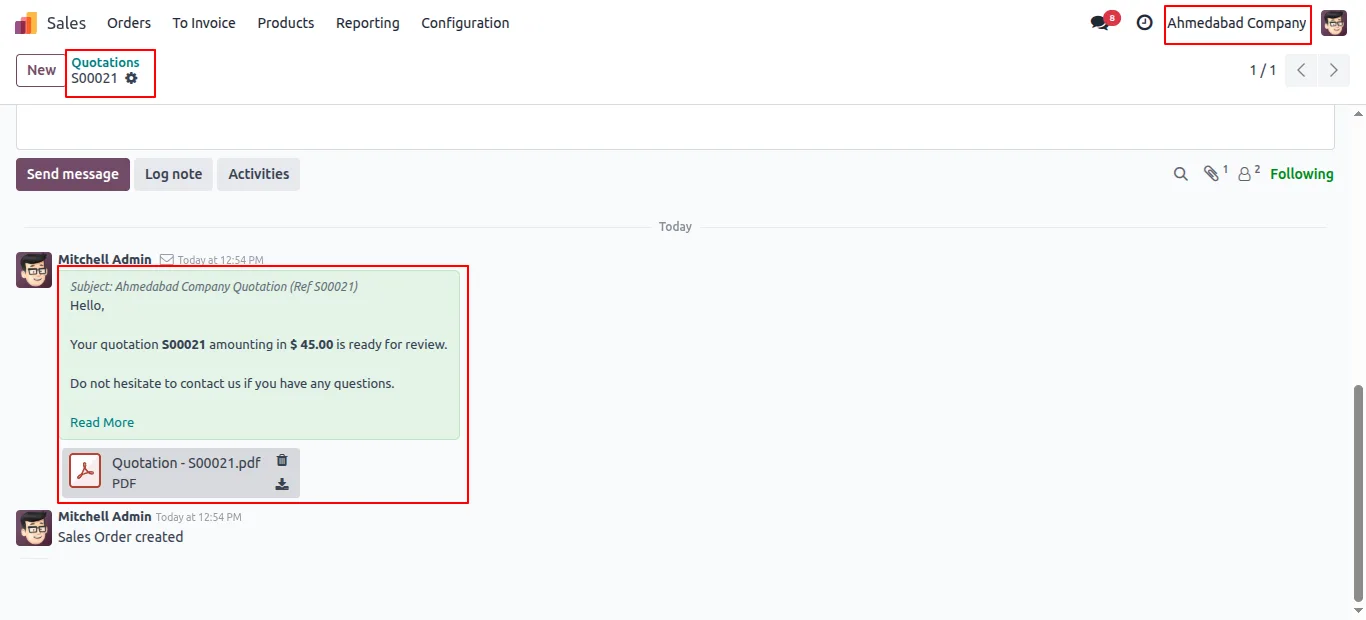
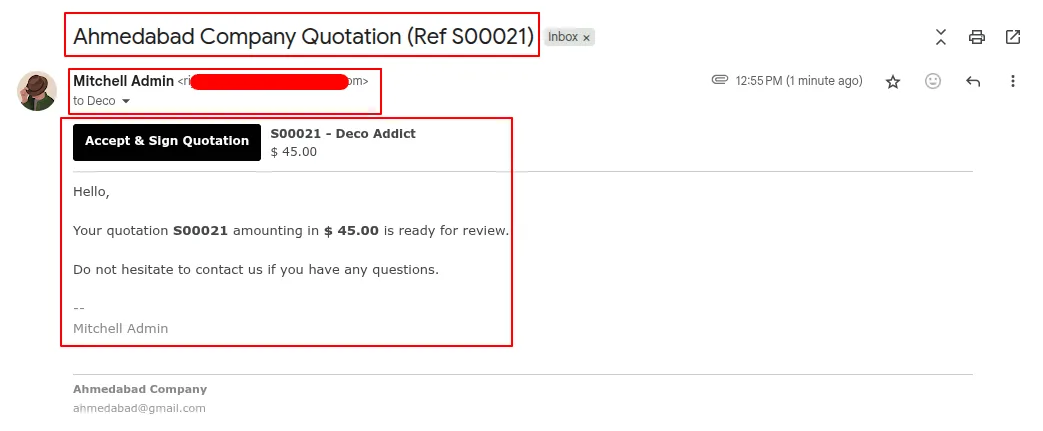
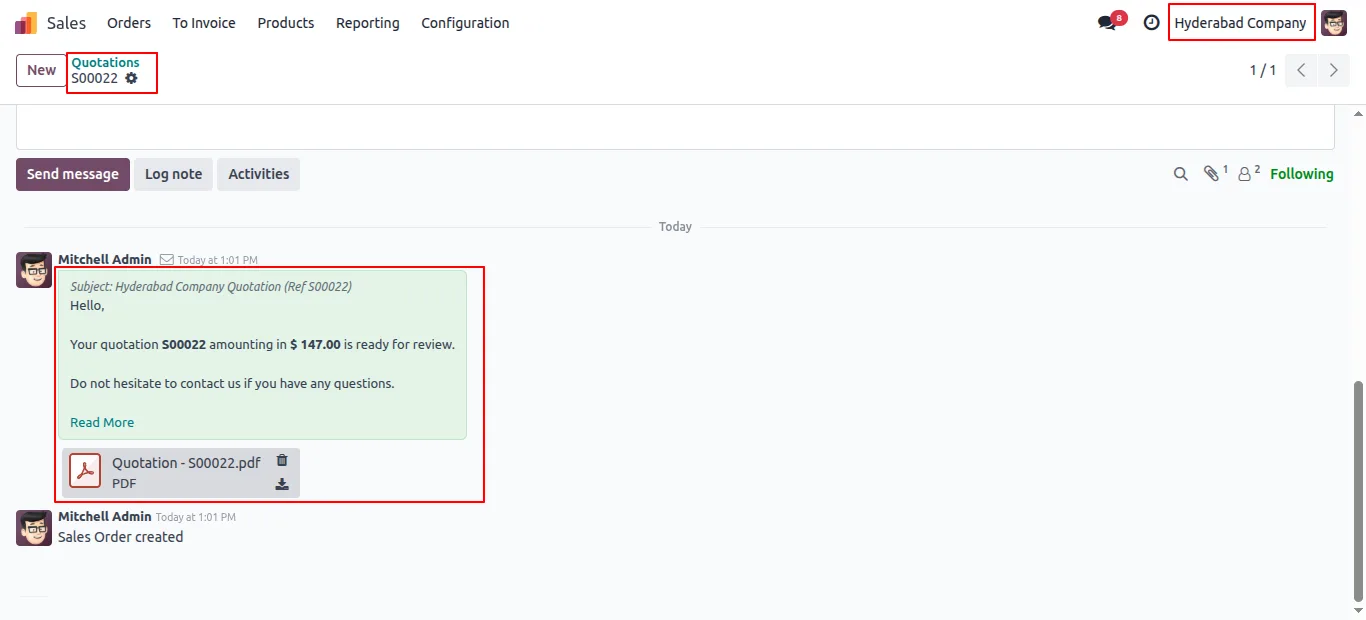
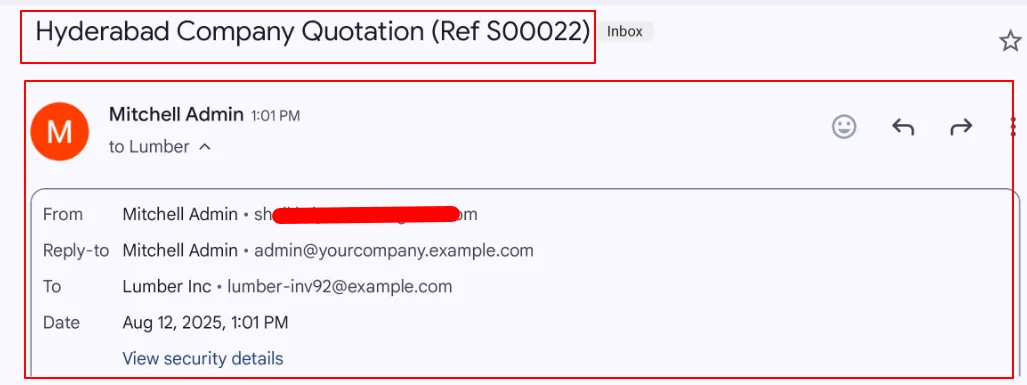
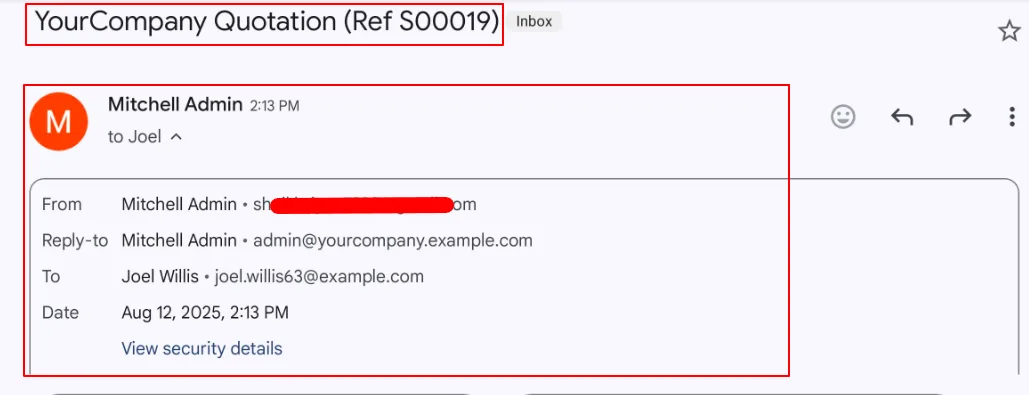
The result is consistent email branding: notifications from Company A go out through Company A's SMTP, messages from a specific user go through that user's SMTP, and the rest fall back to the default server with no manual selection required.
Key features
-
Automatic per-company / per-user routing
Odoo picks the outgoing-mail server automatically based on either the user or the company behind the message, with no manual selection inside the composer.
-
No duplicate or overlapping sends
Emails go out from the correct server without duplication, overlap, or routing ambiguity, even when several SMTP servers are configured.
-
Multi-company ready
Supports multi-company Odoo environments out of the box — each company can run its own SMTP without interfering with the others.
-
Per-user SMTP servers
Assign an outgoing-mail server to a single user when sales reps or executives need to send from their own domain, and keep the default server for everyone else.
-
Configuration validation
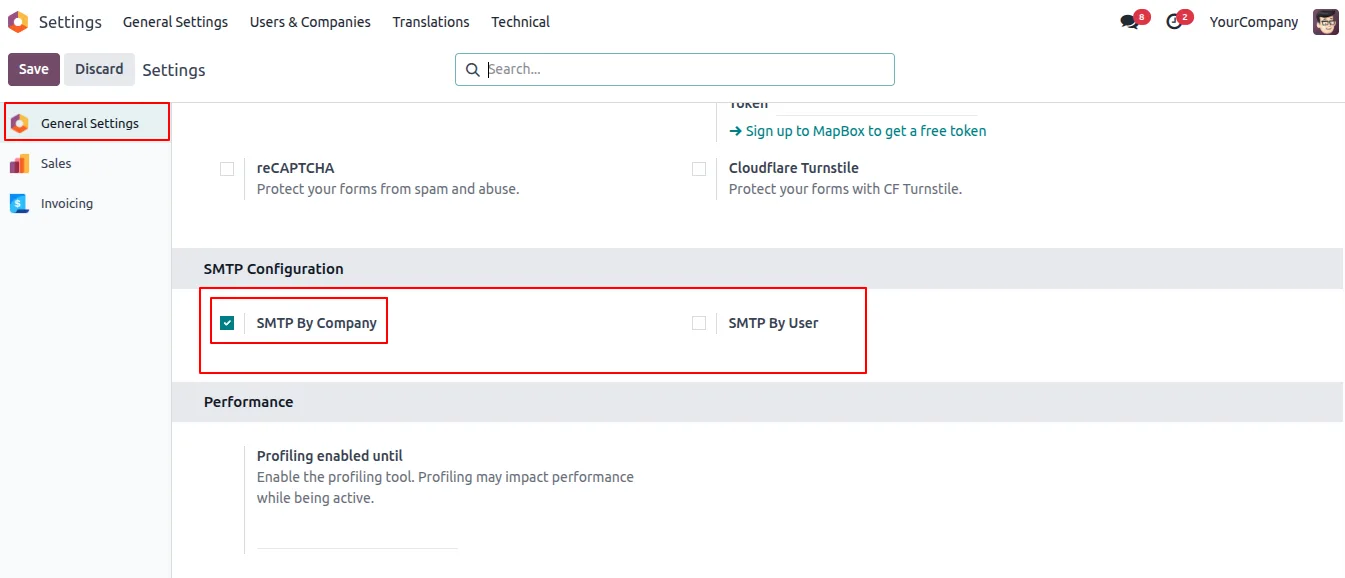
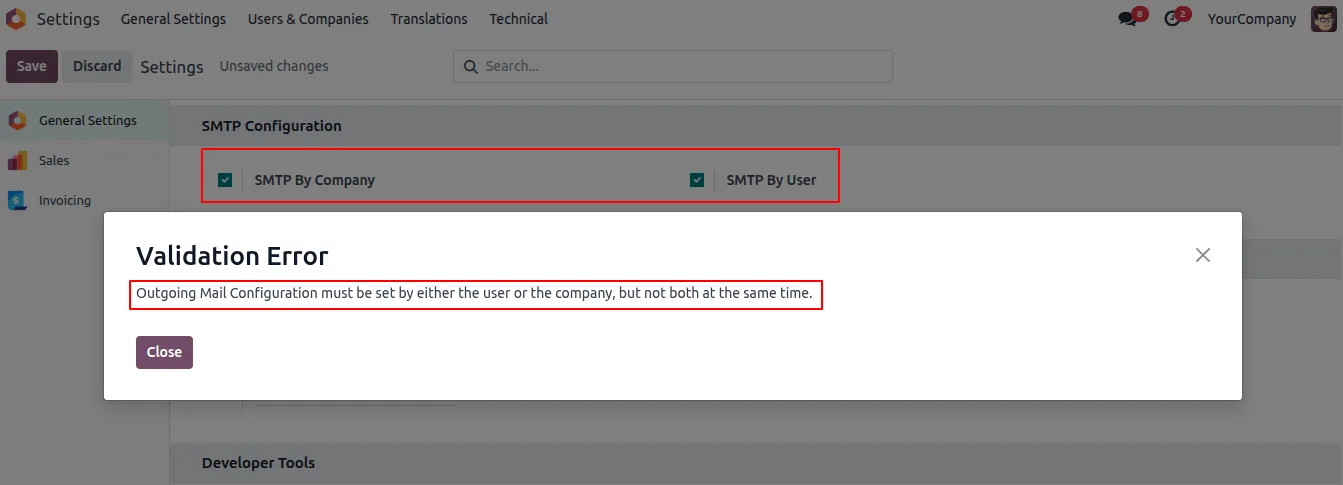
The module enforces that only one of user or company can be selected per mail server configuration, preventing misconfigurations that lead to duplicate sends.
-
Consistent email branding
Outbound mail always carries the correct sender identity for the company or user, keeping branding consistent across companies in the same Odoo database.
Outgoing Mail by Multi-Company / User in Odoo
Every screen, in the order you meet it — configuration first, then the module in use.
Technical details
Specification
- Publisher
- TechUltra Solutions Private Limited
- Technical name
- outgoing_mail_by_multi_company_or_user
- Odoo versions
- 16.0, 17.0, 18.0, 19.0, 20.0
- Lines of code
- 183
- License
- Odoo Proprietary License v1.0 (OPL-1)
- Price
- $11.65 (one-time)
Deployment
- Odoo Online
- Odoo.sh
- On-premise
Odoo dependencies
- Discuss
Support
90 days of bug-fix support, Monday to Friday (10:00–19:00 IST). Raise a ticket at support@techultra.in.
Setup & configuration
From install to first call — here is the path.
- 1
Install the module
In Odoo, open Apps, remove the Apps filter, search for “Outgoing Mail by Multi-Company / User”, and click Install.
- 2
Choose the routing mode
Open Settings → General Settings and pick either SMTP by Company or SMTP by User. Only one mode can be active at a time.
- 3
Configure your outgoing-mail servers
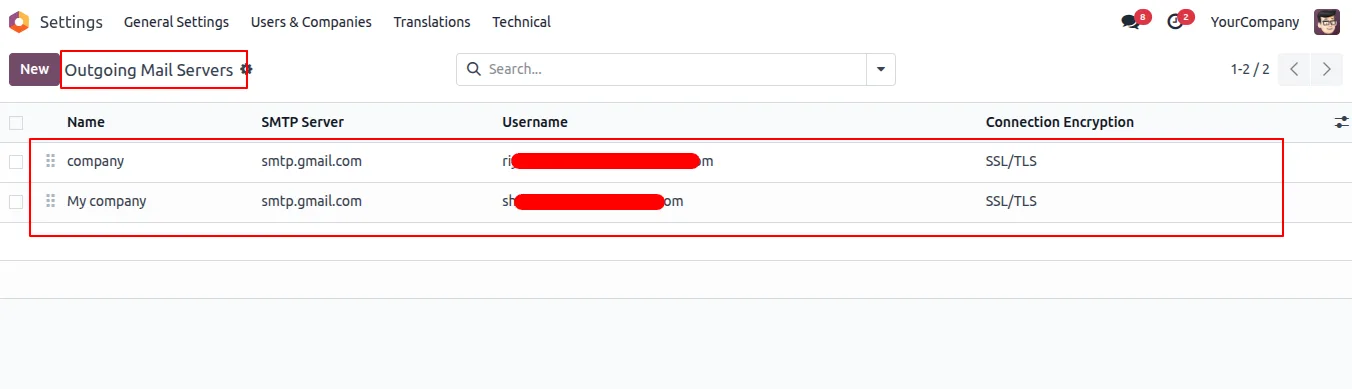
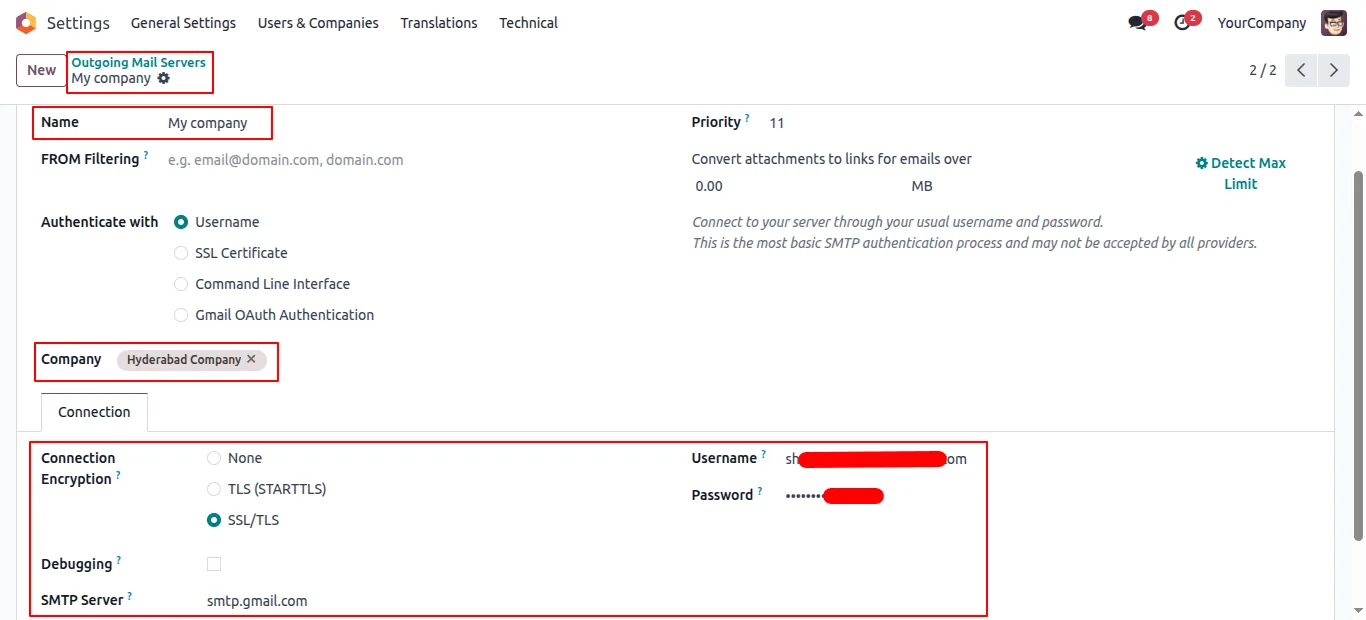
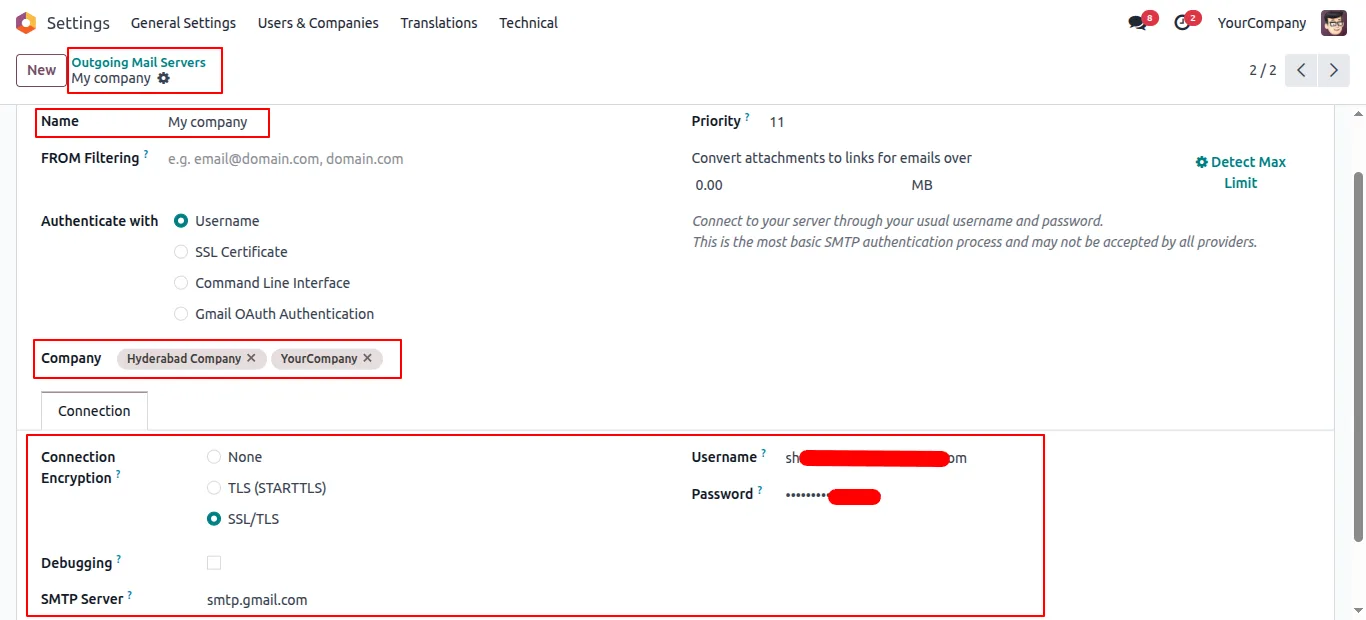
Open Technical → Email → Outgoing Mail Servers (developer mode) and create or edit the SMTP entries that will be used to send mail.
- 4
Assign each server
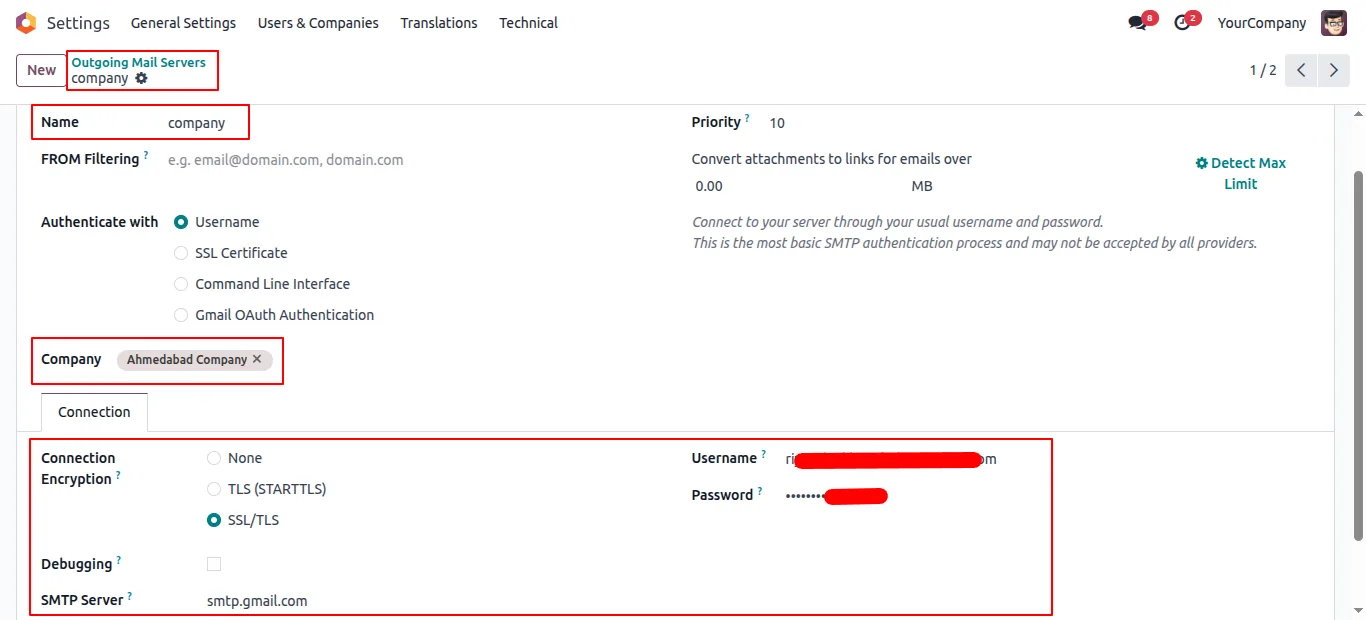
On every outgoing-mail server, set the linked company or the linked user, depending on the routing mode chosen earlier. The module blocks setting both at once.
- 5
Send a test email
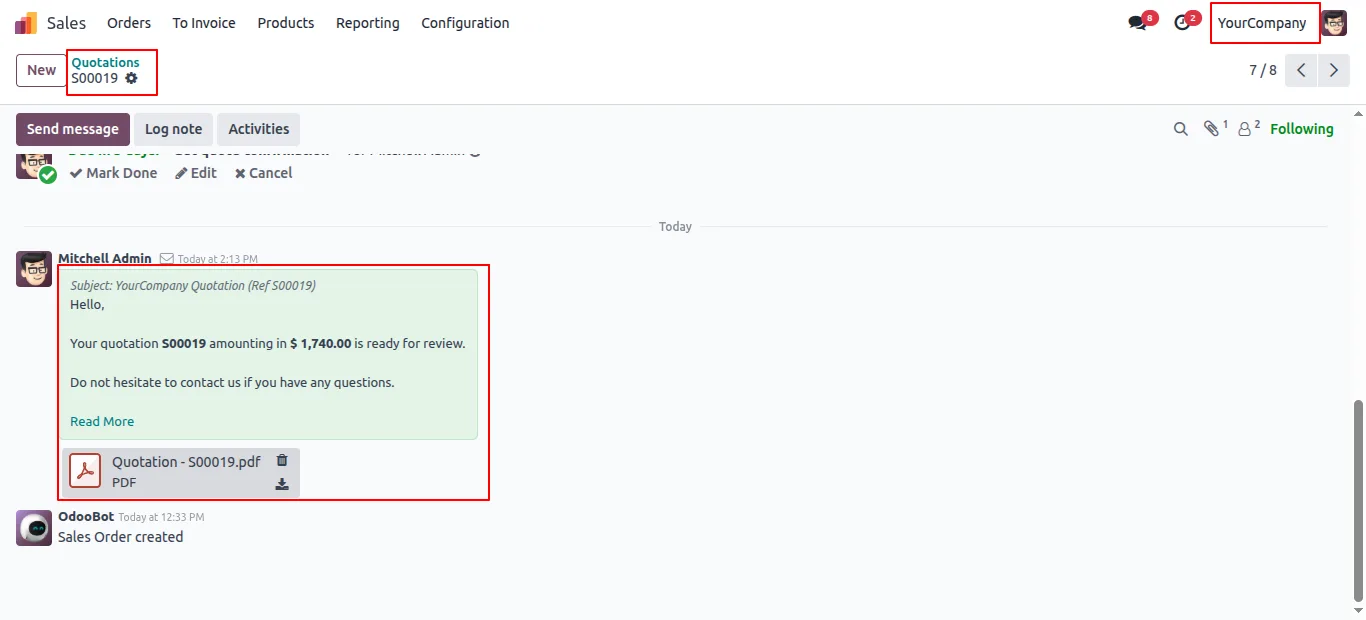
Trigger an outgoing message — a quotation, invoice, or notification — from each company or user and confirm it leaves through the correct SMTP server and sender address.
Frequently asked questions
-
What problem does this module solve?
In multi-company Odoo databases, outbound emails often leave through the wrong SMTP server and arrive with the wrong From address. This module routes every email through a server matched to the right company or user, so the sender domain always matches the sender.
-
Can a server be tied to both a company and a user?
No. The module enforces that each outgoing-mail server is linked to either a company or a user, never both. That constraint is what removes the routing ambiguity that causes duplicate or misrouted sends.
-
Do I have to pick a server when composing an email?
No. Routing happens automatically. Odoo evaluates the company or user behind the message and selects the matching SMTP server without user input.
-
Does it work with Odoo's standard outgoing-mail servers?
Yes. The module extends the standard Outgoing Mail Servers configuration — existing servers continue to work, you just add the company or user link.
-
Which Odoo versions are supported?
The module supports Odoo 16.0, 17.0, 18.0, 19.0, and 20.0, in both the Community and Enterprise editions.
-
Can I have a default server alongside per-user servers?
Yes. Users without a dedicated server fall back to the default outgoing-mail server, while users with their own SMTP send through it automatically.
-
Does this duplicate outgoing emails?
No. The whole point of the module is the opposite: by enforcing one-of-company-or-user per server, it prevents the duplicate sends that occur when multiple servers match the same email.
-
Is support included?
Yes. The module includes 90 days of bug-fix support, Monday to Friday, 10:00–19:00 IST.
Listing verified against the Odoo App Store:
Related services
Get the most out of this module with senior TechUltra consultants.
Odoo Customization Services
Odoo customization from a Gold Partner: custom modules, workflows, reports and Studio changes, written upgrade-safe and quoted at a fixed scope. Free scoping call.
Hire Odoo Developers
Hire certified Odoo developers from a Gold Partner: one developer or a team, full-time or part-time, 70–160 hours a month. Silver, Gold or Platinum plan, free trial.
Odoo Support Services & Maintenance
Odoo support services from a Gold Partner: functional and technical support plus server cover for Enterprise and Community, 30-minute P1 response, 24/7 option.







