
Odoo App · Website & eCommerce
Odoo Shorts & Reels
Add a vertical short-video feed with likes, comments, and follows to your Odoo Website.
Overview
Odoo Shorts & Reels turns an Odoo Website into a short-video platform. Visitors register, upload short-form videos or add YouTube links, and browse them through a vertical feed that plays each clip automatically as they scroll.
Built by TechUltra Solutions, the module covers the full social loop: likes, comments, shares, creator profiles with follow and unfollow, saved videos, and a report action for inappropriate content. The feed is built for phones and tablets, with touch interactions and a responsive reels-style layout.
Every upload stays pending until an administrator approves it, so nothing goes live without review. An admin dashboard handles moderation, user management, blocked or reported content, and featured and trending sections. Video pages are SEO-friendly and indexable, and the module supports multi-website setups and multiple languages.
Key features
-
Vertical reels-style feed
A vertical scrolling interface plays each video automatically as visitors scroll, with continuous loading for an uninterrupted browsing experience.
-
Video uploads and YouTube links
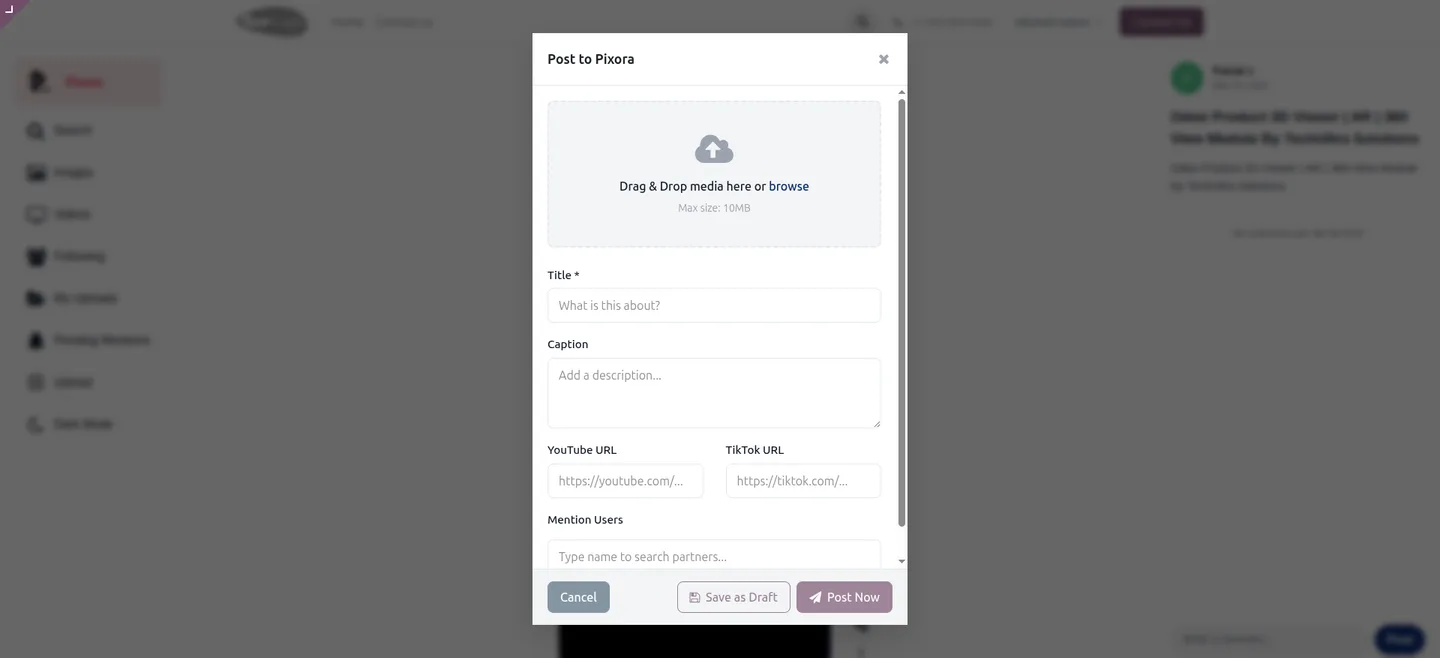
Users upload short videos from desktop or mobile, or add a YouTube link that displays inside the platform without any external embedding setup.
-
Likes, comments, and shares
Each video supports likes, comments, and sharing — including WhatsApp sharing — so visitors can interact with content directly in the feed.
-
Creator profiles and follows
Every creator gets a profile page, and visitors can follow or unfollow them to keep track of new uploads from people they like.
-
Saved videos and reporting
Visitors save or favourite videos to revisit later, and a report action lets them flag inappropriate content for admin review.
-
Admin approval workflow
Uploaded videos stay pending until an administrator approves them, keeping the public feed free of unreviewed content.
-
Moderation dashboard
An admin dashboard handles content moderation, user management, blocked and reported items, spam controls, and featured or trending content.
-
Mobile-optimised interface
The feed is fully responsive with touch interactions tuned for smartphones and tablets, matching the reels experience people expect.
-
SEO-friendly video pages
Video pages are search-engine friendly and indexable, so published short videos can attract organic traffic to your website.
-
Multi-website and multi-language
The module works across multiple websites and is language-compatible, so it fits Odoo deployments serving several brands or regions.
Odoo Shorts & Reels in Odoo
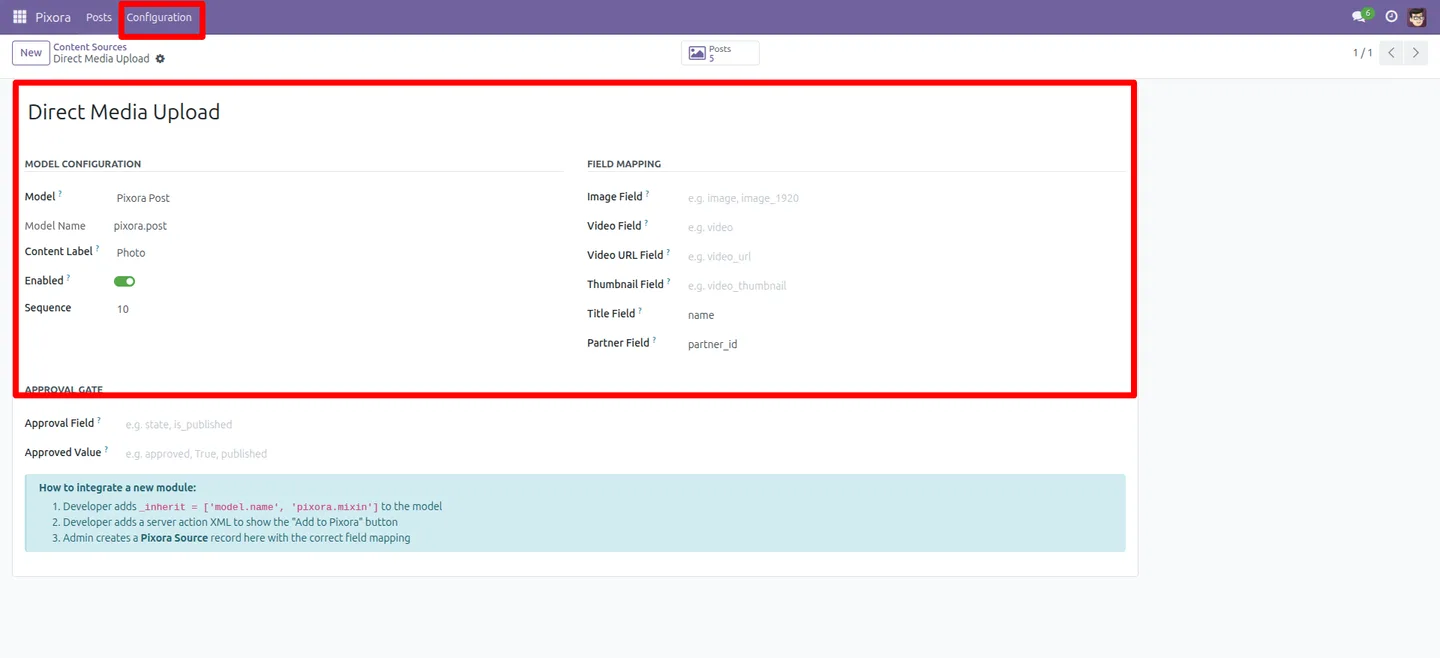
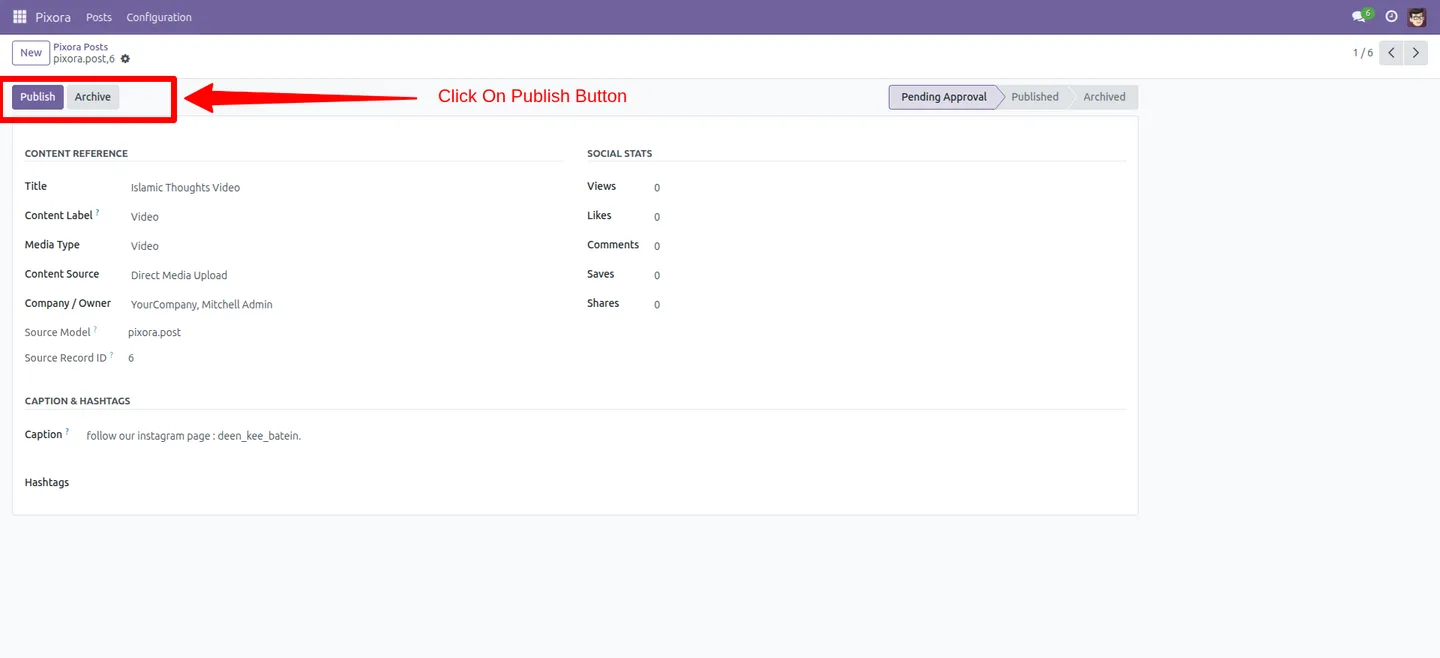
Every screen, in the order you meet it — configuration first, then the module in use.
Technical details
Specification
- Publisher
- TechUltra Solutions Private Limited
- Technical name
- odoo_reels_shorts
- Odoo versions
- 17.0, 18.0, 19.0
- Lines of code
- 7,445
- License
- Odoo Proprietary License v1.0 (OPL-1)
- Price
- $99 (one-time)
Deployment
- Odoo Online
- Odoo.sh
- On-premise
Odoo dependencies
- Website
- Discuss
Support
90 days of bug-fix support, Monday to Friday (10:00–19:00 IST). Raise a ticket at support@techultra.in.
Setup & configuration
From install to first call — here is the path.
- 1
Install the module
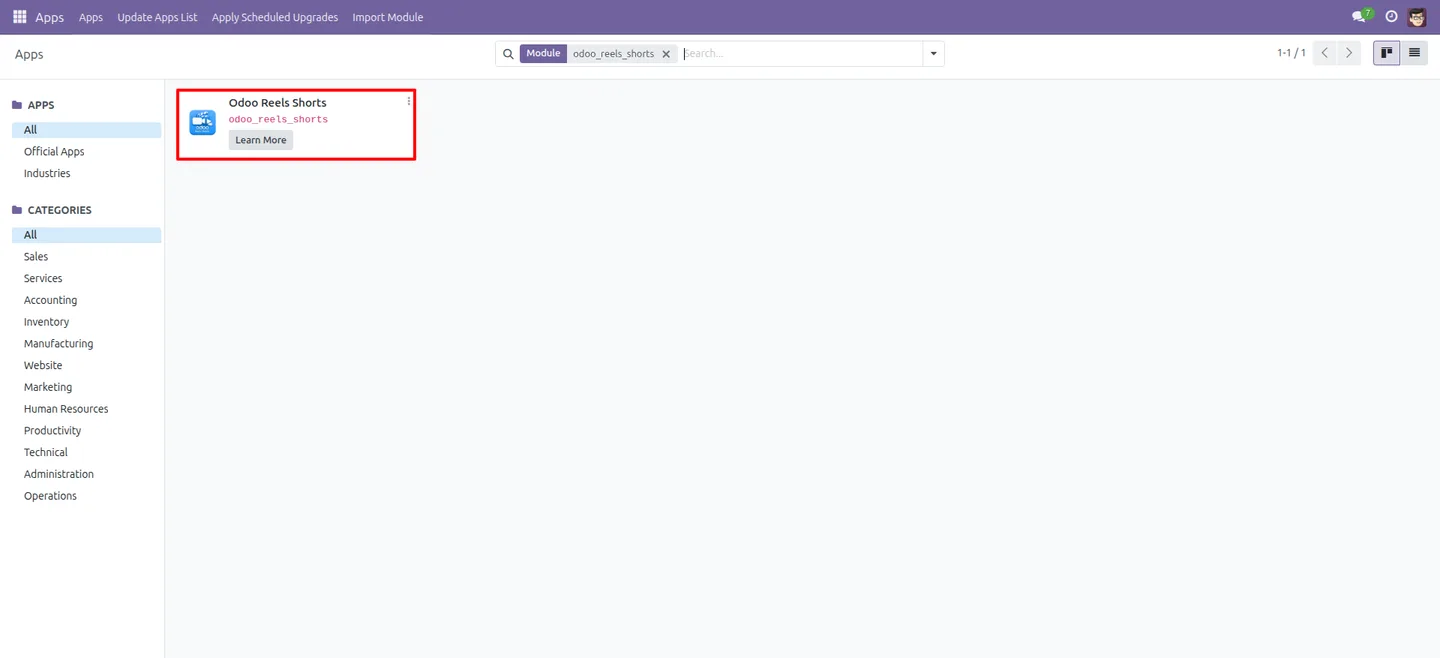
In Odoo, open Apps, remove the Apps filter, search for “Odoo Shorts & Reels”, and click Install.
- 2
Open the configuration settings
Go to the Odoo Shorts & Reels configuration area to set the platform options for uploads, categories, and the public feed.
- 3
Set the approval and moderation rules
Decide how uploaded videos are reviewed — every video stays pending until an administrator approves it from the moderation dashboard.
- 4
Publish the feed on your website
Add the short-video feed to your Odoo Website so visitors can register, upload videos, and start browsing the vertical reels feed.
- 5
Test an upload and approval
Register a test user, upload a short video, then approve it as an administrator to confirm the full upload-to-publish flow works.
Frequently asked questions
-
What does Odoo Shorts & Reels add to my website?
It adds a short-video social feed to your Odoo Website. Visitors browse a vertical, auto-playing feed of short videos, and registered users can upload their own clips, like, comment, share, and follow creators.
-
Can users upload their own videos?
Yes. Registered users upload short-form videos from desktop or mobile, or add a YouTube link. Every upload stays pending until an administrator approves it.
-
How are uploaded videos moderated?
Uploaded videos remain pending until an administrator approves them. The admin dashboard handles moderation, blocked and reported content, spam controls, and featured or trending sections.
-
Are the video pages good for SEO?
Yes. Video pages are search-engine friendly and indexable, so published short videos can be found through search and bring organic traffic to your site.
-
Does it work on mobile devices?
Yes. The feed is fully responsive with touch interactions designed for smartphones and tablets, giving a vertical reels-style experience.
-
Which Odoo versions does it support?
Odoo Shorts & Reels supports Odoo 17.0, 18.0, and 19.0. It depends on the Website and Discuss modules.
-
Does it support multiple websites and languages?
Yes. The module supports multi-website Odoo setups and is language-compatible, so it suits deployments serving several brands or regions.
-
Is support included with the purchase?
Yes. The module includes 90 days of bug-fix support, Monday to Friday, 10:00–19:00 IST. Raise a ticket at support@techultra.in.
Listing verified against the Odoo App Store:
Related solutions
Whole-platform solutions that complement Odoo Shorts & Reels.
Shopify + Odoo Integration
Native Shopify-to-Odoo bidirectional sync. Products, inventory, orders, customers, refunds, accounting entries in real time. Multi-store, multi-currency, B2B.
WooCommerce + Odoo Integration
Native WooCommerce-to-Odoo bidirectional sync. Products, inventory, orders, refunds, subscriptions, accounting entries. WP-Cron-free, reliable, B2B-ready.
Amazon (Seller / Vendor Central) + Odoo Integration
Native Amazon-to-Odoo sync — Seller Central (FBM/FBA), Vendor Central, multi-marketplace. Orders, inventory, fees, reimbursements reconciled to Odoo accounting.
Related services
Get the most out of this module with senior TechUltra consultants.
Odoo Customization Services
Odoo customization from a Gold Partner: custom modules, workflows, reports and Studio changes, written upgrade-safe and quoted at a fixed scope. Free scoping call.
Hire Odoo Developers
Hire certified Odoo developers from a Gold Partner: one developer or a team, full-time or part-time, 70–160 hours a month. Silver, Gold or Platinum plan, free trial.
Odoo Support Services & Maintenance
Odoo support services from a Gold Partner: functional and technical support plus server cover for Enterprise and Community, 30-minute P1 response, 24/7 option.







