

Odoo App · Integrations
Odoo Login via LinkedIn (v15)
Sign in to Odoo 15 with a LinkedIn account — OAuth provider with no extra password to manage.
Overview
Odoo Login via LinkedIn turns LinkedIn into a single sign-on provider for Odoo 15. Instead of issuing every user an Odoo password to forget, reset, or write down, your team signs in with the LinkedIn account they already use professionally — and Odoo trusts LinkedIn's authentication.
Built by TechUltra Solutions, the module plugs into Odoo's standard OAuth 2.0 framework. You register an application in the LinkedIn Developer portal, paste the Client ID and Client Secret into Odoo, and a “Sign in with LinkedIn” button appears on the login page alongside the regular password flow.
It is a cleaner option for sales-heavy and partner-network organisations where LinkedIn is already the source of truth for who someone is. Combined with Odoo's existing two-factor and access-rights controls, it removes one password per user without softening security.
Key features
-
LinkedIn OAuth 2.0 single sign-on
Adds LinkedIn as an OAuth provider inside Odoo so users sign in with their LinkedIn account — the standard “Sign in with LinkedIn” experience your team already knows.
-
“Sign in with LinkedIn” button
A LinkedIn login button appears on the Odoo sign-in page next to the standard username and password form, giving users an explicit, one-click route in.
-
No separate Odoo password
Users authenticate with their existing LinkedIn credentials — no extra Odoo password to issue, reset, or store, which cuts admin tickets and weak-password risk.
-
Auth, validation, and data URLs preconfigured
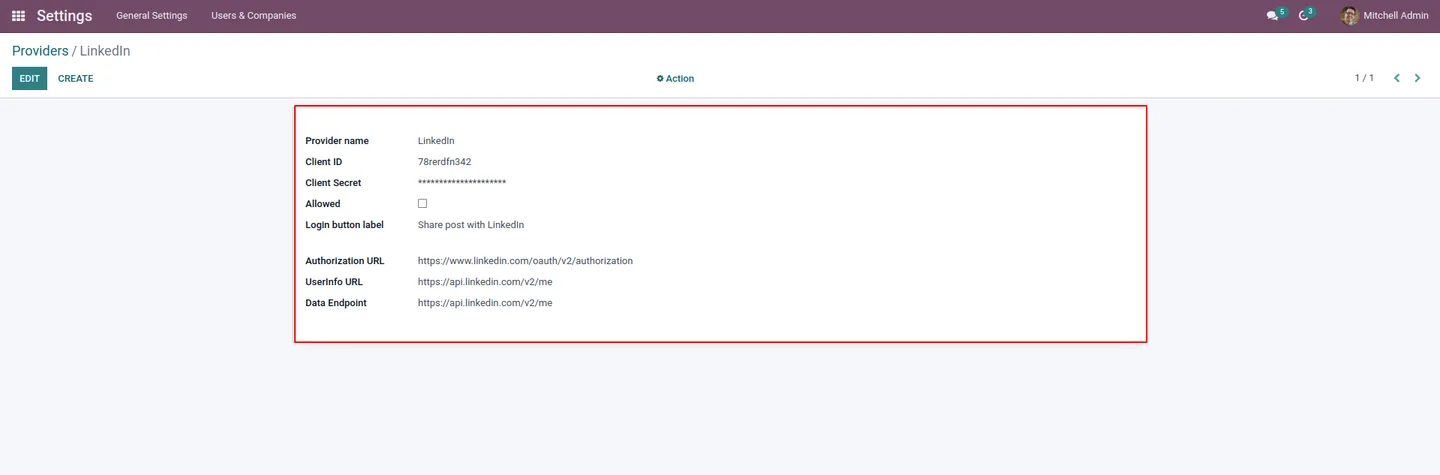
The module ships the Provider Name, Body, Authentication URL, Validation URL, and Data URL needed for LinkedIn OAuth — admins only fill in the Client ID and Client Secret.
-
Authorized Redirect URL support
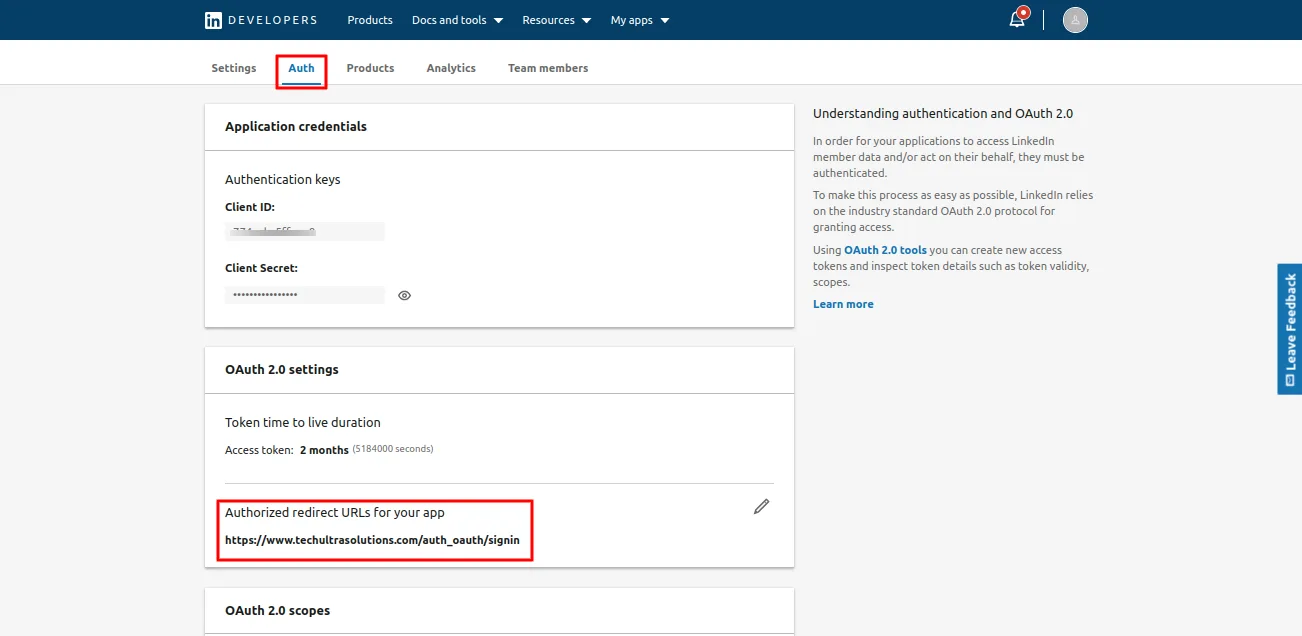
Pair Odoo's callback (for example, https://your-domain.com/auth_oauth/signin) with LinkedIn's Authorized Redirect URL so the round-trip lands users back inside Odoo automatically.
-
Works alongside standard Odoo login
Standard username and password login remains available, so admins, integrations, and edge-case users keep working — LinkedIn SSO is an addition, not a replacement.
-
Deploys on Odoo Online, Odoo.sh, and On-premise
Compatible with Odoo Online, Odoo.sh, and self-hosted Odoo 15 installations — wherever Odoo's OAuth provider framework is available.
Odoo Login via LinkedIn (v15) in Odoo
Every screen, in the order you meet it — configuration first, then the module in use.




Technical details
Specification
- Publisher
- TechUltra Solutions Private Limited
- Technical name
- odoo_login_via_linkedin
- Odoo versions
- 15.0
- Lines of code
- 1,018
- License
- Odoo Proprietary License v1.0 (OPL-1)
- Price
- $52.42 (one-time)
Deployment
- Odoo Online
- Odoo.sh
- On-premise
Odoo dependencies
- Discuss
Support
90 days of bug-fix support, Monday to Friday (10:00–19:00 IST). Raise a ticket at support@techultra.in.
Setup & configuration
From install to first call — here is the path.
- 1
Install the module
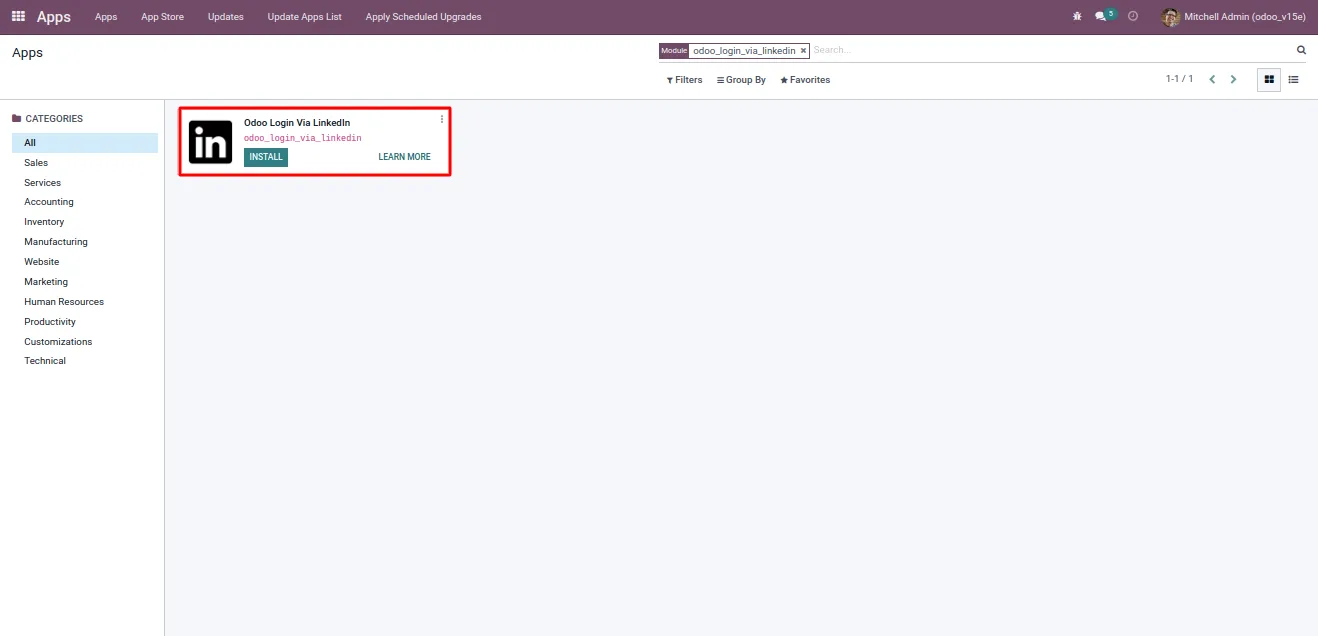
In Odoo, open Apps, remove the default Apps filter, search for “odoo_login_via_linkedin”, and click Install.
- 2
Create a LinkedIn application
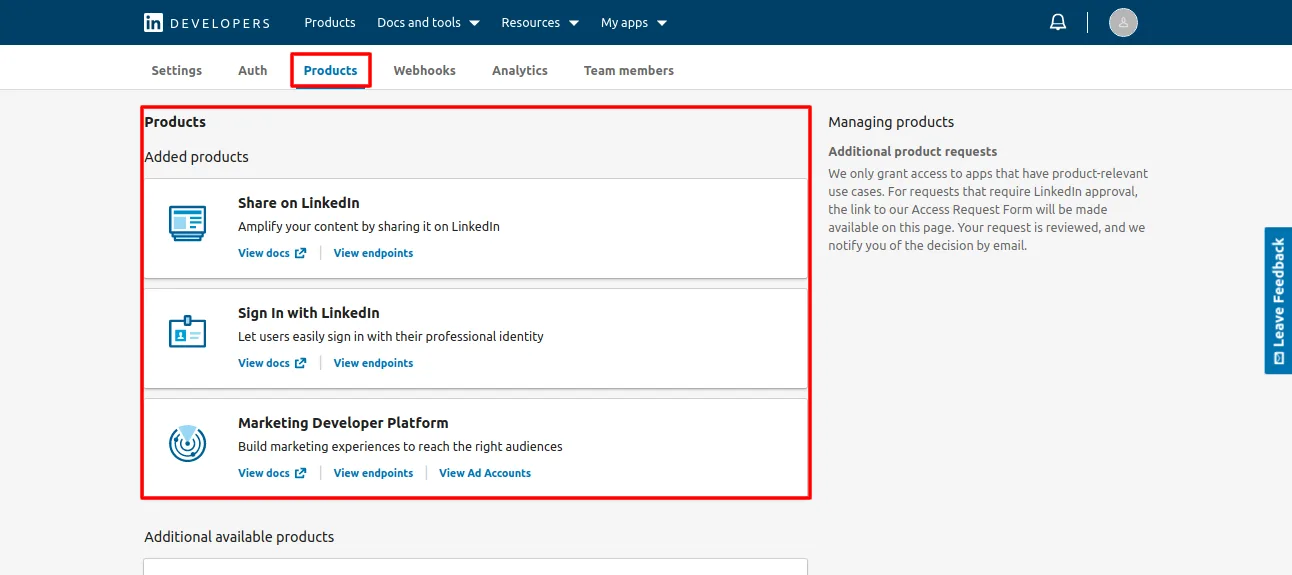
In the LinkedIn Developer portal, create a new application, request access to “Sign In with LinkedIn”, and complete the application's basic profile.
- 3
Set the Authorized Redirect URL
On the LinkedIn application, add the Odoo callback as an Authorized Redirect URL — for example, https://your-domain.com/auth_oauth/signin.
- 4
Configure the LinkedIn provider in Odoo
Open the OAuth providers list in Odoo and confirm the Provider Name, Body label, Authentication URL, Validation URL, and Data URL for LinkedIn supplied by the module.
- 5
Paste Client ID and Client Secret
Copy the Client ID and Client Secret from the LinkedIn application and paste them into the LinkedIn provider record in Odoo. Save and enable the provider.
- 6
Test the LinkedIn login button
Sign out and reopen the Odoo login page. Click “Sign in with LinkedIn”, authenticate with a LinkedIn account, and confirm you land back in Odoo authenticated to the right user.
Frequently asked questions
-
Which Odoo version does this support?
This build is for Odoo 15.0 — both Community and Enterprise editions. Use the matching version of the module if you are on a different Odoo release.
-
Does it replace the standard Odoo login?
No. The standard username and password login remains available; the LinkedIn “Sign in with LinkedIn” button is added alongside it, so admins and integrations keep working.
-
What do I need from LinkedIn to set it up?
A LinkedIn Developer application with “Sign In with LinkedIn” access. You configure an Authorized Redirect URL on the LinkedIn side and paste the Client ID and Client Secret into Odoo.
-
Do users need to create an Odoo password?
Not for the LinkedIn flow. Users authenticate with their existing LinkedIn account, and Odoo accepts the OAuth response — no separate password to issue or reset.
-
What is the Authorized Redirect URL I should set in LinkedIn?
Use your Odoo OAuth signin callback, typically https://your-domain.com/auth_oauth/signin. The exact host must match where Odoo is served, including HTTPS.
-
Does it work on Odoo Online and Odoo.sh?
Yes. The module is compatible with Odoo Online, Odoo.sh, and on-premise Odoo 15 installations.
-
Is the user record created automatically on first sign-in?
Odoo's OAuth flow links LinkedIn identities to existing Odoo users. Provision the user record in Odoo first, then let them sign in via LinkedIn so the identity is matched on the first login.
-
Is support included?
Yes. The module includes 90 days of bug-fix support, Monday to Friday, 10:00–19:00 IST.
Listing verified against the Odoo App Store:
Related services
Get the most out of this module with senior TechUltra consultants.
Odoo Customization Services
Odoo customization from a Gold Partner: custom modules, workflows, reports and Studio changes, written upgrade-safe and quoted at a fixed scope. Free scoping call.
Hire Odoo Developers
Hire certified Odoo developers from a Gold Partner: one developer or a team, full-time or part-time, 70–160 hours a month. Silver, Gold or Platinum plan, free trial.
Odoo Support Services & Maintenance
Odoo support services from a Gold Partner: functional and technical support plus server cover for Enterprise and Community, 30-minute P1 response, 24/7 option.







