
Odoo App · Developer & API
Odoo JSON RPC
JSON-based RPC API for authenticating and reading, writing, or deleting Odoo records from external apps.

Overview
Odoo JSON RPC gives developers a clean, JSON-based RPC surface for talking to Odoo from any external application — a CRM, a custom portal, a mobile app, or a script — without writing XML-RPC plumbing or fighting Odoo's session cookies.
Built by TechUltra Solutions, the module exposes endpoints that authenticate a user against a database, return a security token, and then accept token-authenticated requests to create, write, or unlink records on any Odoo model.
Every request and response is plain JSON, so the integration is light on bandwidth, easy to parse in any language, and straightforward to debug. The module supports every major Odoo release from 10.0 through 19.0, in both Community and Enterprise editions.
Key features
-
Token-based authentication
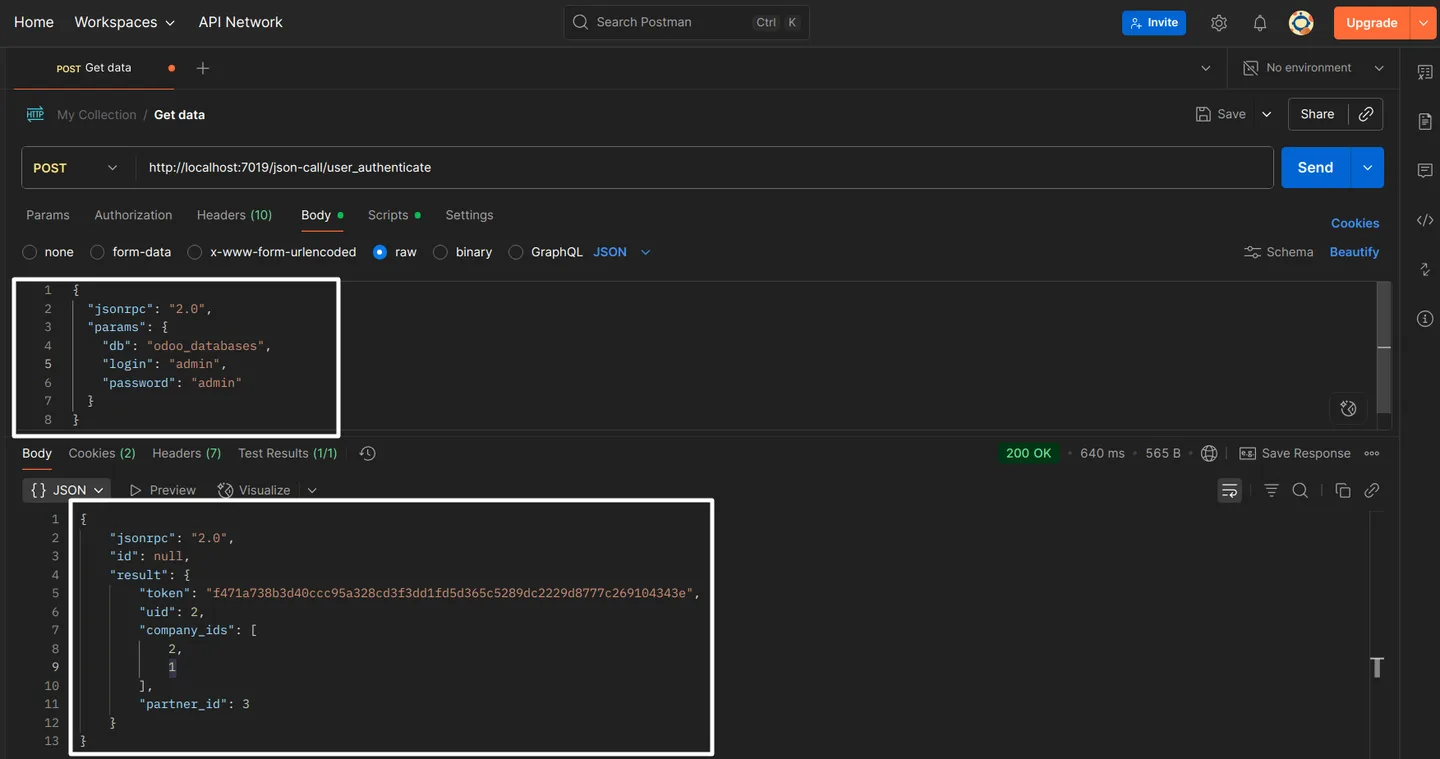
Submit a JSON request to the authenticate endpoint with login credentials and a database name; the API returns a security token your client uses for every subsequent call.
-
Create records on any model
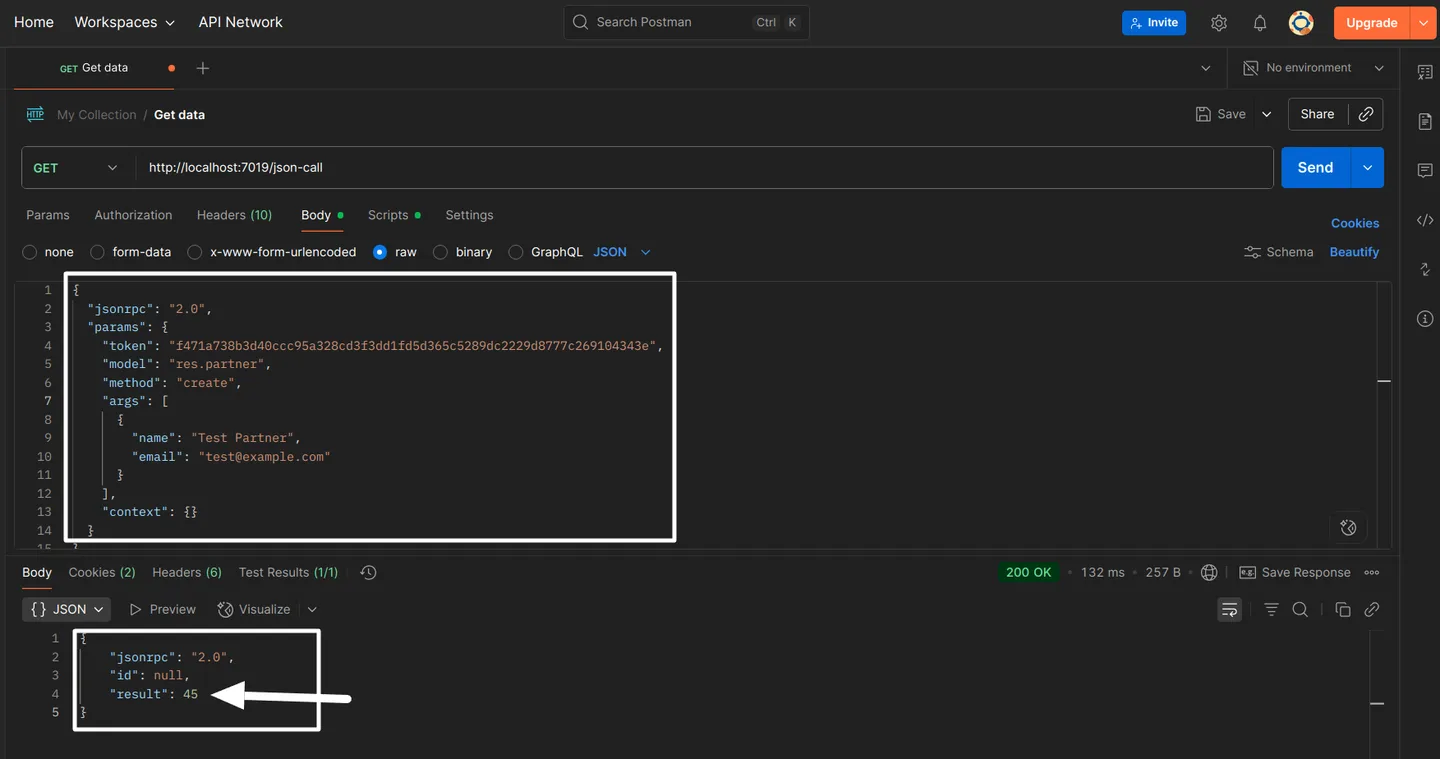
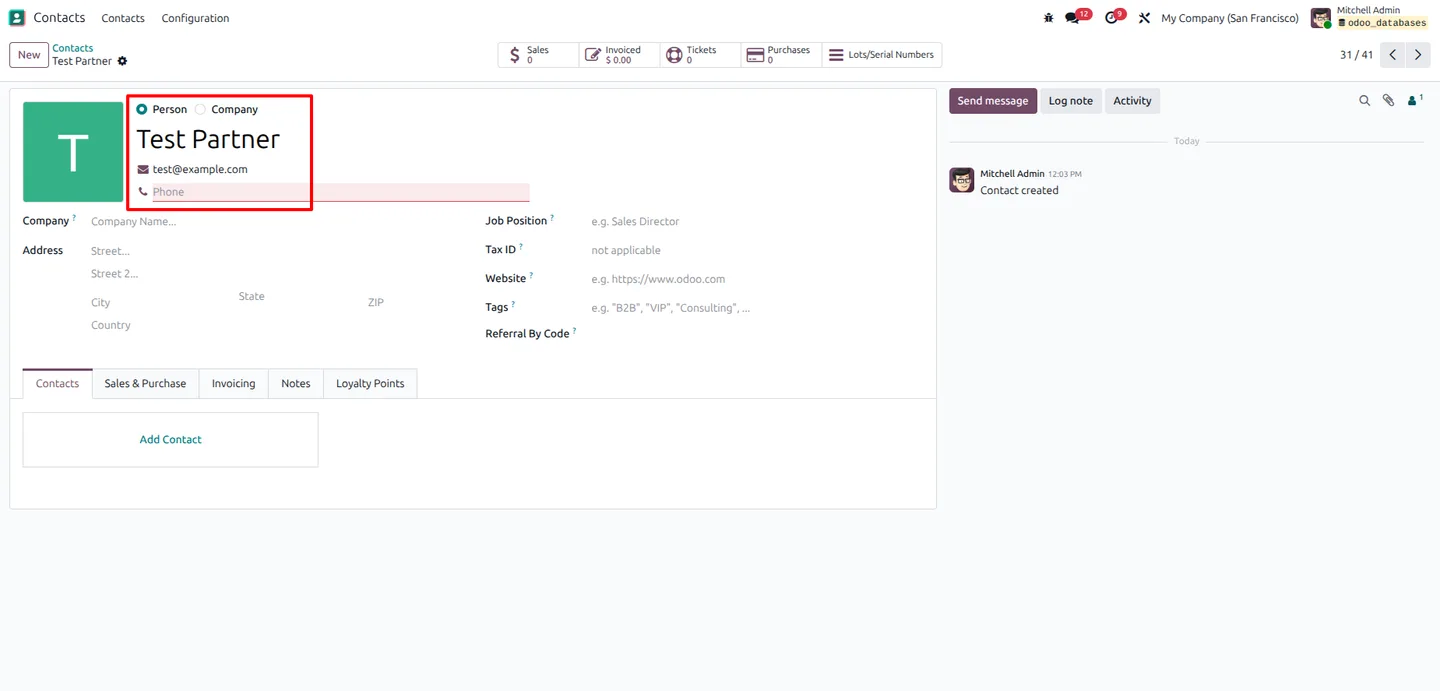
Send a JSON call with a model name, the required data fields, and your token. The server creates the record and returns its new ID — ready to be referenced in the next request.
-
Edit records via write
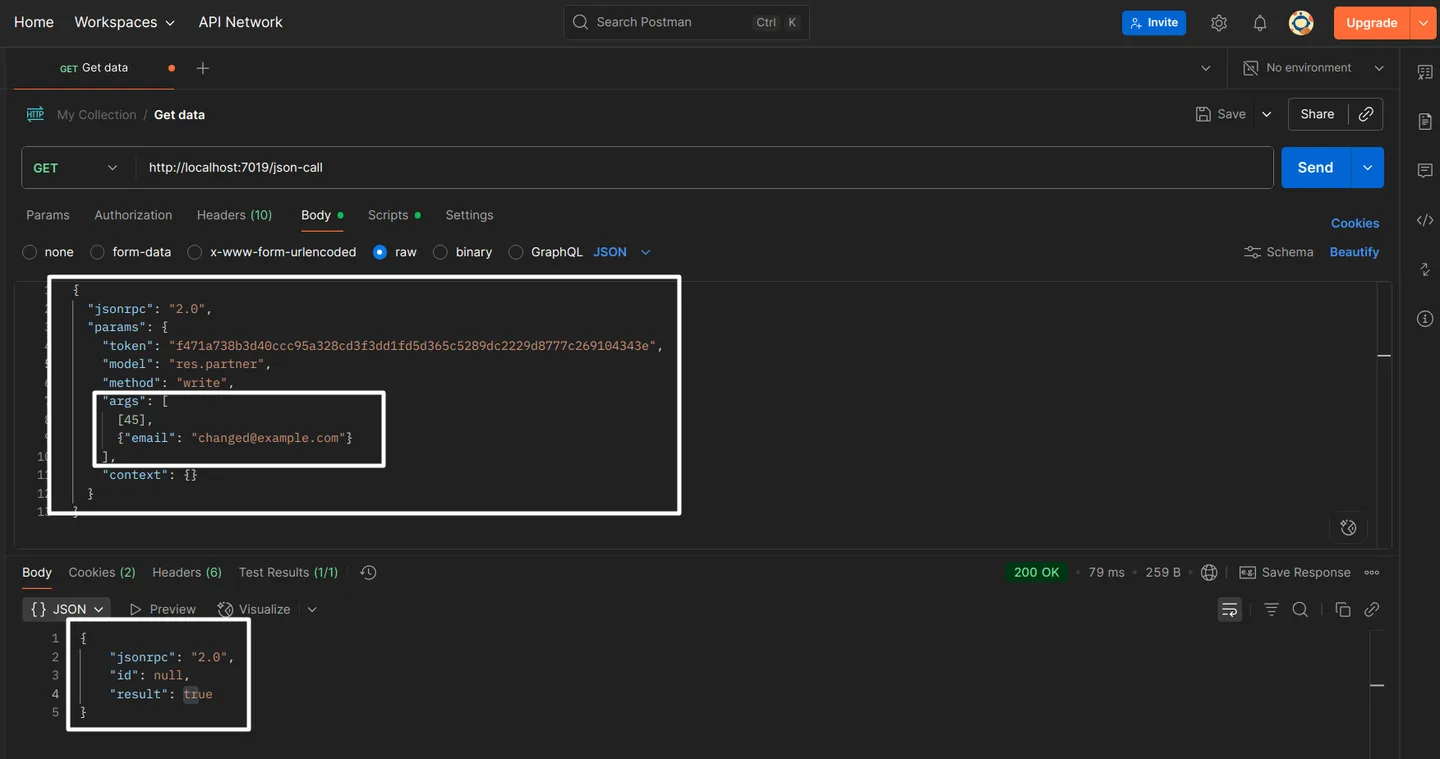
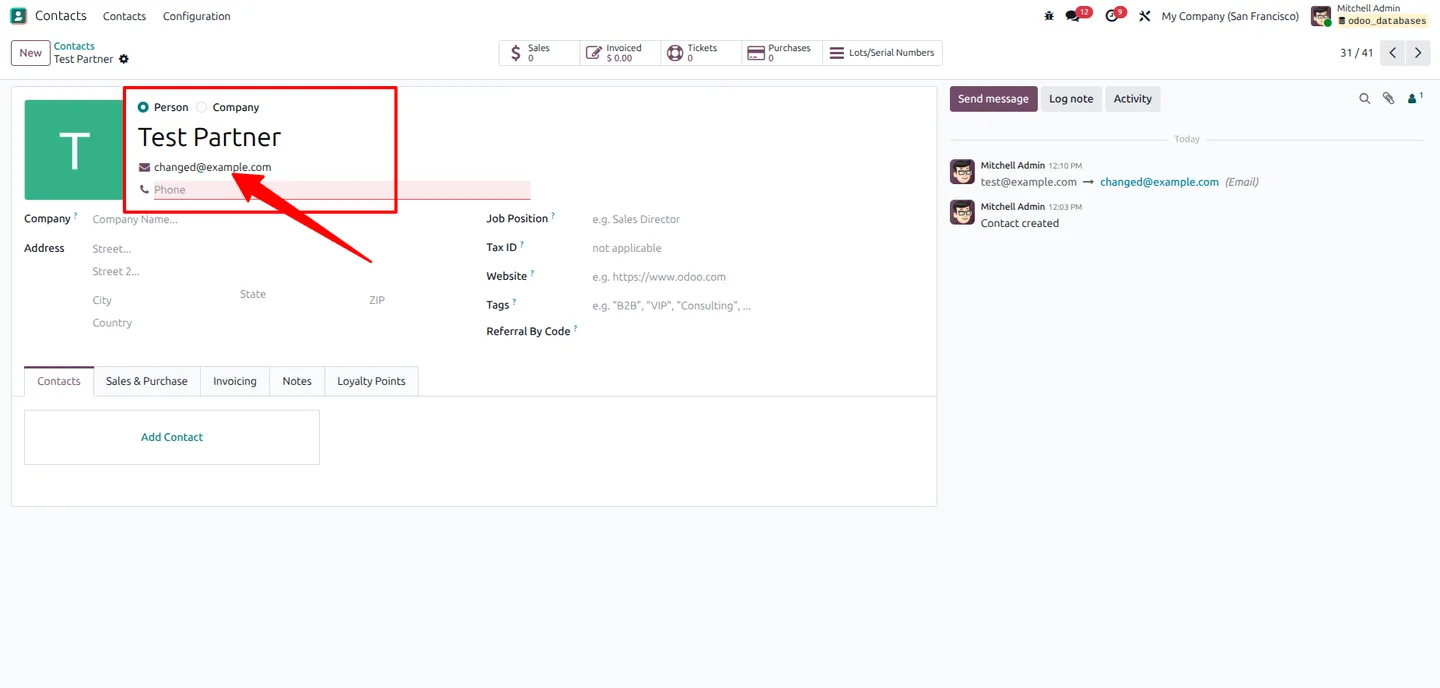
Call the write method with a record ID and the fields you want to change. The modifications are applied immediately and confirmed in the response payload.
-
Delete records via unlink
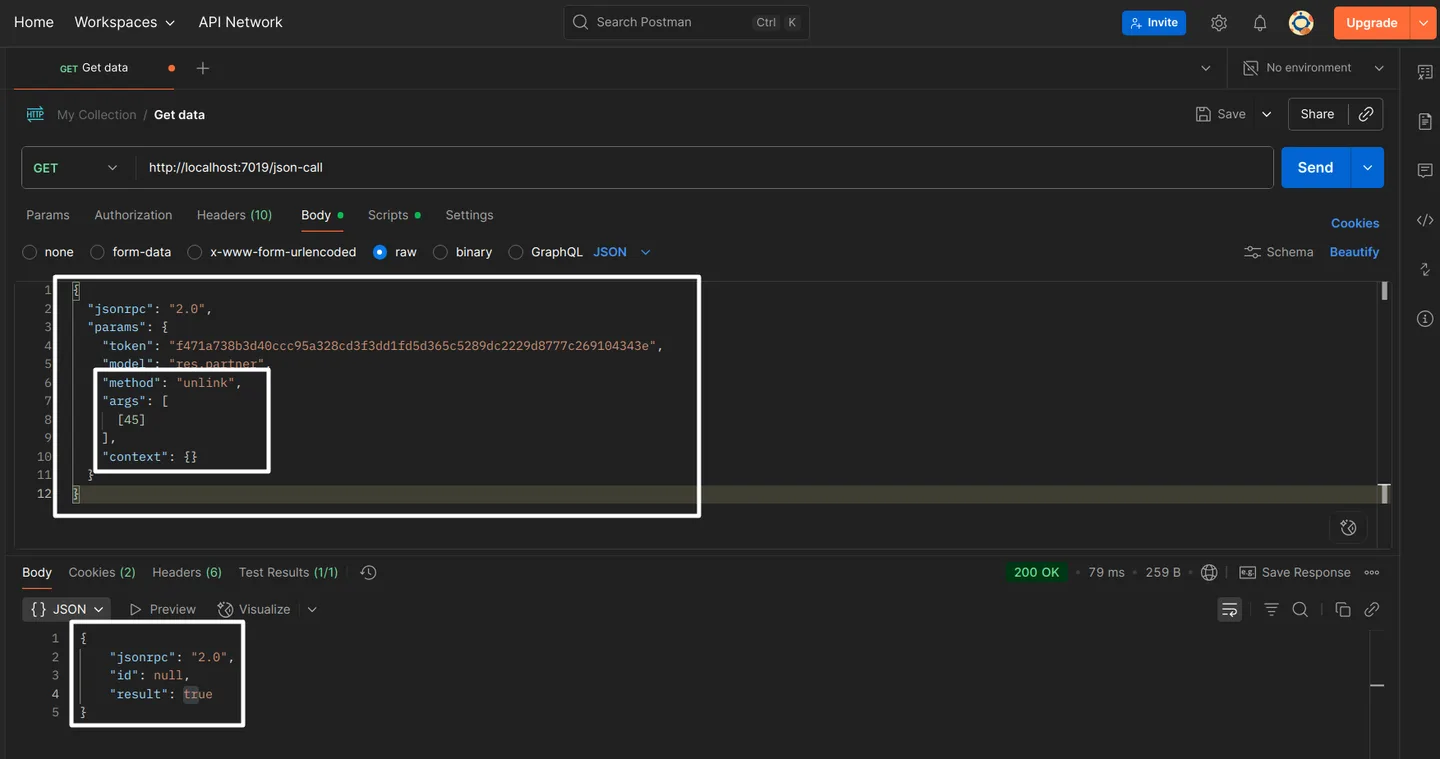
Call the unlink method with a record ID; the API returns True on a successful deletion so your client can confirm the operation finished cleanly.
-
Compact JSON payloads
JSON is more compact than XML-RPC and easier to load in modern HTTP clients — smaller requests, smaller responses, and less parsing overhead on both ends.
-
Structured dictionary responses
Responses come back as structured JSON dictionaries, so your client gets clearly named fields instead of positional XML payloads that need bespoke parsers.
-
Lightweight and fast
Minimal resource requirements on the Odoo server and optimised request handling keep round trips fast, even on heavy CRUD workloads from external systems.
-
Wide Odoo version coverage
Supports Odoo 10.0, 11.0, 12.0, 13.0, 14.0, 15.0, 16.0, 17.0, 18.0, 19, and 20.0 — useful for teams running mixed estates or migrating between releases.
Odoo JSON RPC in Odoo
Every screen, in the order you meet it — configuration first, then the module in use.
Technical details
Specification
- Publisher
- TechUltra Solutions Private Limited
- Technical name
- odoo_json_rpc
- Odoo versions
- 10.0, 11.0, 12.0, 13.0, 14.0, 15.0, 16.0, 17.0, 18.0, 19.0, 20.0
- Lines of code
- 765
- License
- Odoo Proprietary License v1.0 (OPL-1)
- Price
- $49 (one-time)
Deployment
- Odoo Online
- Odoo.sh
- On-premise
Odoo dependencies
- Discuss
Support
90 days of bug-fix support, Monday to Friday (10:00–19:00 IST). Raise a ticket at support@techultra.in.
Setup & configuration
From install to first call — here is the path.
- 1
Install the module
In Odoo, open Apps, remove the Apps filter, search for “Odoo JSON RPC”, and click Install.
- 2
Generate an authentication token
From your external client, send a JSON request to the authenticate URL with the login, password, and database name. The response contains the security token to use on subsequent calls.
- 3
Register the token in Odoo
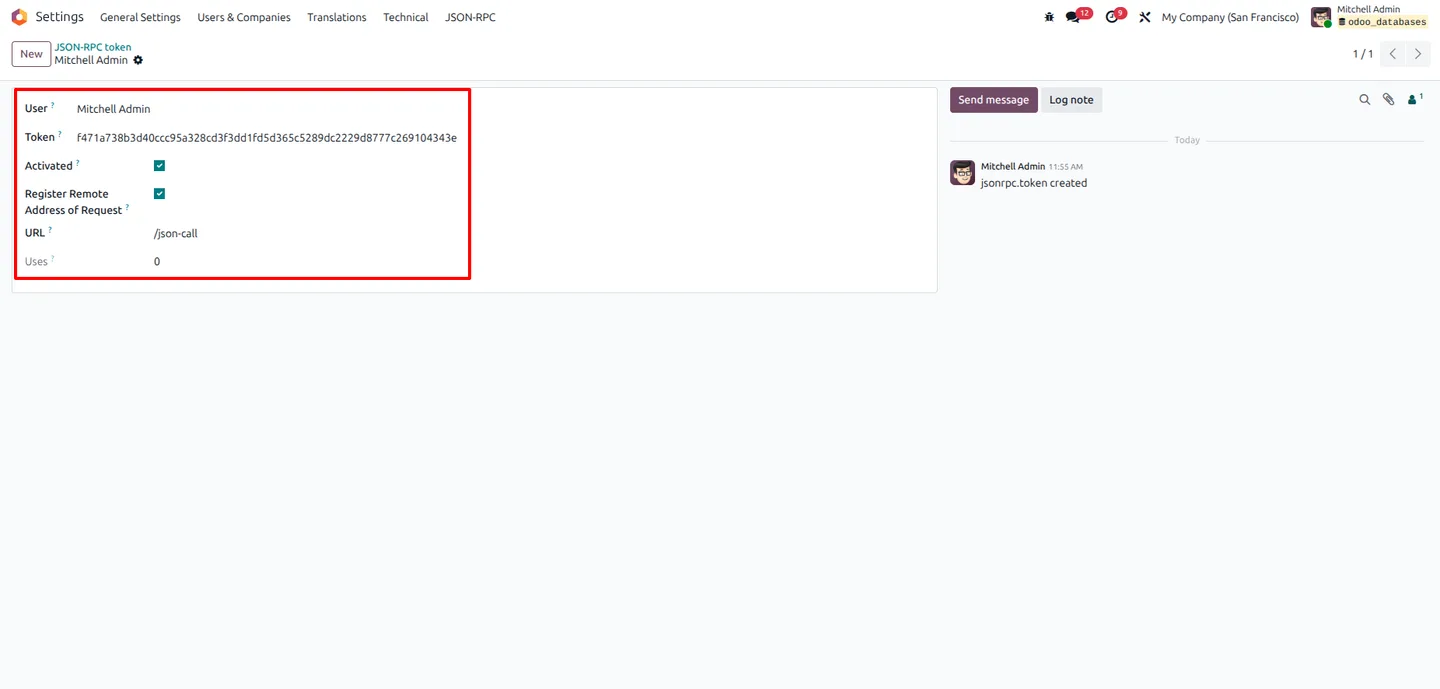
Go to Settings → JSON RPC → Token and populate the token and user fields with the values returned by the authenticate call so the server can validate inbound requests.
- 4
Create records via JSON
POST a JSON payload containing the target model name, the required field values, and the token. The API returns the ID of the newly created record.
- 5
Edit and delete records
Use the write method with a record ID plus the fields to update, or the unlink method with a record ID to delete it. Both return a confirmation payload your client can act on.
Frequently asked questions
-
How does Odoo JSON RPC differ from Odoo's built-in XML-RPC?
Odoo JSON RPC speaks JSON end-to-end instead of XML, so payloads are smaller, parsing is simpler, and the API is friendlier for modern HTTP clients written in JavaScript, Python, Go, or any language with a JSON library.
-
Which Odoo versions are supported?
The module supports Odoo 10.0, 11.0, 12.0, 13.0, 14.0, 15.0, 16.0, 17.0, 18.0, 19.0, and 20.0, covering long-running estates and live migrations between releases.
-
How does authentication work?
Your client sends login credentials and the database name to the authenticate endpoint. The API returns a security token which is then required on every subsequent create, write, or unlink call.
-
Can I create records on any Odoo model?
Yes. The create endpoint accepts a model name and a data dictionary, so the same API works for contacts, sales orders, products, invoices, or any custom model — as long as the authenticated user has access rights.
-
How are write and unlink operations confirmed?
The write method applies your changes immediately and the response confirms the operation. The unlink method returns True on a successful deletion so your client can be sure the record is gone before continuing.
-
Is the module suitable for high-traffic integrations?
Yes. JSON payloads are compact and the request-handling path is lightweight, which keeps round-trip times low for high-volume CRUD workloads from external applications.
-
Does it work on Odoo Online?
Yes. The module can be installed on Odoo Online, Odoo.sh, and on-premise deployments. On Odoo Online your external client just needs network access to your instance URL.
Listing verified against the Odoo App Store:
Related services
Get the most out of this module with senior TechUltra consultants.
Odoo Customization Services
Odoo customization from a Gold Partner: custom modules, workflows, reports and Studio changes, written upgrade-safe and quoted at a fixed scope. Free scoping call.
Hire Odoo Developers
Hire certified Odoo developers from a Gold Partner: one developer or a team, full-time or part-time, 70–160 hours a month. Silver, Gold or Platinum plan, free trial.
Odoo Support Services & Maintenance
Odoo support services from a Gold Partner: functional and technical support plus server cover for Enterprise and Community, 30-minute P1 response, 24/7 option.







