
Odoo App · AI & Automation
Odoo AI Chatbot
Ask plain-English questions and get live Sales, Purchase, and Invoice data.
Overview
Odoo AI Chatbot lets your team query Odoo by typing a question in plain English. Instead of building a filter or running a report, a user asks something like a sales or procurement question and gets a direct answer.
Built by TechUltra Solutions, the chatbot uses the OpenAI ChatGPT API to interpret each question and convert it into a query against your Odoo schema. It reads live data from sales orders, purchase orders, and invoices, and returns the result formatted as a table for quick review.
Every answer respects Odoo access rights: the chatbot filters results by what the requesting user is permitted to see, so the feature stays compliant with your existing security model. The result is faster answers for sales tracking, procurement monitoring, and invoice review without leaving Odoo.
Key features
-
Plain-English queries
Ask questions in plain English with no special syntax. The chatbot interprets the request, so users need no technical knowledge to get an answer.
-
Live data from Odoo
Answers are pulled directly from your Odoo database in real time, so results always reflect the current state of your records.
-
Sales, purchase, and invoice coverage
The chatbot answers questions across sales orders, purchase orders, and invoices, covering sales tracking, procurement, and billing in one place.
-
Formatted table output
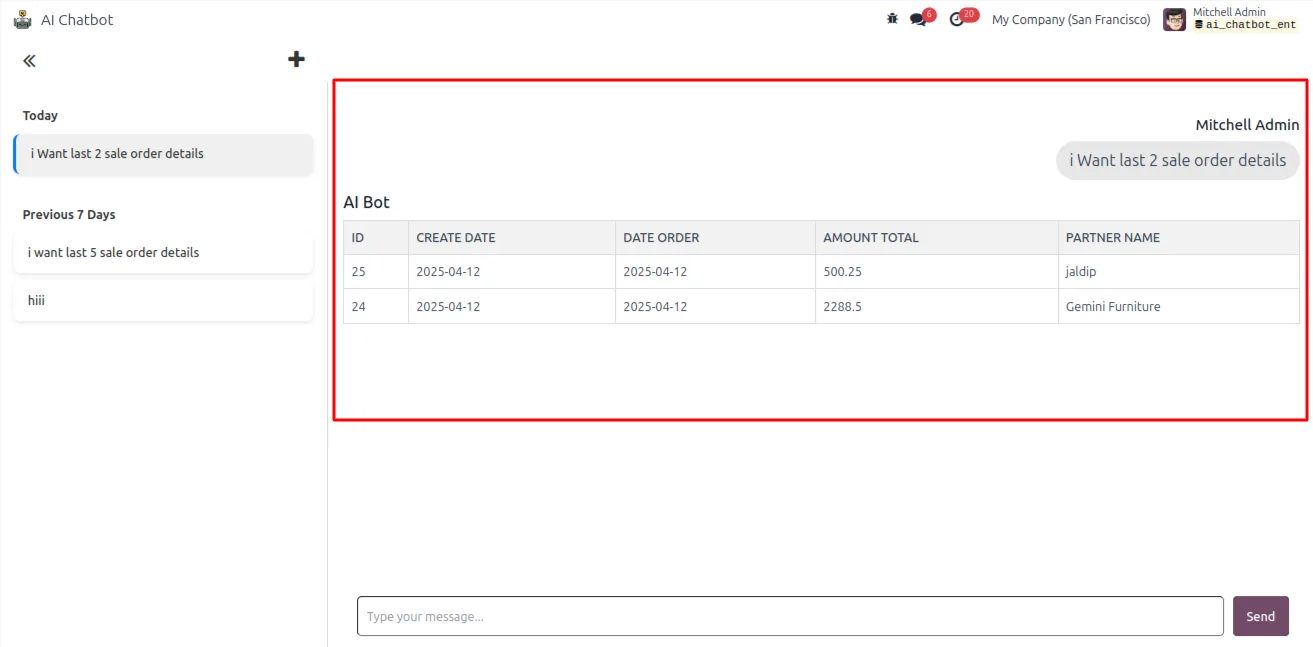
Results come back in a clean, tabular format with relevant columns, so the answer is easy to scan and analyze.
-
Advanced filters in questions
Questions can include timeframes, quantity conditions, and partner-specific criteria, so you can narrow results without touching a filter panel.
-
Role-based access control
Every response is filtered by the requesting user's Odoo access rights, so users only see data they are already permitted to view.
-
ChatGPT-powered interpretation
The chatbot uses the OpenAI ChatGPT API to interpret each question and translate it into a query against your Odoo schema.
-
Chat panel with history
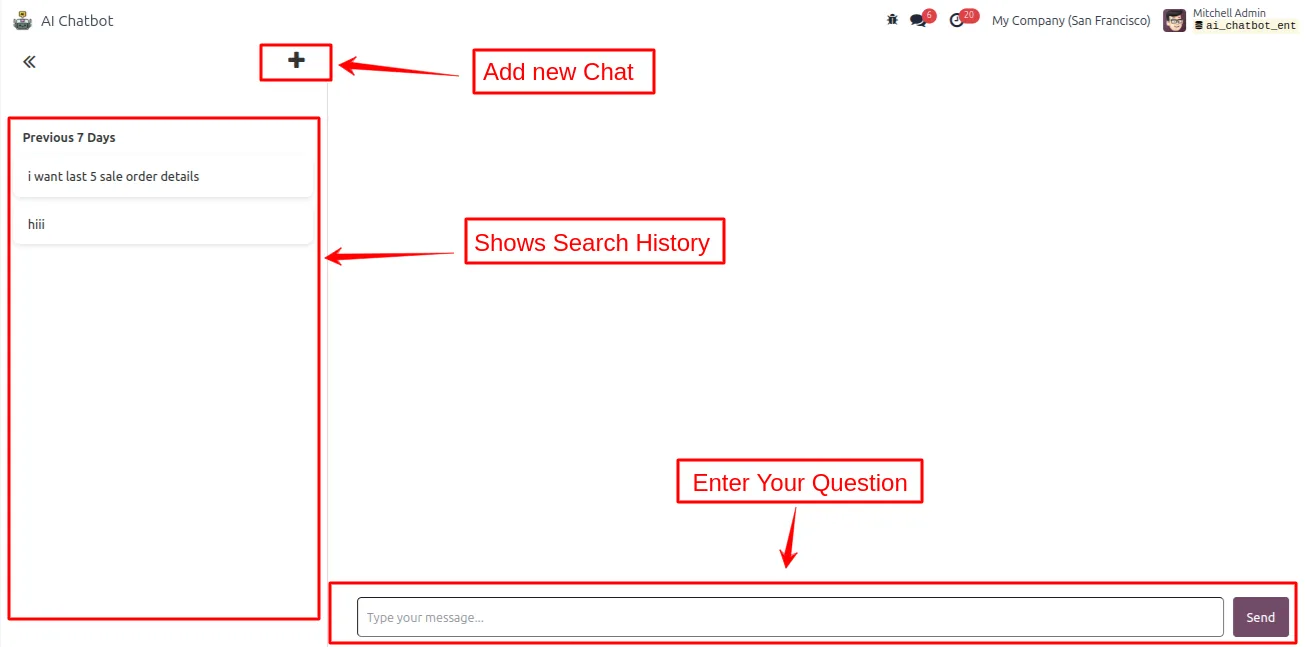
The chatbot opens from a smart menu or dashboard, with a query field and a record of your previous questions and answers.
Odoo AI Chatbot in Odoo
Every screen, in the order you meet it — configuration first, then the module in use.
Technical details
Specification
- Publisher
- TechUltra Solutions Private Limited
- Technical name
- odoo_ai_chatbot
- Odoo versions
- 17.0, 18.0, 19.0
- Lines of code
- 1,904
- License
- Odoo Proprietary License v1.0 (OPL-1)
- Price
- $359 (one-time)
Deployment
- Odoo Online
- Odoo.sh
- On-premise
Odoo dependencies
- Sales
- Purchase
- Invoicing
Support
90 days of bug-fix support, Monday to Friday (10:00–19:00 IST). Raise a ticket at support@techultra.in.
Setup & configuration
From install to first call — here is the path.
- 1
Install the module
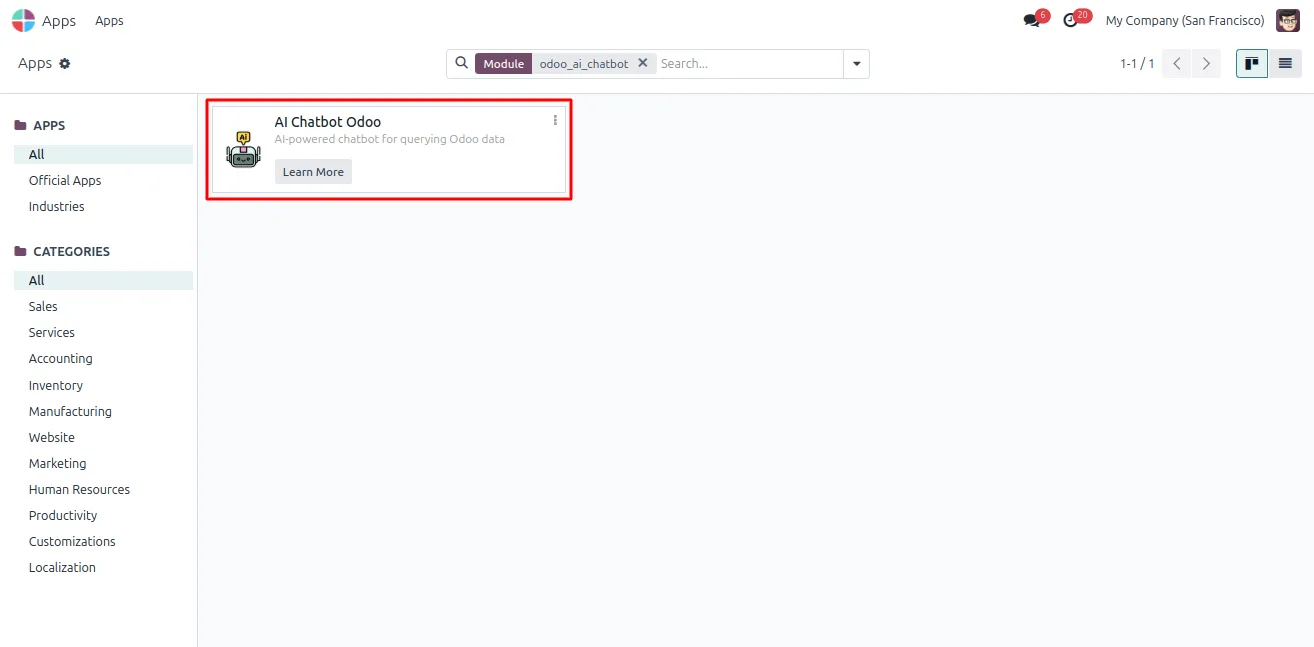
In Odoo, open Apps, remove the Apps filter, search for “Odoo AI Chatbot”, and click Install.
- 2
Add your OpenAI API key
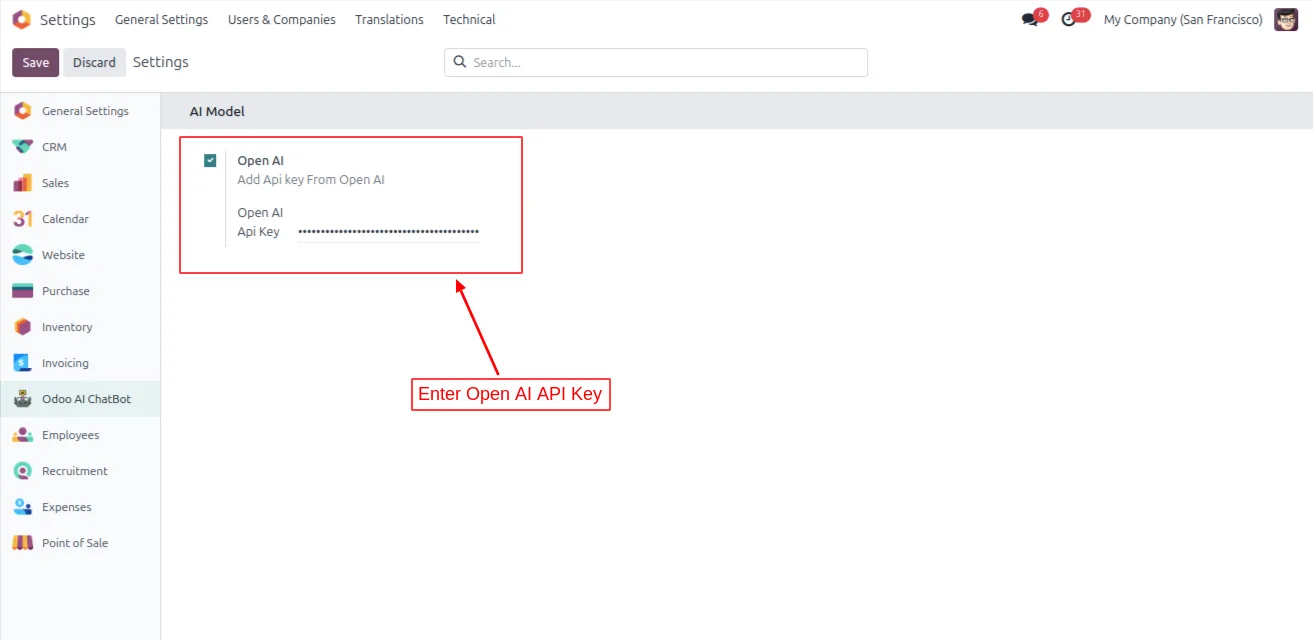
Go to Settings → Odoo AI ChatBot → Configuration and enter your OpenAI API key so the chatbot can interpret questions.
- 3
Configure database access (self-hosted)
On a self-hosted server, set the database credentials — db_host, db_port, db_user, and db_password — in the Odoo configuration file.
- 4
Open the chatbot
Open the chatbot panel from the smart menu or dashboard. It shows the query input field and your chat history.
- 5
Ask a question
Type a plain-English question about sales orders, purchase orders, or invoices. The chatbot returns the matching records as a table.
Frequently asked questions
-
What can I ask the chatbot?
You can ask plain-English questions about sales orders, purchase orders, and invoices — for example sales tracking, procurement monitoring, or invoice review. It returns the matching data as a table.
-
How does it understand my questions?
The chatbot uses the OpenAI ChatGPT API to interpret each question and convert it into a query against your Odoo schema, then runs it on your live database.
-
Can users see data they should not?
No. Every response is filtered by the requesting user's Odoo access rights, so the chatbot only returns data that user is already permitted to view.
-
Is the data live?
Yes. The chatbot fetches data directly from your Odoo database in real time, so answers reflect the current state of your records.
-
Do I need an OpenAI API key?
Yes. You enter your own OpenAI API key in the chatbot configuration. ChatGPT usage is billed by OpenAI, not by TechUltra.
-
Does it work on a self-hosted server?
Yes. On a self-hosted server you also set the database credentials — db_host, db_port, db_user, and db_password — in the Odoo configuration file.
-
Can I use timeframes and partner filters in a question?
Yes. Questions can include timeframes, quantity conditions, and partner-specific criteria, so you can narrow results directly in the question.
-
Which Odoo versions are supported?
The module supports Odoo 17.0, 18.0, and 19.0, in both the Community and Enterprise editions.
Listing verified against the Odoo App Store:
Related services
Get the most out of this module with senior TechUltra consultants.
Odoo Customization Services
Odoo customization from a Gold Partner: custom modules, workflows, reports and Studio changes, written upgrade-safe and quoted at a fixed scope. Free scoping call.
Hire Odoo Developers
Hire certified Odoo developers from a Gold Partner: one developer or a team, full-time or part-time, 70–160 hours a month. Silver, Gold or Platinum plan, free trial.
Odoo Support Services & Maintenance
Odoo support services from a Gold Partner: functional and technical support plus server cover for Enterprise and Community, 30-minute P1 response, 24/7 option.







