
Odoo App · Telephony & CTI
MyOperator Connector
Cloud telephony for Odoo — click-to-call and automatic call logging across CRM, Sales, and Contacts.
Overview
MyOperator Connector links MyOperator's cloud telephony service to Odoo, so your sales and support teams can place calls and capture every conversation without leaving the ERP.
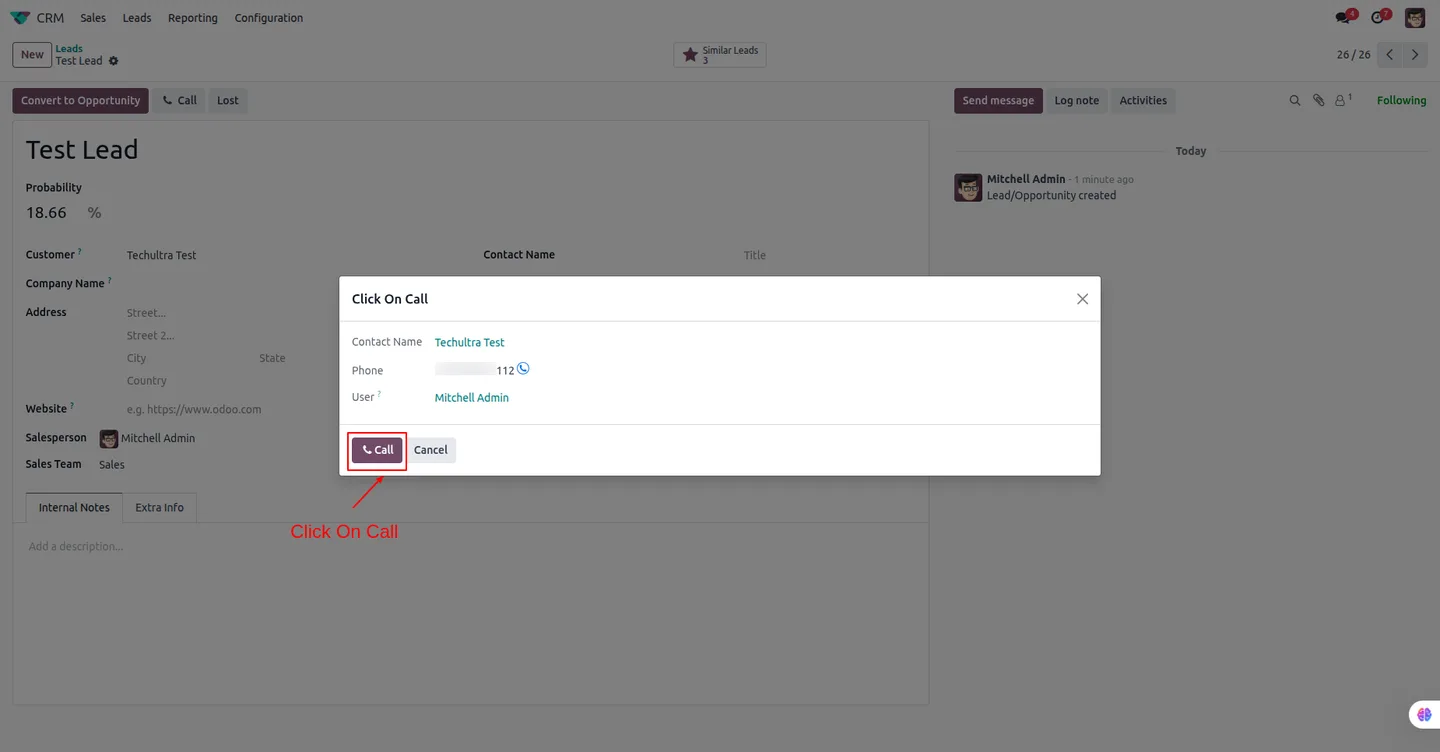
Built by TechUltra Solutions, the module adds a click-to-call action across Contacts, CRM, Sales, Purchase, and Invoicing. Calls are placed through the agent's own mobile phone, so there is no desk-phone hardware or softphone client to roll out — the connector simply bridges the call through MyOperator.
Every call is logged back into Odoo automatically: direction, duration, timestamp, and the recording attach to the originating record, and MyOperator webhooks keep that data current in real time. The result is a single, searchable call history tied to the right customer.
Key features
-
Click-to-call across Odoo
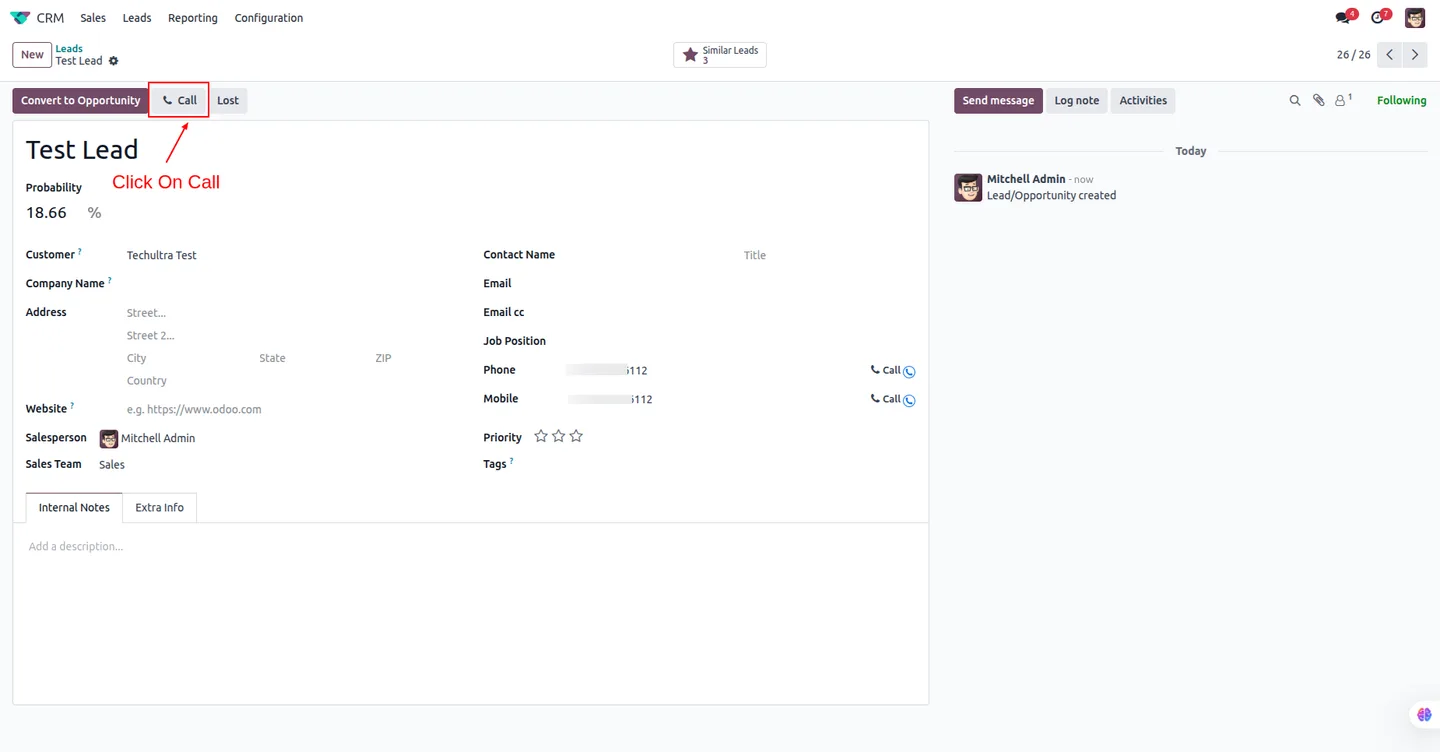
Place calls straight from Contacts, CRM, Sales, Purchase, and Invoicing. The customer's number is dialled without copying it between apps or screens.
-
Calls through your mobile
Calls connect via the agent's own mobile phone through MyOperator — no desk-phone hardware or softphone client to deploy across the team.
-
Automatic call logging
Every inbound and outbound call is recorded in Odoo with direction, duration, timestamp, and status, linked to the contact or document it started from.
-
Call recordings in Odoo
MyOperator call recordings are saved against the Odoo call record, so managers can review conversations without logging into a separate portal.
-
Centralised call history
All call activity sits in one searchable place inside Odoo, giving sales and support a complete view of every customer contact.
-
Real-time webhook sync
MyOperator webhooks push call events and recordings into Odoo as they happen, keeping the call log current without any manual updates.
-
Token-based setup
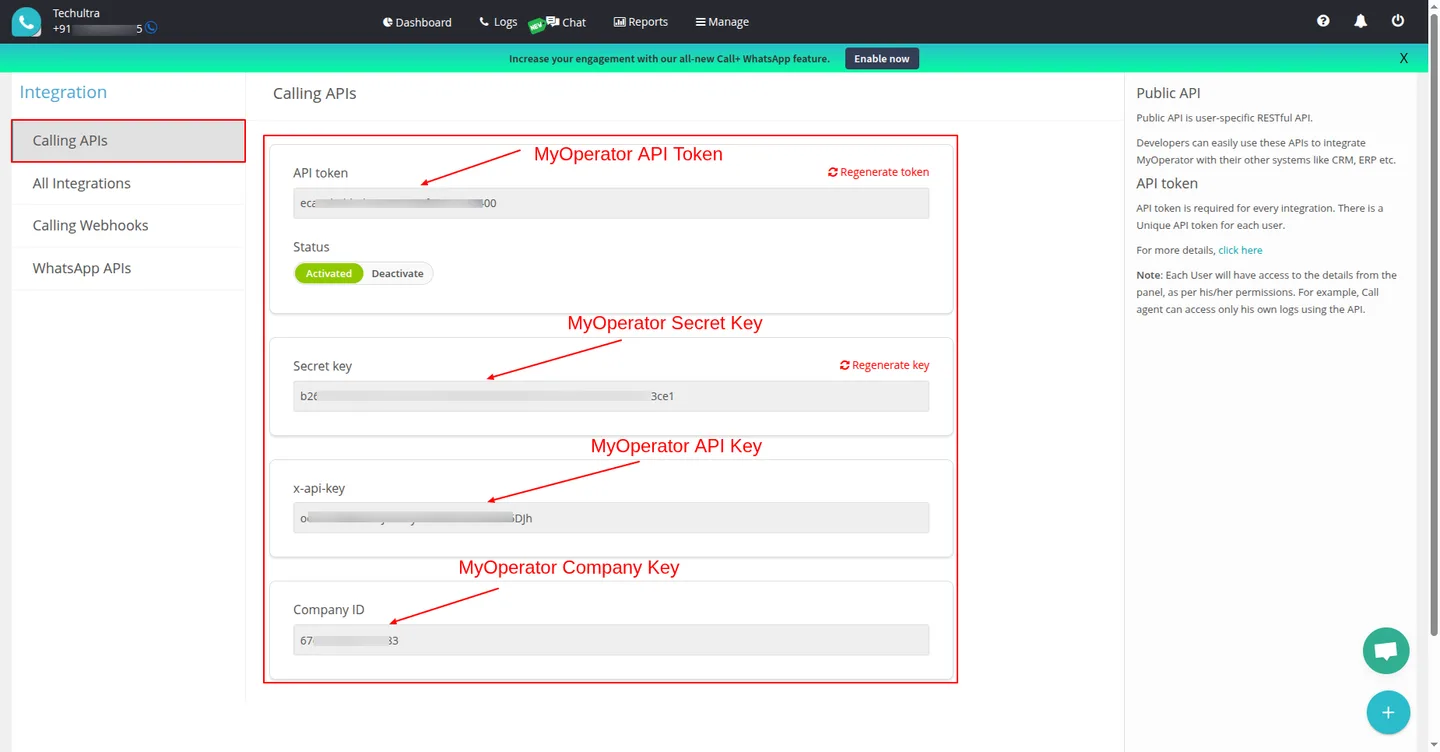
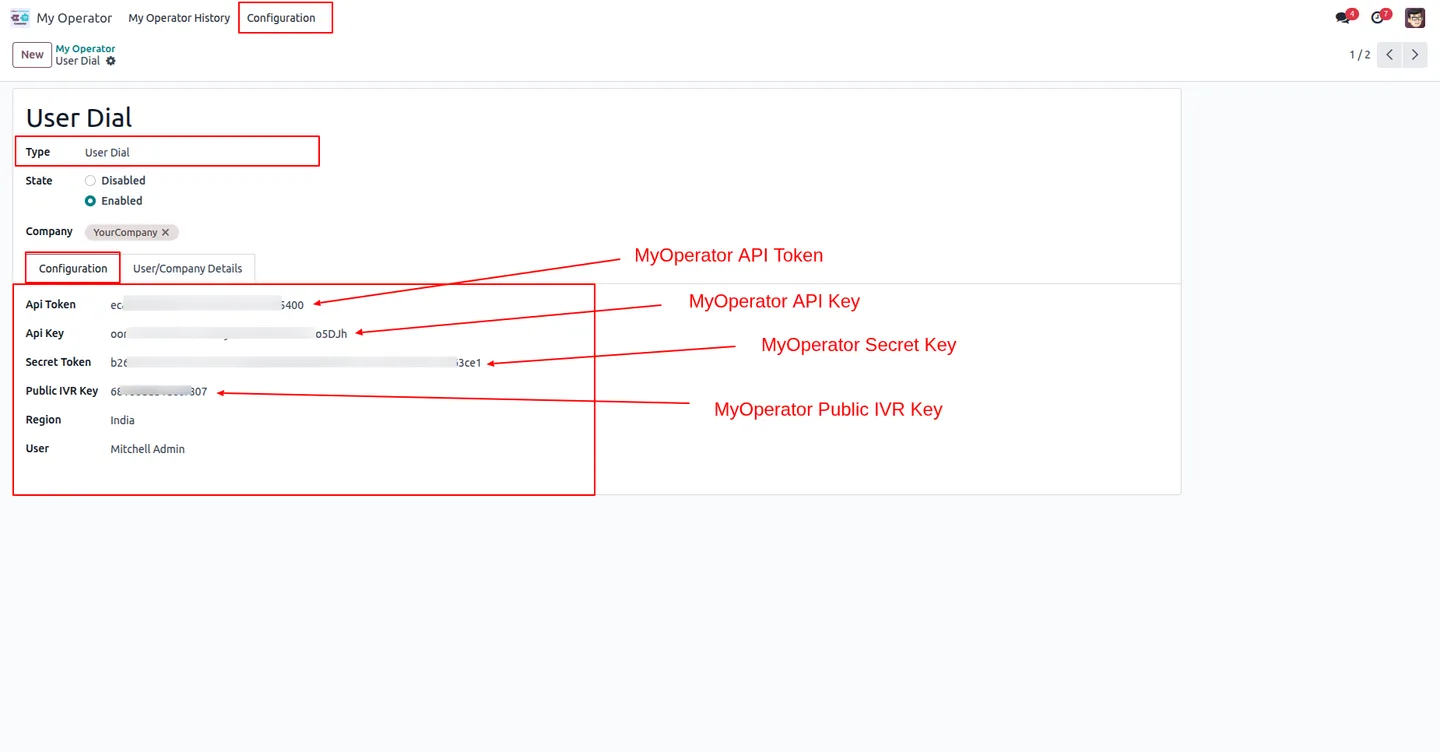
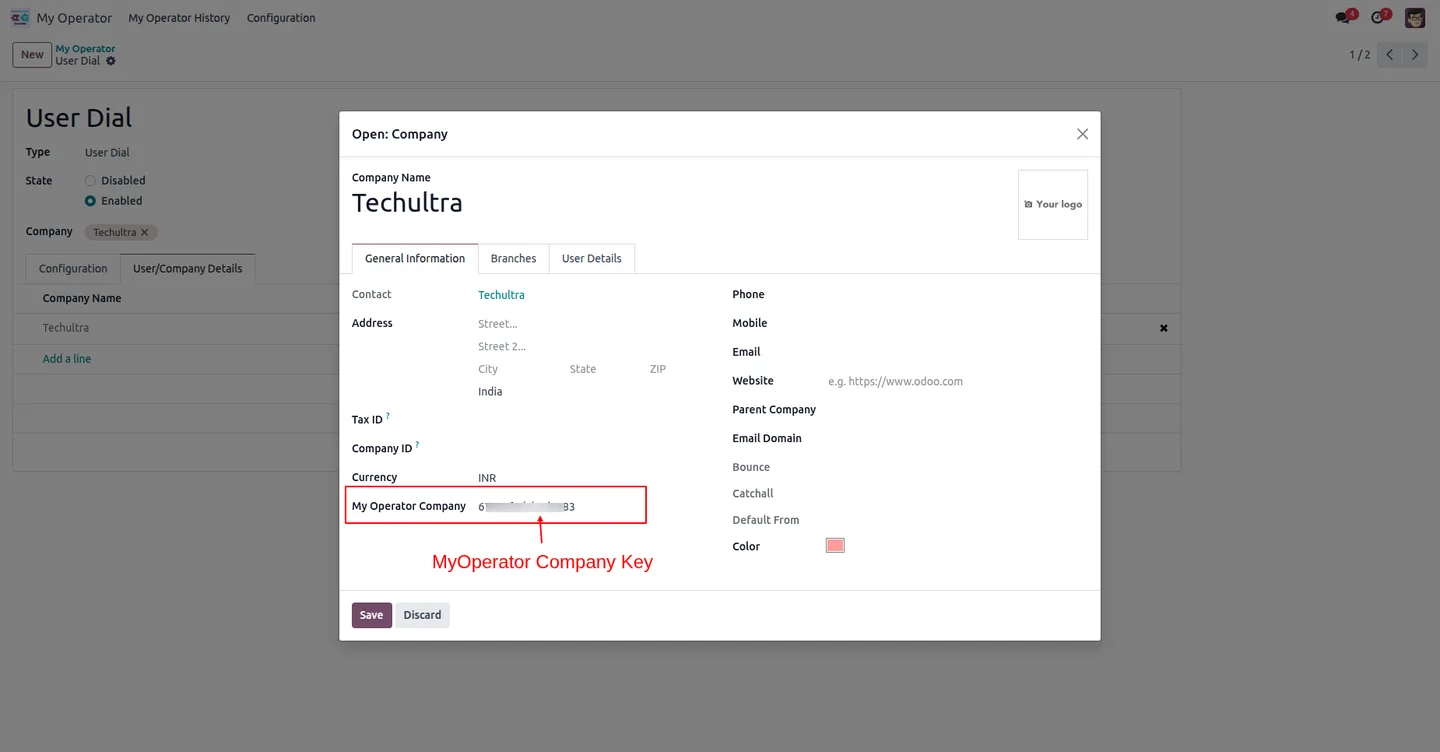
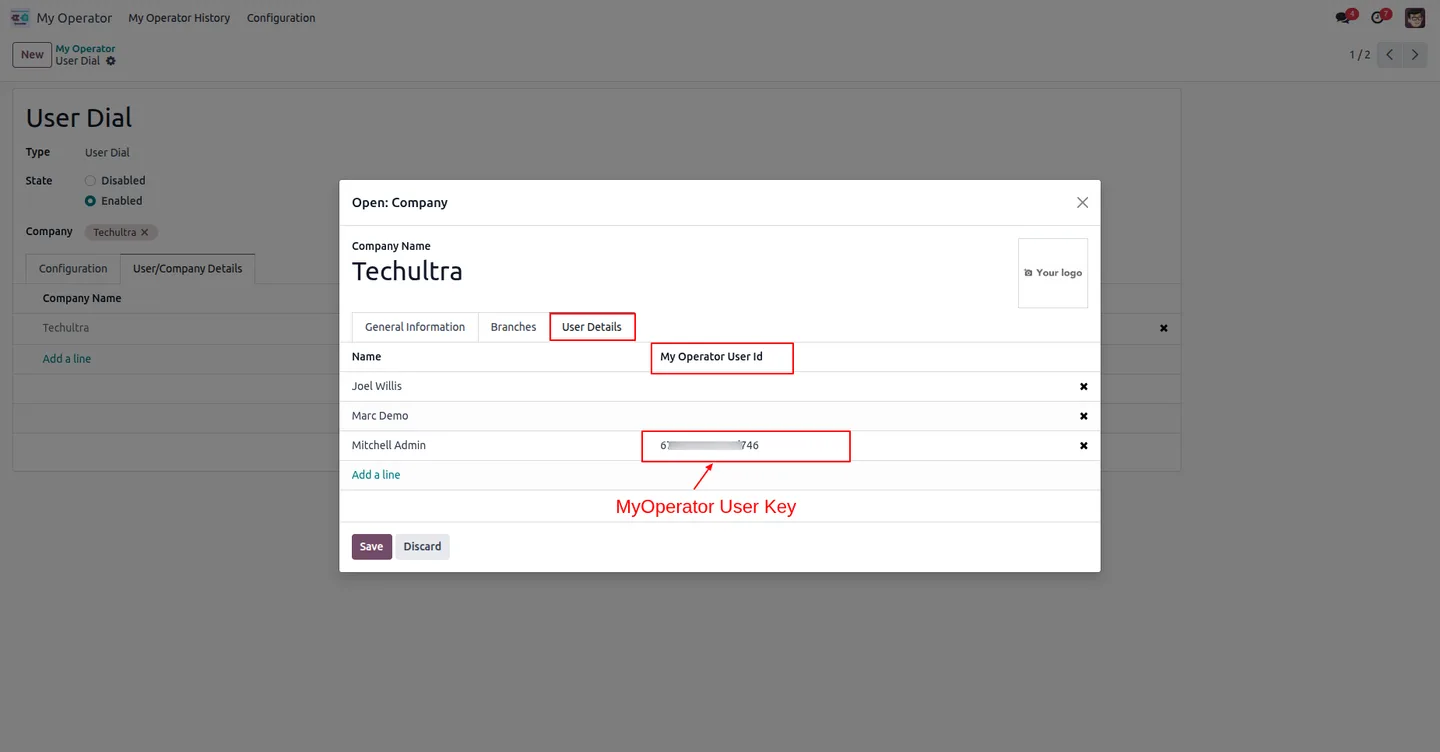
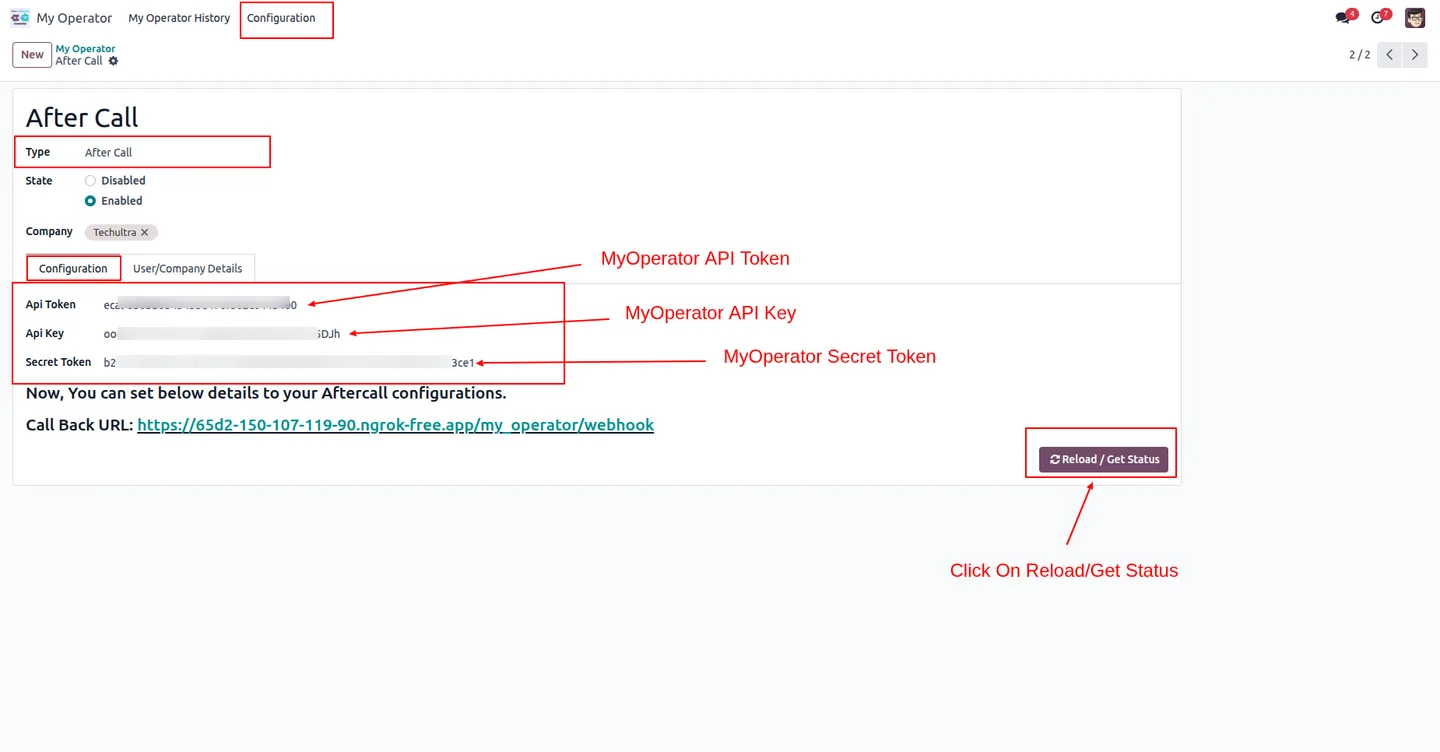
The connector authenticates with a MyOperator API token, API key, secret token, and public IVR key — a short, one-time configuration.
MyOperator Connector in Odoo
Every screen, in the order you meet it — configuration first, then the module in use.
Technical details
Specification
- Publisher
- TechUltra Solutions Private Limited
- Technical name
- odoo_myoperator
- Odoo versions
- 17.0, 18.0, 19.0
- Lines of code
- 608
- License
- Odoo Proprietary License v1.0 (OPL-1)
- Price
- $99 (one-time)
Deployment
- Odoo Online
- Odoo.sh
- On-premise
Odoo dependencies
- CRM
- Sales
- Purchase
- Contacts
- Calendar
- Invoicing
- Discuss
Support
90 days of bug-fix support, Monday to Friday (10:00–19:00 IST). Raise a ticket at support@techultra.in.
Setup & configuration
From install to first call — here is the path.
- 1
Install the module
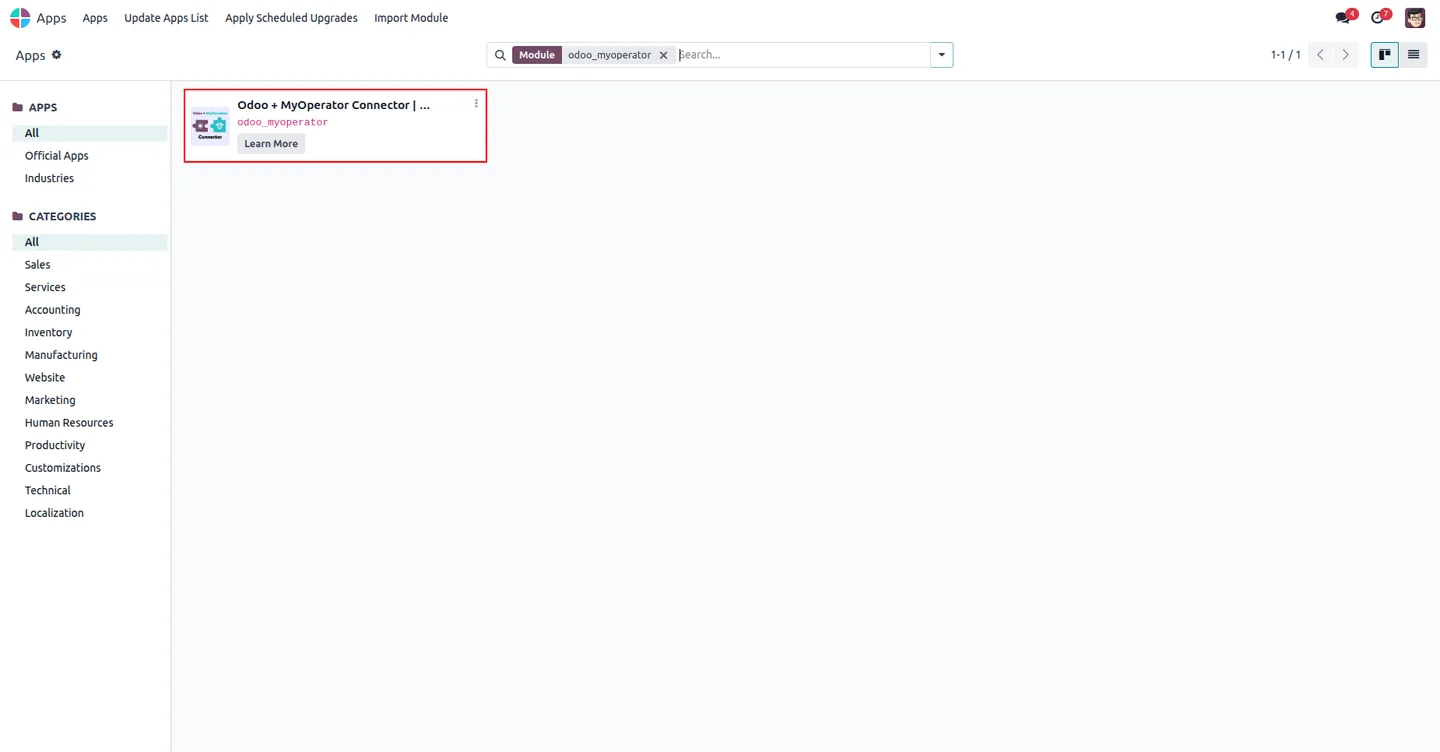
In Odoo, open Apps, remove the Apps filter, search for “MyOperator”, and click Install.
- 2
Set up MyOperator
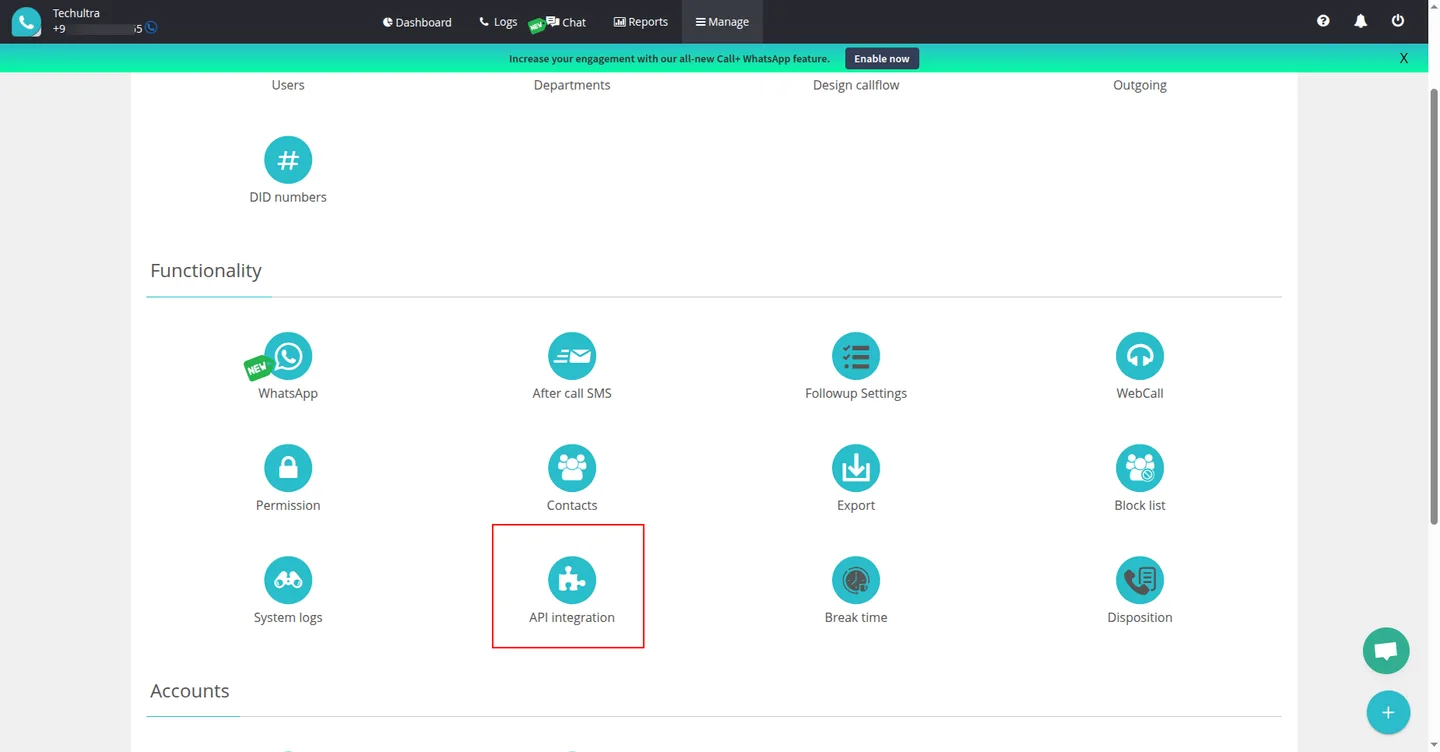
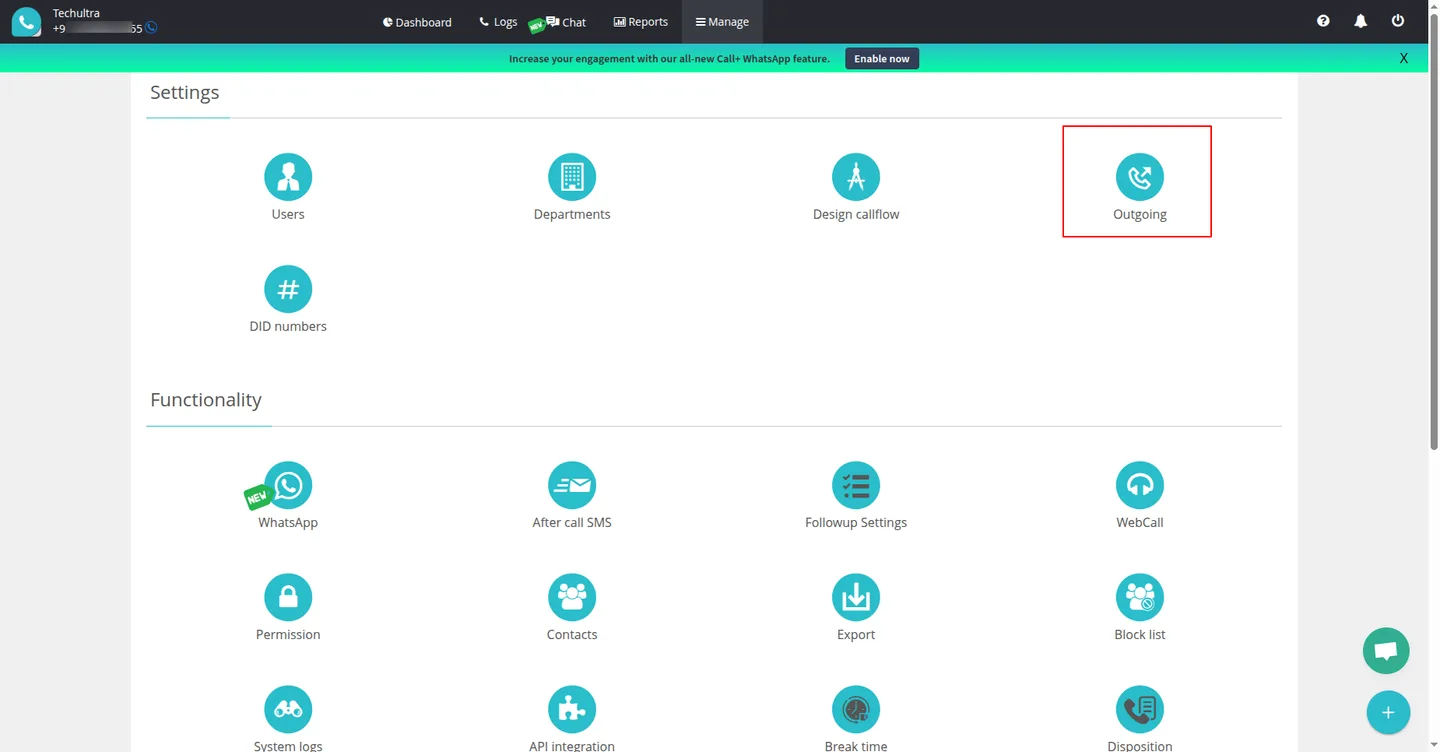
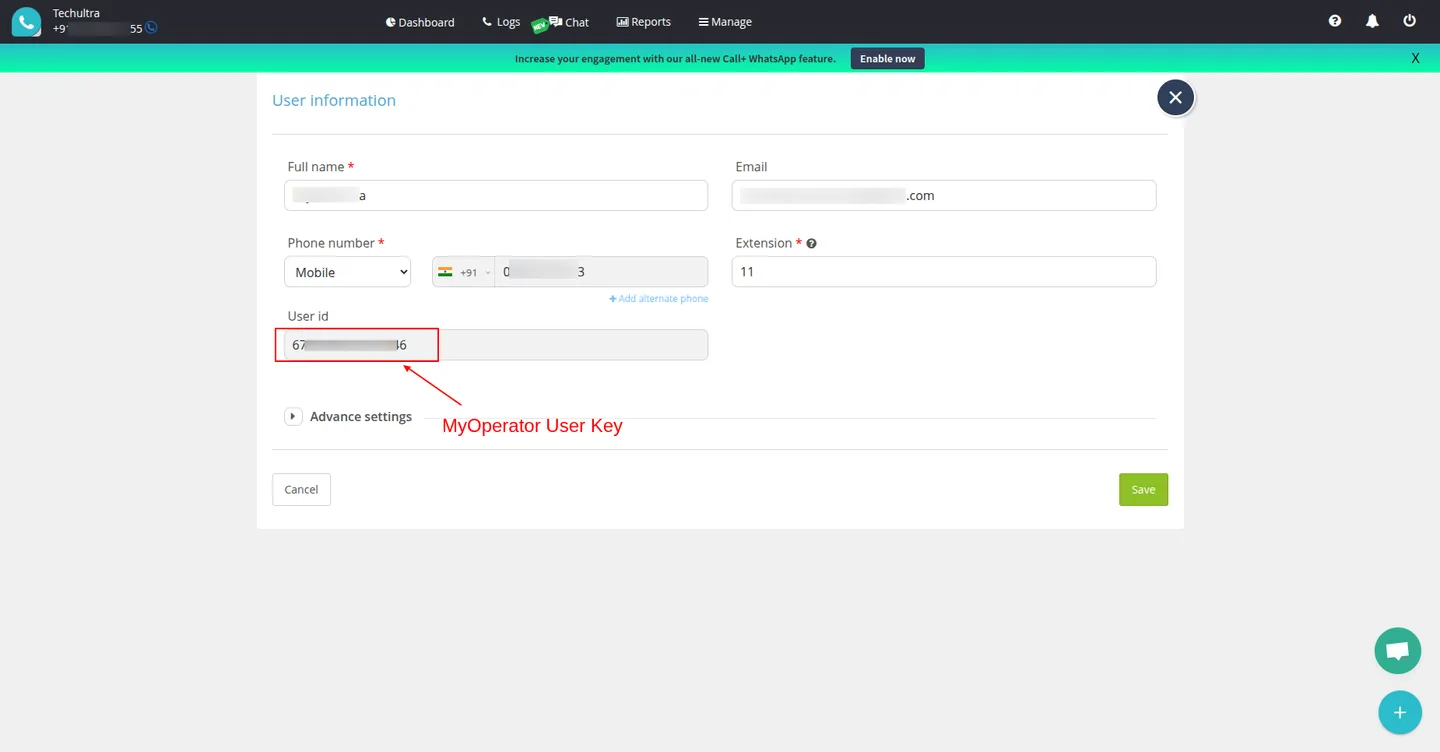
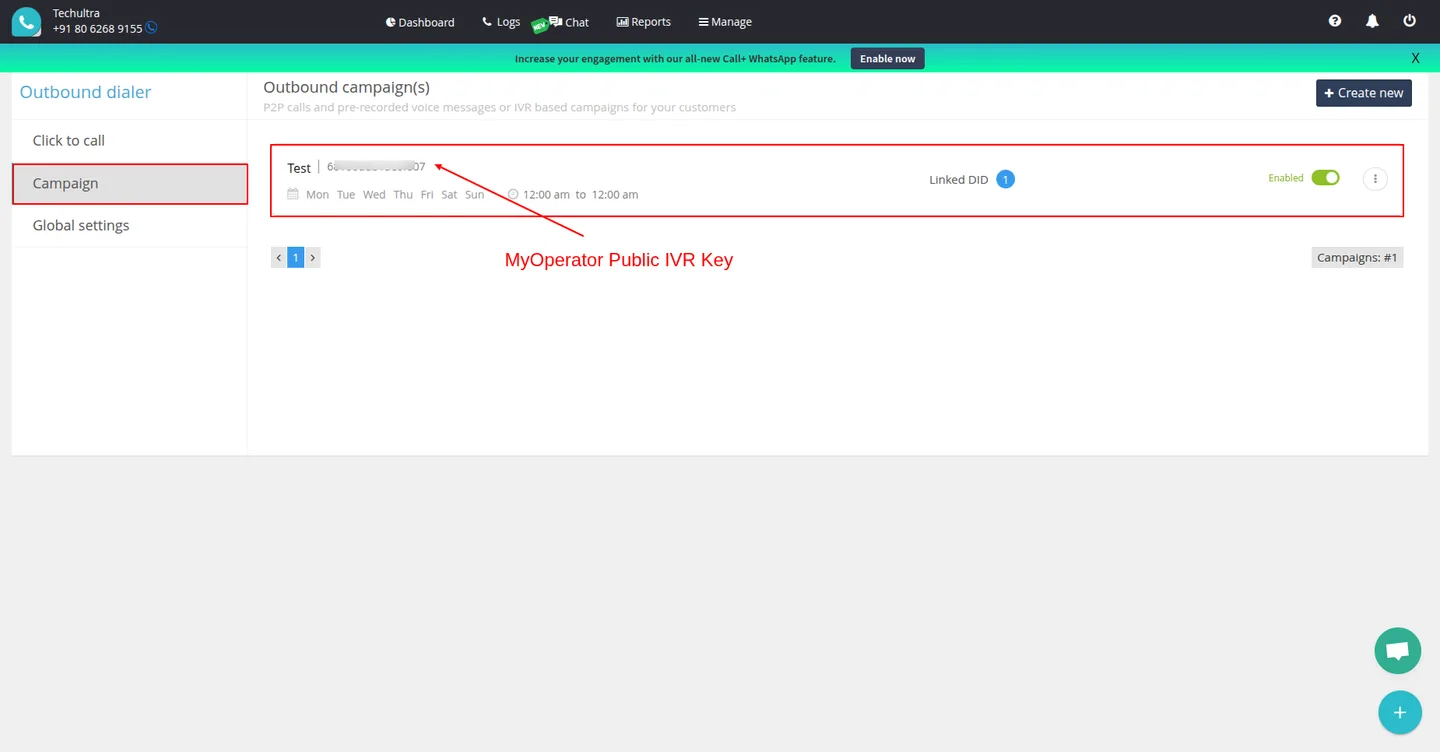
In your MyOperator account, open API Integration and configure the Calling API and an outgoing campaign. Note your API token, API key, secret token, and public IVR key.
- 3
Enter credentials in Odoo
Go to MyOperator → Configuration and enter the API token, API key, secret token, and IVR key from the previous step.
- 4
Configure webhooks
In MyOperator → API Integration → Webhooks, add the webhook URL so call events and recordings flow back into Odoo in real time.
- 5
Place a call
Open any contact, lead, or order and use the call action. The call connects through your mobile and is logged to Odoo automatically.
Frequently asked questions
-
Which Odoo apps can I place calls from?
MyOperator Connector adds a call action to Contacts, CRM, Sales, Purchase, and Invoicing, so you can dial a customer from wherever you are working in Odoo.
-
Are calls placed from my computer or my mobile?
Calls connect through the agent's own mobile phone via MyOperator. There is no desk phone or softphone to install — the connector simply bridges the call.
-
Does the module save call recordings?
Yes. MyOperator call recordings are stored against the matching Odoo call record, so you can review conversations directly inside Odoo.
-
Which Odoo versions are supported?
The module supports Odoo 17.0, 18.0, and 19.0, in both the Community and Enterprise editions.
-
What do I need from MyOperator to set it up?
You need an active MyOperator account with API access — specifically the API token, API key, secret token, and public IVR key, all entered once in Odoo's configuration.
-
Are webhooks required?
Webhooks keep Odoo's call log current in real time. Configuring the webhook URL in MyOperator lets call events and recordings sync into Odoo automatically.
-
Is support included?
Yes. The module includes 90 days of bug-fix support, Monday to Friday, 10:00–19:00 IST.
Listing verified against the Odoo App Store:
Related solutions
Whole-platform solutions that complement MyOperator Connector.
Related services
Get the most out of this module with senior TechUltra consultants.
Odoo Customization Services
Odoo customization from a Gold Partner: custom modules, workflows, reports and Studio changes, written upgrade-safe and quoted at a fixed scope. Free scoping call.
Hire Odoo Developers
Hire certified Odoo developers from a Gold Partner: one developer or a team, full-time or part-time, 70–160 hours a month. Silver, Gold or Platinum plan, free trial.
Odoo Support Services & Maintenance
Odoo support services from a Gold Partner: functional and technical support plus server cover for Enterprise and Community, 30-minute P1 response, 24/7 option.







