

Odoo App · Productivity
Multi-Company Selector
Select or deselect every company in the Odoo company switcher in one click.

Overview
In an Odoo database with many companies, the company switcher becomes a chore: enabling or disabling each company one checkbox at a time is slow, and easy to get wrong when you only want a clean slate.
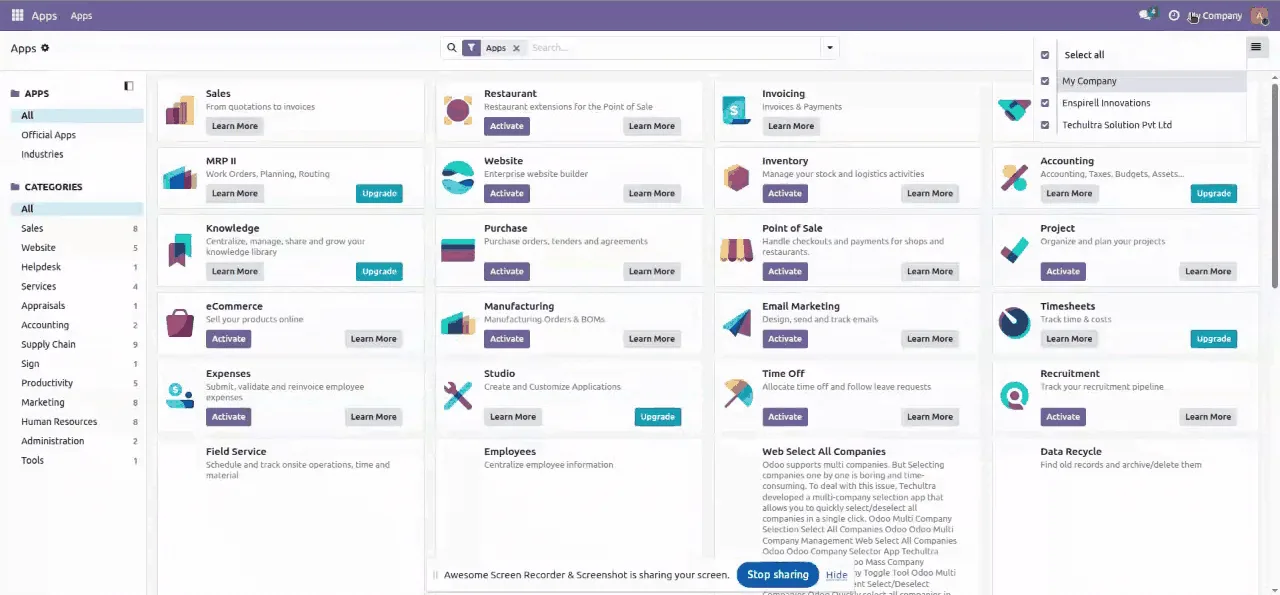
Built by TechUltra Solutions, Multi-Company Selector adds two controls to the switcher. Select all turns on every company a user is allowed to see in a single click; Deselect clears them all except the user's default company, giving an instant focused view.
The module needs no configuration of its own — you allocate companies to users in the normal way, install the app, and the new controls appear in the company selector. It runs in both the Community and Enterprise editions.
Key features
-
Select all companies in one click
A Select all control turns on every company the user has access to at once, instead of ticking each checkbox by hand.
-
Deselect all but the default
A Deselect control clears every company except the user's default one, giving an instant single-company view to work from.
-
Faster multi-company switching
Cuts the click count for users who regularly move between many companies, especially when they need to reset the switcher.
-
Community and Enterprise support
The module works in both the Odoo Community and Enterprise editions, with no edition-specific setup.
-
No configuration needed
There are no module settings to configure — assign companies to users as usual and the new controls appear in the switcher.
-
Works with standard company access
The controls respect each user's allowed companies, so Select all never enables a company the user is not permitted to see.
Multi-Company Selector in Odoo
Every screen, in the order you meet it — configuration first, then the module in use.
Technical details
Specification
- Publisher
- TechUltra Solutions Private Limited
- Technical name
- custom_multi_company_selector
- Odoo versions
- 15.0, 16.0, 17.0, 18.0, 19.0, 20.0
- Lines of code
- 64
- License
- Odoo Proprietary License v1.0 (OPL-1)
- Price
- $15.99 (one-time)
Deployment
- Odoo Online
- Odoo.sh
- On-premise
Odoo dependencies
- Web
Support
90 days of bug-fix support, Monday to Friday (10:00–19:00 IST). Raise a ticket at support@techultra.in.
Setup & configuration
From install to first call — here is the path.
- 1
Install the module
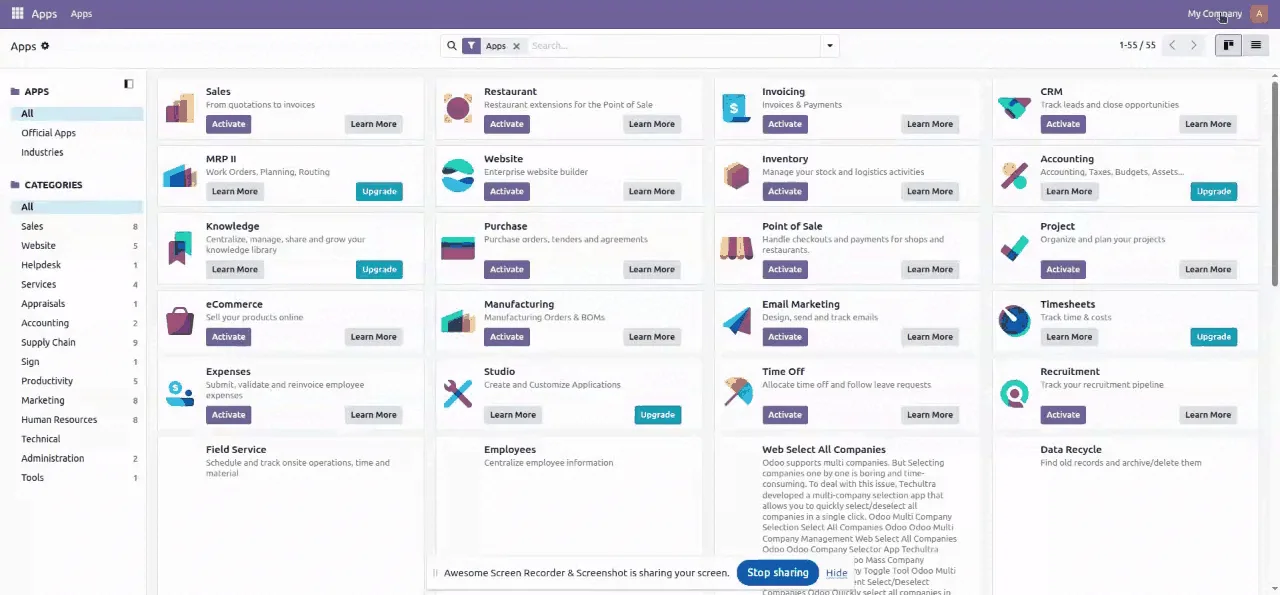
In Odoo, open Apps, remove the Apps filter, search for “Multi-Company Selector”, and click Install.
- 2
Set up companies and users
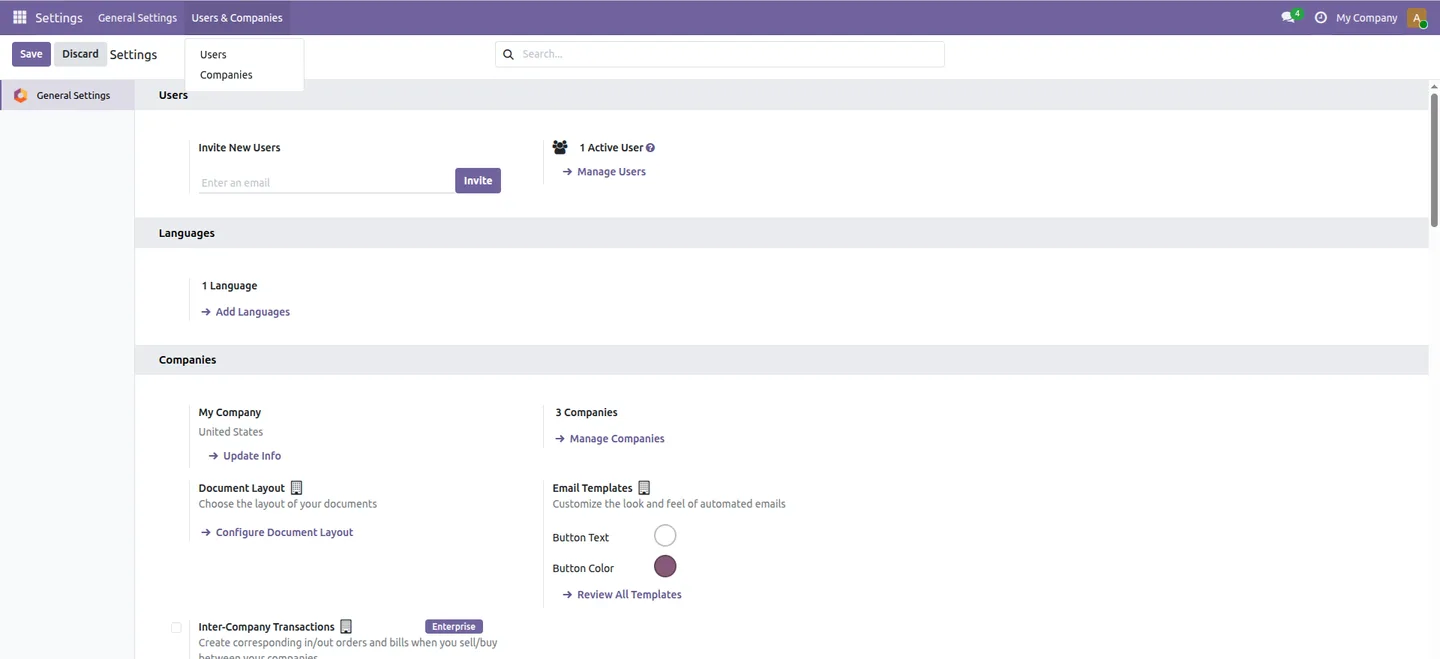
Create your companies and allocate the relevant ones to each user under the user's Allowed Companies, as you would normally.
- 3
Open the company switcher
Click the company selector in the Odoo top bar to open the list of companies the user can access.
- 4
Use the new controls
Choose Select all to enable every company at once, or Deselect to clear all companies except the default one.
Frequently asked questions
-
What does Multi-Company Selector do?
It adds Select all and Deselect controls to Odoo's company switcher, so you can turn every company on, or turn them all off except your default company, in a single click.
-
Does it work in Odoo Community?
Yes. The module works in both the Odoo Community and Enterprise editions, with no edition-specific configuration.
-
Which Odoo versions are supported?
Multi-Company Selector supports Odoo 15.0, 16.0, 17.0, 18.0, 19.0, and 20.0.
-
Does Select all enable companies a user cannot access?
No. The controls only act on the companies a user is allowed to see, so Select all never grants access beyond the user's standard company permissions.
-
What does Deselect leave selected?
Deselect clears every company in the switcher except the user's default company, so you are left with a single-company view.
-
Is there anything to configure?
No. Assign companies to users in the normal way and install the module — the new switcher controls appear with no further setup.
-
Is support included?
Yes. The module includes 90 days of bug-fix support, Monday to Friday, 10:00–19:00 IST.
Listing verified against the Odoo App Store:
Related services
Get the most out of this module with senior TechUltra consultants.
Odoo Customization Services
Odoo customization from a Gold Partner: custom modules, workflows, reports and Studio changes, written upgrade-safe and quoted at a fixed scope. Free scoping call.
Hire Odoo Developers
Hire certified Odoo developers from a Gold Partner: one developer or a team, full-time or part-time, 70–160 hours a month. Silver, Gold or Platinum plan, free trial.
Odoo Support Services & Maintenance
Odoo support services from a Gold Partner: functional and technical support plus server cover for Enterprise and Community, 30-minute P1 response, 24/7 option.







