
Odoo App · Reporting & PDF
MRP Report Secure ZIP
Bundle Manufacturing Orders, Work Orders, and Production Orders into one password-protected ZIP.

Overview
MRP Report Secure ZIP fixes a familiar gap in Odoo Manufacturing: printing Manufacturing Orders, Production Orders, and Work Orders one record at a time. Production teams that hand stacks of paperwork to a shift lead, an auditor, or a subcontractor end up downloading and renaming PDFs by hand.
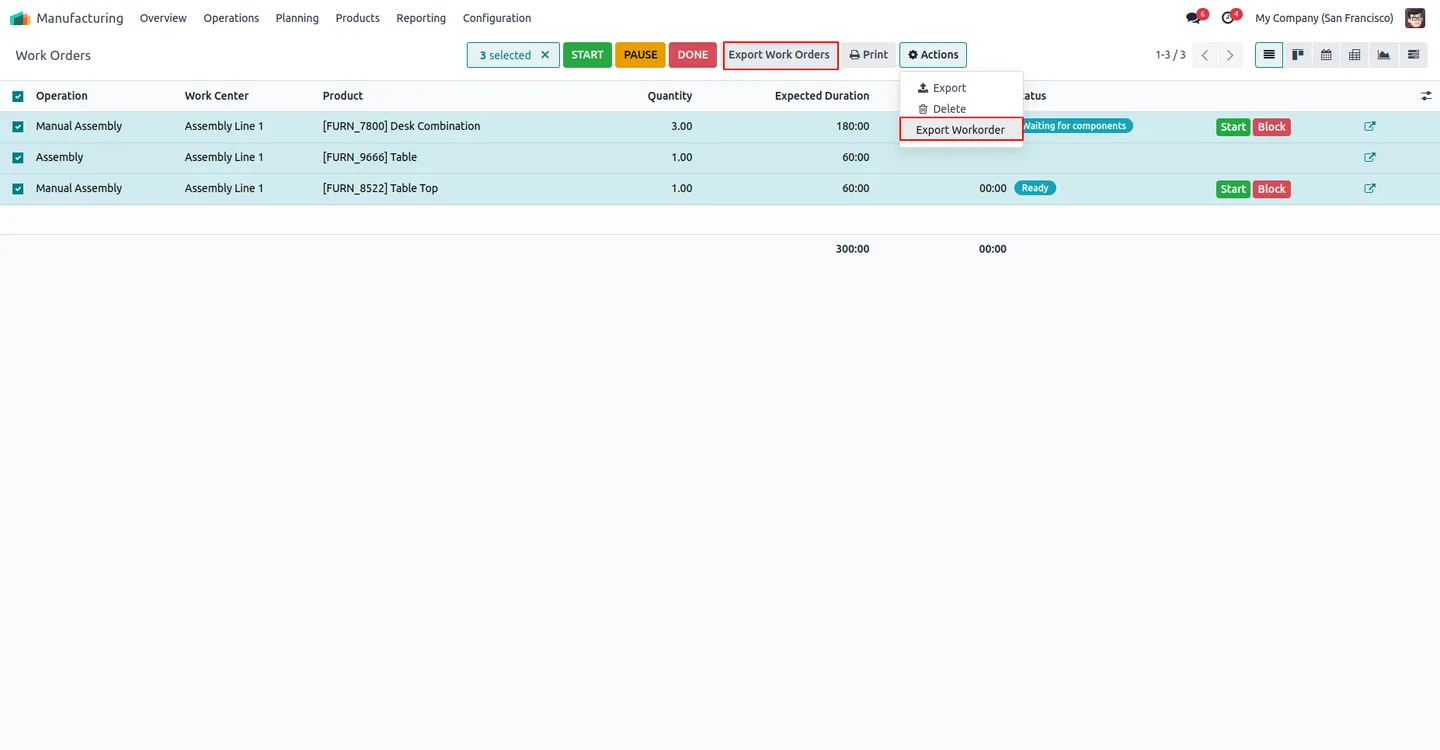
Built by TechUltra Solutions, the module adds an Export Production Orders action and an Export Work Orders action directly to the MRP tree views. Select any combination of records, run the action, and the module renders every QWeb report, compresses them, and downloads them as a single ZIP file.
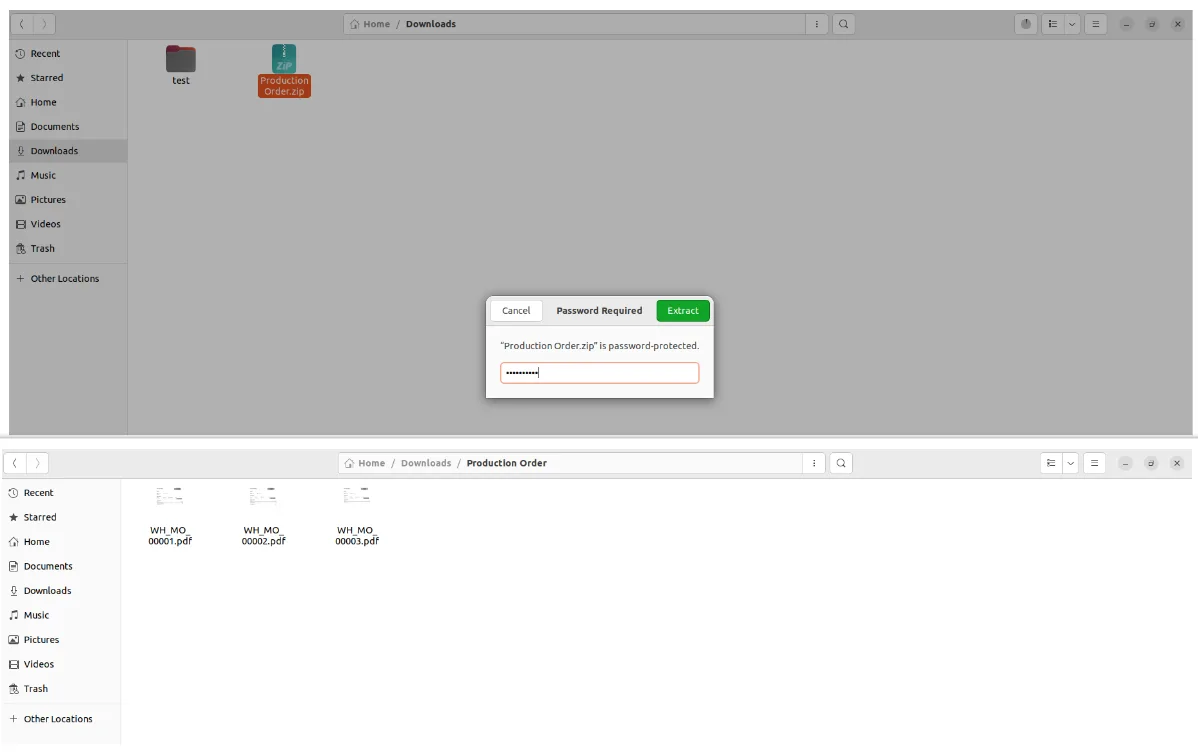
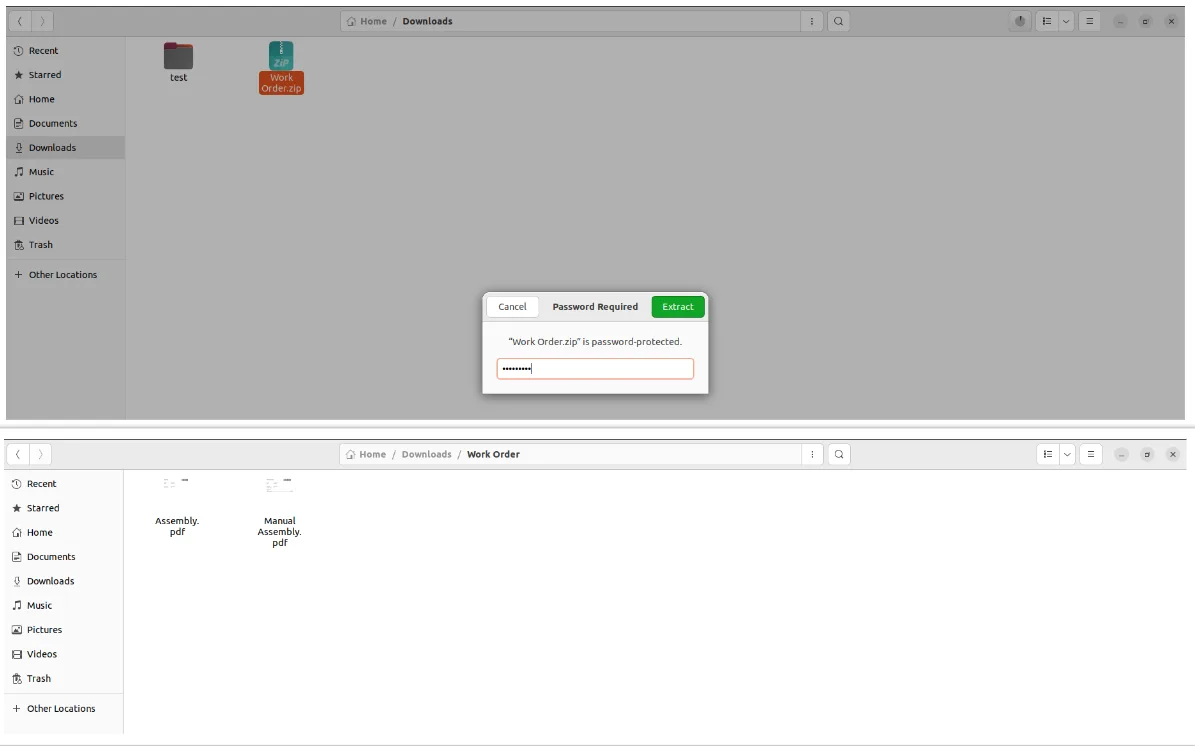
An optional password applies protection to the ZIP itself, so sensitive MRP information — recipes, BoMs, quantities, work centre routings — can be shared with external partners without leaving the documents readable to anyone who intercepts the archive.
Key features
-
Multi-report MRP export
Export multiple MRP QWeb reports — Manufacturing Orders, Production Orders, and Work Orders — simultaneously, instead of printing them one at a time.
-
Automatic ZIP compression
Automatically compresses the selected reports into a single ZIP file, reducing file size and bundling the production paperwork into one download.
-
Password-protected ZIP
Password protection for ZIP files ensures only authorised individuals can access the exported reports — useful when sharing with subcontractors or auditors.
-
Native MRP integration
Straightforward integration within the MRP module — no separate application to install or to train production teams on.
-
Consolidated storage and retrieval
Consolidated storage and retrieval of multiple reports in a single archive, so a full production run can be filed as one document.
-
Protect sensitive MRP information
Protect sensitive MRP information by sharing it in a password-protected ZIP file — keeps BoMs, recipes, and routings safe in transit.
-
Separate Manufacturing and Work Order exports
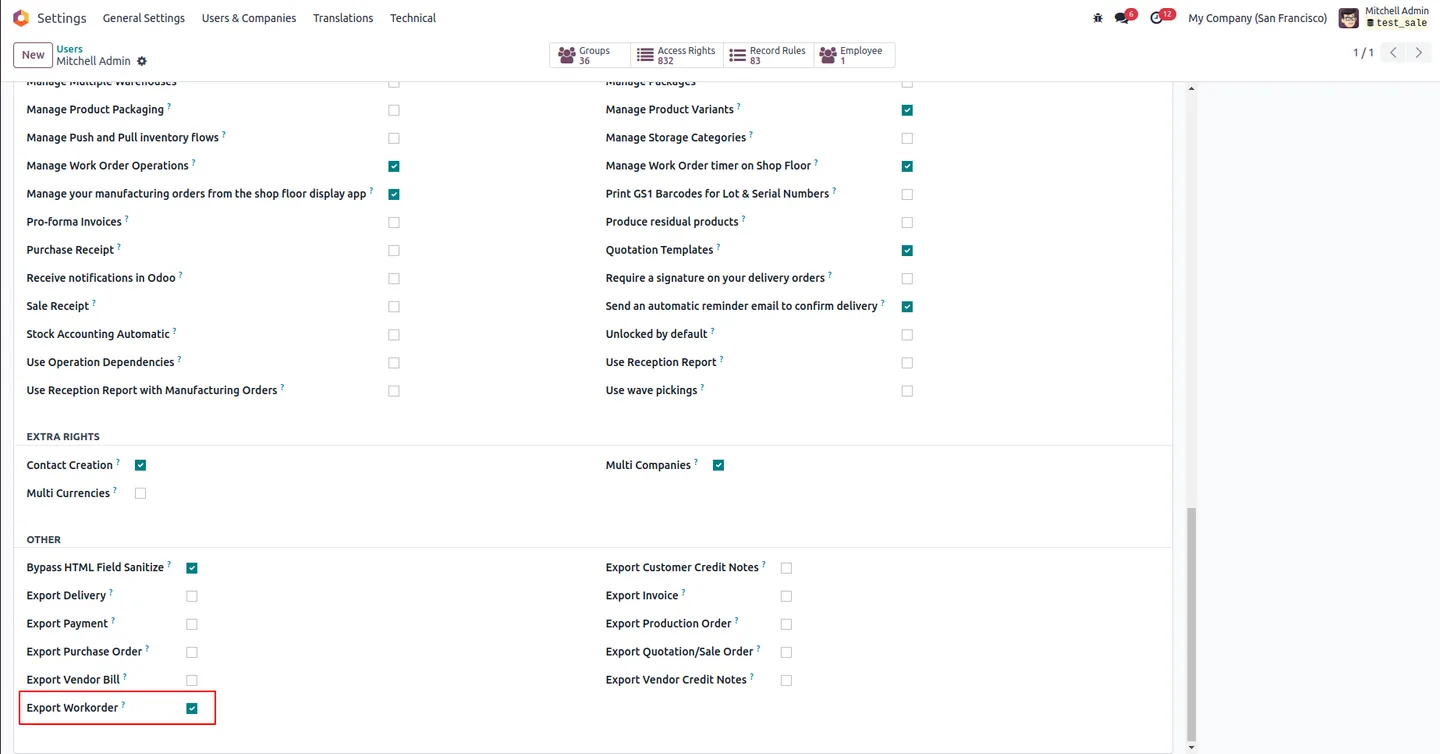
Dedicated Export Production Orders and Export Work Orders actions, each gated by its own per-user permission, let shop-floor and back-office roles see different export buttons.
MRP Report Secure ZIP in Odoo
Every screen, in the order you meet it — configuration first, then the module in use.
Technical details
Specification
- Publisher
- TechUltra Solutions Private Limited
- Technical name
- mrp_report_zip_secure
- Odoo versions
- 14.0, 15.0, 16.0, 17.0, 18.0, 19.0, 20.0
- Lines of code
- 224
- License
- Odoo Proprietary License v1.0 (OPL-1)
- Price
- $15.14 (one-time)
Deployment
- Odoo Online
- Odoo.sh
- On-premise
Odoo dependencies
- Manufacturing
- Inventory
- Discuss
Support
90 days of bug-fix support, Monday to Friday (10:00–19:00 IST). Raise a ticket at support@techultra.in.
Setup & configuration
From install to first call — here is the path.
- 1
Install the module
In Odoo, open Apps, remove the Apps filter, search for “MRP Report Secure ZIP”, and click Install.
- 2
Enable the Production Order permission
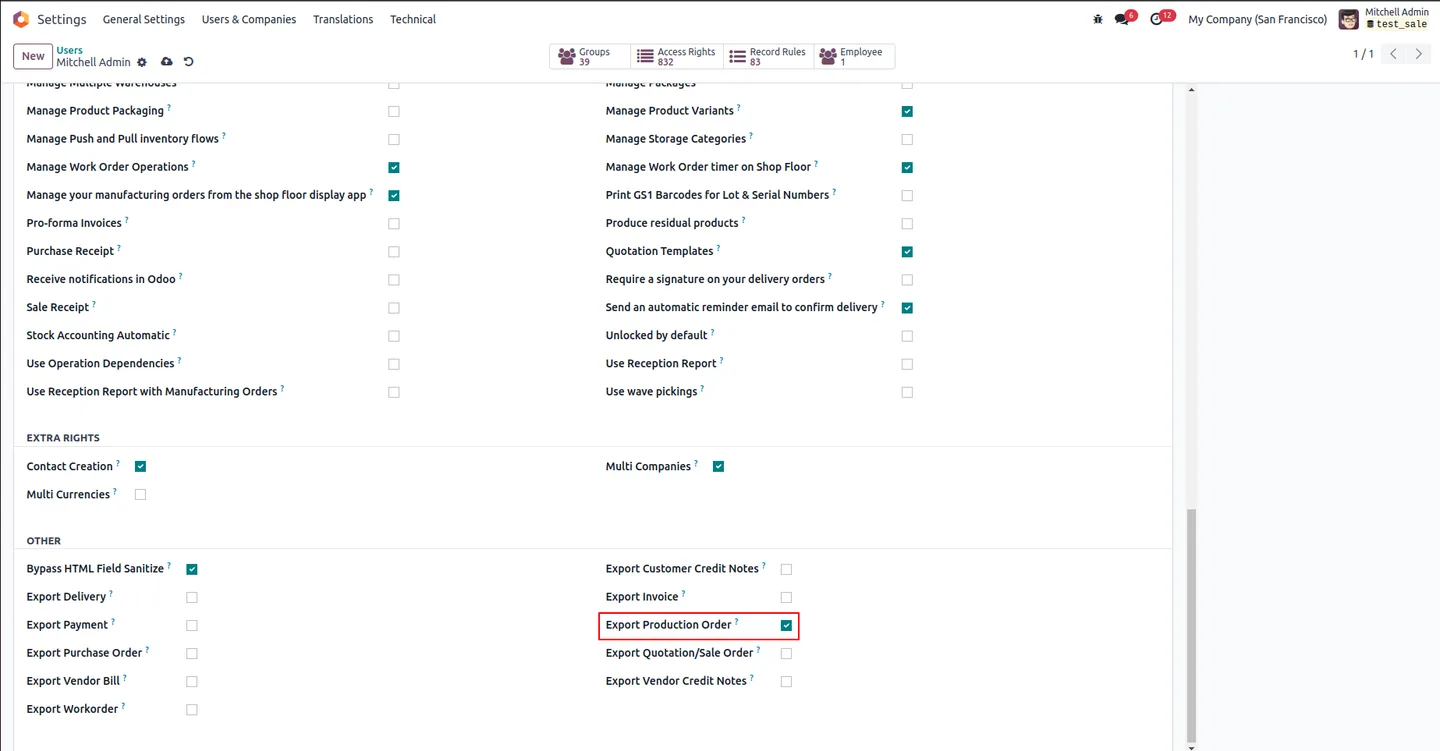
Go to Settings → Users & Companies → Users, open the relevant user, and enable Export Production Order. Refresh the page.
- 3
Enable the Work Order permission
On the same user, enable Export Workorder if that role should also bulk-export Work Orders. Refresh the page so the new buttons load.
- 4
Export Manufacturing Orders
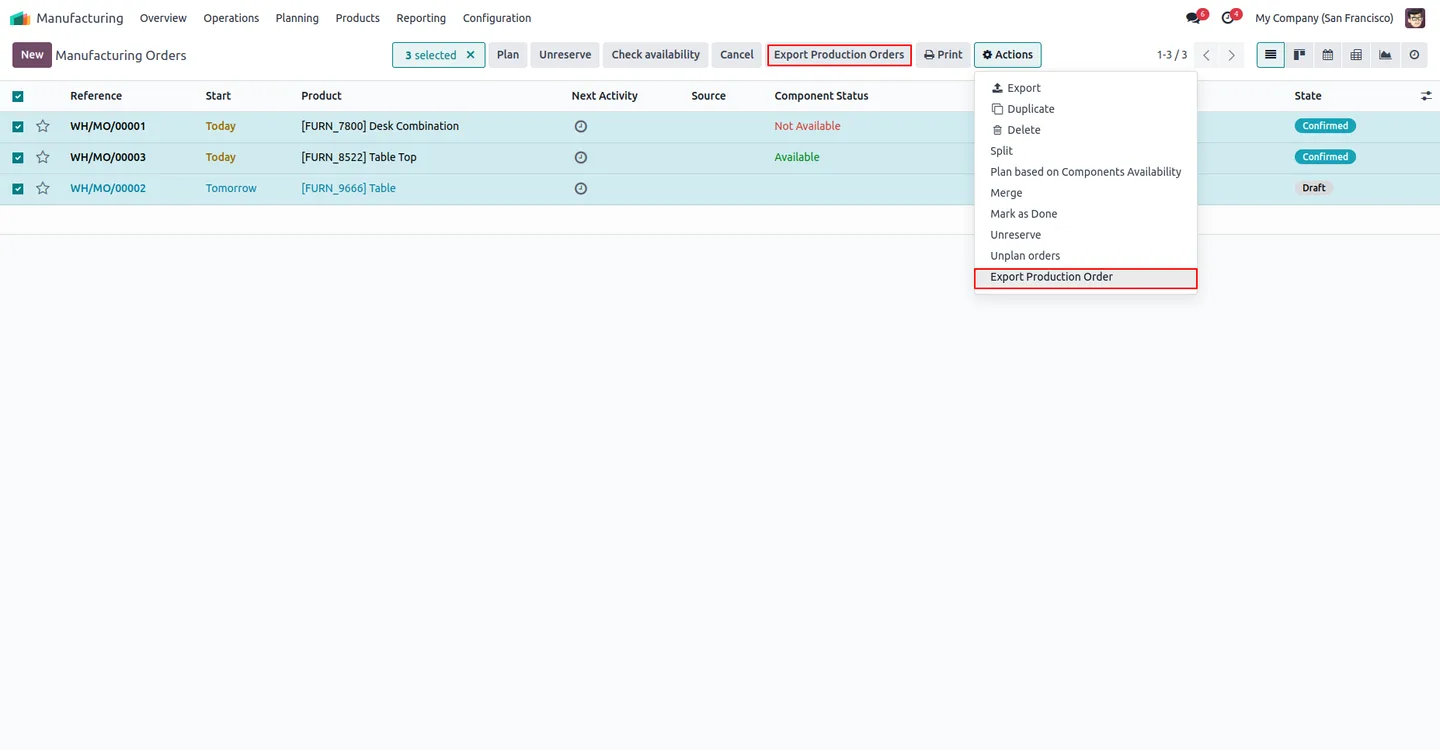
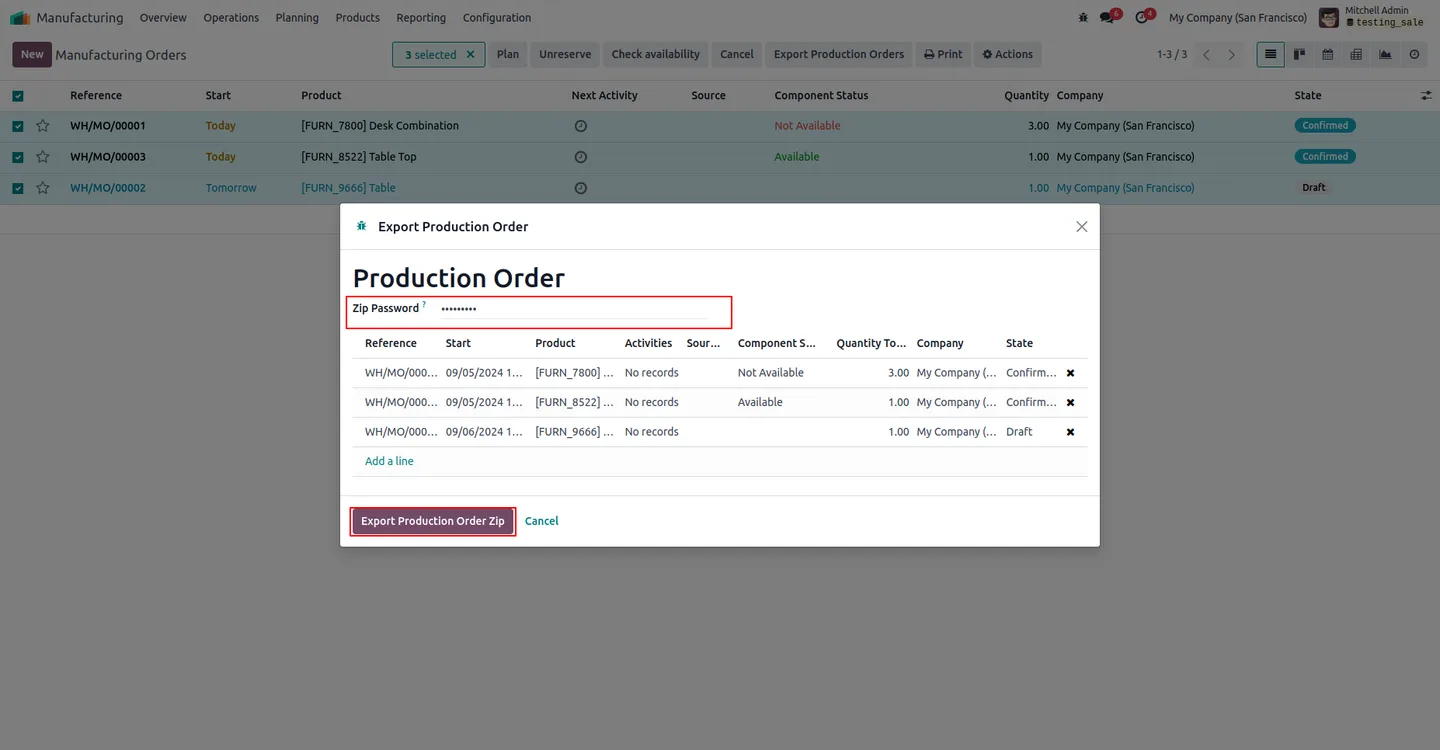
Go to Manufacturing → Operations → Manufacturing Orders. Select the records and click Export Production Orders. In the wizard, enter a ZIP password (optional), then click Export Production Order Zip to download.
- 5
Export Work Orders
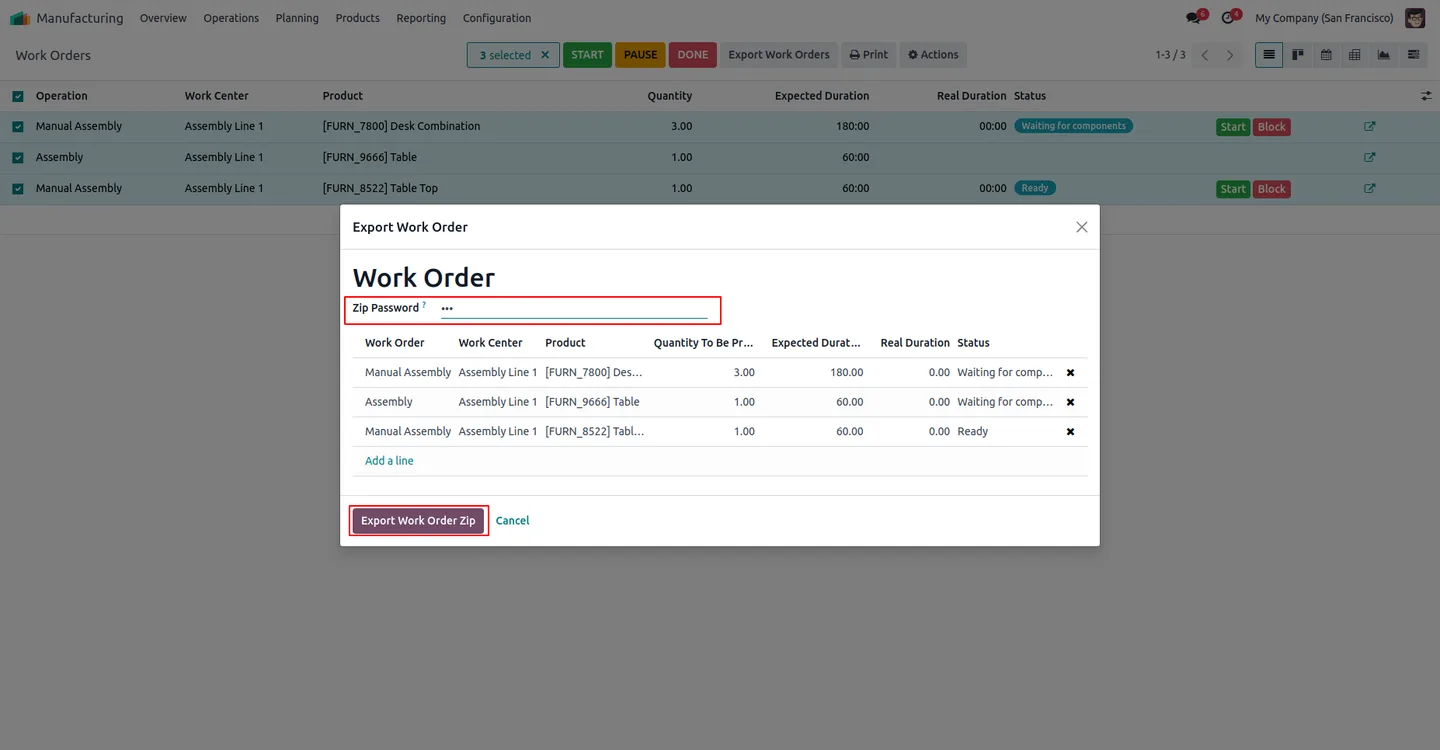
Go to Manufacturing → Operations → Work Orders. Select the records and click Export Work Orders. In the wizard, set a password (optional) and click Export Work Order Zip to download the bundle.
Frequently asked questions
-
Which Manufacturing documents can the module export?
It exports the standard QWeb reports for Manufacturing Orders, Production Orders, and Work Orders — each with its own dedicated export action on the matching tree view.
-
Is password protection mandatory?
No. The wizard supports an encrypted ZIP when a password is entered or a plain ZIP when the password field is left blank.
-
Which Odoo versions are supported?
The module supports Odoo 14.0, 15.0, 16.0, 17.0, 18.0, 19.0, and 20.0.
-
Can I limit who sees the export buttons?
Yes. The Export Production Order and Export Workorder permissions are set per user — only users with those flags see the matching export buttons in MRP.
-
Does it use Odoo's standard MRP QWeb reports?
Yes. The module bundles the standard QWeb reports for Manufacturing/Production Orders and Work Orders, so the PDFs in the ZIP match what users already print individually.
-
Why ZIP instead of one merged PDF?
A ZIP preserves each Manufacturing or Work Order as its own document, which is easier to file, version, and re-share. The optional password keeps the archive secure in transit.
-
Will this slow down our production team?
No. The export actions sit on top of existing MRP tree views and replace a manual print-and-rename loop. Production workflows themselves are unchanged.
-
Is support included?
Yes. The module includes 90 days of bug-fix support, Monday to Friday, 10:00–19:00 IST.
Listing verified against the Odoo App Store:
Related services
Get the most out of this module with senior TechUltra consultants.
Odoo Customization Services
Odoo customization from a Gold Partner: custom modules, workflows, reports and Studio changes, written upgrade-safe and quoted at a fixed scope. Free scoping call.
Hire Odoo Developers
Hire certified Odoo developers from a Gold Partner: one developer or a team, full-time or part-time, 70–160 hours a month. Silver, Gold or Platinum plan, free trial.
Odoo Support Services & Maintenance
Odoo support services from a Gold Partner: functional and technical support plus server cover for Enterprise and Community, 30-minute P1 response, 24/7 option.







