
Odoo App · Manufacturing
MRP Advance Routing with BoM
Choose a specific BOM on the sales order and route every component Buy-or-Manufacture during production.
Overview
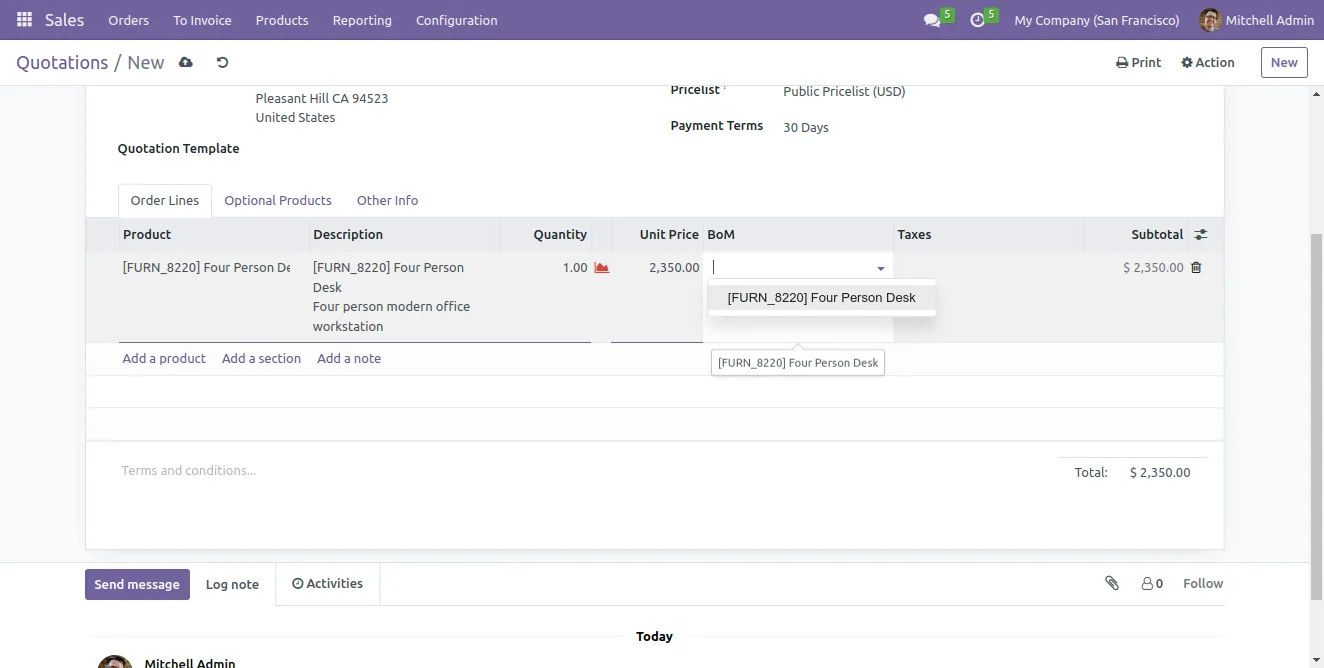
MRP Advance Routing with BoM solves two real limits in Odoo Manufacturing. First, when a product has more than one Bill of Materials, the salesperson cannot pick which BOM the customer ordered until production. Second, once a manufacturing order is created, the sourcing decision (purchase vs manufacture) is locked into the route on each component — there is no per-order override.
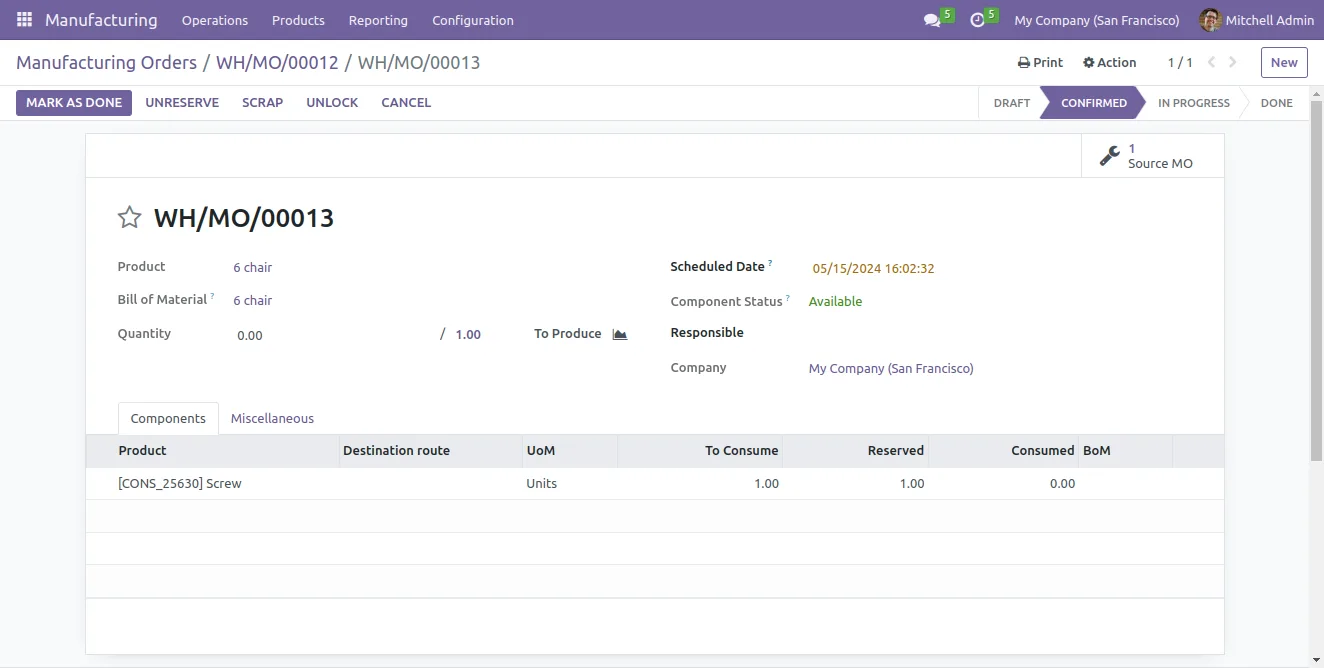
Built by TechUltra Solutions, this module fixes both. On the sales order line, a BOM field lets the salesperson pick the exact variant the customer ordered, and that BOM follows the order all the way into production. On the manufacturing order, every component carries a Destination Route — Buy or Manufacture — so production can decide what to source per run.
When the order is confirmed, the system reads those component-level decisions and generates the corresponding purchase orders and child manufacturing orders automatically. Stock-available components are colour-coded so planners can see at a glance what is ready, and the module warns if a component is set to Buy but has no vendor.
Key features
-
Multi-BOM selection on the sales order
Select the right Bill of Materials from many on the sales order line when the product is going to the manufacturing department — the chosen BOM flows through to the production order.
-
Component-level Buy or Manufacture routing
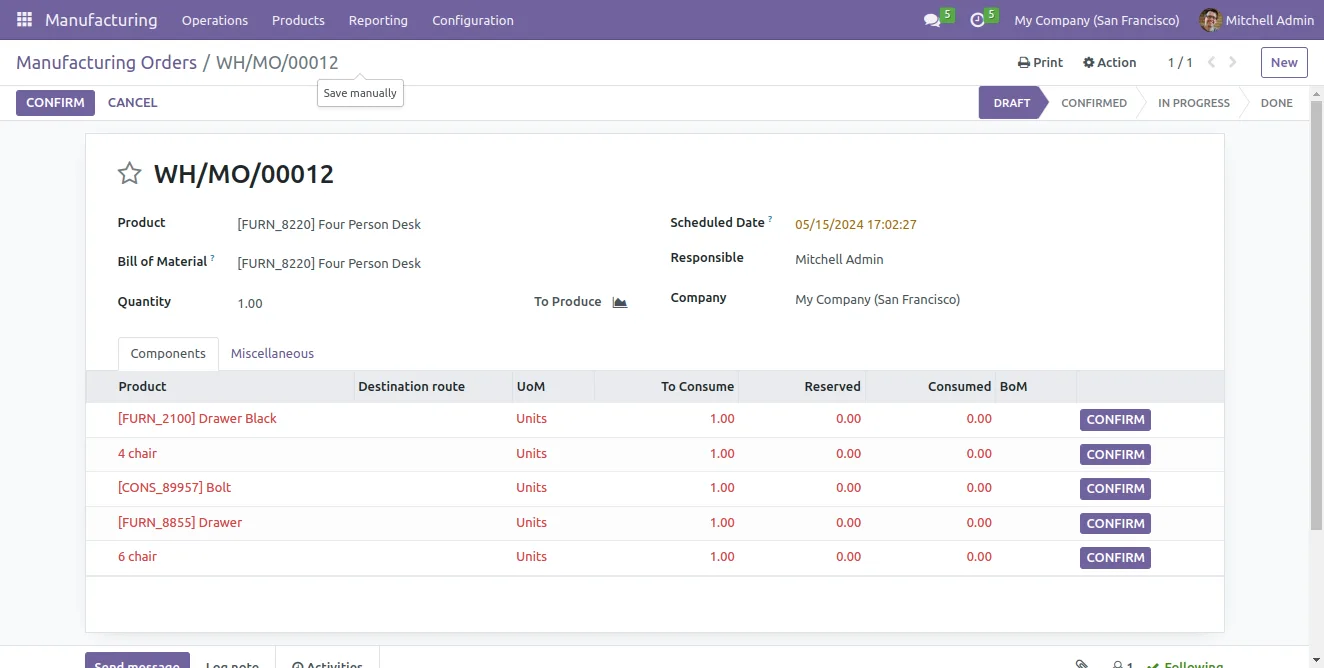
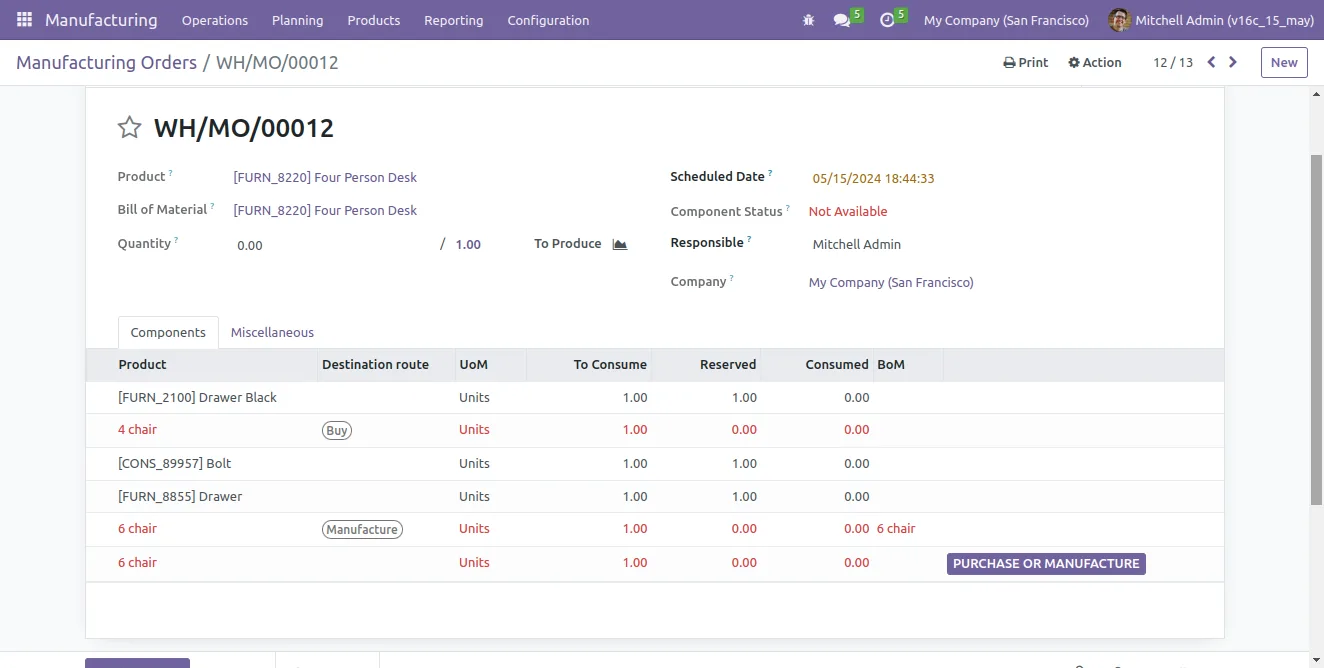
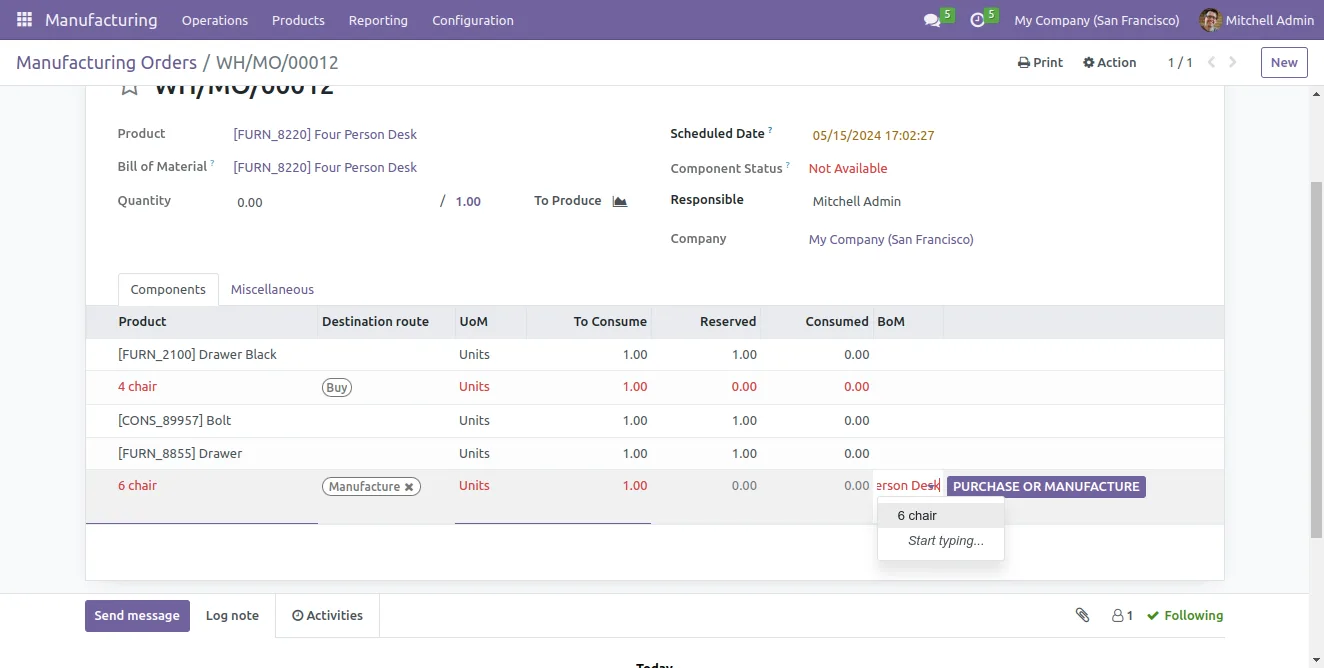
On the manufacturing order, designate every component individually as Buy or Manufacture — no need to change the route on the product master to override a single run.
-
Automatic purchase and child manufacturing orders
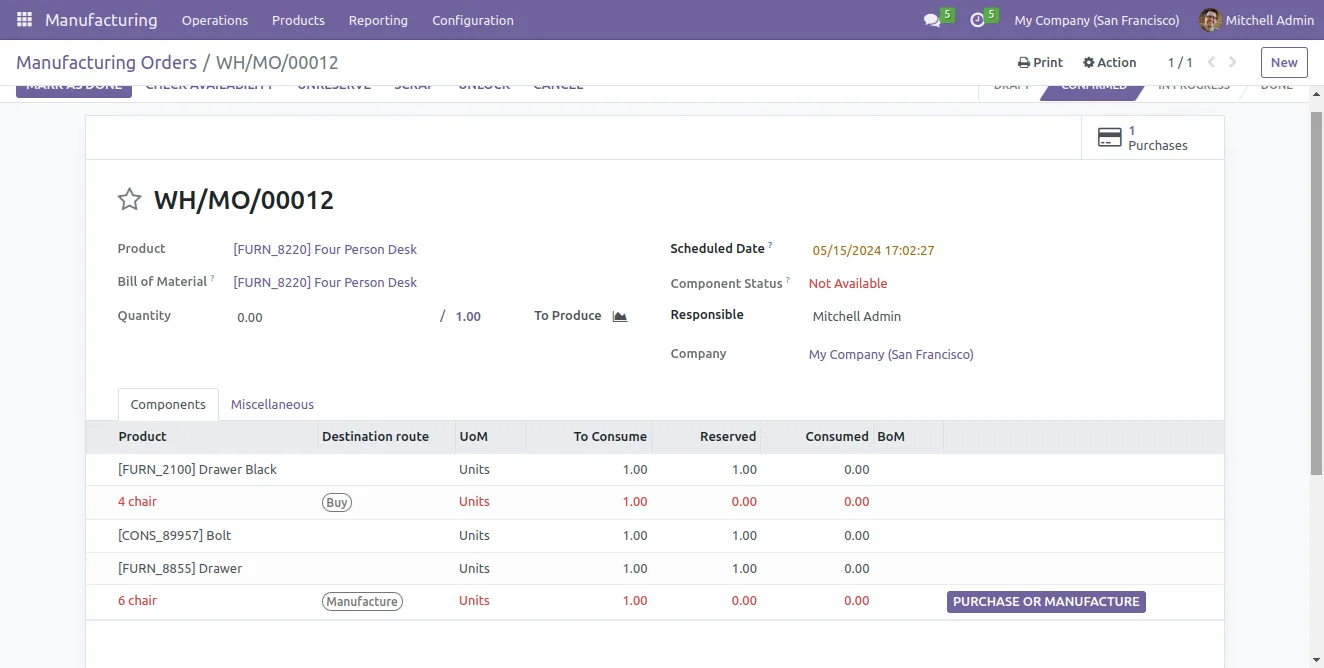
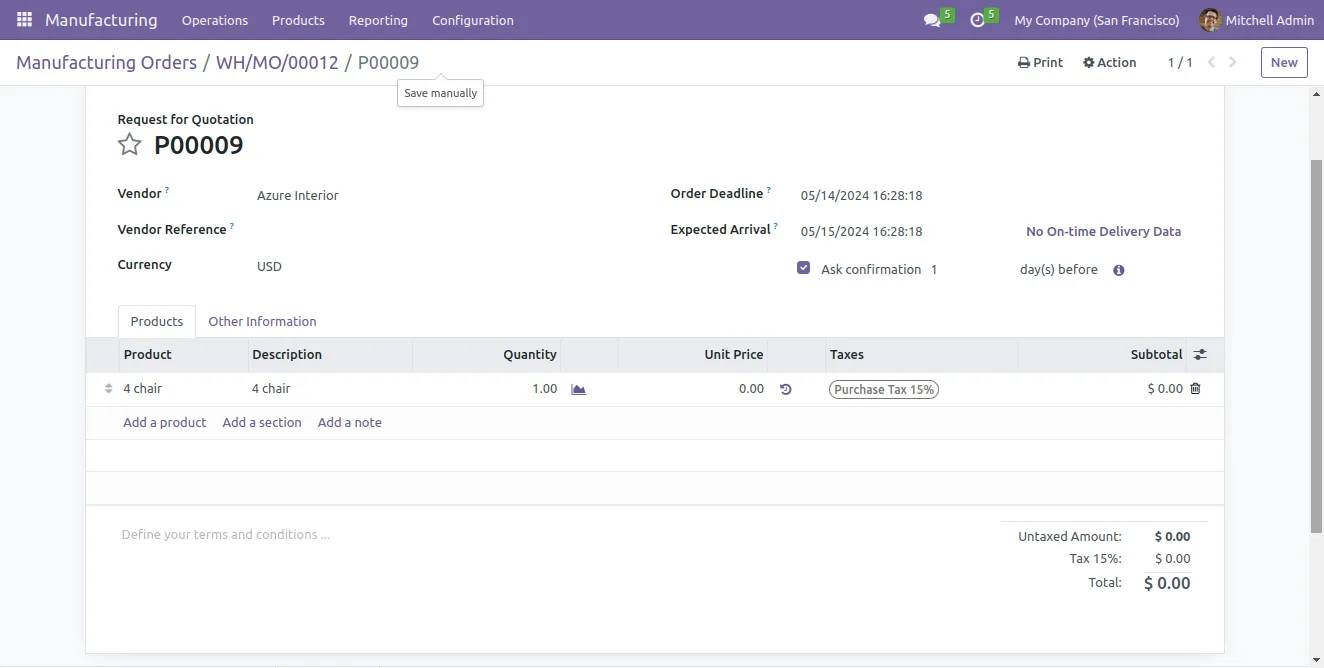
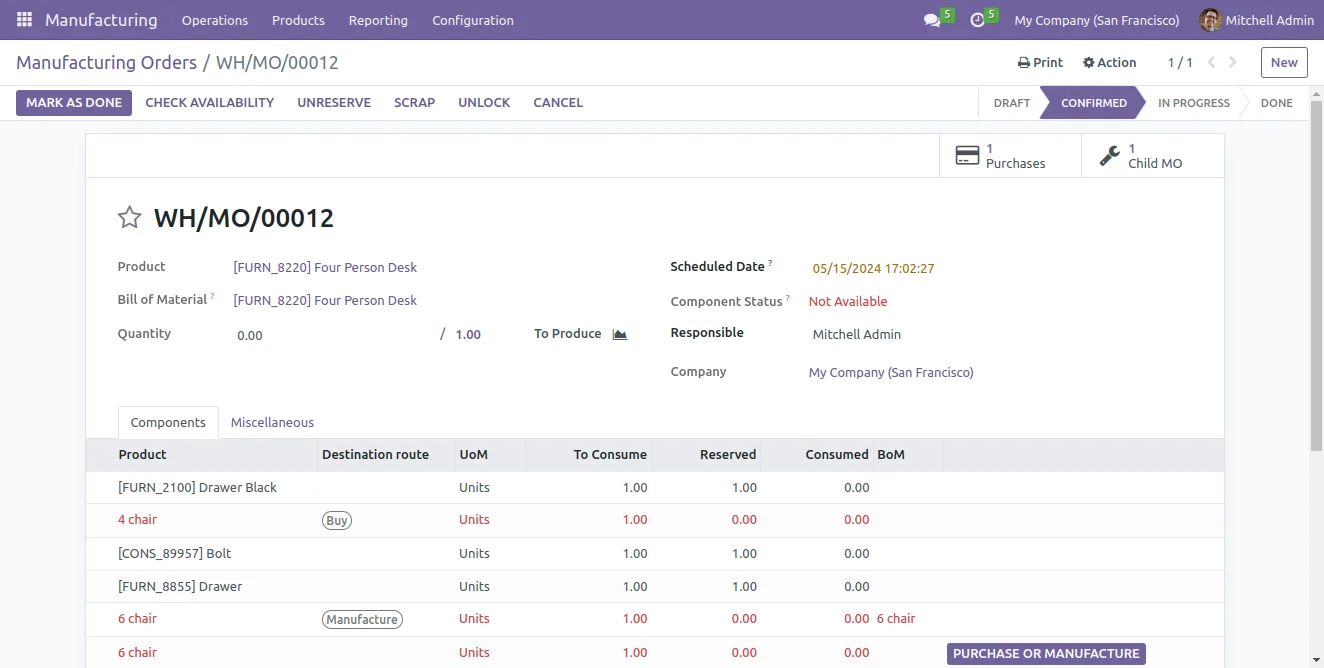
Components set to Buy generate purchase orders against the configured vendor; components set to Manufacture create child manufacturing orders with the BOM specifications attached.
-
Stock availability colouring
Available products appear in black on the component list — at a glance the planner sees which lines are already in stock and which still need to be sourced.
-
Validation warnings
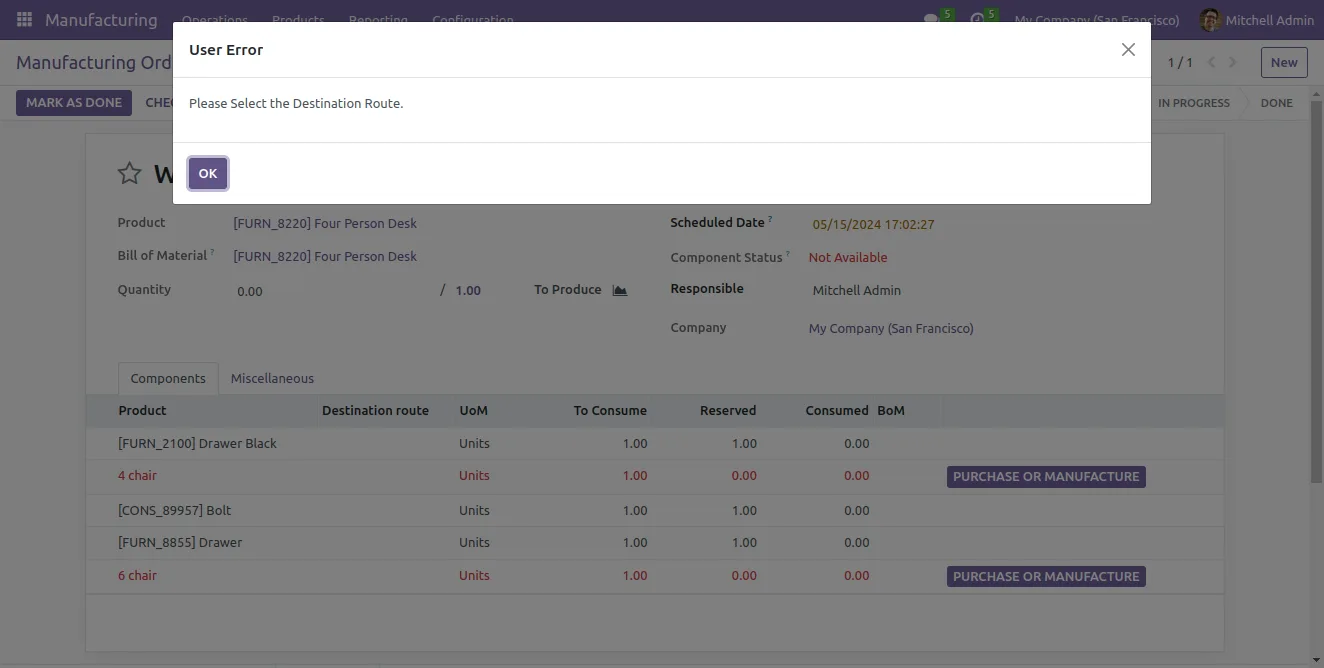
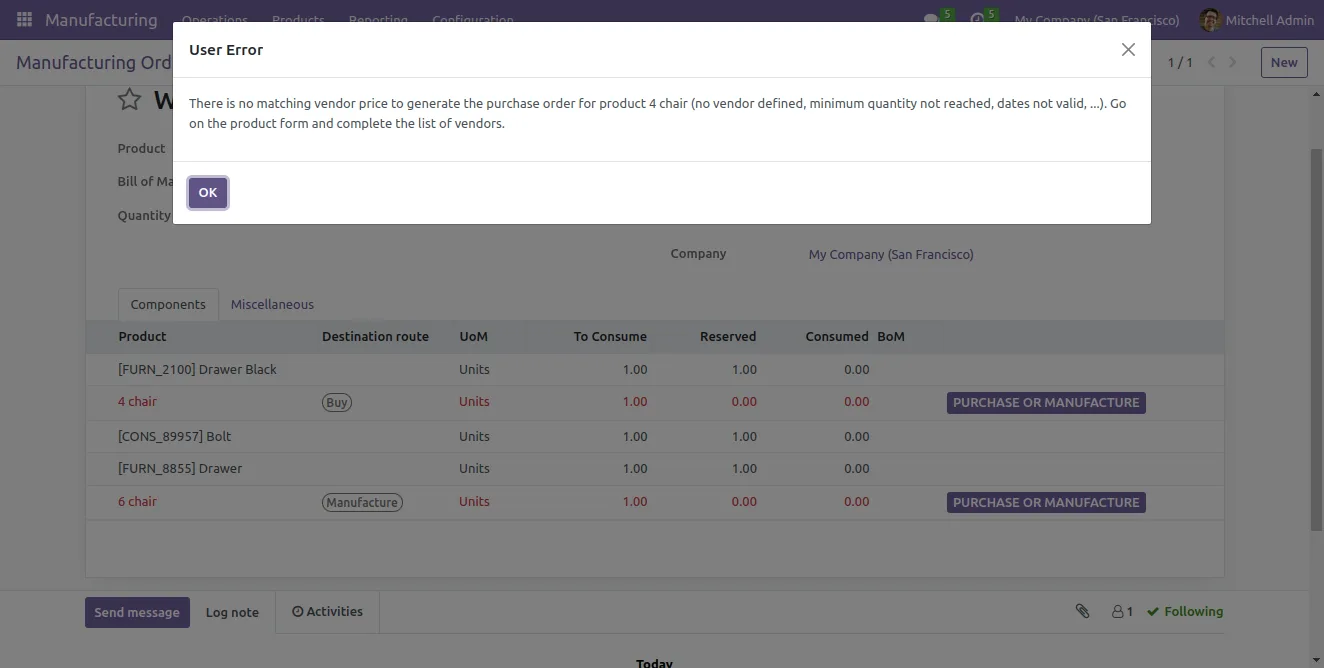
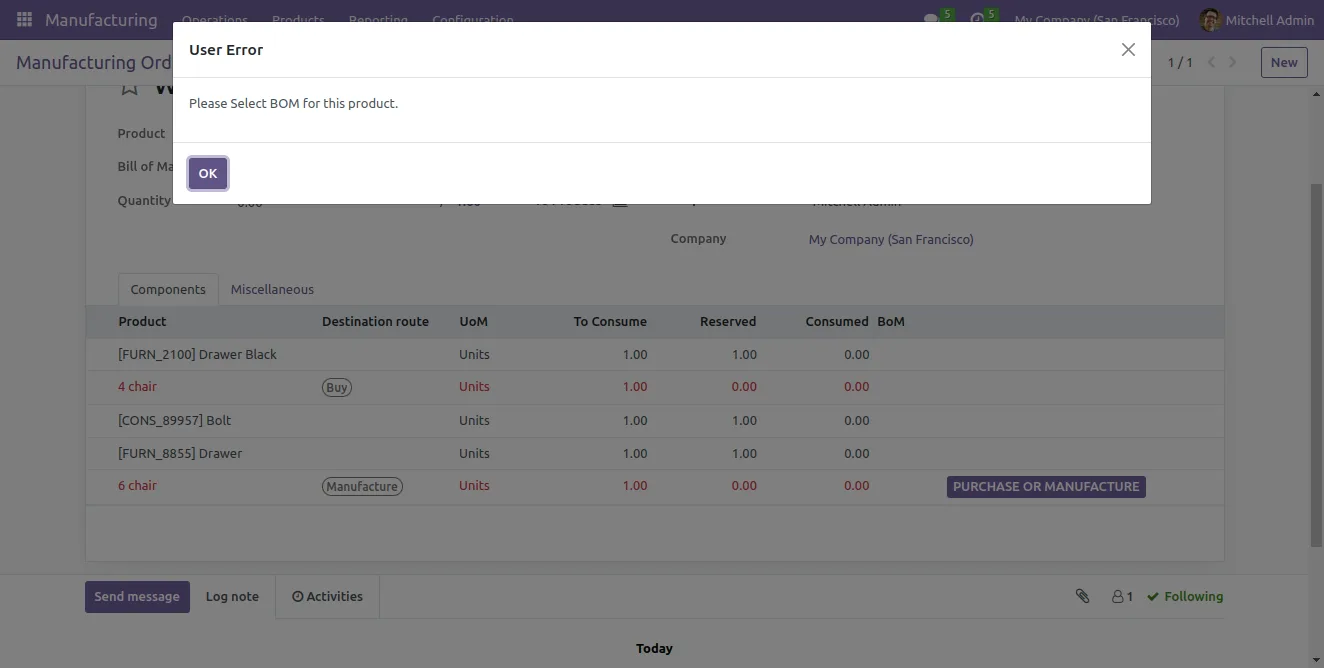
The system alerts you when a component has no Destination Route selected or when a component is set to Buy but is missing the vendor required to raise the purchase order.
-
Full traceability
Each parent manufacturing order shows its child manufacturing orders, stock moves, and cost valuation — full production traceability without leaving the order.
-
Designed for make-to-order configurations
Built for the make-to-order workflow where a single SO line drives a chain of purchase and production orders — common in custom manufacturing and assembly businesses.
-
Works across the manufacturing stack
Plays with Inventory, Manufacturing, Purchase, Sales, Invoicing, and Discuss — the standard Odoo back-office, no custom modules required.
MRP Advance Routing with BoM in Odoo
Every screen, in the order you meet it — configuration first, then the module in use.
Technical details
Specification
- Publisher
- TechUltra Solutions Private Limited
- Technical name
- mrp_extended_tus
- Odoo versions
- 11.0, 12.0, 13.0, 14.0, 16.0
- Lines of code
- 1,593
- License
- Odoo Proprietary License v1.0 (OPL-1)
- Price
- $92.02 (one-time)
Deployment
- Odoo Online
- Odoo.sh
- On-premise
Odoo dependencies
- Inventory
- Manufacturing
- Purchase
- Sales
- Discuss
- Invoicing
Support
90 days of bug-fix support, Monday to Friday (10:00–19:00 IST). Raise a ticket at support@techultra.in.
Setup & configuration
From install to first call — here is the path.
- 1
Install the module
In Odoo, open Apps, remove the Apps filter, search for “MRP Advance Routing with BoM”, and click Install. Inventory, Manufacturing, Purchase, Sales, and Invoicing must already be installed.
- 2
Create your Bills of Materials
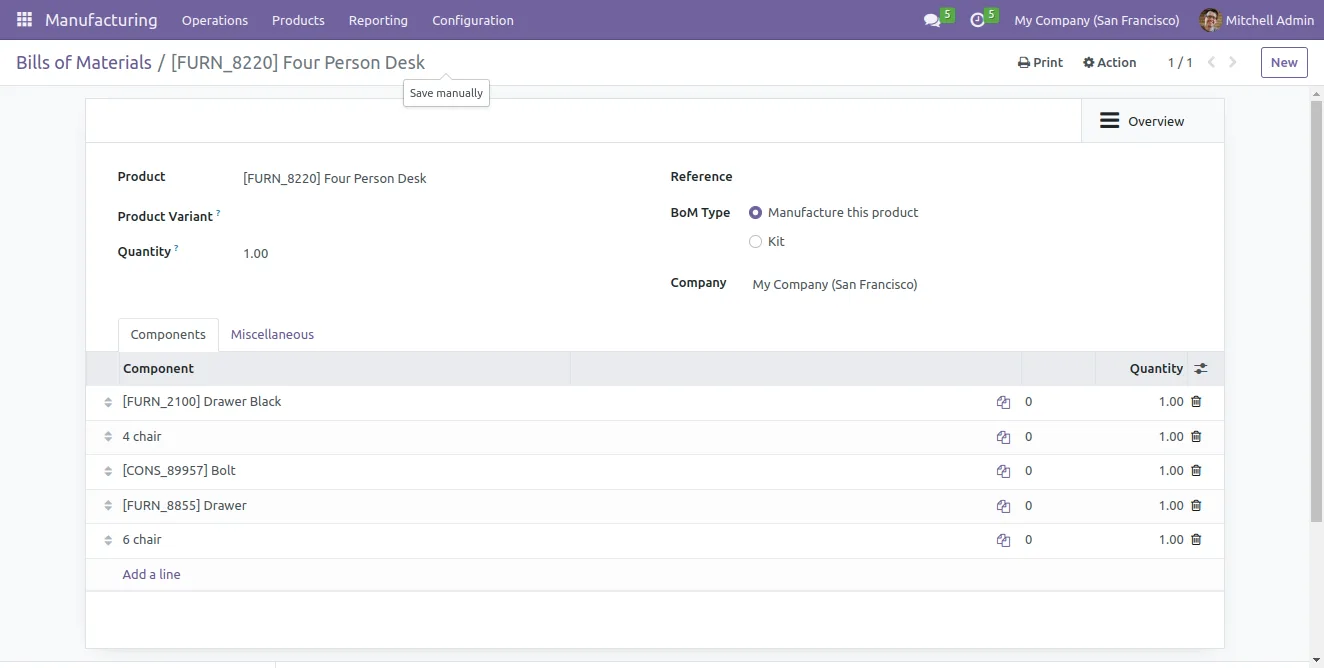
Define one or more Bills of Materials for each manufactured product as usual — the module assumes a product can have multiple BOMs and lets sales pick the right one per order.
- 3
Pick the BOM on the sales order line
On the sales order, select the product going to manufacturing and pick the specific Bill of Materials in the new BOM field on the order line.
- 4
Set Destination Route on each component
Open the resulting manufacturing order and set the Destination Route (Buy or Manufacture) on every component. The module warns if a route is missing or if a Buy component has no vendor.
- 5
Confirm and let the system generate orders
Confirm the manufacturing order. The system reads the component-level routing and automatically generates the matching purchase orders and child manufacturing orders, with full traceability back to the parent.
- 6
Track child orders and stock availability
On the parent manufacturing order, available components are highlighted and the linked child purchase and manufacturing orders are visible from the smart buttons — drill in to monitor progress.
Frequently asked questions
-
Which Odoo versions are supported?
The module is published for Odoo 11.0, 12.0, 13.0, 14.0, and 16.0 — useful coverage if you are running long-lived deployments on legacy versions of Manufacturing.
-
Why select a BOM on the sales order at all?
When a product has multiple Bills of Materials — for example, different component variants or sourcing options — the standard Odoo flow picks one automatically. This module lets sales lock in the right BOM at the moment the order is taken, so production builds exactly what the customer agreed to.
-
What is component-level Buy or Manufacture routing?
On every component in a manufacturing order, you choose Buy or Manufacture as the Destination Route. The system uses that per-component decision to generate either a purchase order against the vendor or a child manufacturing order with the component's BOM.
-
What happens if I forget to pick a route on a component?
The system raises a validation warning at confirmation. The same check fires if a component is set to Buy but has no vendor on the product — so you cannot accidentally confirm a manufacturing order that will not generate the orders it needs.
-
How does the stock-availability colouring work?
Components that are already available in stock are shown in black on the manufacturing order's component list — a quick visual cue for the planner about what is ready versus what still needs to be sourced.
-
Can I see the child purchase and manufacturing orders?
Yes. The parent manufacturing order exposes smart buttons to the related child manufacturing orders, purchase orders, stock moves, and cost valuation, so you can trace the full production hierarchy in one place.
-
Is this for make-to-order or make-to-stock?
The workflow is built for make-to-order — where a single sales order triggers a cascade of purchase and production orders. It is most valuable for custom manufacturing, assembly, and engineering-to-order businesses.
-
Is support included?
Yes. The module includes 90 days of bug-fix support, Monday to Friday, 10:00–19:00 IST.
Listing verified against the Odoo App Store:
Related solutions
Whole-platform solutions that complement MRP Advance Routing with BoM.
Related services
Get the most out of this module with senior TechUltra consultants.
Odoo Customization Services
Odoo customization from a Gold Partner: custom modules, workflows, reports and Studio changes, written upgrade-safe and quoted at a fixed scope. Free scoping call.
Hire Odoo Developers
Hire certified Odoo developers from a Gold Partner: one developer or a team, full-time or part-time, 70–160 hours a month. Silver, Gold or Platinum plan, free trial.
Odoo Support Services & Maintenance
Odoo support services from a Gold Partner: functional and technical support plus server cover for Enterprise and Community, 30-minute P1 response, 24/7 option.







