

Odoo App · Productivity
Menus Ascending Order (v19)
Sort every Odoo menu and sub-menu in ascending alphabetical order — install and forget.
Overview
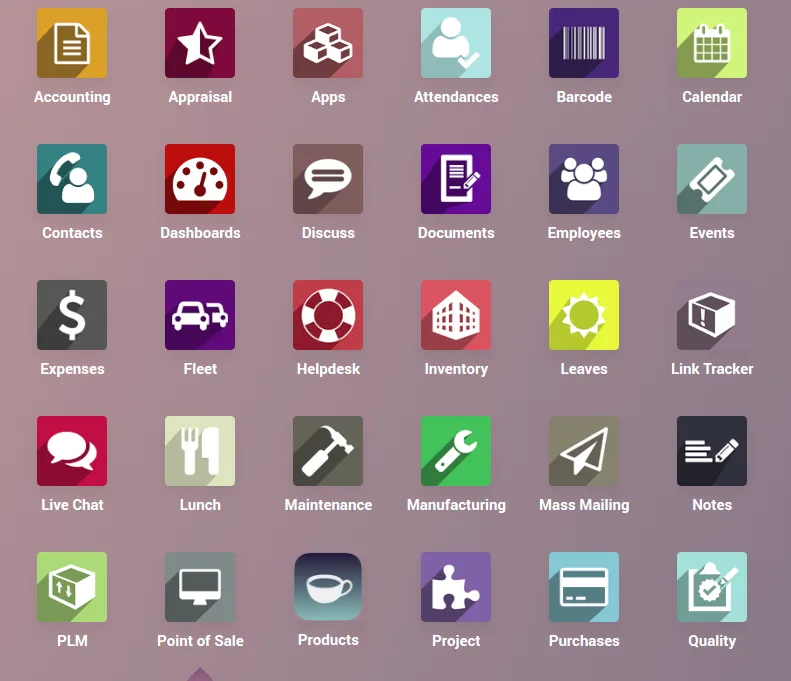
Menus Ascending Order is a tiny, single-purpose Odoo module: once installed, every menu and sub-menu in the Odoo navigation is displayed in ascending alphabetical order, across every app.
Built by TechUltra Solutions, the module has no UI, no settings, and no per-user toggles — it simply sorts the menu tree. That makes navigation more predictable for users who switch between apps, run a long list of custom modules, or onboard new staff who have no muscle memory for Odoo's default menu order.
The module is published under OPL-1 and is supported on Odoo 10, 11, 16, 17, 18, and 19, free of charge on the Odoo App Store.
Key features
-
Alphabetical menu order across Odoo
Every top-level menu in the Odoo navigation is reordered in ascending alphabetical order so users can scan the menu instead of hunting for it.
-
Applies to sub-menus too
The sort runs through every level of the menu tree, so sub-menus inside each app are also displayed in alphabetical order.
-
Zero configuration
There is no settings panel and no per-user toggle. Install the module and the menu order changes immediately.
-
Works across Odoo 10 to 19
A single module covers Odoo 10.0, 11.0, 16.0, 17.0, 18.0, and 19.0, so the same predictable menu order works whether you're on a legacy build or the latest release.
-
Lightweight footprint
The module is small — 36 lines of code — with no runtime cost and no impact on other Odoo apps beyond the menu order.
-
Helps onboard new users
Predictable, alphabetical menus reduce the time new staff spend learning where things live in Odoo, especially in installs with many custom apps.
Menus Ascending Order (v19) in Odoo
Every screen, in the order you meet it — configuration first, then the module in use.
Technical details
Specification
- Publisher
- TechUltra Solutions Private Limited
- Technical name
- menus
- Odoo versions
- 10.0, 11.0, 16.0, 17.0, 18.0, 19.0
- Lines of code
- 36
- License
- Odoo Proprietary License v1.0 (OPL-1)
- Price
- Free
Deployment
- Odoo Online
- Odoo.sh
- On-premise
Odoo dependencies
- Base
Support
90 days of bug-fix support, Monday to Friday (10:00–19:00 IST). Raise a ticket at support@techultra.in.
Setup & configuration
From install to first call — here is the path.
- 1
Install the module
In Odoo, open Apps, remove the Apps filter, search for “Menus Ascending Order”, and click Install.
- 2
Refresh the browser
Reload Odoo so the navigation re-renders with the new menu order. No cache clear is required.
- 3
Verify the menu order
Open the main app launcher and any individual app to confirm that top-level menus and sub-menus appear in ascending alphabetical order.
- 4
Roll out to all users
Because there is no per-user setting, the new order applies to every user automatically. Tell the team the menu has moved so they're not surprised.
Frequently asked questions
-
What does this module do?
It reorders every menu and sub-menu in the Odoo navigation in ascending alphabetical order. There is no other behaviour and no configuration.
-
Which Odoo versions are supported?
Menus Ascending Order is supported on Odoo 10.0, 11.0, 16.0, 17.0, 18.0, and 19.0.
-
Is there a settings screen?
No. The module has no UI and no settings — install it and the menu order changes immediately for every user.
-
Can different users have different menu orders?
No. The sort applies globally, so every user sees the same alphabetical order. That predictability is the point.
-
Does it sort sub-menus inside each app?
Yes. The sort runs through every level of the menu tree, so sub-menus inside each Odoo app are alphabetised as well.
-
Will it interfere with my custom modules?
No. The module only changes the order in which menus are rendered. It does not modify, hide, or rename any menu items, including those from your custom modules.
-
Is it really free?
Yes. The module is published free of charge on the Odoo App Store under the Odoo Proprietary License (OPL-1).
Listing verified against the Odoo App Store:
Related services
Get the most out of this module with senior TechUltra consultants.
Odoo Customization Services
Odoo customization from a Gold Partner: custom modules, workflows, reports and Studio changes, written upgrade-safe and quoted at a fixed scope. Free scoping call.
Hire Odoo Developers
Hire certified Odoo developers from a Gold Partner: one developer or a team, full-time or part-time, 70–160 hours a month. Silver, Gold or Platinum plan, free trial.
Odoo Support Services & Maintenance
Odoo support services from a Gold Partner: functional and technical support plus server cover for Enterprise and Community, 30-minute P1 response, 24/7 option.







