
Odoo App · Sales & Pricing
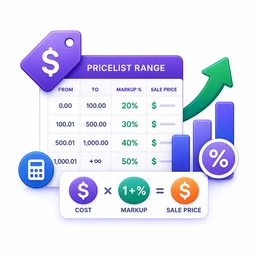
Markup Pricelist Range
Cost-range pricelist rules with automatic markup, rounding, and extra fees inside Odoo.

Overview
Markup Pricelist Range extends Odoo's pricelist engine so you can price products from cost ranges instead of typing in fixed prices. When pricing is set to Based on Cost Price, each pricelist line exposes a minimum cost, maximum cost, markup percentage, rounding, and an extra-fee field.
Built by TechUltra Solutions, the module is aimed at distributors, traders, and manufacturers whose selling price moves with purchase, landed, or internal cost. Instead of recalculating margins by hand every time a cost changes, you define the markup rules once and Odoo applies the right band per product.
Rules can target individual products, variants, or whole product categories, and you can stack multiple cost slabs on a single pricelist for tiered margins. The result is consistent margins across the catalogue and one less spreadsheet to maintain.
Key features
-
Cost-range pricelist rules
Configure pricing rules on minimum and maximum product cost ranges, so each cost band gets its own markup treatment on the pricelist.
-
Automatic markup price calculation
Calculate selling prices automatically from the configured markup percentage — no manual recalculation when product cost changes.
-
Dynamic pricing configuration
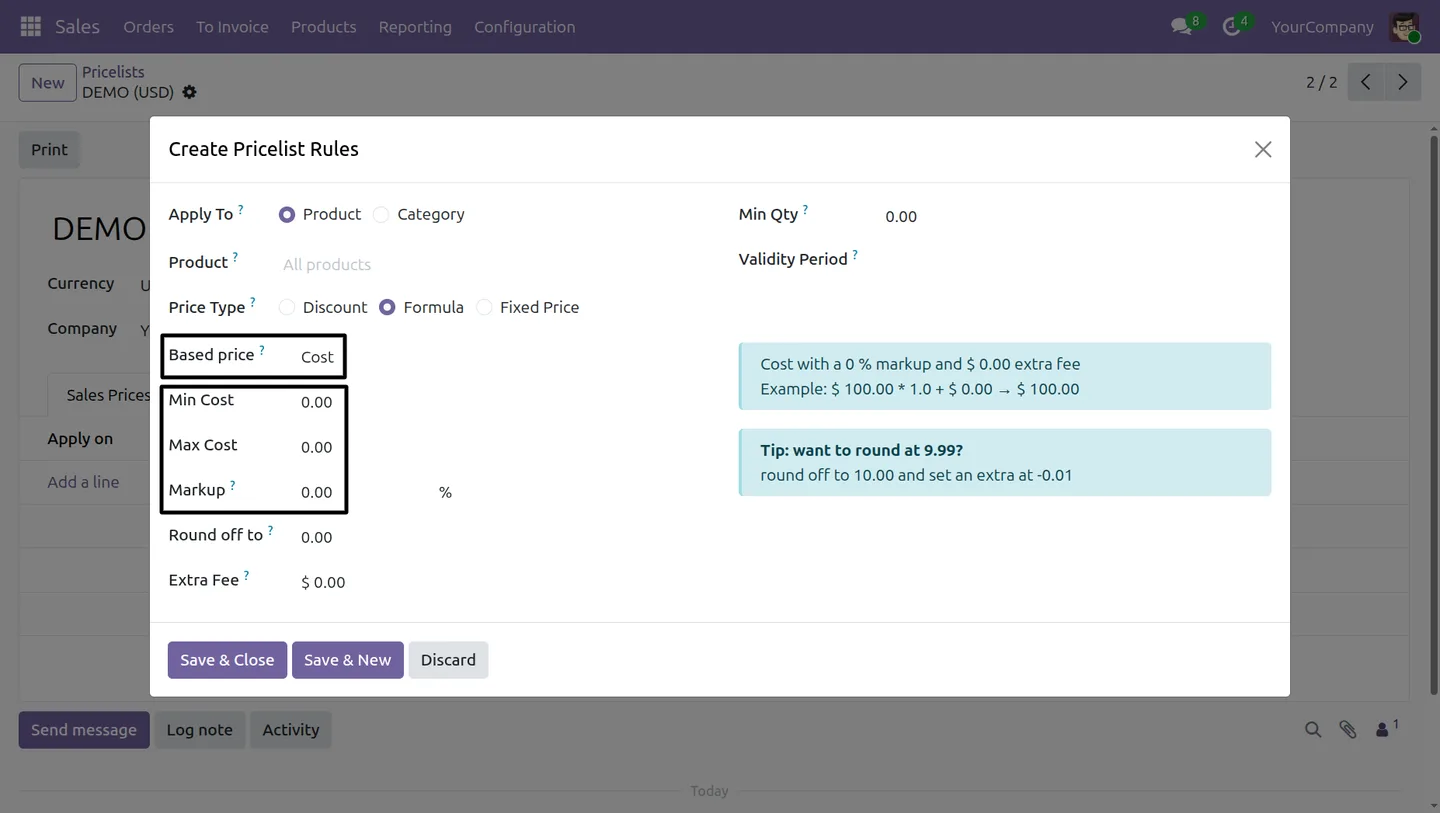
Additional fields for markup, rounding, and extra fees appear on the pricelist line as soon as cost-based pricing is selected, keeping the form clean otherwise.
-
Product, variant, and category rules
Apply the same cost-range rule to a single product, a specific variant, or a whole product category as needed.
-
Tiered cost-based pricing
Stack multiple cost slabs on one pricelist, each with its own markup percentage, for tiered or volume-based pricing logic.
-
Consistent profit-margin control
Cost-driven rules keep margins consistent across the catalogue and prevent the pricing drift that comes from hand-entered prices.
-
Rounding and extra-fee controls
Round computed prices to your preferred increment and add a fixed extra fee on top of the marked-up price, all from the same pricelist line.
Markup Pricelist Range in Odoo
Every screen, in the order you meet it — configuration first, then the module in use.


Technical details
Specification
- Publisher
- TechUltra Solutions Private Limited
- Technical name
- markup_pricelist_range
- Odoo versions
- 16.0, 17.0, 18.0, 19.0, 20.0
- Lines of code
- 125
- License
- Odoo Proprietary License v1.0 (OPL-1)
- Price
- $18.85 (one-time)
Deployment
- Odoo Online
- Odoo.sh
- On-premise
Odoo dependencies
- Sales
- Invoicing
- Discuss
Support
90 days of bug-fix support, Monday to Friday (10:00–19:00 IST). Raise a ticket at support@techultra.in.
Setup & configuration
From install to first call — here is the path.
- 1
Install the module
In Odoo, open Apps, remove the Apps filter, search for “Markup Pricelist Range”, and click Install.
- 2
Open the target pricelist
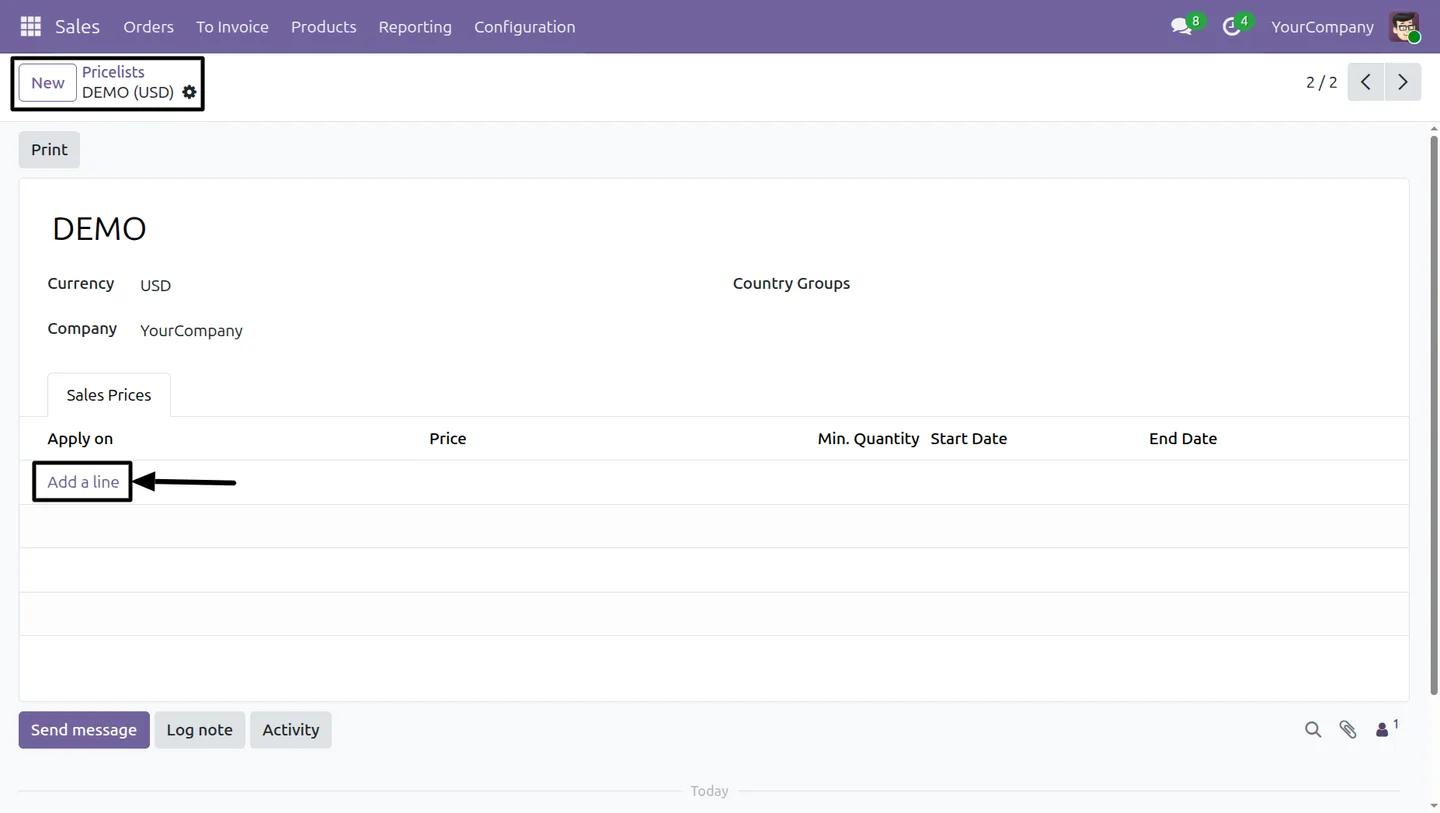
Go to Sales → Products → Pricelists and open the pricelist you want to drive from cost ranges.
- 3
Add a cost-based rule
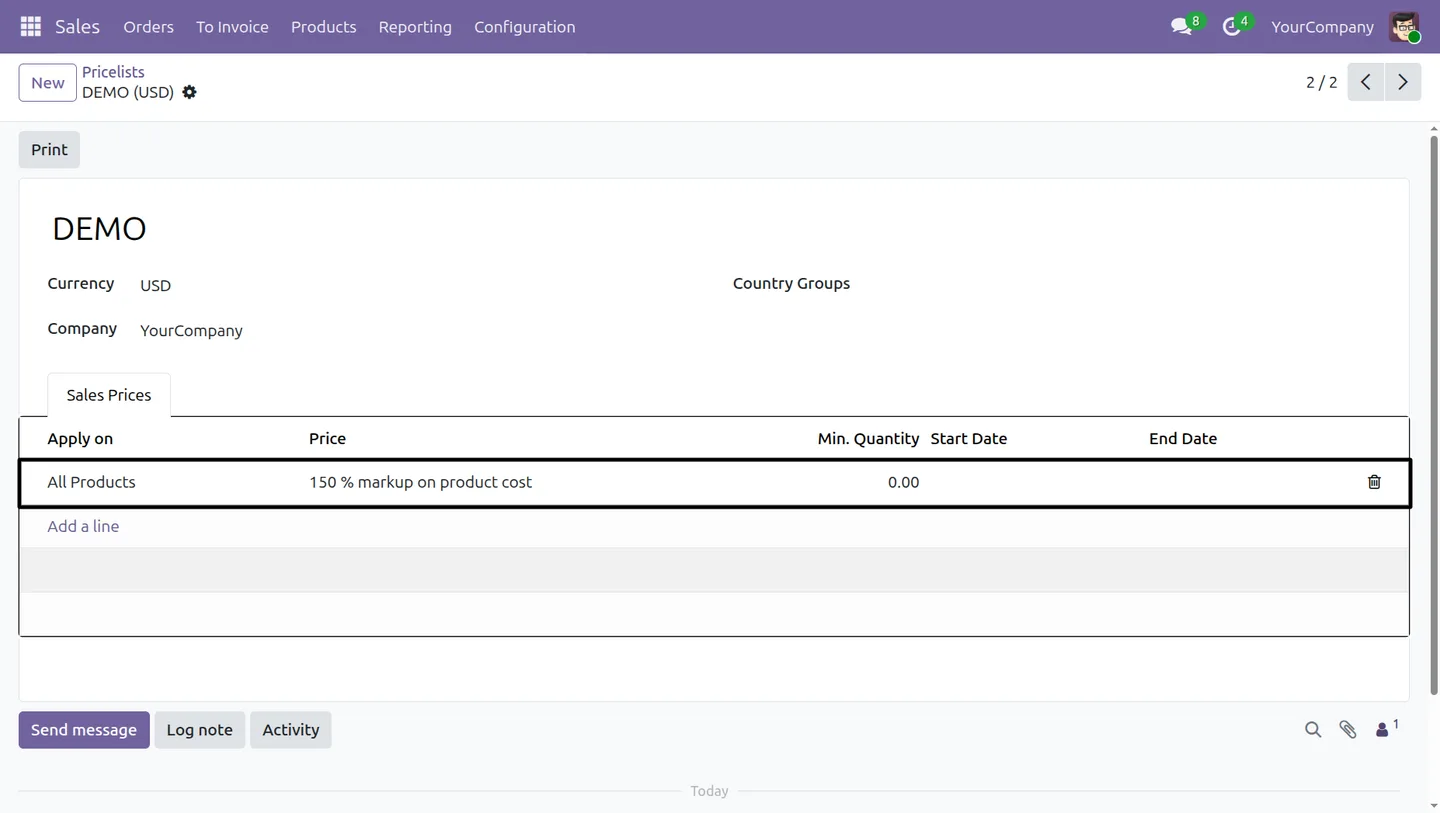
Click Add a line, choose Formula as the price type, and set Cost as the base price. The Min Cost and Max Cost fields appear automatically.
- 4
Enter the cost range and markup
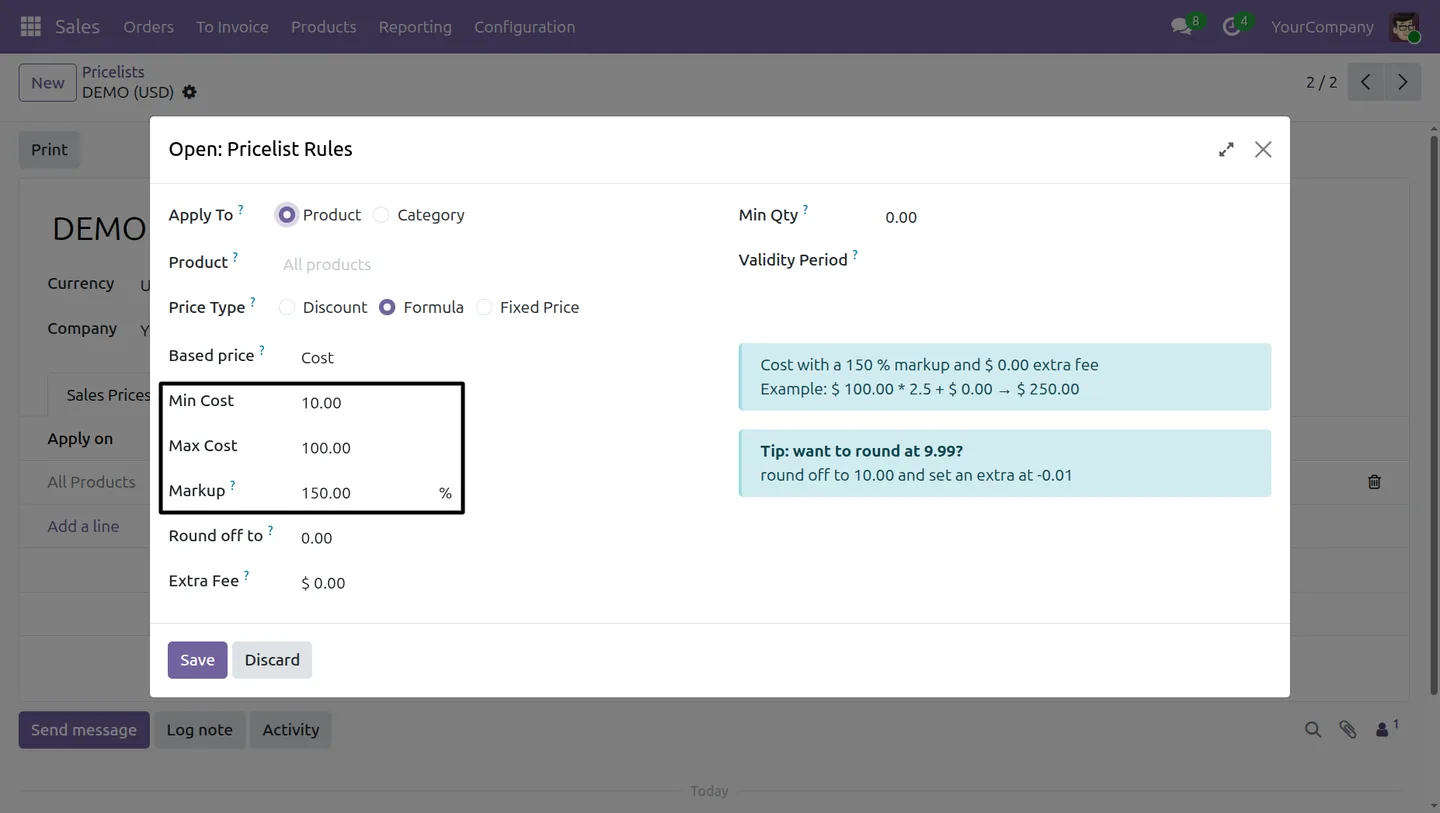
Type in the minimum cost, maximum cost, and markup percentage for the band, plus any rounding or extra fee, then save the rule.
- 5
Stack additional cost slabs
Repeat the previous step for each cost band — Odoo applies the matching slab based on the product's cost at sale time.
- 6
Verify on a sale order
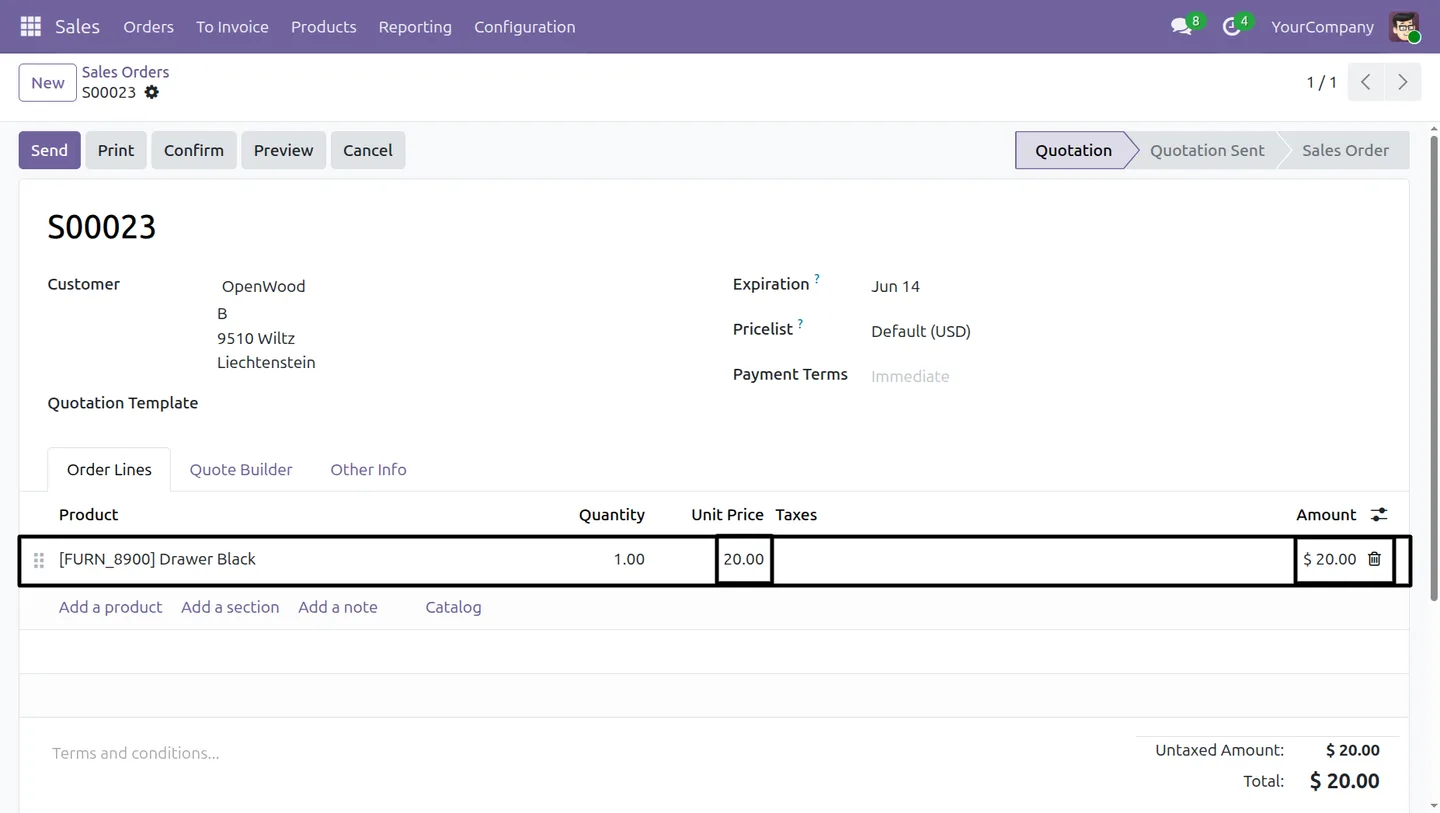
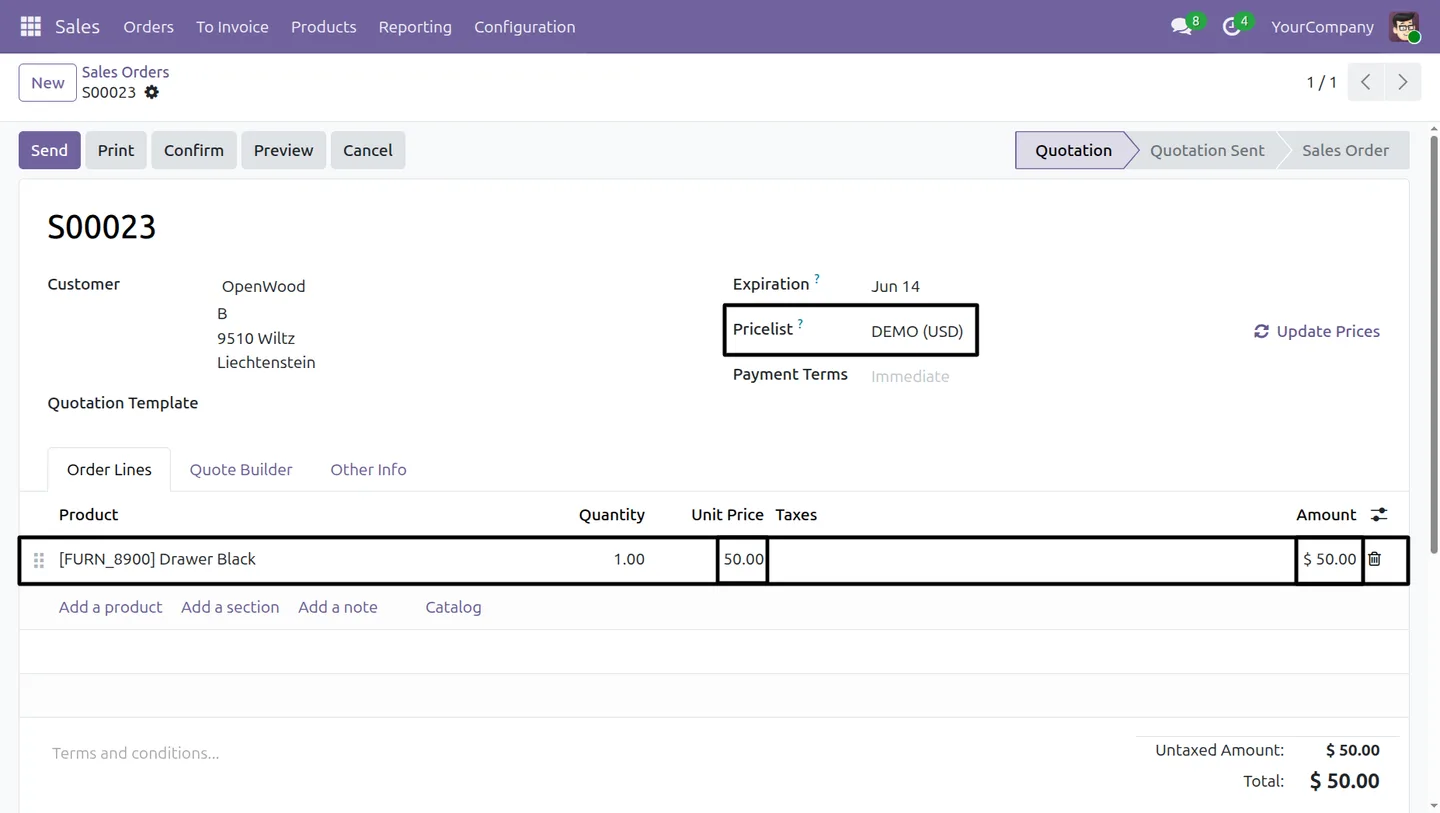
Create a quotation, select the configured pricelist, add products at different cost levels, and confirm that the calculated prices match the expected slabs.
Frequently asked questions
-
How does cost-range pricing work?
Each pricelist line carries a minimum cost, maximum cost, and markup percentage. When a product is added to a sale order, the module looks up its cost, finds the matching slab on the pricelist, and applies that slab's markup to compute the selling price.
-
Can I apply different markups to different products?
Yes. Rules can target a single product, a specific variant, or a whole product category, so different parts of the catalogue can use different markup logic on the same pricelist.
-
Does the module support tiered or volume pricing?
Yes. You can stack multiple cost slabs on one pricelist with different markup percentages, which is the typical setup for tiered margins by cost band.
-
Which Odoo versions are supported?
Markup Pricelist Range supports Odoo 16.0, 17.0, 18.0, 19.0, and 20.0, in both the Community and Enterprise editions.
-
Does it work with rounding and extra fees?
Yes. Each cost-range rule includes a rounding option and an extra-fee field, so the final price respects your rounding rules and adds any fixed surcharge on top of the marked-up amount.
-
Do I need any custom configuration after installation?
No. After installing, open any pricelist, set the price type to Formula with Cost as the base, and the new fields for cost range, markup, rounding, and extra fees appear on the line.
-
Does this replace Odoo's standard pricelists?
No. It extends the standard pricelist engine — existing pricelist rules continue to work, and you can mix cost-range rules with the standard fixed-price or discount rules on the same pricelist.
-
Is support included?
Yes. The module includes 90 days of bug-fix support, Monday to Friday, 10:00–19:00 IST.
Listing verified against the Odoo App Store:
Related solutions
Whole-platform solutions that complement Markup Pricelist Range.
Odoo Sales
Odoo Sales module — quotations, pricing rules, sales orders, deliveries, returns. CRM-Inventory-Accounting integrated. Quote-to-cash unified.
Odoo CRM
Odoo CRM module — leads, opportunities, kanban pipeline, quotation, forecasting, email integration. Native with ERP. Mid-market alternative to Salesforce.
Related services
Get the most out of this module with senior TechUltra consultants.
Odoo Customization Services
Odoo customization from a Gold Partner: custom modules, workflows, reports and Studio changes, written upgrade-safe and quoted at a fixed scope. Free scoping call.
Hire Odoo Developers
Hire certified Odoo developers from a Gold Partner: one developer or a team, full-time or part-time, 70–160 hours a month. Silver, Gold or Platinum plan, free trial.
Odoo Support Services & Maintenance
Odoo support services from a Gold Partner: functional and technical support plus server cover for Enterprise and Community, 30-minute P1 response, 24/7 option.







