
Odoo App · Security & Access
Advanced Many2one Restrictions
Restrict create, edit, and open actions on Many2one fields by user group.

Overview
Advanced Many2one Restrictions stops users from creating or editing linked records straight from a dropdown. A Many2one field — the relation picker behind fields like Customer, Product, or Vendor — normally lets anyone add a new record inline. This module turns those inline actions off for the user groups you choose.
Built by TechUltra Solutions, it works through group-based toggles rather than Odoo's access-rights model. The field stays visible and fully selectable; only the Create, Create & Edit, Quick Create, and Open shortcuts are removed. Read access is never affected, so users keep working without disruption.
The restrictions are scoped to the areas where accidental record creation causes the most damage — Sales, Purchase, Products and product variants, Inventory, and Invoices. The result is consistent data governance and clean master data, with no core code changes to maintain.
Key features
-
Action-level restrictions
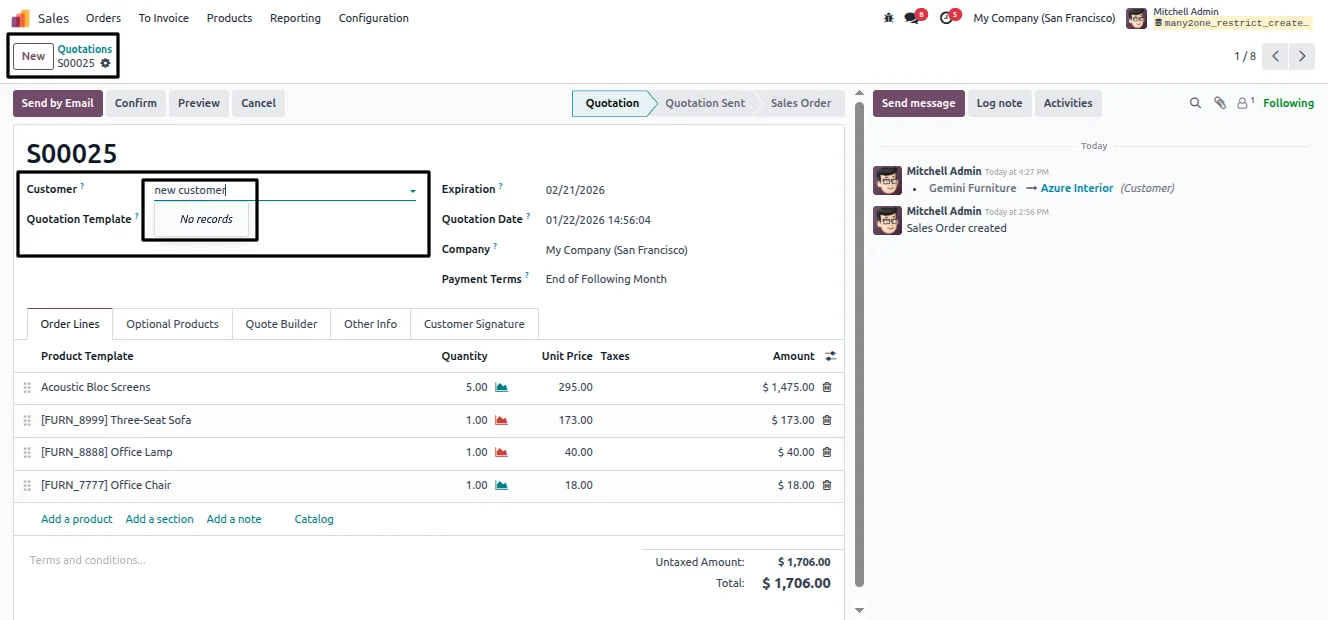
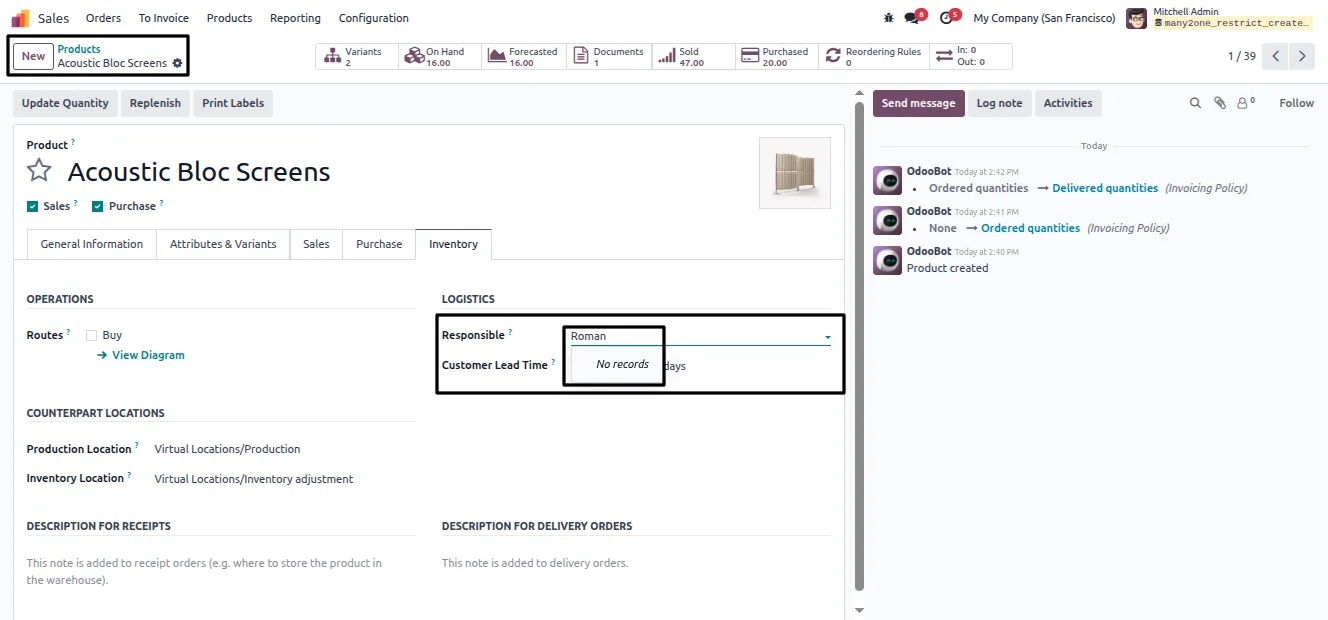
Disables the Create, Create & Edit, Quick Create, and Open actions on Many2one fields. The field itself stays visible, so users can still search and select existing records.
-
Group-based toggles
Restrictions are switched on and off per user group, so you decide exactly which roles can create linked records and which cannot.
-
Scoped to key Odoo areas
Separate controls cover Sales, Purchase, Products and product variants, Inventory, and Invoices — the places where stray records most often pollute master data.
-
Clean master data
Stopping accidental or unauthorized record creation keeps your customer, vendor, and product lists tidy, while every user still keeps full read access.
-
Standard view inheritance
The module is built with standard Odoo view inheritance — no core patches — so it stays compatible and predictable across upgrades.
-
Lightweight footprint
The implementation is small and performance-friendly, adding the controls without slowing down form views or list views.
-
Simple to administer
Administrators configure everything from the user record. There are no extra menus or models to learn, and changes take effect immediately.
Advanced Many2one Restrictions in Odoo
Every screen, in the order you meet it — configuration first, then the module in use.
Technical details
Specification
- Publisher
- TechUltra Solutions Private Limited
- Technical name
- many2one_restrict_create_edit
- Odoo versions
- 16.0, 17.0, 18.0, 19.0, 20.0
- License
- Odoo Proprietary License v1.0 (OPL-1)
- Price
- $12 (one-time)
Deployment
- Odoo Online
- Odoo.sh
- On-premise
Odoo dependencies
- Sales
- Purchase
- Inventory
- Invoicing
- Discuss
Support
90 days of bug-fix support, Monday to Friday (10:00–19:00 IST). Raise a ticket at support@techultra.in.
Setup & configuration
From install to first call — here is the path.
- 1
Install the module
In Odoo, open Apps, remove the Apps filter, search for “Advanced Many2one Restrictions”, and click Install.
- 2
Open the user record
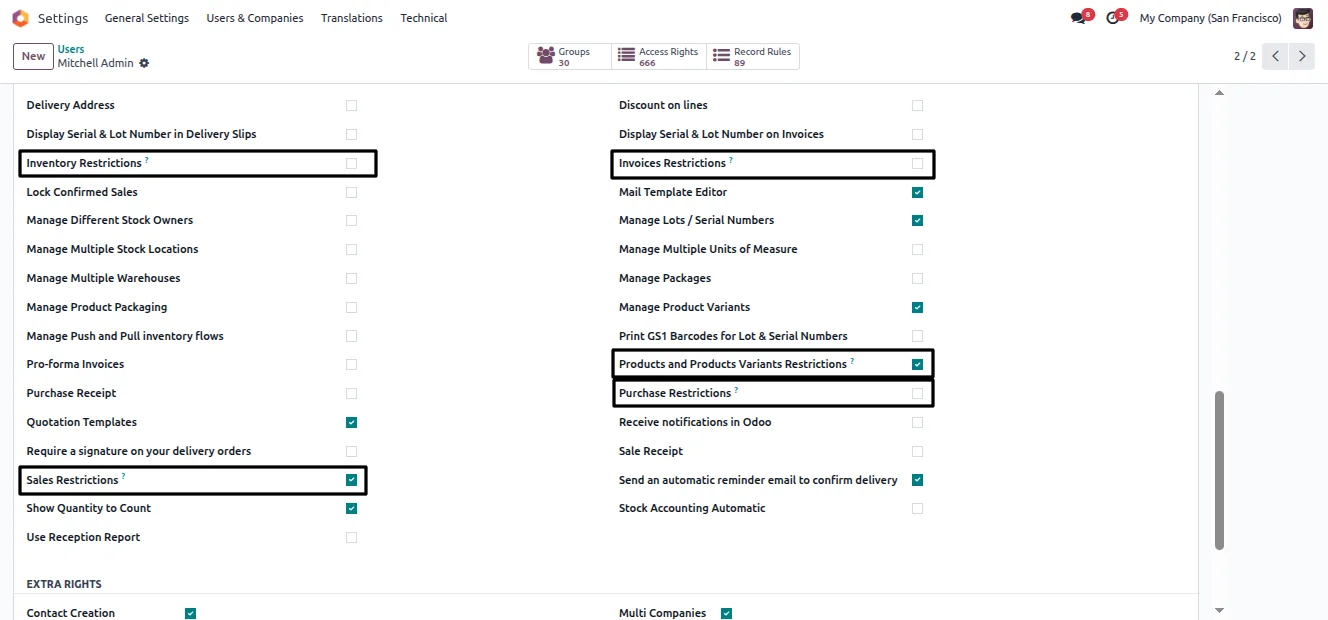
Go to Settings → Users & Companies → Users and open the profile of the user you want to restrict.
- 3
Enable the restrictions
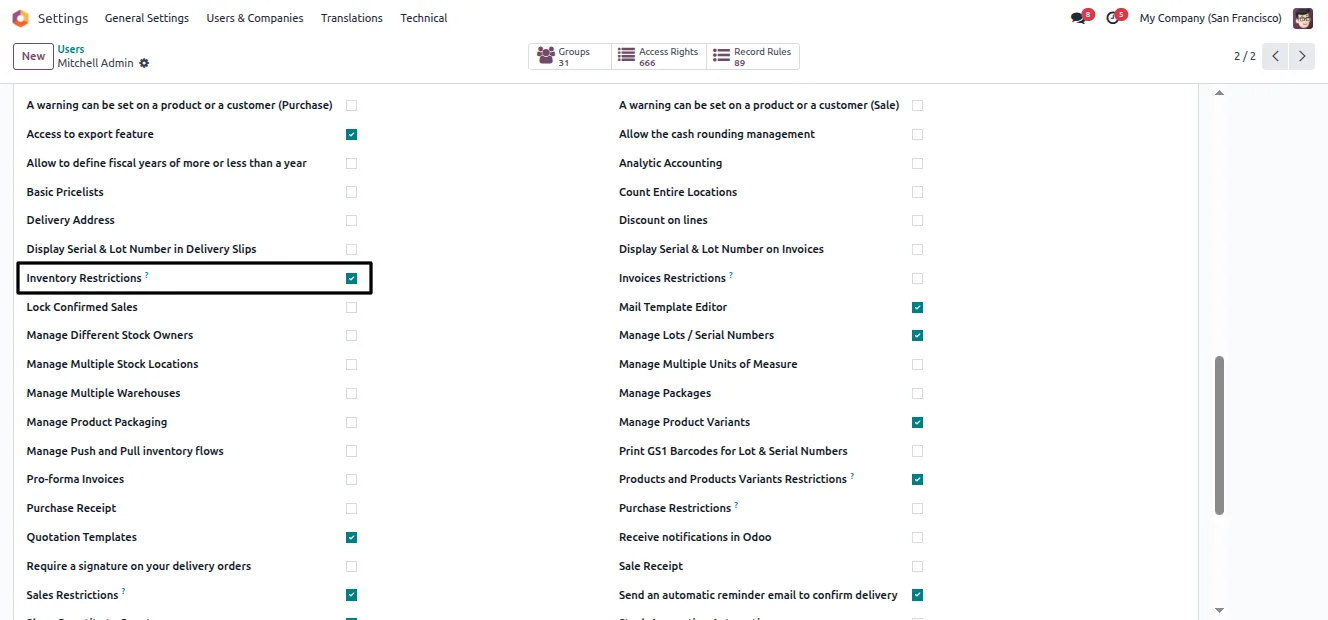
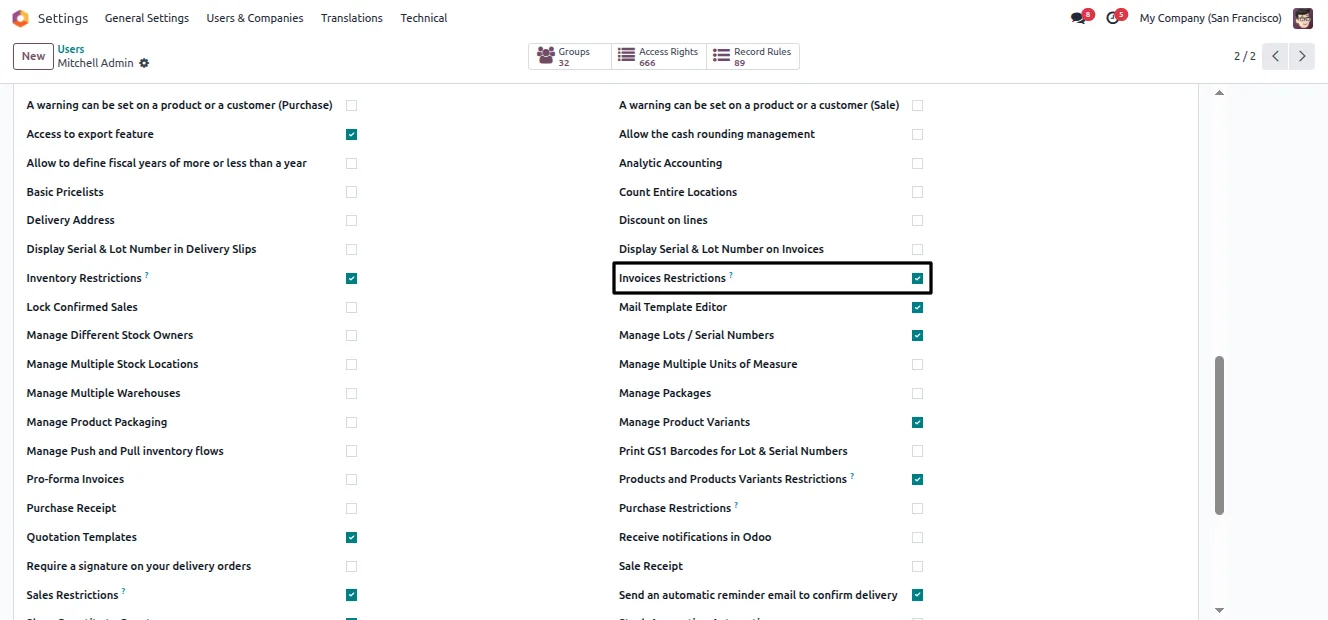
Switch on the restriction options the user needs — for example Sales Restriction or Products & Product Variants Restriction — then save.
- 4
Verify the behaviour
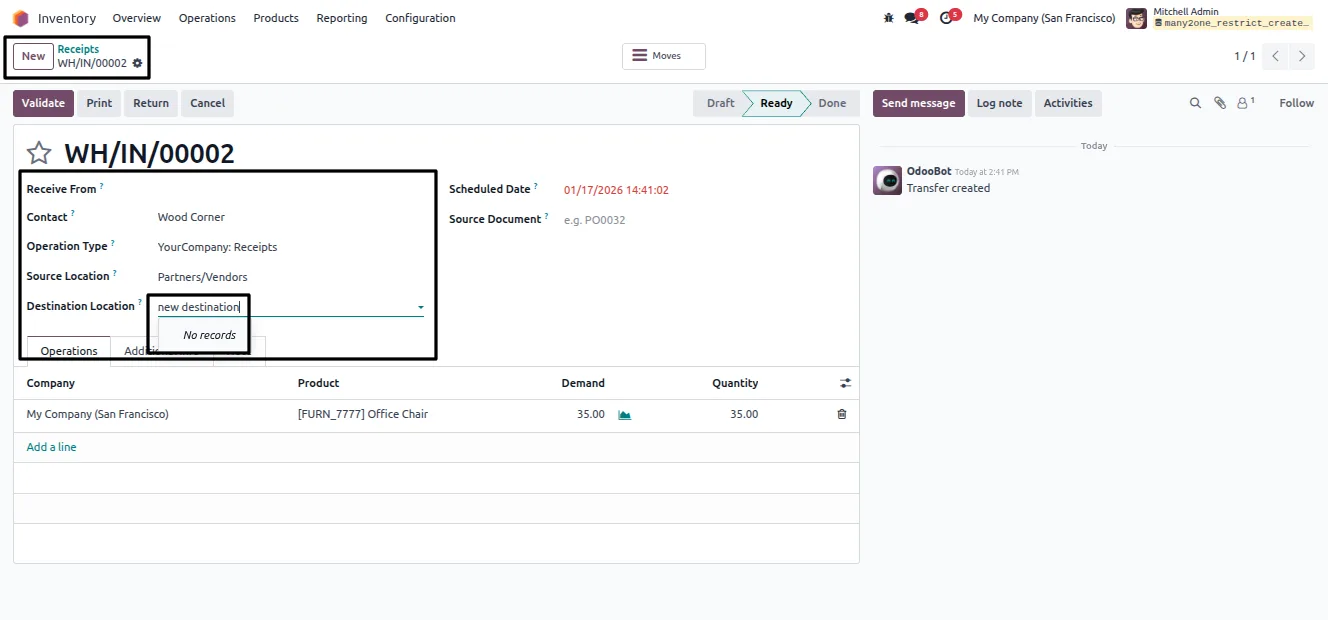
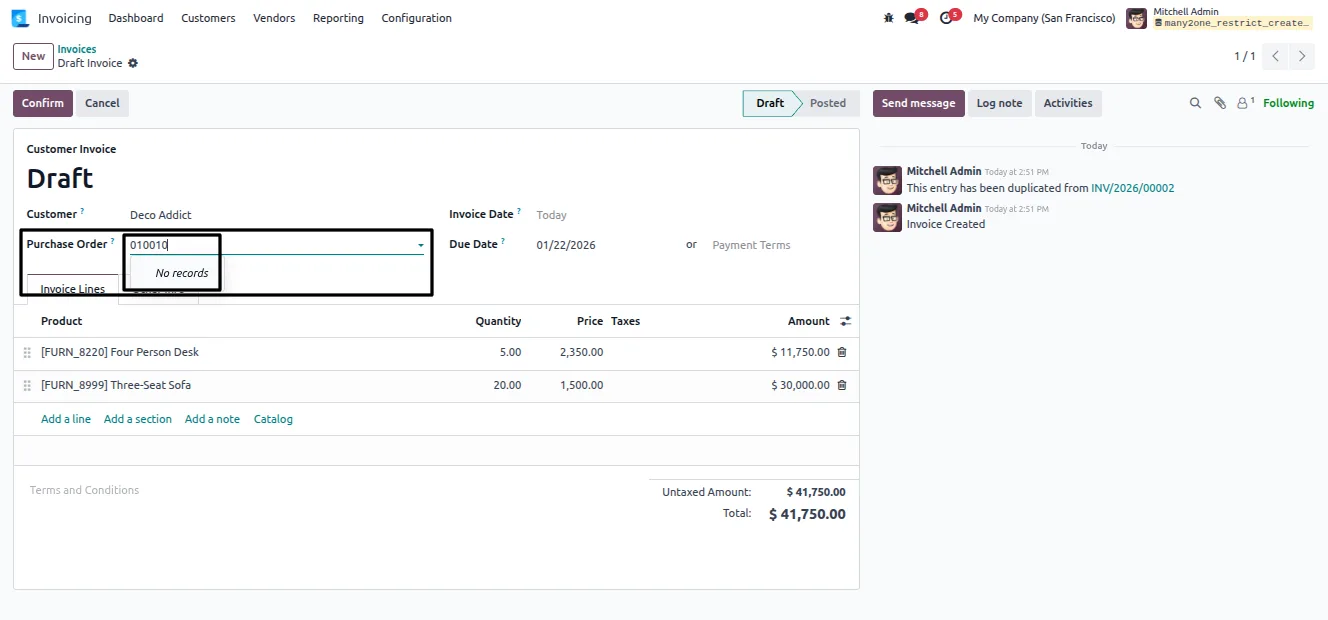
Log in as that user and open a relevant form. The Many2one fields stay selectable, but the Create, Create & Edit, Quick Create, and Open shortcuts are gone.
Frequently asked questions
-
What is a Many2one field?
A Many2one field is the relation picker behind fields such as Customer, Product, or Vendor. It links one record to another and normally lets users create or edit the linked record inline from the dropdown.
-
Does the field disappear when it is restricted?
No. The field stays fully visible and selectable. Only the Create, Create & Edit, Quick Create, and Open shortcuts are removed, so users can still search for and pick existing records.
-
Does the module change Odoo access rights?
No. It works through group-based toggles, not Odoo's access-rights or record-rules model. Read access to the linked records is never affected.
-
Which areas can I restrict?
The module provides separate controls for Sales, Purchase, Products and product variants, Inventory, and Invoices — the areas where accidental record creation most often causes problems.
-
Can I restrict some users but not others?
Yes. Restrictions are applied per user through the user record, so administrators decide exactly which roles can create linked records and which cannot.
-
Which Odoo versions are supported?
The module supports Odoo 16.0, 17.0, 18.0, 19.0, and 20.0, in both the Community and Enterprise editions.
-
Will it survive Odoo upgrades?
The module uses standard view inheritance instead of core code changes, which keeps it predictable and easier to carry forward across Odoo versions.
Listing verified against the Odoo App Store:
Related services
Get the most out of this module with senior TechUltra consultants.
Odoo Customization Services
Odoo customization from a Gold Partner: custom modules, workflows, reports and Studio changes, written upgrade-safe and quoted at a fixed scope. Free scoping call.
Hire Odoo Developers
Hire certified Odoo developers from a Gold Partner: one developer or a team, full-time or part-time, 70–160 hours a month. Silver, Gold or Platinum plan, free trial.
Odoo Support Services & Maintenance
Odoo support services from a Gold Partner: functional and technical support plus server cover for Enterprise and Community, 30-minute P1 response, 24/7 option.







