
Odoo App · Productivity
Mail Font Manager
Set the fonts used across Odoo's mail composer, chatter, and email templates.

Overview
Odoo's rich-text editors ship with a fixed set of fonts, and there is no built-in way to align them with a company's branding. Mail Font Manager adds that control, so the typography in your messages is a deliberate choice rather than an editor default.
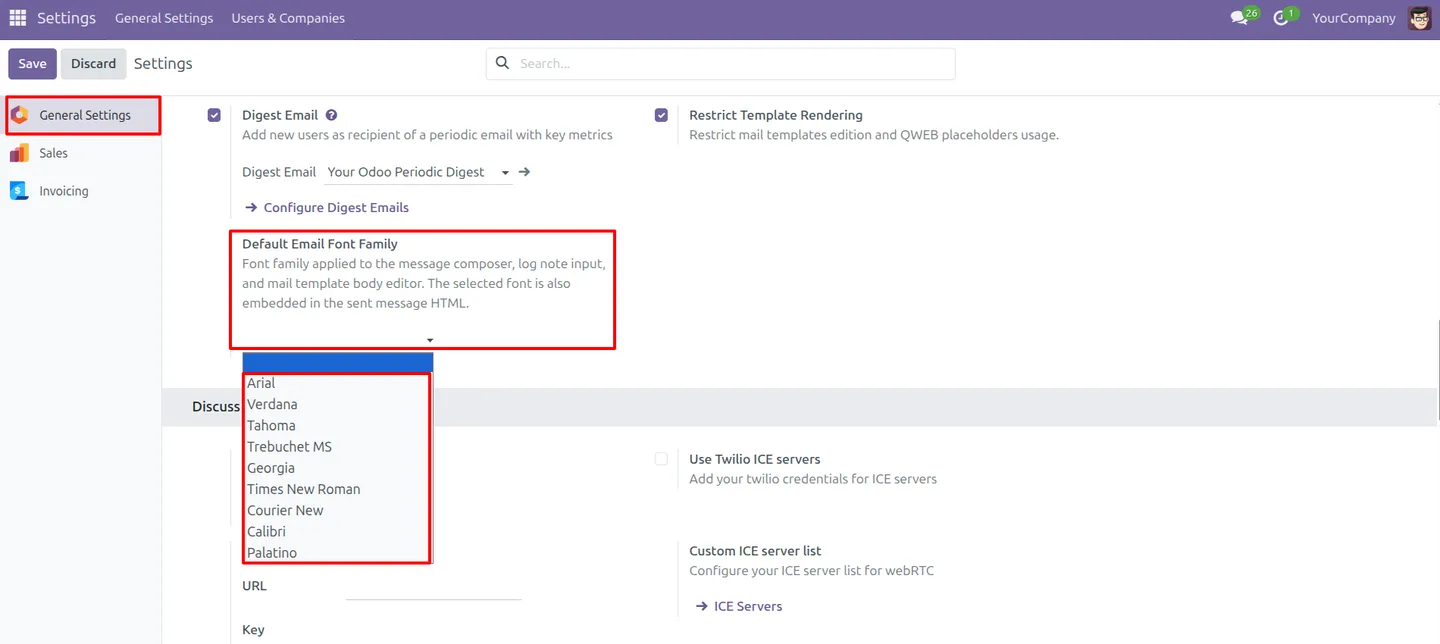
Built by TechUltra Solutions, the module lets an administrator define the font list once in General Settings. That configuration then applies across the channels where text is written in Odoo — the message composer, chatter log notes, and email templates.
The result is consistency. Whether a message is an internal log note or a customer-facing email, it draws from the same font configuration, so communication stays readable and on-brand without each user picking fonts by hand.
Key features
-
Central font configuration
Administrators set the font list once in General Settings, and that single configuration governs the fonts available across Odoo's mail interfaces.
-
Message composer fonts
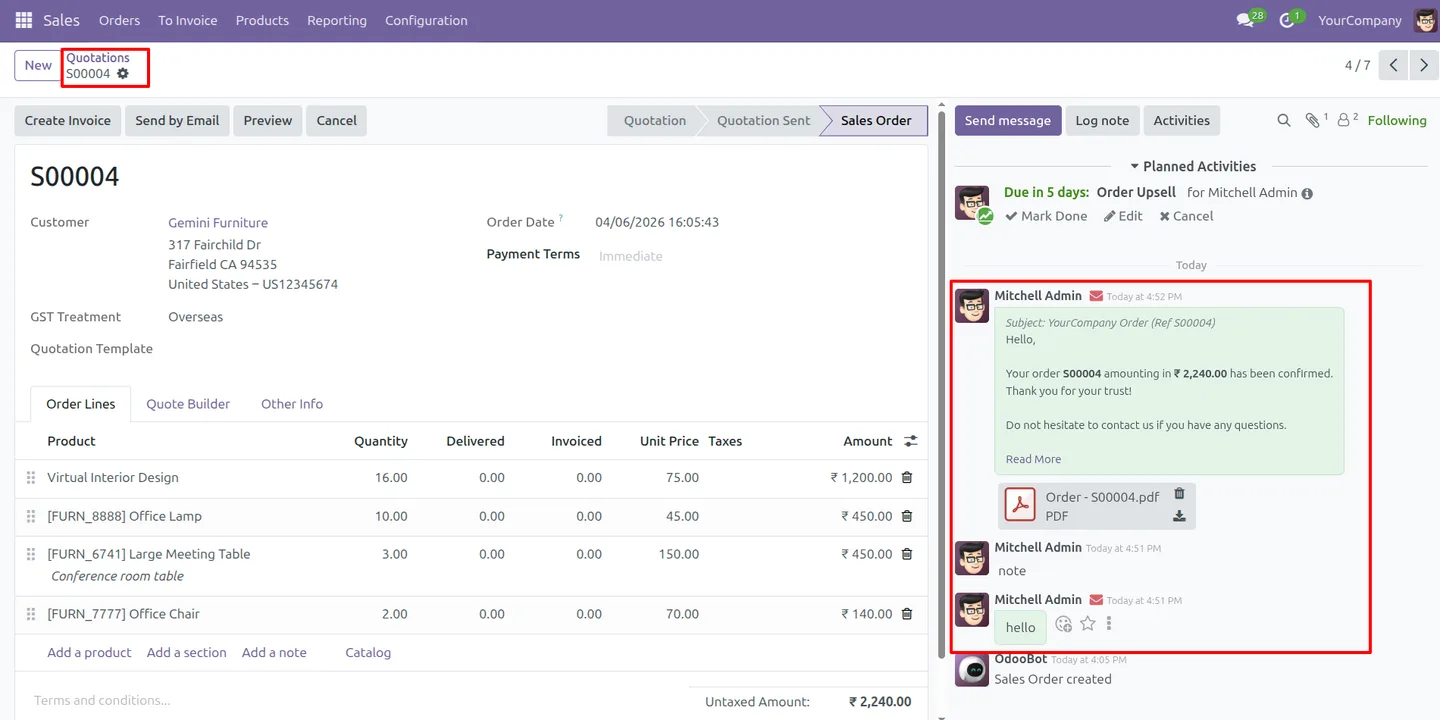
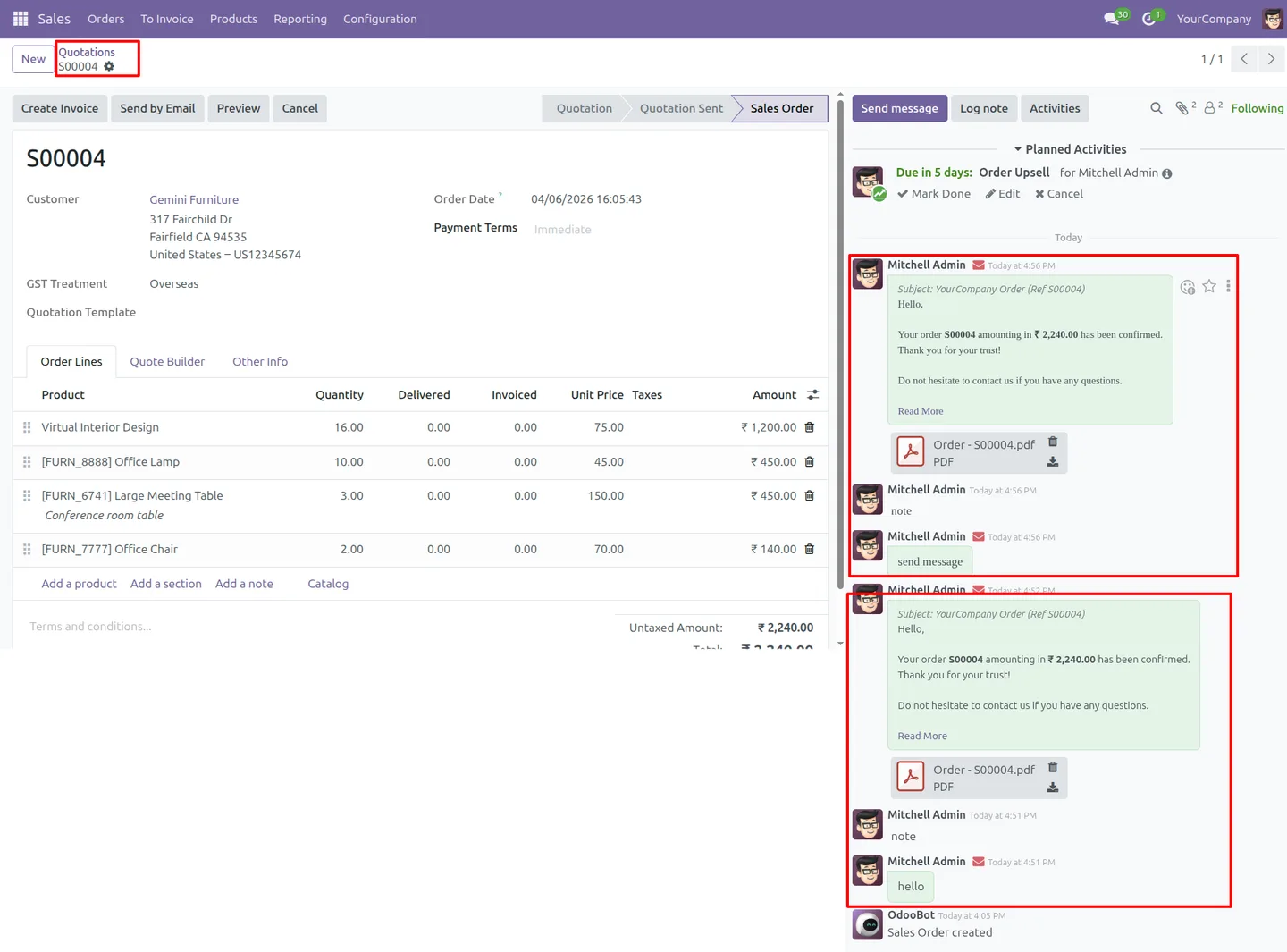
The configured fonts are available in the message composer, so outgoing messages are written in the typefaces the company has chosen.
-
Chatter log note styling
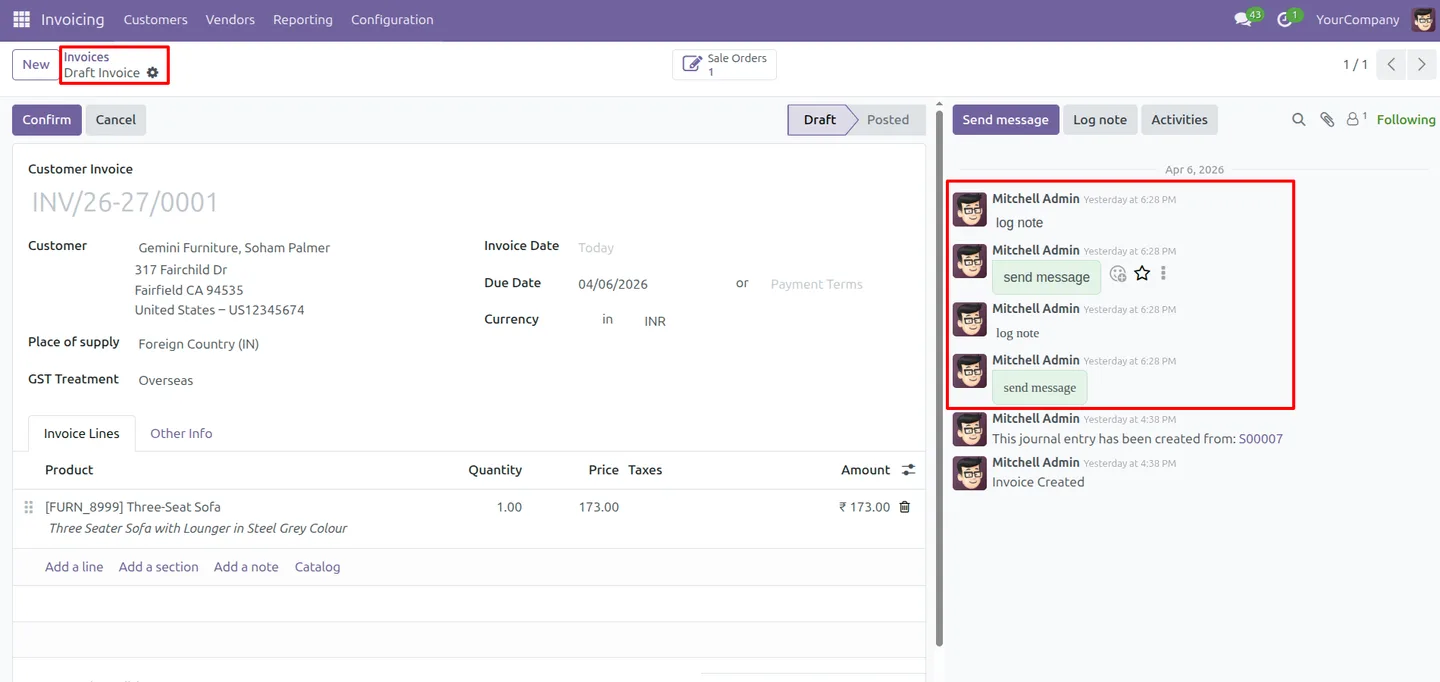
Chatter log notes use the same font configuration, keeping internal discussion threads consistent with the rest of the company's communication.
-
Email template fonts
Email templates draw from the configured font list, so automated and templated emails follow the same typography as messages written by hand.
-
Rich text editor enhancements
The module extends Odoo's rich-text editor with the configured fonts, giving users a controlled set of options inside the editor they already know.
-
Automatic font enforcement
Once configured, the font settings apply across mail interfaces automatically, so consistency does not depend on every user remembering to pick the right font.
-
Admin-controlled settings
Font configuration is an administrator task, kept in General Settings rather than left to individual users, so the company sets one standard.
-
Consistent, on-brand communication
Internal notes and customer emails share the same typography, keeping every message readable and aligned with the company's brand identity.
Mail Font Manager in Odoo
Every screen, in the order you meet it — configuration first, then the module in use.
Technical details
Specification
- Publisher
- TechUltra Solutions Private Limited
- Technical name
- mail_font_config
- Odoo versions
- 16.0, 17.0, 18.0, 19.0, 20.0
- Lines of code
- 224
- License
- Odoo Proprietary License v1.0 (OPL-1)
- Price
- $12 (one-time)
Deployment
- Odoo Online
- Odoo.sh
- On-premise
Odoo dependencies
- Discuss
Support
90 days of bug-fix support, Monday to Friday (10:00–19:00 IST). Raise a ticket at support@techultra.in.
Setup & configuration
From install to first call — here is the path.
- 1
Install the module
In Odoo, open Apps, remove the Apps filter, search for “Mail Font Manager”, and click Install.
- 2
Open General Settings
Go to Settings → General Settings to find the mail font configuration interface added by the module.
- 3
Configure the font list
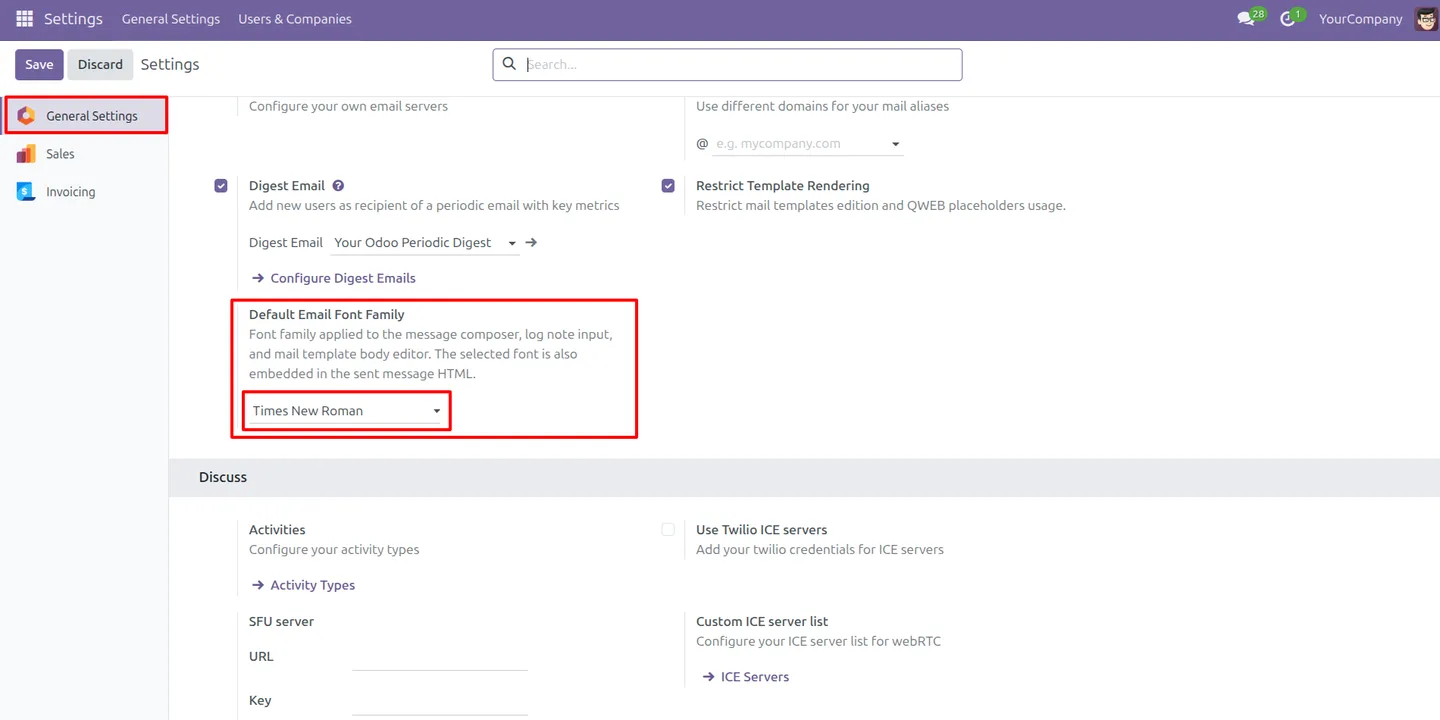
Set the list of fonts that should be available for chatter and mail communication, choosing the typefaces that match your brand.
- 4
Save the configuration
Save General Settings so the font list applies across the message composer, chatter log notes, and email templates.
- 5
Verify in the editor
Open a chatter log note or email template and confirm the configured fonts appear in the rich-text editor's font options.
Frequently asked questions
-
What does Mail Font Manager do?
It lets administrators define the fonts used across Odoo's mail interfaces — the message composer, chatter log notes, and email templates — so communication keeps a consistent, brand-aligned look.
-
Where do I configure the fonts?
In Settings → General Settings. The module adds a font configuration interface there where you set the list of fonts available for chatter and mail communication.
-
Which mail interfaces does the font setting apply to?
The configured fonts apply to the message composer, chatter log notes, and email templates, so both internal notes and customer emails share the same typography.
-
Can individual users change the fonts?
The font list is configured by an administrator in General Settings. This keeps one company-wide standard rather than leaving font choices to each user.
-
Does it affect email templates too?
Yes. Email templates draw from the same configured font list, so automated and templated emails follow the same typography as messages written by hand.
-
Which Odoo versions are supported?
The module supports Odoo 16.0, 17.0, 18.0, 19.0, and 20.0, in both the Community and Enterprise editions.
-
Does it require the Discuss app?
Yes. The module depends on the Discuss app, since it extends the mail composer and chatter that Discuss provides.
-
Is support included?
Yes. The module includes 90 days of bug-fix support, Monday to Friday, 10:00–19:00 IST.
Listing verified against the Odoo App Store:
Related services
Get the most out of this module with senior TechUltra consultants.
Odoo Customization Services
Odoo customization from a Gold Partner: custom modules, workflows, reports and Studio changes, written upgrade-safe and quoted at a fixed scope. Free scoping call.
Hire Odoo Developers
Hire certified Odoo developers from a Gold Partner: one developer or a team, full-time or part-time, 70–160 hours a month. Silver, Gold or Platinum plan, free trial.
Odoo Support Services & Maintenance
Odoo support services from a Gold Partner: functional and technical support plus server cover for Enterprise and Community, 30-minute P1 response, 24/7 option.







