
Odoo App · Productivity
List Column Reorder
Drag and drop list columns into any order — saved per user across sessions.

Overview
List Column Reorder gives every Odoo user control over how their list views are laid out. Instead of accepting the column order a developer set, a user simply drags a column header to a new position and the view updates immediately.
Built by TechUltra Solutions, the module stores each user's column order on their own account, so the change follows them between sessions and does not affect anyone else. A Reset Column Order action puts the layout back to the module's default whenever it is needed.
Reordering works across every list view in the system, including the One2Many tables embedded inside form views, and applies to both standard Odoo apps and custom modules. There is no per-view setup — install the module and the drag handles are available everywhere.
Key features
-
Drag-and-drop column reordering
Move any column in a list or One2Many view by dragging its header to a new position. The view rearranges instantly, with no developer changes required.
-
Per-user preferences
Each user's column order is saved to their own account. One person's layout never overrides another's, so every team member sees the arrangement they chose.
-
Order saved across sessions
A rearranged layout is stored automatically and reloads the next time the user opens that view, even after logging out and back in.
-
One-click reset
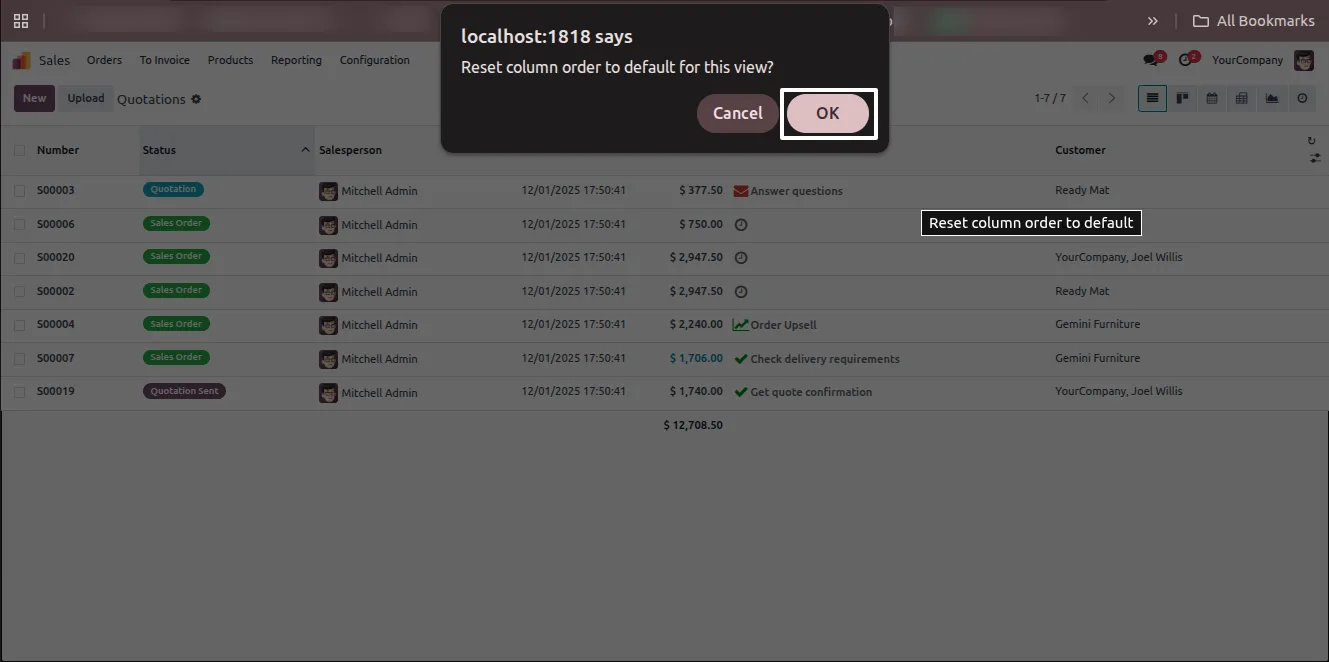
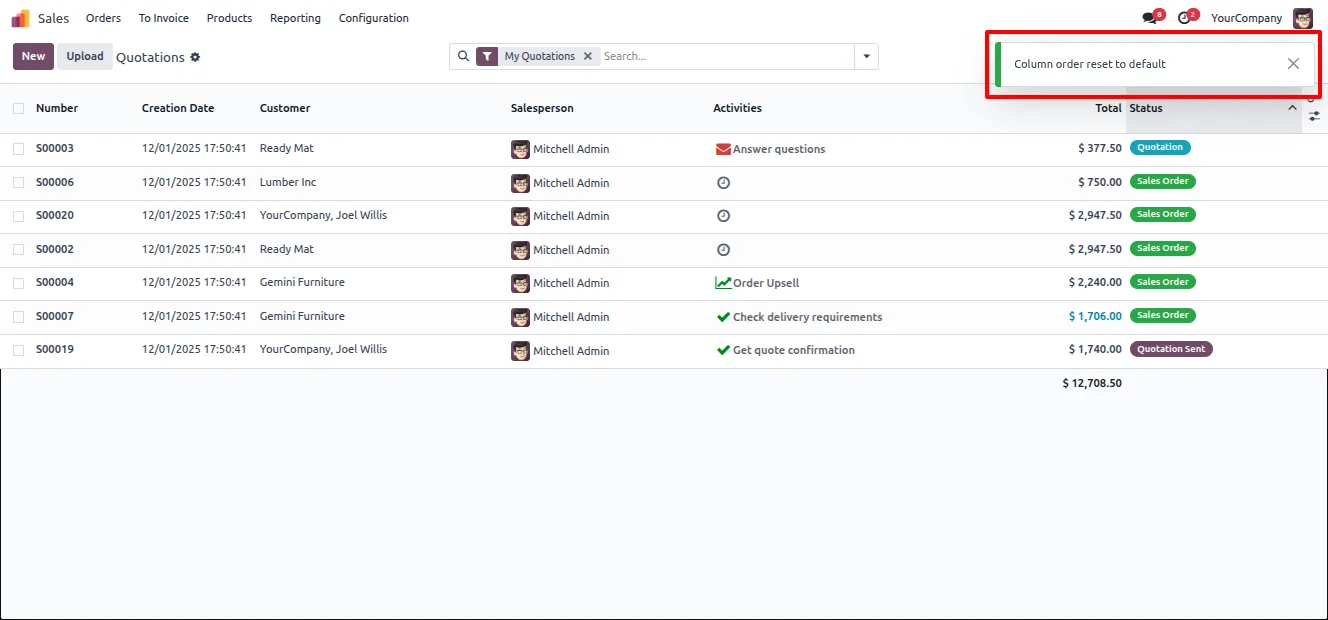
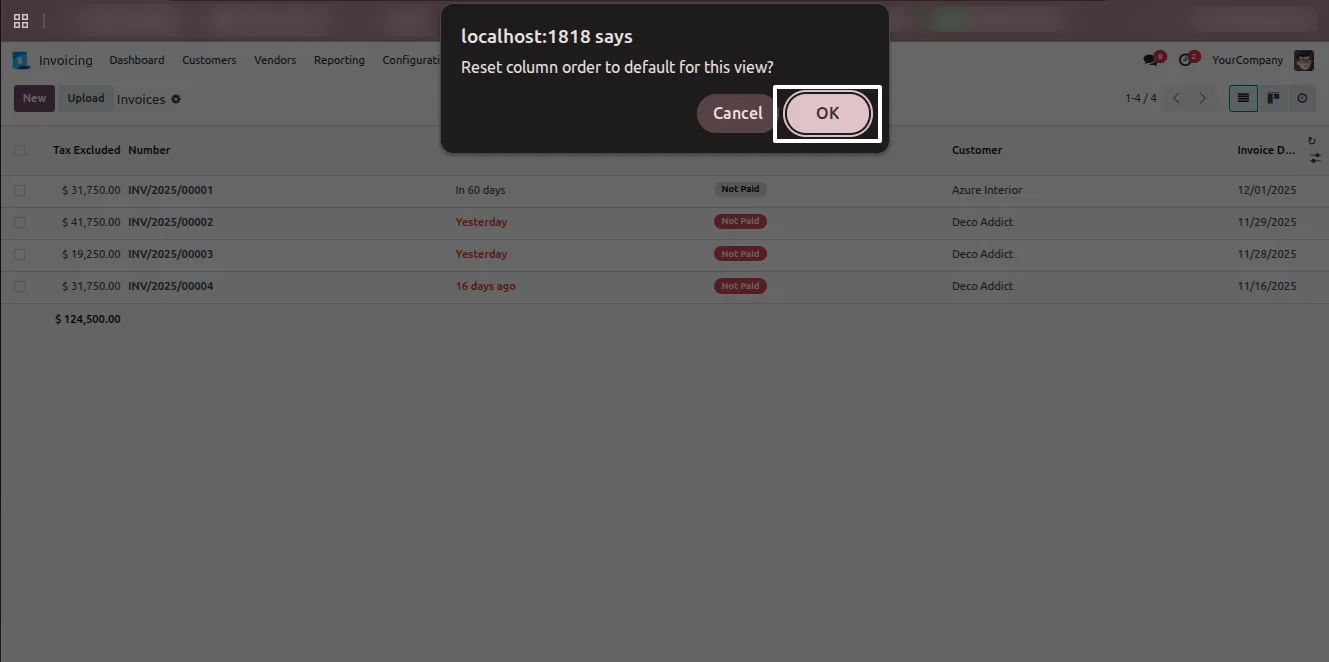
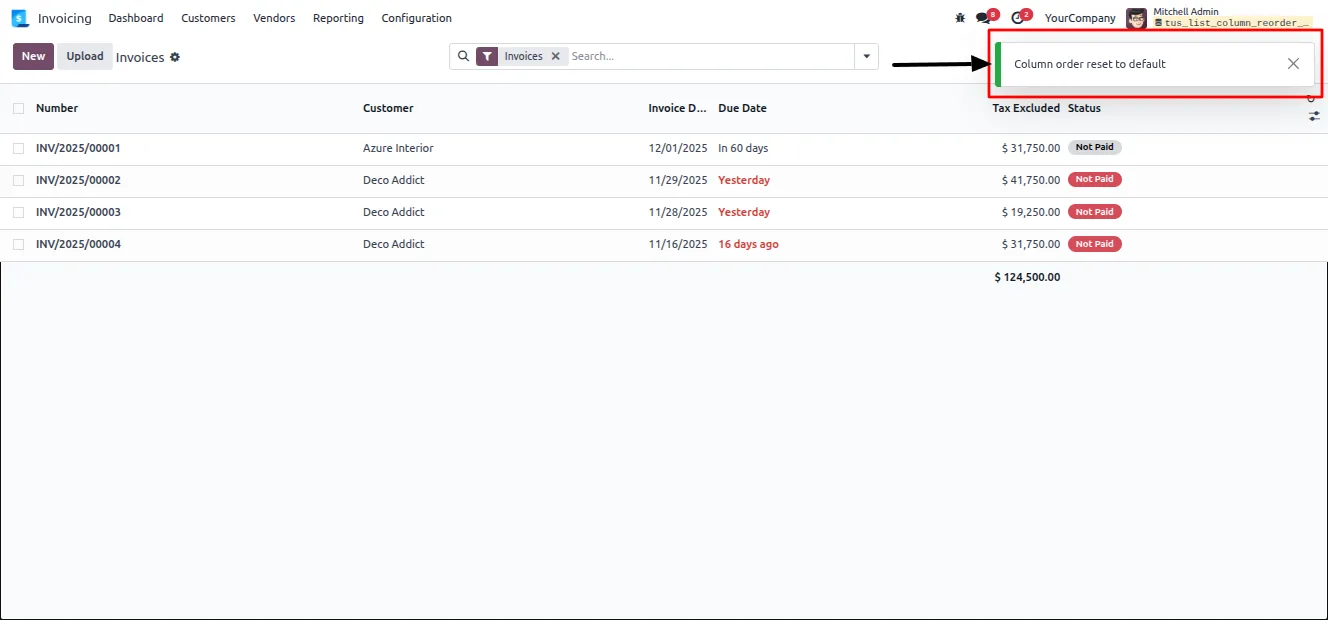
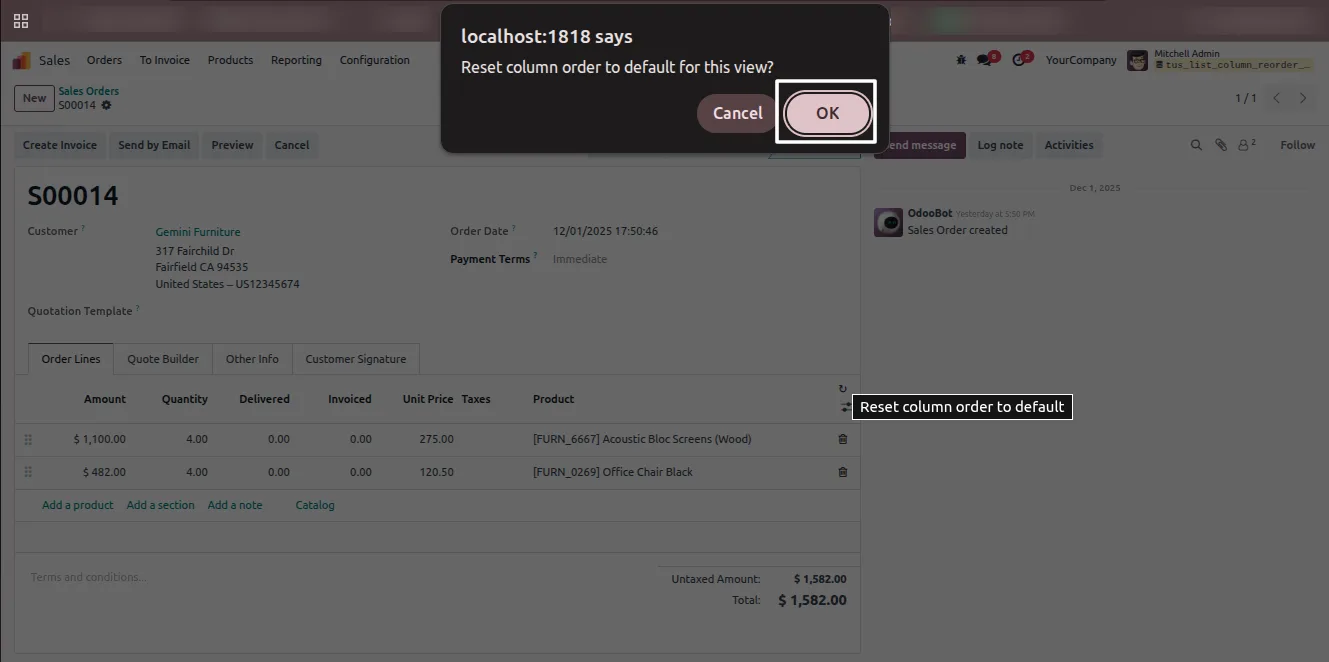
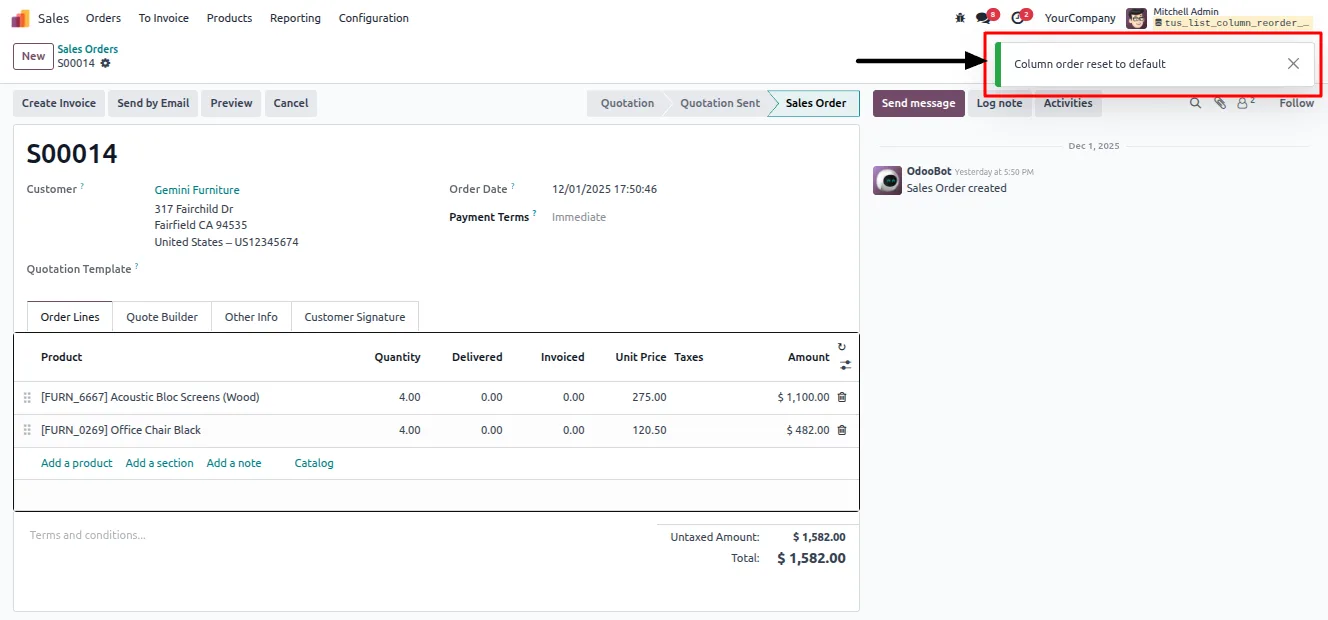
A Reset Column Order action restores the default column layout for a view with a single click and a confirmation, undoing any custom arrangement.
-
Works on every list view
Column reordering applies to all list views in the system, including the One2Many tables shown inside form-view popups and tabs.
-
Standard and custom module support
The module works with built-in Odoo apps such as Sales and Contacts as well as any custom module that uses list or One2Many views.
-
No technical configuration
There are no settings to fill in and no per-view setup. Install the module and the drag handles are immediately available throughout Odoo.
List Column Reorder in Odoo
Every screen, in the order you meet it — configuration first, then the module in use.
Technical details
Specification
- Publisher
- TechUltra Solutions Private Limited
- Technical name
- tus_list_column_reorder
- Odoo versions
- 17.0, 18.0, 19.0, 20.0
- Lines of code
- 424
- License
- Odoo Proprietary License v1.0 (OPL-1)
- Price
- $25.01 (one-time)
Deployment
- Odoo Online
- Odoo.sh
- On-premise
Odoo dependencies
- Web
Support
90 days of bug-fix support, Monday to Friday (10:00–19:00 IST). Raise a ticket at support@techultra.in.
Setup & configuration
From install to first call — here is the path.
- 1
Install the module
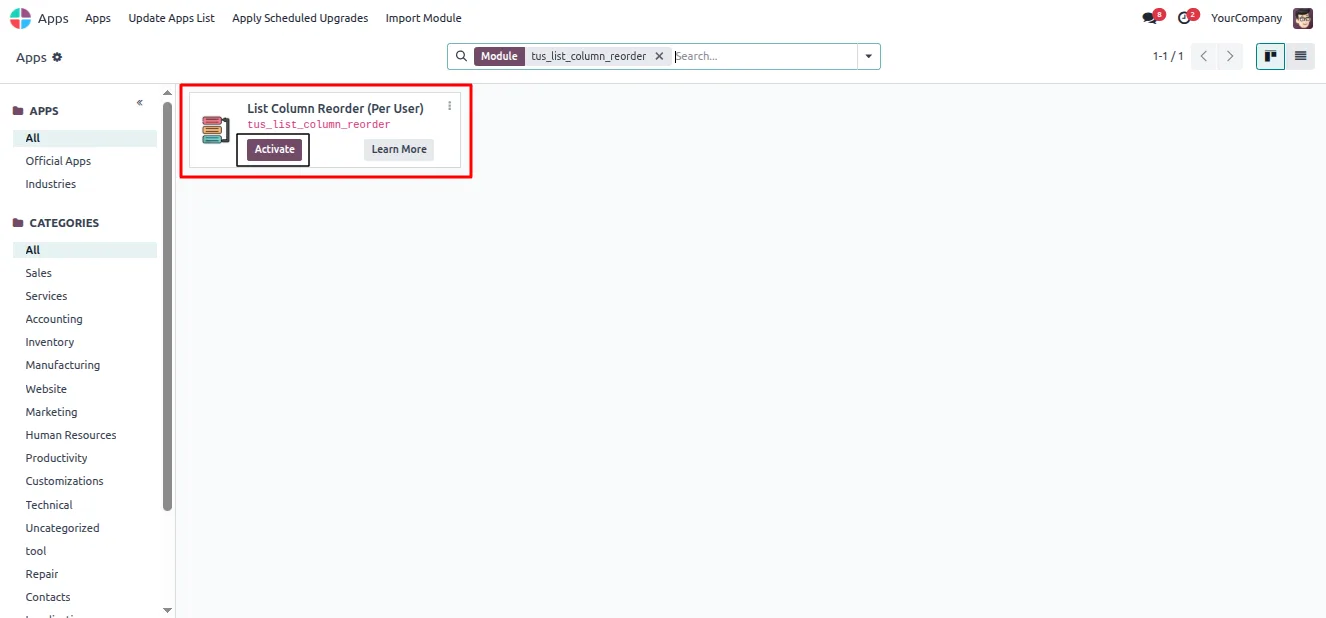
In Odoo, open Apps, remove the Apps filter, search for “List Column Reorder”, and click Install.
- 2
Open a list view
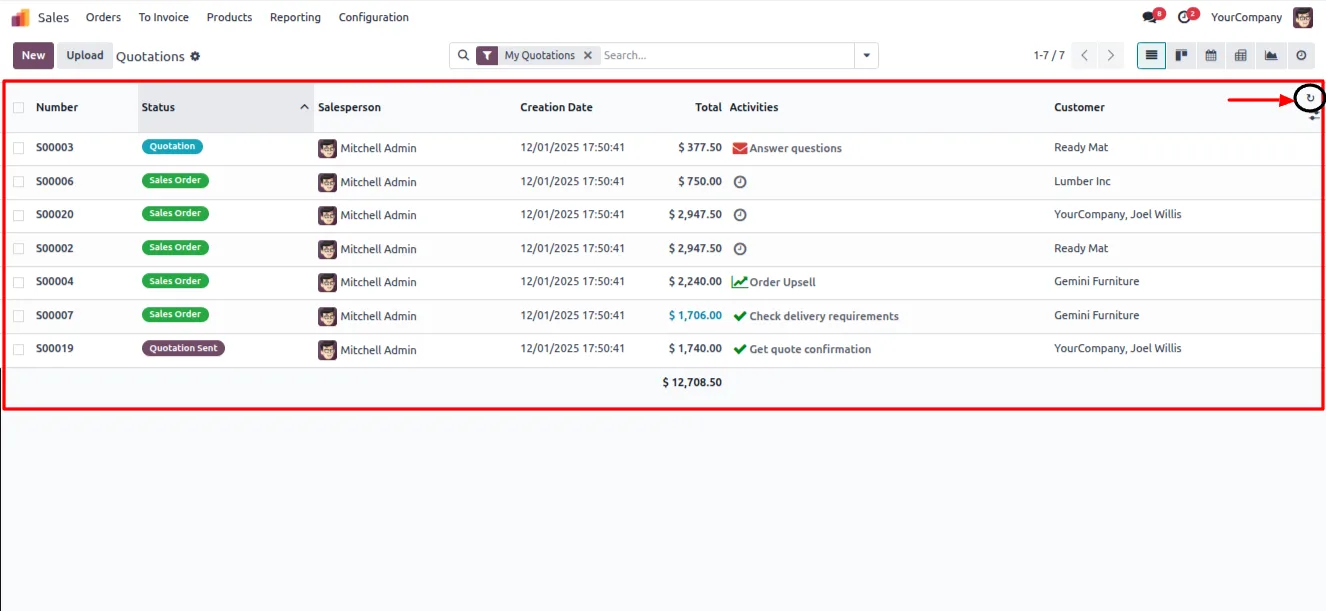
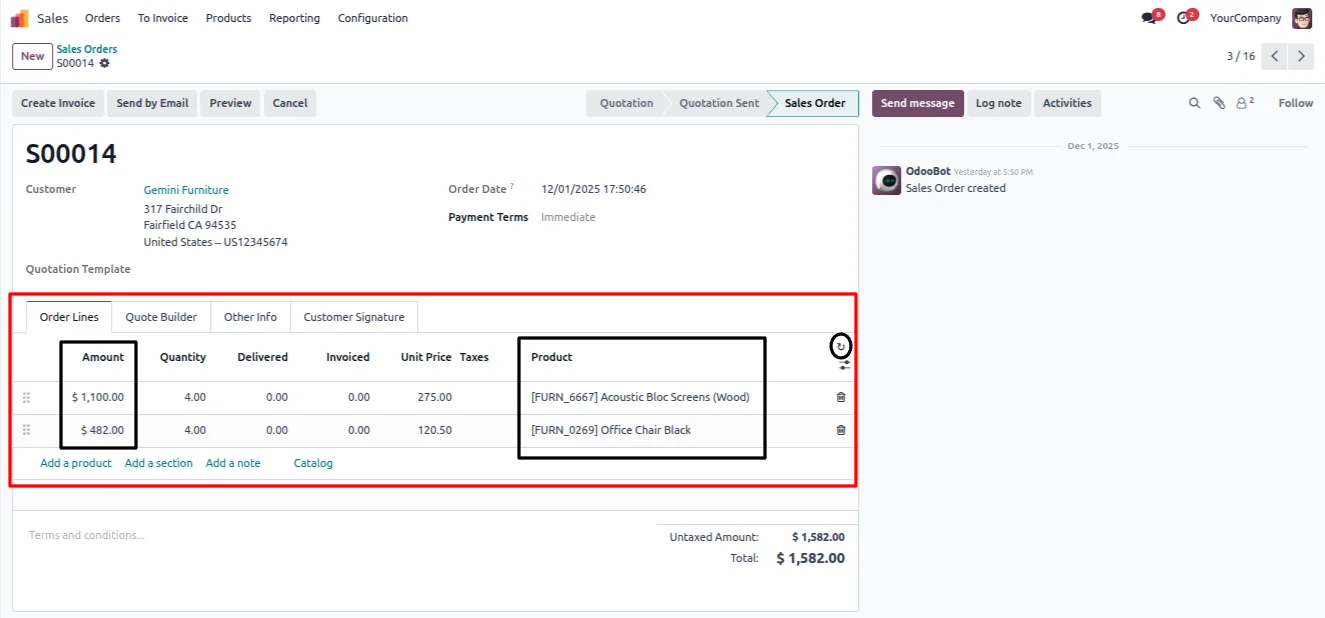
Go to any list or One2Many view, for example Sales → Quotations, where you want to change the column order.
- 3
Rearrange the columns
Drag a column header left or right and drop it in the position you want. The layout updates immediately and saves to your user account.
- 4
Reset when needed
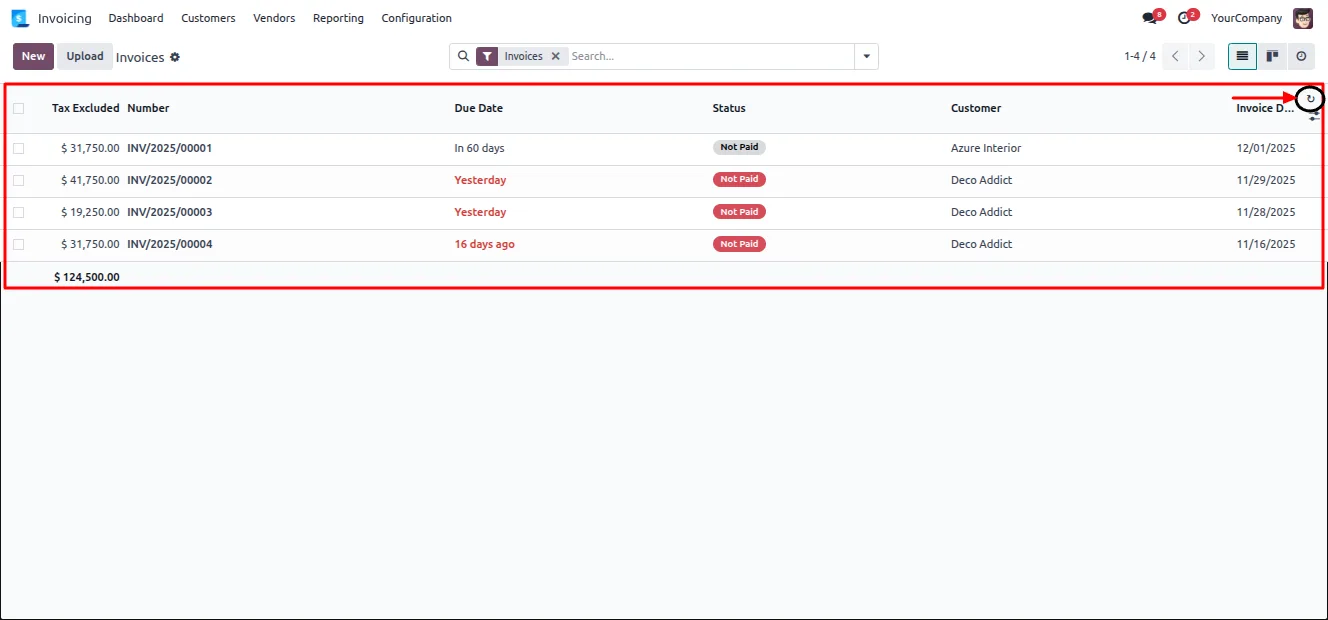
To return to the default layout, click the Reset icon in the column header area and confirm. The view reverts to its original column order.
Frequently asked questions
-
Does the column order I set affect other users?
No. Each user's column order is stored on their own account. Any arrangement you make is visible only to you and never changes the layout other team members see.
-
Is the reordered layout kept after I log out?
Yes. The module saves your column order automatically and reloads it the next time you open that view, including after you log out and sign back in.
-
Can I go back to the default column order?
Yes. The Reset Column Order action restores a view's default layout in one click after a confirmation, removing any custom arrangement you applied.
-
Does it work inside form views, not just main lists?
Yes. Reordering applies to every list view in the system, including the One2Many tables embedded inside form-view tabs and popups.
-
Will it work with custom modules?
Yes. The module works with standard Odoo apps and with any custom module that uses list or One2Many views. No per-view setup is required.
-
Which Odoo versions are supported?
The module supports Odoo 17.0, 18.0, 19.0, and 20.0, in both the Community and Enterprise editions.
-
Is any configuration needed after installing?
No. There are no settings to enter. Once the module is installed, the drag handles are available on list views across the whole system.
Listing verified against the Odoo App Store:
Related services
Get the most out of this module with senior TechUltra consultants.
Odoo Customization Services
Odoo customization from a Gold Partner: custom modules, workflows, reports and Studio changes, written upgrade-safe and quoted at a fixed scope. Free scoping call.
Hire Odoo Developers
Hire certified Odoo developers from a Gold Partner: one developer or a team, full-time or part-time, 70–160 hours a month. Silver, Gold or Platinum plan, free trial.
Odoo Support Services & Maintenance
Odoo support services from a Gold Partner: functional and technical support plus server cover for Enterprise and Community, 30-minute P1 response, 24/7 option.







