
Odoo App · Integrations
LinkedIn Integration
Connect LinkedIn member and company accounts to Odoo and publish posts without leaving the ERP.

Overview
LinkedIn Integration links LinkedIn to Odoo so your team can manage LinkedIn activity from inside the ERP. After connecting an account through LinkedIn's authorised login, users can create and publish posts without opening LinkedIn in a separate tab.
Built by TechUltra Solutions, the connector supports both LinkedIn member accounts and company pages. From either, users can share text updates, short and long articles, and image posts — useful for recruitment posts, work-culture stories, and company news alike.
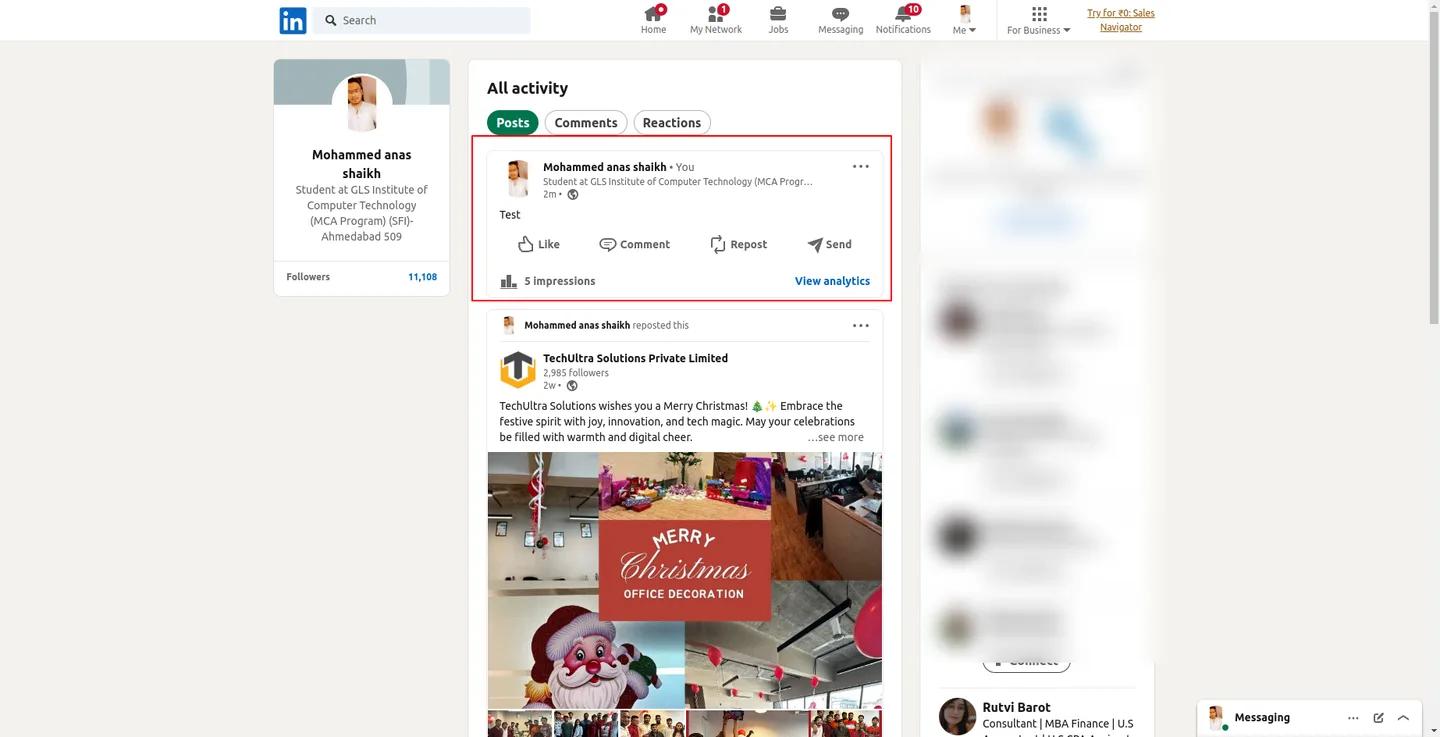
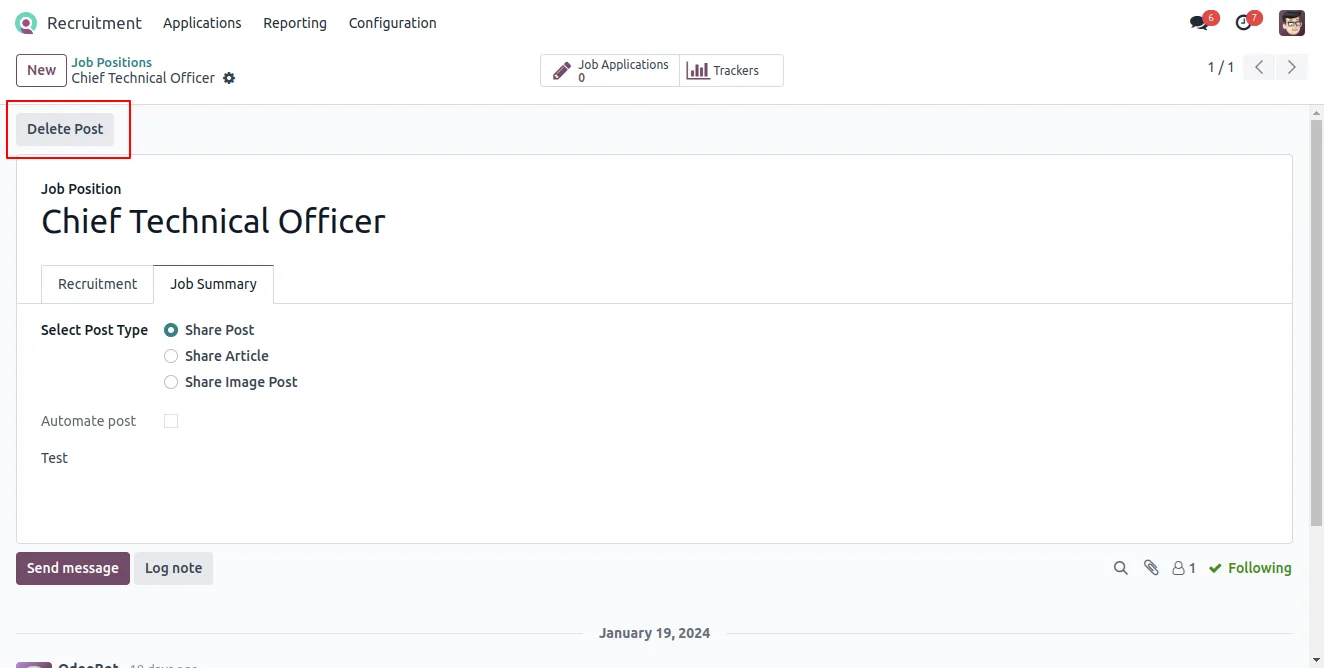
The module is built with HR hiring in mind. Recruiters can publish a job position straight to LinkedIn from the Recruitment app, helping job seekers find openings and the company reach talent — all from the same place they manage the rest of the hiring pipeline.
Key features
-
Post to LinkedIn from Odoo
Create, publish, and manage LinkedIn posts directly inside Odoo, without switching to the LinkedIn website.
-
Member and company accounts
Connect a LinkedIn account for individual members and for the company page, and publish from either.
-
Share articles
Publish both short and long articles from a member account or the company page to reach your LinkedIn audience.
-
Image posts
Share posts with multiple images from a member account or the company page, not just plain text updates.
-
Recruitment posting
Publish a job position to LinkedIn straight from the Odoo Recruitment app, so openings reach candidates without extra steps.
-
Scheduled posting
Set posts to publish on a schedule, so LinkedIn updates can be queued in advance rather than posted by hand.
-
OAuth account connection
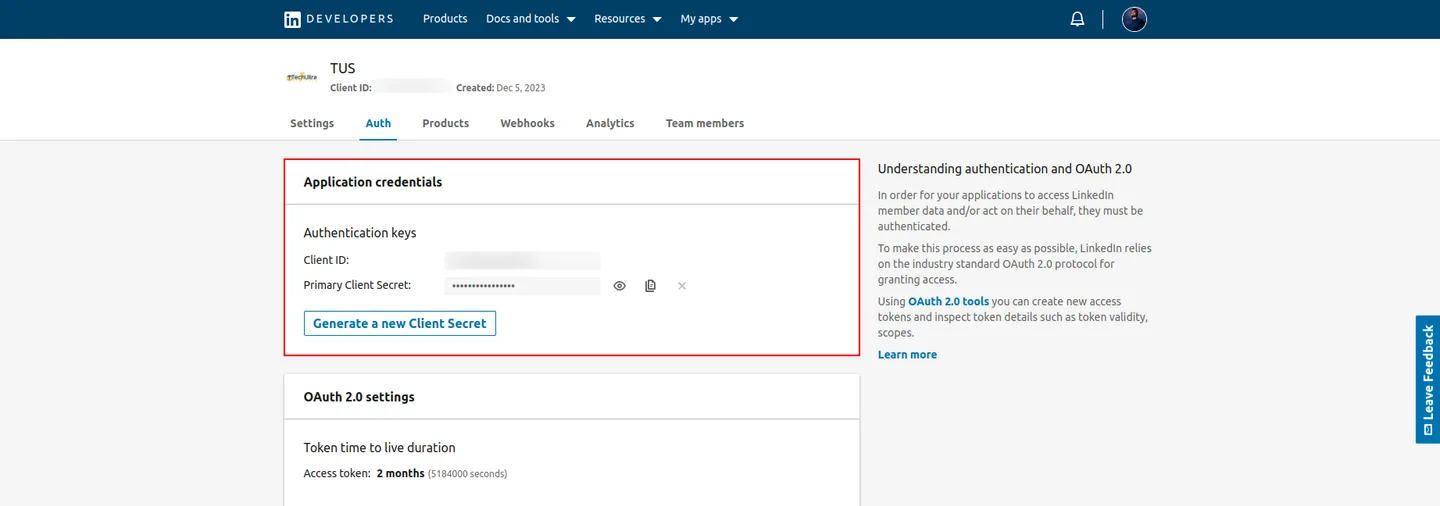
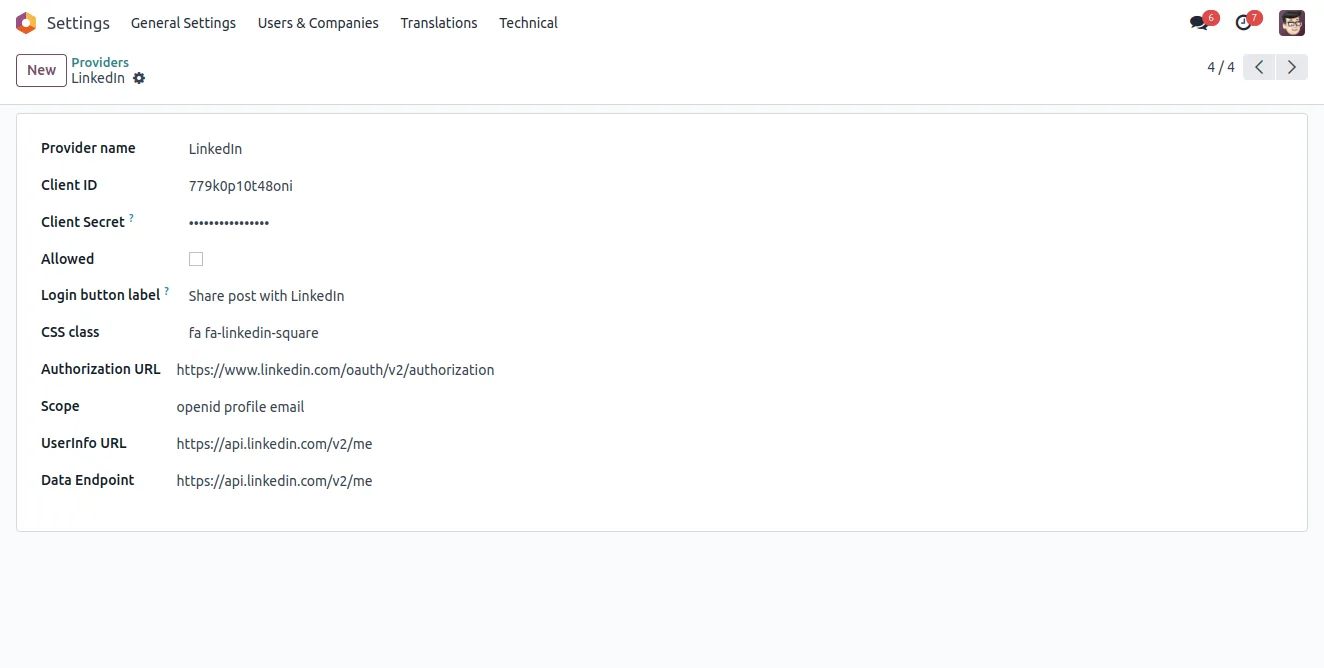
Accounts connect through a LinkedIn OAuth provider configured in Odoo, with the Client ID and Secret from a LinkedIn developer app.
-
Straightforward setup
Configuration is a one-time task — create the LinkedIn app, add the OAuth provider, and link the user's LinkedIn page credentials.
LinkedIn Integration in Odoo
Every screen, in the order you meet it — configuration first, then the module in use.
Technical details
Specification
- Publisher
- TechUltra Solutions Private Limited
- Technical name
- odoo_linkedin
- Odoo versions
- 10.0, 13.0, 14.0, 15.0, 16.0, 17.0, 18.0, 19.0, 20.0
- Lines of code
- 719
- License
- Odoo Proprietary License v1.0 (OPL-1)
- Price
- $49.99 (one-time)
Deployment
- Odoo Online
- Odoo.sh
- On-premise
Odoo dependencies
- Employees
- Recruitment
- Calendar
- Discuss
Support
90 days of bug-fix support, Monday to Friday (10:00–19:00 IST). Raise a ticket at support@techultra.in.
Setup & configuration
From install to first call — here is the path.
- 1
Install the module
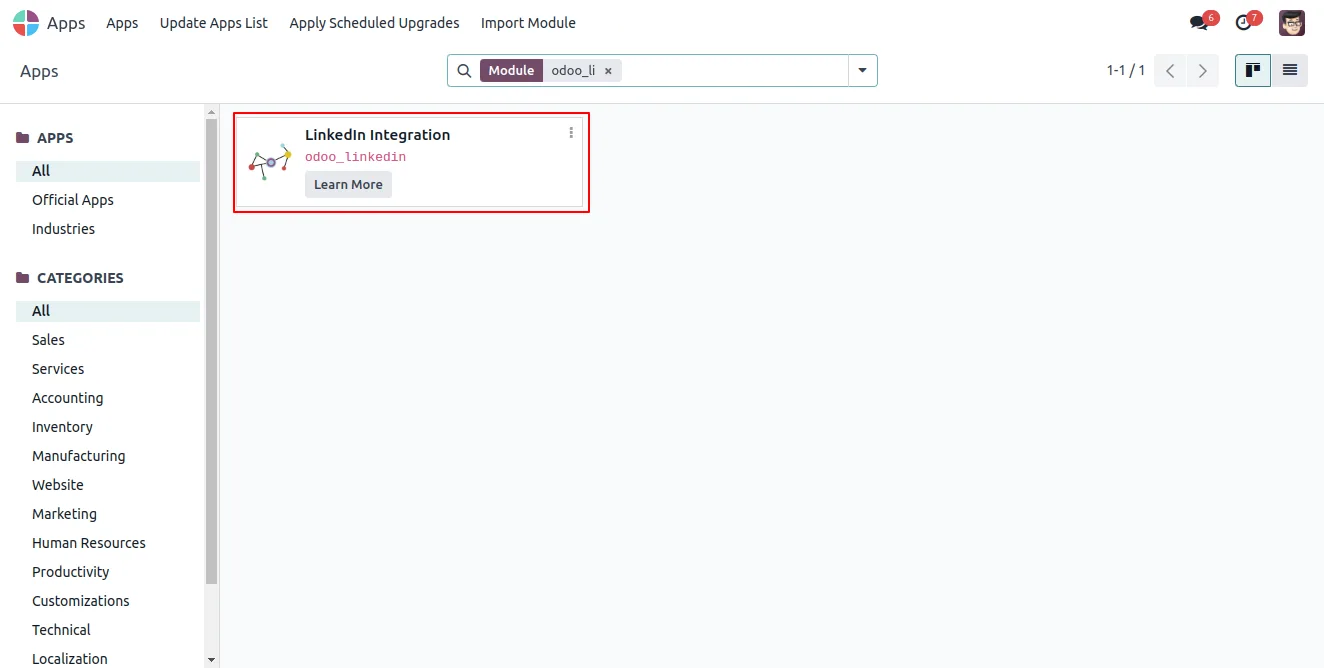
In Odoo, open Apps, remove the Apps filter, search for “LinkedIn Integration”, and click Install.
- 2
Create a LinkedIn developer app
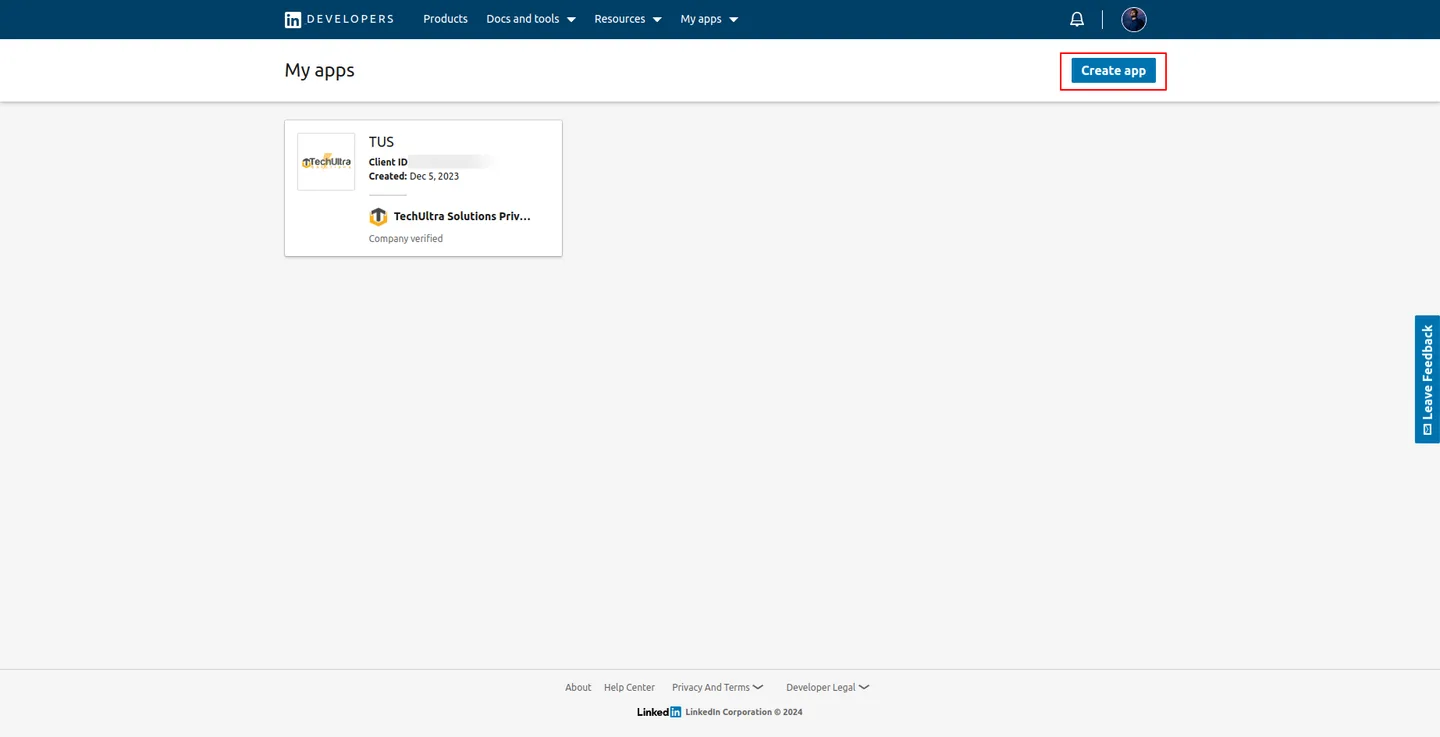
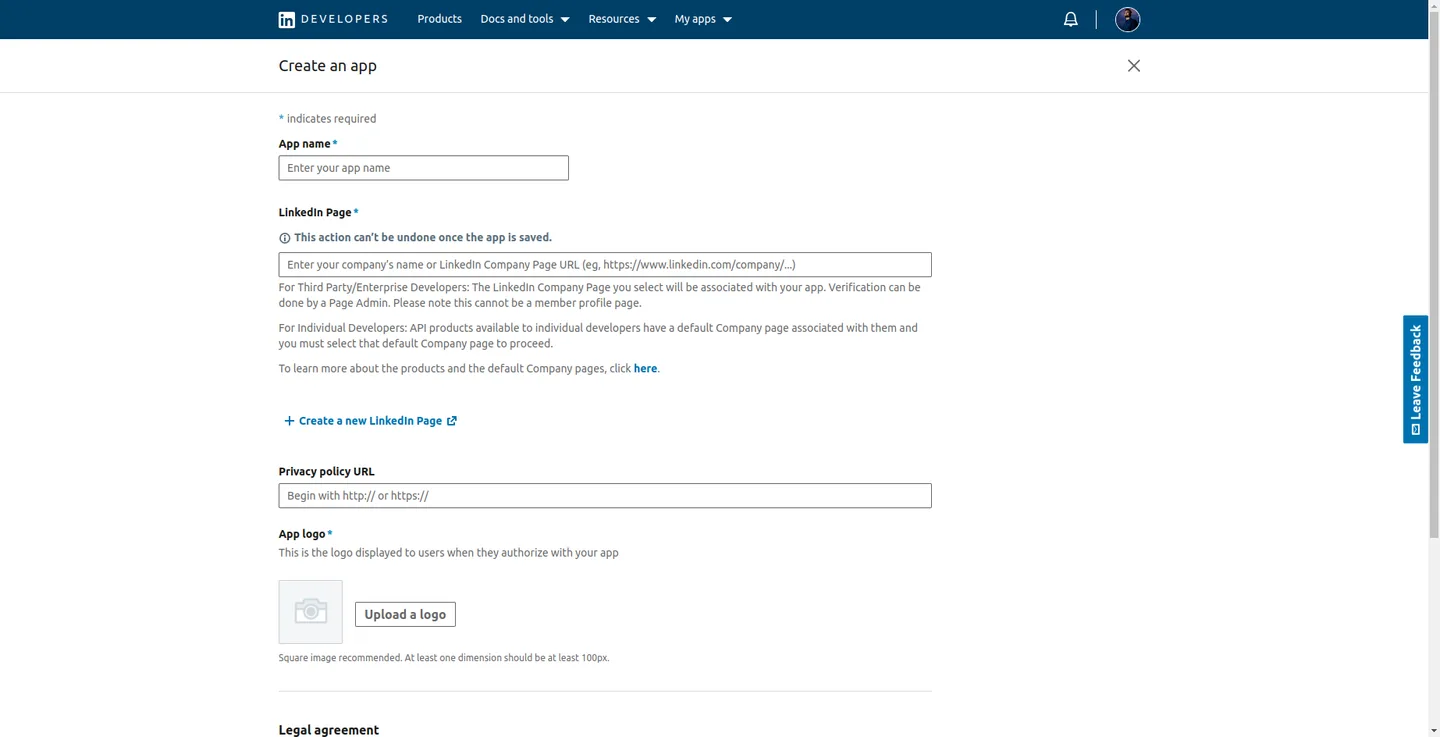
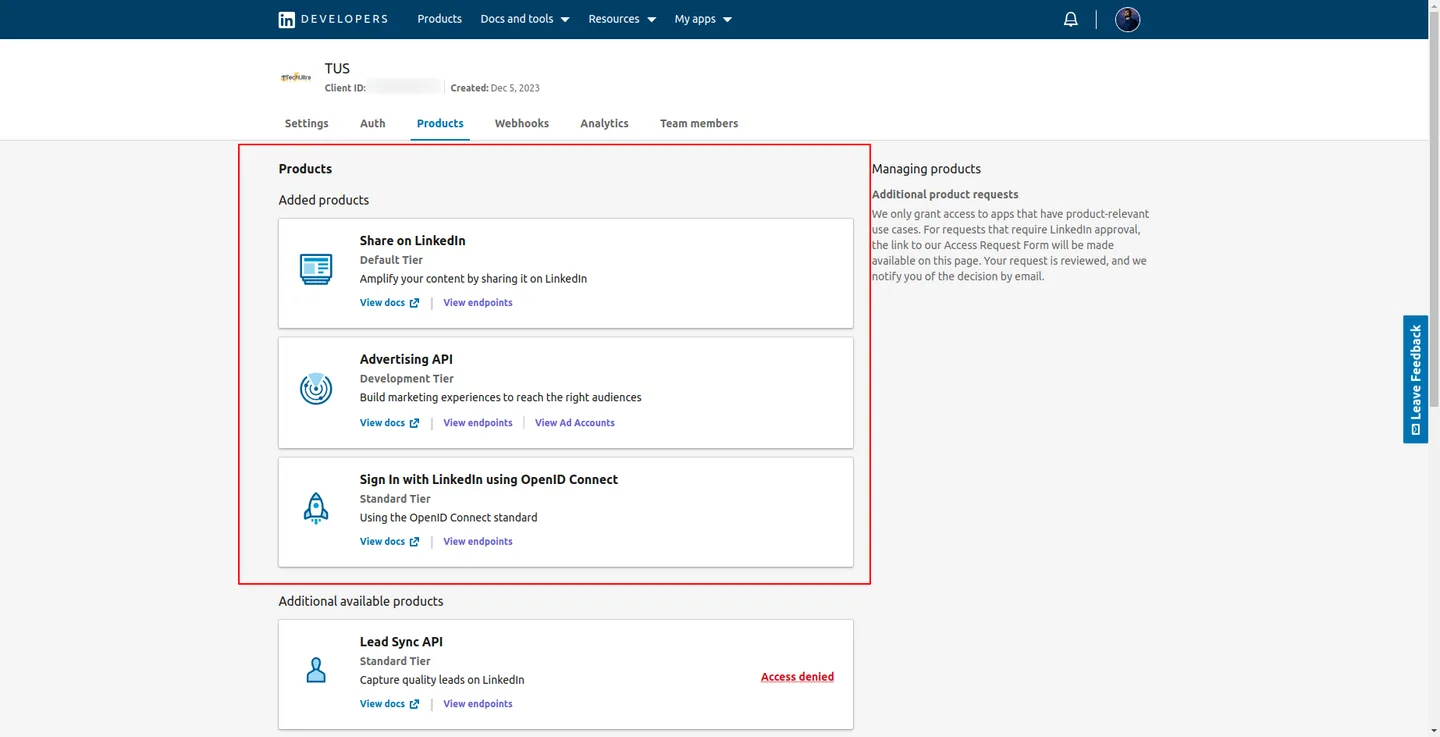
In the LinkedIn Developer portal at linkedin.com/developers/apps, create an application and fill in the required details.
- 3
Request API product access
From the developer portal, request access to the LinkedIn API products the integration needs for posting.
- 4
Configure the OAuth provider
In Odoo, go to Settings → Users & Companies → OAuth Providers and create a LinkedIn provider with the Client ID and Secret from your LinkedIn app.
- 5
Add the user's LinkedIn credentials
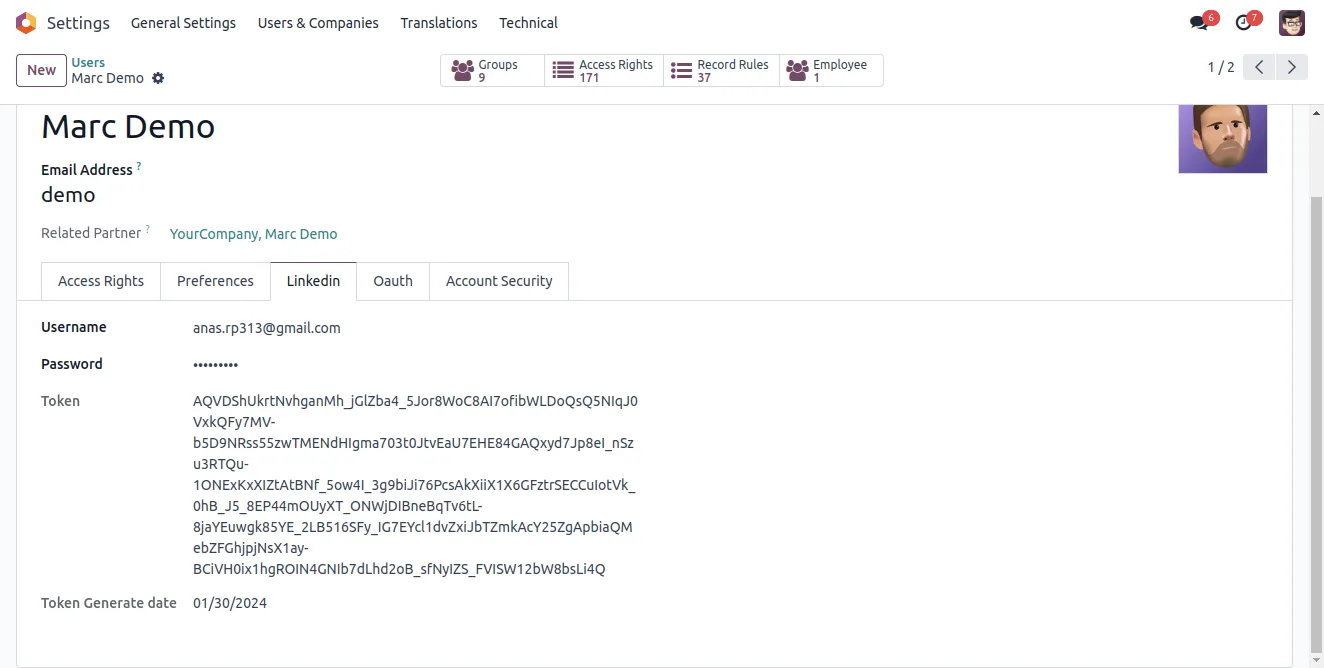
Open Settings → Users & Companies → Users, select the user, and add the LinkedIn Page Credential to link their account.
- 6
Publish a post
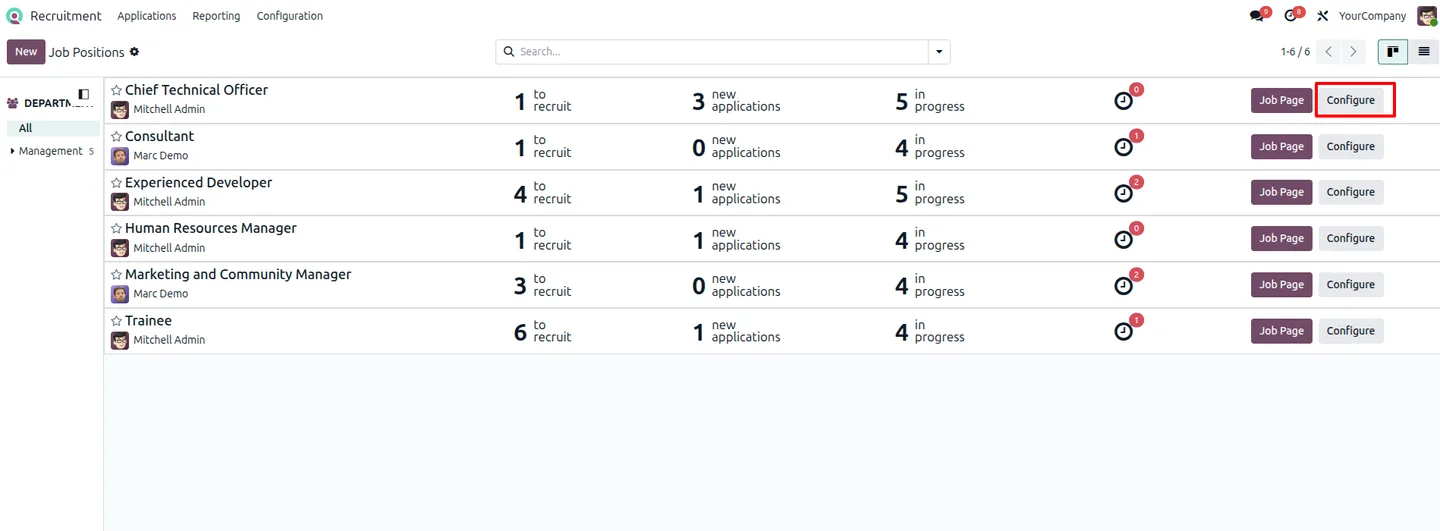
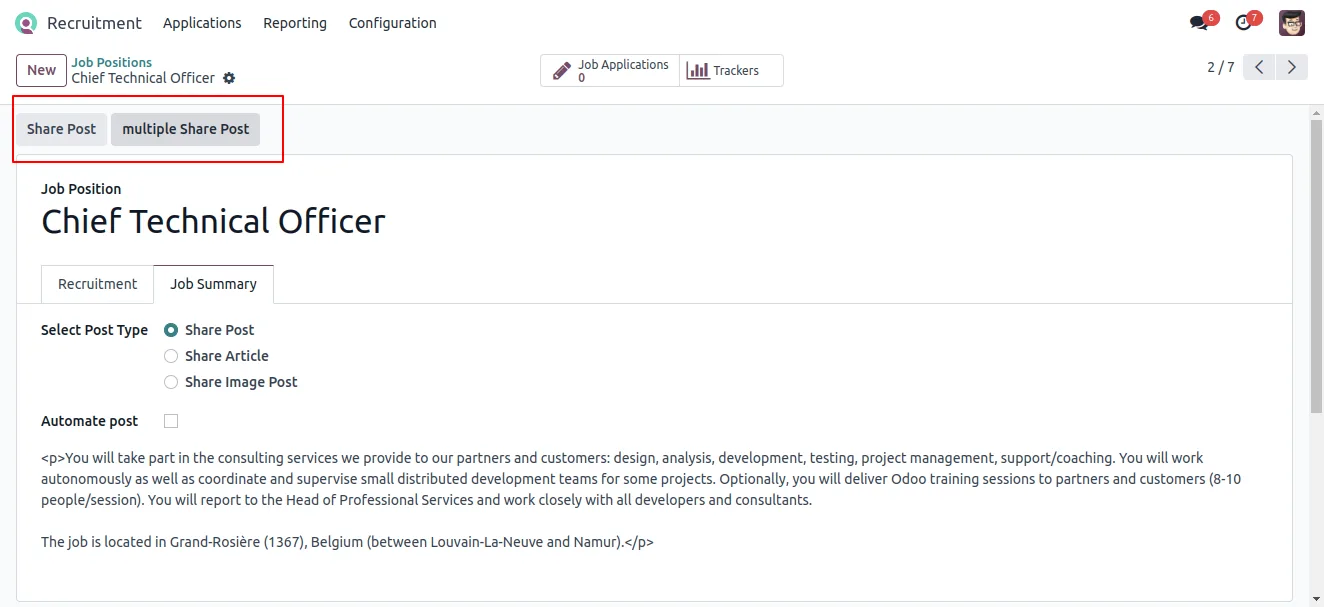
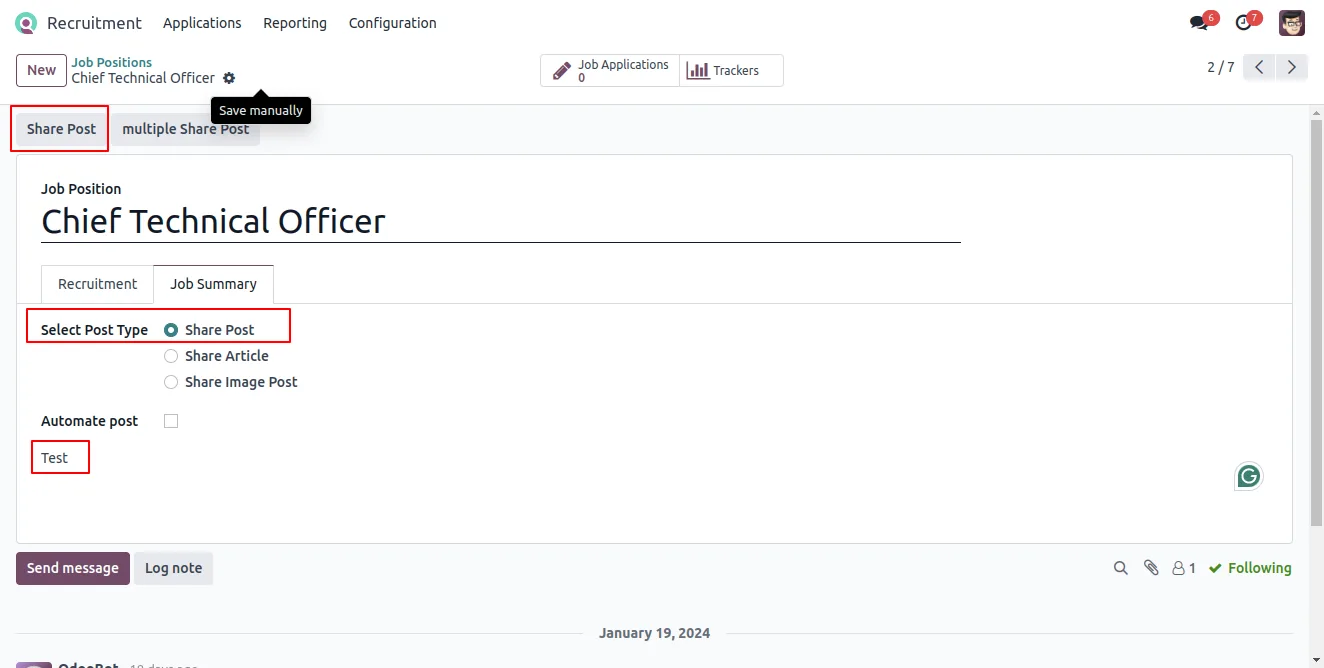
In the Recruitment app, open a job position and use the configuration option to post text, an article, or images to LinkedIn.
Frequently asked questions
-
What can I post to LinkedIn from Odoo?
You can publish text updates, short and long articles, and image posts — including recruitment and job posts — from a LinkedIn member account or a company page.
-
Does it work with company pages as well as personal accounts?
Yes. You can connect a LinkedIn account for individual members and for the company page, and publish posts from either.
-
How does the connection to LinkedIn work?
Accounts connect through a LinkedIn OAuth provider you set up in Odoo, using the Client ID and Secret from a LinkedIn developer app you create.
-
Can I use it for recruitment?
Yes. The module is built with hiring in mind — you can publish a job position to LinkedIn straight from the Odoo Recruitment app.
-
Can posts be scheduled?
Yes. The module includes scheduled posting, so LinkedIn updates can be queued to publish at a set time rather than posted manually.
-
What do I need before I can post?
You need a LinkedIn developer app with API product access, a LinkedIn OAuth provider configured in Odoo, and the user's LinkedIn page credentials added to their Odoo user.
-
Which Odoo versions are supported?
The module supports a wide range of Odoo versions — 10.0, 13.0, 14.0, 15.0, 16.0, 17.0, 18.0, and 19.0.
-
Is support included?
Yes. The module includes 90 days of bug-fix support, Monday to Friday, 10:00–19:00 IST.
Listing verified against the Odoo App Store:
Related services
Get the most out of this module with senior TechUltra consultants.
Odoo Customization Services
Odoo customization from a Gold Partner: custom modules, workflows, reports and Studio changes, written upgrade-safe and quoted at a fixed scope. Free scoping call.
Hire Odoo Developers
Hire certified Odoo developers from a Gold Partner: one developer or a team, full-time or part-time, 70–160 hours a month. Silver, Gold or Platinum plan, free trial.
Odoo Support Services & Maintenance
Odoo support services from a Gold Partner: functional and technical support plus server cover for Enterprise and Community, 30-minute P1 response, 24/7 option.







