

Odoo App · Accounting & Security
Journal Restricted Users
Restrict each Odoo user to specific accounting journals and hide the rest.

Overview
Journal Restricted Users lets accounting teams control which journals each person can see and use in Odoo. Instead of every user having access to every journal, administrators assign a specific set of journals per user.
Built by TechUltra Solutions, the module hides journals a user is not permitted to use and enforces those rules when records are created or modified — so an unauthorized journal cannot be selected, even on existing entries.
This suits organisations that need strict journal-level separation, such as multi-team accounting structures where sales, purchasing, and treasury staff should each work only within their own journals. The module works alongside Odoo's standard accounting workflows.
Key features
-
Per-user journal visibility
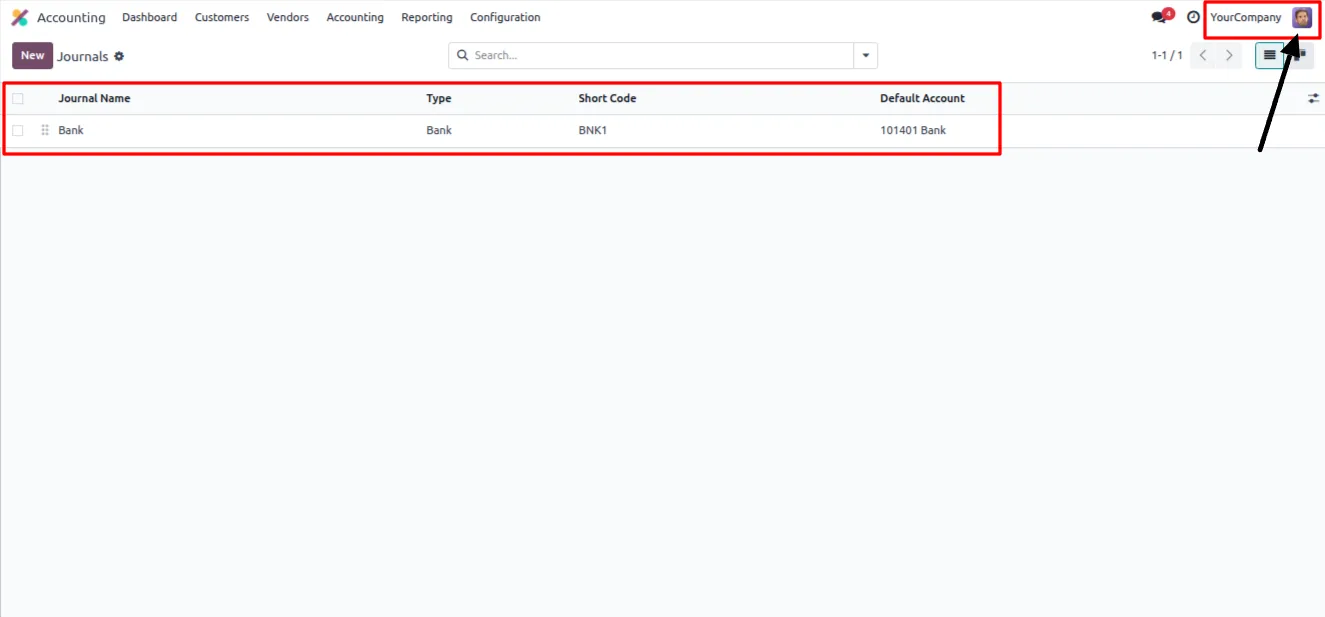
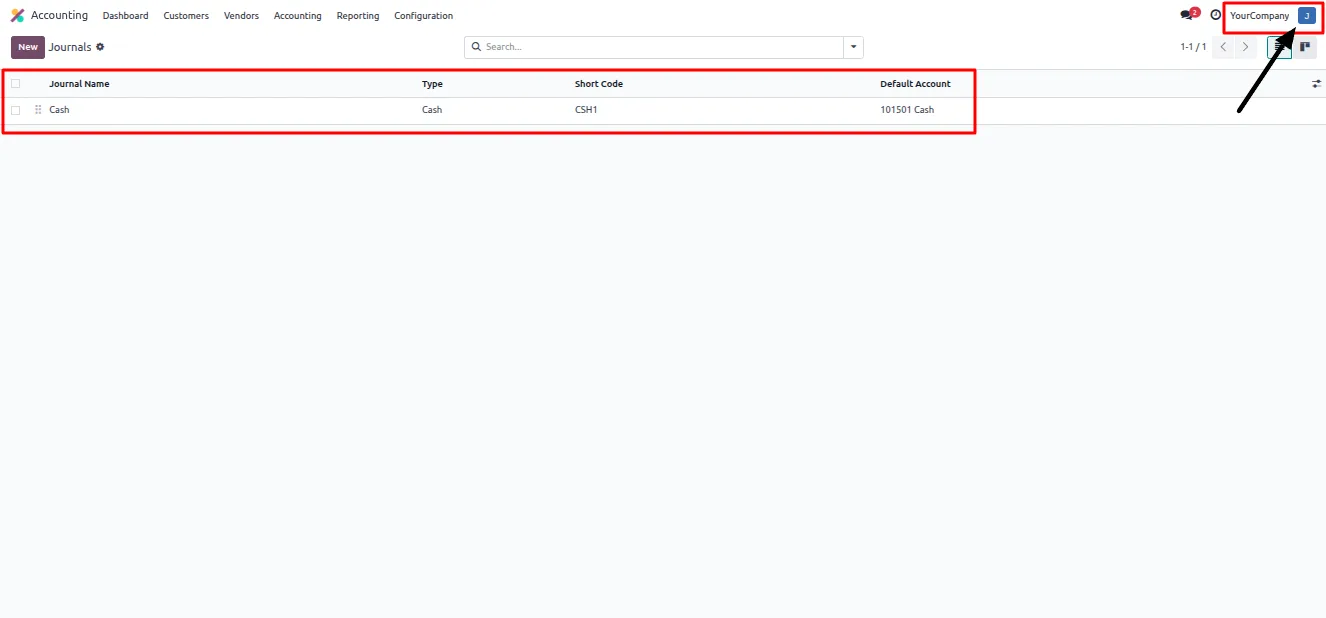
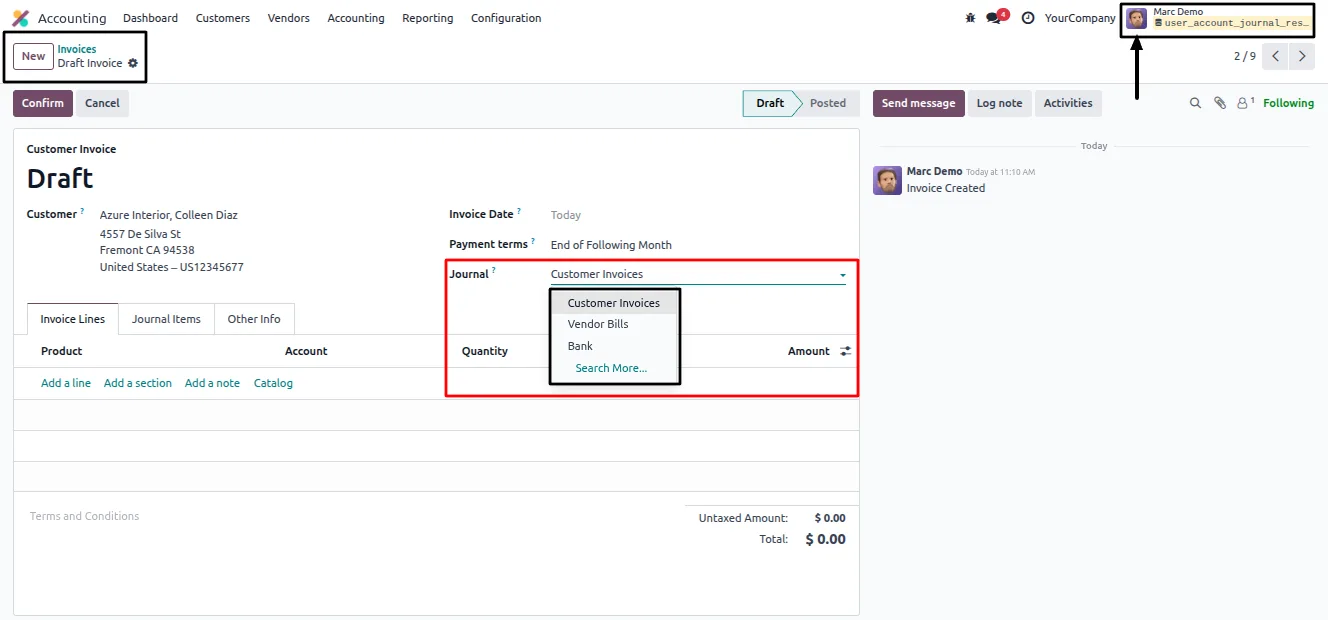
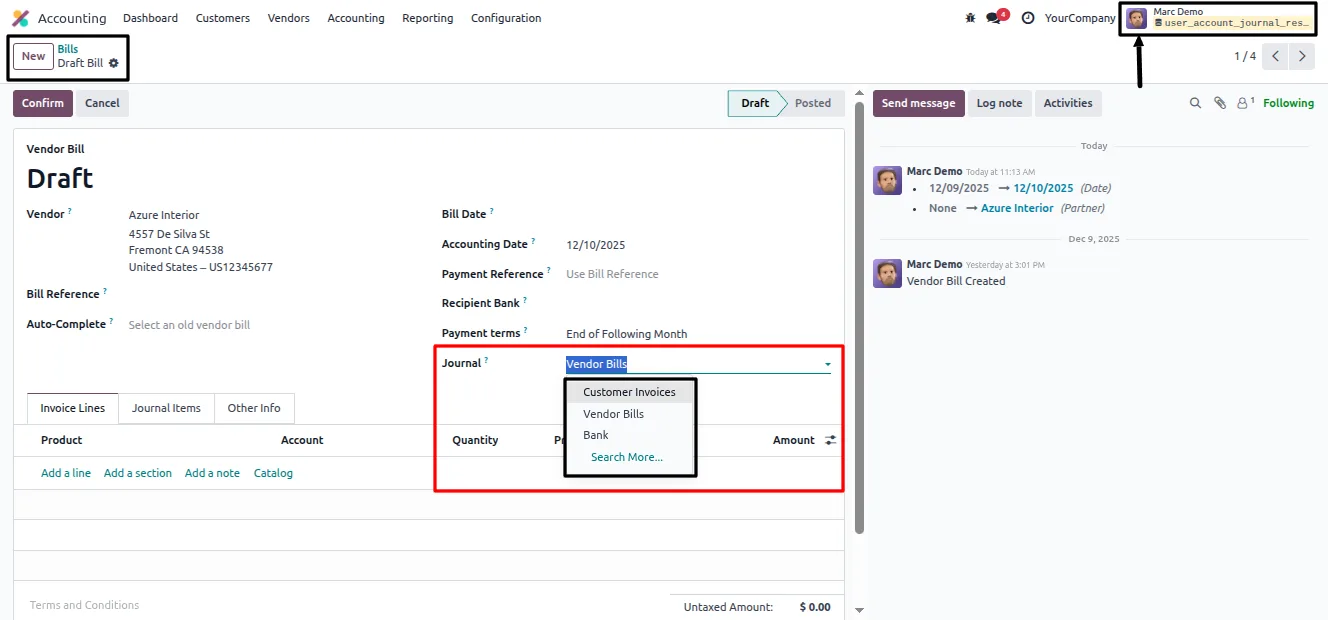
Each user sees only the accounting journals assigned to them. Every other journal is hidden from their view across the accounting screens.
-
Blocks unauthorized journal use
Journal access is enforced when records are created and written, so a user cannot post to a journal they are not permitted to use.
-
Manager-assigned journal access
Administrators and accounting managers decide which journals each user is allowed to use, controlling access from a central place.
-
Works with all journal types
Supports every journal type in Odoo — Bank, Cash, Sales, Purchase, and Miscellaneous — so any part of the chart of journals can be restricted.
-
Access Control on the journal
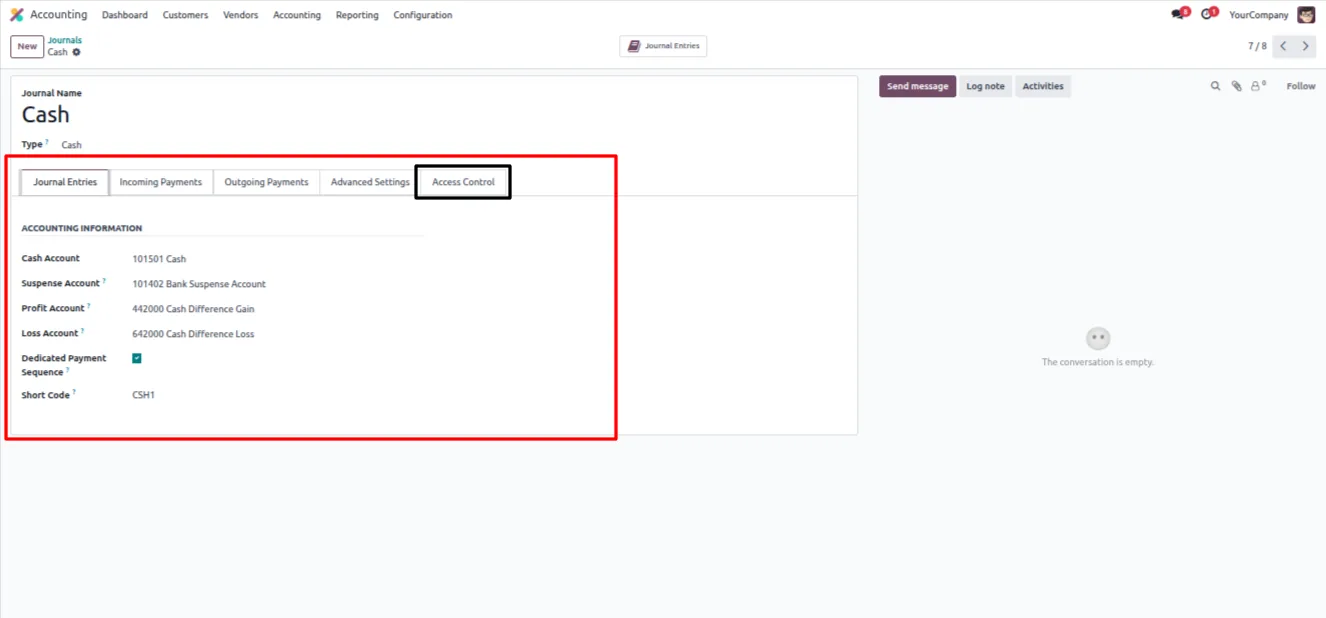
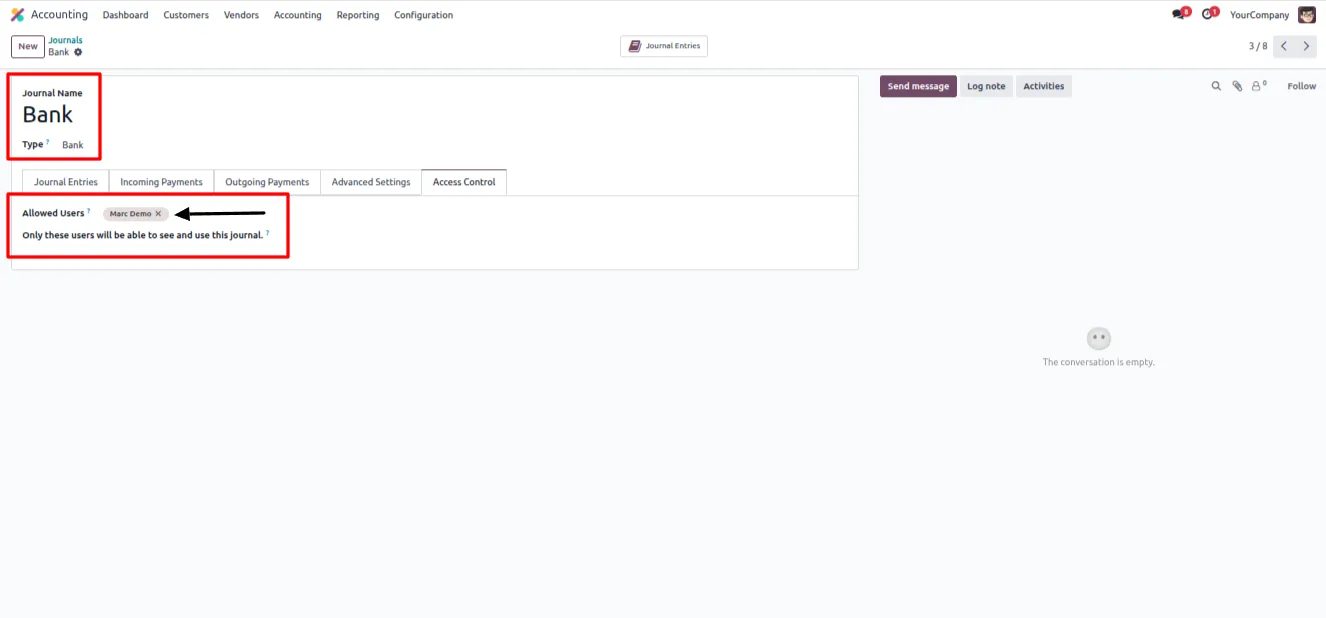
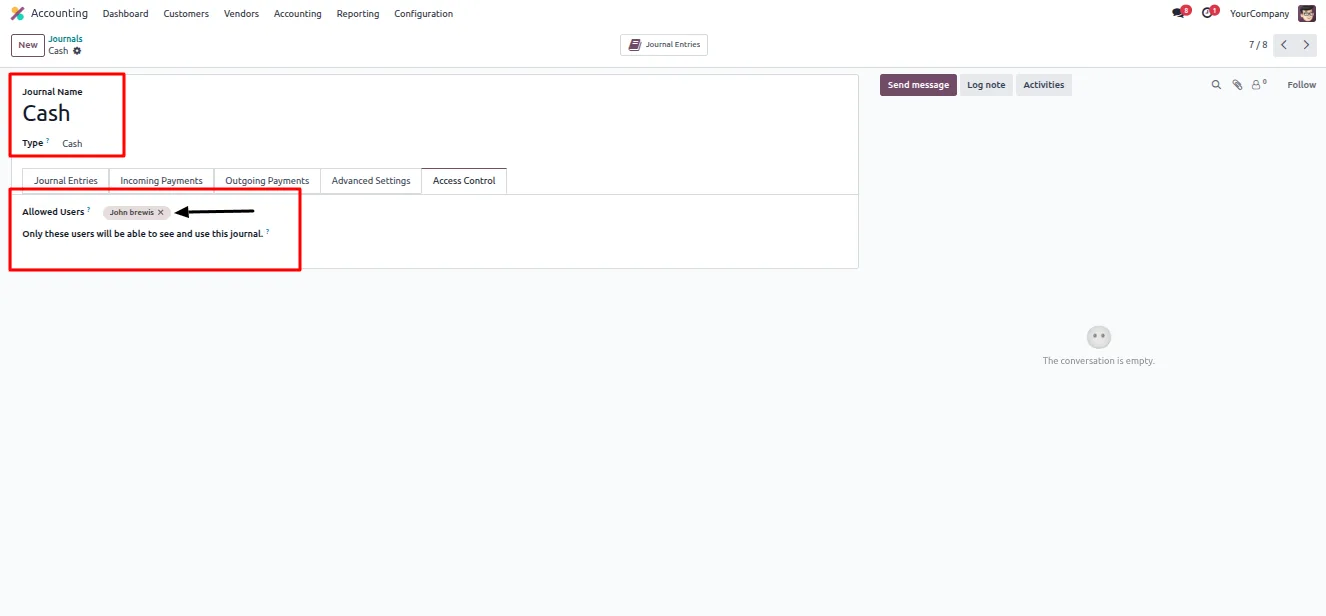
Each journal has an Access Control tab where permitted users are added, keeping the configuration next to the journal it applies to.
-
Secure, controlled accounting
By limiting journal access to the right people, the module keeps accounting operations secure and reduces the risk of postings in the wrong journal.
-
Fits standard Odoo accounting
The restrictions integrate with Odoo's standard accounting workflows, so the module does not change how journals are otherwise used.
Journal Restricted Users in Odoo
Every screen, in the order you meet it — configuration first, then the module in use.
Technical details
Specification
- Publisher
- TechUltra Solutions Private Limited
- Technical name
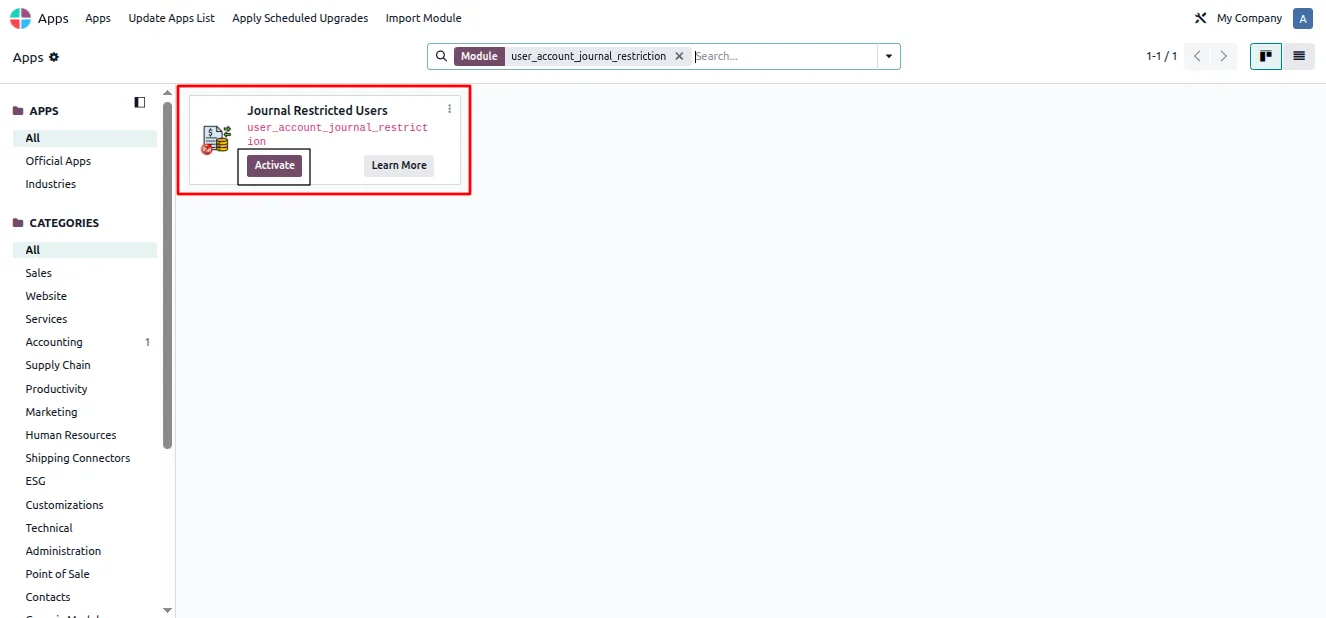
- user_account_journal_restriction
- Odoo versions
- 16.0, 17.0, 18.0, 19.0, 20.0
- Lines of code
- 163
- License
- Odoo Proprietary License v1.0 (OPL-1)
- Price
- $10.01 (one-time)
Deployment
- Odoo Online
- Odoo.sh
- On-premise
Odoo dependencies
- Invoicing
- Discuss
Support
90 days of bug-fix support, Monday to Friday (10:00–19:00 IST). Raise a ticket at support@techultra.in.
Setup & configuration
From install to first call — here is the path.
- 1
Install the module
In Odoo, open Apps, remove the Apps filter, search for “Journal Restricted Users”, and click Install.
- 2
Enable the restriction on users
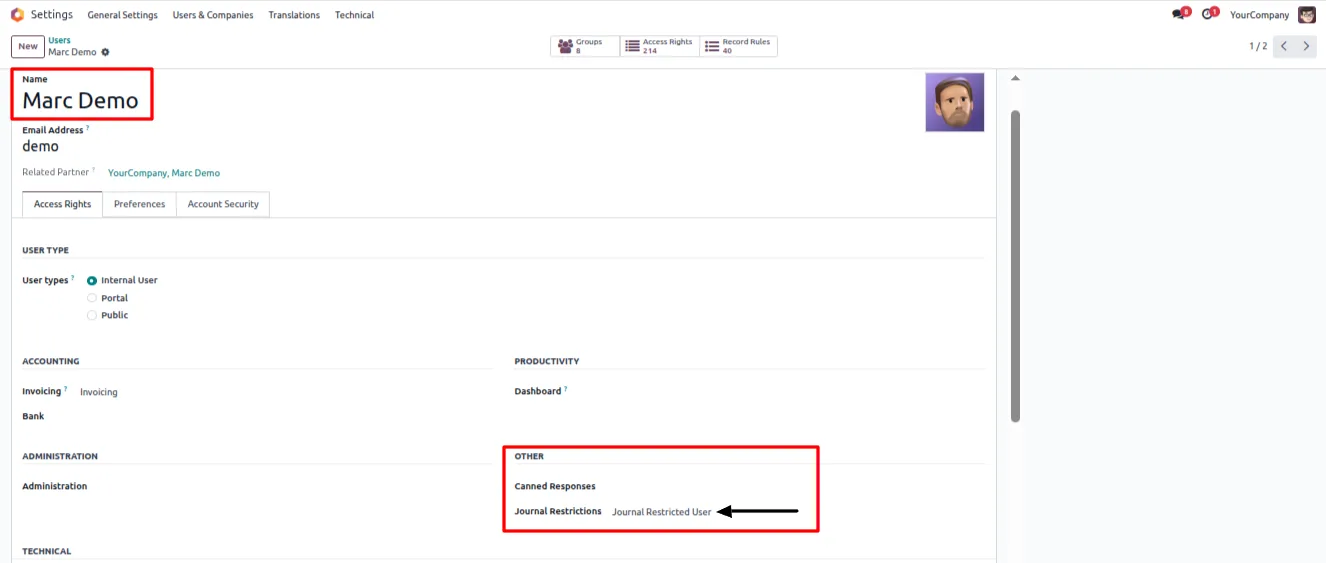
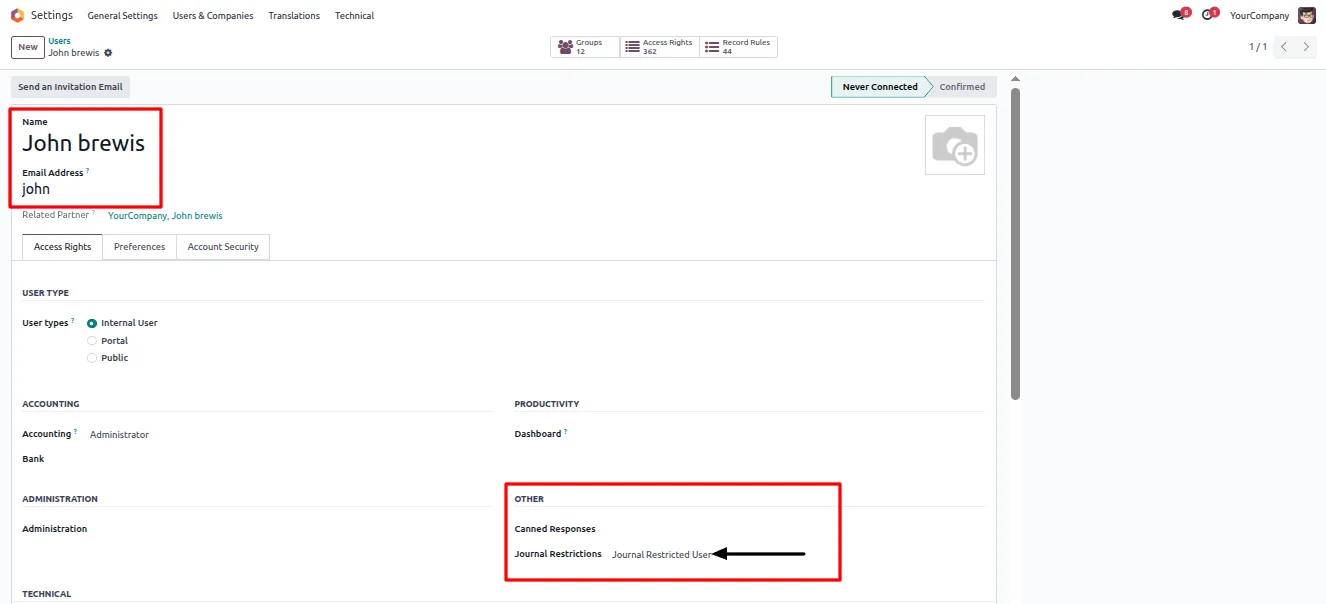
Go to Settings → Users, open a user, and turn on “Journal Restricted User” in the Other section.
- 3
Open a journal's Access Control
Navigate to Accounting → Configuration → Journals, open a journal, and go to its Access Control tab.
- 4
Assign permitted users
Add the users who are allowed to use that journal. Repeat for each journal you want to restrict.
- 5
Save and verify
Save the changes. Restricted users will then see only the journals assigned to them, and other journals are blocked when creating or editing records.
Frequently asked questions
-
What does Journal Restricted Users do?
It restricts accounting journal access per user. Each user sees only the journals assigned to them, and unauthorized journals are blocked when records are created or edited.
-
Which journal types are supported?
All of them. The module works with Bank, Cash, Sales, Purchase, and Miscellaneous journals, so any journal in Odoo can be restricted.
-
Where do I assign journals to a user?
Open a journal under Accounting → Configuration → Journals and use its Access Control tab to add the permitted users. The “Journal Restricted User” option is enabled on each user under Settings → Users.
-
Does it stop posting to the wrong journal?
Yes. Journal access is enforced during record creation and modification, so a restricted user cannot select or post to a journal they are not permitted to use.
-
Is it suitable for multi-team accounting?
Yes. It is designed for organisations that need strict journal-level separation, such as multi-team accounting structures where each team works within its own journals.
-
Does it change standard Odoo accounting?
No. The module integrates with Odoo's standard accounting workflows. It only limits journal access; it does not change how journals otherwise work.
-
Which Odoo versions are supported?
Journal Restricted Users supports Odoo 16.0, 17.0, 18.0, 19.0, and 20.0.
-
Is support included?
Yes. The module includes 90 days of bug-fix support, Monday to Friday, 10:00–19:00 IST.
Listing verified against the Odoo App Store:
Related services
Get the most out of this module with senior TechUltra consultants.
Odoo Customization Services
Odoo customization from a Gold Partner: custom modules, workflows, reports and Studio changes, written upgrade-safe and quoted at a fixed scope. Free scoping call.
Hire Odoo Developers
Hire certified Odoo developers from a Gold Partner: one developer or a team, full-time or part-time, 70–160 hours a month. Silver, Gold or Platinum plan, free trial.
Odoo Support Services & Maintenance
Odoo support services from a Gold Partner: functional and technical support plus server cover for Enterprise and Community, 30-minute P1 response, 24/7 option.







