
Odoo App · Accounting & Finance
Accounting Invoice Auto Email
Email customer invoices automatically the moment they are validated in Odoo.

Overview
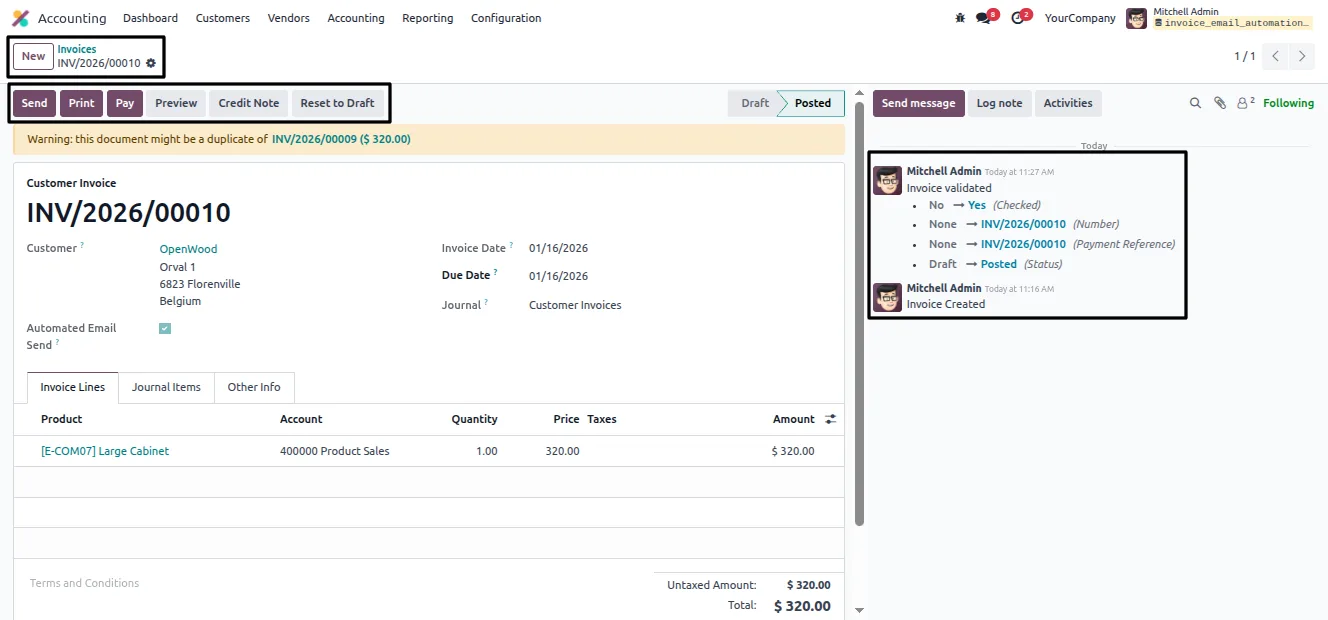
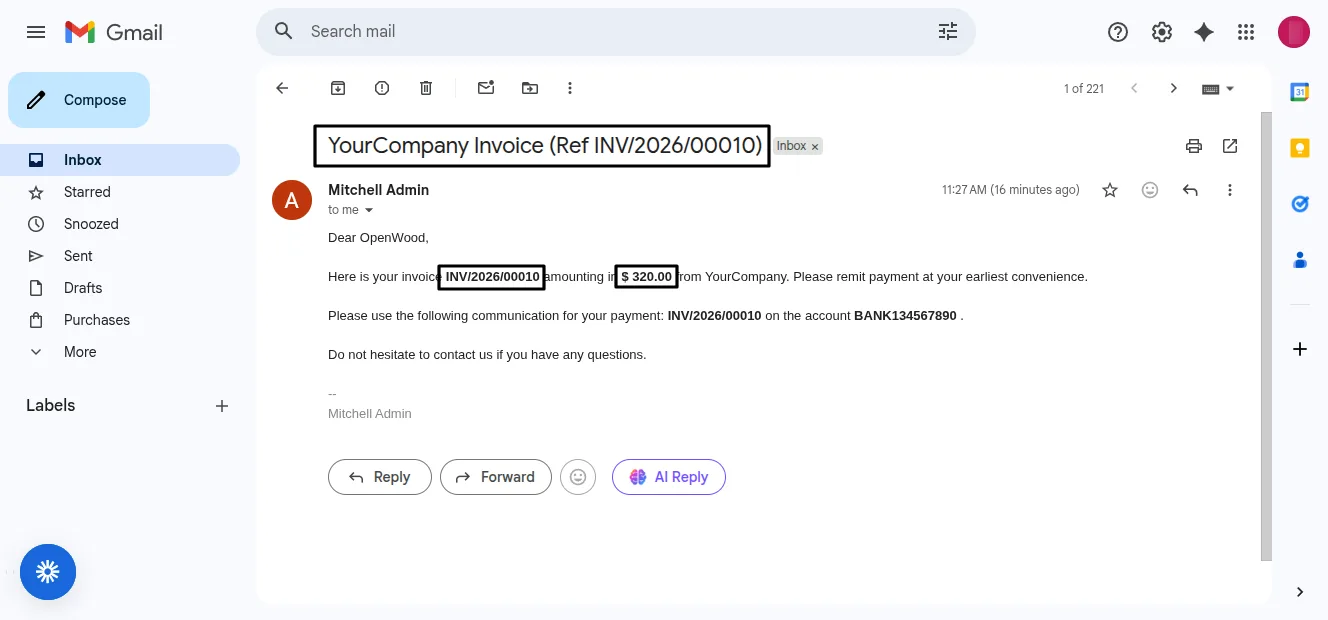
Accounting Invoice Auto Email closes the gap between validating an invoice and sending it. The moment a customer invoice is confirmed in Odoo, the module emails it to the customer — no extra clicks, no composer window, no chance of forgetting.
Built by TechUltra Solutions, it works at the customer level. You decide which customers receive automatic invoice emails by ticking a single option on the contact record, so you can roll the behaviour out gradually or limit it to specific accounts.
Delivery uses Odoo's standard invoice email template, so every message looks the same as a manually sent invoice. The whole process is backend-driven, which keeps accountants moving and avoids both missed sends and duplicate transmissions.
Key features
-
Automatic send on validation
As soon as a customer invoice is validated, the module emails it to the customer with no further action from the accounting team.
-
Per-customer control
Automatic invoice emailing is switched on or off per customer from the contact record, so you choose exactly which accounts it applies to.
-
Uses Odoo's default template
Invoices go out using Odoo's standard invoice email template, keeping the wording and branding consistent with manually sent invoices.
-
Backend-driven process
The send runs entirely in the background — there is no email composer popup and no user intervention to slow down invoice processing.
-
No duplicate sends
The module sends each validated invoice once, removing the risk of an invoice being emailed twice or skipped during a busy run.
-
Faster accounting workflow
Removing the manual send step shortens the invoice-to-customer cycle and frees the accounting team from a repetitive task.
Accounting Invoice Auto Email in Odoo
Every screen, in the order you meet it — configuration first, then the module in use.
Technical details
Specification
- Publisher
- TechUltra Solutions Private Limited
- Technical name
- invoice_email_automation
- Odoo versions
- 16.0, 17.0, 18.0, 19.0, 20.0
- Lines of code
- 59
- License
- Odoo Proprietary License v1.0 (OPL-1)
- Price
- $12.89 (one-time)
Deployment
- Odoo Online
- Odoo.sh
- On-premise
Odoo dependencies
- Invoicing
- Discuss
Support
90 days of bug-fix support, Monday to Friday (10:00–19:00 IST). Raise a ticket at support@techultra.in.
Setup & configuration
From install to first call — here is the path.
- 1
Install the module
In Odoo, open Apps, remove the Apps filter, search for “Accounting Invoice Auto Email”, and click Install.
- 2
Configure mail servers
Set up the incoming and outgoing mail servers in Odoo so the system can actually send the invoice emails.
- 3
Enable it on a customer
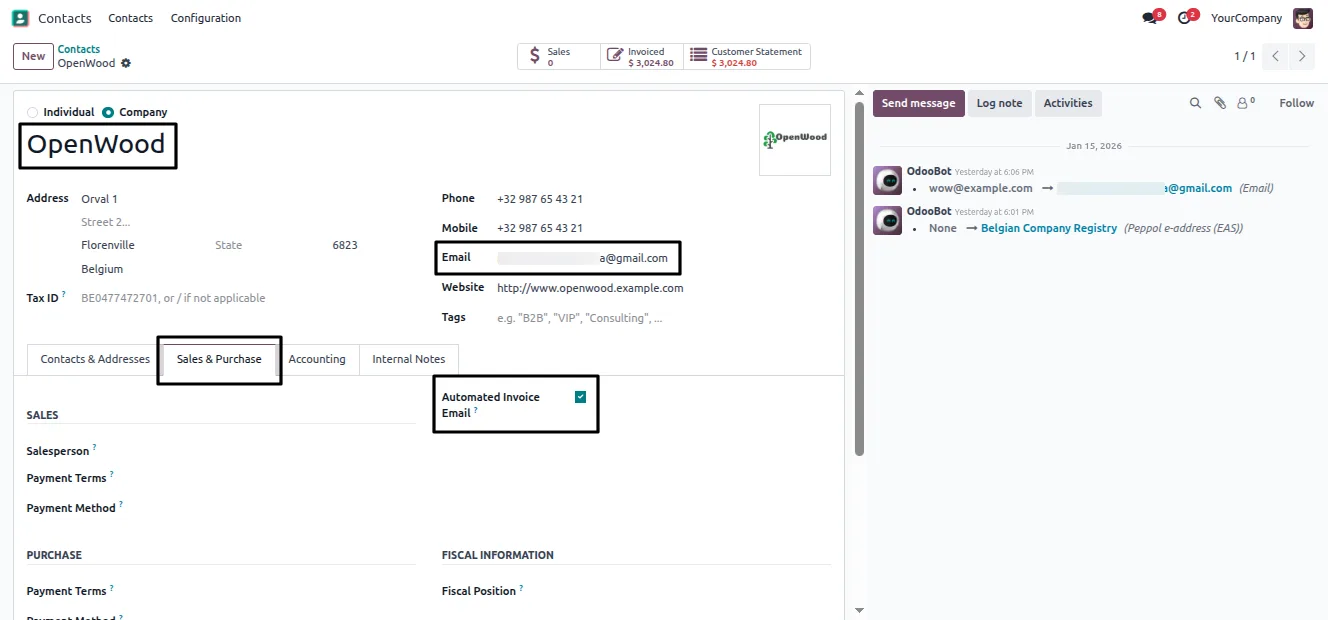
Open the customer in the Contacts app, go to the Sales & Purchase tab, and switch on the Automated Invoice Email option.
- 4
Validate an invoice
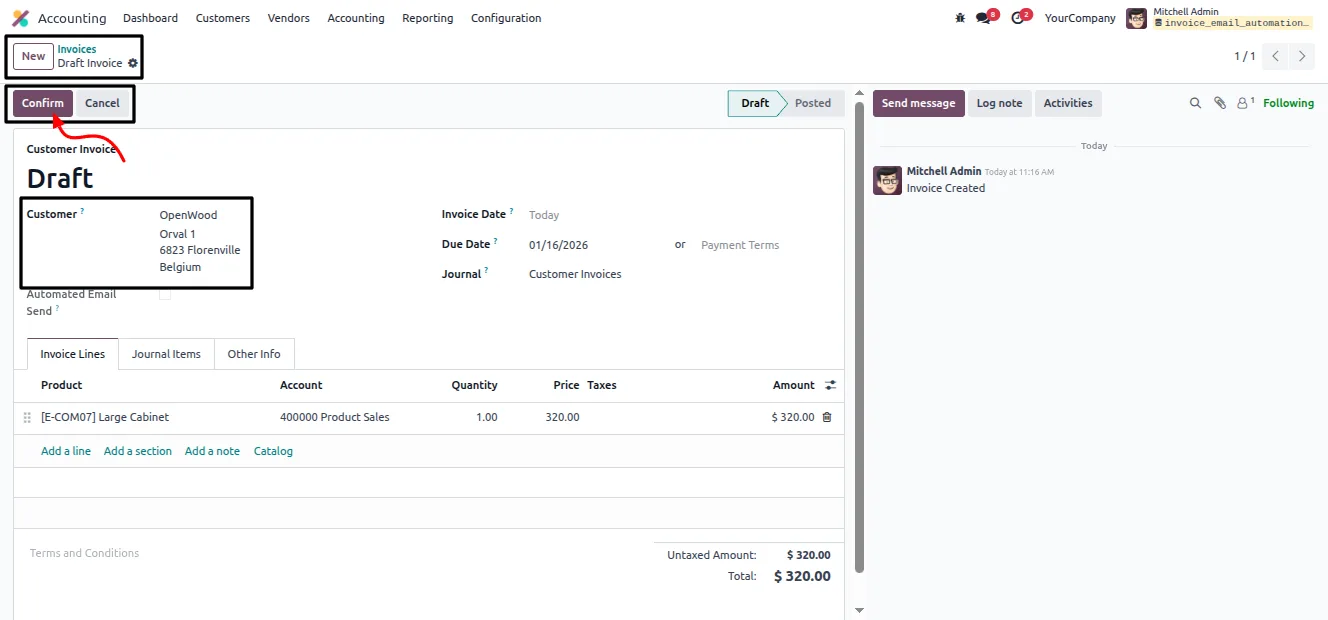
Create and validate an invoice for that customer. The module emails it automatically as soon as the invoice is confirmed.
Frequently asked questions
-
When exactly is the invoice emailed?
The invoice is emailed the moment it is validated. There is no delay and no scheduled job — confirming the invoice triggers the send.
-
Does every customer get automatic emails?
No. The feature is enabled per customer. You switch on the Automated Invoice Email option on each contact record where you want it, so it only applies to the customers you choose.
-
Which email template is used?
The module uses Odoo's default invoice email template, so automatic invoices look identical to invoices sent manually from the invoice form.
-
Do I see an email composer popup?
No. The send is fully backend-driven. There is no composer window and no user intervention — the invoice goes out automatically.
-
What do I need before the module will send anything?
You need a working outgoing mail server configured in Odoo. Without it, Odoo cannot send any email, automatic invoices included.
-
Could an invoice be emailed twice?
No. The module sends each validated invoice once, which avoids duplicate transmissions even during high-volume invoicing.
-
Which Odoo versions are supported?
The module supports Odoo 16.0, 17.0, 18.0, 19.0, and 20.0, in both the Community and Enterprise editions.
Listing verified against the Odoo App Store:
Related solutions
Whole-platform solutions that complement Accounting Invoice Auto Email.
Odoo Accounting
Odoo Accounting — multi-entity, multi-currency, bank-feed integration, reconciliation, deferred revenue, GAAP / IFRS. 60+ country localisations.
Odoo as Accounting Software
Odoo Accounting standalone — alternative to QuickBooks, Tally, Xero, Zoho Books. Real GL, multi-entity, statutory compliance, scales into full ERP.
E-Invoicing on Odoo
Native e-invoicing for Odoo — India GST, Italy FatturaPA, Saudi ZATCA, Mexico CFDI, EU EN 16931. IRN registration, statutory submission, audit archives.
Related services
Get the most out of this module with senior TechUltra consultants.
Odoo Customization Services
Odoo customization from a Gold Partner: custom modules, workflows, reports and Studio changes, written upgrade-safe and quoted at a fixed scope. Free scoping call.
Hire Odoo Developers
Hire certified Odoo developers from a Gold Partner: one developer or a team, full-time or part-time, 70–160 hours a month. Silver, Gold or Platinum plan, free trial.
Odoo Support Services & Maintenance
Odoo support services from a Gold Partner: functional and technical support plus server cover for Enterprise and Community, 30-minute P1 response, 24/7 option.







