
Odoo App · Reporting & PDF
Inventory Report Secure ZIP
Export Odoo Receipts and Deliveries as one password-protected ZIP of QWeb reports.

Overview
Inventory Report Secure ZIP solves a small but painful problem in Odoo's standard inventory flow: every Receipt or Delivery report is printed and downloaded one at a time. For warehouse teams that send batches of paperwork to couriers, finance, or auditors, that is a lot of repetitive clicks.
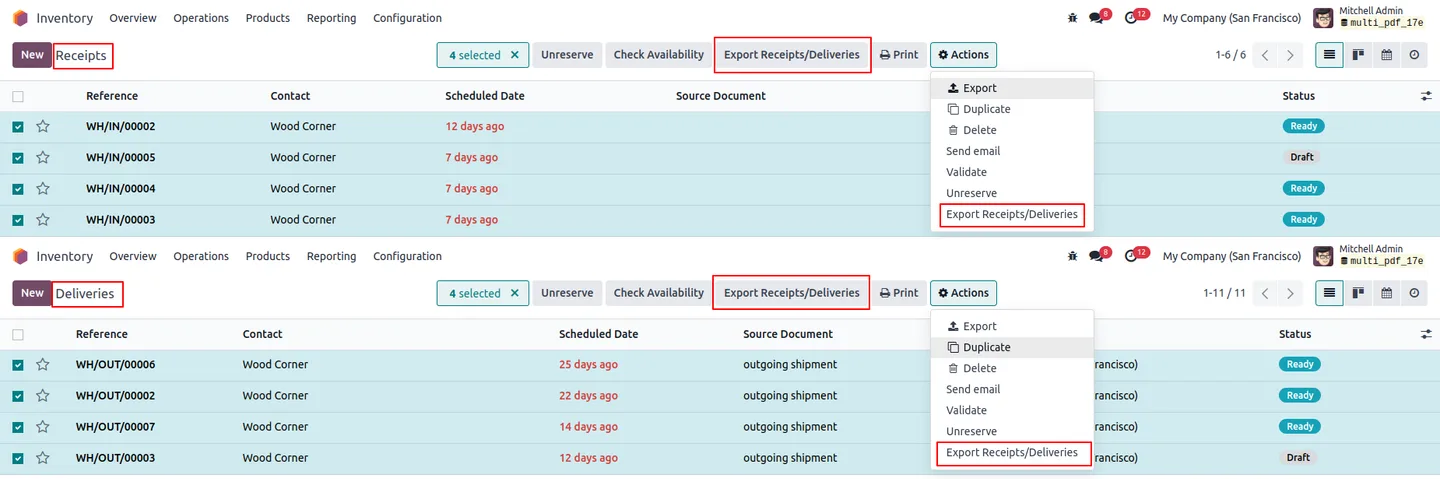
Built by TechUltra Solutions, the module adds an Export Receipts/Deliveries action to the Inventory operations list. Select any combination of receipts or deliveries, run the action, and the module renders every QWeb report, compresses them into one ZIP file, and downloads it.
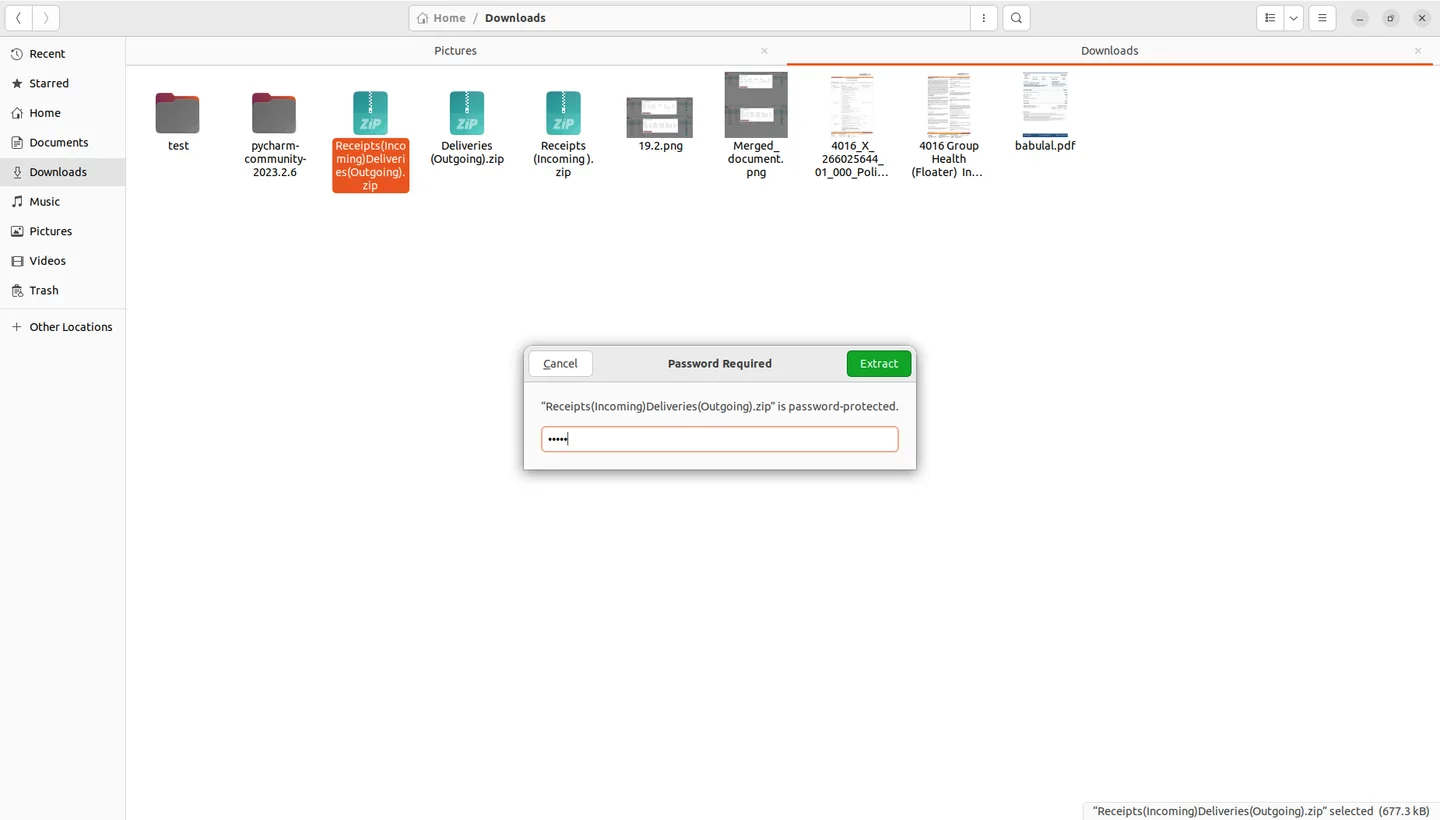
An optional password adds an AES-style protection layer over the ZIP, so the same archive can be shared with stakeholders outside the ERP without exposing line-level inventory data to anyone who intercepts it.
Key features
-
Multiple report export
Export multiple Inventory QWeb reports simultaneously, streamlining the report management process for warehouse and operations teams.
-
Automatic compression
Automatically compresses the selected reports into a ZIP file, reducing file size and bundling them into a single download.
-
Optional password protection
Adds an optional password to the ZIP file, ensuring that only authorised users can access the inventory reports inside.
-
Native Inventory module integration
Seamlessly integrates into the Inventory module with an intuitive and easy-to-navigate interface — no separate app to learn.
-
Secure sharing with stakeholders
Securely share Inventory reports with stakeholders by sending a password-protected ZIP file instead of a folder full of loose PDFs.
-
Flexible selection
Allows users to select specific reports or date ranges for export, offering flexibility in how and what inventory data is exported.
-
Standard QWeb compatibility
Fully compatible with standard QWeb reports generated in Odoo, ensuring smooth integration with reports your team already prints.
-
Error notifications
Provides error notifications if any issues occur during the export process, so failed bundles are not silently shipped to stakeholders.
-
Large-scale capability
Capable of handling large numbers of reports and data, making it suitable for businesses with extensive inventory operations.
Inventory Report Secure ZIP in Odoo
Every screen, in the order you meet it — configuration first, then the module in use.
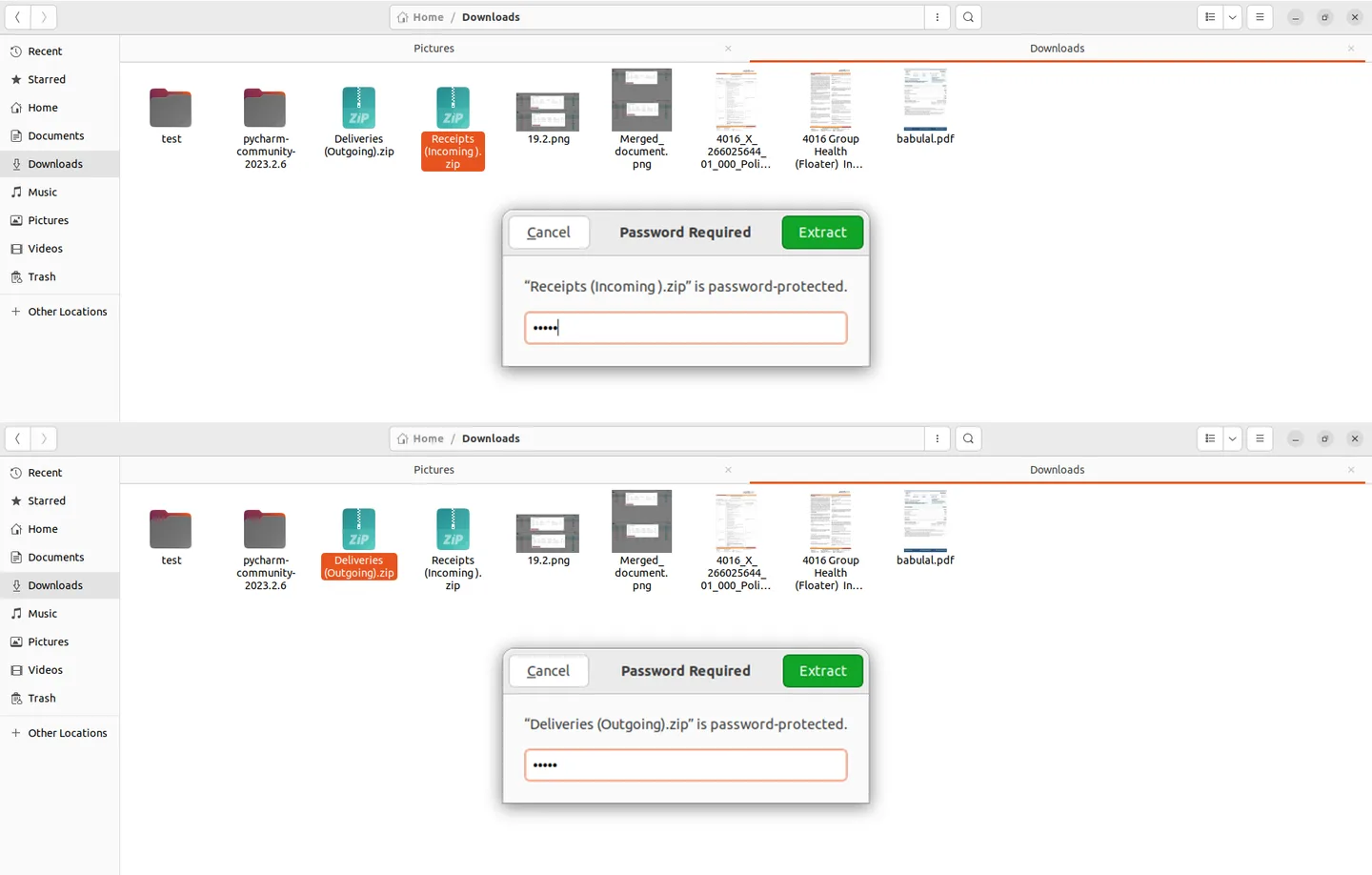
Technical details
Specification
- Publisher
- TechUltra Solutions Private Limited
- Technical name
- inventory_report_zip_secure
- Odoo versions
- 14.0, 15.0, 16.0, 17.0, 18.0, 19.0, 20.0
- Lines of code
- 187
- License
- Odoo Proprietary License v1.0 (OPL-1)
- Price
- $15.14 (one-time)
Deployment
- Odoo Online
- Odoo.sh
- On-premise
Odoo dependencies
- Inventory
- Discuss
Support
90 days of bug-fix support, Monday to Friday (10:00–19:00 IST). Raise a ticket at support@techultra.in.
Setup & configuration
From install to first call — here is the path.
- 1
Install the module
In Odoo, open Apps, remove the Apps filter, search for “Inventory Report Secure ZIP”, and click Install.
- 2
Enable the user permission
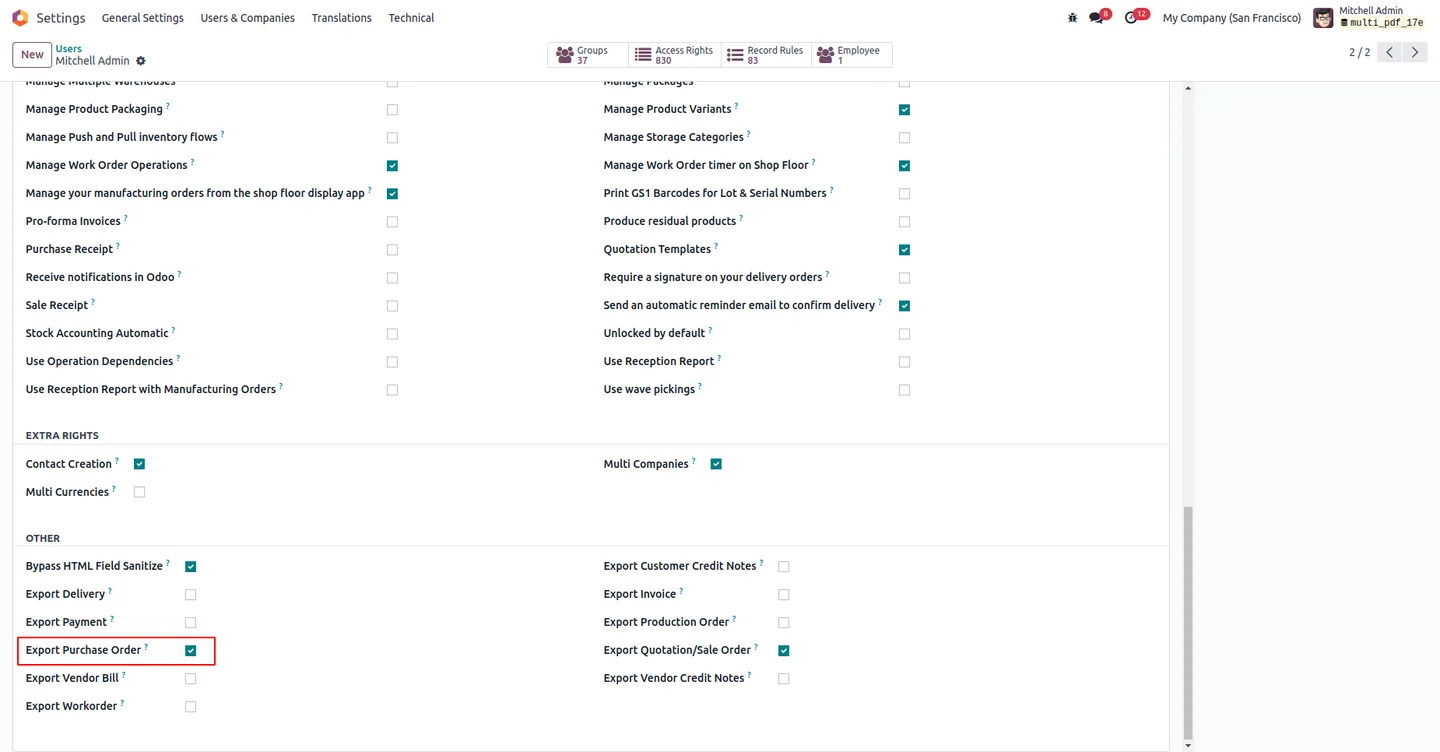
Go to Settings → Users & Companies → Users, open the user that should be able to export, and enable Export Delivery Order. Refresh the page to load the new button into Inventory.
- 3
Open Receipts or Deliveries
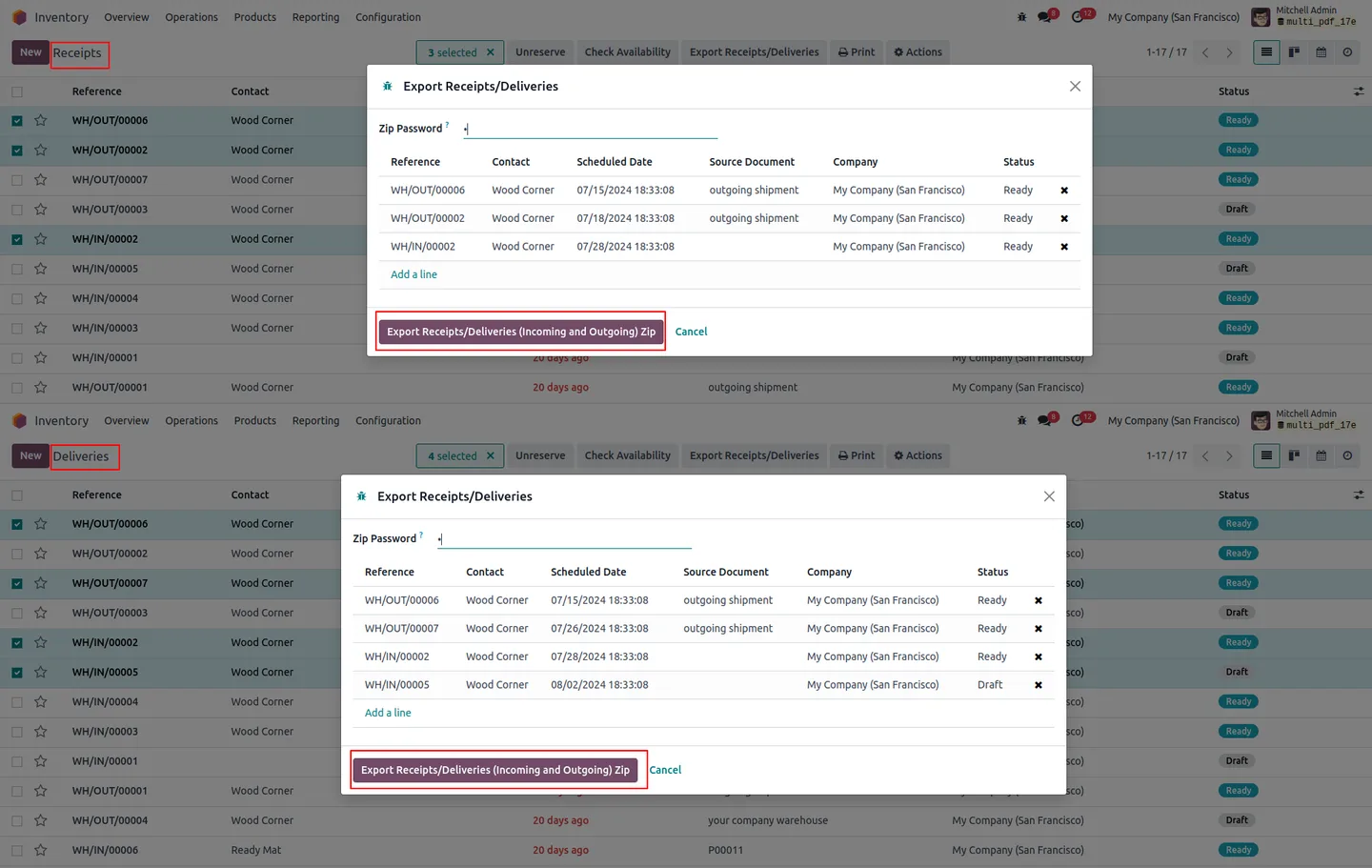
Go to Inventory → Operations → Receipts (or Deliveries). The Export Receipts/Deliveries button appears in the tree view as soon as records are selected.
- 4
Select the records to export
Tick the receipts or deliveries you want bundled, or use Odoo's filters to scope down to a date range or operation type before selecting.
- 5
Run the export action
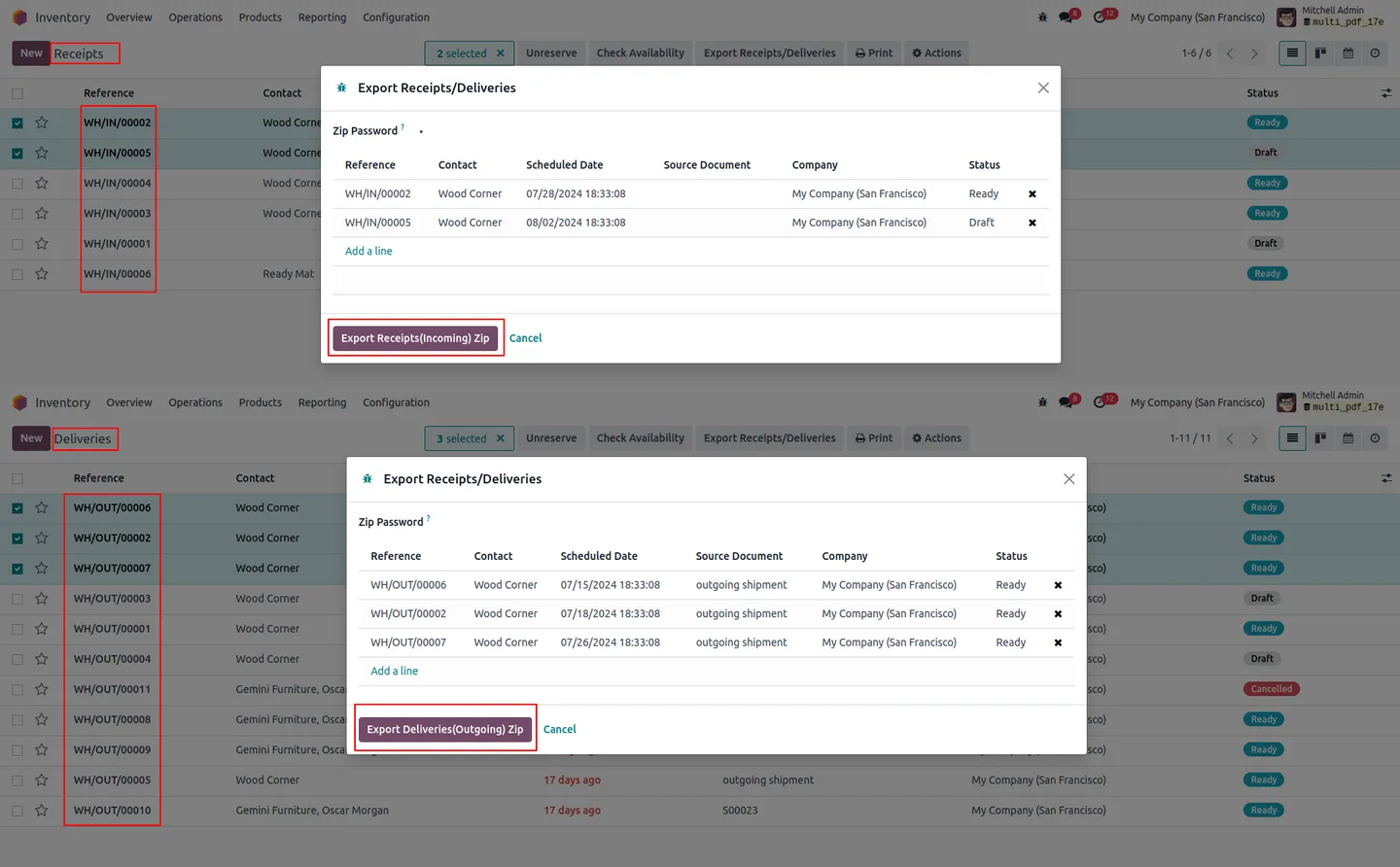
Click Export Receipts/Deliveries. A wizard opens with the selected records and a ZIP password field.
- 6
Set the password and download
Enter a password for an encrypted ZIP — or leave it blank for an open archive — then click the export button to generate and download the ZIP file.
Frequently asked questions
-
Which Inventory documents can the module export?
It exports the standard QWeb reports for Receipts (incoming transfers) and Deliveries (outgoing transfers) — the documents printed from the Inventory → Operations menu.
-
Is the password protection mandatory?
No. The wizard accepts a password for an encrypted ZIP or leaves it blank for a plain ZIP — pick the option that matches your sharing policy.
-
Which Odoo versions are supported?
The module supports Odoo 14.0, 15.0, 16.0, 17.0, 18.0, 19.0, and 20.0.
-
Can I limit which users see the export button?
Yes. The Export Delivery Order permission is set per user — only users with that field enabled see the export button in Receipts and Deliveries.
-
Does it work with custom QWeb reports?
It is built around standard Odoo QWeb reports for Receipts and Deliveries, so it integrates smoothly with the standard report templates your warehouse already uses.
-
What happens if a report fails to render?
The module surfaces an error notification rather than silently writing a partial ZIP, so you know to retry or fix the underlying record before sharing the archive.
-
Is there a limit on how many records I can export at once?
The module is built to handle large batches of reports and is suitable for businesses with extensive inventory operations. As with any QWeb bulk export, performance scales with server resources.
-
Is support included?
Yes. The module includes 90 days of bug-fix support, Monday to Friday, 10:00–19:00 IST.
Listing verified against the Odoo App Store:
Related services
Get the most out of this module with senior TechUltra consultants.
Odoo Customization Services
Odoo customization from a Gold Partner: custom modules, workflows, reports and Studio changes, written upgrade-safe and quoted at a fixed scope. Free scoping call.
Hire Odoo Developers
Hire certified Odoo developers from a Gold Partner: one developer or a team, full-time or part-time, 70–160 hours a month. Silver, Gold or Platinum plan, free trial.
Odoo Support Services & Maintenance
Odoo support services from a Gold Partner: functional and technical support plus server cover for Enterprise and Community, 30-minute P1 response, 24/7 option.







