Odoo App · Security & Access
Hide List View Totals
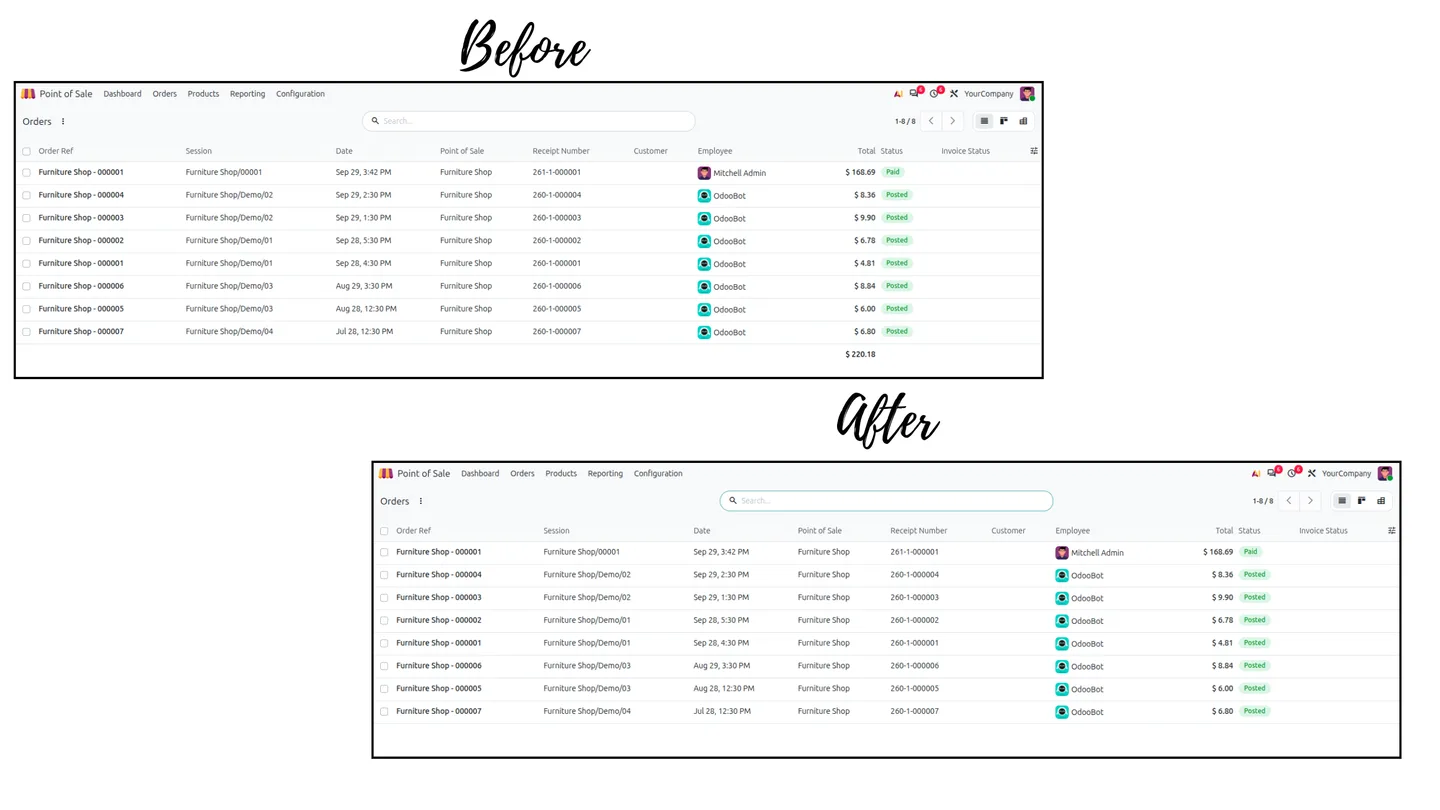
Hide footer sums and group-by subtotals on Sales, Purchase, Invoicing and POS list views from the users who shouldn't see them.
Overview
Odoo prints a total at the foot of every list view and adds subtotals whenever records are grouped by customer, stage, salesperson or date. Anyone who can open the Sales or Invoicing list can therefore read the company's turnover, revenue and purchase spend at a glance, even if their job only needs individual records.
This module removes those totals for the users you choose. Control is two-layered: an administrator ticks 'Hide Sum On Tree' on a user's profile, and General Settings decides which areas the rule applies to (Sales Orders, Purchase Orders, Invoicing and Payments, POS Orders, POS Sessions). Totals disappear only where both are on.
Nothing in the database changes. The module works on view evaluation and grouped reads rather than altering tables or view definitions, so turning it off returns every list view to standard Odoo immediately.
Key features
-
Per-user switch
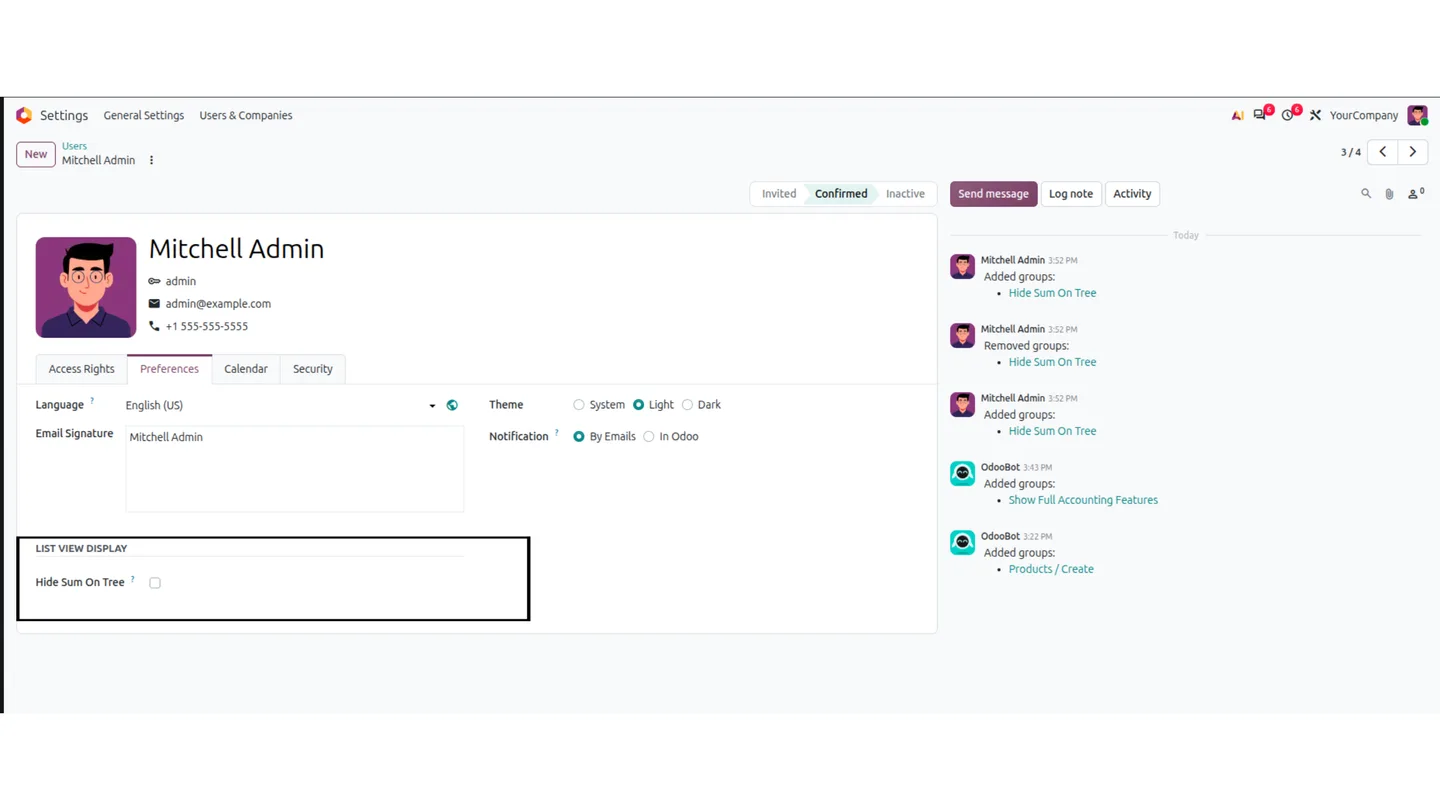
Tick 'Hide Sum On Tree' in a user's Preferences to apply the privacy rules to that person only.
-
Area-by-area settings
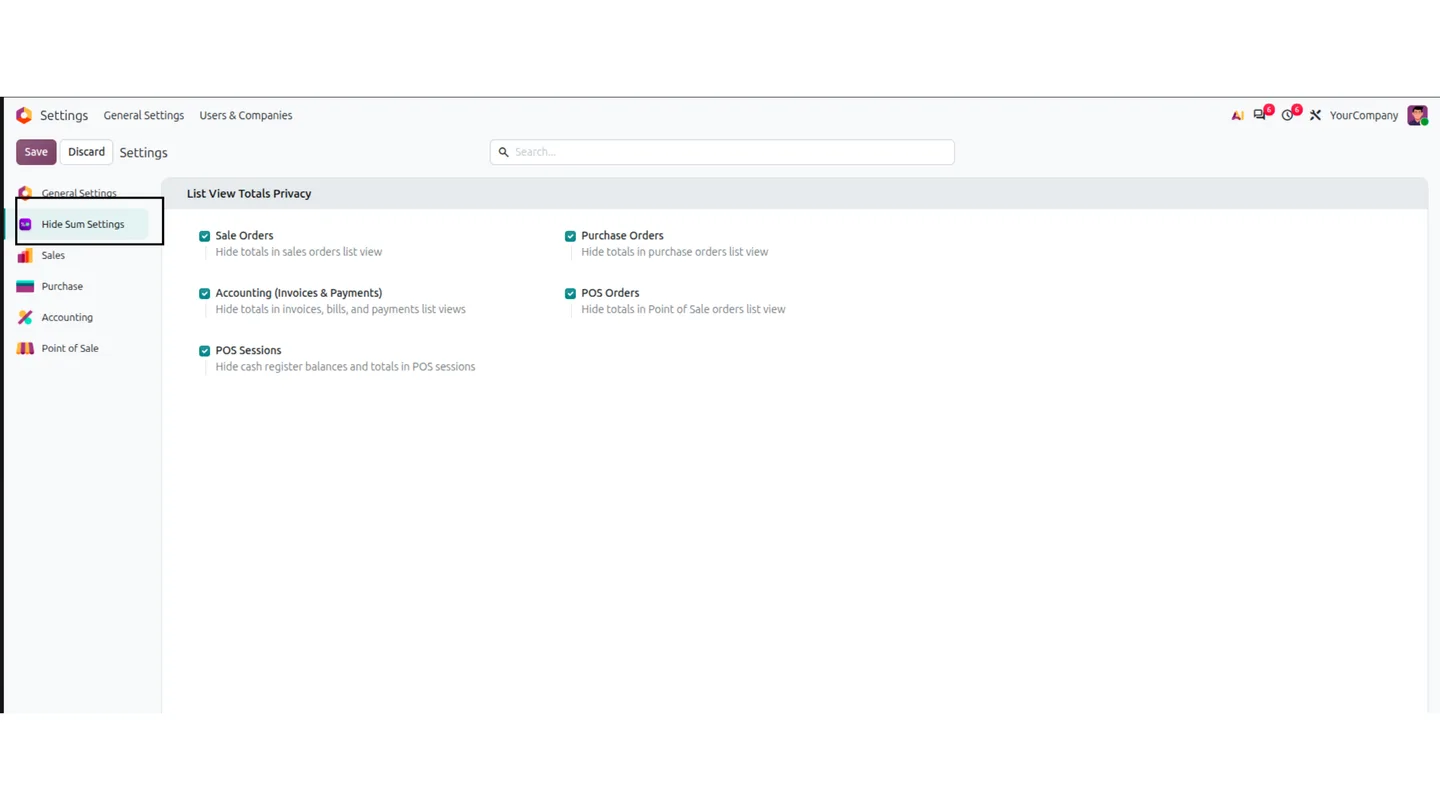
Choose in General Settings which areas are covered: Sales Orders, Purchase Orders, Invoicing and Payments, POS Orders and POS Sessions.
-
Sales and purchase totals hidden
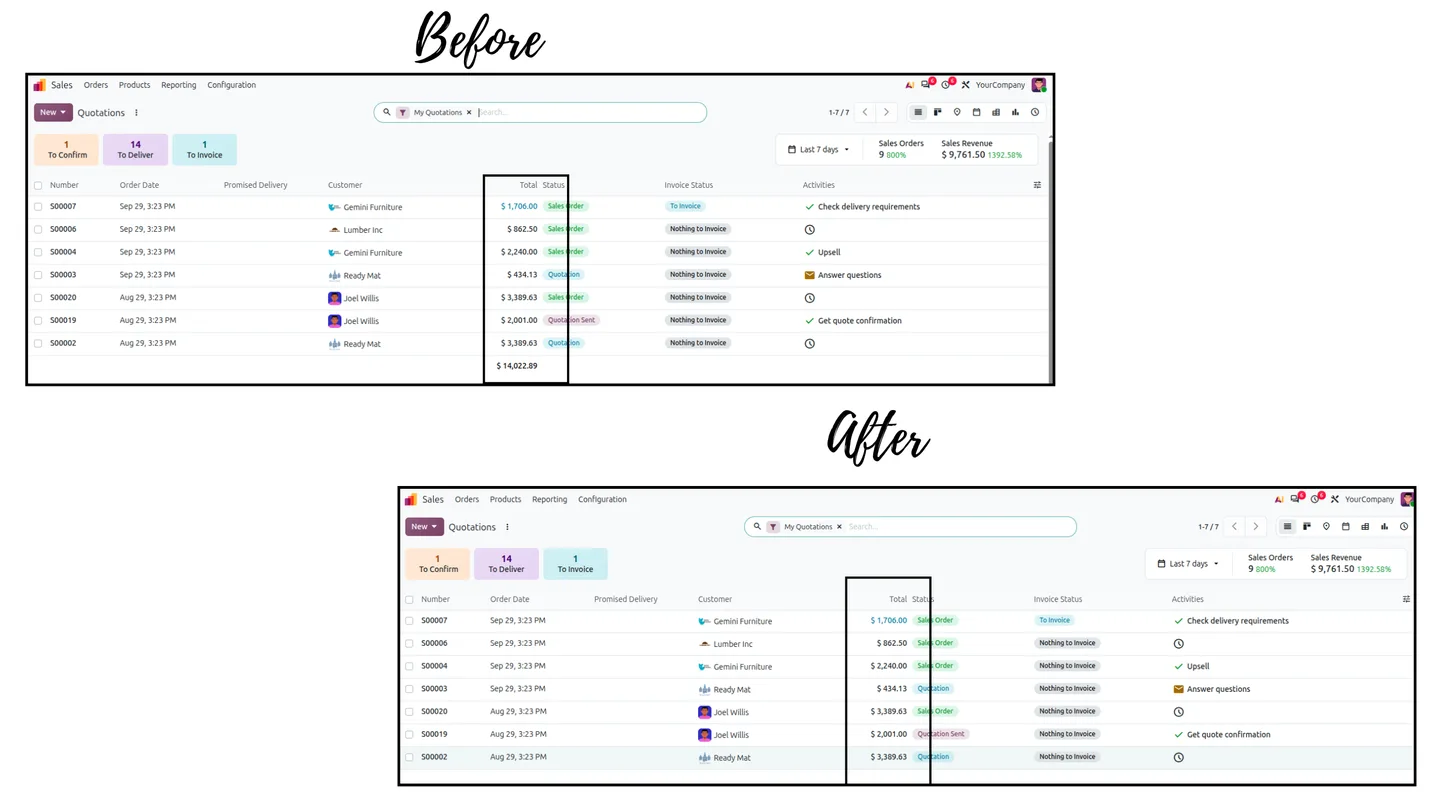
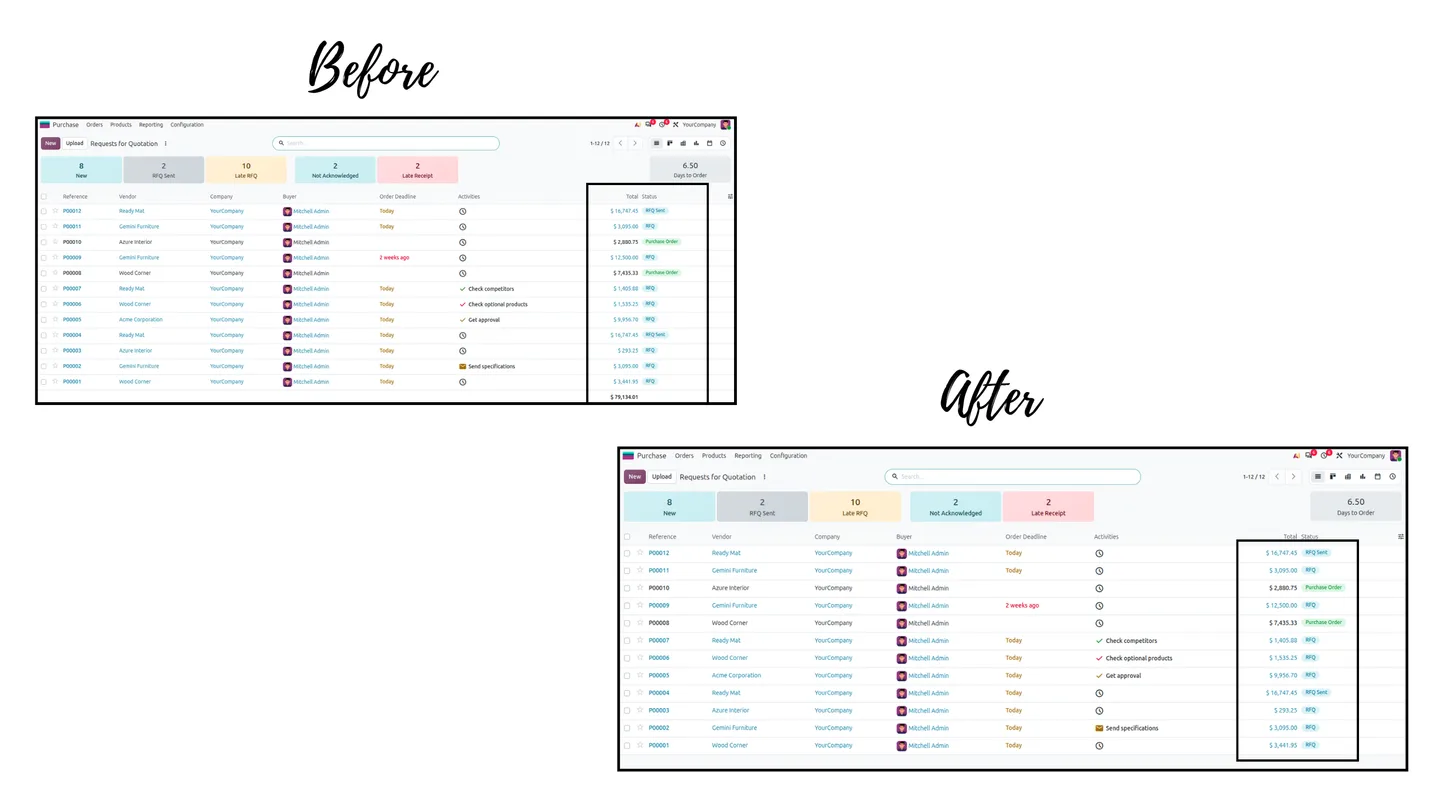
Removes untaxed totals, taxes and grand totals from Quotations, Sales Orders, RFQs and Purchase Orders list views.
-
Invoices, bills and payments
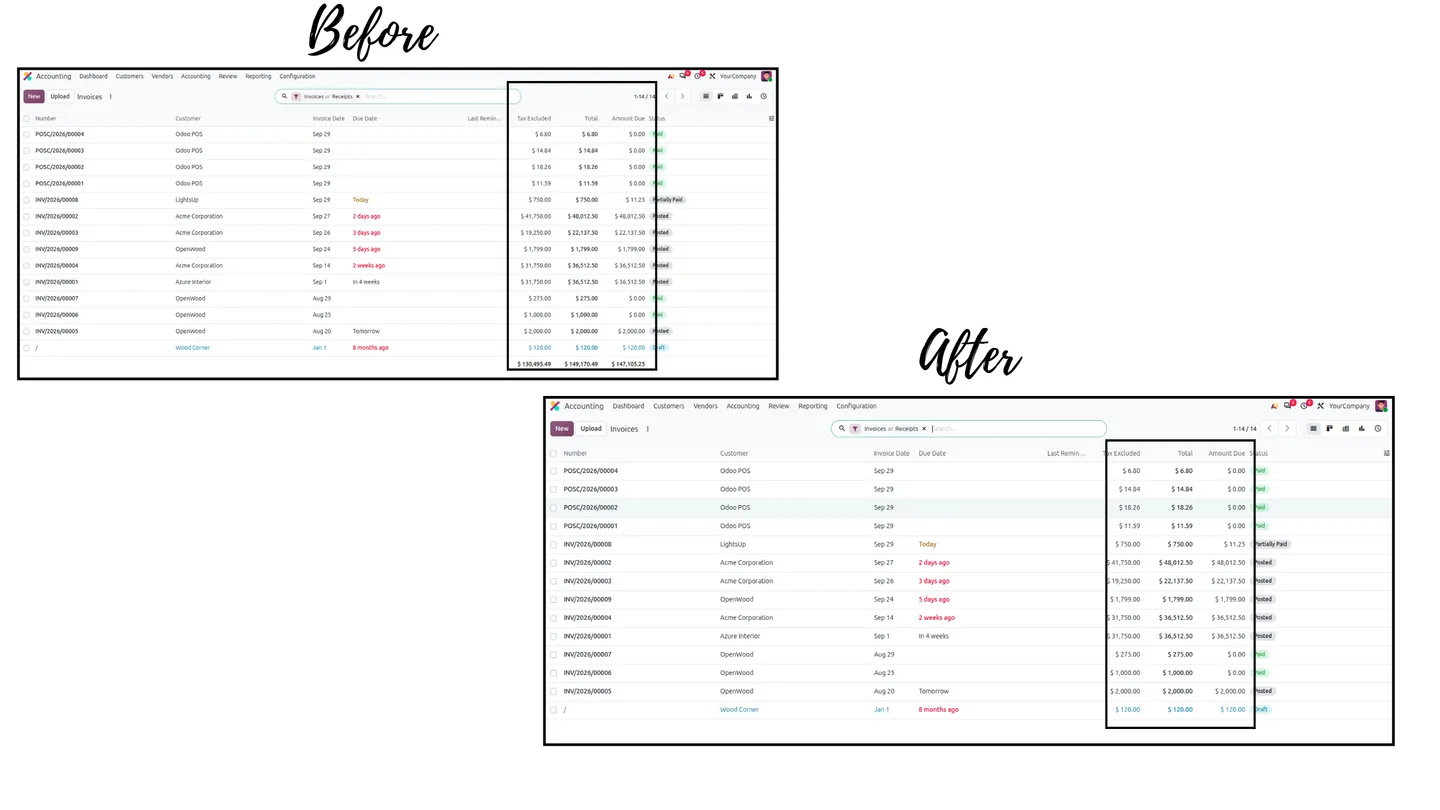
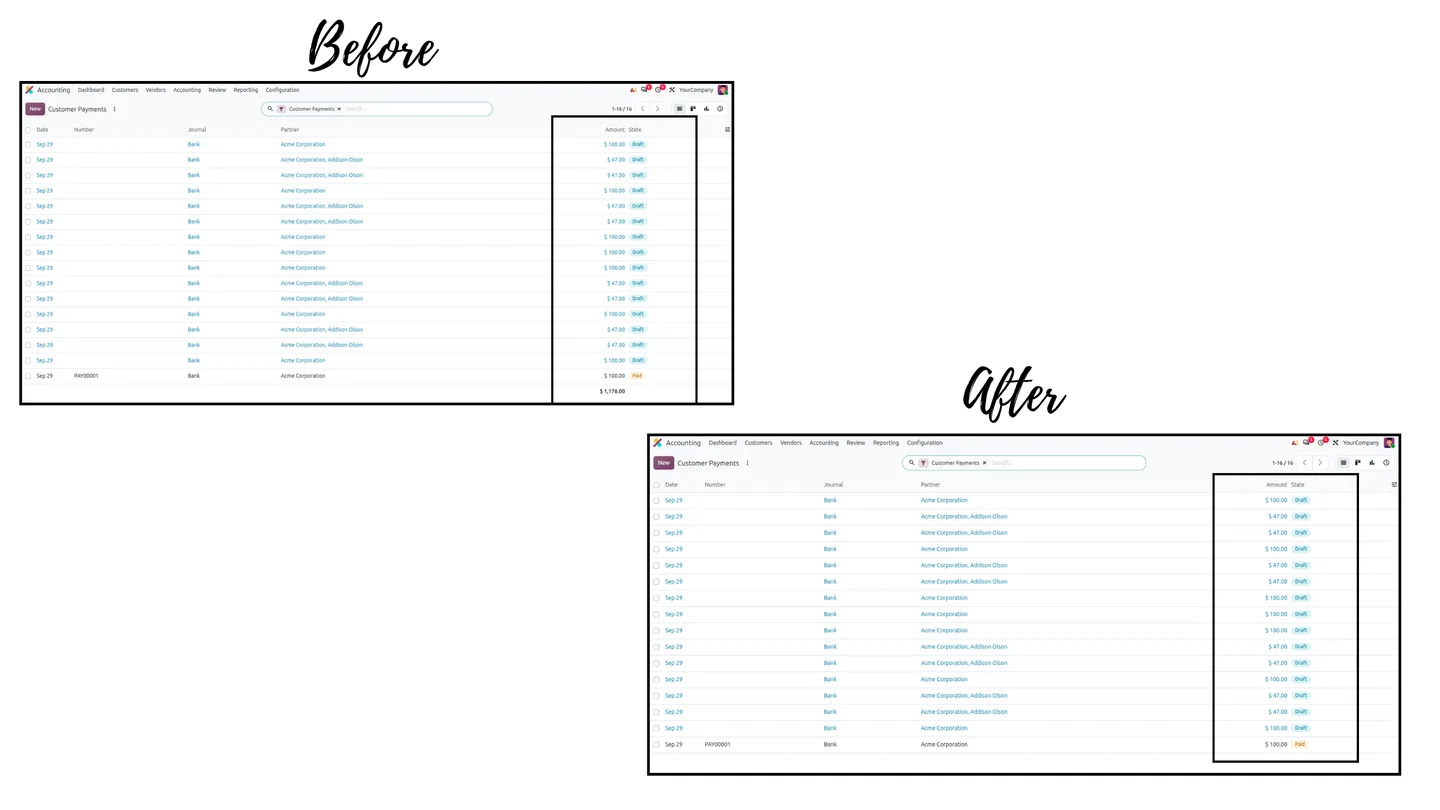
Hides amount totals, amounts due and payment sums on Customer Invoices, Vendor Bills and Customer Payments while keeping each row visible.
-
Point of Sale
Conceals theoretical closing amounts, cashier payment summaries and cash balances in POS orders and sessions.
-
Group-by subtotals removed
Strips monetary subtotals from group header rows when records are grouped by customer, salesperson, stage or date.
Hide List View Totals in Odoo
Every screen, in the order you meet it — configuration first, then the module in use.
Technical details
Specification
- Publisher
- TechUltra Solutions Private Limited
- Technical name
- hide_sum_tree
- Odoo versions
- 16.0, 17.0, 18.0, 19.0, 20.0
- Editions
- Community and Enterprise
- Lines of code
- 315
- Database changes
- None (view-level only)
- License
- Odoo Proprietary License v1.0 (OPL-1)
- Price
- $13.44 (one-time)
Deployment
- Odoo Online
- Odoo.sh
- On-premise
Odoo dependencies
Support
30 days of bug-fix support, Monday to Friday, 10:00–19:00 IST. Raise a ticket at support@techultra.in.
Setup & configuration
From install to first call — here is the path.
- 1
Switch it on for a user
Open Settings → Users & Companies → Users, choose the user, and tick 'Hide Sum On Tree' under List View Display on the Preferences tab.
- 2
Choose the areas
Go to Settings → General Settings → Hide Sum Settings and tick the areas to protect: Sale Orders, Purchase Orders, Accounting (Invoices & Payments), POS Orders and POS Sessions.
- 3
Check as that user
Log in as the user and open the Sales, Purchase, Invoicing and POS list views. Rows remain, but footer totals and group subtotals are gone.
Frequently asked questions
-
When exactly are the totals hidden?
Only when both conditions are met: 'Hide Sum On Tree' is ticked on the user's profile, and the matching area (Sales, Purchases, Invoicing, POS) is enabled in General Settings.
-
Are group-by subtotals hidden too?
Yes. When records are grouped by customer, salesperson, stage or date, the monetary subtotals on the group header rows are removed as well.
-
Does it change the database or core views?
No. It works on view evaluation and grouped reads, without altering tables or view XML, and disabling it restores standard Odoo immediately.
-
Does it work on Community and Enterprise?
Yes, on Odoo Community, Enterprise and Odoo.sh, from version 16 to 20.
-
Can users still see the individual amounts?
Yes. Each record's own amount stays visible. Only the column totals and subtotals that add records together are hidden.
Listing verified against the Odoo App Store:
Related services
Get the most out of this module with senior TechUltra consultants.
Odoo Customization Services
Odoo customization from a Gold Partner: custom modules, workflows, reports and Studio changes, written upgrade-safe and quoted at a fixed scope. Free scoping call.
Hire Odoo Developers
Hire certified Odoo developers from a Gold Partner: one developer or a team, full-time or part-time, 70–160 hours a month. Silver, Gold or Platinum plan, free trial.
Odoo Support Services & Maintenance
Odoo support services from a Gold Partner: functional and technical support plus server cover for Enterprise and Community, 30-minute P1 response, 24/7 option.