

Odoo App · Productivity
Group Import in Odoo
Hide Odoo's import feature behind a dedicated security group — stop accidental CSV uploads.
Overview
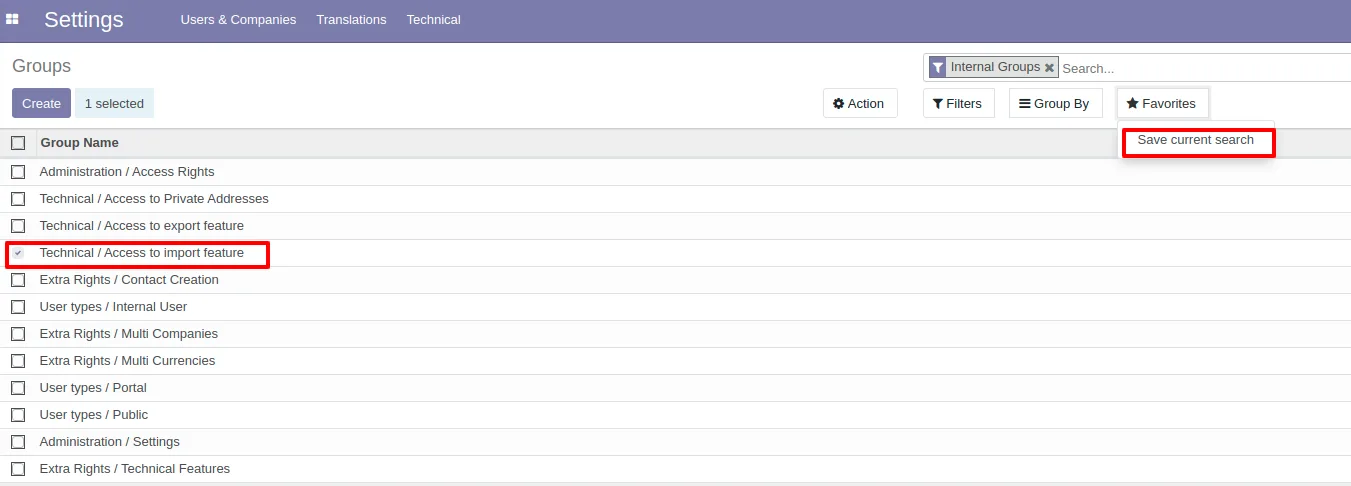
Group Import in Odoo plugs a gap in standard Odoo's permissions model: out of the box, almost any internal user with access to a list view can use the Import feature to push CSV or Excel files into the database. For most teams that is far more power than the role needs.
Built by TechUltra Solutions, the module adds a security group named “Access to import features”. The Import menus under Favorites and Groups, the Import action on list views, and the Import-report menu are all gated behind that group, so non-trusted users no longer see — or can use — the import pathway.
Assigning the group is a one-step admin action on the user record. Users in the group keep the full standard Odoo import experience; users outside it work normally on every other action but cannot accidentally (or intentionally) bulk-load records.
Key features
-
“Access to import features” security group
Adds a dedicated security group that controls who can use Odoo's Import feature, separate from the standard user/admin tiers, so import access is granted to specific people only.
-
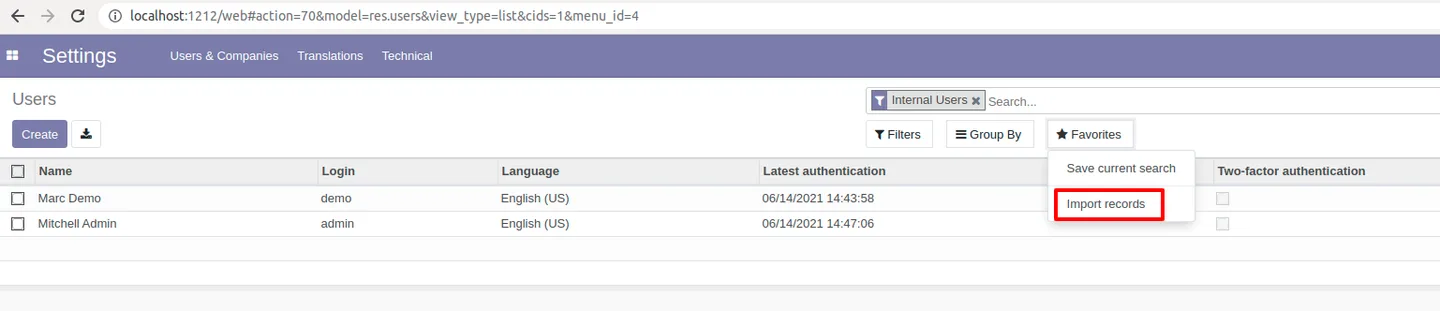
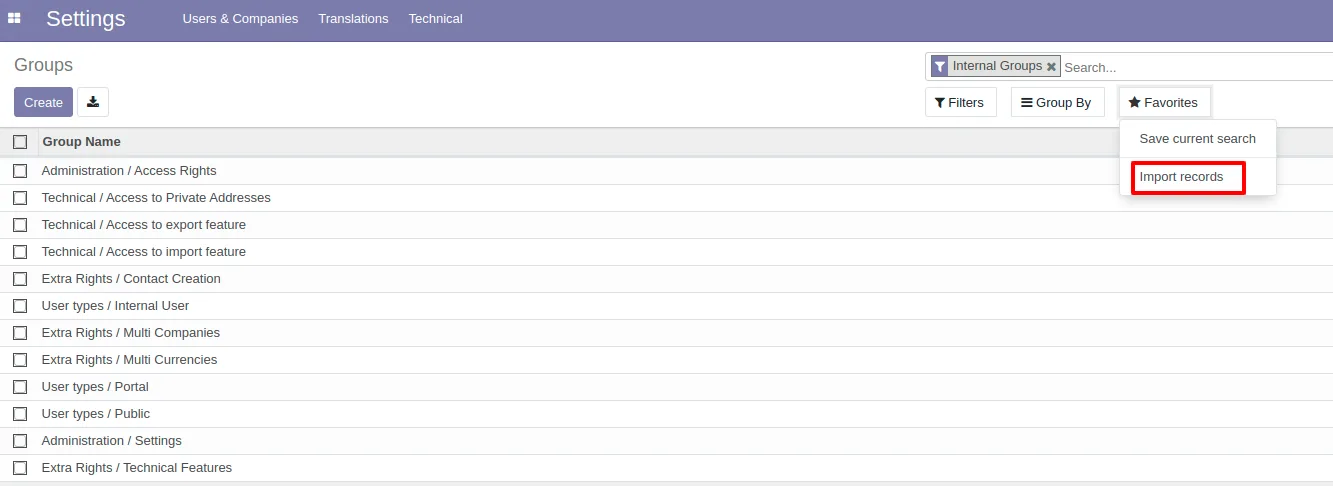
Hides the Import menu in Favorites
Users without the group no longer see the Import option in the Favorites menu on list views, so the entry point to the import wizard simply disappears.
-
Hides the Import menu in Groups
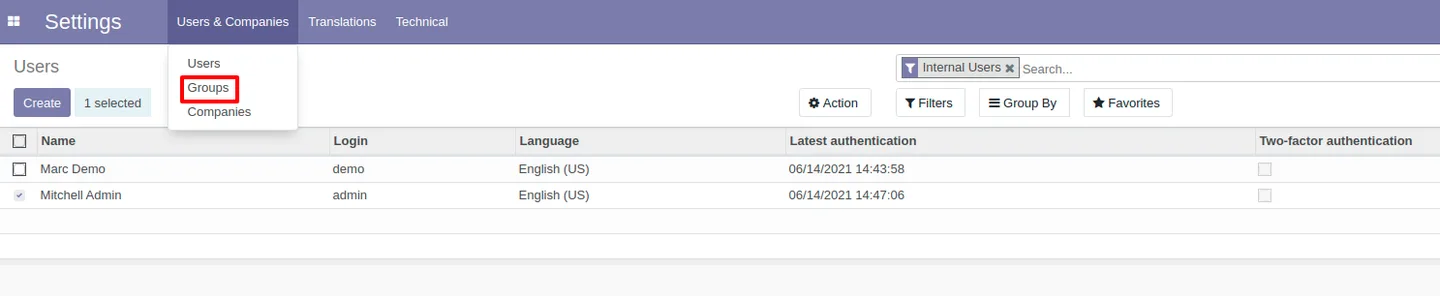
The Import action is also removed from the Groups menu for users outside the group, eliminating the second standard route to importing data.
-
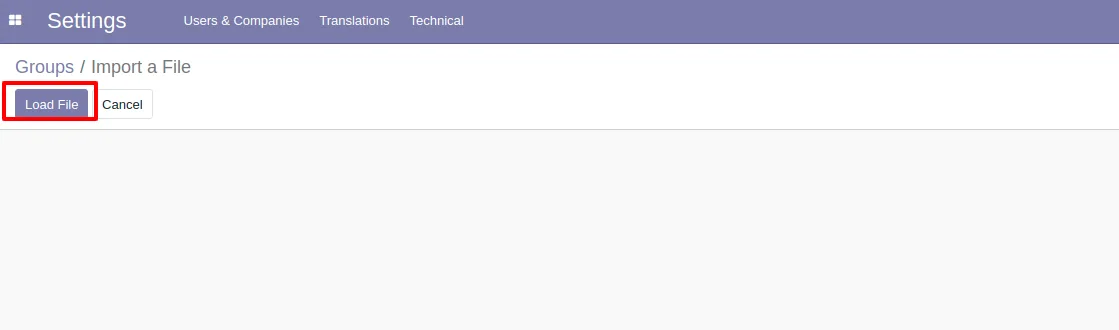
Blocks data-file uploads
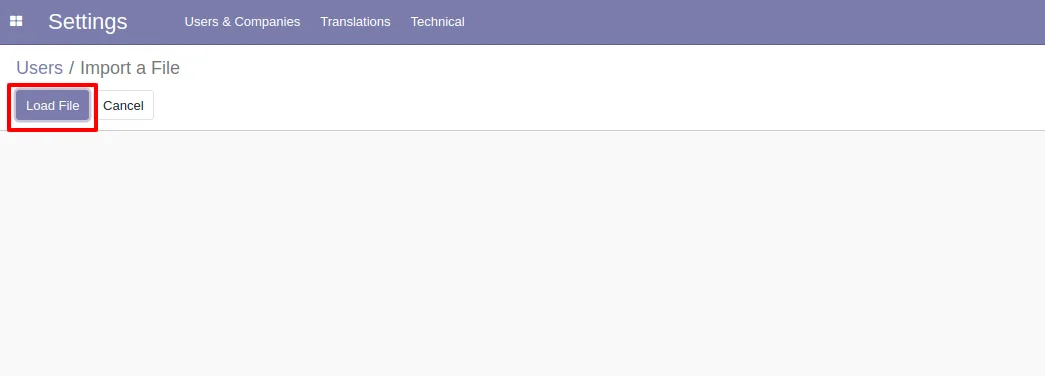
Without group membership, users cannot import CSV or Excel data files into Odoo — even if they discover the URL, the action is restricted.
-
Controls visibility of the Import-report menu
The Import-report menu becomes visible only for users assigned to the group, keeping import history and audit data out of view for everyone else.
-
Standard import experience for trusted users
Users granted the group keep the complete standard Odoo import flow — list view → Favorites → Import → upload → map columns → validate — with no behavioural changes.
-
One-click admin setup
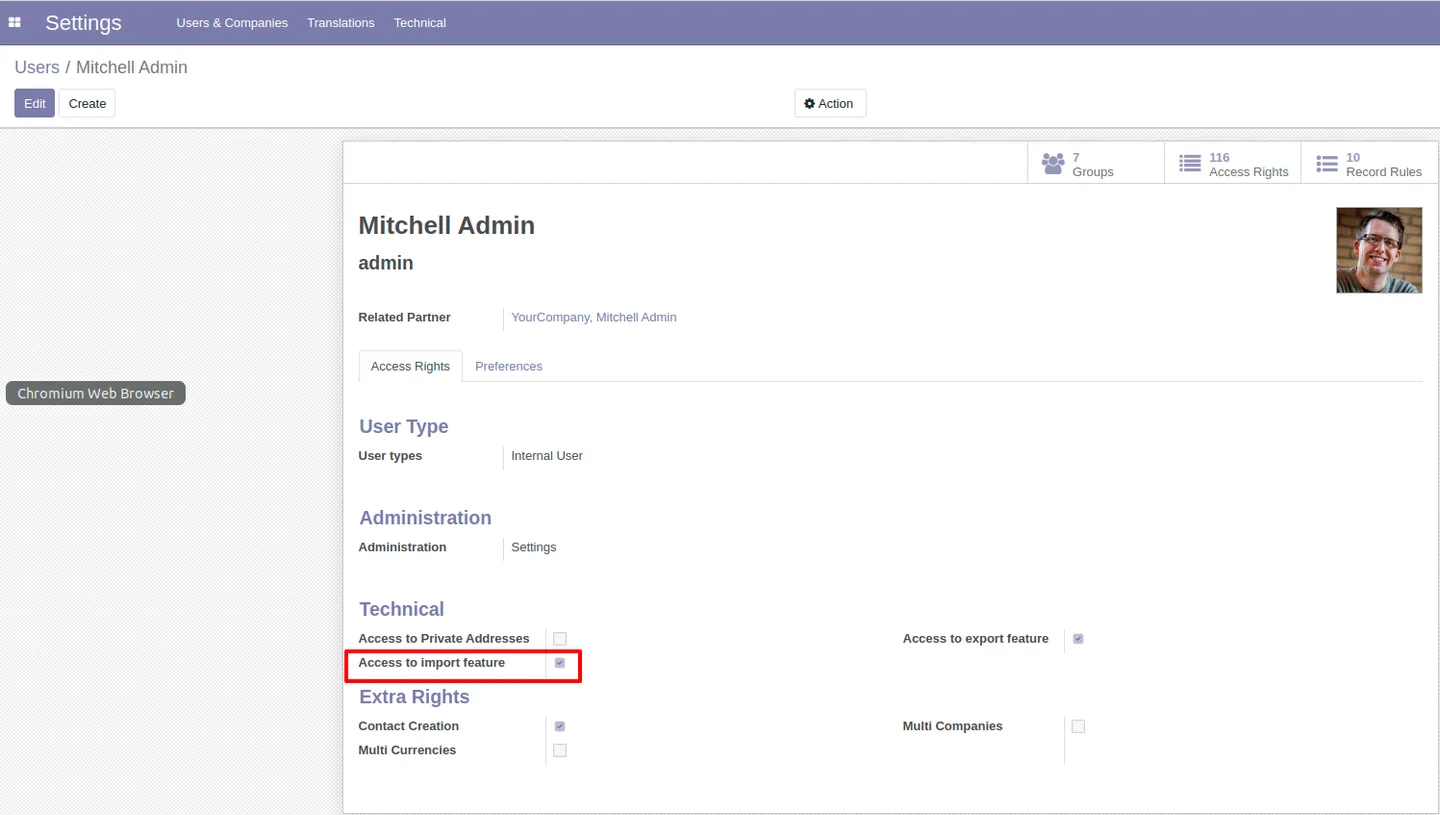
Admins simply tick the “Access to import features” group on the user record. No new tables, no extra configuration, no custom code changes required.
Group Import in Odoo in Odoo
Every screen, in the order you meet it — configuration first, then the module in use.


Technical details
Specification
- Publisher
- TechUltra Solutions Private Limited
- Technical name
- import_extended
- Odoo versions
- 14.0
- Lines of code
- 46
- License
- Odoo Proprietary License v1.0 (OPL-1)
- Price
- $11.65 (one-time)
Deployment
- Odoo Online
- Odoo.sh
- On-premise
Odoo dependencies
- Base
Support
90 days of bug-fix support, Monday to Friday (10:00–19:00 IST). Raise a ticket at support@techultra.in.
Setup & configuration
From install to first call — here is the path.
- 1
Install the module
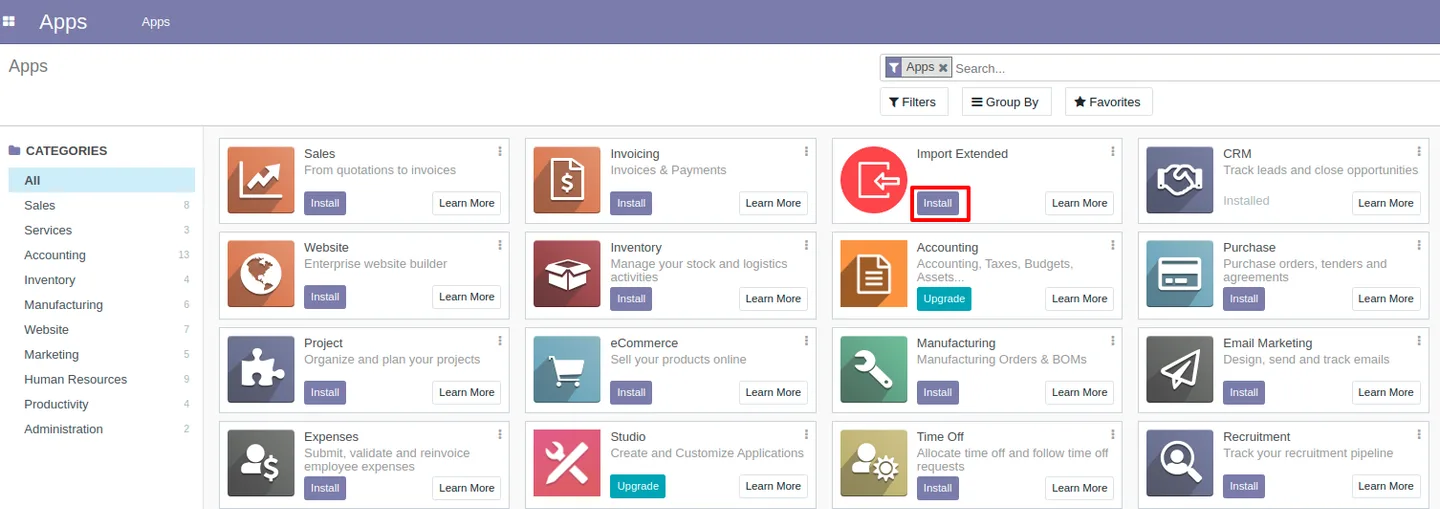
In Odoo, open Apps, remove the default Apps filter, search for “Group Import” or technical name “import_extended”, and click Install.
- 2
Open a user record
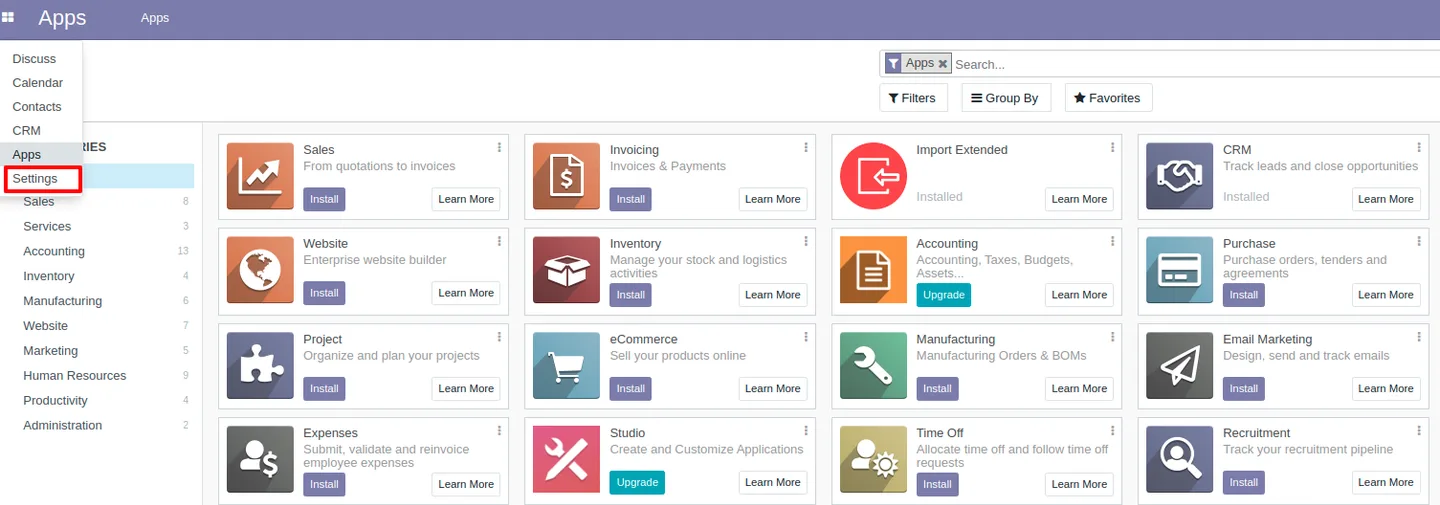
Go to Settings → Users & Companies → Users and open the record for the user you want to grant import access to.
- 3
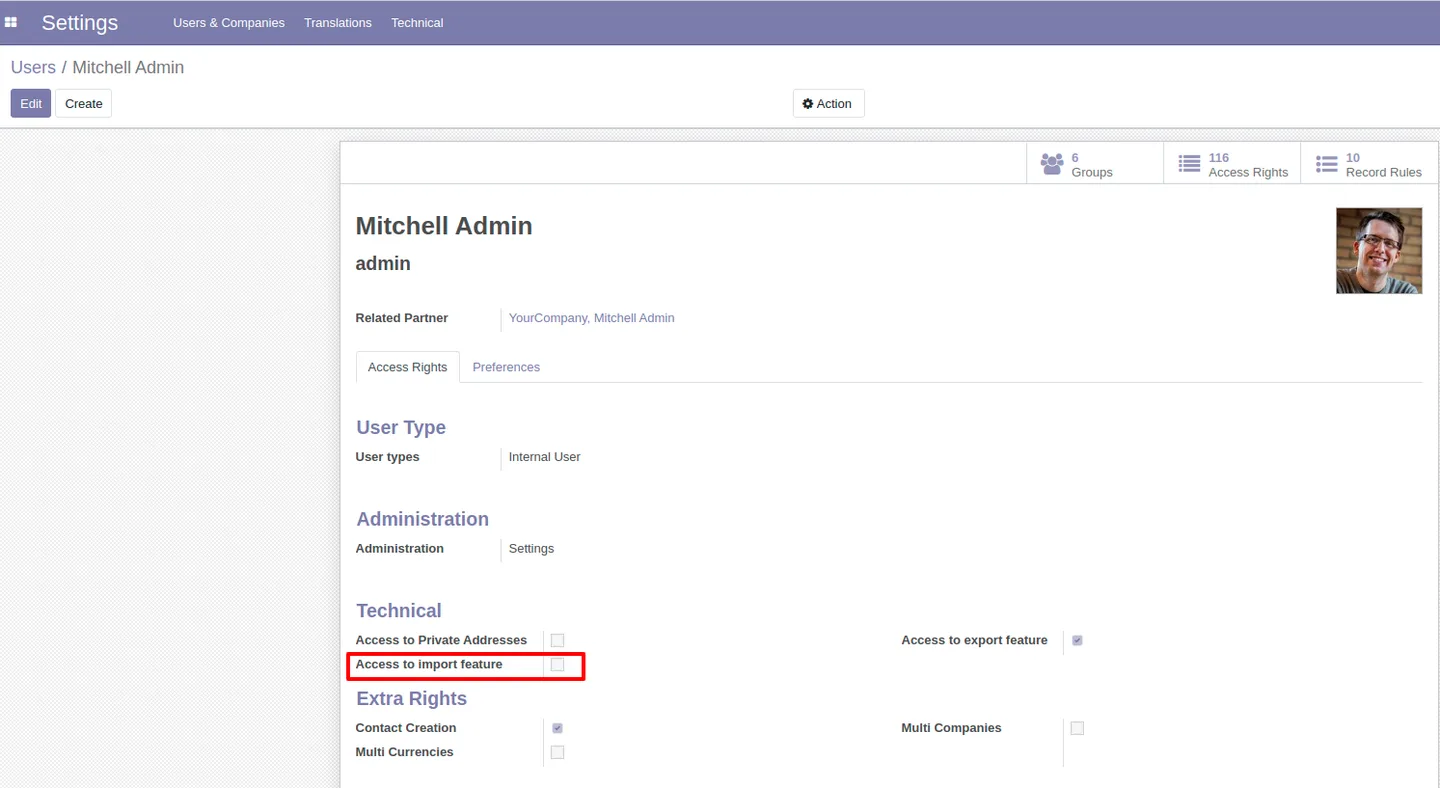
Assign the “Access to import features” group
On the user record, find the “Access to import features” security group added by this module and tick it. Save the user.
- 4
Verify the import menu
Sign in as the user (or have them refresh). They should now see the Import option under Favorites on list views and the Import-report menu where applicable.
- 5
Confirm the restriction for everyone else
Sign in as a user who is not in the group. Confirm that the Import option no longer appears in Favorites or Groups and that uploading a data file is blocked.
Frequently asked questions
-
What does this module actually change?
It adds a dedicated security group called “Access to import features”. Only users in that group can see Odoo's Import menus, upload data files, or open the Import-report menu — everyone else loses those entry points.
-
Why do I need this if Odoo already has access rights?
Standard Odoo gives almost any internal user with list-view access the Import feature. That is broader than most organisations want; this module lets you grant import access to specific users only.
-
What happens to users without the group?
The Import option is hidden from the Favorites and Groups menus, file uploads through the import wizard are blocked, and the Import-report menu is not visible. They keep all other normal access.
-
Does it change the import flow itself?
No. Users in the group use the complete standard Odoo import experience — list view → Favorites → Import → upload → map columns → validate — without any behavioural change.
-
Which Odoo version does it support?
This build targets Odoo 14.0 in both the Community and Enterprise editions.
-
Is the security group enforced on the back end too?
Yes. The import action is gated by the group, so users outside it cannot trigger an import even by manipulating URLs — the menu is hidden and the action itself is restricted.
-
How do I grant a single user import access?
Open Settings → Users & Companies → Users, edit the user, and tick the “Access to import features” group added by the module. Save the user and they regain the Import menus immediately.
-
Is support included?
Yes. The module includes 90 days of bug-fix support, Monday to Friday, 10:00–19:00 IST.
Listing verified against the Odoo App Store:
Related services
Get the most out of this module with senior TechUltra consultants.
Odoo Customization Services
Odoo customization from a Gold Partner: custom modules, workflows, reports and Studio changes, written upgrade-safe and quoted at a fixed scope. Free scoping call.
Hire Odoo Developers
Hire certified Odoo developers from a Gold Partner: one developer or a team, full-time or part-time, 70–160 hours a month. Silver, Gold or Platinum plan, free trial.
Odoo Support Services & Maintenance
Odoo support services from a Gold Partner: functional and technical support plus server cover for Enterprise and Community, 30-minute P1 response, 24/7 option.







