

Odoo App · Productivity
Global Search Pro for Odoo
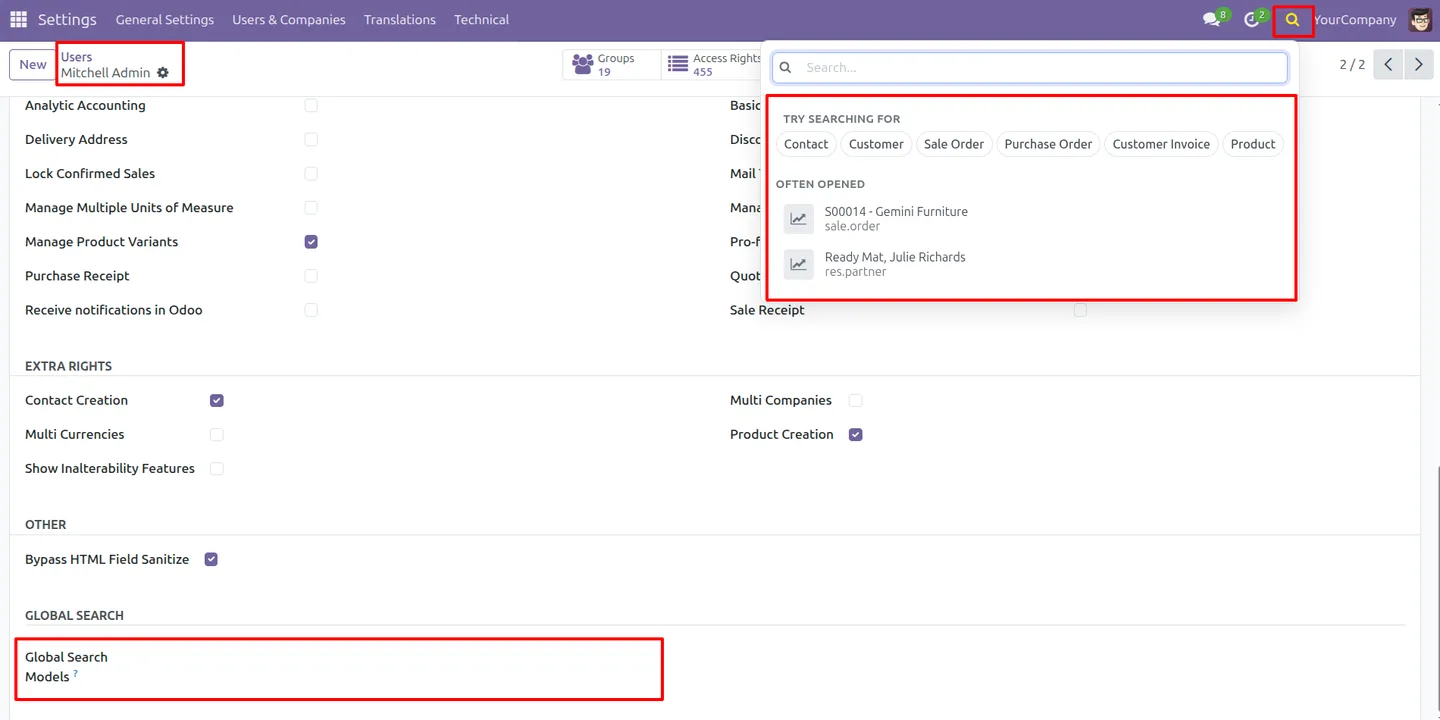
Search contacts, orders, invoices, and products across Odoo from one systray box.

Overview
Odoo's standard search works one model at a time, inside whichever app you have open. Global Search Pro removes that limit. It puts one search box in the systray that looks across contacts, orders, invoices, products, and more, so finding a record no longer means guessing which app it lives in.
Built by TechUltra Solutions, the module groups results by record type and supports keyboard navigation, so a user can search, scan, and jump to a record without reaching for the mouse. A recent-search history keeps frequent lookups one keystroke away.
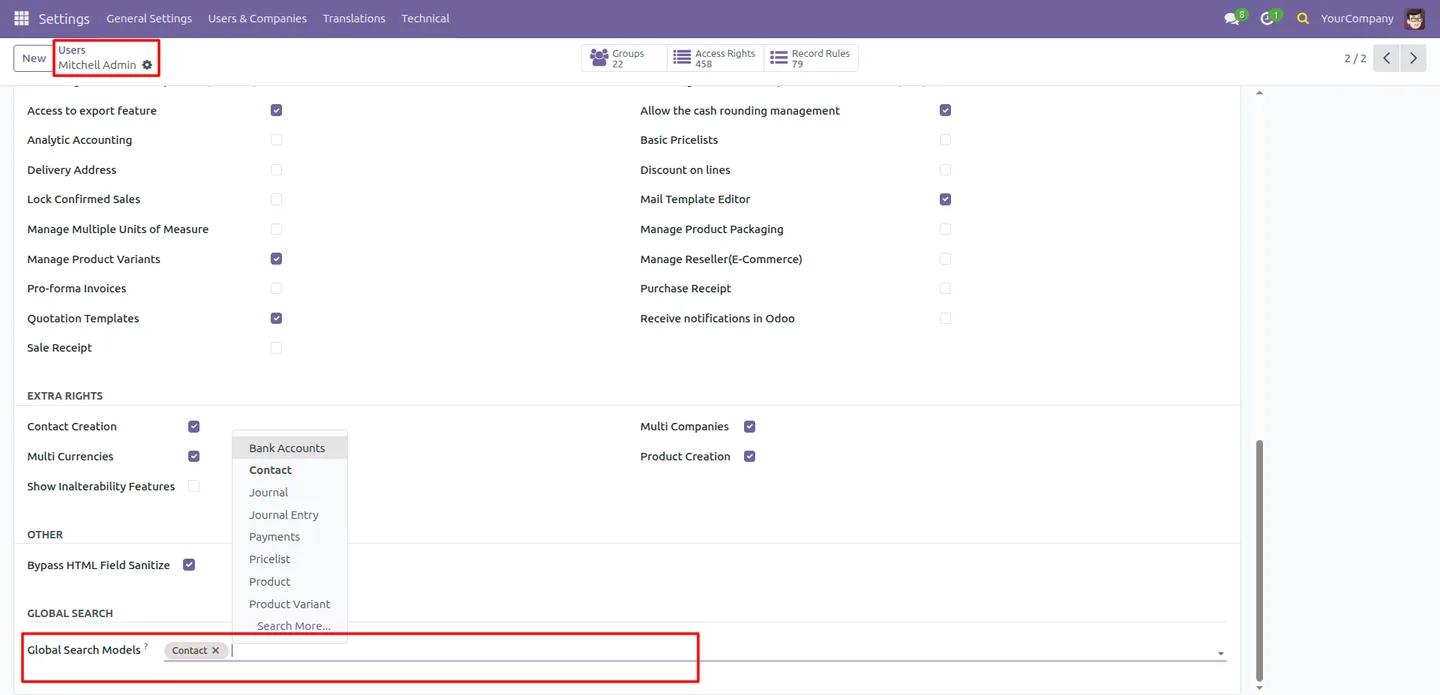
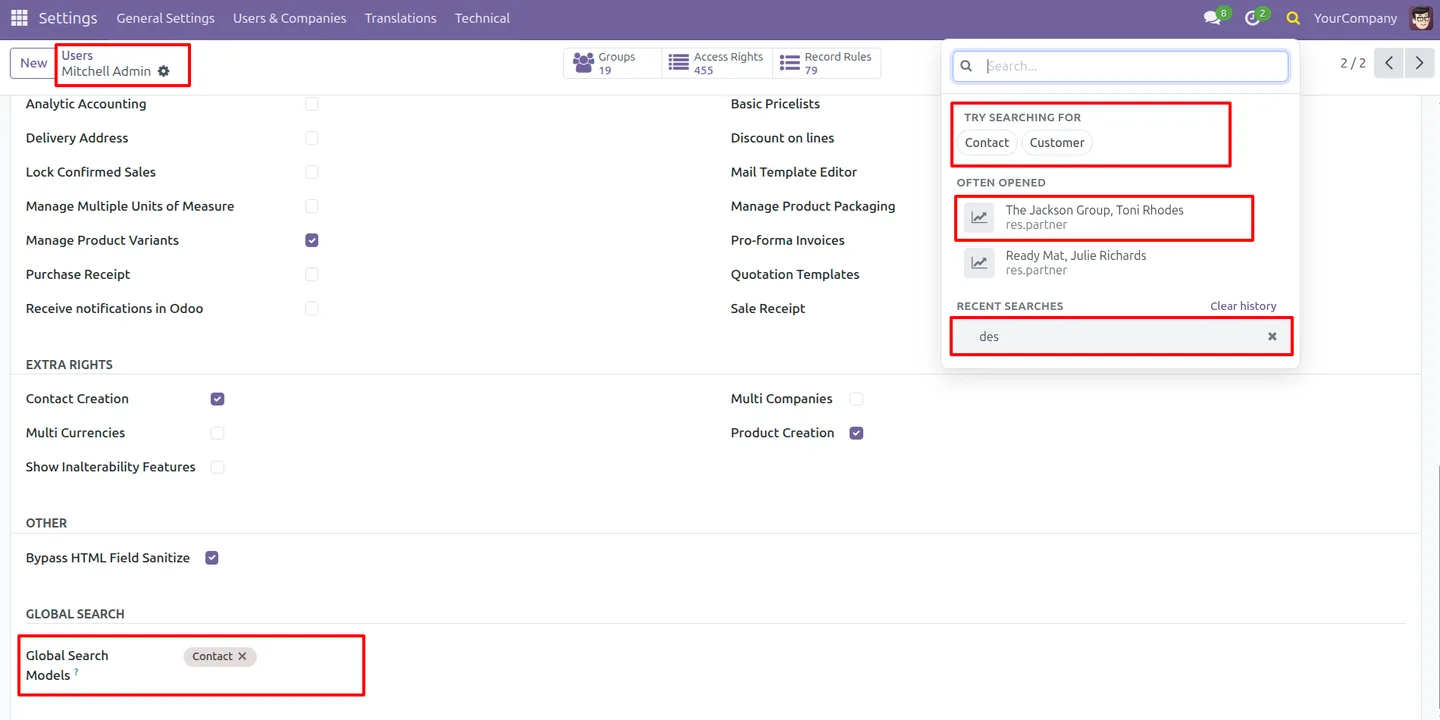
Administrators stay in control of scope. Each user form has a Global Search Models setting that limits which models that user can search, so people see results relevant to their role rather than every record in the database.
Key features
-
Centralised systray search
One search box in the Odoo systray is reachable from anywhere in the interface, so you start a search without first opening a specific app.
-
Multi-model search
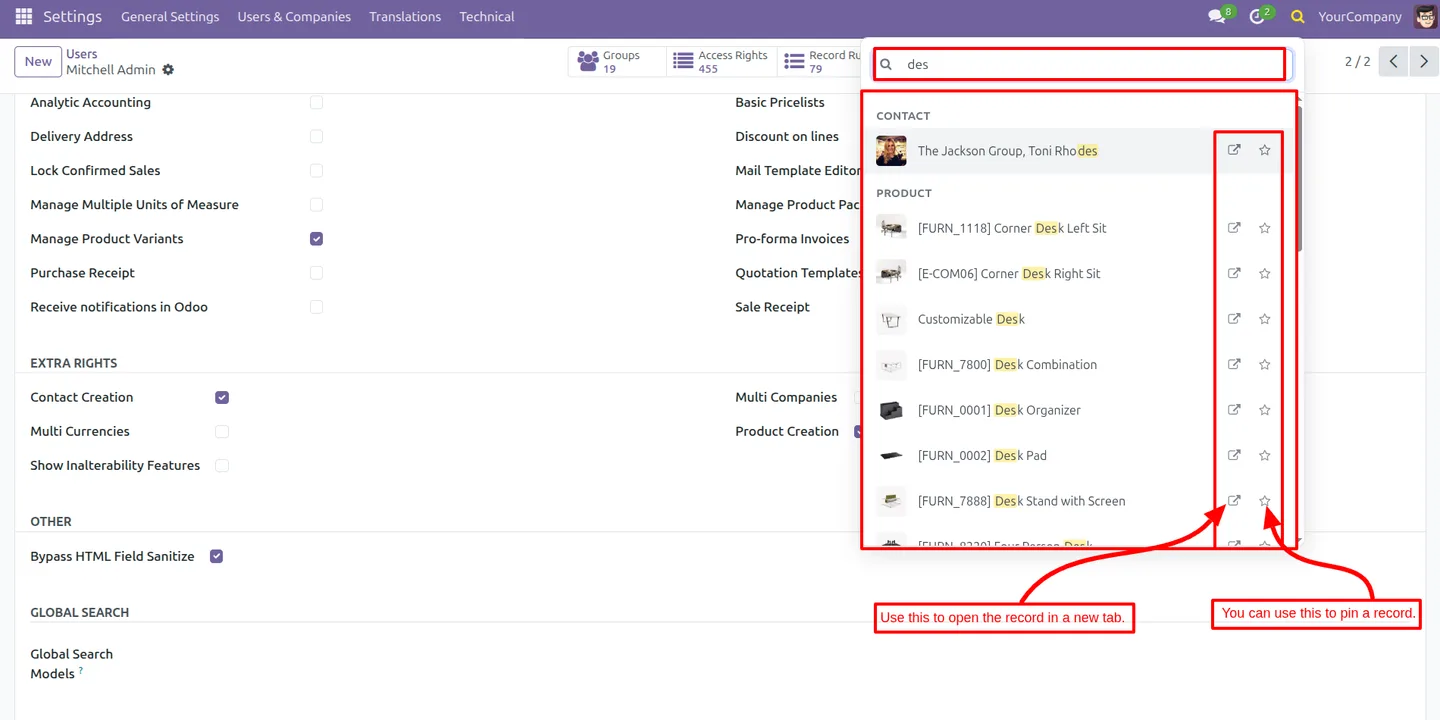
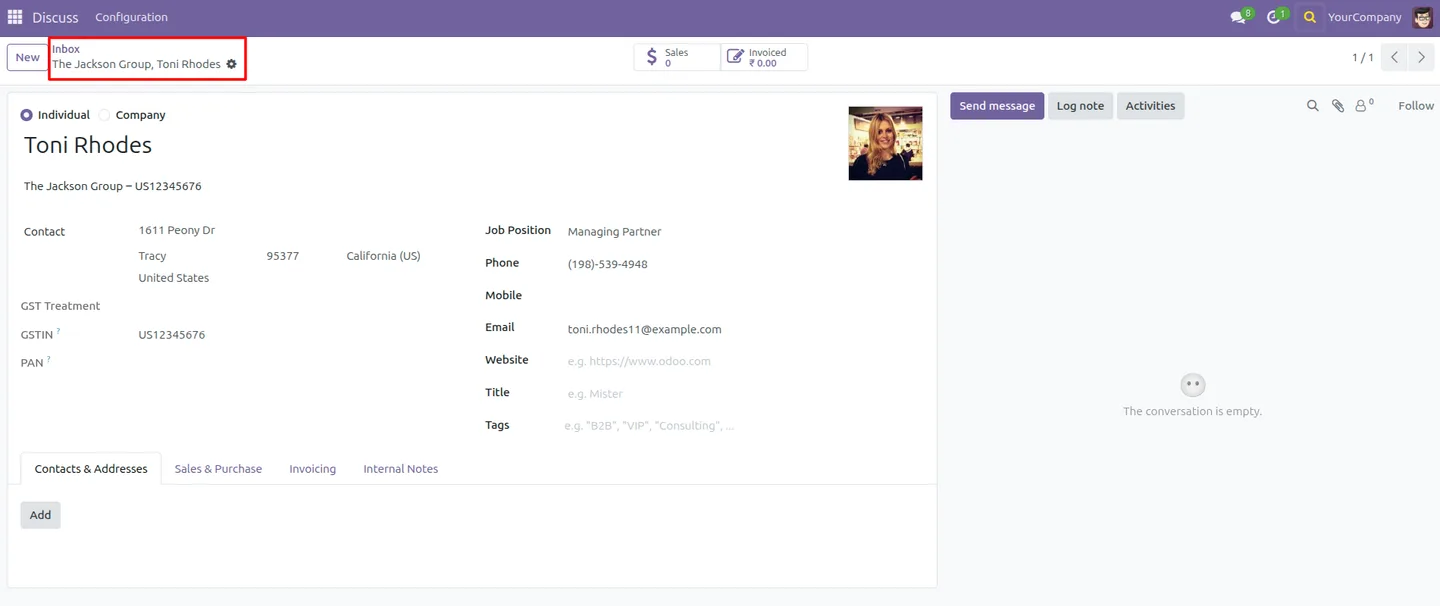
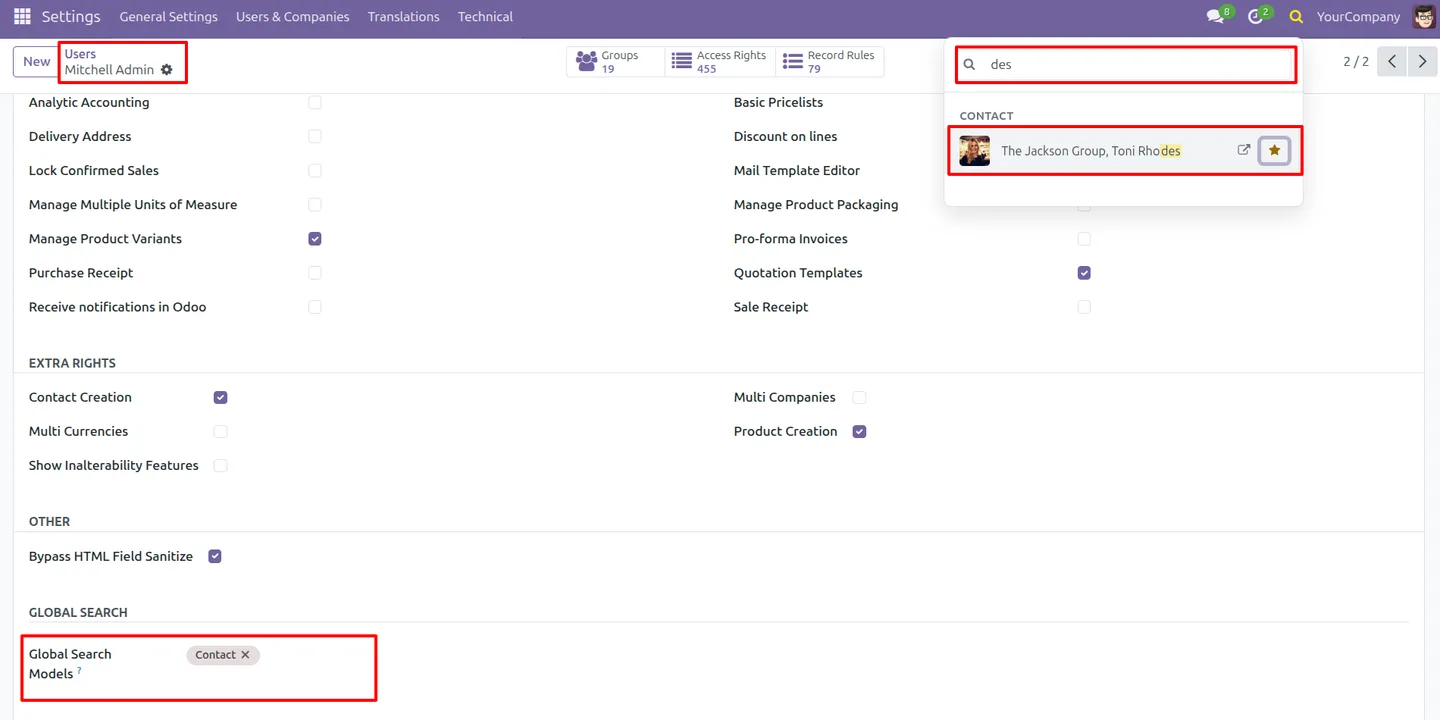
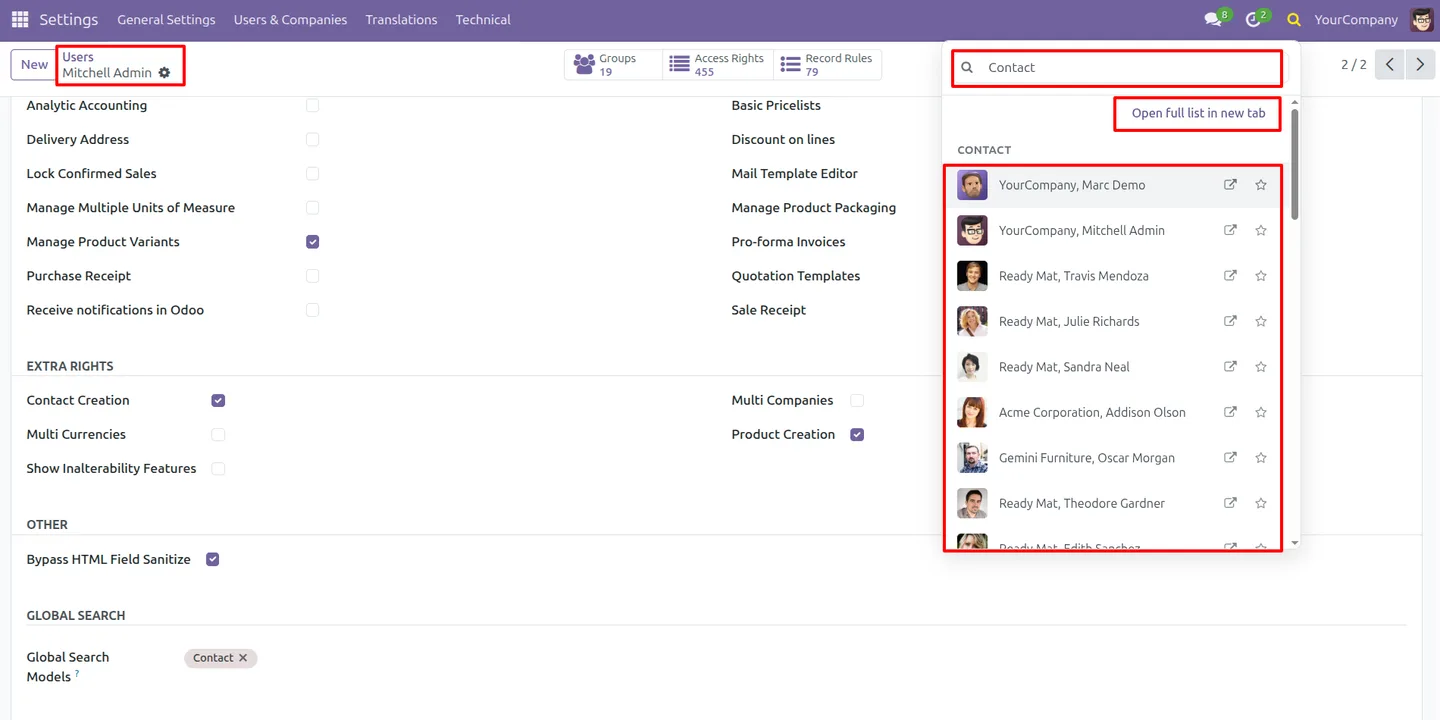
A single query searches across contacts, quotations, sales orders, purchase orders, invoices, products, and other record types at once.
-
Smart result grouping
Results are grouped by record type, so a list of mixed matches stays readable and you can go straight to the kind of record you want.
-
Per-user model configuration
A Global Search Models setting on each user form limits which models that user can search, keeping results aligned with their role.
-
Global scope with user rules
All models are searchable by default, and the optional per-user restrictions narrow that scope — so the module works out of the box and tightens only where needed.
-
Keyboard-friendly navigation
Results can be moved through and opened from the keyboard, so a search-and-jump takes seconds without reaching for the mouse.
-
Recent search history
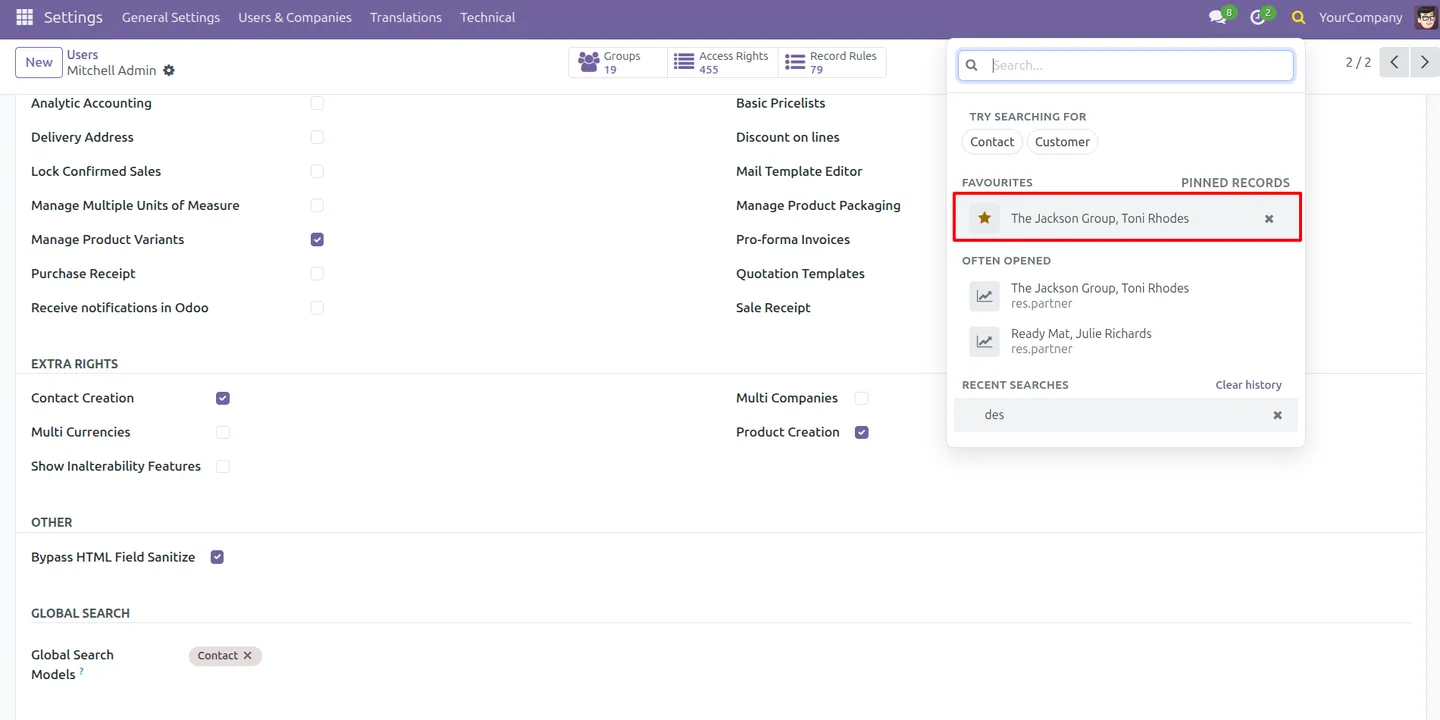
The module keeps a history of recent searches, so frequent lookups can be repeated quickly instead of being retyped each time.
-
Image previews
Where a record has an image, such as a product, a preview is shown in the results, making the right match easier to spot at a glance.
-
Works out of the box
No configuration is required after installation — the search is active immediately, with every model searchable until an administrator sets per-user limits.
Global Search Pro for Odoo in Odoo
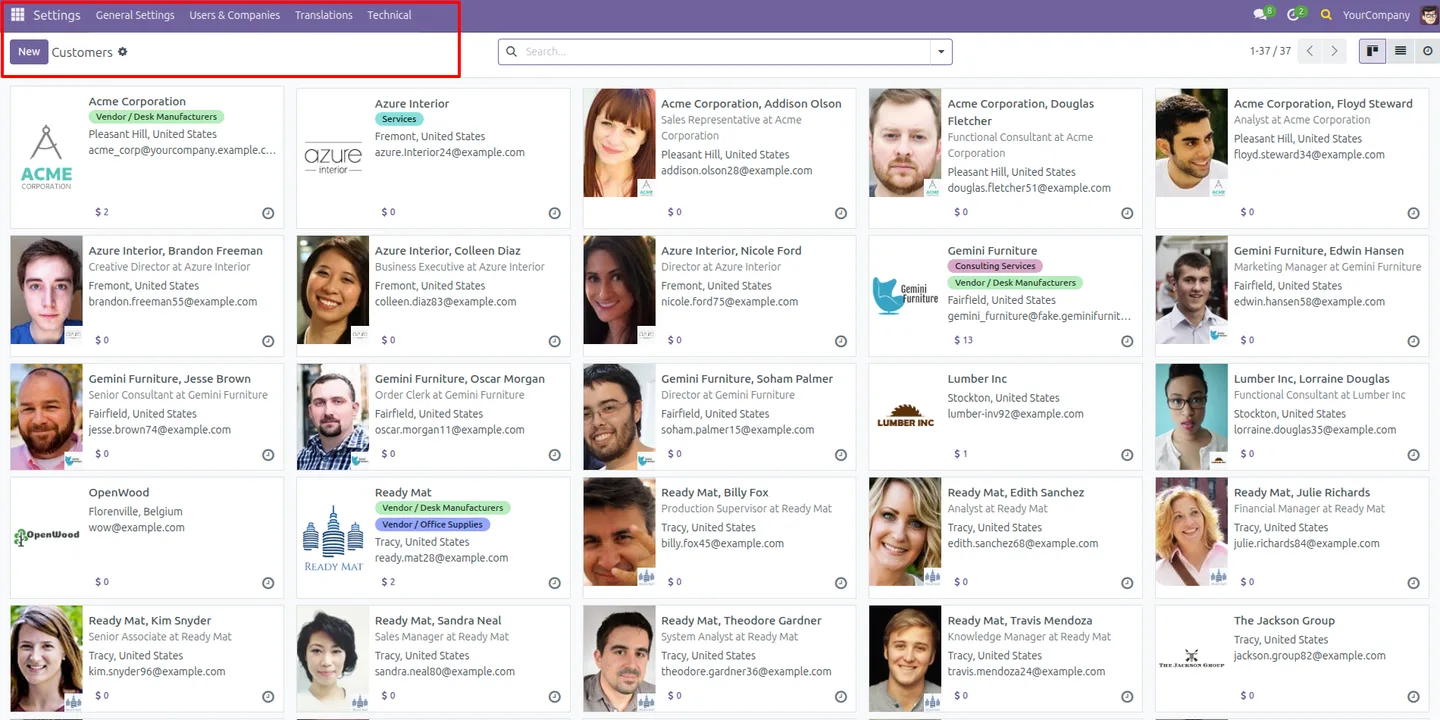
Every screen, in the order you meet it — configuration first, then the module in use.
Technical details
Specification
- Publisher
- TechUltra Solutions Private Limited
- Technical name
- tus_smart_global_search
- Odoo versions
- 16.0, 17.0, 18.0, 19.0, 20.0
- Lines of code
- 1,497
- License
- Odoo Proprietary License v1.0 (OPL-1)
- Price
- $15 (one-time)
Deployment
- Odoo Online
- Odoo.sh
- On-premise
Odoo dependencies
- Contacts
- Sales
- Purchase
- Invoicing
- Discuss
Support
90 days of bug-fix support, Monday to Friday (10:00–19:00 IST). Raise a ticket at support@techultra.in.
Setup & configuration
From install to first call — here is the path.
- 1
Install the module
In Odoo, open Apps, remove the Apps filter, search for “Global Search Pro”, and click Install.
- 2
Start searching
No configuration is needed — open the search box in the systray and search. Every model is searchable by default straight after installation.
- 3
Set per-user model limits
To narrow scope, open a user under Settings → Users & Companies → Users and set the Global Search Models option to the models that user should be able to search.
- 4
Use keyboard navigation
Type a query, move through the grouped results with the keyboard, and open a record without using the mouse.
- 5
Reuse recent searches
Open the search box to see your recent searches and repeat a frequent lookup without retyping it.
Frequently asked questions
-
What does Global Search Pro for Odoo do?
It adds a search box to the Odoo systray that finds records across many models at once — contacts, quotations, sales and purchase orders, invoices, and products — without opening each app first.
-
Which record types can it search?
By default it searches across contacts, quotations, sales orders, purchase orders, invoices, products, and other models, so a single query covers the records teams use most.
-
Does it need any configuration?
No. The search works immediately after installation with every model searchable. Per-user model limits are optional and set only when you want to narrow scope.
-
Can I limit what a user is allowed to search?
Yes. Each user form has a Global Search Models setting that restricts which models that user can search, so results stay relevant to their role.
-
Can I use it without the mouse?
Yes. Results support keyboard navigation, so you can type a query, move through the grouped results, and open a record entirely from the keyboard.
-
Does it remember my recent searches?
Yes. The module keeps a recent-search history, so frequent lookups can be repeated quickly instead of being typed again each time.
-
Which Odoo versions are supported?
The module supports Odoo 16.0, 17.0, 18.0, 19.0, and 20.0, in both the Community and Enterprise editions.
-
Is support included?
Yes. The module includes 90 days of bug-fix support, Monday to Friday, 10:00–19:00 IST.
Listing verified against the Odoo App Store:
Related services
Get the most out of this module with senior TechUltra consultants.
Odoo Customization Services
Odoo customization from a Gold Partner: custom modules, workflows, reports and Studio changes, written upgrade-safe and quoted at a fixed scope. Free scoping call.
Hire Odoo Developers
Hire certified Odoo developers from a Gold Partner: one developer or a team, full-time or part-time, 70–160 hours a month. Silver, Gold or Platinum plan, free trial.
Odoo Support Services & Maintenance
Odoo support services from a Gold Partner: functional and technical support plus server cover for Enterprise and Community, 30-minute P1 response, 24/7 option.







