

Odoo App · Field Service
Field Service Multi-Worksheet
Multiple signed worksheets per Odoo field service task — captured on site and printed in the report.

Overview
Field Service Multi-Worksheet removes a hard limit of Odoo's standard Field Service module: one worksheet per task. On real jobs — a multi-room installation, a multi-asset service visit, or a shift covering several checks — technicians need to record more than one set of details and capture more than one signature.
Built by TechUltra Solutions, the module lets a technician create as many worksheets as the job requires on a single service record. Each worksheet captures its own service details and supports a digital signature from the customer or technician right on the device.
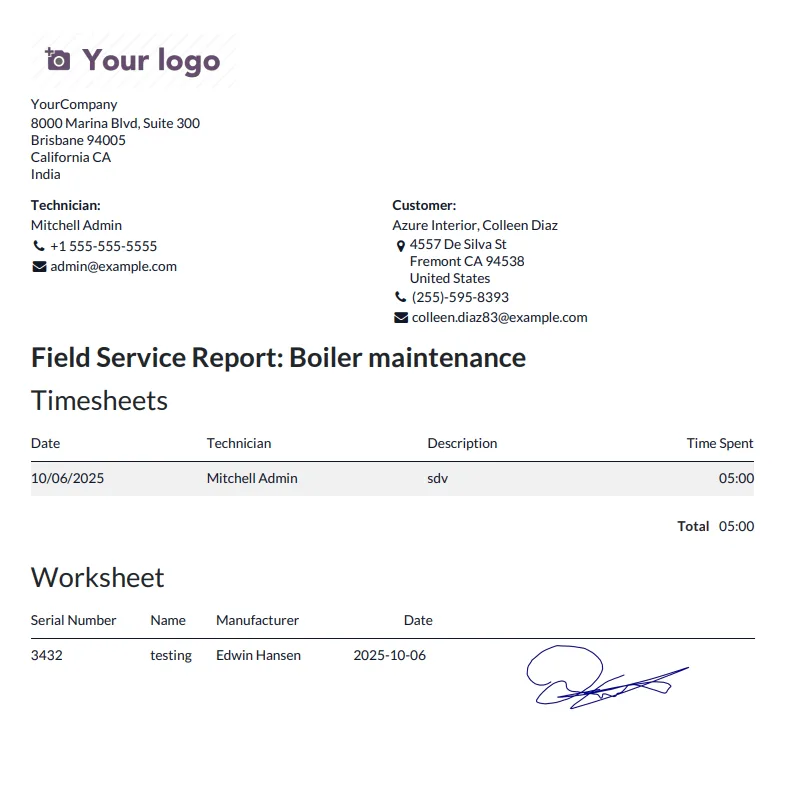
Every worksheet is then rolled into the field service report you have already configured in Odoo, so the printed PDF the customer receives reflects the full scope of work — not just the first form filled in.
Key features
-
Multiple worksheets per service task
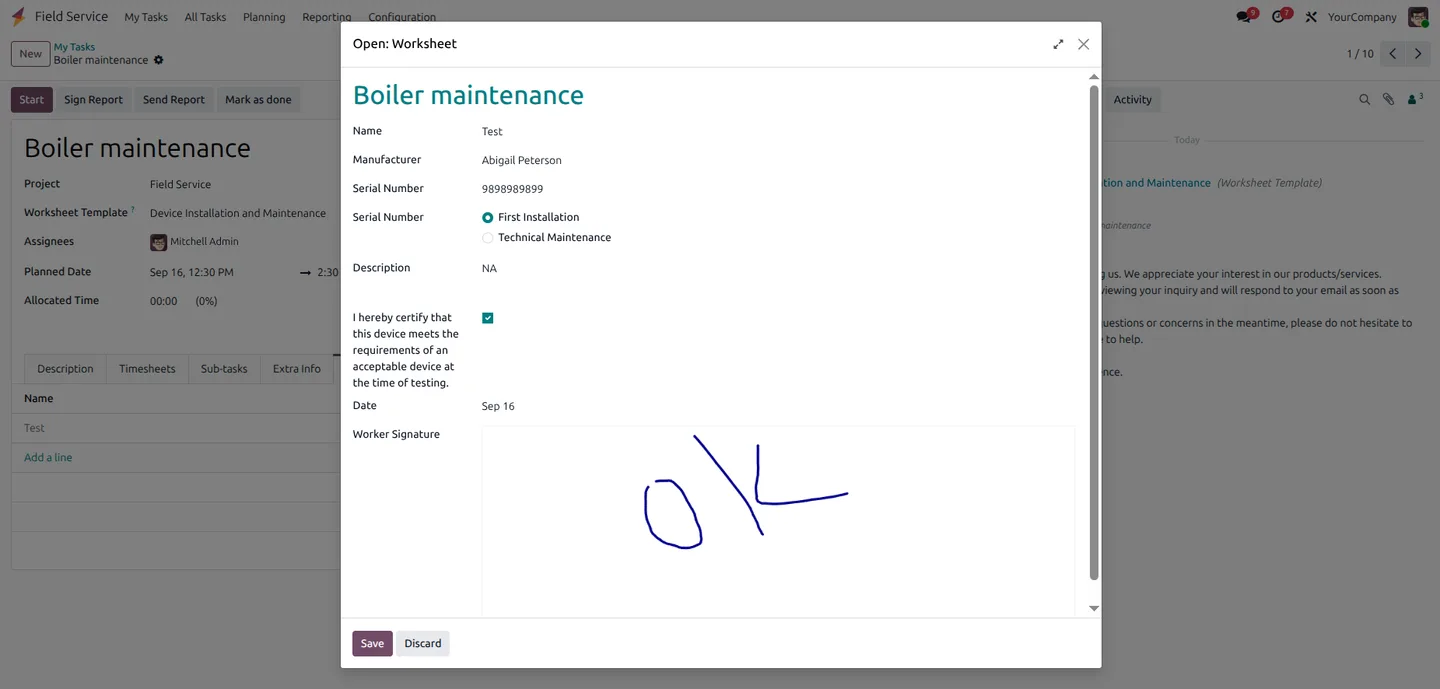
User can create multiple worksheets for a single service record with a signature on each — no need to split one visit into many tasks just to capture more than one form.
-
Detailed service documentation
Fill in the worksheet details related to the service and sign the document on the same screen, so the record is complete before leaving the customer.
-
Worksheet detail in the report
Worksheet detail is available in the report that has been configured in the field service record — every signed worksheet flows into the printed PDF.
-
Digital signature capture
Capture digital signatures from customers or technicians directly on each worksheet, on the same touch device used in the field.
-
Accurate service information recording
All necessary service details are documented per worksheet, so back-office staff and the customer see the same record of what was actually done.
-
Native Odoo Field Service integration
Sits on top of Odoo Enterprise's standard Field Service (industry_fsm) module — no parallel application, no separate UI to train technicians on.
Field Service Multi-Worksheet in Odoo
Every screen, in the order you meet it — configuration first, then the module in use.
Technical details
Specification
- Publisher
- TechUltra Solutions Private Limited
- Technical name
- tus_fsm_multi_worksheet
- Odoo versions
- 15.0, 16.0, 17.0, 18.0, 19.0, 20.0
- Edition
- Odoo Enterprise
- Lines of code
- 110
- License
- Odoo Proprietary License v1.0 (OPL-1)
- Price
- $16 (one-time)
Deployment
- Odoo Online
- Odoo.sh
- On-premise
Odoo dependencies
- Field Service
- Project
- Timesheets
- Employees
- Studio
- Discuss
Support
90 days of bug-fix support, Monday to Friday (10:00–19:00 IST). Raise a ticket at support@techultra.in.
Setup & configuration
From install to first call — here is the path.
- 1
Install the module
In Odoo, open Apps, remove the Apps filter, search for “Field Service Multi Worksheet”, and click Install. The module requires Odoo Enterprise with the Field Service application installed.
- 2
Open a field service task
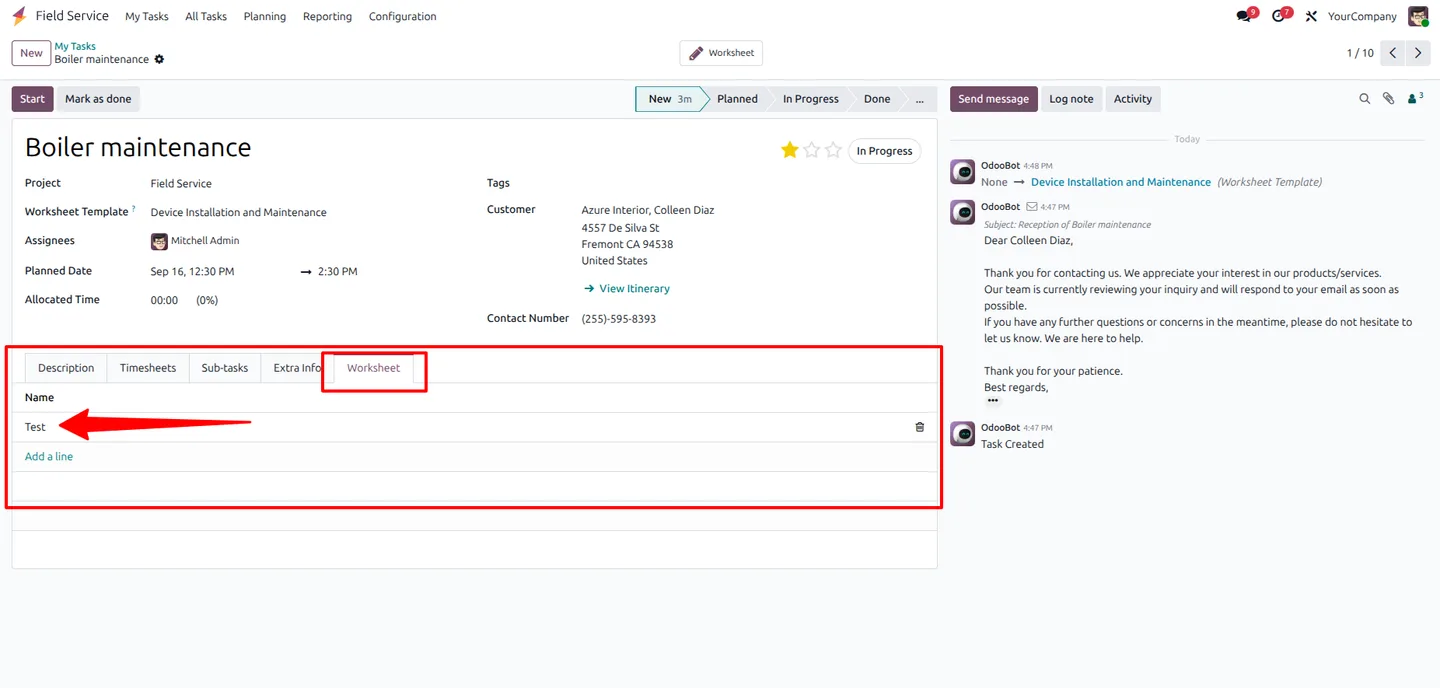
Go to Field Service and open the task you want to document. The multi-worksheet section is added to the task view automatically.
- 3
Create the first worksheet
Add a worksheet, fill in the service details, and capture a signature from the customer or technician on the same screen.
- 4
Add more worksheets as needed
Add additional worksheets to the same task for each room, asset, or sub-job. Each worksheet keeps its own details and its own signature.
- 5
Generate the field service report
Print the field service report configured on the task — every worksheet attached to the task flows into the report so the customer sees the complete record.
Frequently asked questions
-
Why would I need multiple worksheets per task?
Standard Odoo Field Service allows one worksheet per task. On real jobs — multi-room installations, multi-asset checks, or multi-stage repairs — technicians need to record several sets of details and several signatures against the same visit. This module makes that possible.
-
Does the module require Odoo Enterprise?
Yes. It extends the Field Service (industry_fsm) application, which is part of Odoo Enterprise.
-
Which Odoo versions are supported?
The module supports Odoo 15.0, 16.0, 17.0, 18.0, 19.0, and 20.0.
-
Can each worksheet have its own signature?
Yes. Every worksheet supports its own digital signature from the customer or the technician, captured directly on the device.
-
Will the worksheets appear in the field service report?
Yes. Worksheet detail is included in the report that has been configured on the field service record, so the printed PDF reflects every signed worksheet attached to the task.
-
Do I need to redesign my existing field service report?
No. The module slots into the report you have already configured on the field service record — there is no parallel reporting setup to maintain.
-
Does this replace the standard Field Service worksheet?
No. It extends standard Odoo Field Service so a task can hold multiple worksheets instead of just one. The native single-worksheet workflow still works.
-
Is support included?
Yes. The module includes 90 days of bug-fix support, Monday to Friday, 10:00–19:00 IST.
Listing verified against the Odoo App Store:
Related services
Get the most out of this module with senior TechUltra consultants.
Odoo Customization Services
Odoo customization from a Gold Partner: custom modules, workflows, reports and Studio changes, written upgrade-safe and quoted at a fixed scope. Free scoping call.
Hire Odoo Developers
Hire certified Odoo developers from a Gold Partner: one developer or a team, full-time or part-time, 70–160 hours a month. Silver, Gold or Platinum plan, free trial.
Odoo Support Services & Maintenance
Odoo support services from a Gold Partner: functional and technical support plus server cover for Enterprise and Community, 30-minute P1 response, 24/7 option.







