
Odoo App · Reporting & PDF
Flexible PDF Report Actions
Print, download, or open Odoo PDF reports in one click — pick a default per report.

Overview
Flexible PDF Report Actions changes what happens when a user clicks Print on an Odoo PDF report. Instead of always downloading the file, it offers three behaviours — print straight to a connected printer, download to the device, or open in a new browser tab — controlled per report.
Built by TechUltra Solutions, the module is aimed at teams that generate the same reports dozens of times a day: invoices, picking slips, sale orders, payslips, and quality docs. Setting a sensible default per report cuts a click or two off every action, which adds up fast across a warehouse, store, or shared-services team.
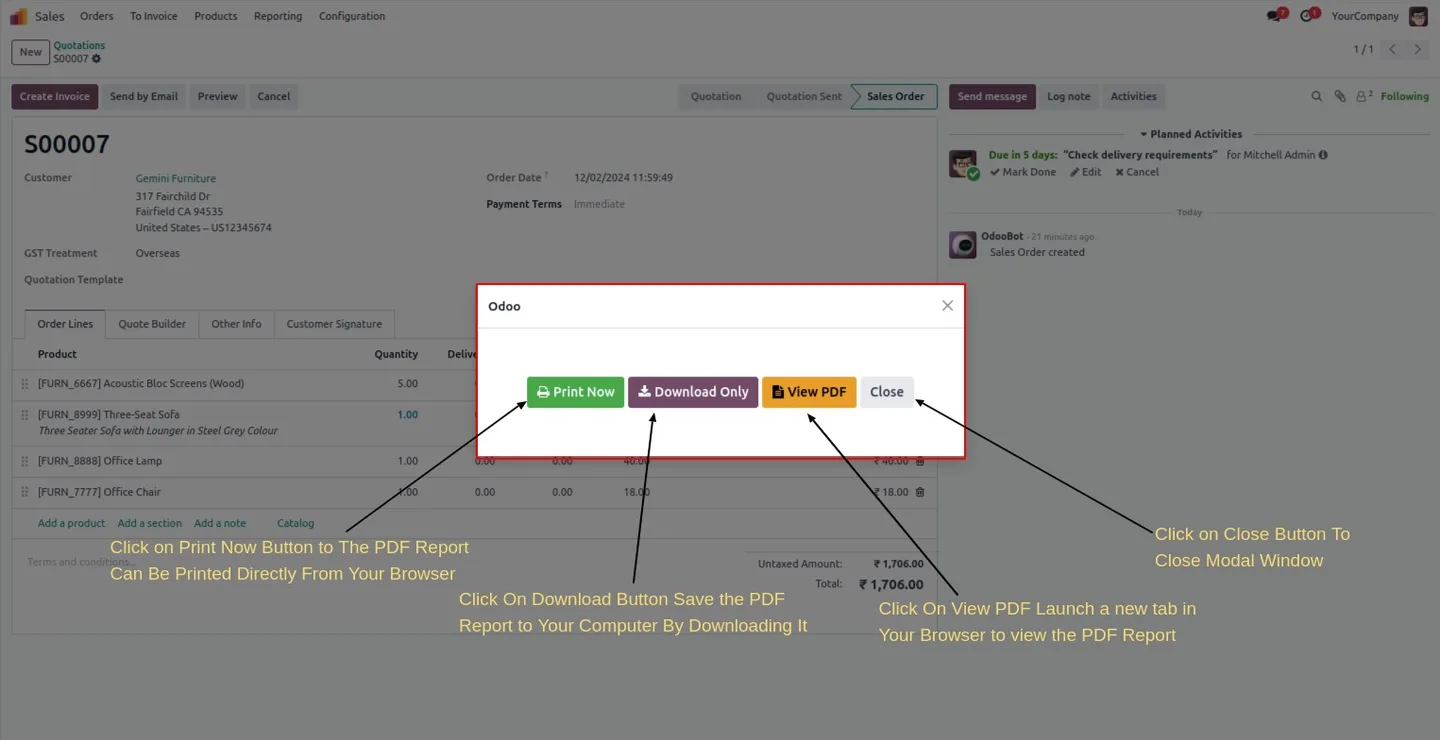
If no default is set on a report, a single clean modal asks the user which of the three actions to run. The module works in every modern browser, supports Odoo 15, 16, 17, 18, 19, and 20, and has no ongoing subscription fee for printing.
Key features
-
One-click direct browser printing
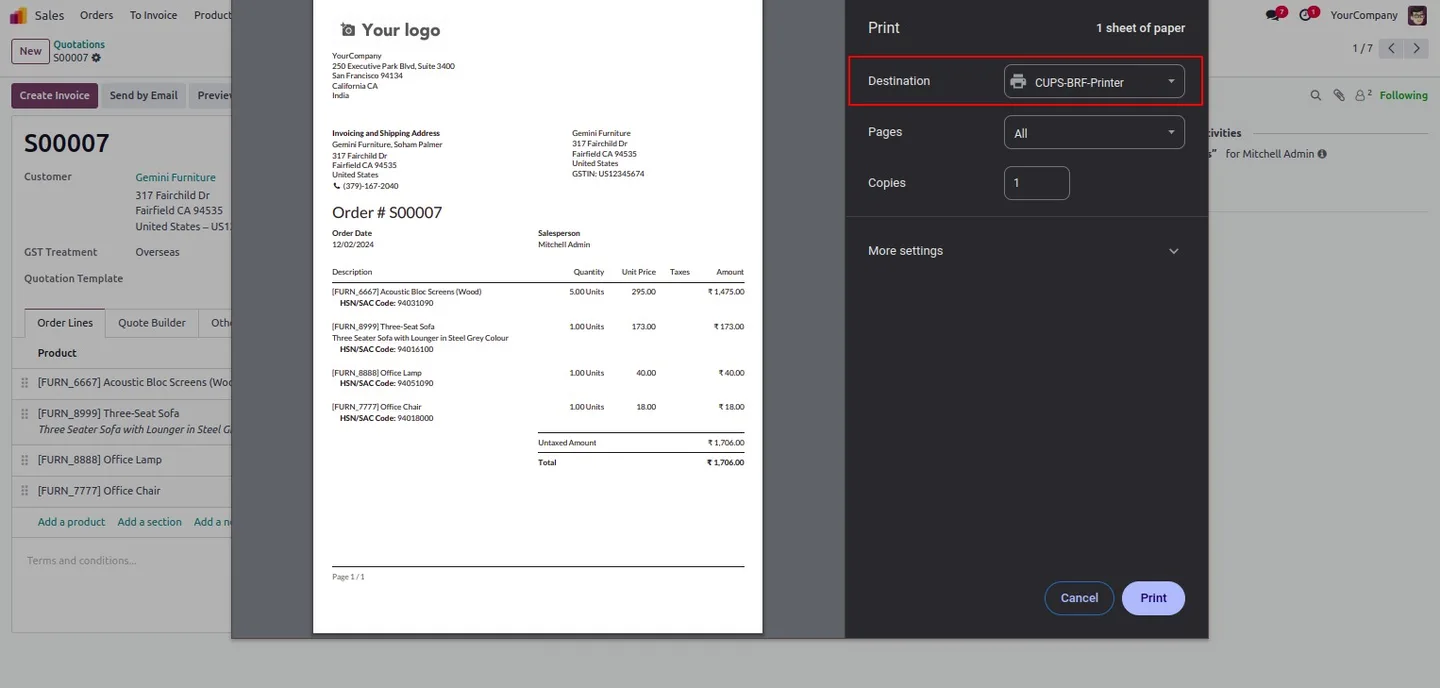
Send any Odoo PDF report straight to the browser's print dialog — useful when staff print the same document, on the same connected printer, all day long.
-
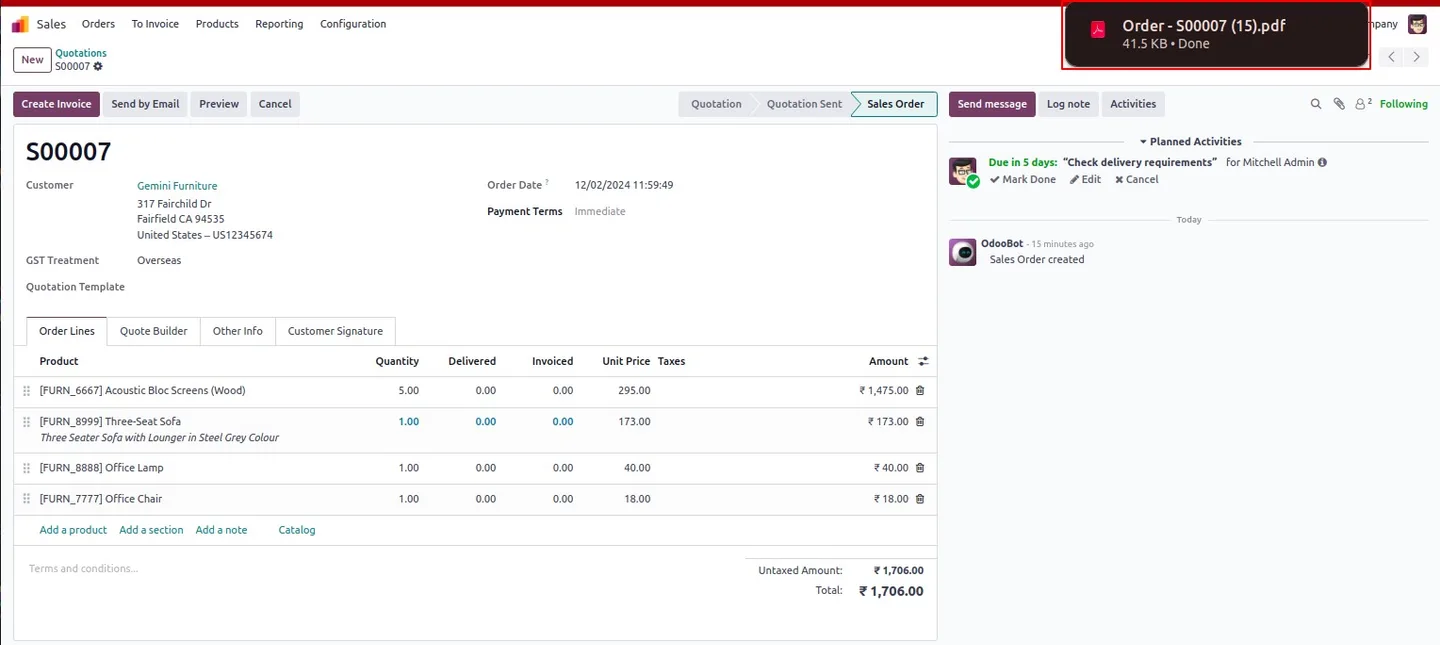
Download to the local device
Keep the standard Odoo download behaviour for reports where users prefer to save the PDF locally before sharing or archiving it.
-
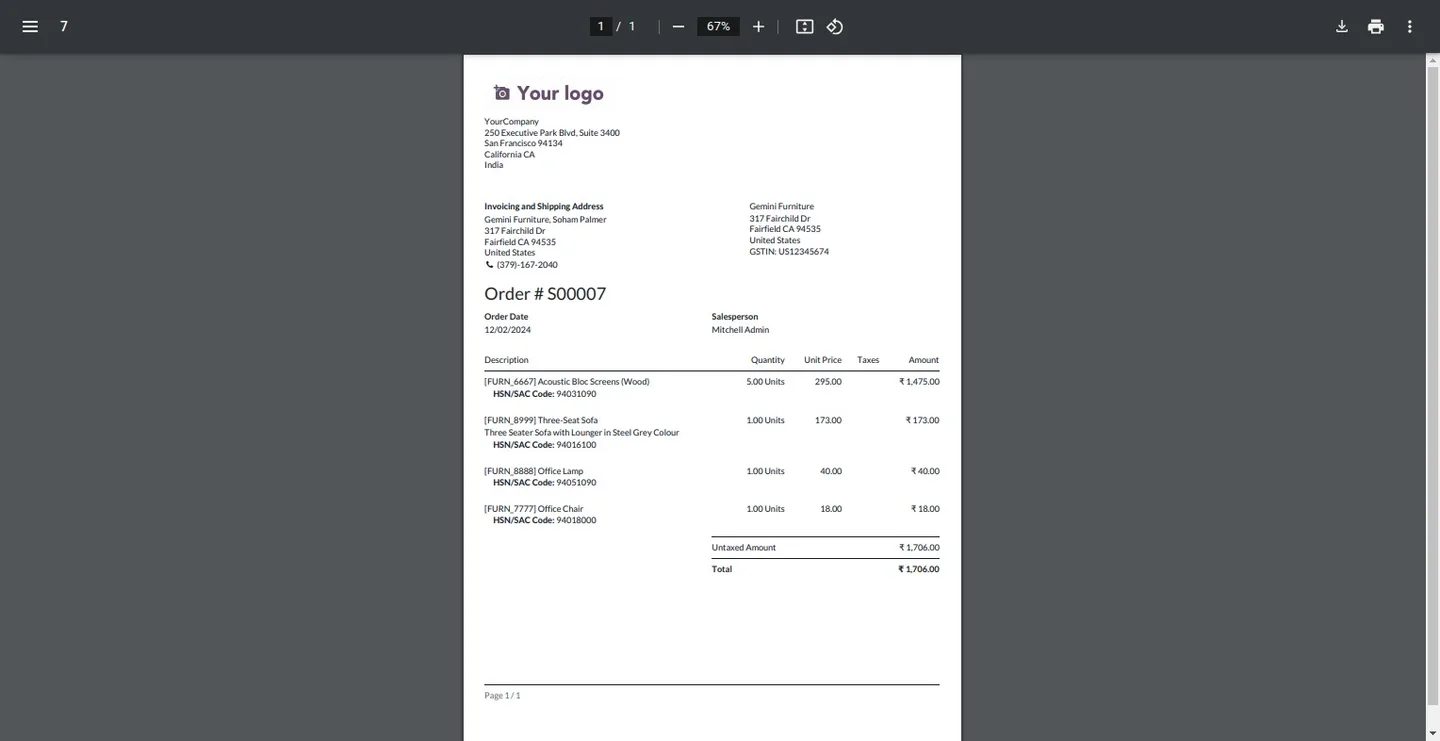
Open in a new browser tab
Open a report in a separate tab so users can keep working in Odoo while reviewing or sharing the PDF — handy for cross-referencing while data-entering.
-
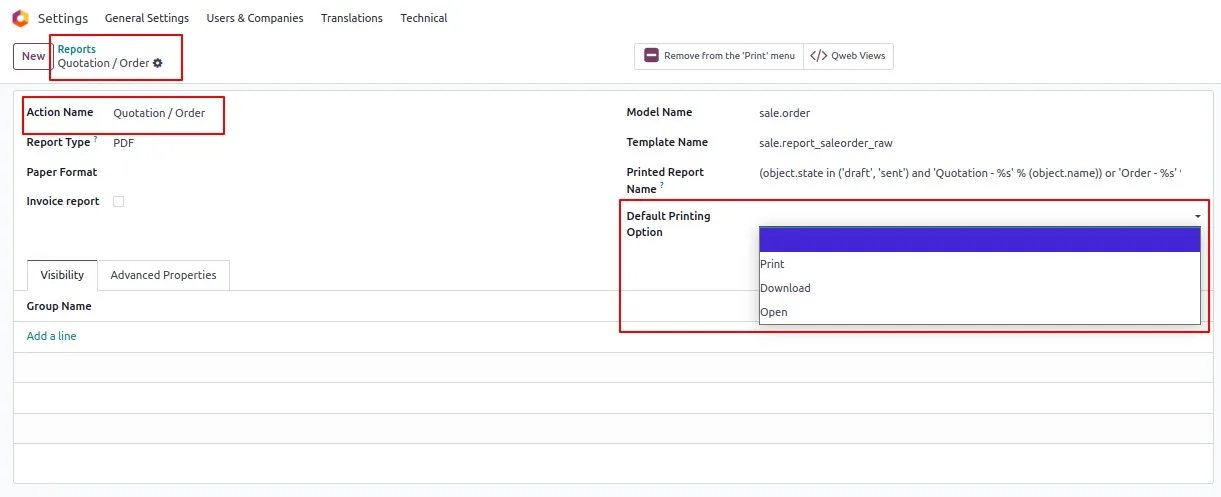
Per-report default action
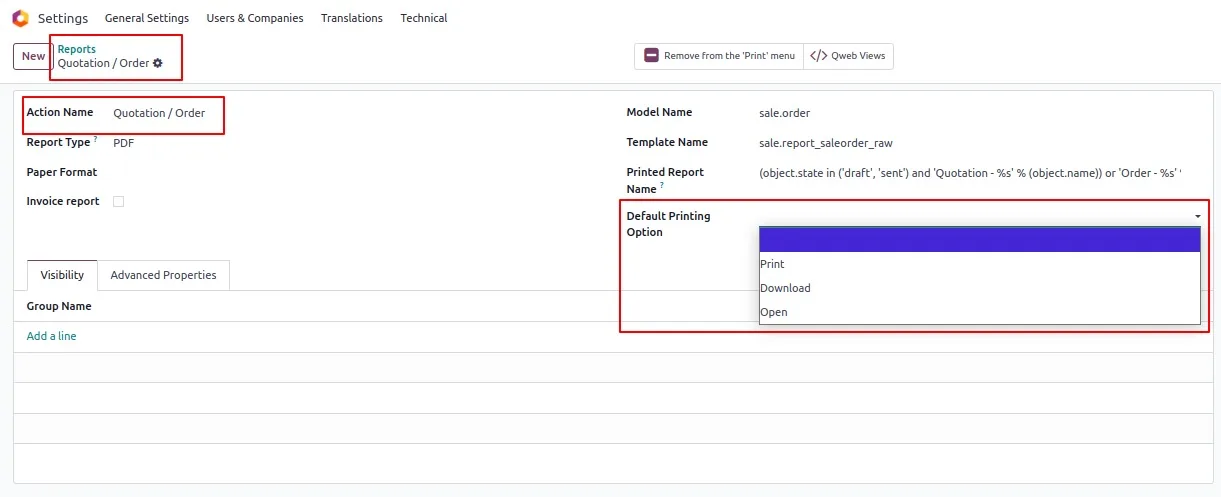
Administrators set the default action on each report individually. Invoices can download, picking slips can direct-print, quotes can open in a new tab — all from one configuration screen.
-
Clean fallback modal
When a report has no default action set, users see a clean, intuitive modal offering all three options — no fiddly menus or hidden settings.
-
Works across modern browsers
Tested on the current versions of Chrome, Edge, Firefox, and Safari. The print, download, and tab actions all use standard browser APIs.
-
No printing subscription
The module uses the browser to handle printing, so there is no print-server license, cloud-printing subscription, or per-page fee — only the one-time module cost.
-
Applies to all Odoo PDF reports
The behaviour is added to every PDF report in your database — standard reports, OCA reports, and the custom QWeb reports your business has built.
Flexible PDF Report Actions in Odoo
Every screen, in the order you meet it — configuration first, then the module in use.
Technical details
Specification
- Publisher
- TechUltra Solutions Private Limited
- Technical name
- tus_direct_to_print
- Odoo versions
- 15.0, 16.0, 17.0, 18.0, 19.0, 20.0
- Lines of code
- 179
- License
- Odoo Proprietary License v1.0 (OPL-1)
- Price
- $25.99 (one-time)
Deployment
- Odoo Online
- Odoo.sh
- On-premise
Odoo dependencies
- Web
- Discuss
Support
90 days of bug-fix support, Monday to Friday (10:00–19:00 IST). Raise a ticket at support@techultra.in.
Setup & configuration
From install to first call — here is the path.
- 1
Install the module
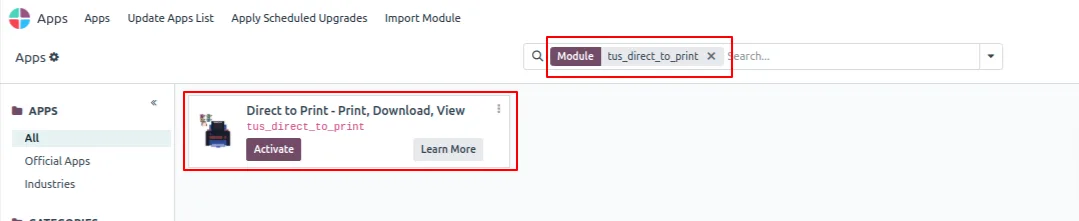
In Odoo, open Apps, remove the Apps filter, search for “Flexible PDF Report Actions”, and click Install.
- 2
Open the report list
Go to Technical → Reports (developer mode on). You will see every PDF report installed in your database — standard, OCA, and custom.
- 3
Set a default per report
Open a report and choose the default action: Print, Download, or Open in New Tab. Save. From now on, that report uses your chosen behaviour automatically.
- 4
Leave others on prompt
For reports where the right action depends on context, leave the default blank. Users will see a clean modal with all three options the first time they click Print.
- 5
Test the actions
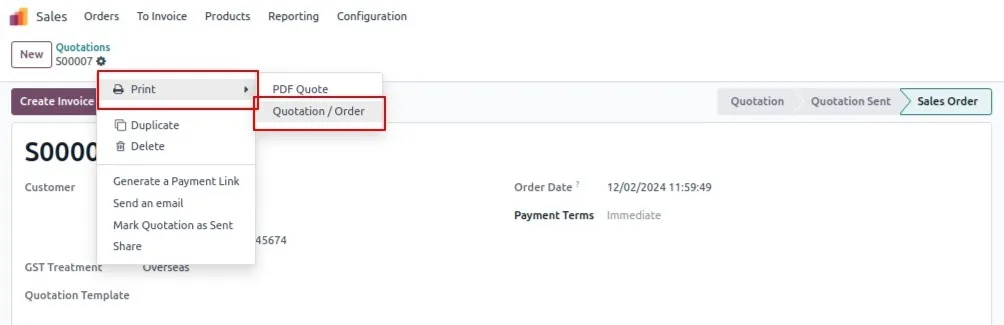
Print a report you configured for direct print and confirm the browser print dialog opens. Repeat with one set to Download and one set to Open in New Tab.
Frequently asked questions
-
What changes when I install the module?
The Print action on every Odoo PDF report can now run one of three behaviours — direct browser print, download, or open in a new tab — chosen per report by an administrator. Existing report content and templates are untouched.
-
Do I need a print server or any extra hardware?
No. The module uses the browser to handle printing, so any printer your browser can reach — local, USB, or networked — works without extra software.
-
Is there a recurring printing fee?
No. Printing uses the browser's standard print pipeline, so there is no per-page fee, print-server license, or cloud-printing subscription. Only the one-time module cost applies.
-
What if I do not set a default action on a report?
Users see a small, clean modal the first time they click Print on that report, offering Print, Download, and Open in New Tab.
-
Does it work with my custom QWeb reports?
Yes. The module applies to every PDF report in your database — standard Odoo reports, OCA-community reports, and the custom QWeb reports your business has built.
-
Which browsers does it support?
Current versions of Chrome, Edge, Firefox, and Safari. The print, download, and tab actions all use standard browser APIs, so there is nothing to install on the user device.
-
Which Odoo versions are supported?
The module is published for Odoo 15.0, 16.0, 17.0, 18.0, 19, and 20.0, in both Community and Enterprise editions.
-
Can different users have different defaults?
Defaults are configured per report, not per user. A user who wants a different action on a specific run can still trigger the modal from the report's secondary action.
Listing verified against the Odoo App Store:
Related services
Get the most out of this module with senior TechUltra consultants.
Odoo Customization Services
Odoo customization from a Gold Partner: custom modules, workflows, reports and Studio changes, written upgrade-safe and quoted at a fixed scope. Free scoping call.
Hire Odoo Developers
Hire certified Odoo developers from a Gold Partner: one developer or a team, full-time or part-time, 70–160 hours a month. Silver, Gold or Platinum plan, free trial.
Odoo Support Services & Maintenance
Odoo support services from a Gold Partner: functional and technical support plus server cover for Enterprise and Community, 30-minute P1 response, 24/7 option.







