
Odoo App · Productivity
Data Offload & External Archive Manager
Offload selected Odoo record fields to an external PostgreSQL database.

Overview
Data Offload & External Archive Manager helps keep an Odoo database lean by moving heavy or rarely-used field data to separate PostgreSQL storage. Large fields such as signatures, totals, and document bodies can sit outside the main database while the records that own them stay in place.
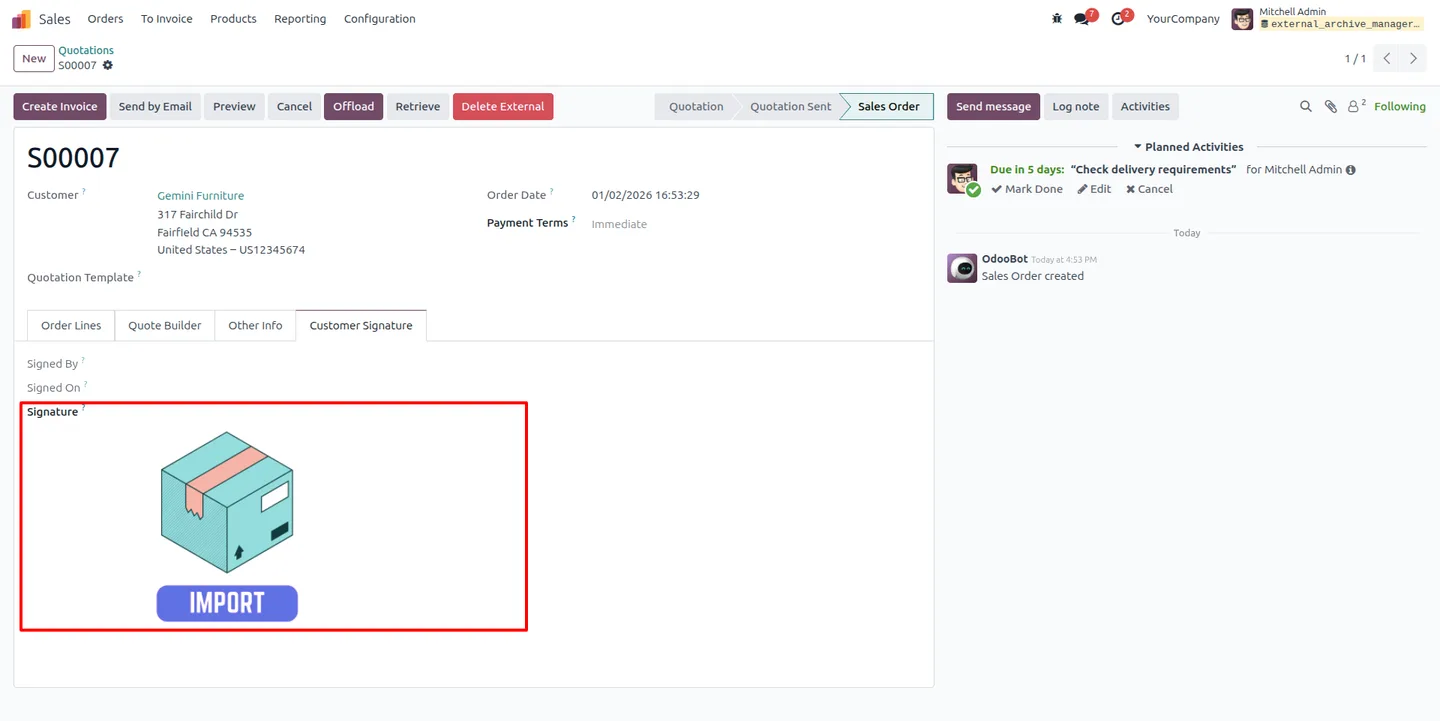
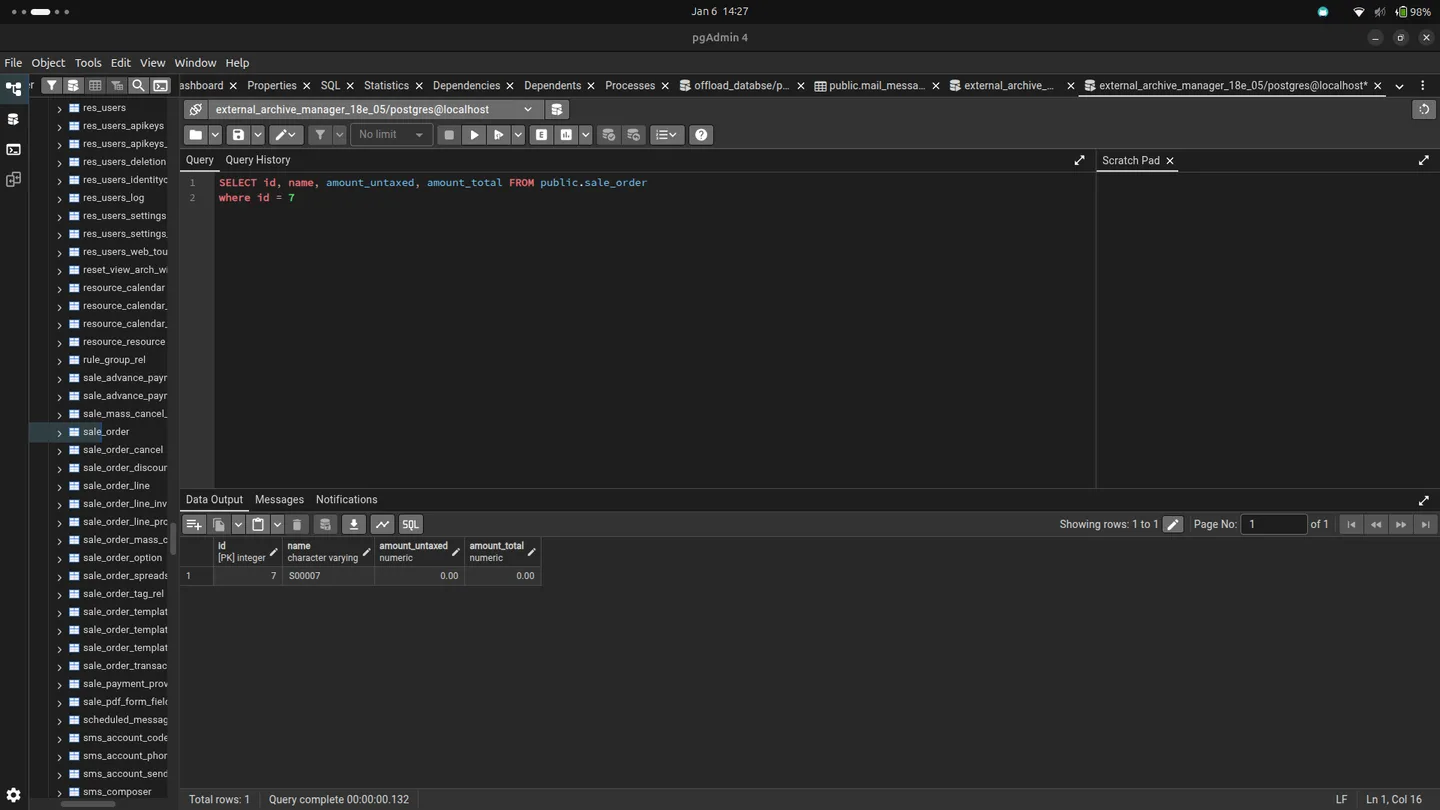
Built by TechUltra Solutions, the module lets administrators pick exactly which models and fields to offload. When data is transferred, its value is cleared from the primary database and a reference is kept on the original record, so nothing is lost track of.
Offloaded data can be retrieved at any time — the module restores it with full record integrity — or permanently purged when it is no longer needed. Offload and purge operations run manually, on a schedule, or both, so the process fits into routine database maintenance.
Key features
-
Selective field offloading
Choose specific models and individual fields to offload, so only the heavy or rarely-read data leaves the main database.
-
External PostgreSQL storage
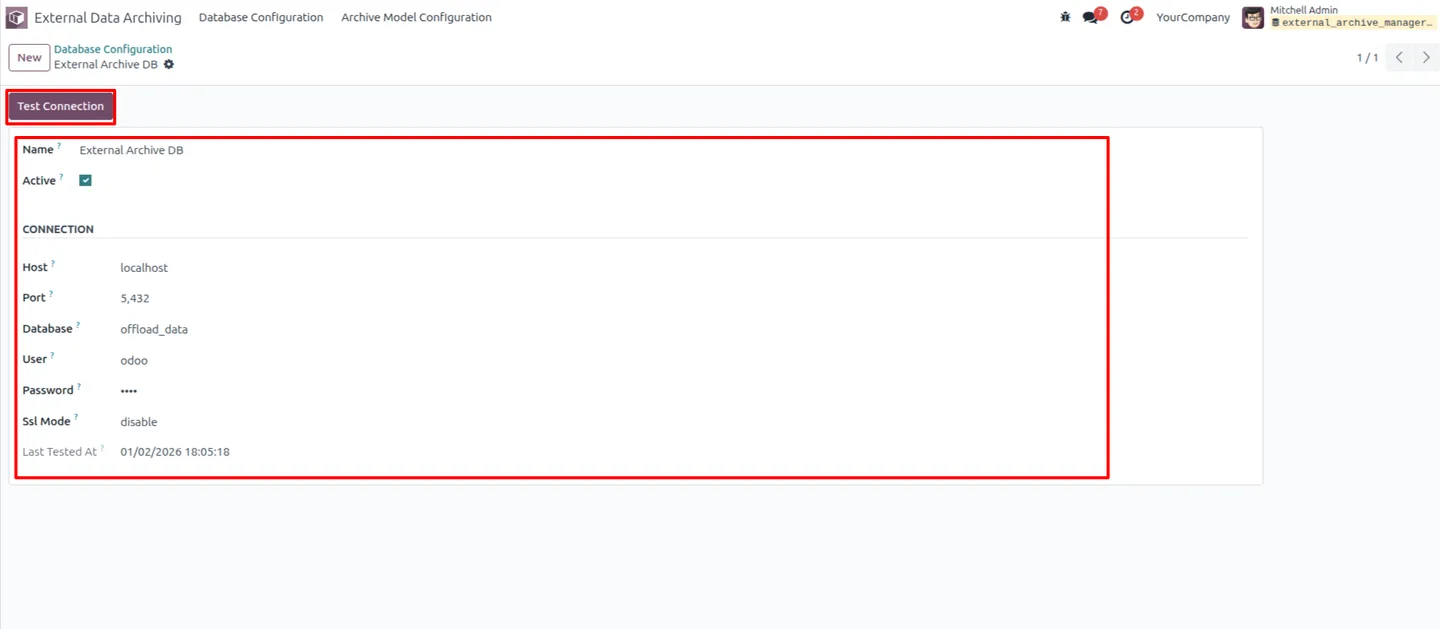
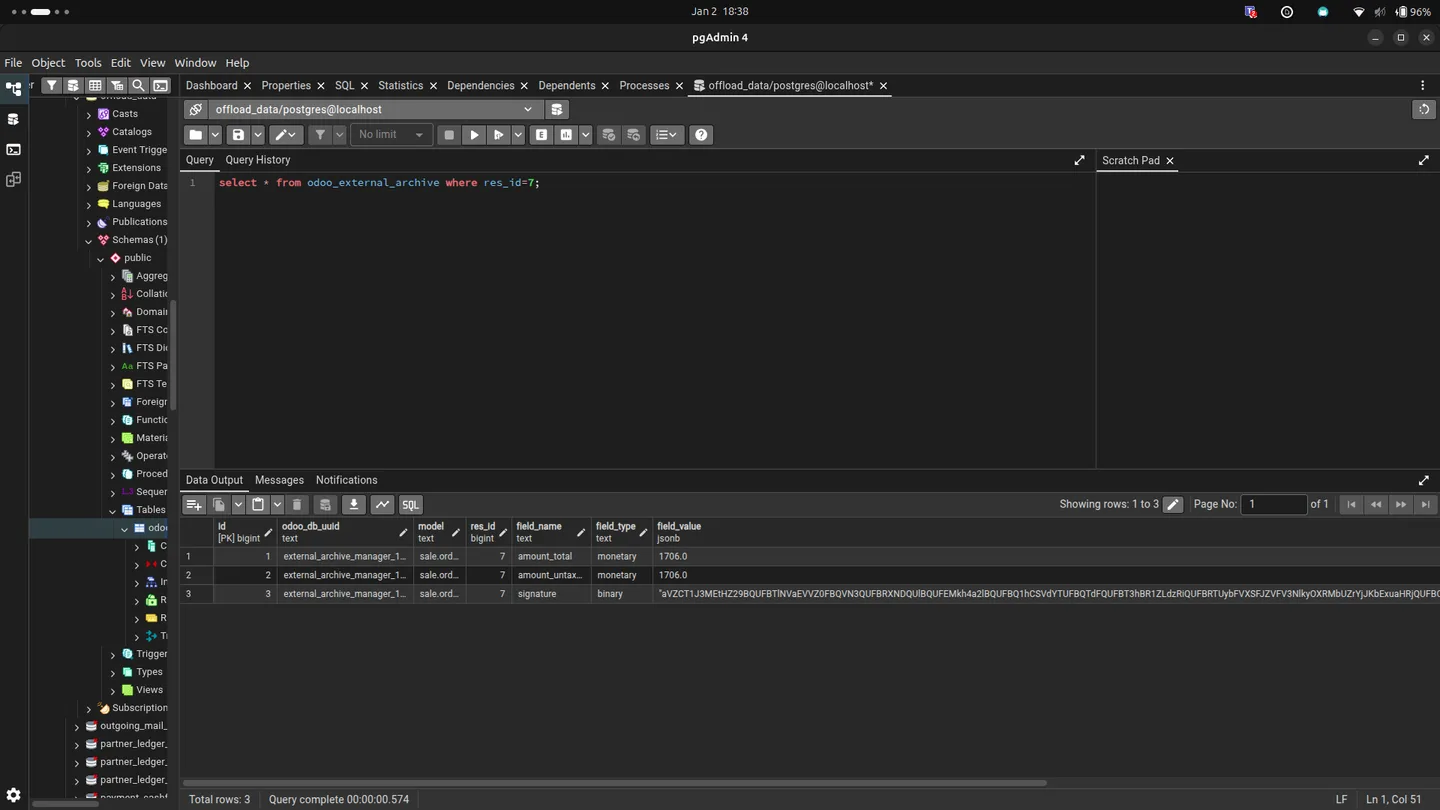
Offloaded data is held in a separate PostgreSQL database that you configure with its own host, name, and credentials.
-
Retrieve archived data
Restore offloaded data back into Odoo on demand. The module returns the field values with full record integrity.
-
Permanent delete action
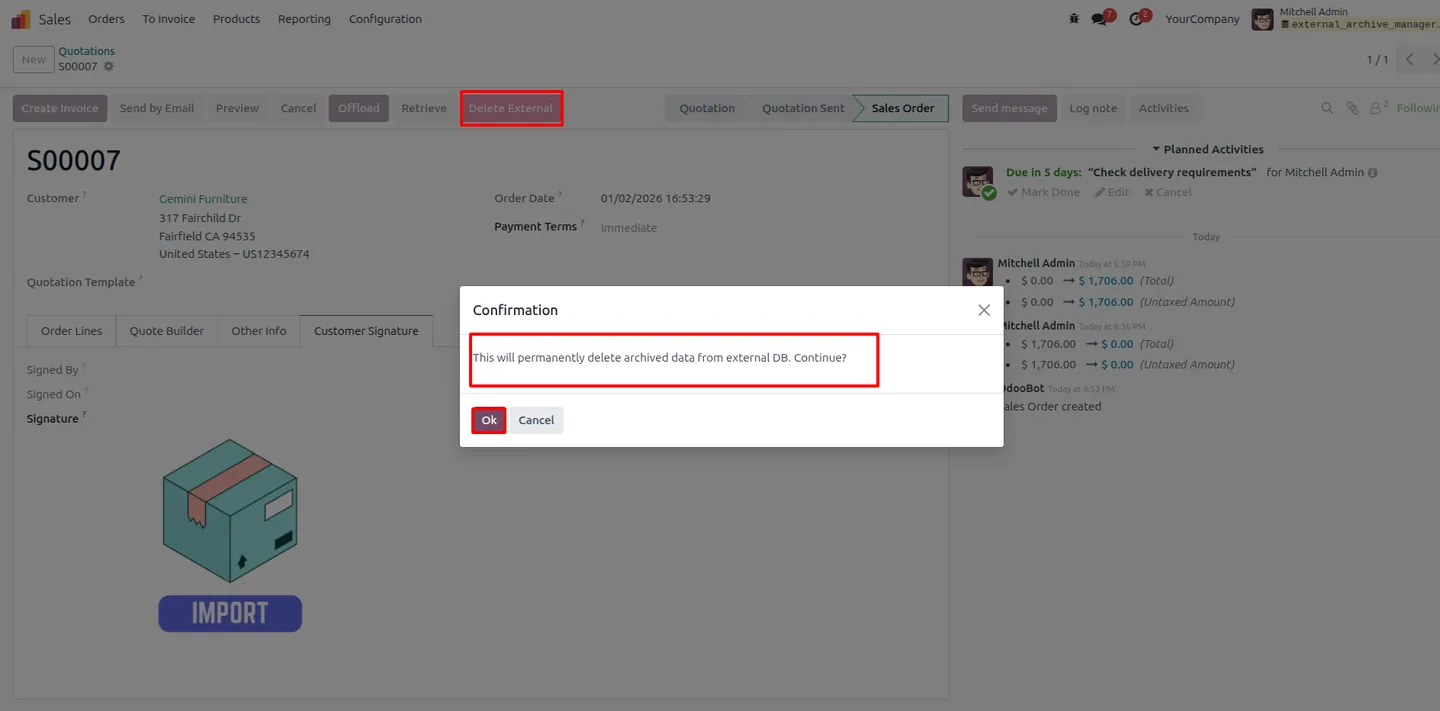
Permanently remove offloaded data from the external database when it is no longer required, freeing archive storage.
-
Scheduled offload and purge jobs
Run offload and purge operations through configurable cron jobs, so archiving happens automatically as part of routine maintenance.
-
Flexible offload modes
Choose Manual, Scheduled, or Manual plus Scheduled offloading per archive model to match how each set of data should be handled.
-
Configurable delete rules
Set delete rules that remove records from the database after a chosen number of days, with batch sizes to control how much is processed at once.
-
Record-level actions
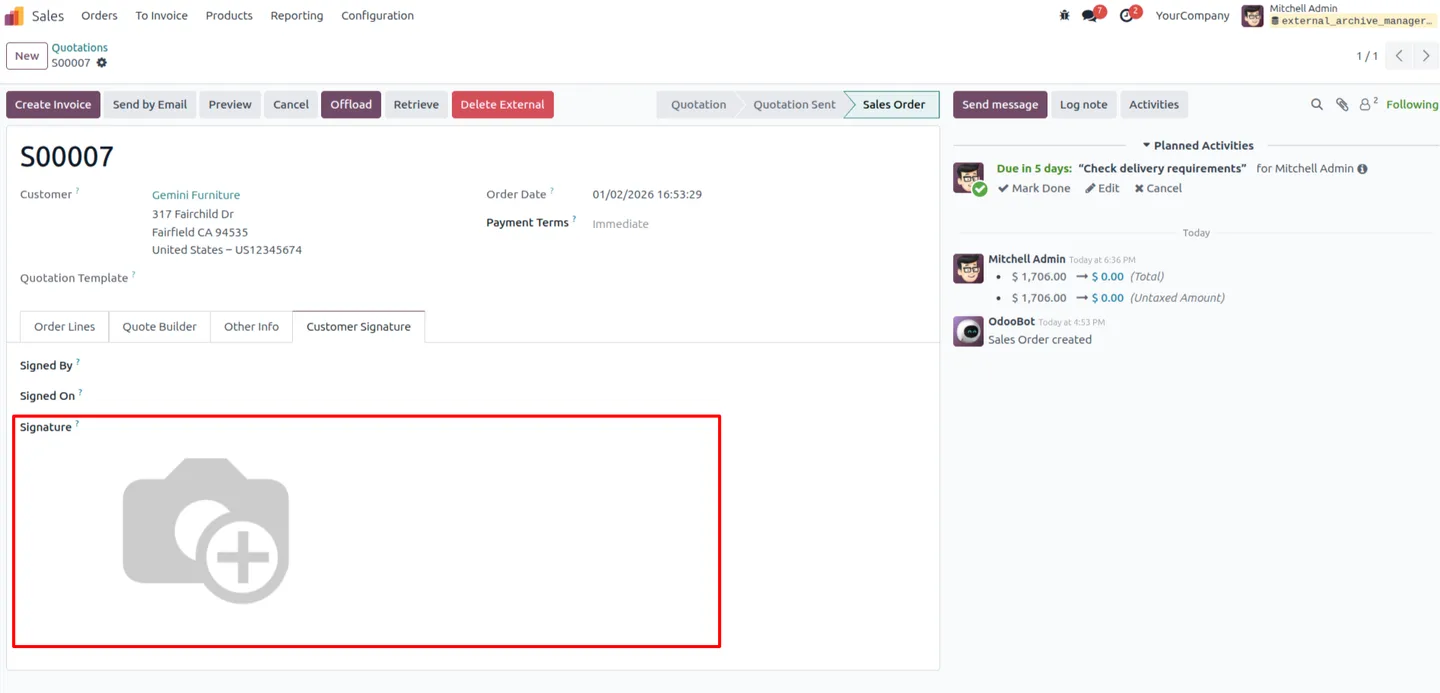
Offload, Retrieve, and Delete buttons appear on individual records — for example sales orders — for manual control, or process many records in a batch.
-
Smaller, faster database
Moving large field data out of the primary database reduces its size and helps keep day-to-day Odoo operations responsive.
-
Role-based access
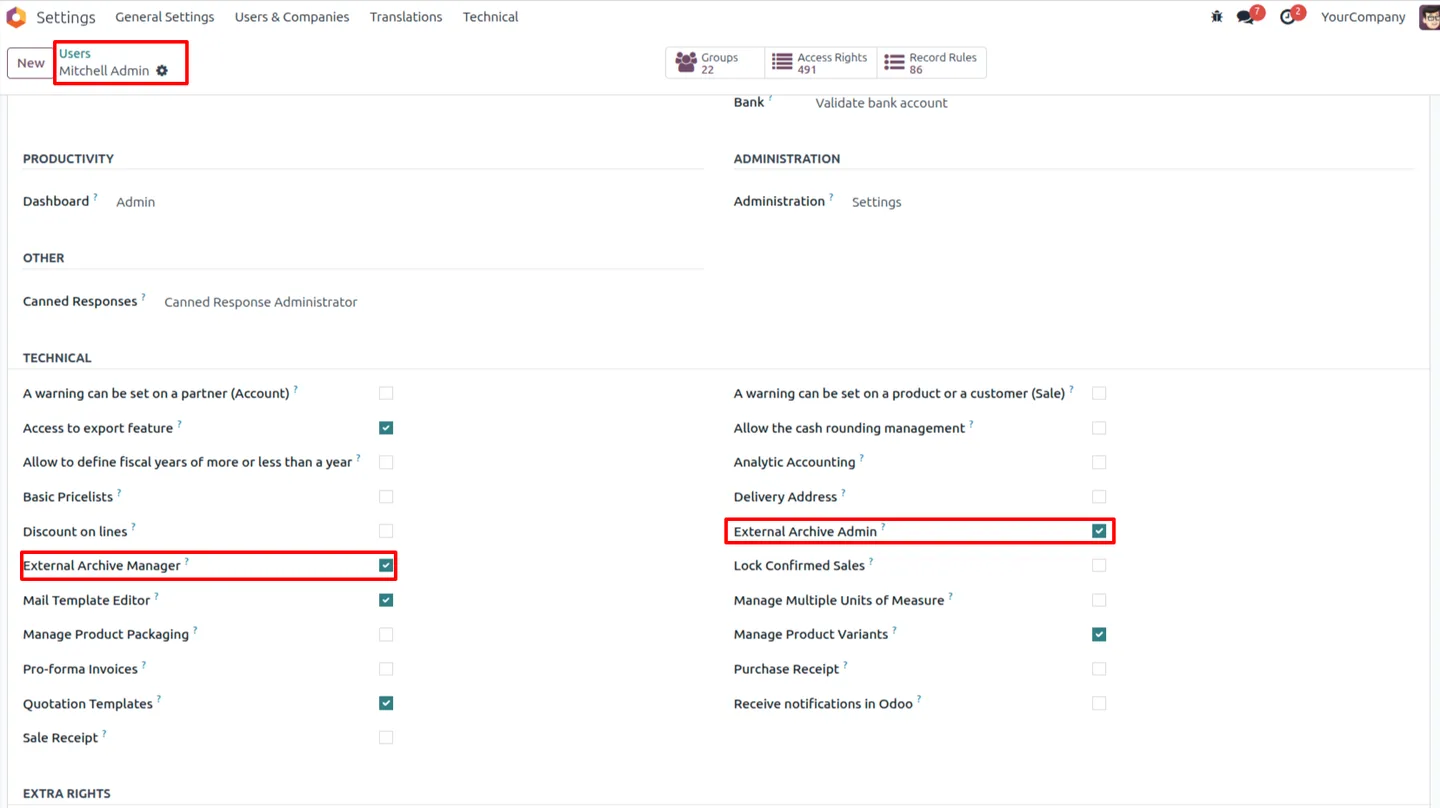
External Archive Admin and External Archive Manager access levels separate who can delete databases from who can offload and retrieve data.
Data Offload & External Archive Manager in Odoo
Every screen, in the order you meet it — configuration first, then the module in use.
Technical details
Specification
- Publisher
- TechUltra Solutions Private Limited
- Technical name
- external_archive_manager
- Odoo versions
- 16.0, 17.0, 18.0, 19.0, 20.0
- Lines of code
- 602
- License
- Odoo Proprietary License v1.0 (OPL-1)
- Price
- $49 (one-time)
Deployment
- Odoo Online
- Odoo.sh
- On-premise
Odoo dependencies
- Settings
Support
90 days of bug-fix support, Monday to Friday (10:00–19:00 IST). Raise a ticket at support@techultra.in.
Setup & configuration
From install to first call — here is the path.
- 1
Install the module
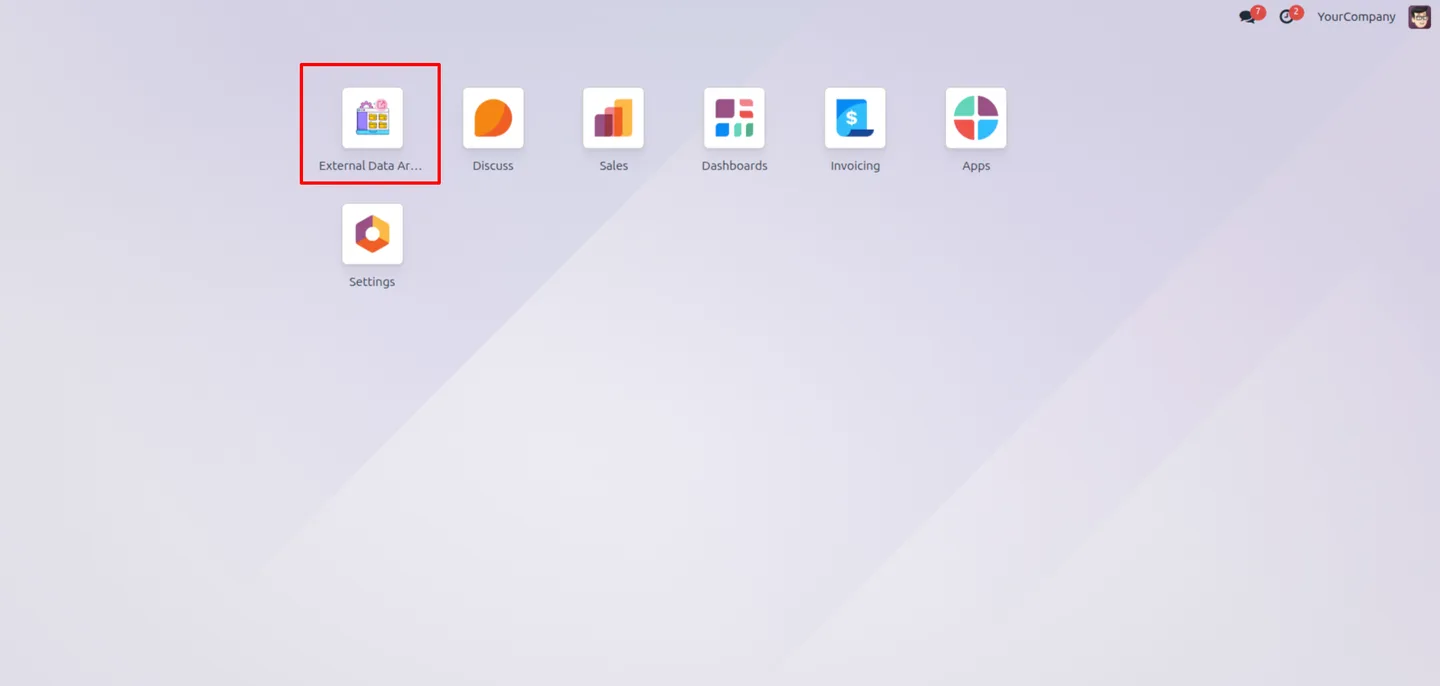
In Odoo, open Apps, remove the Apps filter, search for “Data Offload & External Archive Manager”, and click Install.
- 2
Assign access levels
Go to Settings → Users & Companies → Users and grant External Archive Admin access to users who may delete databases, and External Archive Manager access to users who will offload and retrieve data.
- 3
Configure the external database
In the module, enter the connection details for the external PostgreSQL database — host, database name, user, and password.
- 4
Set up an archive model
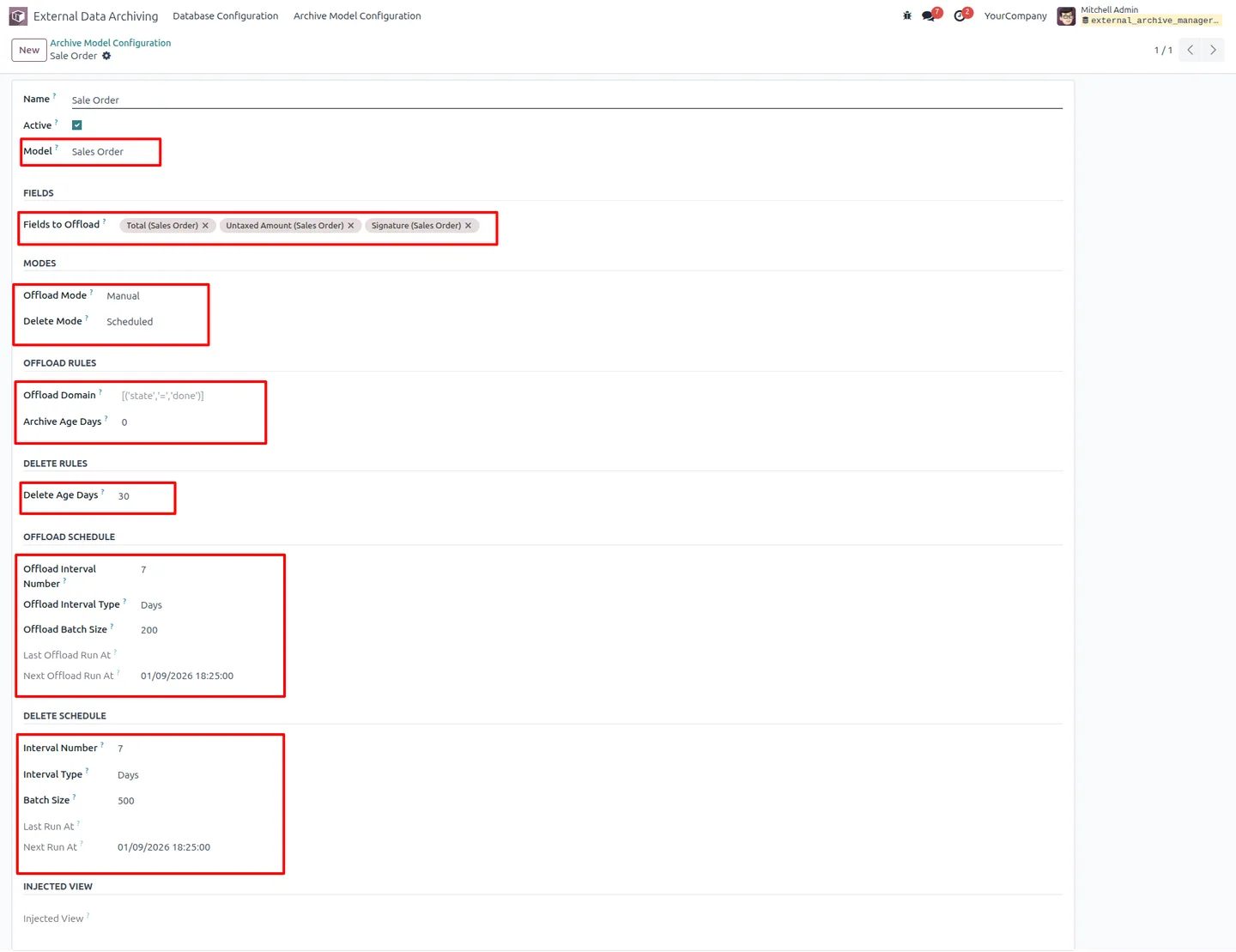
Select a model and the fields to offload, such as signatures, totals, or amounts. Choose the offload mode (Manual, Scheduled, or both) and set delete rules and batch sizes.
- 5
Offload from a record
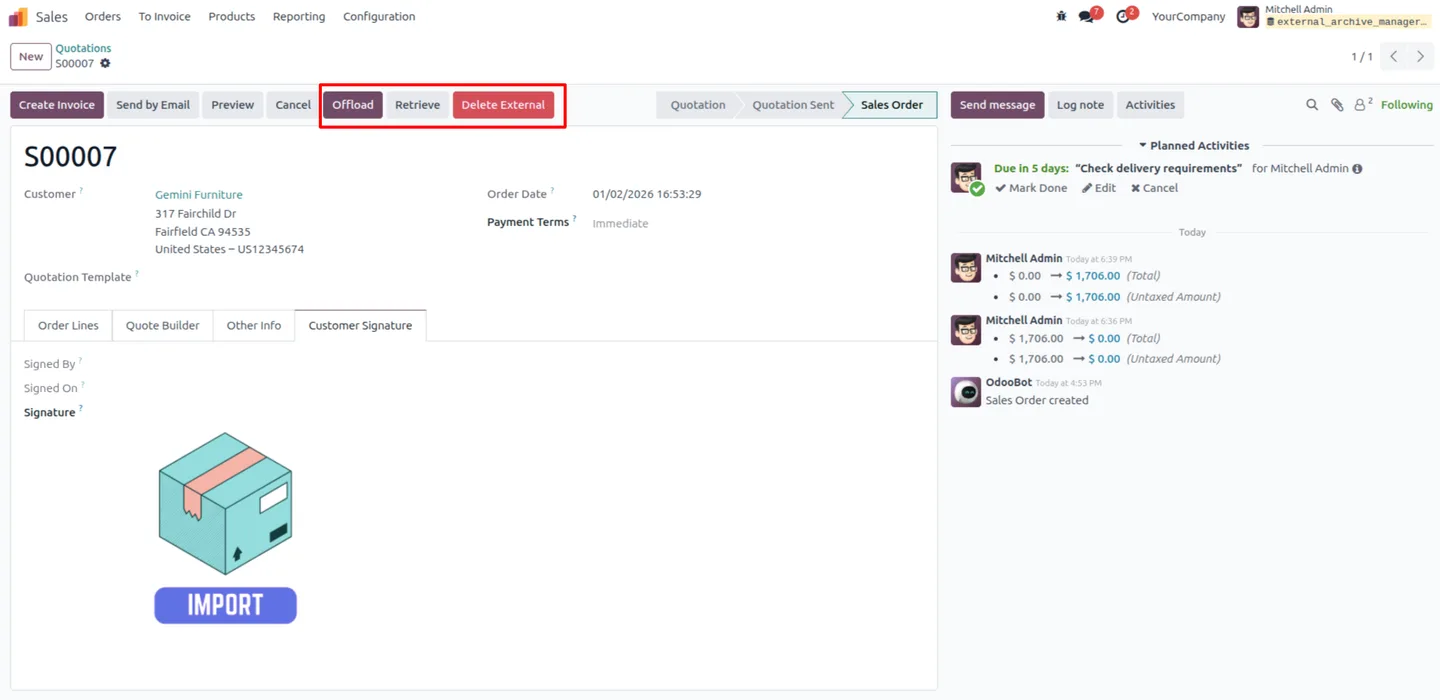
Open a record — for example a sales order — and use the Offload button to move its configured fields to the external database.
- 6
Retrieve or delete archived data
Use the Retrieve button to restore offloaded data into Odoo, or the Delete button to permanently remove it from the external database.
Frequently asked questions
-
What does the module offload — whole records or specific fields?
Specific fields. You configure which models and which individual fields are offloaded, so only the chosen data leaves the main database while the record itself stays in place.
-
Where is offloaded data stored?
In an external PostgreSQL database that you configure with its own host, database name, and credentials. The data sits outside Odoo's primary database.
-
Can I get offloaded data back?
Yes. The Retrieve action restores offloaded data into Odoo with full record integrity, so the original record is complete again.
-
Can offloading run automatically?
Yes. Offload and purge operations can run through configurable cron jobs. Each archive model can be set to Manual, Scheduled, or Manual plus Scheduled.
-
What happens to the data in the main database after offload?
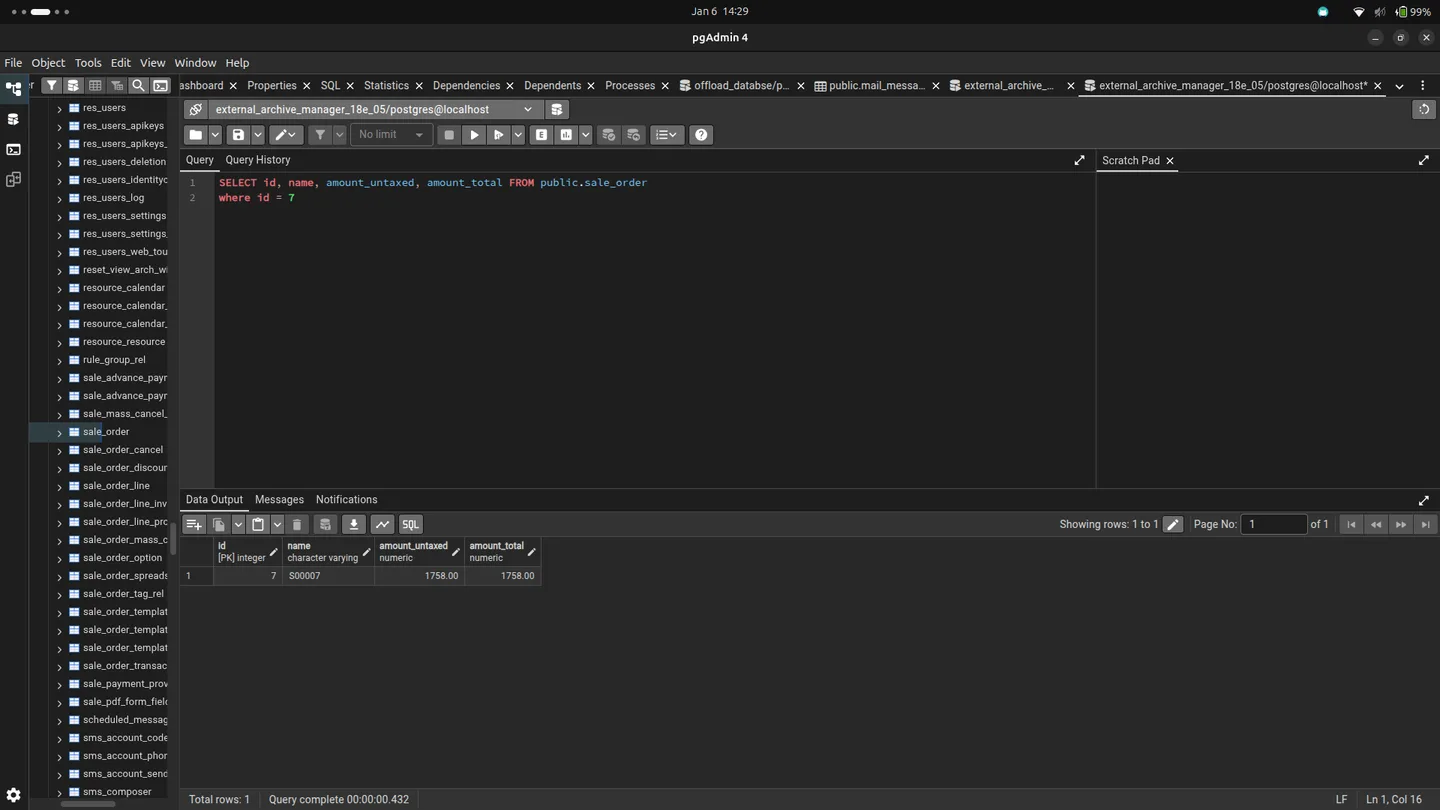
The offloaded field's value is cleared from the primary database, and a reference is kept on the original record. This reduces the size of the main database.
-
Can offloaded data be permanently deleted?
Yes. The Delete action permanently removes offloaded data from the external database. You can also set delete rules that purge records after a chosen number of days.
-
Which Odoo versions are supported?
The module supports Odoo 16.0, 17.0, 18.0, 19.0, and 20.0, in both the Community and Enterprise editions. It requires a connection to an external PostgreSQL database.
-
Is support included?
Yes. The module includes 90 days of bug-fix support, Monday to Friday, 10:00–19:00 IST.
Listing verified against the Odoo App Store:
Related services
Get the most out of this module with senior TechUltra consultants.
Odoo Customization Services
Odoo customization from a Gold Partner: custom modules, workflows, reports and Studio changes, written upgrade-safe and quoted at a fixed scope. Free scoping call.
Hire Odoo Developers
Hire certified Odoo developers from a Gold Partner: one developer or a team, full-time or part-time, 70–160 hours a month. Silver, Gold or Platinum plan, free trial.
Odoo Support Services & Maintenance
Odoo support services from a Gold Partner: functional and technical support plus server cover for Enterprise and Community, 30-minute P1 response, 24/7 option.







