

Odoo App · Email & Productivity
Email Auto Resend
Detect failed Odoo emails and resend them automatically — with a daily failure report.

Overview
Email Auto Resend enhances Odoo's email handling by automatically detecting messages that fail to deliver and resending them without anyone having to click Retry. The module watches the standard Odoo outgoing mail queue, identifies messages stuck in the failed state, and reprocesses them on a schedule you control.
Built by TechUltra Solutions, it ships with a configurable scheduled action so you decide how often to retry — every few minutes for high-volume sites, every few hours for quieter ones. Each attempt updates the delivery status on the original mail record, keeping the standard Odoo audit trail intact.
A daily report summarises every failed delivery attempt so administrators can see at a glance which SMTP server, sender, or recipient is causing trouble. The dashboard surfaces recurring failures, making it easy to spot a misconfigured outgoing mail server before customers start noticing missing quotations and invoices.
Key features
-
Automatic detection of failed emails
The module identifies emails that fail to deliver and queues them for automatic resending — no manual review of the mail queue required.
-
Configurable retry schedule
Set the resend interval in minutes, hours, or days using a standard Odoo scheduled action so retries match the rhythm of your business.
-
Daily failure report
A comprehensive daily report documents every failed delivery attempt, giving administrators a single place to spot patterns and fix the root cause.
-
Delivery status tracking
Each retry updates the delivery status on the underlying mail record, so the standard Odoo email audit trail always reflects the latest outcome.
-
Administrator failure alerts
Recurring delivery failures trigger an alert to administrators so SMTP issues are flagged before they affect customers and partners.
-
Email reports dashboard
An intuitive dashboard summarises sent, failed, and retried email volumes — useful for tracking deliverability across SMTP servers and templates.
-
No-code configuration
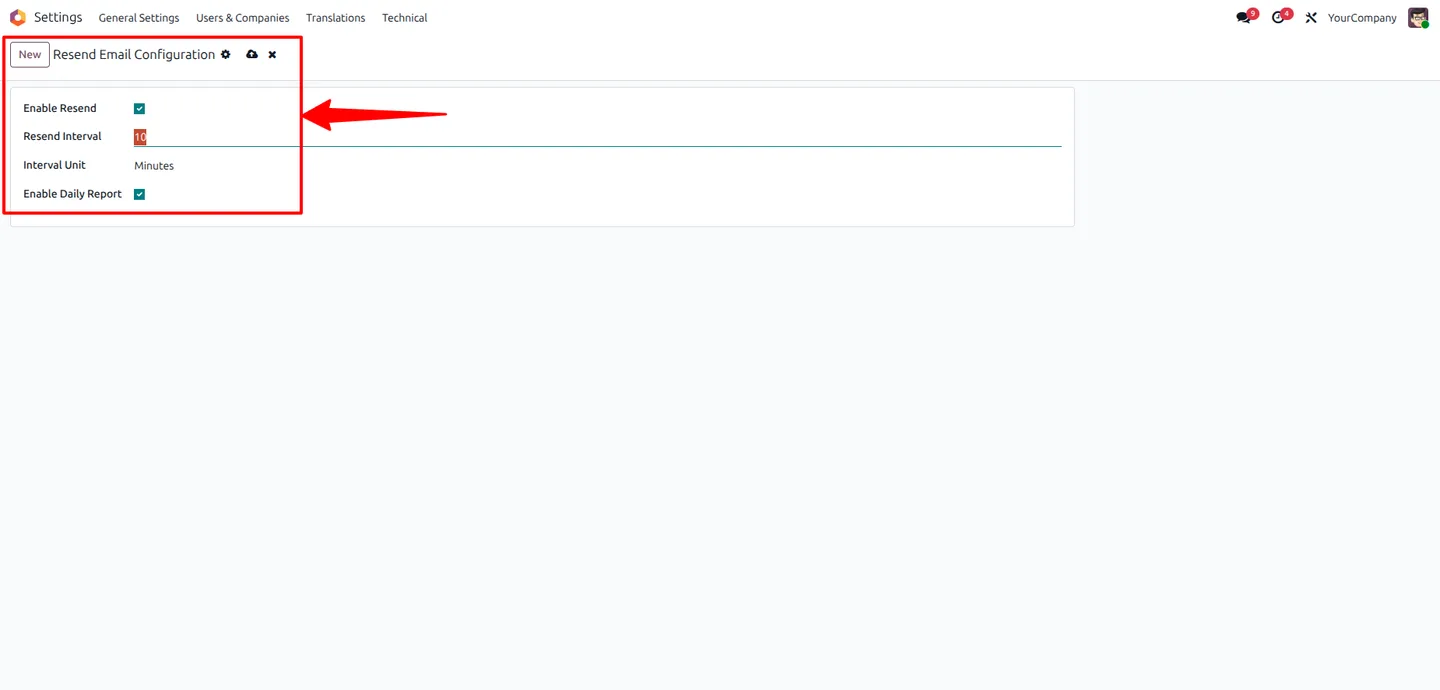
Configuration lives in Settings → Technical → Email — no Python, no custom cron jobs, just an interval, a unit, and Save.
Email Auto Resend in Odoo
Every screen, in the order you meet it — configuration first, then the module in use.
Technical details
Specification
- Publisher
- TechUltra Solutions Private Limited
- Technical name
- resend_failed_emails_automatically
- Odoo versions
- 16.0, 17.0, 18.0, 19.0
- Lines of code
- 134
- License
- Odoo Proprietary License v1.0 (OPL-1)
- Price
- Free
Deployment
- Odoo Online
- Odoo.sh
- On-premise
Odoo dependencies
- Discuss
Support
90 days of bug-fix support, Monday to Friday (10:00–19:00 IST). Raise a ticket at support@techultra.in.
Setup & configuration
From install to first call — here is the path.
- 1
Install the module
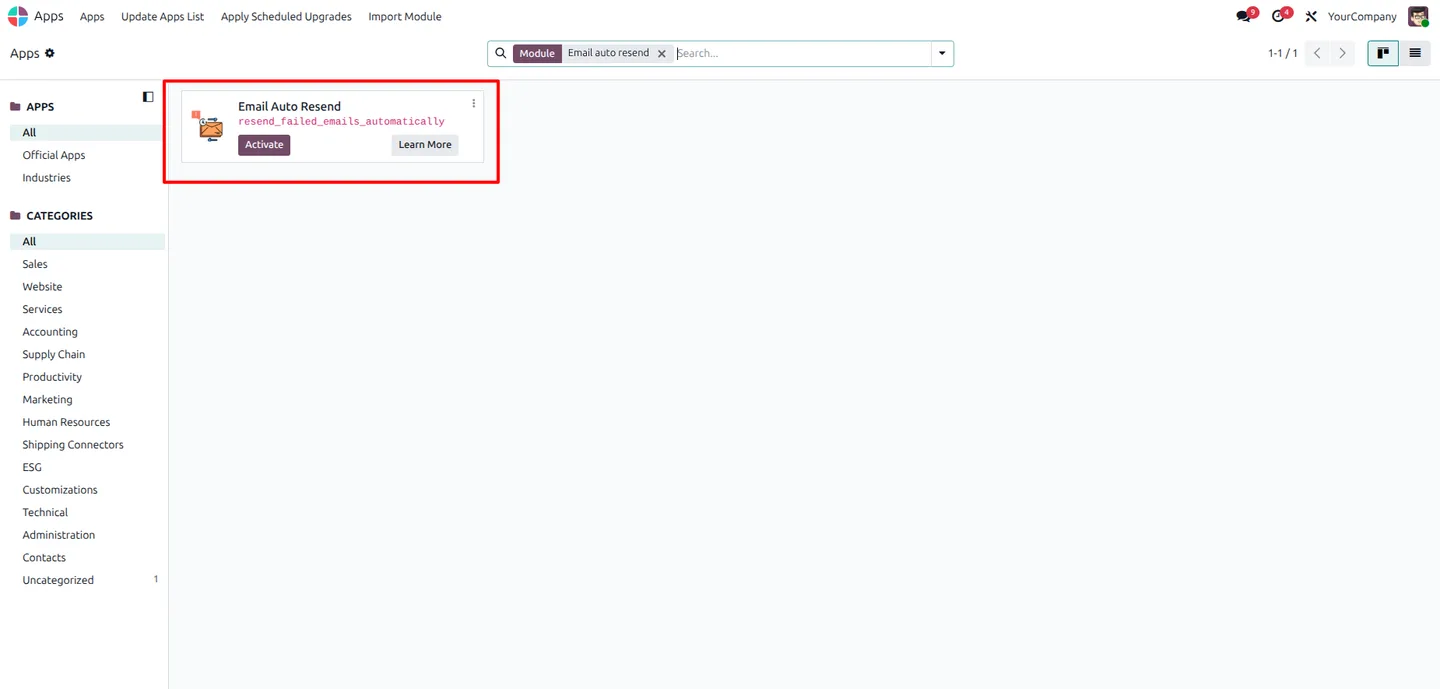
In Odoo, open Apps, remove the Apps filter, search for “Email Auto Resend”, and click Install.
- 2
Review the email queue
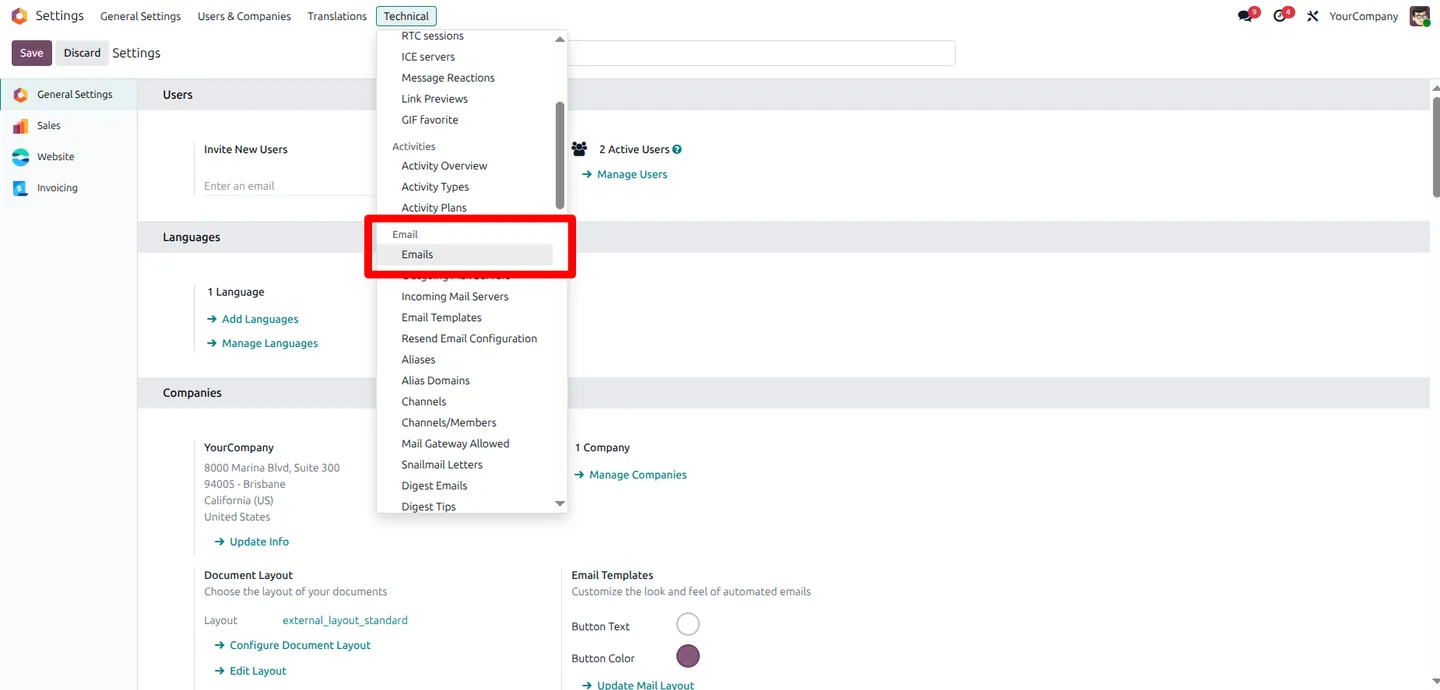
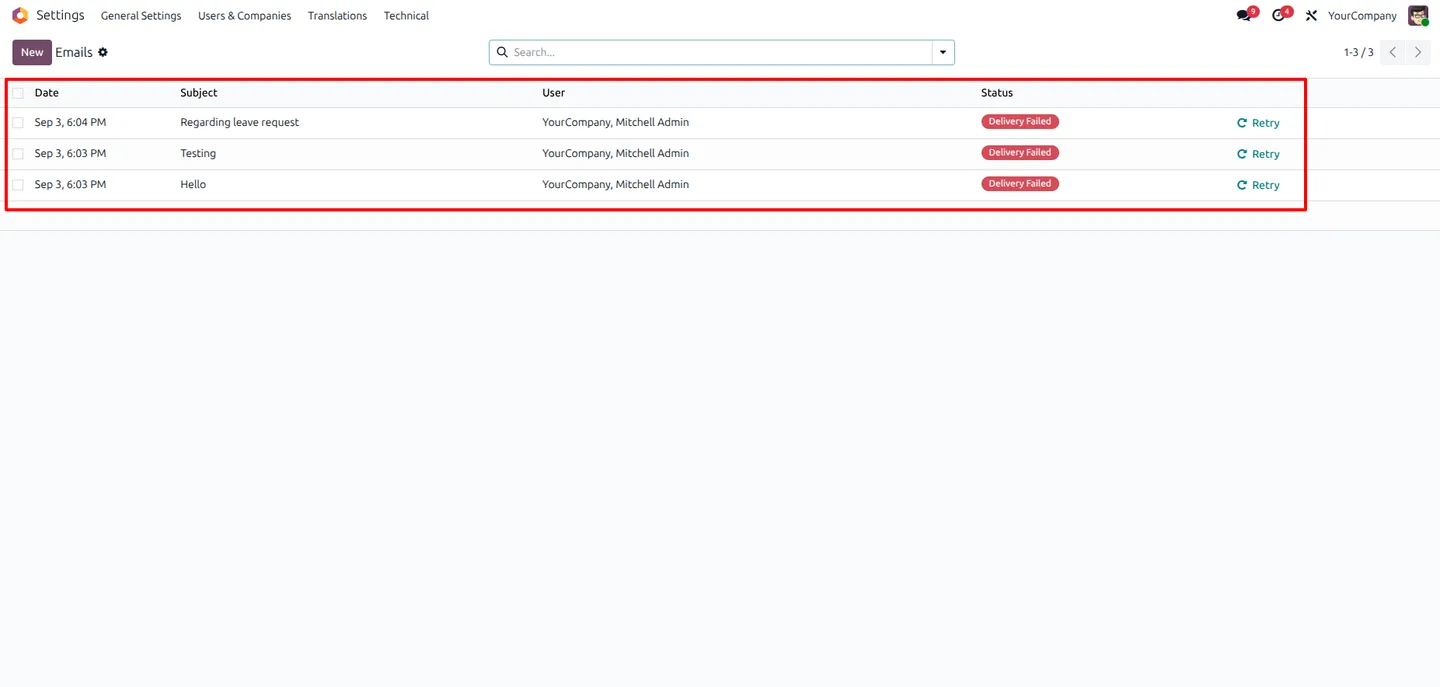
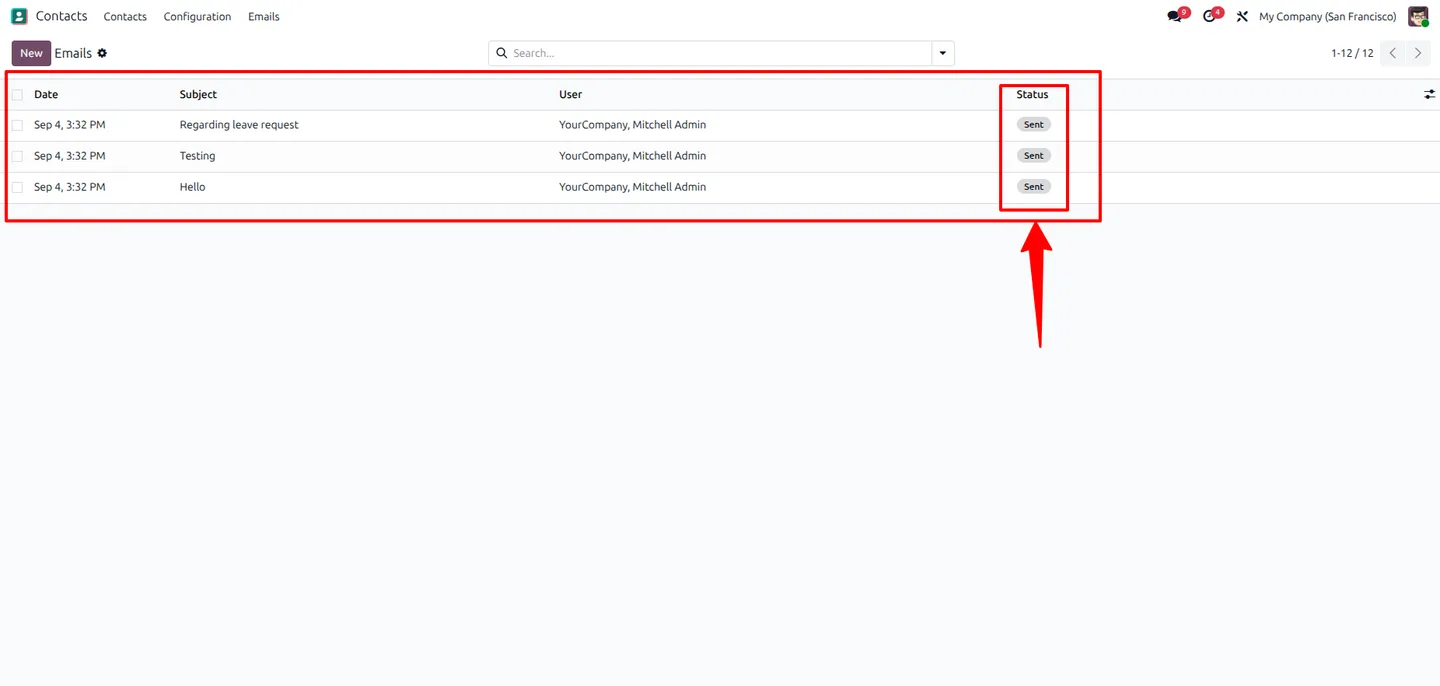
Go to Settings → Technical → Email → Emails to see the current outgoing queue and identify which messages are in the failed state.
- 3
Open the resend configuration
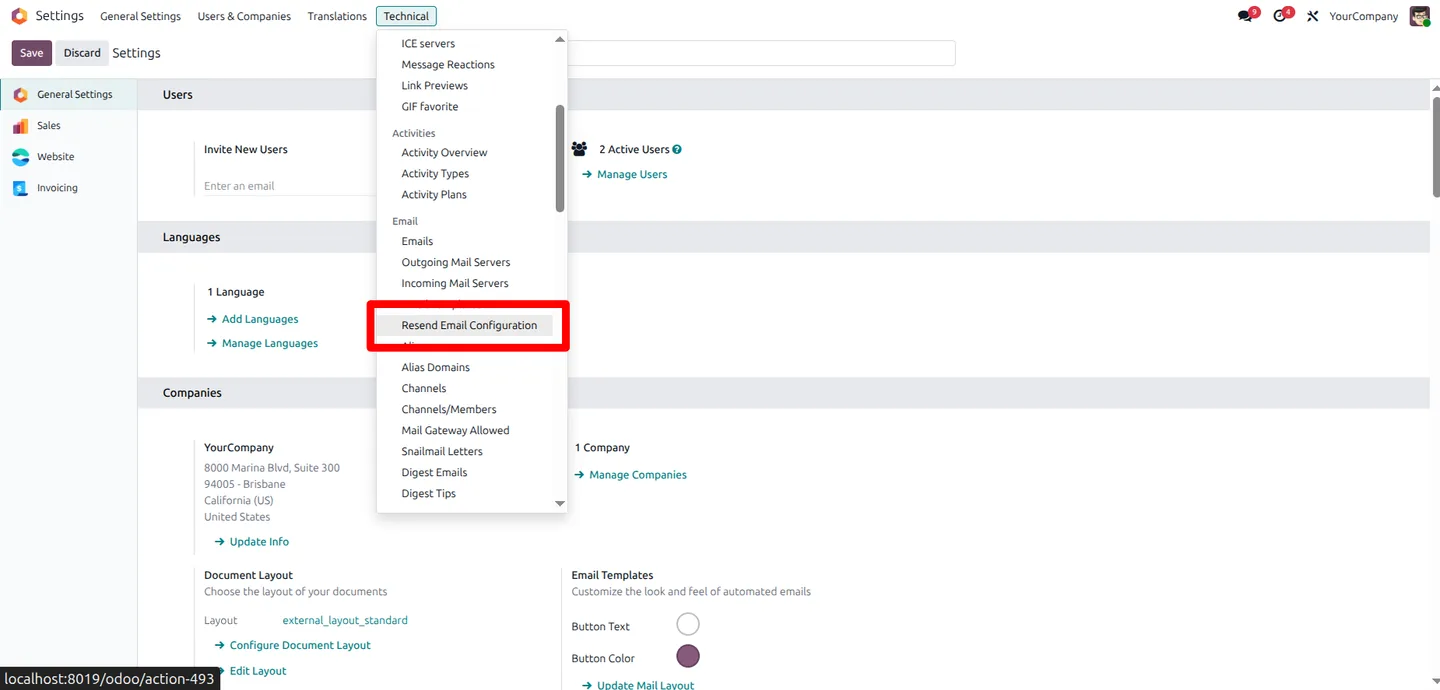
Navigate to Settings → Technical → Email → Resend Email Configuration to set up the automatic retry behaviour.
- 4
Set the retry interval
Enter an integer interval and choose the unit — minutes, hours, or days. Pick a cadence that matches how time-sensitive your outbound mail is.
- 5
Save and verify
Save the configuration to activate the scheduled action. Return to Settings → Technical → Email → Emails after the next interval to confirm previously failed messages have been resent successfully.
Frequently asked questions
-
Which emails will the module retry?
Any outbound email Odoo marks as failed in the standard mail queue — including transactional emails from Sales, Invoicing, CRM, and any module that uses Odoo's mail system.
-
How do I control how often it retries?
Open Settings → Technical → Email → Resend Email Configuration, set an integer interval, choose minutes, hours, or days, and save. A scheduled action runs on that cadence.
-
What does the daily report show?
A list of every failed delivery attempt over the last 24 hours, with the sender, recipient, subject, and reason for failure — enough context to fix the root SMTP issue.
-
Will I be alerted if failures keep happening?
Yes. Recurring failures trigger an administrator alert so a broken outgoing mail server, expired credentials, or blocked sender does not silently lose business email.
-
Does the module change Odoo's standard email behaviour?
No. It only retries messages that Odoo has already marked as failed and updates the existing mail record — it does not alter how new emails are sent.
-
Which Odoo versions are supported?
The module supports Odoo 16.0, 17.0, 18.0, and 19.0, in both the Community and Enterprise editions.
-
Is the module really free?
Yes. The module is published as Free on the Odoo App Store and ships with the same OPL-1 license as TechUltra's paid modules.
-
Is support included?
Yes. The module includes 90 days of bug-fix support, Monday to Friday, 10:00–19:00 IST.
Listing verified against the Odoo App Store:
Related services
Get the most out of this module with senior TechUltra consultants.
Odoo Customization Services
Odoo customization from a Gold Partner: custom modules, workflows, reports and Studio changes, written upgrade-safe and quoted at a fixed scope. Free scoping call.
Hire Odoo Developers
Hire certified Odoo developers from a Gold Partner: one developer or a team, full-time or part-time, 70–160 hours a month. Silver, Gold or Platinum plan, free trial.
Odoo Support Services & Maintenance
Odoo support services from a Gold Partner: functional and technical support plus server cover for Enterprise and Community, 30-minute P1 response, 24/7 option.







