
Odoo App · Productivity
Advanced Form Warnings
Show rule-based alerts on any Odoo form view, targeted by domain, group, and date.

Overview
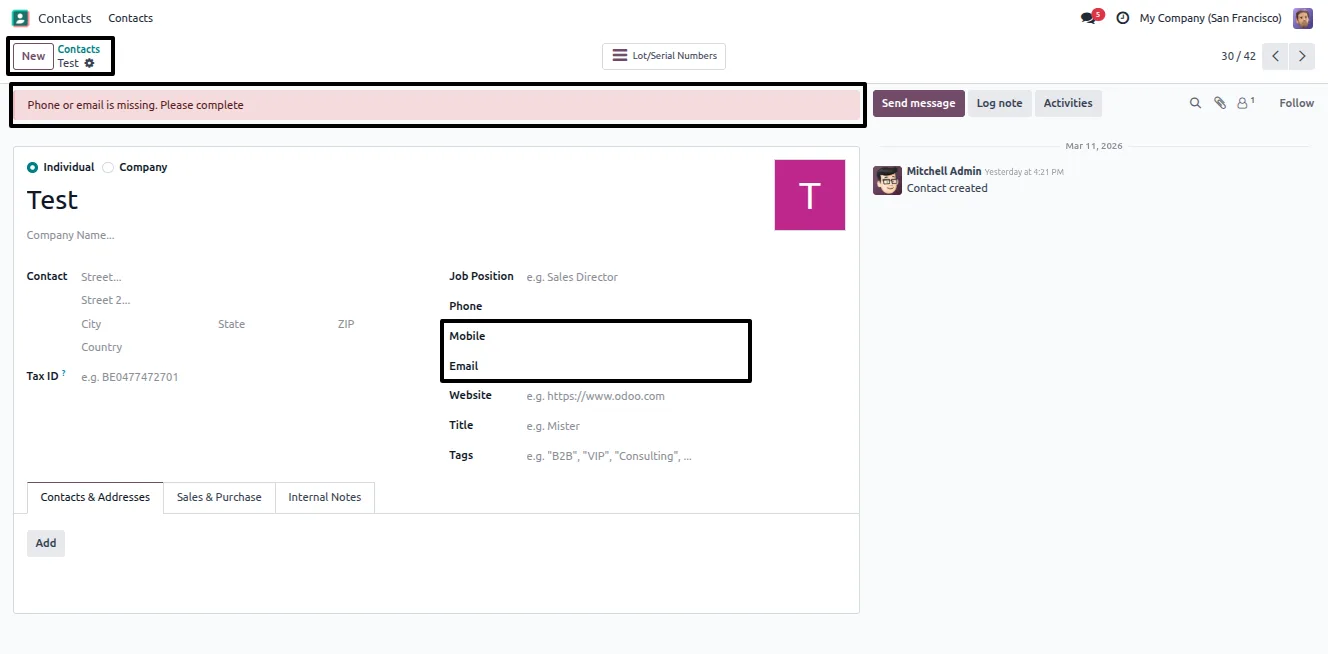
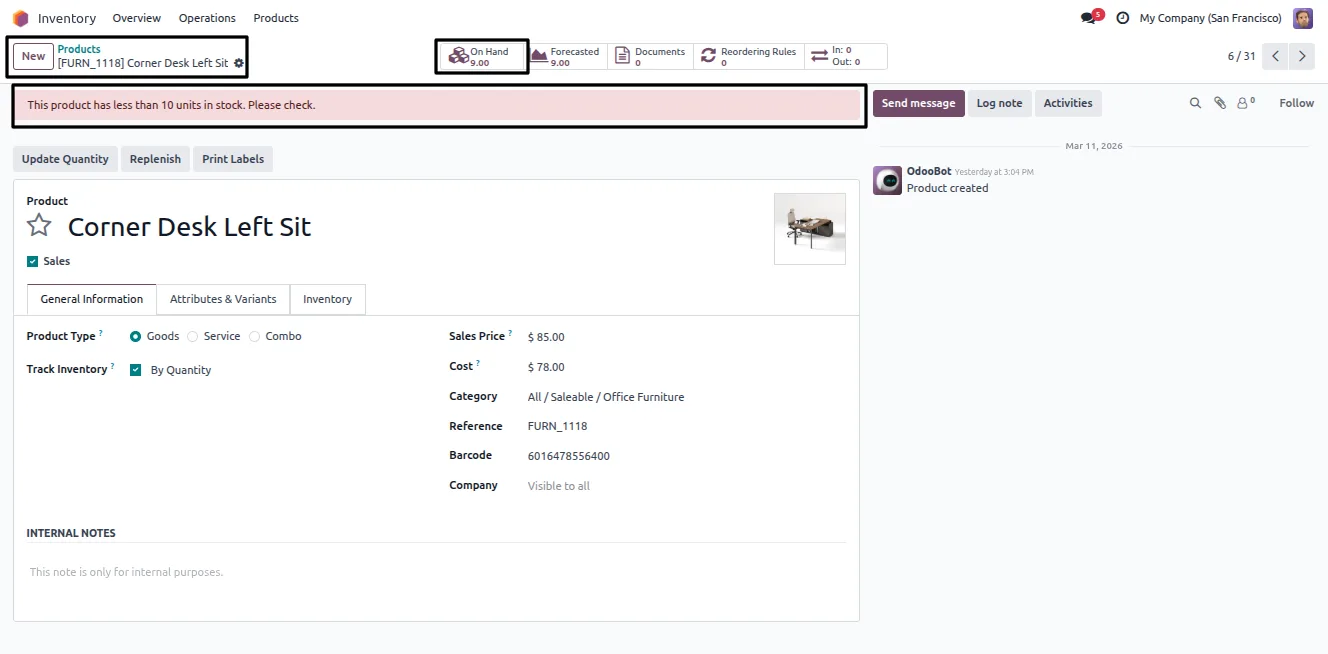
Advanced Form Warnings adds rule-based alerts to Odoo form views. When a record matches the conditions you set, a styled message appears on the form — useful for flagging risky customers, incomplete data, special handling, or anything a team needs to notice before they act.
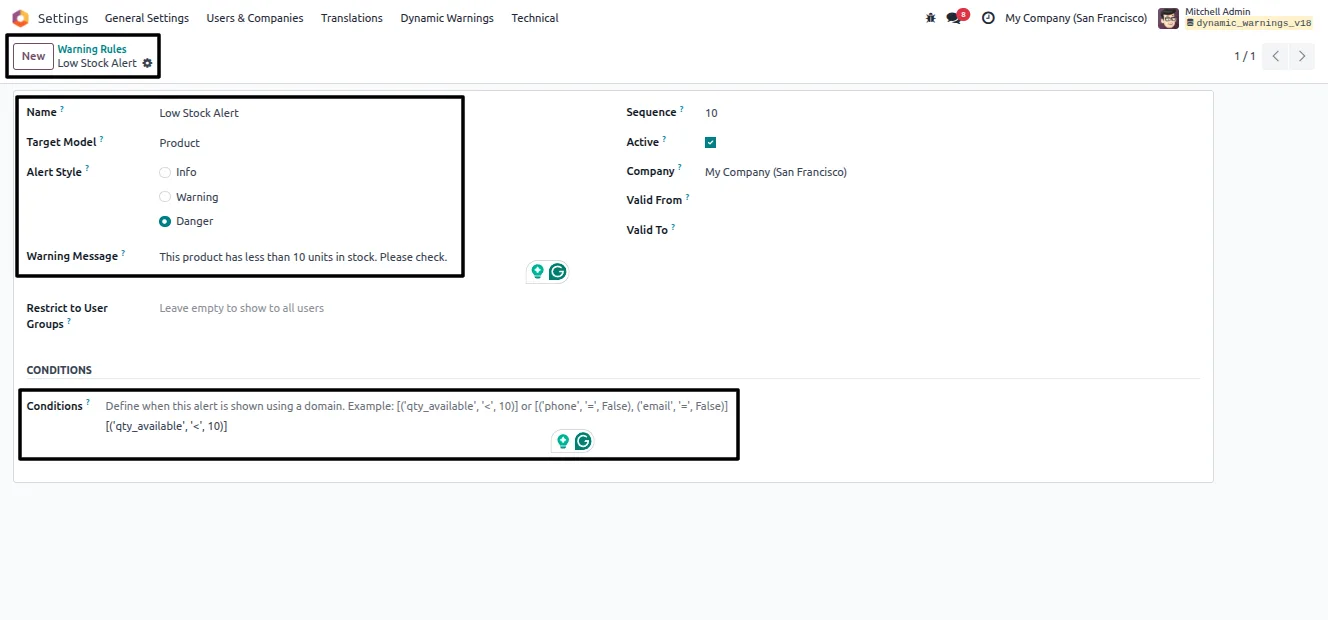
Built by TechUltra Solutions, the module lets administrators define warning rules without code. Each rule targets a model, carries a message, uses a domain condition to decide when it shows, and is styled as Info, Warning, or Danger so the alert's severity is clear at a glance.
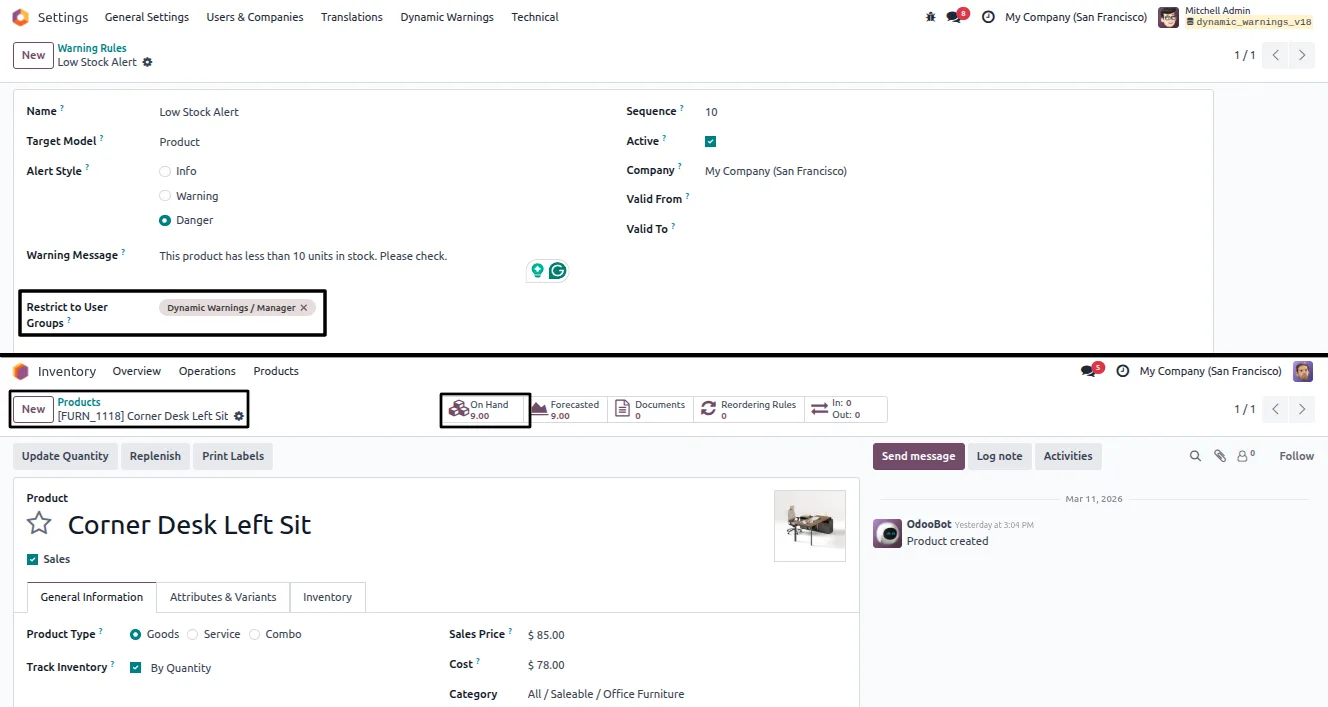
Visibility is fully controlled. A rule can be limited to specific user groups, switched on and off automatically by a validity date range, and scoped to a single company in multi-company databases — so each alert reaches exactly the right people at the right time.
Key features
-
Alerts on any model form view
Show conditional alerts on any Odoo form view — contacts, sales orders, products, invoices, and more — without customising each model.
-
Domain-based conditions
Each rule uses a domain condition to decide when its warning appears, so alerts trigger only on the records that actually match.
-
Three alert styles
Style each message as Info, Warning, or Danger, so the severity of the alert is obvious to the user reading it.
-
User group restrictions
Limit a rule to specific user groups, so a warning is shown only to the teams who need to act on it.
-
Validity date range
Set a start and end date on a rule to enable or disable it automatically — handy for seasonal or time-limited alerts.
-
Multi-company support
Rules can be scoped to a single company, so each company in a multi-company database sees only its own relevant warnings.
-
Rule sequencing and activation
Each rule has a sequence and an active flag, so administrators can order warnings and turn them on or off without deleting them.
-
No-code rule configuration
Warning rules are created from a configuration menu — rule name, target model, message, style, and conditions — with no development work.
Advanced Form Warnings in Odoo
Every screen, in the order you meet it — configuration first, then the module in use.
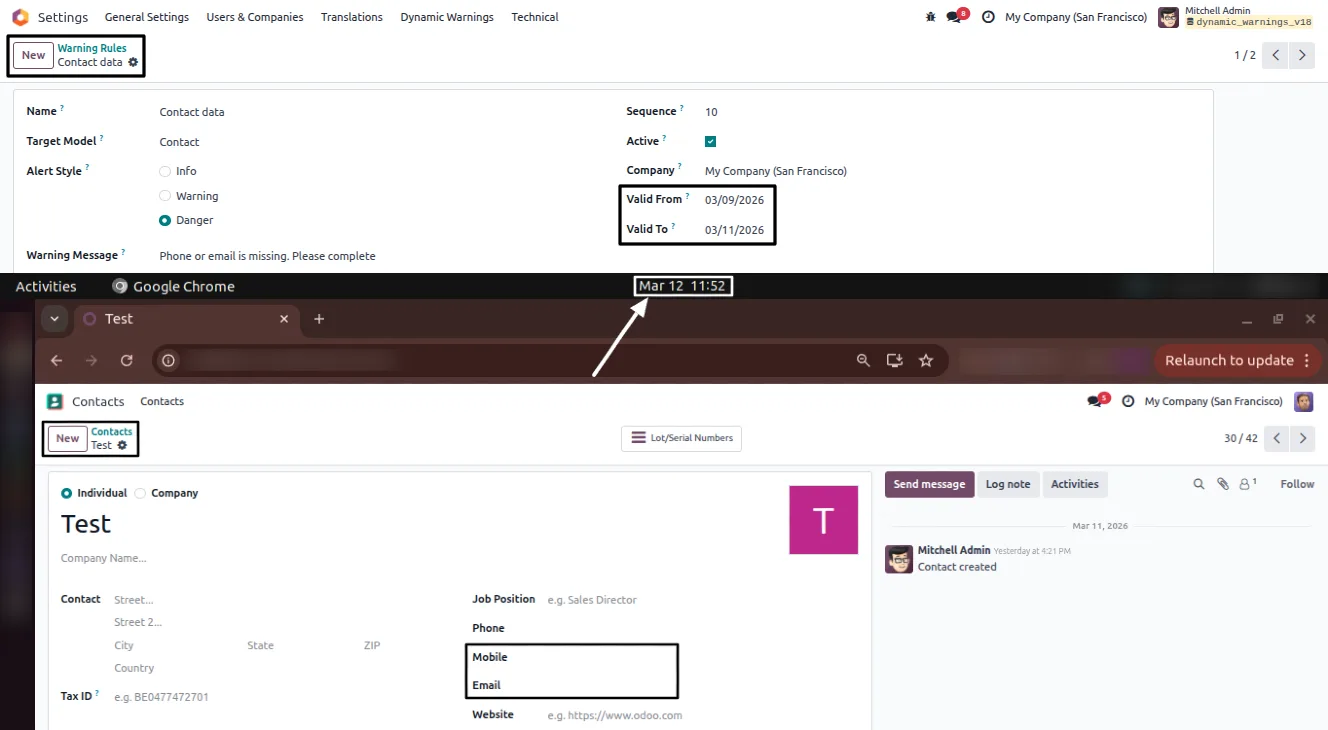
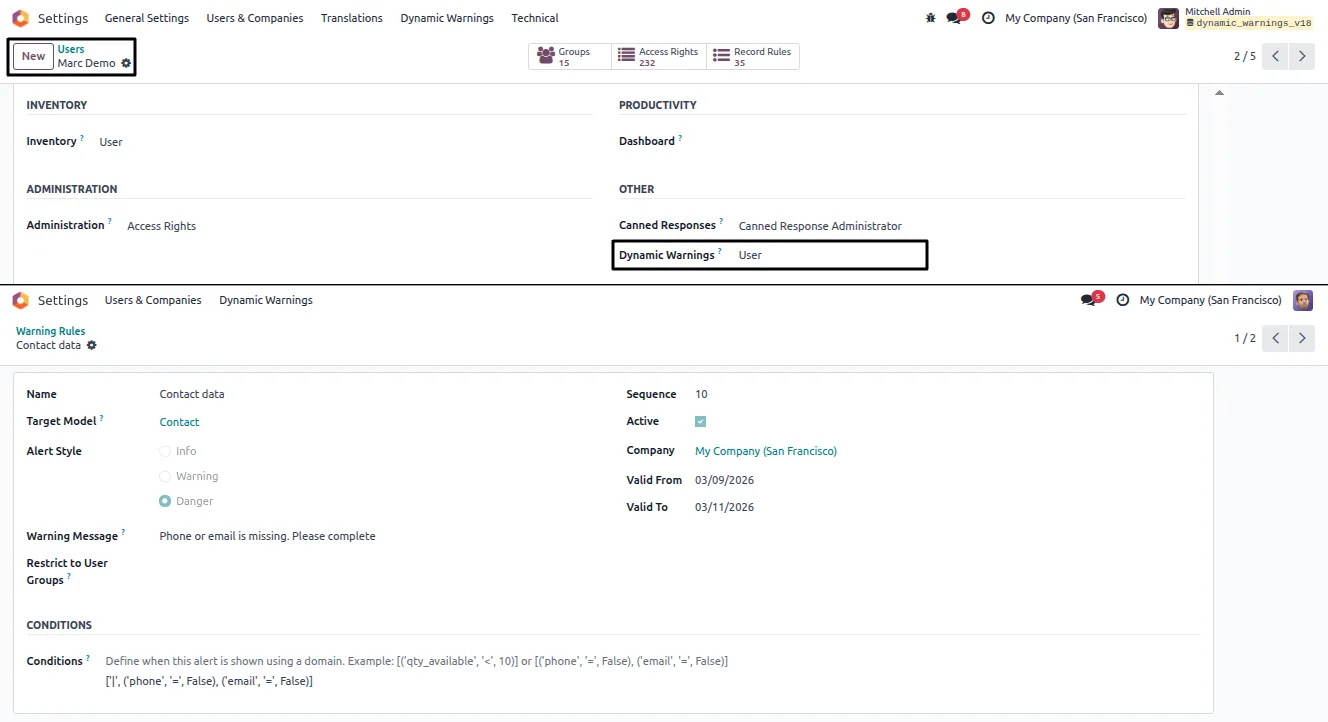
Technical details
Specification
- Publisher
- TechUltra Solutions Private Limited
- Technical name
- dynamic_warnings
- Odoo versions
- 16.0, 17.0, 18.0, 19.0, 20.0
- Lines of code
- 284
- License
- Odoo Proprietary License v1.0 (OPL-1)
- Price
- $22.90 (one-time)
Deployment
- Odoo Online
- Odoo.sh
- On-premise
Odoo dependencies
- Settings
Support
90 days of bug-fix support, Monday to Friday (10:00–19:00 IST). Raise a ticket at support@techultra.in.
Setup & configuration
From install to first call — here is the path.
- 1
Install the module
In Odoo, open Apps, remove the Apps filter, search for “Advanced Form Warnings”, and click Install.
- 2
Set user access
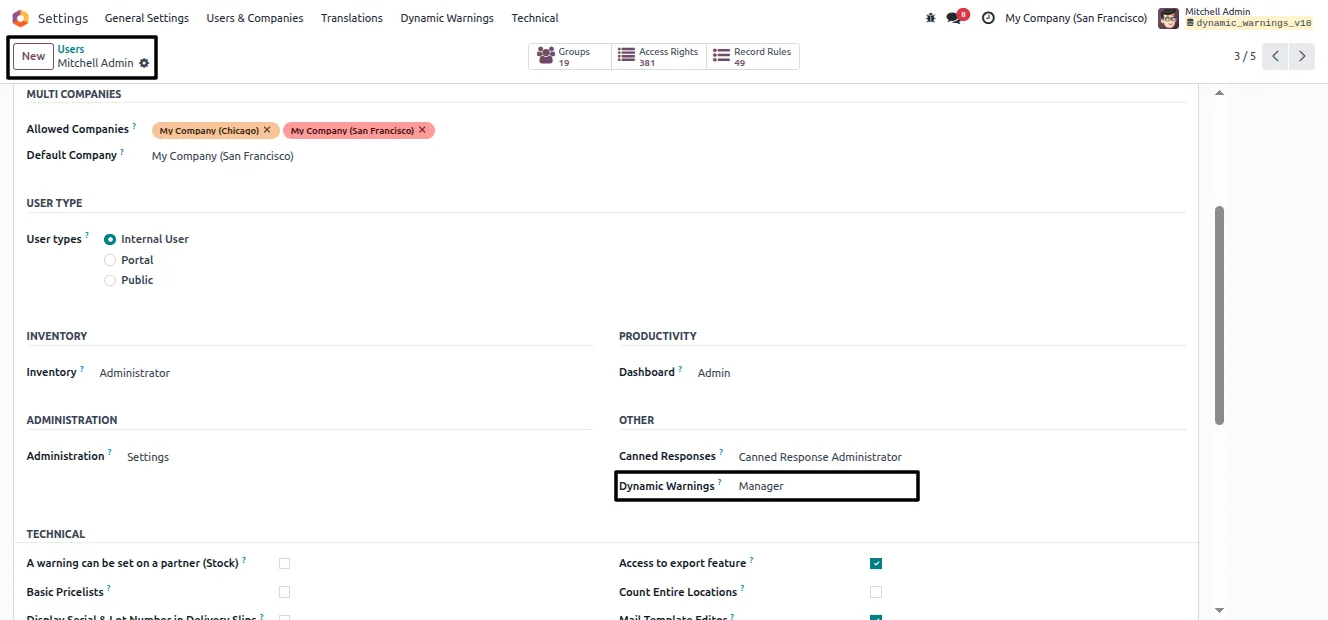
Go to Settings → Users & Companies → Users and give the staff who manage alerts the “Manager” role for full rule-management access.
- 3
Open the Warning Rules menu
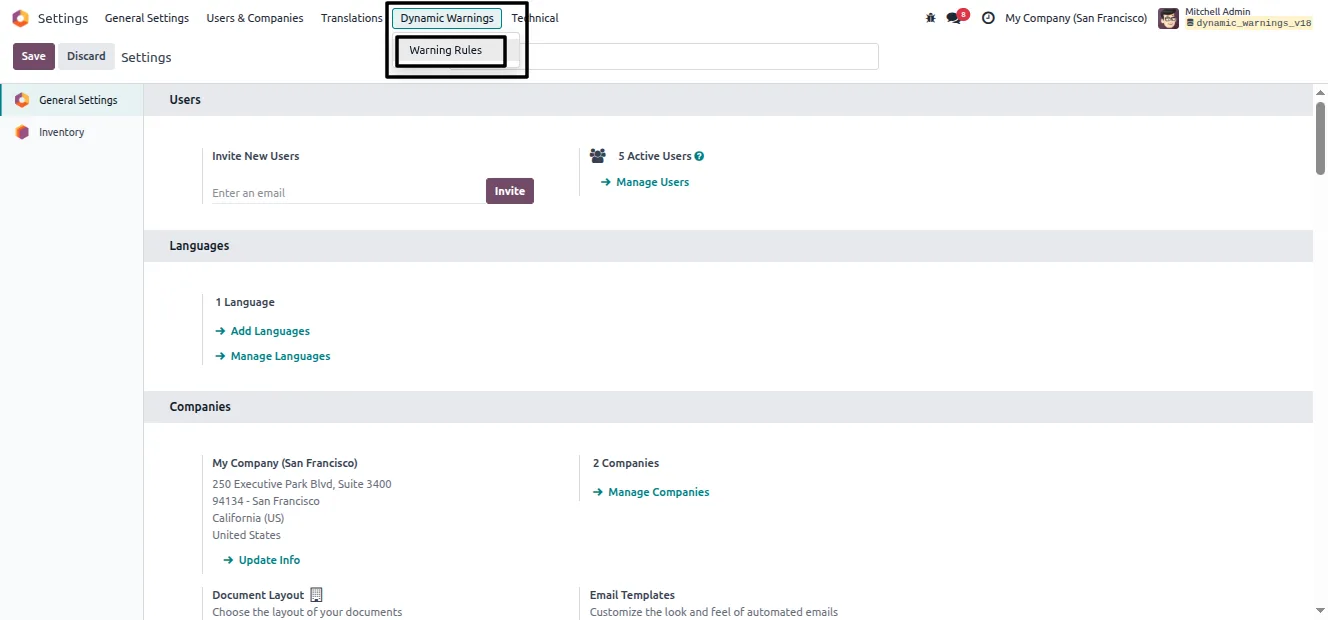
Under Settings, open the new “Dynamic Warning” menu and select the “Warning Rules” submenu.
- 4
Create a warning rule
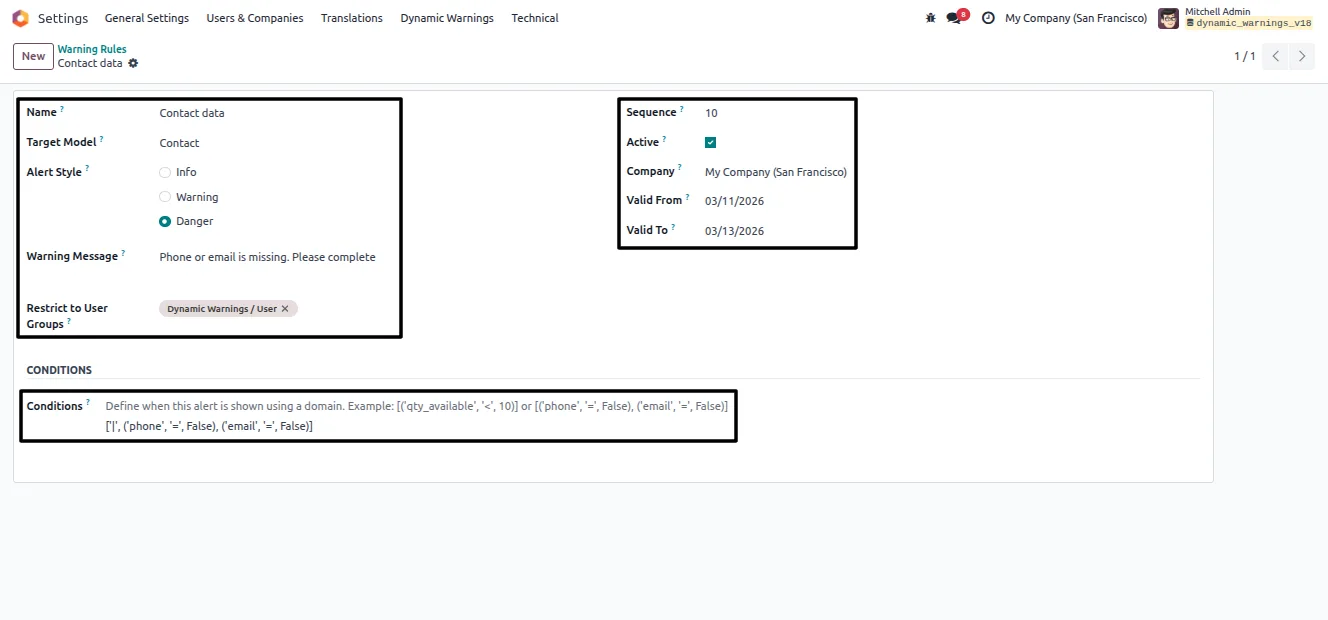
Click New and fill in the rule name, target model, alert style, warning message, user group restrictions, sequence, active status, company, and validity dates.
- 5
Define the domain condition
In the Domain field, set the condition that should trigger the alert. The warning then appears automatically on records that match.
Frequently asked questions
-
What does Advanced Form Warnings do?
It shows custom alerts on Odoo form views based on rules you define. When a record matches a rule's domain condition, a styled message appears on the form to flag it to the user.
-
Which forms can show an alert?
Any model's form view — contacts, sales orders, products, invoices, and others. You pick the target model when creating each warning rule.
-
How do I control when a warning appears?
Each rule uses a domain condition. The warning appears only on records that match that condition, so you decide exactly when an alert is relevant.
-
Can I show a warning to only some users?
Yes. A rule can be restricted to specific user groups, so a warning reaches only the teams that need to see it.
-
What are the alert styles?
Each warning can be styled as Info, Warning, or Danger, so the severity of the message is clear to the user reading the form.
-
Does it support multi-company databases?
Yes. A rule can be scoped to a single company, and validity dates can switch a rule on or off automatically, so each company sees only its relevant alerts.
-
Which Odoo versions are supported?
The module supports Odoo 16.0, 17.0, 18.0, 19.0, and 20.0, in both the Community and Enterprise editions.
-
Is support included?
Yes. The module includes 90 days of bug-fix support, Monday to Friday, 10:00–19:00 IST.
Listing verified against the Odoo App Store:
Related services
Get the most out of this module with senior TechUltra consultants.
Odoo Customization Services
Odoo customization from a Gold Partner: custom modules, workflows, reports and Studio changes, written upgrade-safe and quoted at a fixed scope. Free scoping call.
Hire Odoo Developers
Hire certified Odoo developers from a Gold Partner: one developer or a team, full-time or part-time, 70–160 hours a month. Silver, Gold or Platinum plan, free trial.
Odoo Support Services & Maintenance
Odoo support services from a Gold Partner: functional and technical support plus server cover for Enterprise and Community, 30-minute P1 response, 24/7 option.







