
Odoo App · Documents & Files
Document Directory Hub
Organize Odoo documents with folder hierarchies, tags, and directory-level access control.

Overview
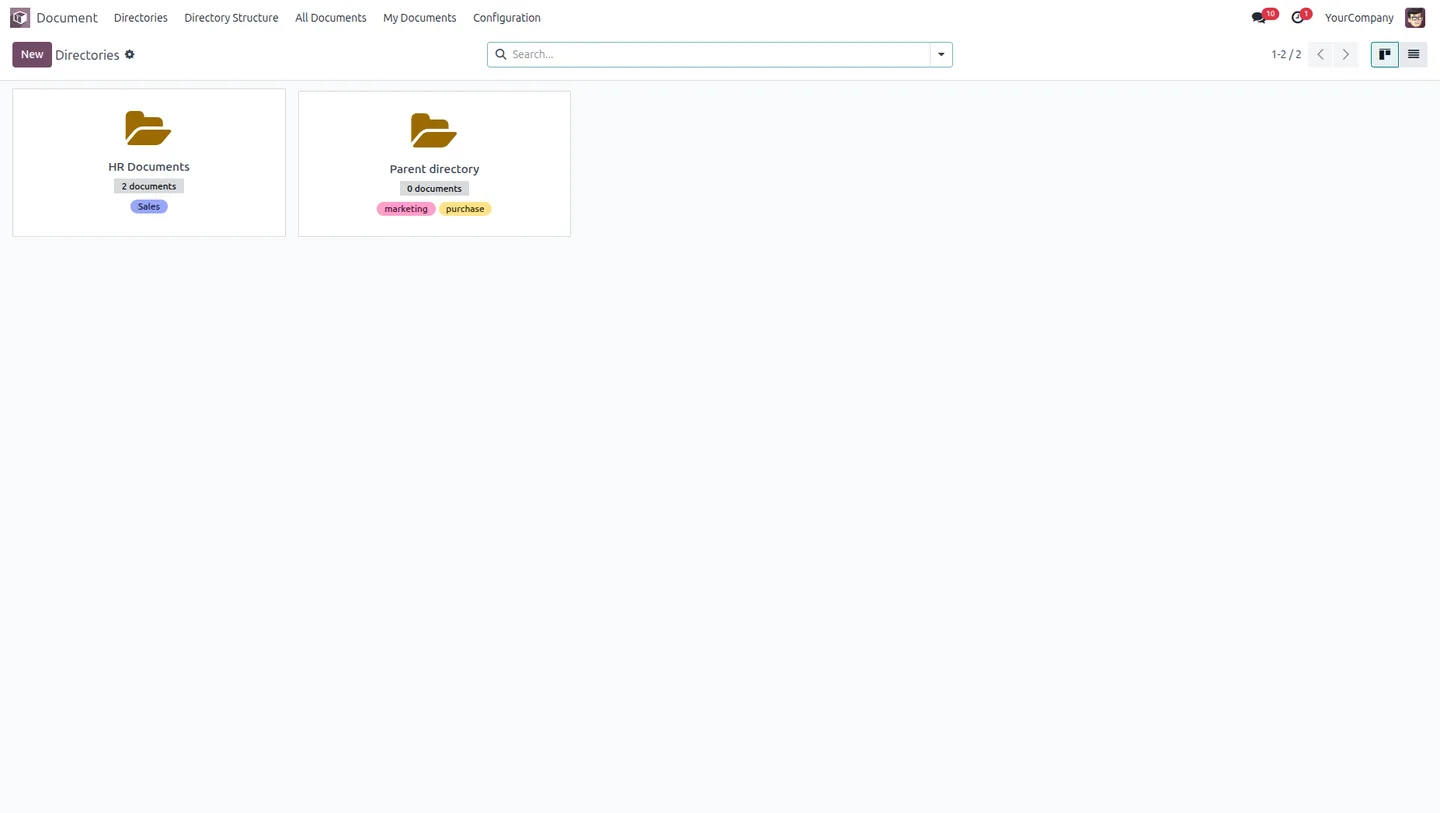
Document Directory Hub gives Odoo a structured place to store and control documents. Files are organized into directories that nest as parent and child folders, so a growing document library stays tidy instead of becoming a flat, unsearchable list.
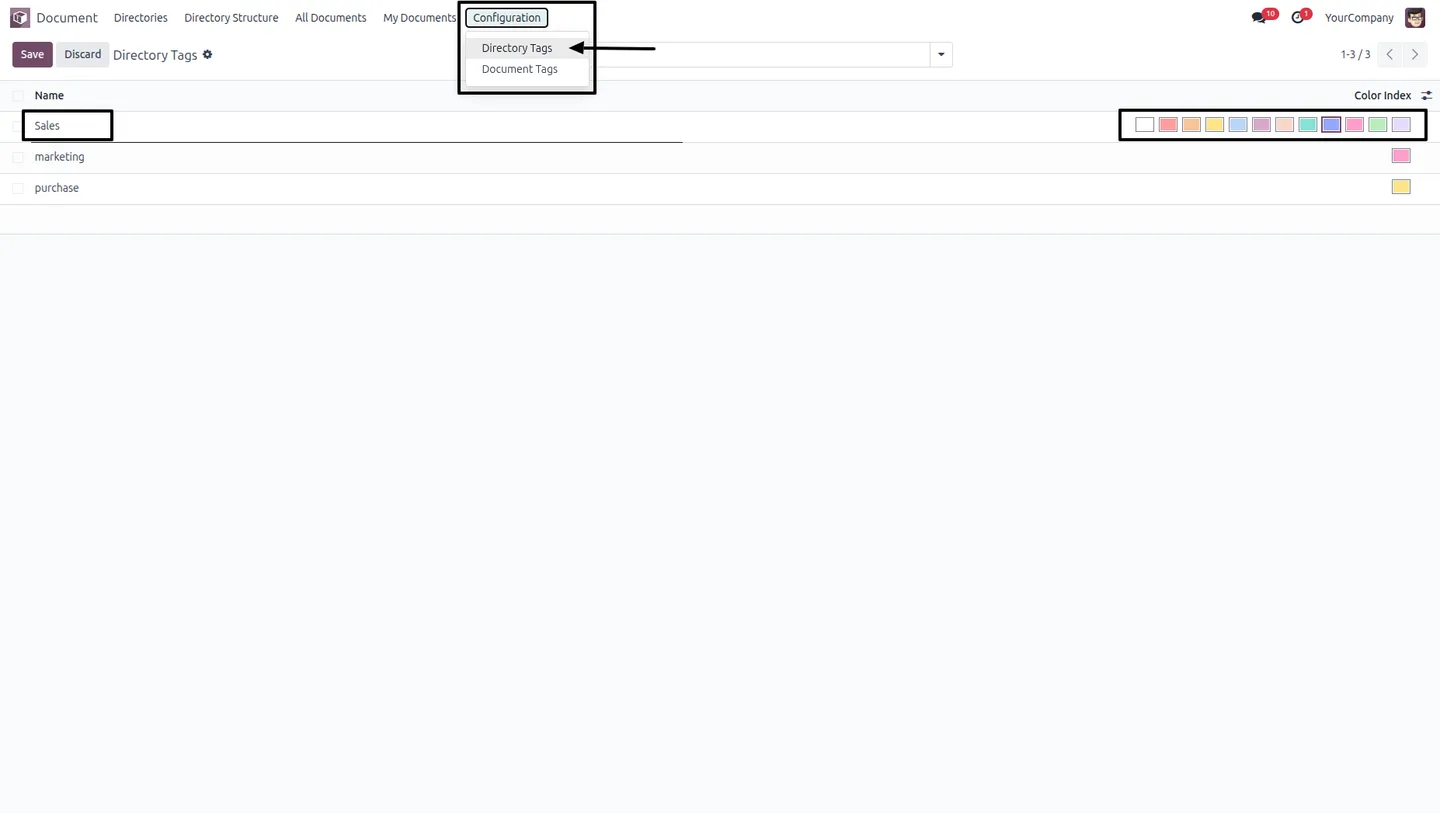
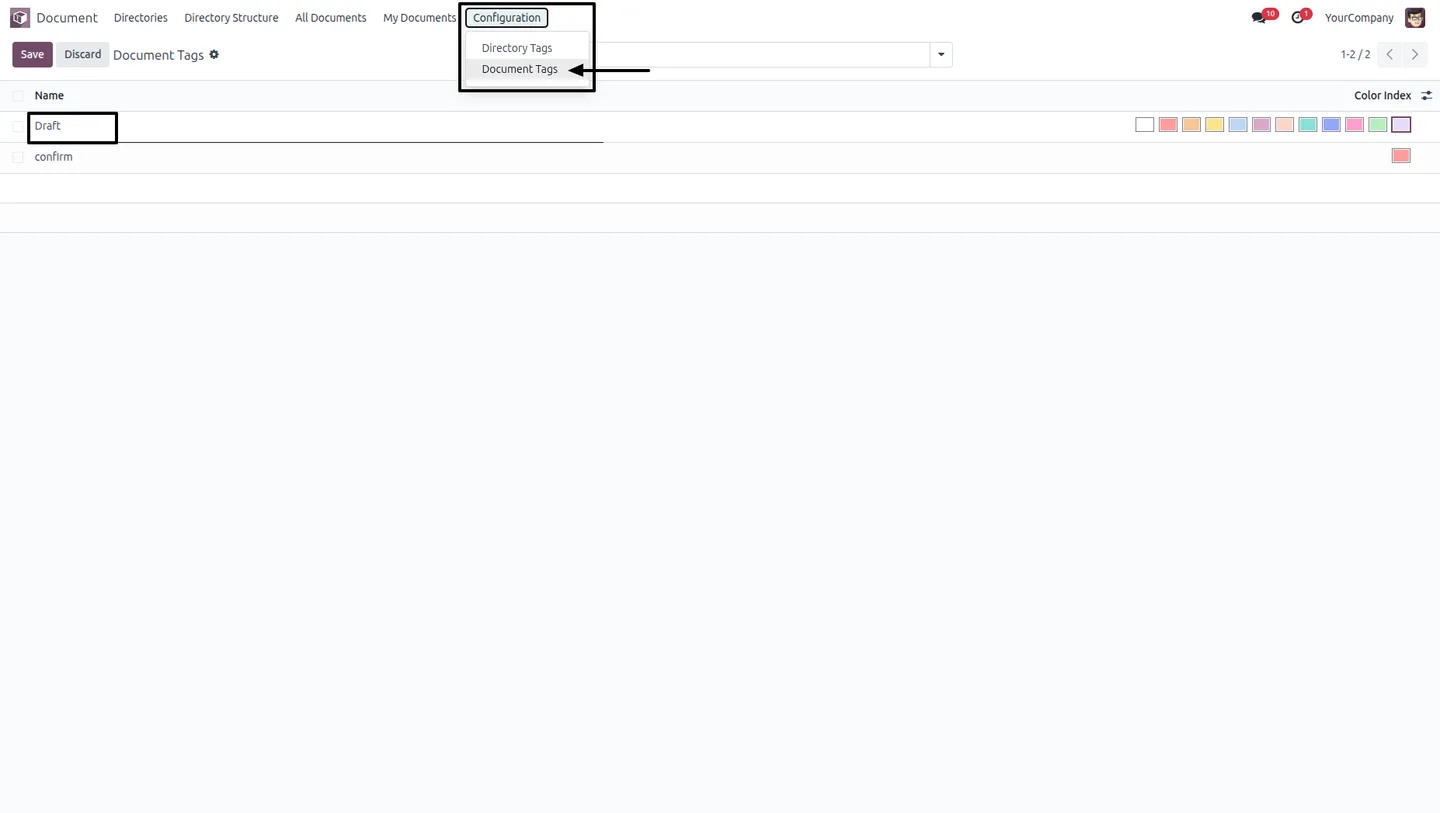
Built by TechUltra Solutions, the module adds two layers of tagging — directory tags for categories like Sales, Purchase, or Marketing, and document tags for statuses like Draft or Confirmed — each with its own color. That makes documents quick to filter, sort, and find.
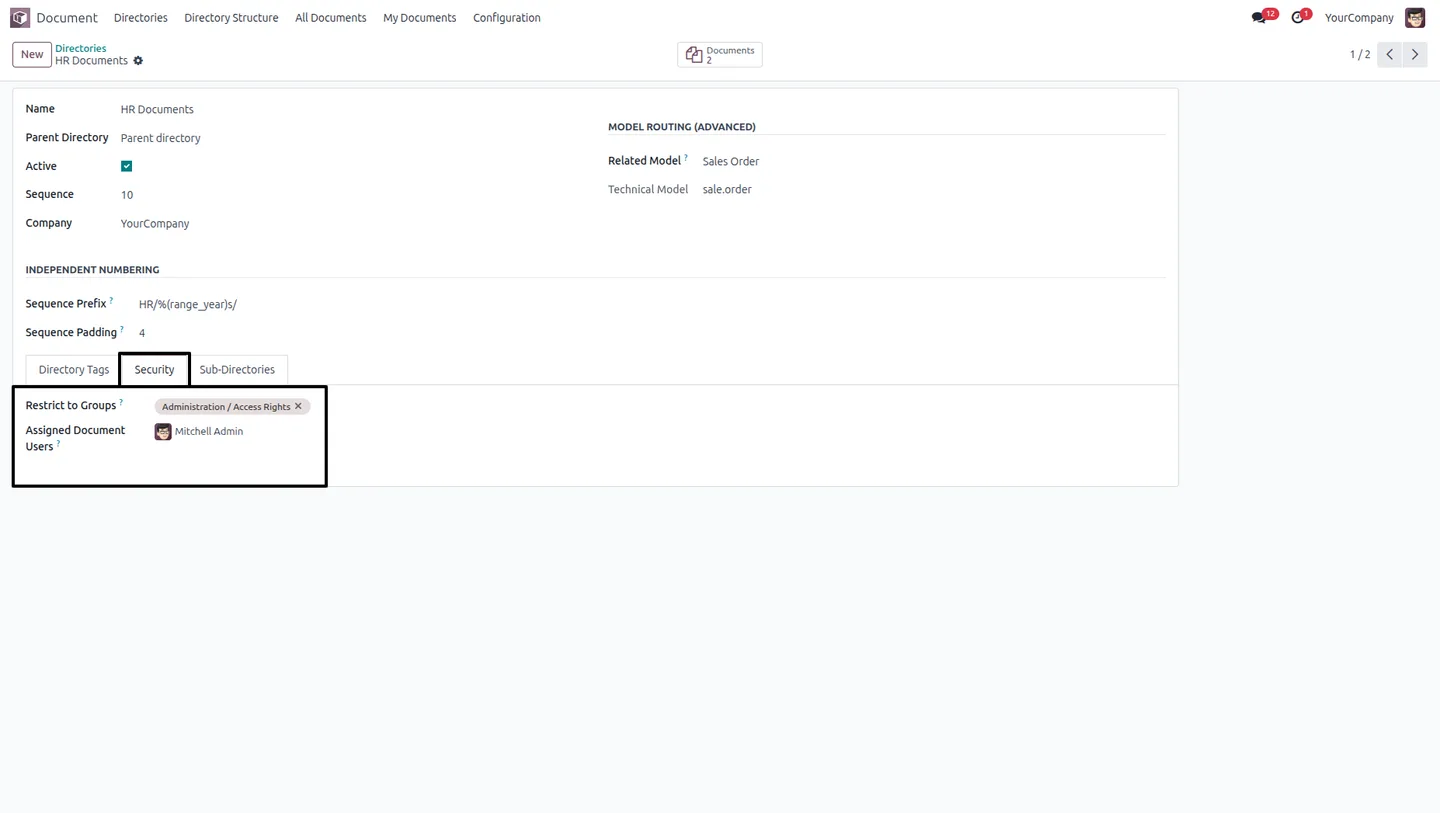
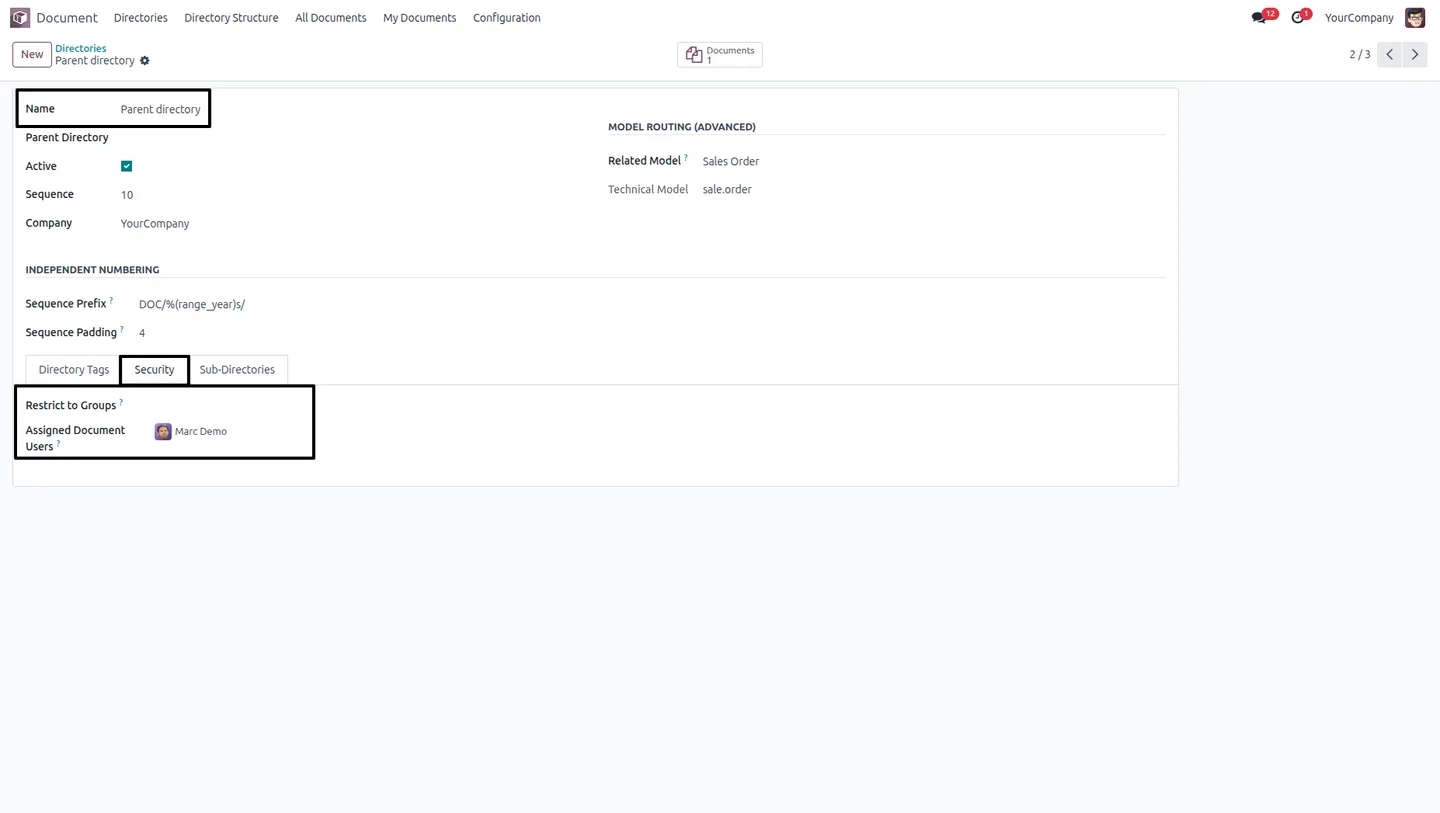
Access is controlled at the directory level. Each directory has a Security tab where you assign specific user groups and individual users, and users can be limited to documents assigned to or created by them. The result is one centralized document hub where people see only what they are cleared to see.
Key features
-
Centralized document management
A single, unified place inside Odoo to organize and control all company documents, instead of scattering files across separate apps.
-
Hierarchical directory structure
Directories nest as parent and child folders, so document storage follows a clear, organized layout that scales as the library grows.
-
Directory-level access control
Each directory has a Security tab where you assign specific user groups and individual users, controlling exactly who can reach its contents.
-
User-specific document visibility
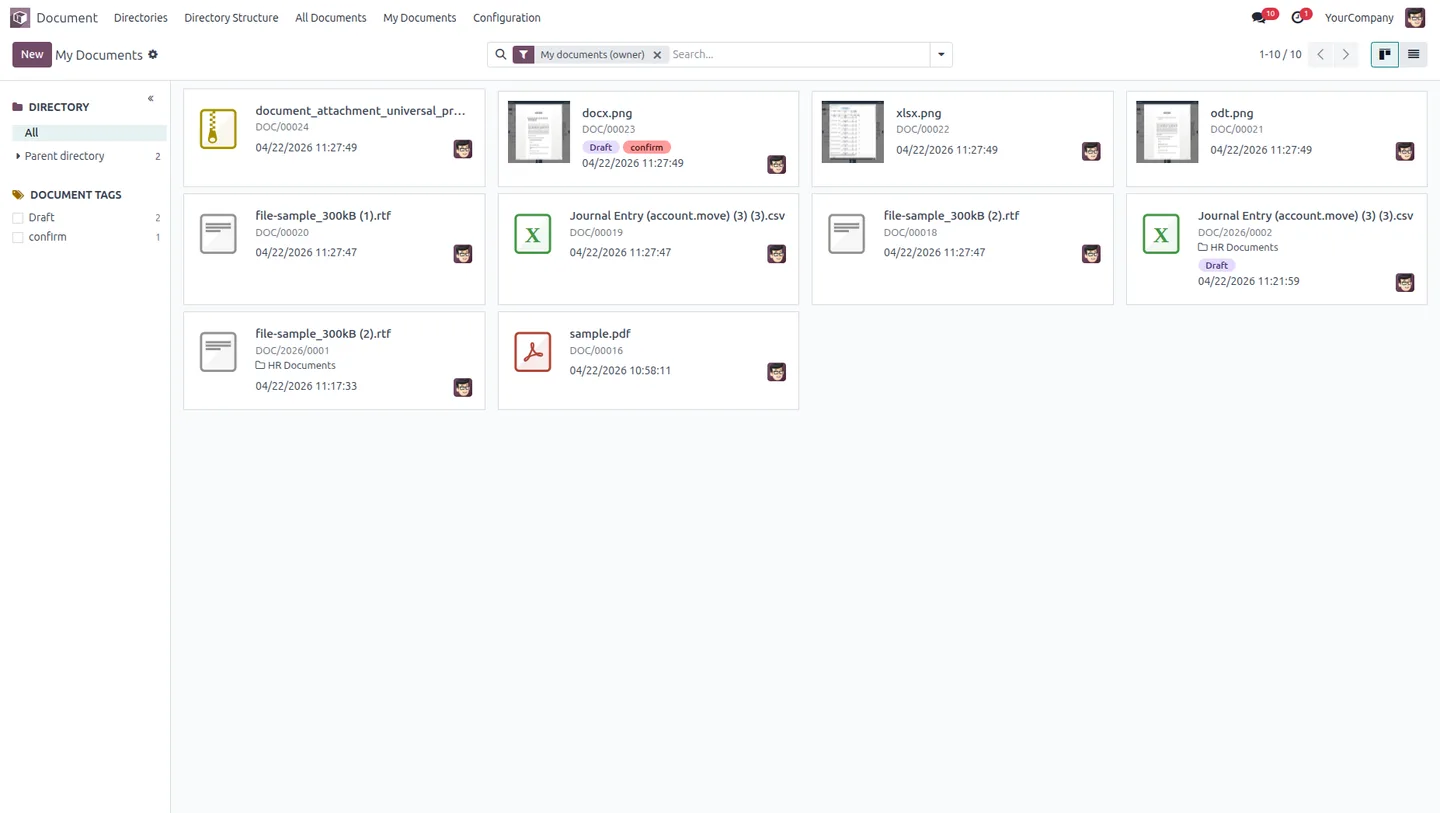
Users can be restricted to documents assigned to them or created by them, so people only see the files relevant to their role.
-
Color-coded directory tags
Create categorical directory tags — Sales, Purchase, Marketing, and more — each with a color, to group directories at a glance.
-
Color-coded document tags
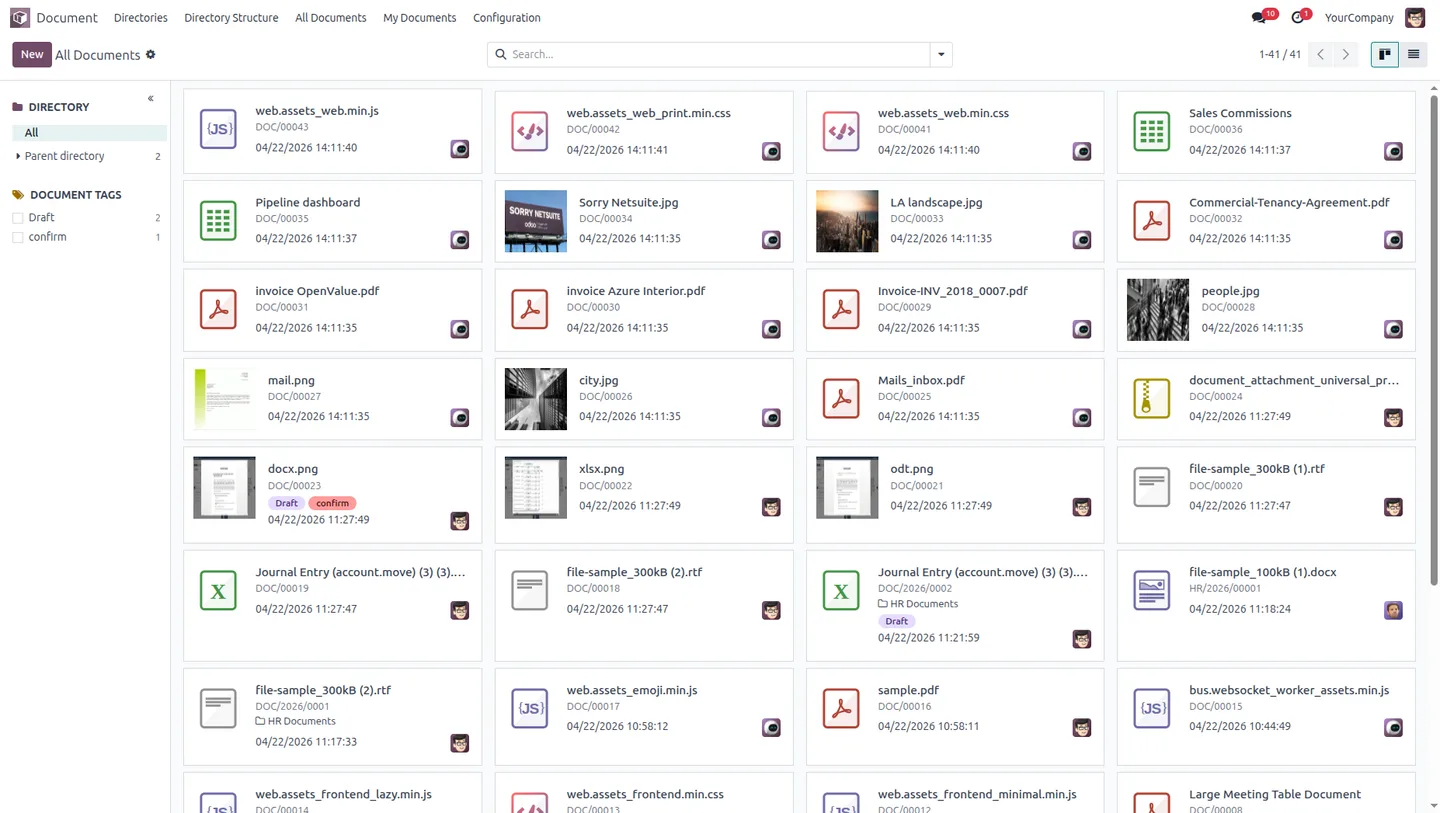
Create status-based document tags such as Draft and Confirmed, with assigned colors, to track and filter documents by their state.
-
Fast search and retrieval
The tagging system makes documents quick to search and categorize, cutting the time it takes to locate a specific file.
-
Directory structure overview
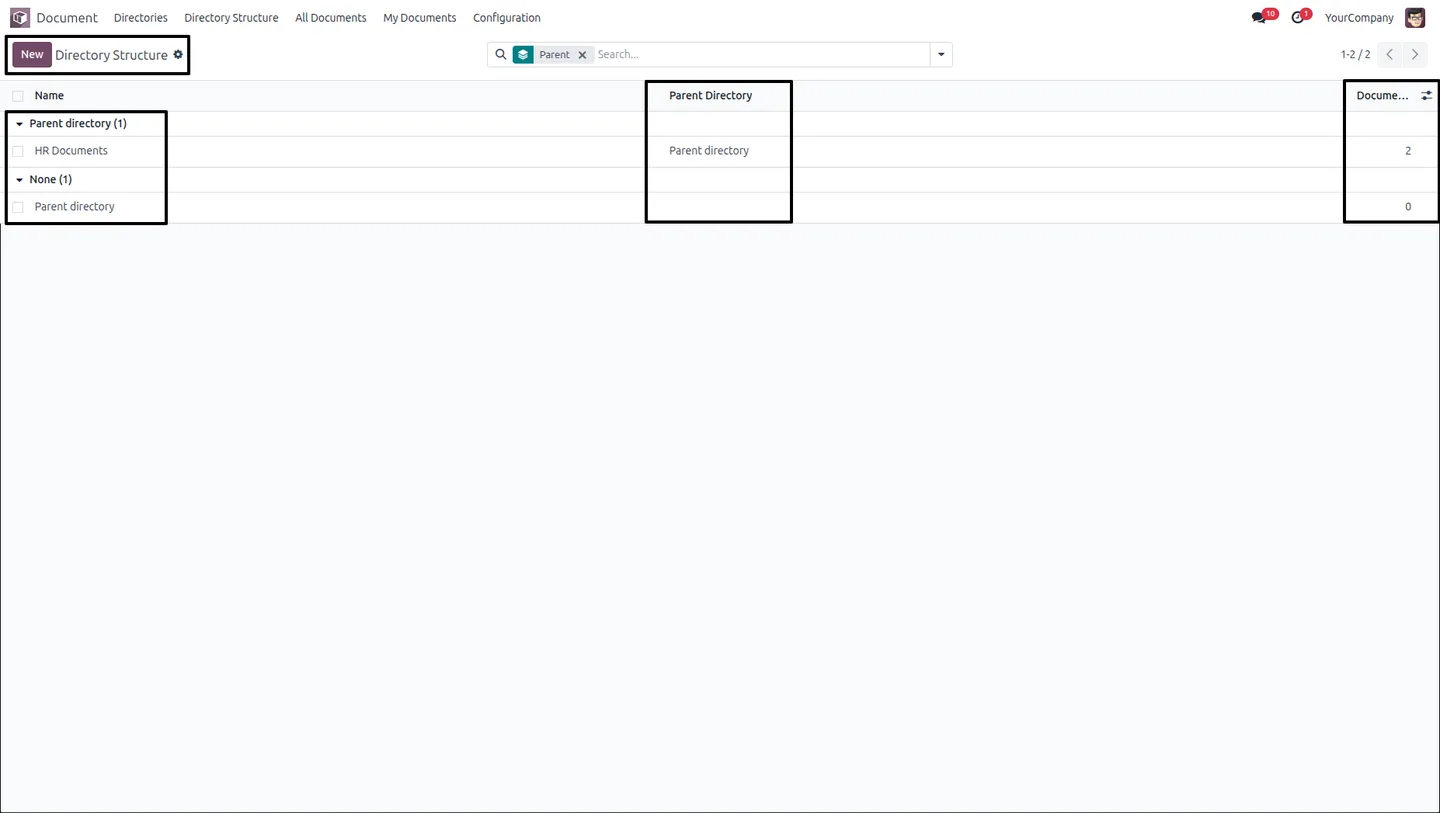
A dedicated Directory Structure view shows the full hierarchy of directories and sub-directories in one place.
-
Role-based security enforcement
Role-based restrictions enforce data security across the document library, keeping sensitive files limited to authorized users.
Document Directory Hub in Odoo
Every screen, in the order you meet it — configuration first, then the module in use.
Technical details
Specification
- Publisher
- TechUltra Solutions Private Limited
- Technical name
- document_directory_tags_security
- Odoo versions
- 16.0, 17.0, 18.0, 19.0, 20.0
- Lines of code
- 659
- License
- Odoo Proprietary License v1.0 (OPL-1)
- Price
- $24.95 (one-time)
Deployment
- Odoo Online
- Odoo.sh
- On-premise
Odoo dependencies
- Discuss
Support
90 days of bug-fix support, Monday to Friday (10:00–19:00 IST). Raise a ticket at support@techultra.in.
Setup & configuration
From install to first call — here is the path.
- 1
Install the module
In Odoo, open Apps, remove the Apps filter, search for “Document Directory Hub”, and click Install.
- 2
Grant user access
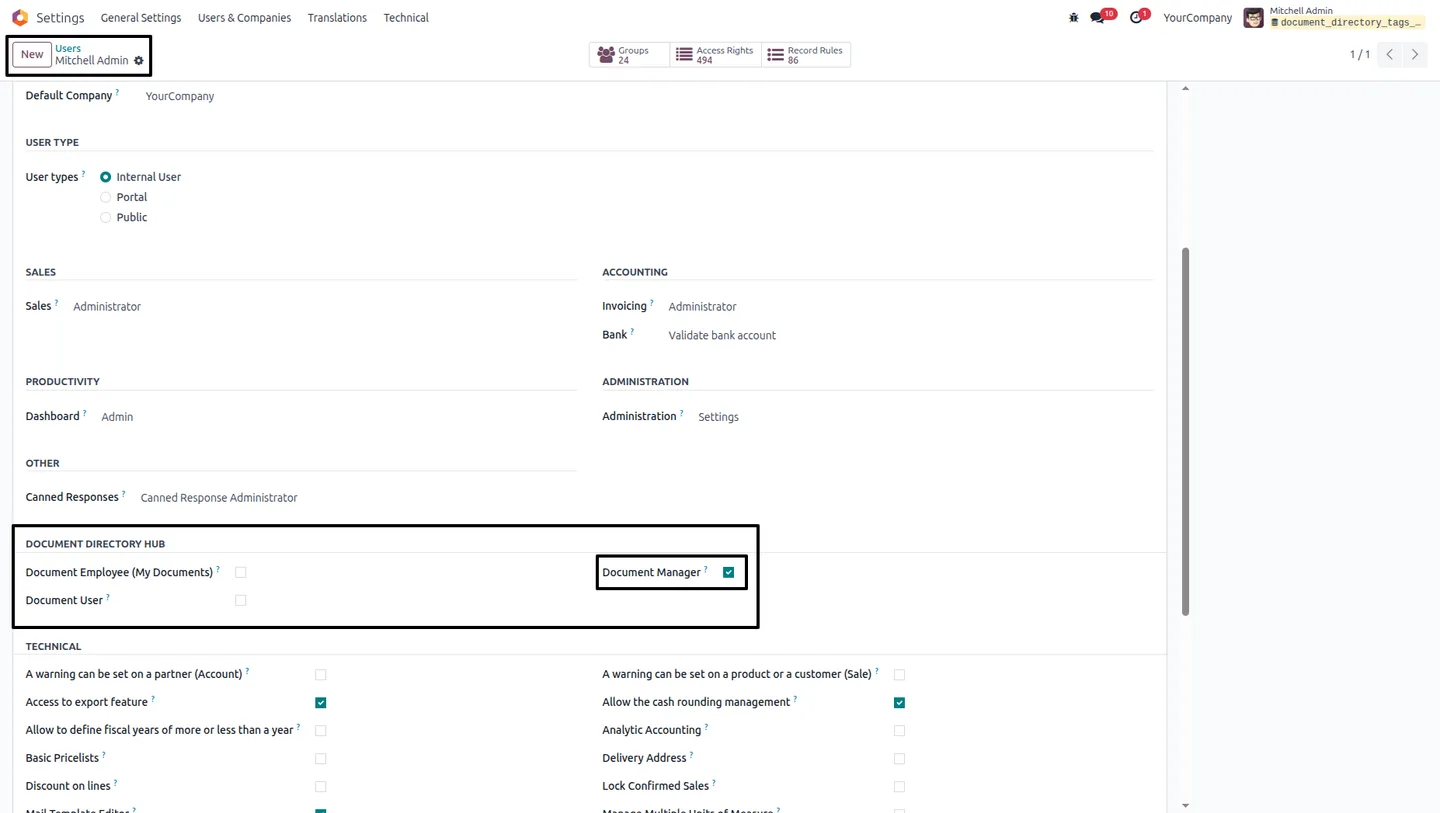
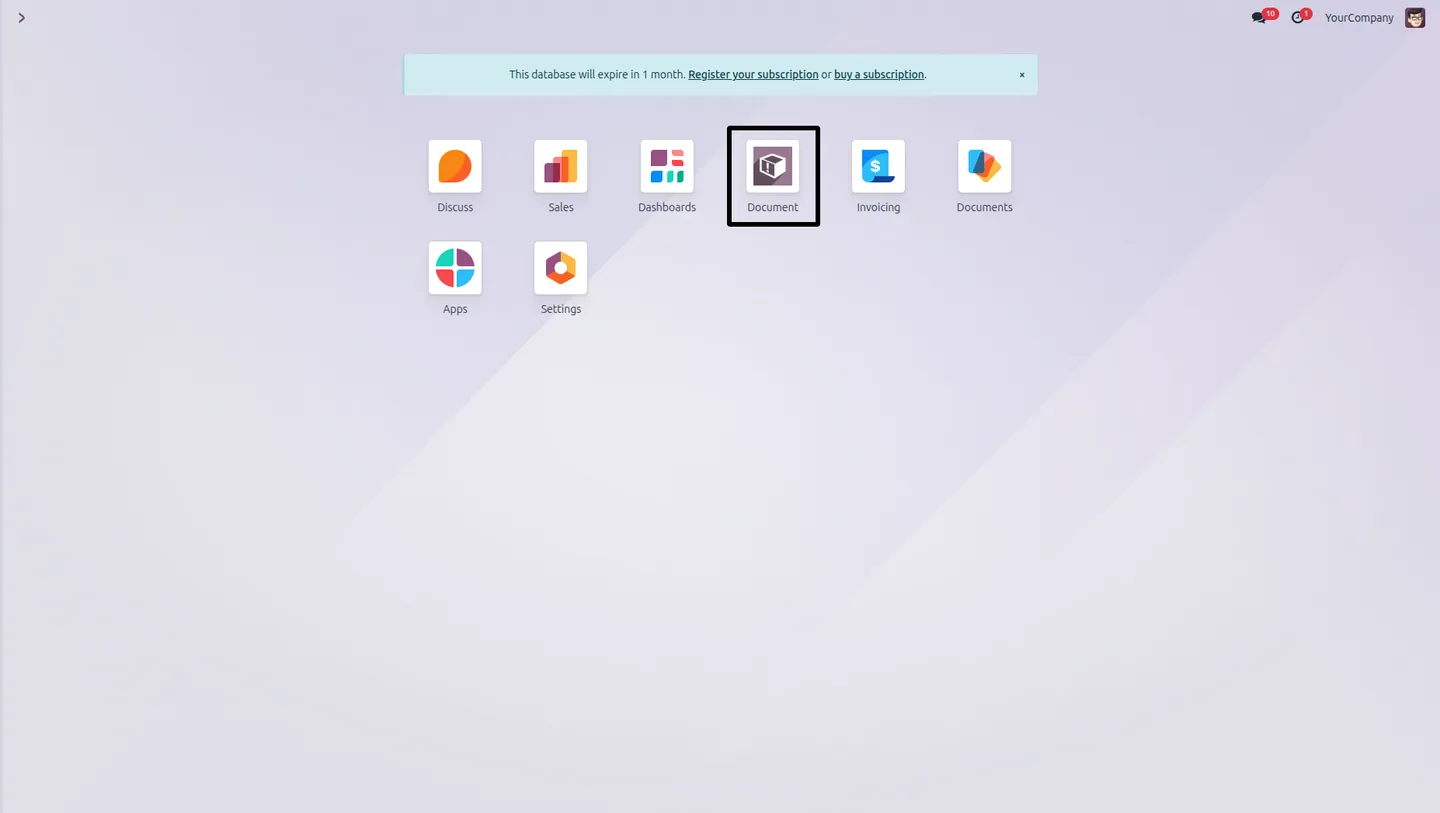
Go to Settings → Users & Companies → Users, open each user, and grant the access rights needed for the directory hub. The directory menu then appears on the dashboard.
- 3
Create directory and document tags
In the Configuration menu, create directory tags for categories such as Sales or Purchase, and document tags for statuses such as Draft or Confirmed, each with a color.
- 4
Create directories
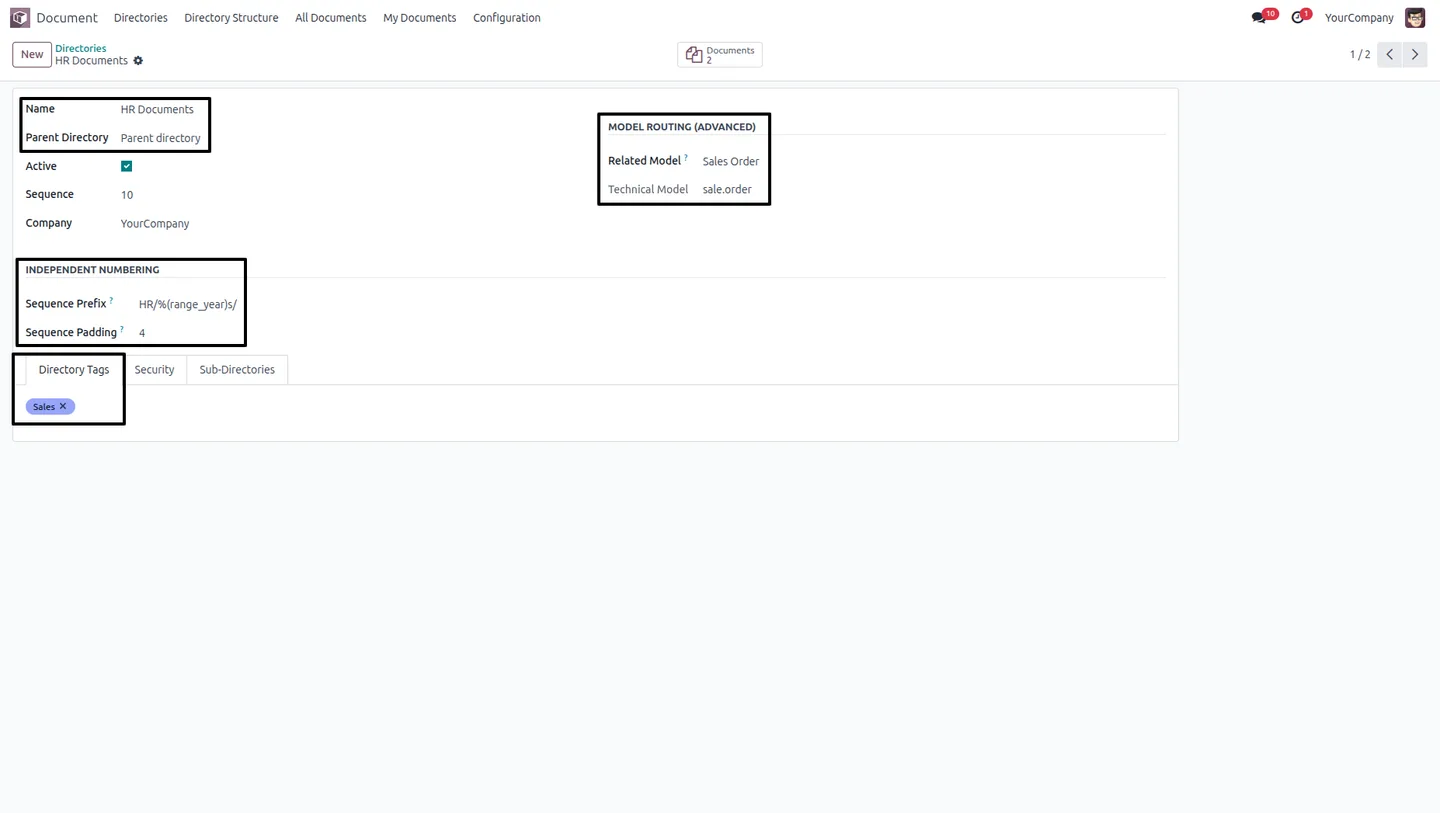
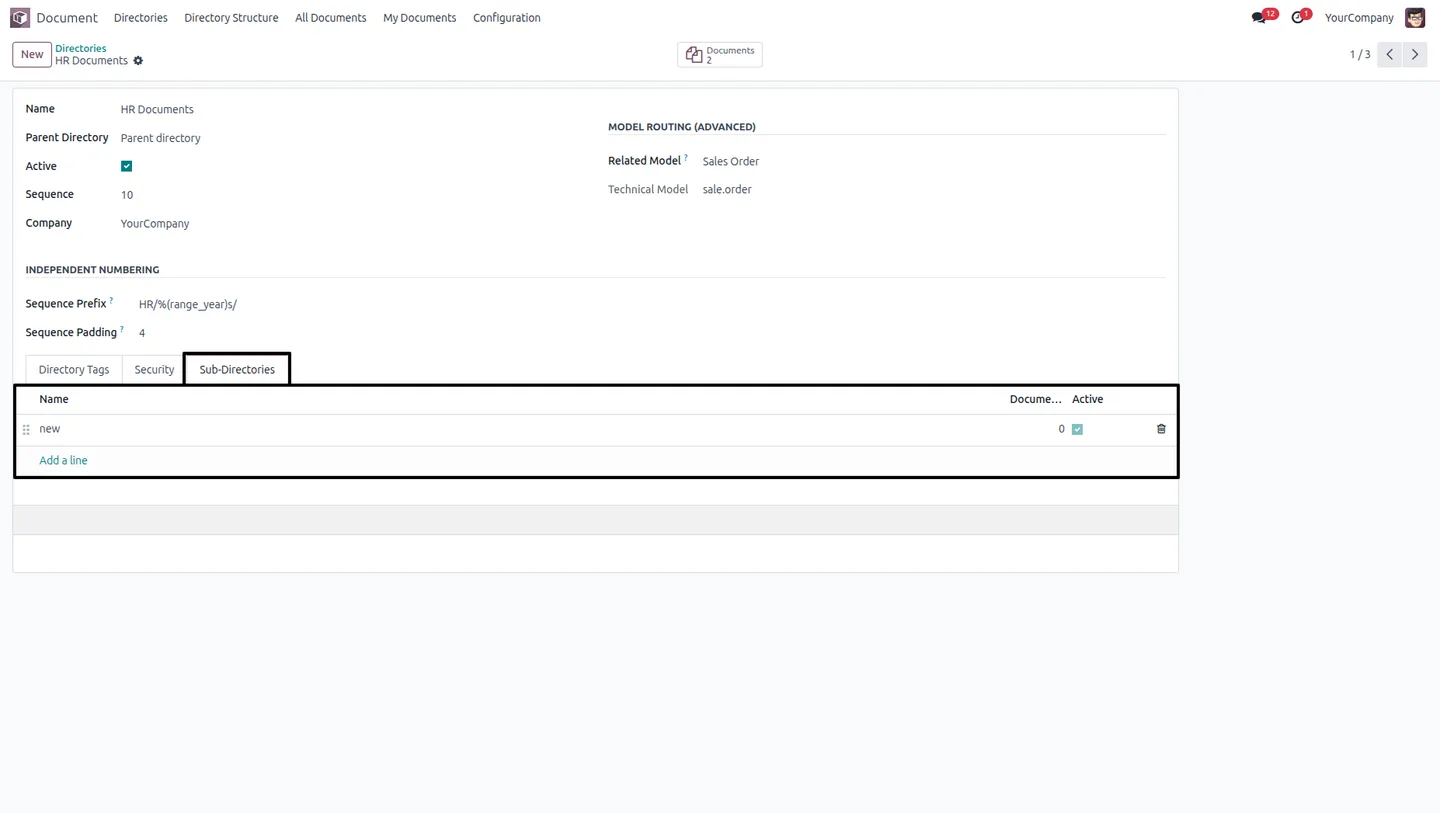
In the Directories section, click Create and set the parent directory, sequence, company, and related model to build out your folder structure.
- 5
Configure directory security
On each directory's Security tab, assign the user groups and individual users allowed to access it, and use the Sub-Directories tab to add child folders.
- 6
Verify with a test user
Log in as an assigned user and confirm they see only the permitted directories in the Directory Structure view.
Frequently asked questions
-
How does Document Directory Hub organize files?
Documents are stored in directories that nest as parent and child folders. This hierarchical structure keeps a large document library organized instead of presenting one flat list.
-
What is the difference between directory tags and document tags?
Directory tags group directories into categories such as Sales, Purchase, or Marketing. Document tags mark individual documents with a status such as Draft or Confirmed. Both support color coding.
-
How is document access controlled?
Access is set per directory. Each directory's Security tab lets you assign specific user groups and individual users, and users can be limited to documents assigned to or created by them.
-
Which Odoo versions are supported?
Document Directory Hub supports Odoo 16.0, 17.0, 18.0, 19.0, and 20.0, in both the Community and Enterprise editions.
-
Can I create sub-directories inside a directory?
Yes. Each directory form has a Sub-Directories tab for creating and managing child folders, building out a full parent-child hierarchy.
-
Will users see directories they are not assigned to?
No. With role-based access control, users see only the directories assigned to them. The Directory Structure view reflects each user's permitted folders.
-
Where do I set up user access?
Go to Settings → Users & Companies → Users, open a user, and grant the access rights for the directory hub. The directory menu then appears on that user's dashboard.
-
Is support included with the module?
Yes. The module includes 90 days of bug-fix support, Monday to Friday, 10:00–19:00 IST.
Listing verified against the Odoo App Store:
Related solutions
Whole-platform solutions that complement Document Directory Hub.
Related services
Get the most out of this module with senior TechUltra consultants.
Odoo Customization Services
Odoo customization from a Gold Partner: custom modules, workflows, reports and Studio changes, written upgrade-safe and quoted at a fixed scope. Free scoping call.
Hire Odoo Developers
Hire certified Odoo developers from a Gold Partner: one developer or a team, full-time or part-time, 70–160 hours a month. Silver, Gold or Platinum plan, free trial.
Odoo Support Services & Maintenance
Odoo support services from a Gold Partner: functional and technical support plus server cover for Enterprise and Community, 30-minute P1 response, 24/7 option.







