

Odoo App · Contacts & CRM
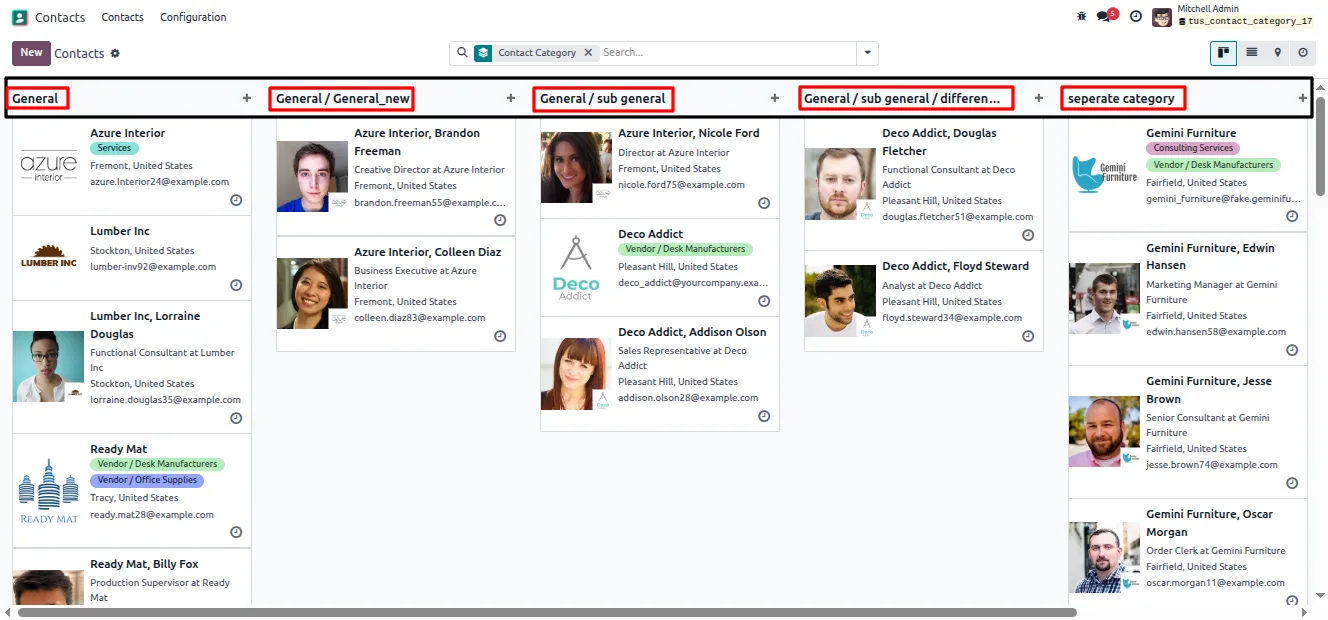
Contact Category Management
Organize Odoo contacts with hierarchical parent-child categories and contact counts.

Overview
Contact Category Management gives the Odoo Contacts app a proper classification structure. Instead of a flat list of tags, you build parent-child categories — for example a Customers parent with Retail and Wholesale children — so contacts are grouped in a way that scales as the database grows.
Built by TechUltra Solutions, the module keeps the structure sound. Each category displays its full hierarchical name for instant context, and a recursion check stops a category from becoming its own ancestor. A protected General category acts as a safe fallback that cannot be modified or deleted.
Categories are archived rather than deleted, so historical references on old contacts are never lost. Each category shows a contact count that includes its subcategories, and chatter tracking records every change for a clean audit trail — all inside the standard Contacts application.
Key features
-
Hierarchical contact categories
Build parent-child category trees so contacts are grouped in a structured, scalable way instead of through a flat list of tags.
-
Full hierarchical names
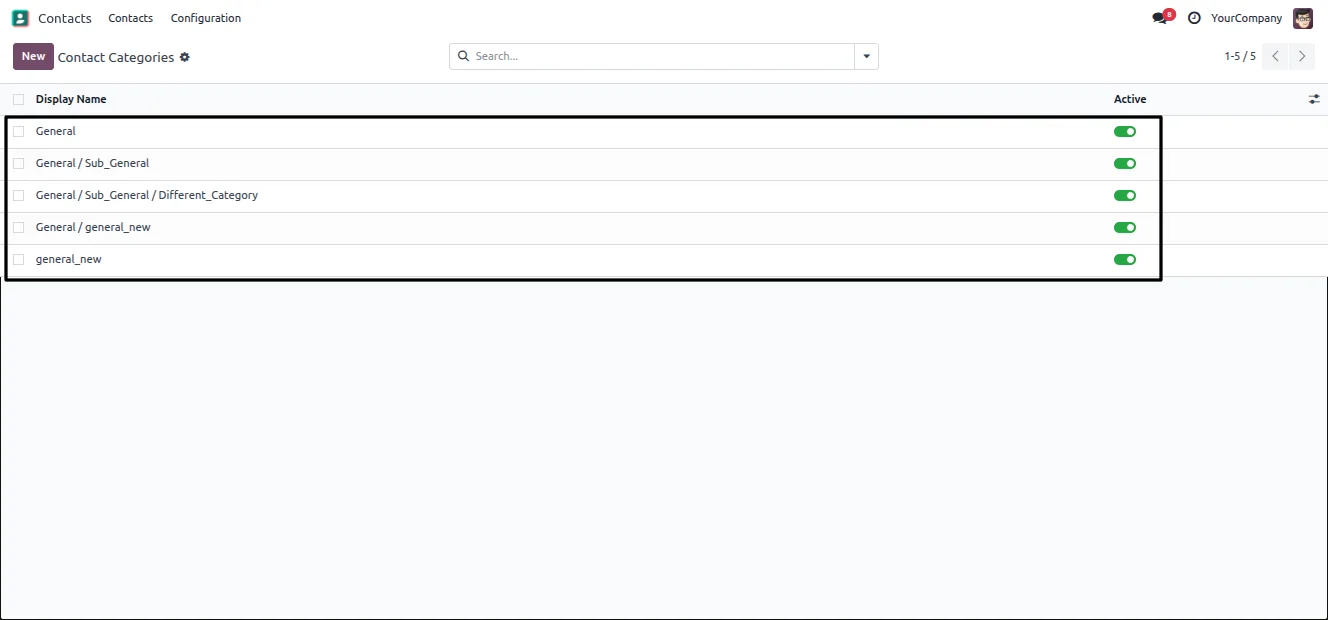
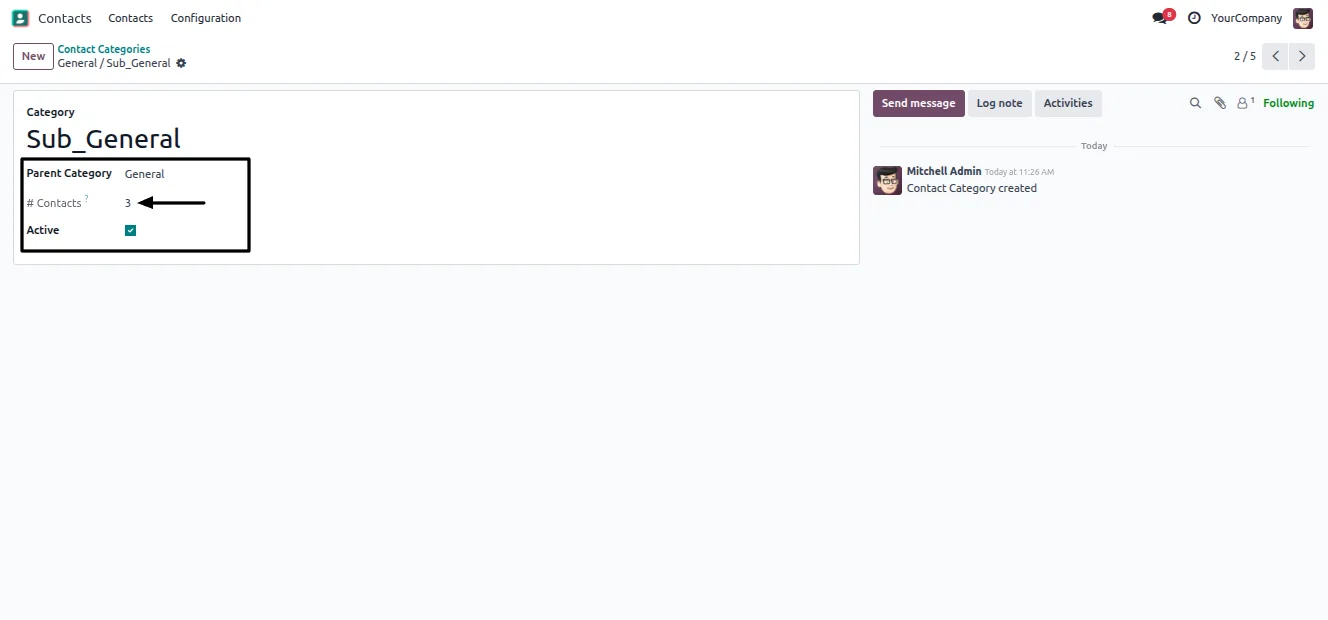
Each category displays its complete path, so a child category is always shown with its parents and there is no ambiguity over which category you have picked.
-
Protected General category
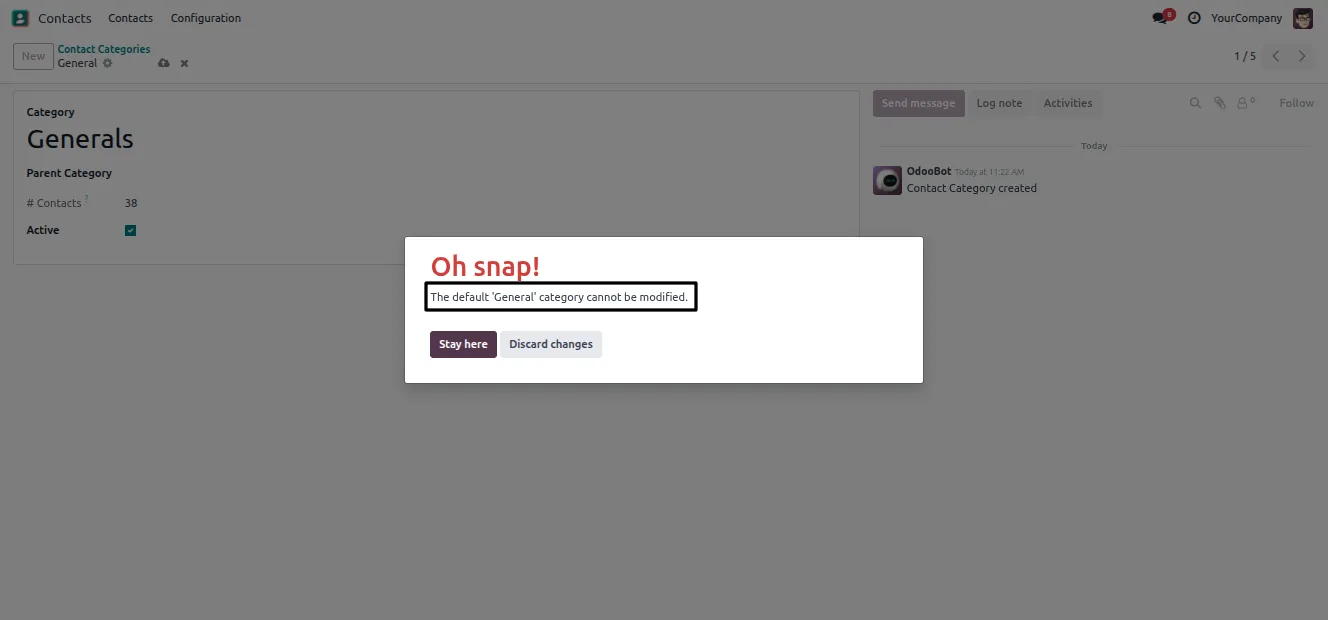
A default General category acts as a fallback for every contact. It cannot be modified or deleted, so contacts always have a valid category.
-
Contact counts with subcategories
Each category shows a contact count that rolls up all of its child categories, giving an immediate read on how contacts are distributed.
-
Recursion prevention
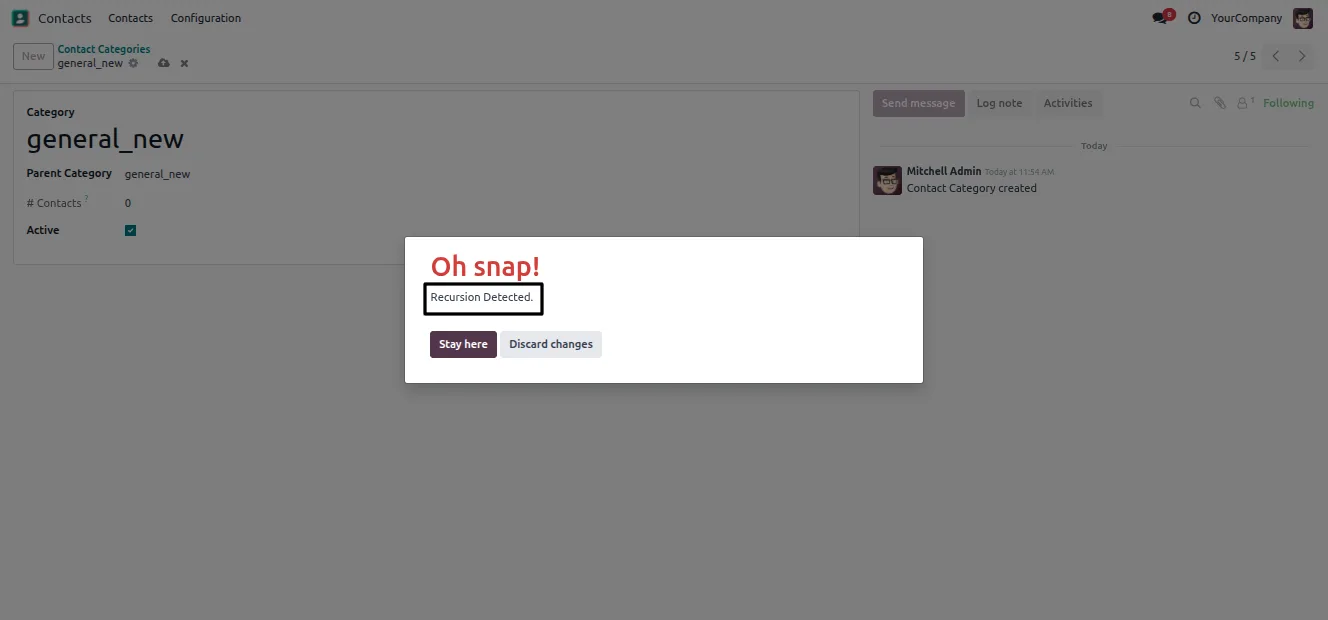
The module blocks cyclic structures — a category cannot be set as its own parent, directly or indirectly — which keeps the hierarchy valid.
-
Archive instead of delete
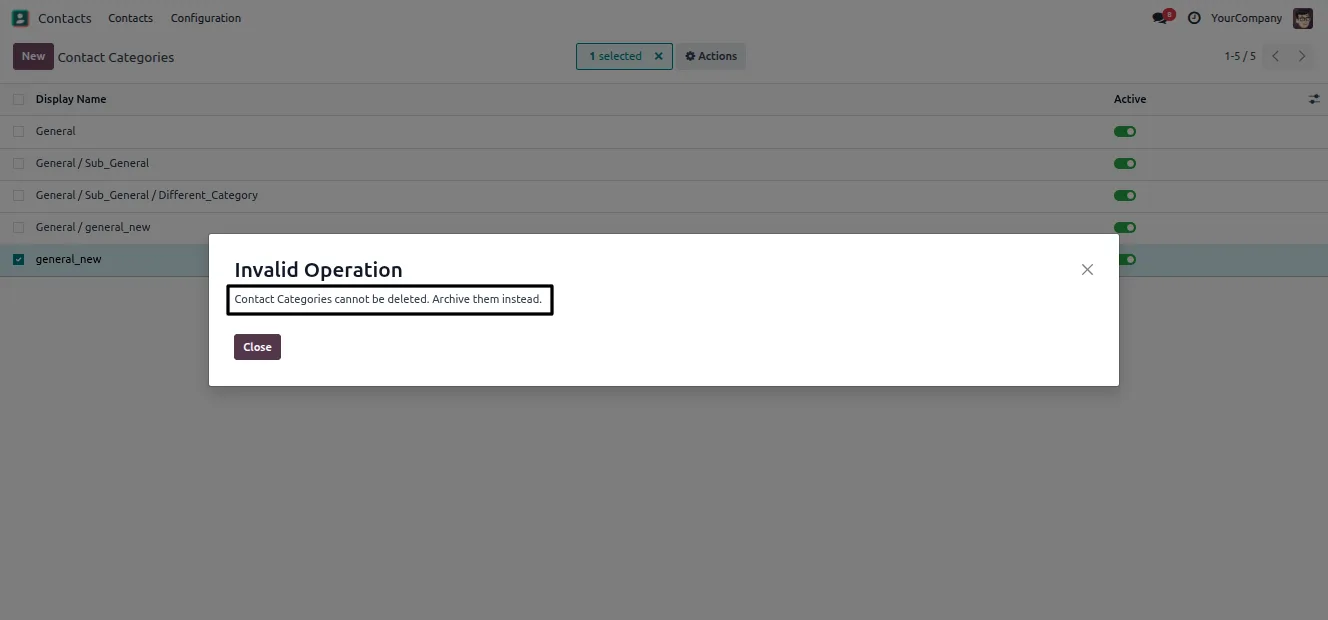
Categories cannot be deleted, only archived. Historical references on existing contacts are preserved while unused categories are kept out of the way.
-
Chatter audit trail
Built-in chatter tracking records changes to categories, giving managers a clear history of who changed what and when.
-
Native Contacts integration
Everything runs inside the standard Odoo Contacts app — no separate interface — so the team works with categories where they already manage contacts.
Contact Category Management in Odoo
Every screen, in the order you meet it — configuration first, then the module in use.
Technical details
Specification
- Publisher
- TechUltra Solutions Private Limited
- Technical name
- tus_contact_category
- Odoo versions
- 16.0, 17.0, 18.0, 19.0, 20.0
- Lines of code
- 191
- License
- Odoo Proprietary License v1.0 (OPL-1)
- Price
- $11.90 (one-time)
Deployment
- Odoo Online
- Odoo.sh
- On-premise
Odoo dependencies
- Contacts
- Discuss
Support
90 days of bug-fix support, Monday to Friday (10:00–19:00 IST). Raise a ticket at support@techultra.in.
Setup & configuration
From install to first call — here is the path.
- 1
Install the module
In Odoo, open Apps, remove the Apps filter, search for “Contact Category Management”, and click Install.
- 2
Assign access permissions
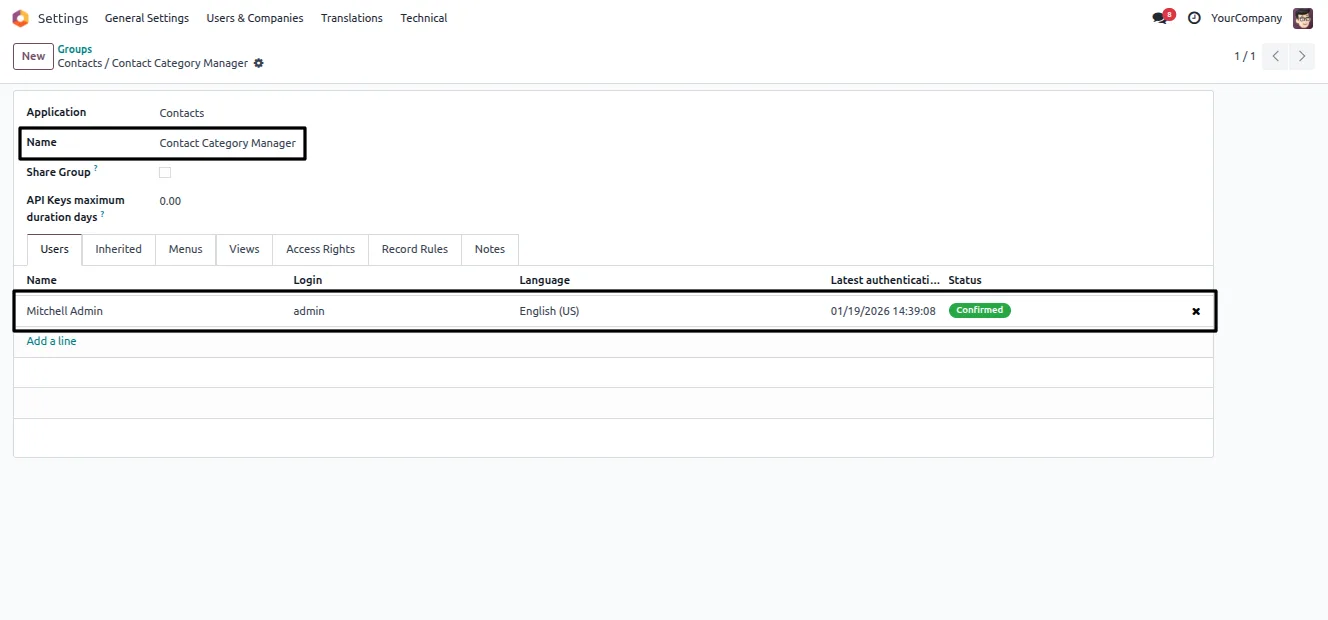
Go to Settings → Users & Companies → Groups, open the Contact Category Manager group, and add the users who should create, edit, and archive categories.
- 3
Create your categories
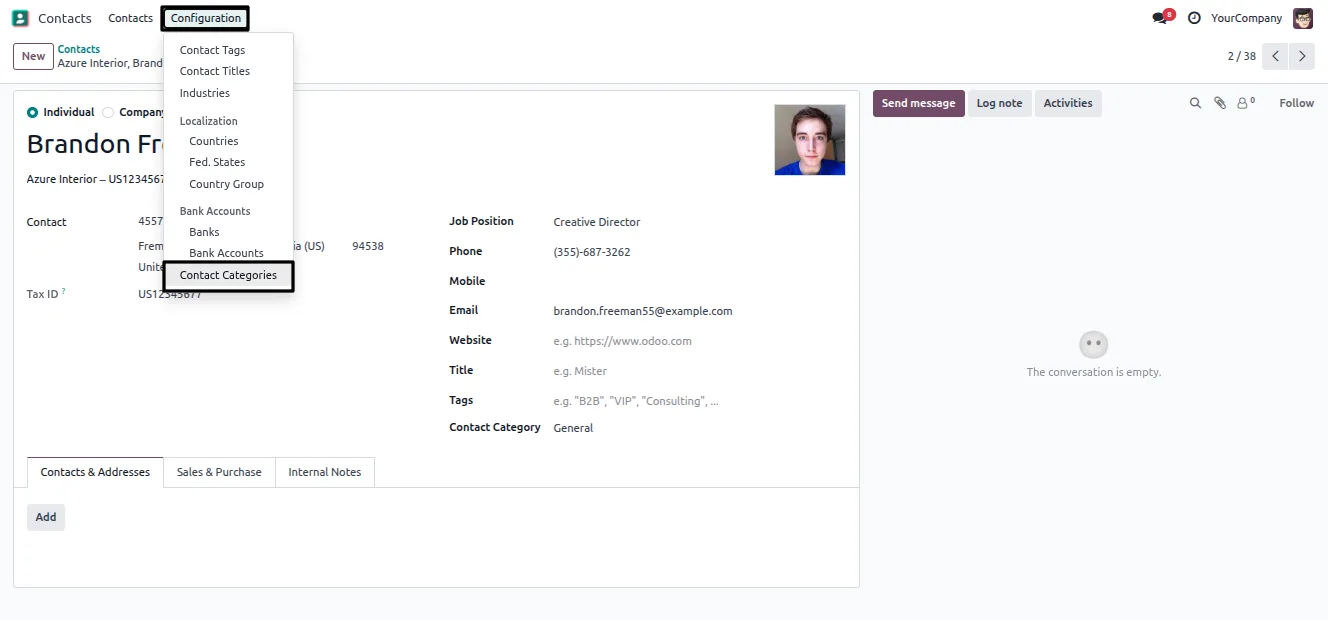
In the Contacts app, open Configuration → Contact Category and build your parent-child structure. The General category is already there as the default.
- 4
Assign categories to contacts
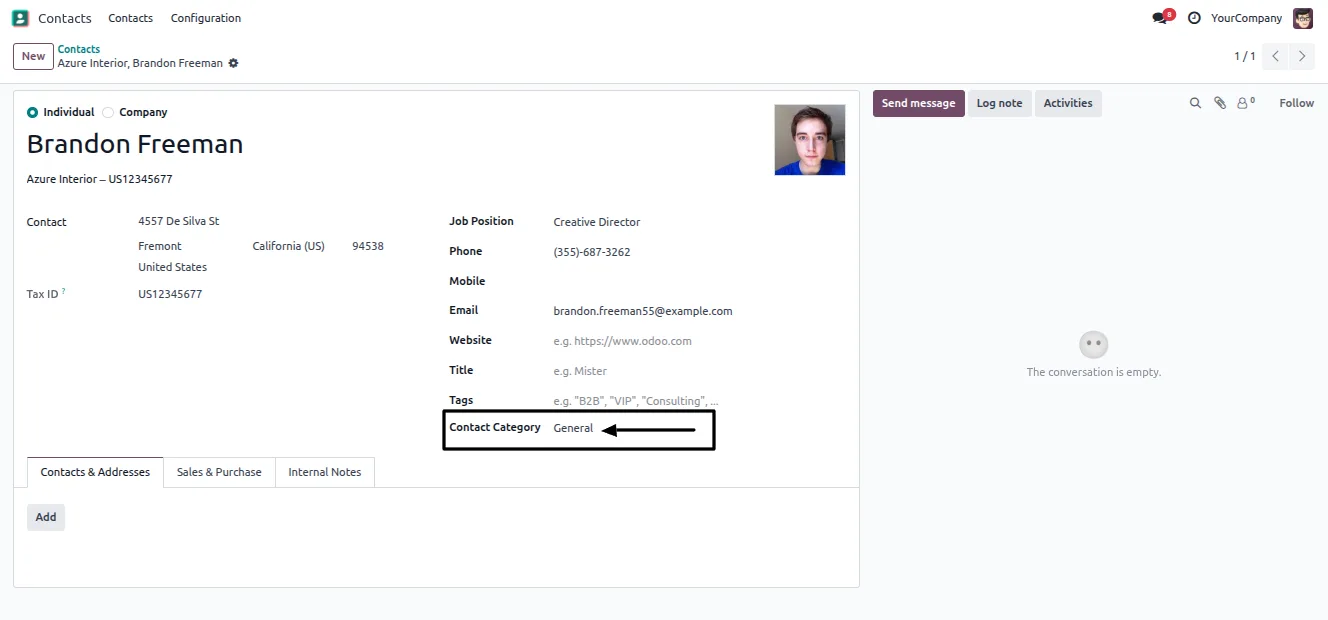
Open or create a contact and set the Contact Category field. It defaults to General and can be changed to any category you have created.
- 5
Review the hierarchy
Open any category in form view to check its parent-child links, contact count, and active status before rolling the structure out to the team.
Frequently asked questions
-
How is this different from Odoo contact tags?
Standard contact tags are a flat list. This module adds a real parent-child hierarchy, so categories nest inside each other and each contact sits in a structured tree rather than against loose labels.
-
What is the General category for?
General is a protected default category. Every contact falls back to it, and it cannot be modified or deleted, so contacts always have a valid category assigned.
-
Can I delete a category I no longer use?
Categories cannot be deleted, only archived. Archiving keeps historical references on existing contacts intact while removing the category from active selection.
-
Does the contact count include subcategories?
Yes. Each category's contact count rolls up all of its child categories, so a parent category shows the total across its entire branch.
-
What stops a broken category structure?
A recursion check prevents cyclic structures. A category cannot be set as its own parent, directly or through a chain of parents, which keeps the hierarchy valid.
-
Who can manage categories?
Only users added to the Contact Category Manager group can create, edit, and archive categories. Other users can still assign existing categories to contacts.
-
Which Odoo versions are supported?
The module supports Odoo 16.0, 17.0, 18.0, 19.0, and 20.0, in both the Community and Enterprise editions.
Listing verified against the Odoo App Store:
Related services
Get the most out of this module with senior TechUltra consultants.
Odoo Customization Services
Odoo customization from a Gold Partner: custom modules, workflows, reports and Studio changes, written upgrade-safe and quoted at a fixed scope. Free scoping call.
Hire Odoo Developers
Hire certified Odoo developers from a Gold Partner: one developer or a team, full-time or part-time, 70–160 hours a month. Silver, Gold or Platinum plan, free trial.
Odoo Support Services & Maintenance
Odoo support services from a Gold Partner: functional and technical support plus server cover for Enterprise and Community, 30-minute P1 response, 24/7 option.







