

Odoo App · Sales & Purchase
Centralized Pricelist Setup
One menu for sales pricelists, pricelist rules, and vendor price rules in Odoo.

Overview
Centralized Pricelist Setup tidies up where Odoo keeps its pricing tools. By default, sales pricelists, pricelist rules, and vendor price rules live in separate menus across the system, so anyone managing prices has to hop between configuration areas.
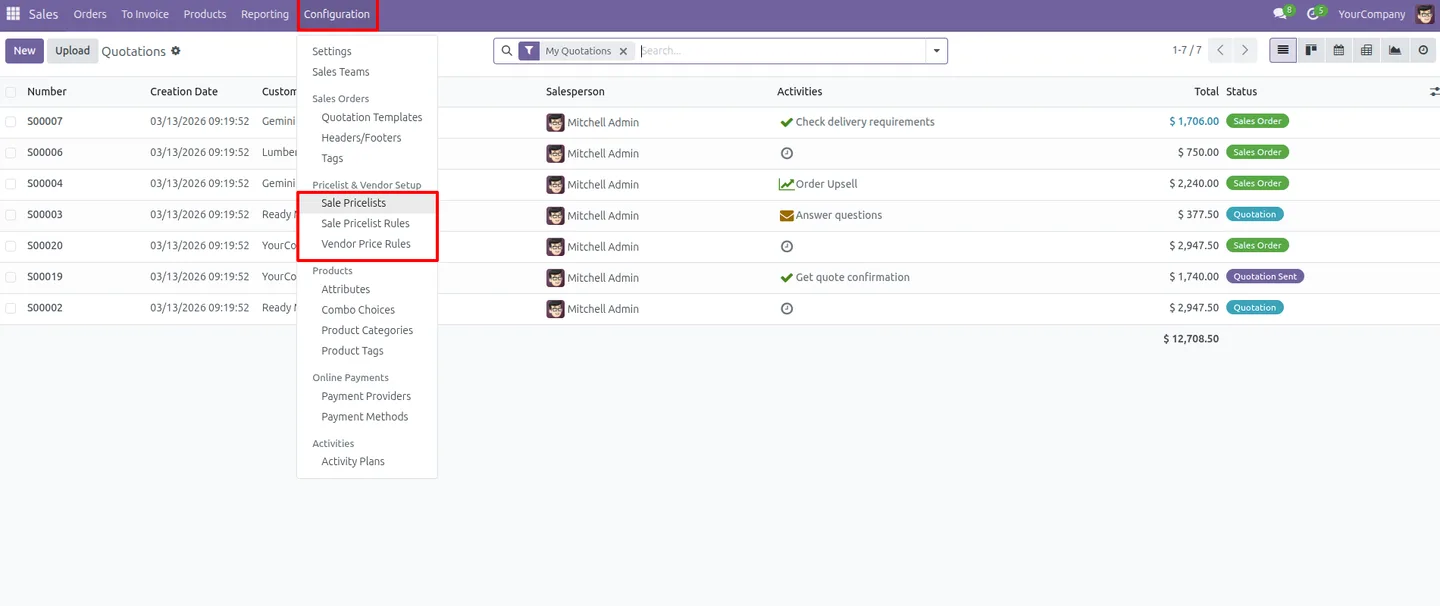
Built by TechUltra Solutions, the module adds one "Pricelist & Vendor Setup" menu under Sales → Configuration. From that single location you reach Sales Pricelists, Sales Pricelist Rules, and Vendor Price Rules directly — no more hunting through menus to adjust a price.
The module is deliberately lightweight. It changes navigation only: standard Odoo pricing behaviour, rules, and calculations are left exactly as they are, so it stays fully compatible with existing pricing setups and needs no changes to core logic.
Key features
-
One menu for all pricing tools
A dedicated "Pricelist & Vendor Setup" menu collects sales pricelists, pricelist rules, and vendor price rules in a single place.
-
Quick access to sales pricelists
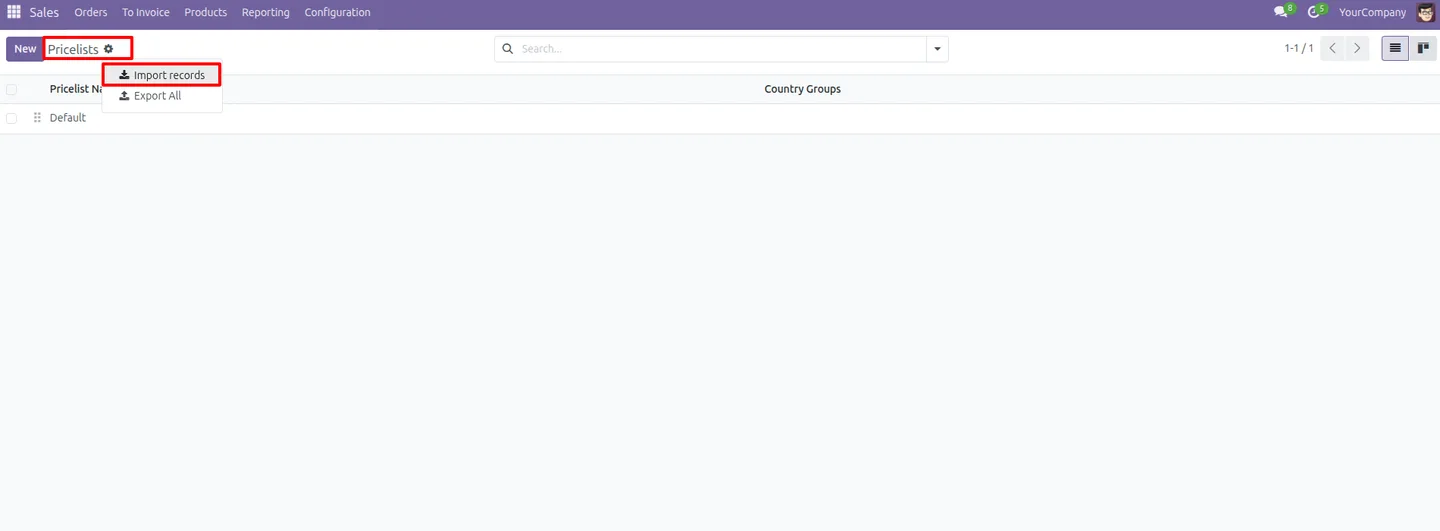
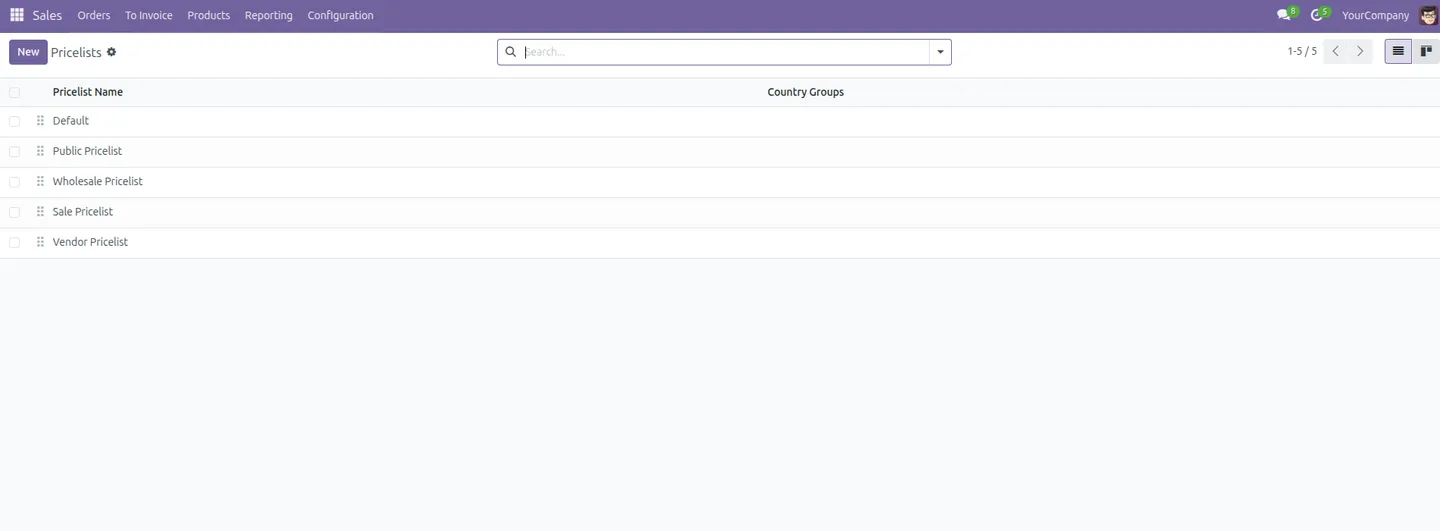
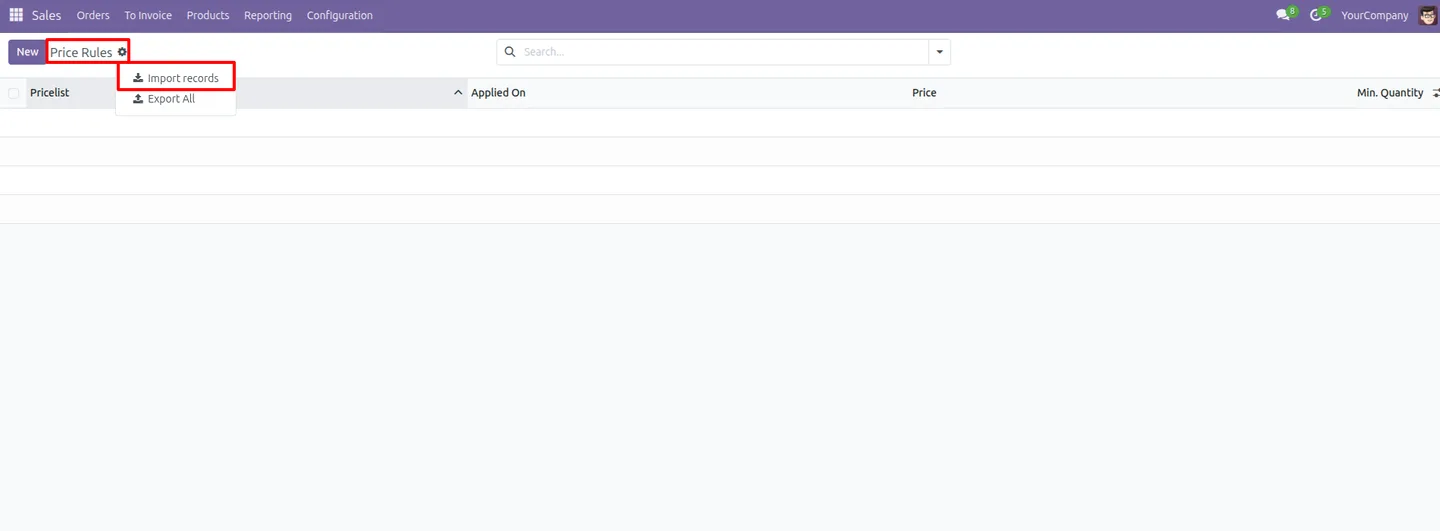
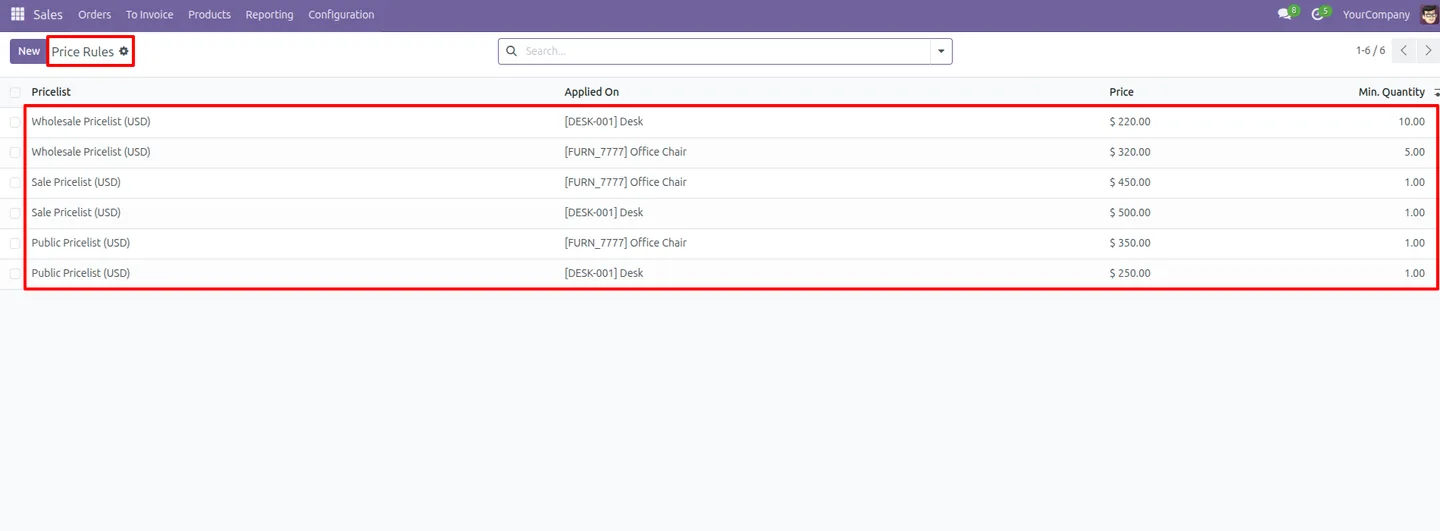
Open Sales Pricelists and Sales Pricelist Rules directly from the new menu, instead of stepping through several configuration screens.
-
Direct access to vendor price rules
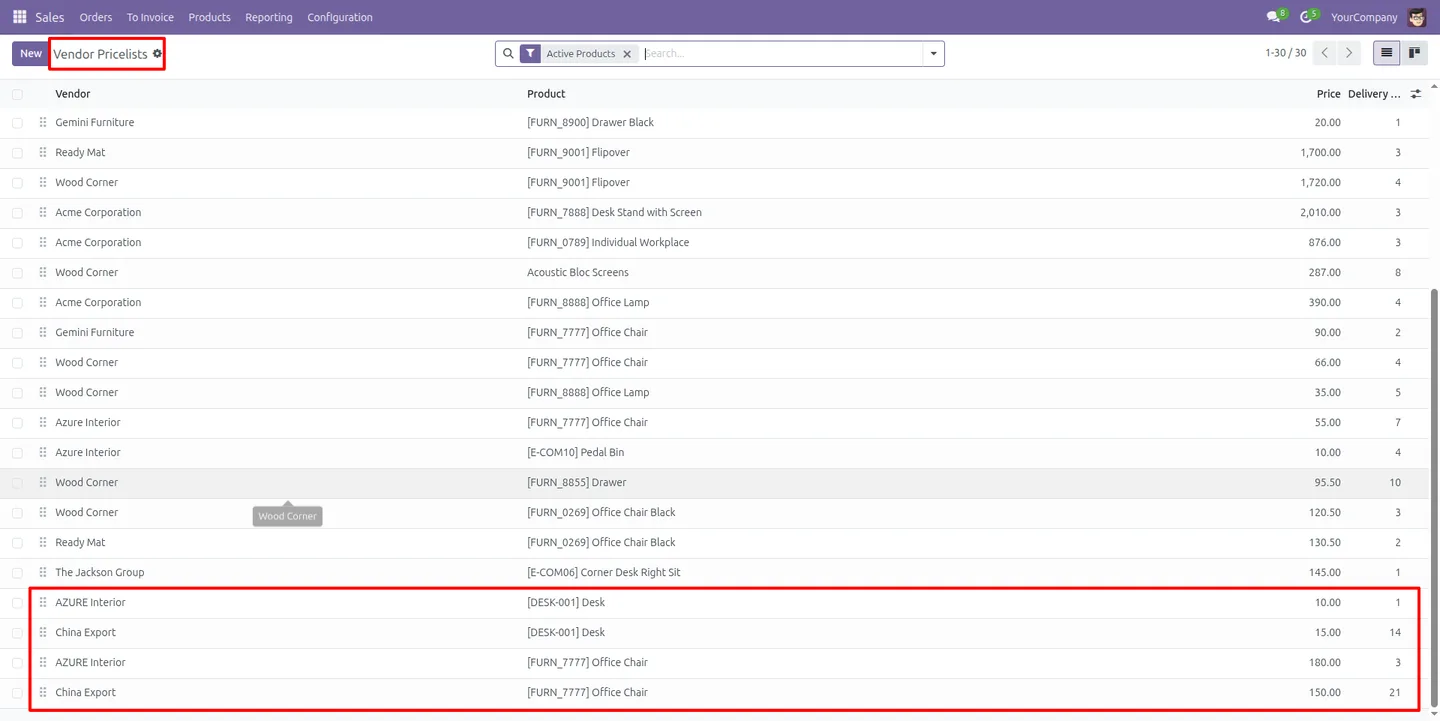
Vendor (supplier) price rules sit in the same menu, so purchase-side pricing is managed alongside sales pricing.
-
Less menu-switching
Every important pricing option is organised centrally, cutting the time spent moving between Sales and Purchase configuration areas.
-
Role-based menu access
The consolidated menu respects existing permissions — Product Manager, Pricelist Manager, and Purchase Manager roles control who sees the pricing tools.
-
Unified pricing interface
Sales and vendor pricing share one coherent entry point, giving pricing staff a consistent place to work.
-
Standard pricing logic untouched
The module changes navigation only. Odoo's pricelist rules, calculations, and behaviour stay exactly as they are.
-
No configuration needed
Once installed, the menu appears automatically under Sales → Configuration — there are no settings to fill in before using it.
Centralized Pricelist Setup in Odoo
Every screen, in the order you meet it — configuration first, then the module in use.
Technical details
Specification
- Publisher
- TechUltra Solutions Private Limited
- Technical name
- odoo_pricelist_import
- Odoo versions
- 16.0, 17.0, 18.0, 19.0, 20.0
- License
- Odoo Proprietary License v1.0 (OPL-1)
- Price
- $24.90 (one-time)
Deployment
- Odoo Online
- Odoo.sh
- On-premise
Odoo dependencies
- Sales
- Purchase
- Invoicing
- Discuss
Support
90 days of bug-fix support, Monday to Friday (10:00–19:00 IST). Raise a ticket at support@techultra.in.
Setup & configuration
From install to first call — here is the path.
- 1
Install the module
In Odoo, open Apps, remove the Apps filter, search for “Centralized Pricelist Setup”, and click Install.
- 2
Open the new menu
Go to Sales → Configuration. The “Pricelist & Vendor Setup” menu appears automatically — no further configuration is required.
- 3
Check user permissions
Confirm the staff who manage prices hold a Product Manager, Pricelist Manager, or Purchase Manager role, since the menu respects those access rights.
- 4
Manage sales pricing
Use the menu to open Sales Pricelists and Sales Pricelist Rules and adjust customer pricing from one screen.
- 5
Manage vendor pricing
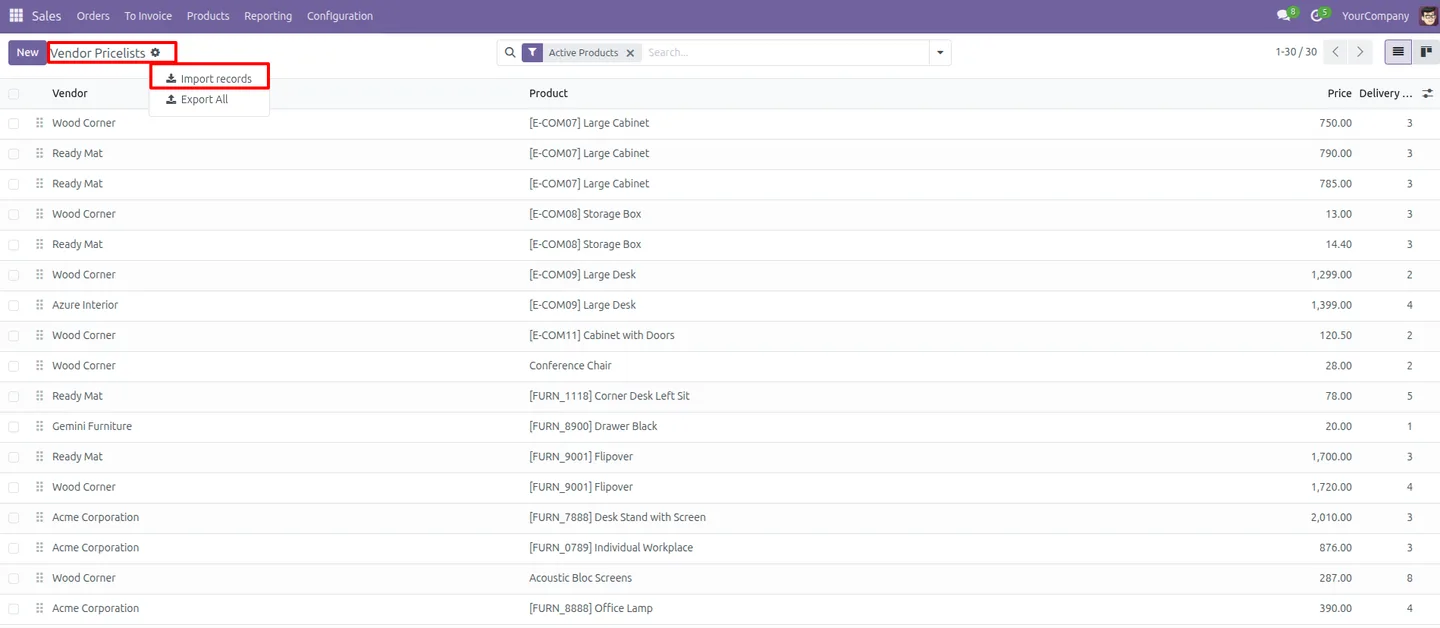
From the same menu, open Vendor Price Rules to review and update supplier pricing alongside your sales pricelists.
Frequently asked questions
-
What does Centralized Pricelist Setup change in Odoo?
It adds one "Pricelist & Vendor Setup" menu under Sales → Configuration that links to sales pricelists, sales pricelist rules, and vendor price rules. It changes navigation only — it does not alter how pricing is calculated.
-
Does it modify Odoo's pricing logic?
No. Standard Odoo pricelist rules, calculations, and behaviour are left untouched. The module is lightweight and only improves where the pricing tools are accessed from.
-
Is any configuration required after installing?
No. Once installed, the consolidated menu appears automatically under Sales → Configuration, and users with the right permissions can start using it immediately.
-
Who can see the consolidated pricing menu?
Access follows existing Odoo permissions. Users with a Product Manager, Pricelist Manager, or Purchase Manager role can open the menu and its pricing tools.
-
Does it cover vendor (supplier) pricing too?
Yes. Vendor price rules are included in the same menu, so purchase-side pricing is managed in the same place as sales pricelists.
-
Which Odoo versions are supported?
The module supports Odoo 16.0, 17.0, 18.0, 19.0, and 20.0, in both the Community and Enterprise editions.
-
Will it conflict with my existing pricelists?
No. The module stays fully compatible with existing pricing setups because it does not change core pricing functionality — it only reorganises the menus.
-
Is support included?
Yes. The module includes 90 days of bug-fix support, Monday to Friday, 10:00–19:00 IST.
Listing verified against the Odoo App Store:
Related services
Get the most out of this module with senior TechUltra consultants.
Odoo Customization Services
Odoo customization from a Gold Partner: custom modules, workflows, reports and Studio changes, written upgrade-safe and quoted at a fixed scope. Free scoping call.
Hire Odoo Developers
Hire certified Odoo developers from a Gold Partner: one developer or a team, full-time or part-time, 70–160 hours a month. Silver, Gold or Platinum plan, free trial.
Odoo Support Services & Maintenance
Odoo support services from a Gold Partner: functional and technical support plus server cover for Enterprise and Community, 30-minute P1 response, 24/7 option.







