
Odoo App · Payments
Cashfree Payment
Accept cards, UPI, and net banking in Odoo through the Cashfree gateway.

Overview
Cashfree Payment registers Cashfree as a payment provider inside Odoo, so customers can pay during website checkout or settle an invoice from a payment link without you wiring up the gateway by hand.
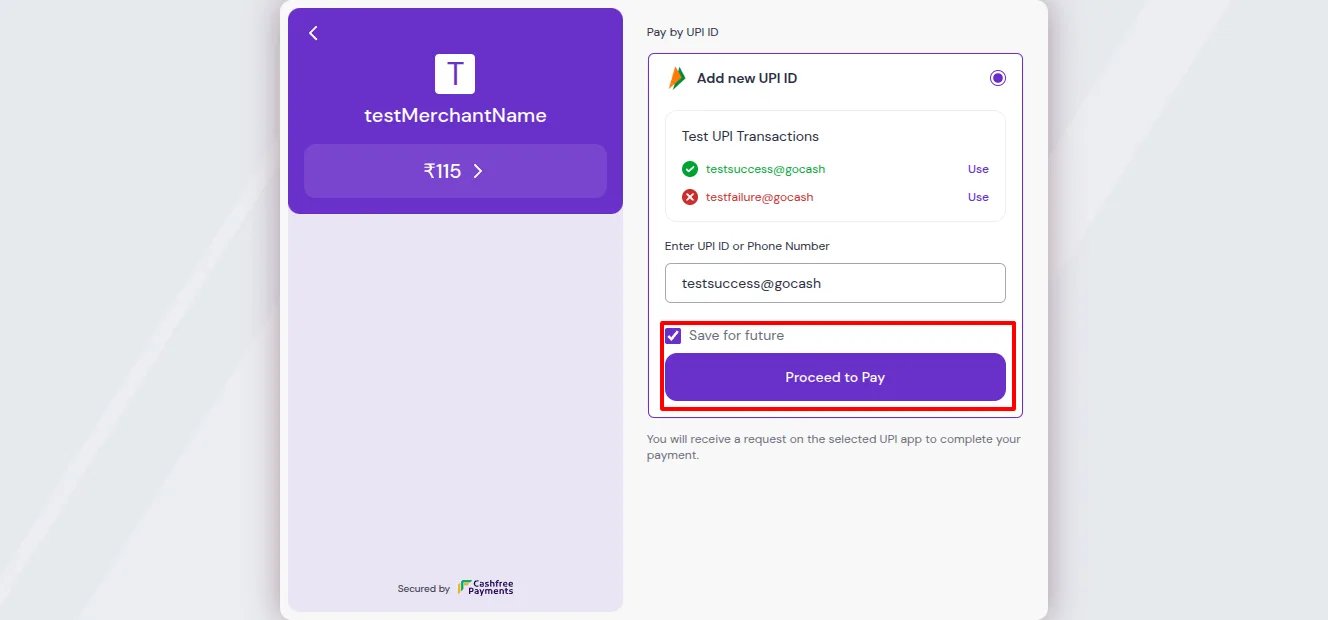
Built by TechUltra Solutions, the module sends the customer to Cashfree's secure hosted payment page, where they choose a card, UPI, or net banking. Card details are handled by Cashfree, not stored in Odoo, which keeps the integration light and the payment flow PCI-compliant on the gateway side.
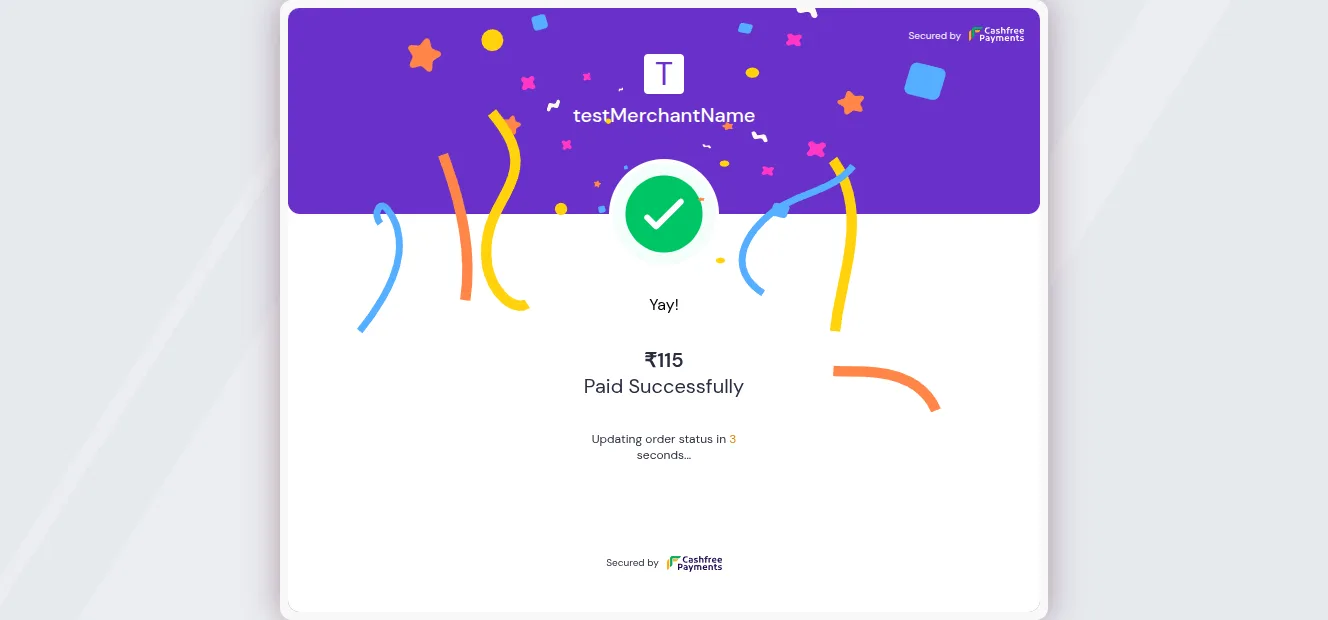
When the payment finishes, Cashfree posts the result back to Odoo and the related transaction, order, or invoice is updated automatically. The same provider record carries both test and live credentials, so you validate the flow in test mode and switch to live with a single state change.
Key features
-
Cashfree as an Odoo payment provider
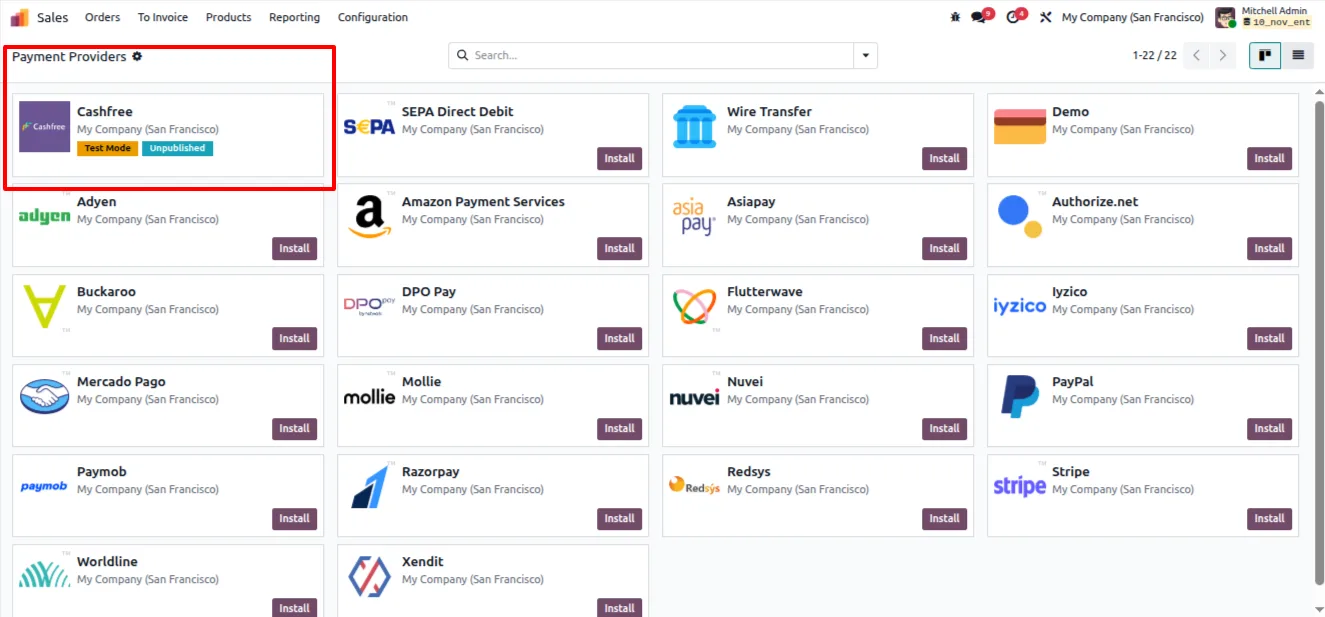
Cashfree appears alongside Odoo's other payment providers, configured from Accounting or Website settings — no custom development to connect the gateway.
-
Cards, UPI, and net banking
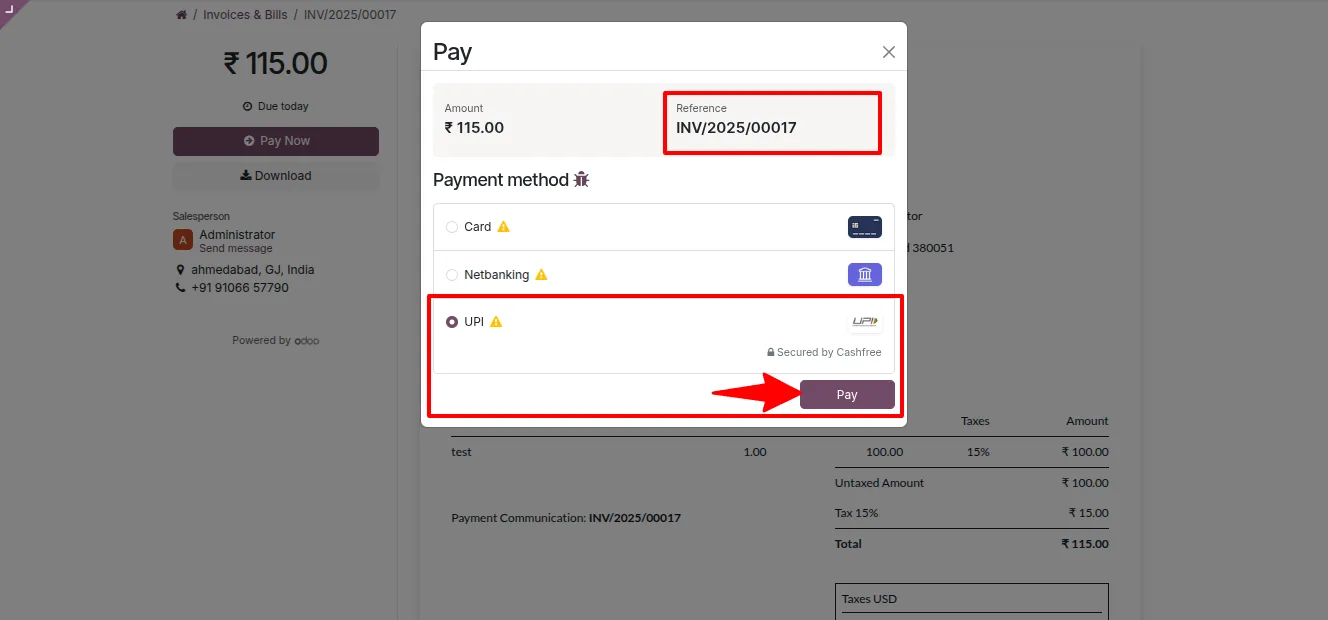
Customers pay with credit and debit cards, UPI, or net banking. The available methods are presented by Cashfree at the time of payment.
-
Secure hosted payment page
Checkout redirects to Cashfree's hosted page, so sensitive card data is entered on the gateway and never stored in your Odoo database.
-
Automatic status updates
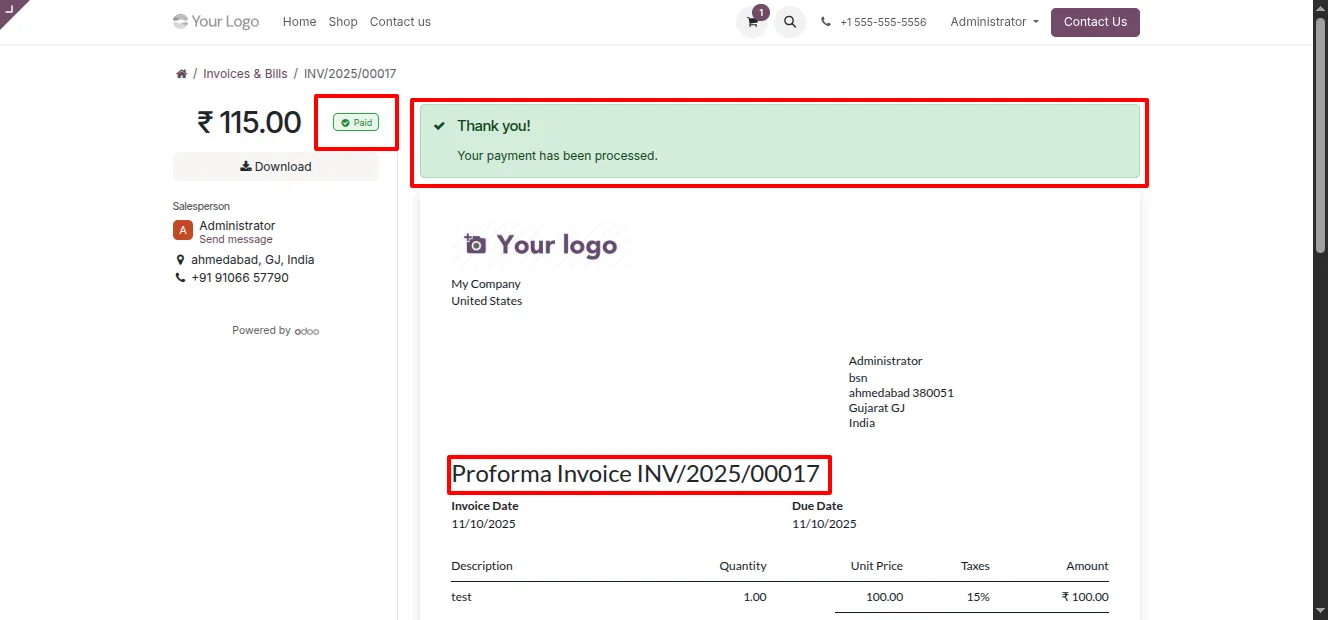
Cashfree posts the transaction outcome back to Odoo, and the matching payment transaction, sales order, or invoice is updated without manual checking.
-
Smooth reconciliation
Because payment results land in Odoo automatically, the accounting team reconciles Cashfree transactions against invoices inside the ERP.
-
Test and live modes
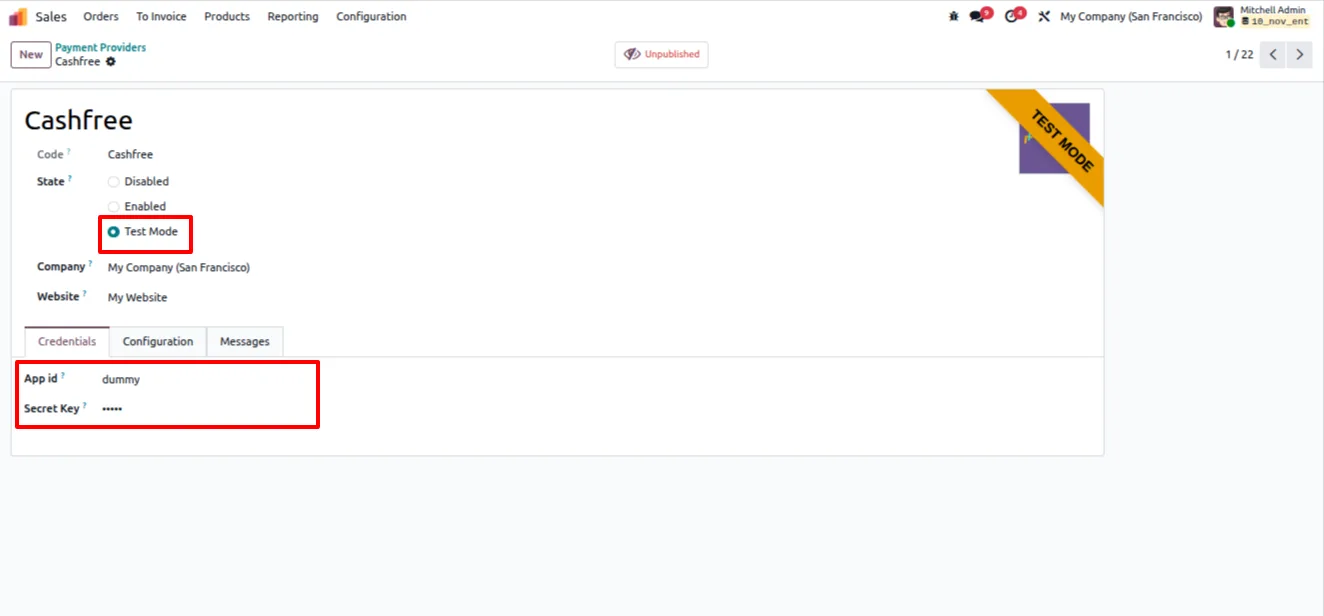
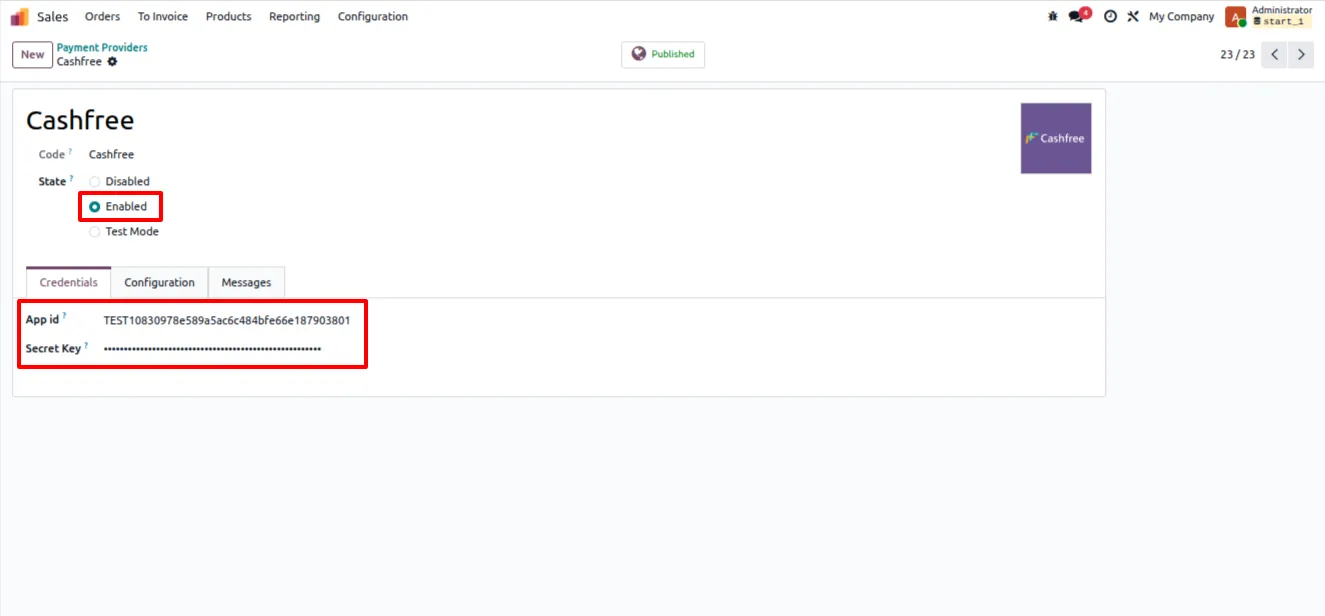
One provider record holds both test and live credentials. Validate the flow with test keys, then set the provider to Enabled to go live.
-
Payment links from invoicing
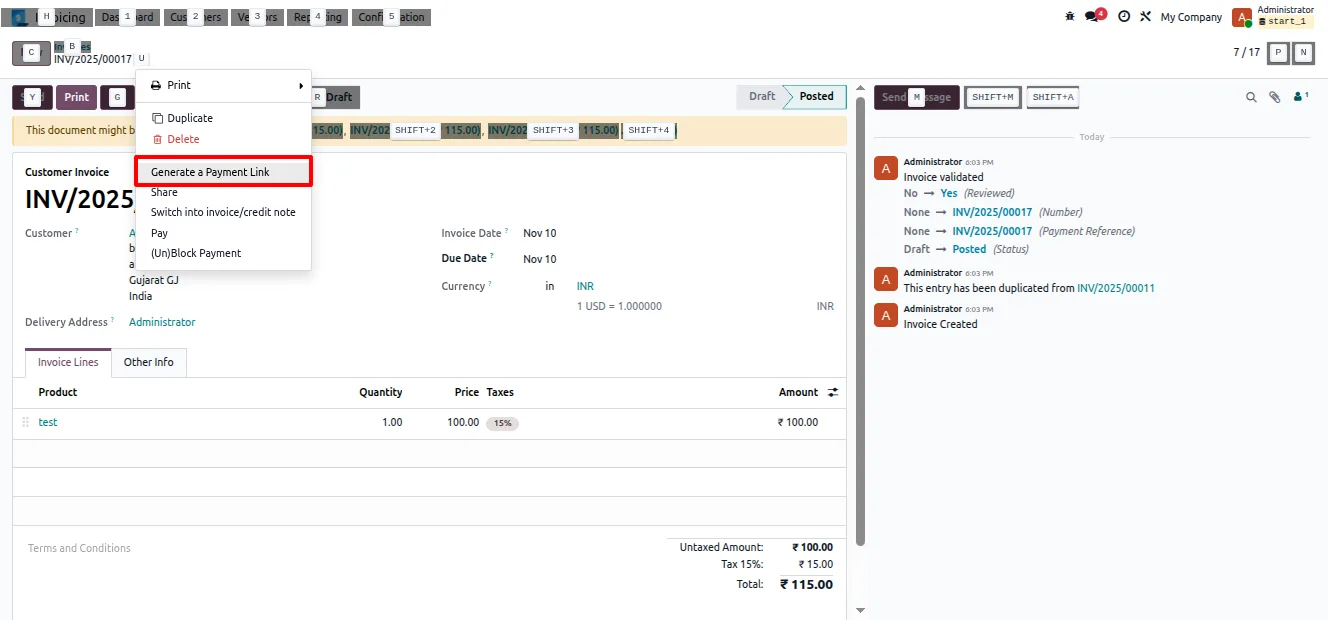
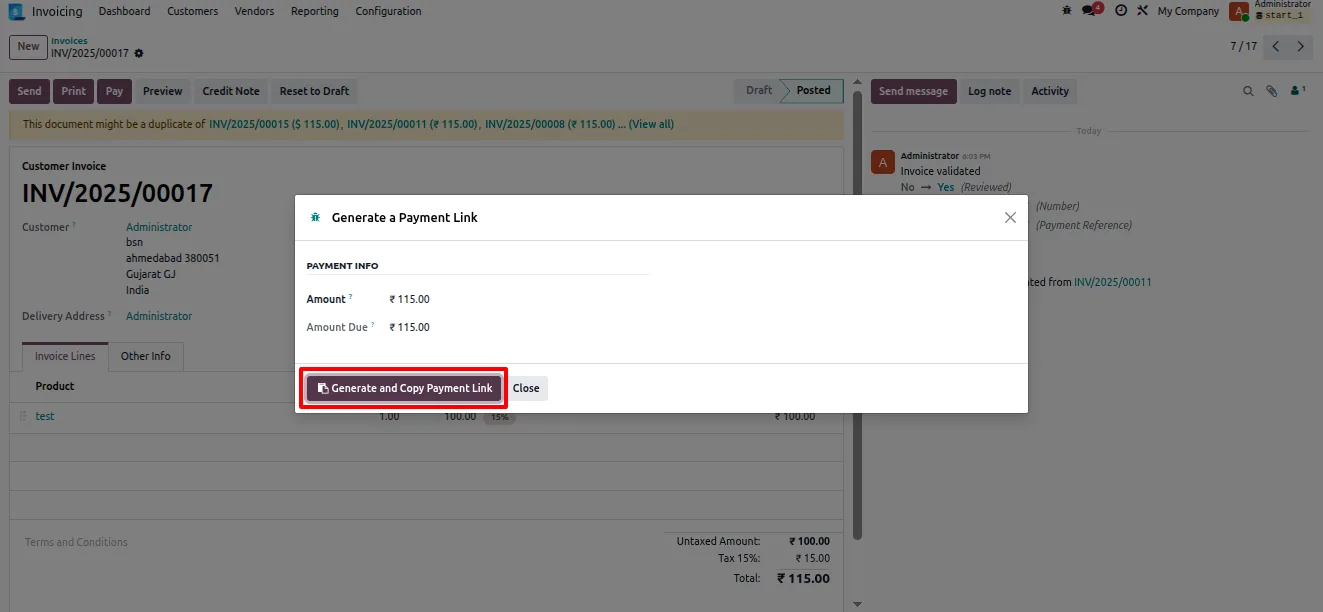
Generate a Cashfree payment link from the Invoicing app and share it with a customer, so they can pay an invoice without a full website checkout.
Cashfree Payment in Odoo
Every screen, in the order you meet it — configuration first, then the module in use.
Technical details
Specification
- Publisher
- TechUltra Solutions Private Limited
- Technical name
- tus_payment_cashfree
- Odoo versions
- 18.0, 19.0
- Lines of code
- 499
- License
- Odoo Proprietary License v1.0 (OPL-1)
- Price
- $19.89 (one-time)
Deployment
- Odoo Online
- Odoo.sh
- On-premise
Odoo dependencies
- Invoicing
- Discuss
Support
90 days of bug-fix support, Monday to Friday (10:00–19:00 IST). Raise a ticket at support@techultra.in.
Setup & configuration
From install to first call — here is the path.
- 1
Install the module
In Odoo, open Apps, remove the Apps filter, search for “Cashfree Payment”, and click Install.
- 2
Get your Cashfree credentials
Sign in to your Cashfree merchant account and copy the Client ID and Client Secret. Use the test keys first; switch to live keys once the flow is verified.
- 3
Configure the provider in test mode
Go to Accounting or Website → Configuration → Payment Providers, open Cashfree, enter the test Client ID and Client Secret, and set the state to Test.
- 4
Run a test payment
Place a test order or open a draft invoice, pay through Cashfree, and confirm the transaction status updates in Odoo as expected.
- 5
Switch to live mode
Replace the test credentials with your live Client ID and Client Secret and set the provider state to Enabled to accept real payments.
- 6
Share payment links
From the Invoicing app, use the payment-link wizard to generate a Cashfree link for an invoice and send it to the customer.
Frequently asked questions
-
Which payment methods does Cashfree Payment support?
Customers can pay with credit and debit cards, UPI, and net banking. The methods shown at checkout are presented by Cashfree on its hosted payment page.
-
Are card details stored in Odoo?
No. Payment is completed on Cashfree's secure hosted page, so card data is entered on the gateway and never stored in your Odoo database.
-
Which Odoo versions are supported?
The module supports Odoo 18.0 and 19.0, in both the Community and Enterprise editions.
-
Can I test before accepting real payments?
Yes. The provider record holds both test and live credentials. Run the flow with test keys in Test mode, then switch to your live keys and set the provider to Enabled.
-
Can customers pay an invoice without a website checkout?
Yes. You can generate a Cashfree payment link from the Invoicing app and share it directly with a customer to settle a specific invoice.
-
How are payments reconciled in Odoo?
Cashfree posts each transaction result back to Odoo, updating the related payment transaction, order, or invoice automatically so the accounting team can reconcile inside the ERP.
-
Do I need a Cashfree account?
Yes. You need an active Cashfree merchant account to obtain the Client ID and Client Secret used to configure the provider in Odoo.
-
Is support included?
Yes. The module includes 90 days of bug-fix support, Monday to Friday, 10:00–19:00 IST, via support@techultra.in.
Listing verified against the Odoo App Store:
Related services
Get the most out of this module with senior TechUltra consultants.
Odoo Customization Services
Odoo customization from a Gold Partner: custom modules, workflows, reports and Studio changes, written upgrade-safe and quoted at a fixed scope. Free scoping call.
Hire Odoo Developers
Hire certified Odoo developers from a Gold Partner: one developer or a team, full-time or part-time, 70–160 hours a month. Silver, Gold or Platinum plan, free trial.
Odoo Support Services & Maintenance
Odoo support services from a Gold Partner: functional and technical support plus server cover for Enterprise and Community, 30-minute P1 response, 24/7 option.







