
Odoo App · Sales
Cancel Sales Order
Cancel a sales order and its invoices, deliveries, and payments in one click.

Overview
When a customer pulls out of an order after it has been invoiced, delivered, and paid, Odoo's native cancel button only handles the sales order. The invoice, the delivery, and the payment all stay open, and someone has to unwind each one by hand across Invoicing and Inventory.
Cancel Sales Order closes that gap. Built by TechUltra Solutions, it adds a cancel action to the sales order that walks the whole chain in one step — reversing and cancelling related invoices, cancelling linked delivery orders, and handling the associated payments.
Because the module processes every connected record in the right order, your accounting ledger and stock counts stay consistent after the cancellation. There is no half-cancelled order left behind and no manual reconciliation to chase later.
Key features
-
One-click order cancellation
Cancel a sales order from a single button. The module triggers the full cancellation workflow instead of stopping at the order itself.
-
Automatic invoice reversal
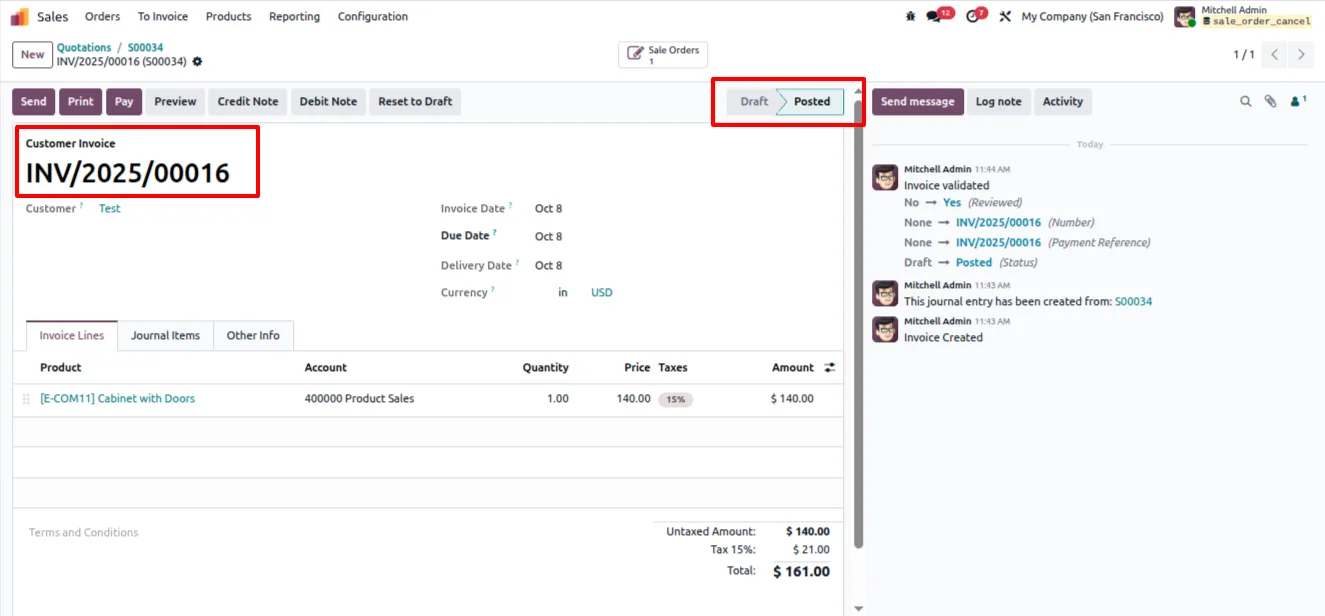
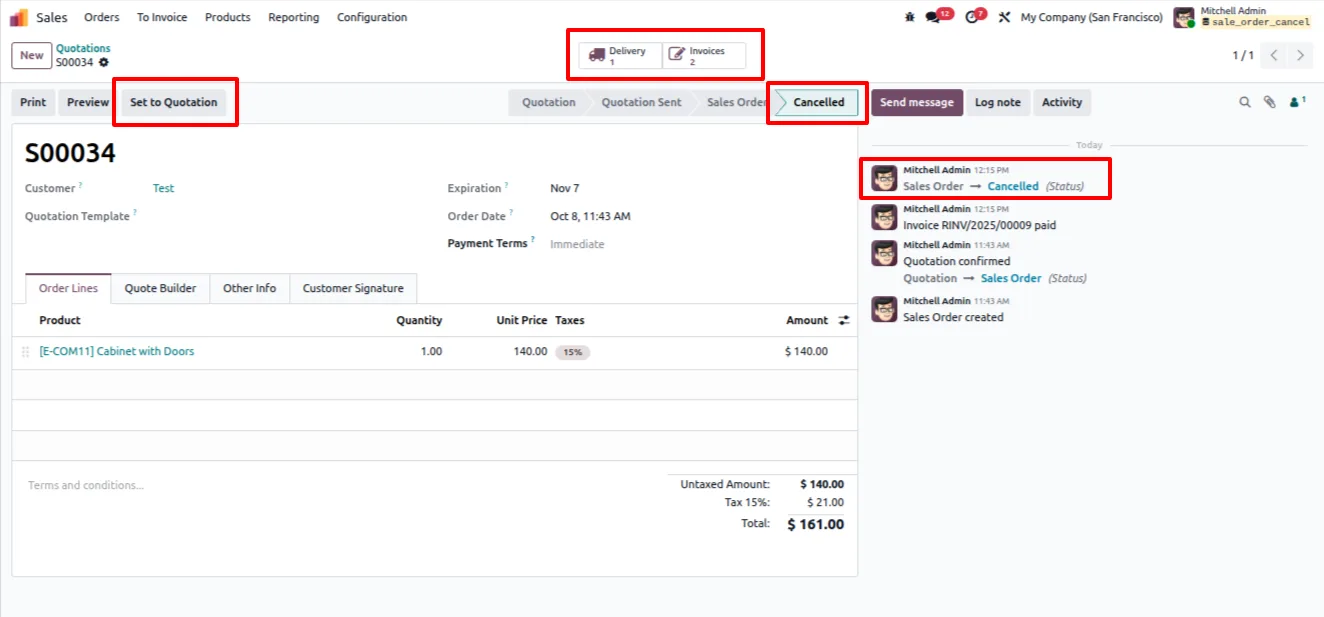
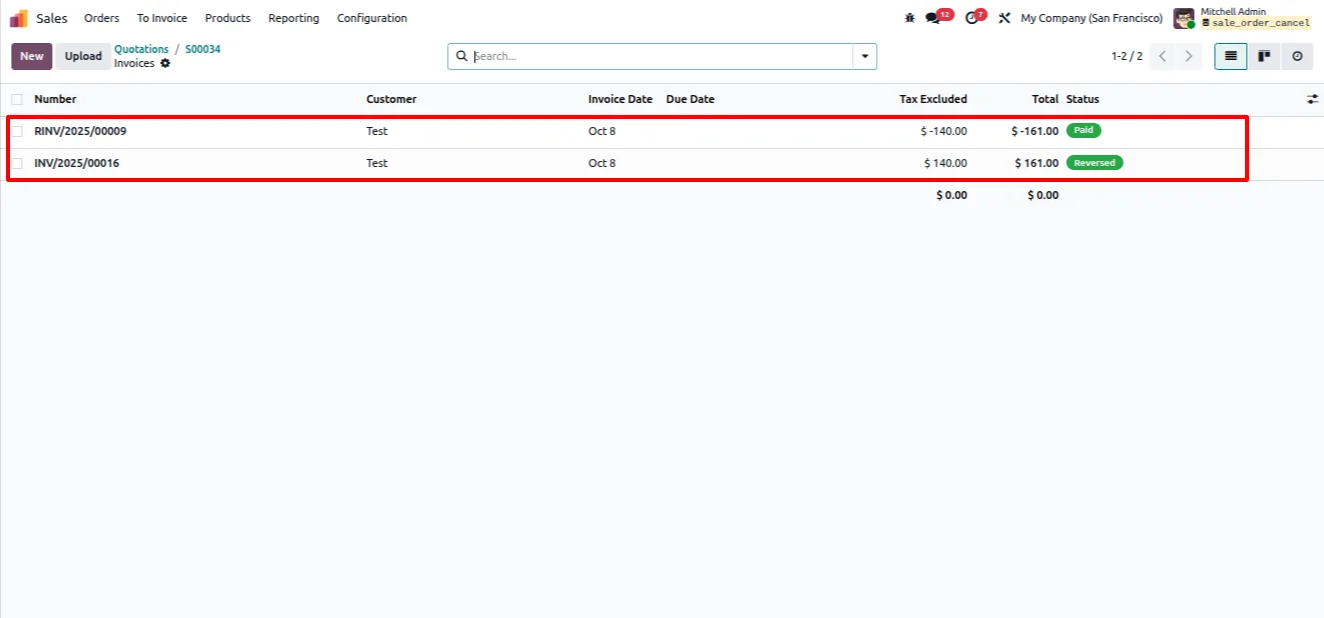
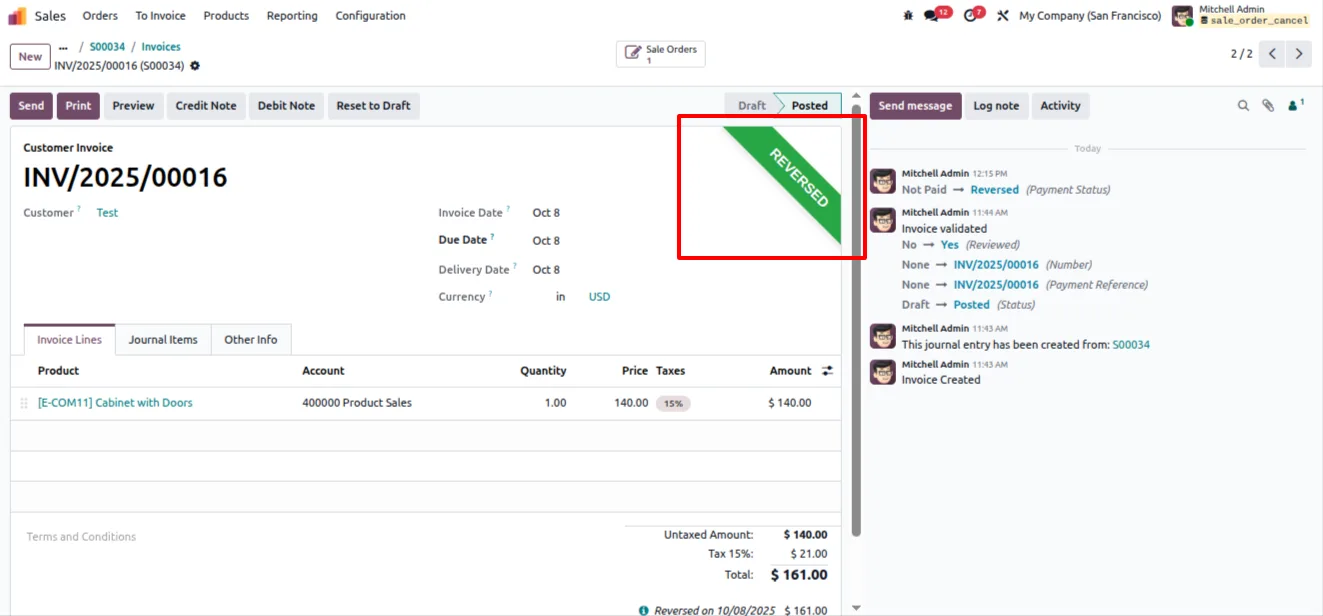
Related customer invoices are reversed and cancelled as part of the same action, so no posted invoice is left open against a cancelled order.
-
Delivery order cancellation
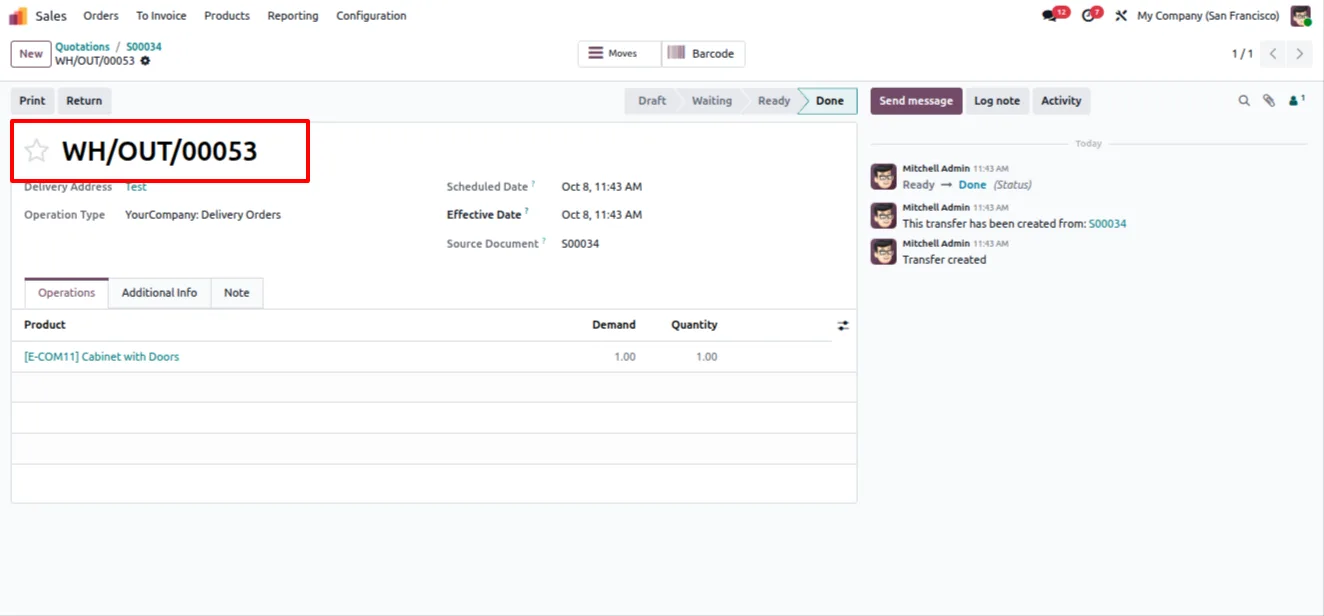
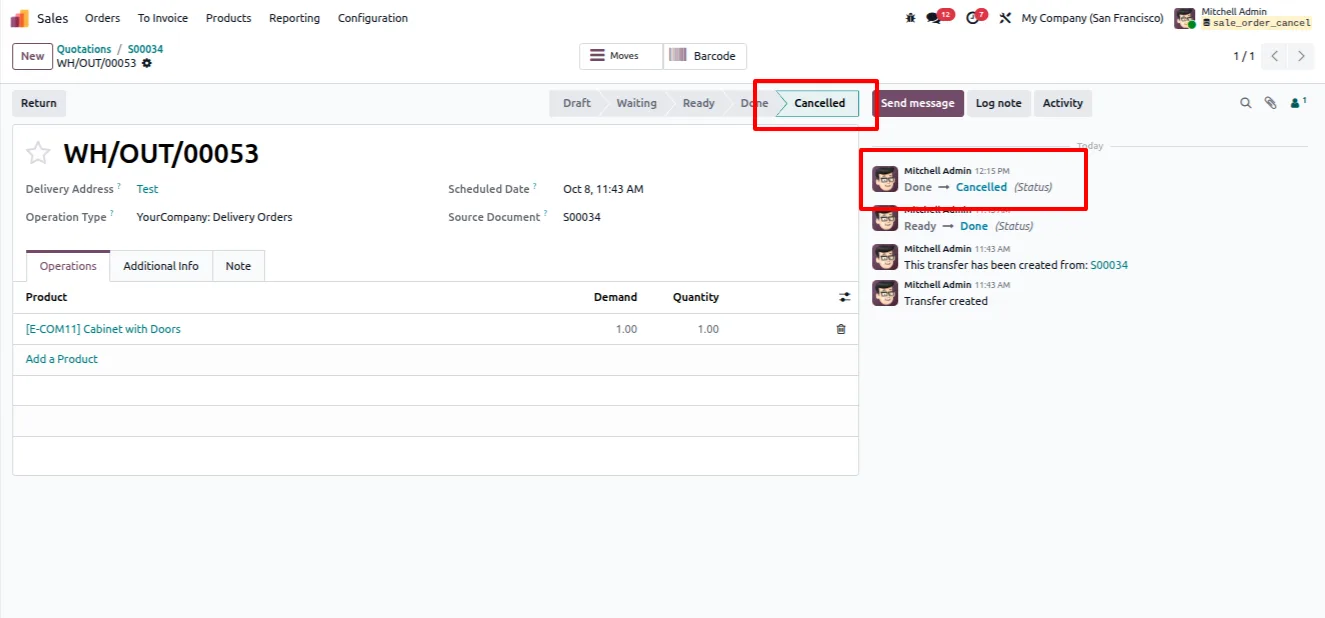
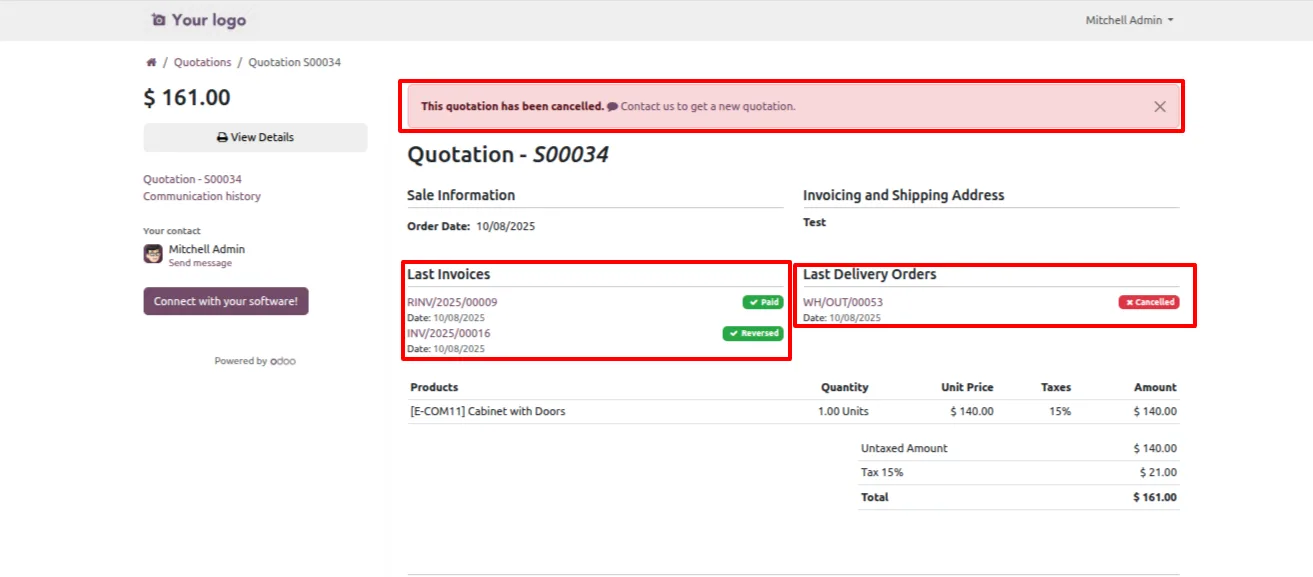
Linked delivery orders are cancelled instantly, removing stock moves that should no longer ship once the order is dropped.
-
Payment handling
Payments tied to the cancelled order are handled in the same flow, so finance does not have to track down stray transactions afterwards.
-
Accounting and stock stay consistent
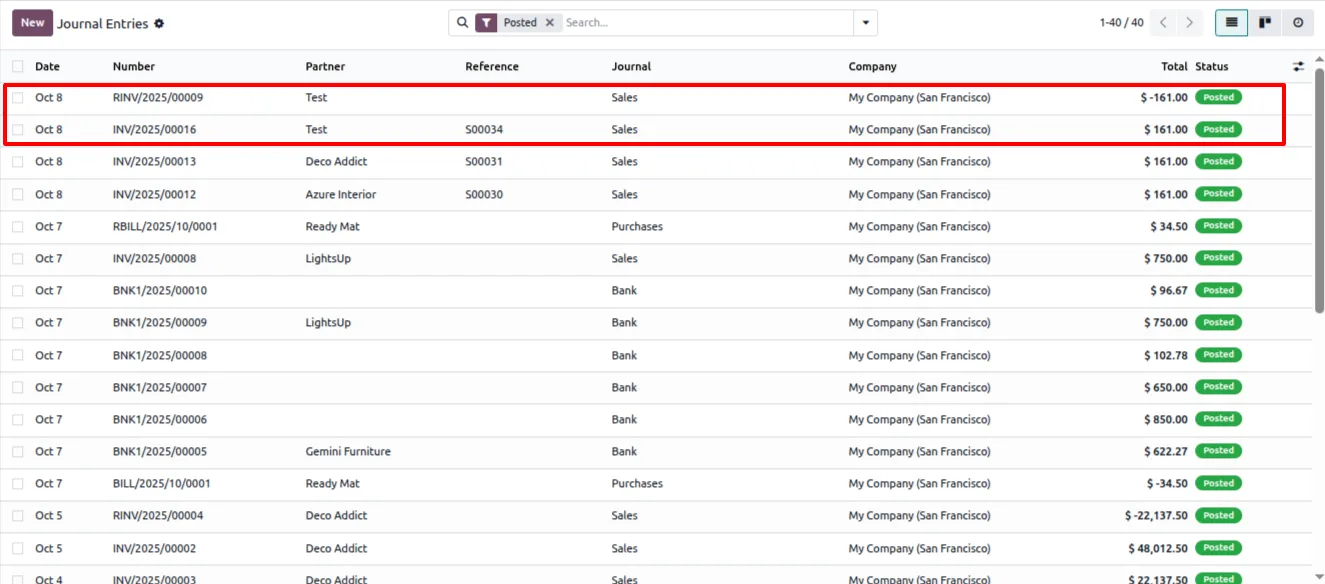
The cancellation runs across invoices, deliveries, and payments in order, keeping the accounting ledger and inventory counts aligned.
-
Less manual cleanup
What used to mean opening three apps and unwinding each record by hand becomes one click, saving the sales and finance teams time on every cancelled order.
-
Works across Sales, Inventory, and Accounting
The module integrates with the Sales, Inventory, and Invoicing apps so the cancellation reaches every document the order created.
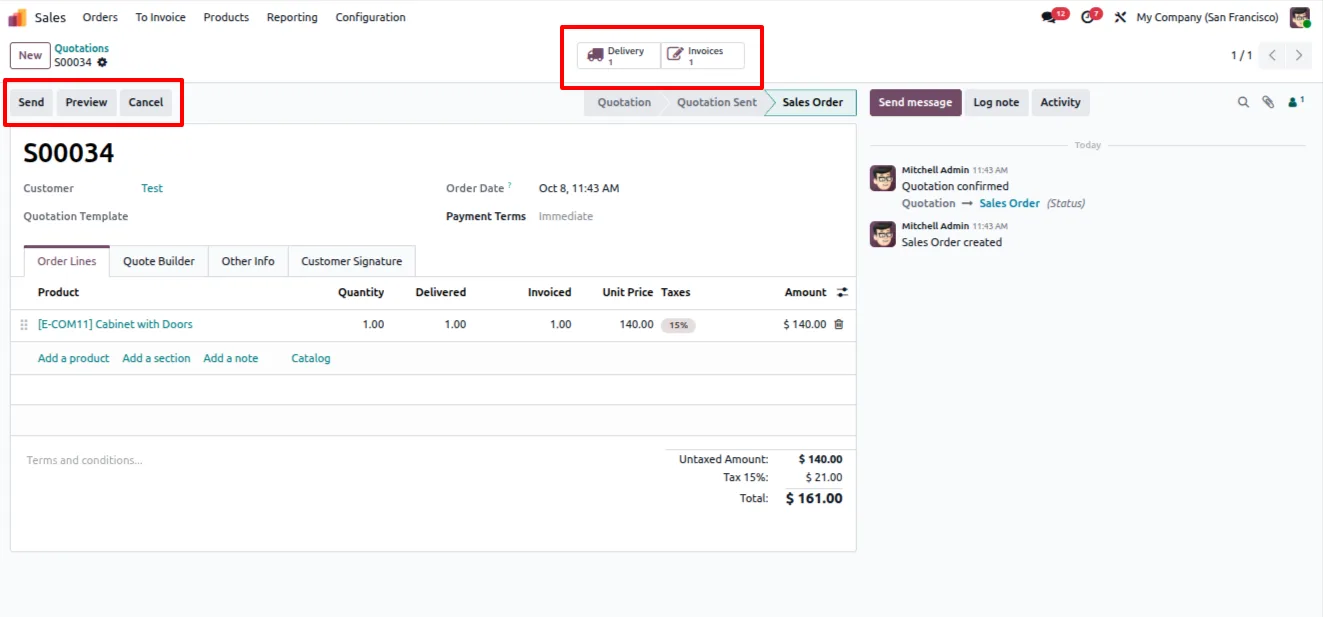
Cancel Sales Order in Odoo
Every screen, in the order you meet it — configuration first, then the module in use.
Technical details
Specification
- Publisher
- TechUltra Solutions Private Limited
- Technical name
- sales_order_cancel
- Odoo versions
- 16.0, 17.0, 18.0, 19.0, 20.0
- Lines of code
- 159
- License
- Odoo Proprietary License v1.0 (OPL-1)
- Price
- $9 (one-time)
Deployment
- Odoo Online
- Odoo.sh
- On-premise
Odoo dependencies
- Sales
- Invoicing
- Inventory
- Discuss
Support
90 days of bug-fix support, Monday to Friday (10:00–19:00 IST). Raise a ticket at support@techultra.in.
Setup & configuration
From install to first call — here is the path.
- 1
Install the module
In Odoo, open Apps, remove the Apps filter, search for “Cancel Sales Order”, and click Install.
- 2
Confirm the dependent apps
Make sure Sales, Invoicing, and Inventory are installed, since the cancellation reaches invoices, payments, and delivery orders across all three.
- 3
Open a sales order to cancel
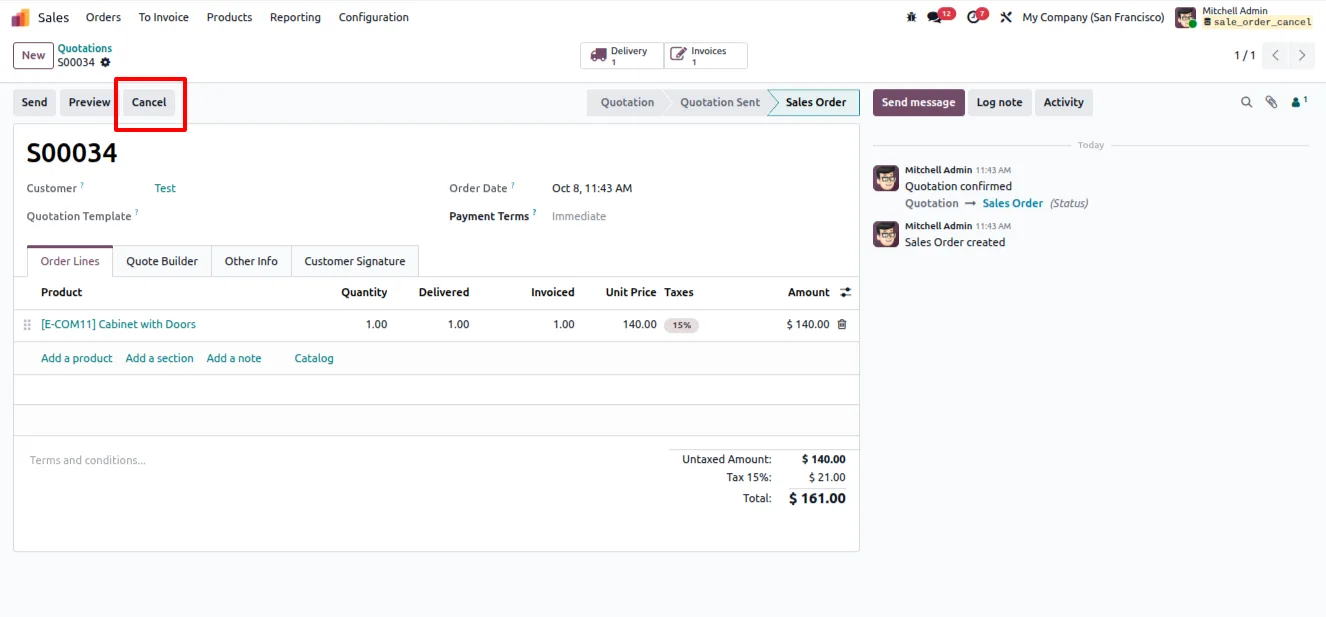
Go to Sales → Orders and open an order whose customer has backed out — including orders already invoiced, delivered, and paid.
- 4
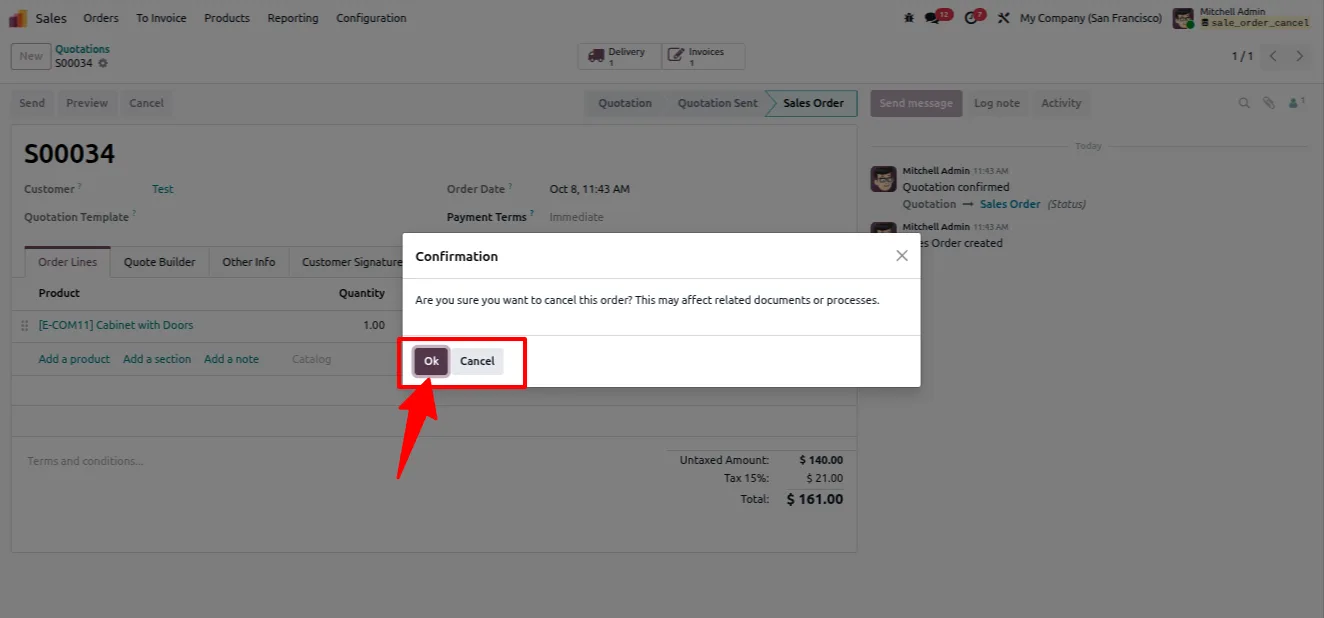
Run the cancel action
Use the cancel button on the order. The module reverses and cancels the linked invoices, cancels the delivery orders, and handles the related payments in one pass.
- 5
Verify the linked records
Check the order's invoices and deliveries to confirm everything is cancelled and that accounting and stock counts are back in balance.
Frequently asked questions
-
What does this module do that Odoo cannot do on its own?
Odoo's standard cancel button only cancels the sales order. This module also reverses and cancels the linked invoices, cancels the delivery orders, and handles the payments — the full chain in one action.
-
Can I cancel an order that has already been invoiced and paid?
Yes. The module is built for exactly that case. It reverses the posted invoices and handles the associated payments as part of the same cancellation.
-
Will my stock counts stay correct after a cancellation?
Yes. Cancelling the linked delivery orders removes the stock moves that should no longer ship, so inventory counts stay consistent with the cancelled order.
-
Does it keep accounting consistent?
Yes. Invoices are reversed and cancelled and payments are handled in order, so the accounting ledger does not leave open documents against a cancelled order.
-
Which Odoo versions are supported?
The module supports Odoo 16.0, 17.0, 18.0, 19.0, and 20.0, in both the Community and Enterprise editions.
-
Does the module need any configuration?
No. Once installed, the cancel action is available on the sales order. There are no settings to configure before using it.
-
Is support included?
Yes. The module includes 90 days of bug-fix support, Monday to Friday, 10:00–19:00 IST.
Listing verified against the Odoo App Store:
Related solutions
Whole-platform solutions that complement Cancel Sales Order.
Odoo Sales
Odoo Sales module — quotations, pricing rules, sales orders, deliveries, returns. CRM-Inventory-Accounting integrated. Quote-to-cash unified.
Odoo CRM
Odoo CRM module — leads, opportunities, kanban pipeline, quotation, forecasting, email integration. Native with ERP. Mid-market alternative to Salesforce.
Related services
Get the most out of this module with senior TechUltra consultants.
Odoo Customization Services
Odoo customization from a Gold Partner: custom modules, workflows, reports and Studio changes, written upgrade-safe and quoted at a fixed scope. Free scoping call.
Hire Odoo Developers
Hire certified Odoo developers from a Gold Partner: one developer or a team, full-time or part-time, 70–160 hours a month. Silver, Gold or Platinum plan, free trial.
Odoo Support Services & Maintenance
Odoo support services from a Gold Partner: functional and technical support plus server cover for Enterprise and Community, 30-minute P1 response, 24/7 option.







