
Odoo App · Point of Sale
Bulk POS Order Cancellation
Cancel POS orders in bulk from the list view, with delivery and invoice cleanup.

Overview
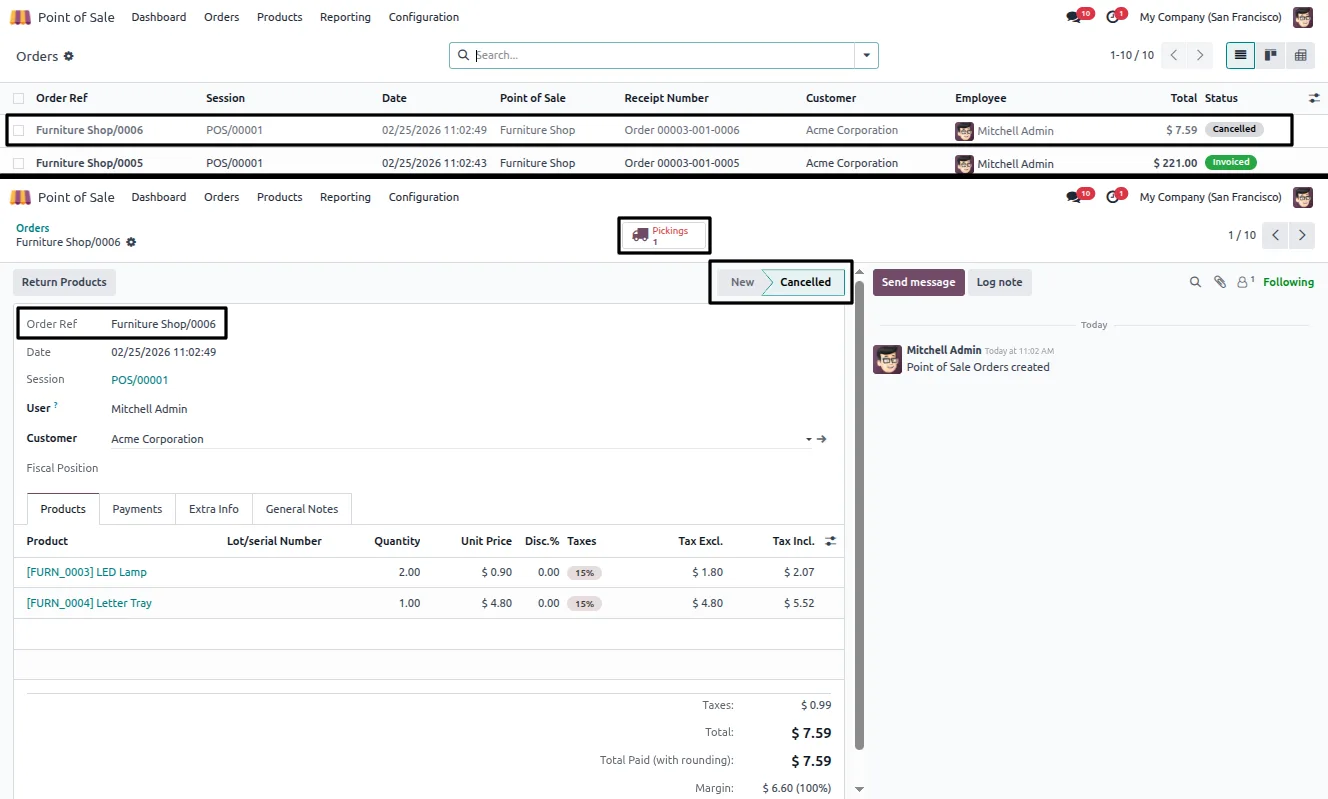
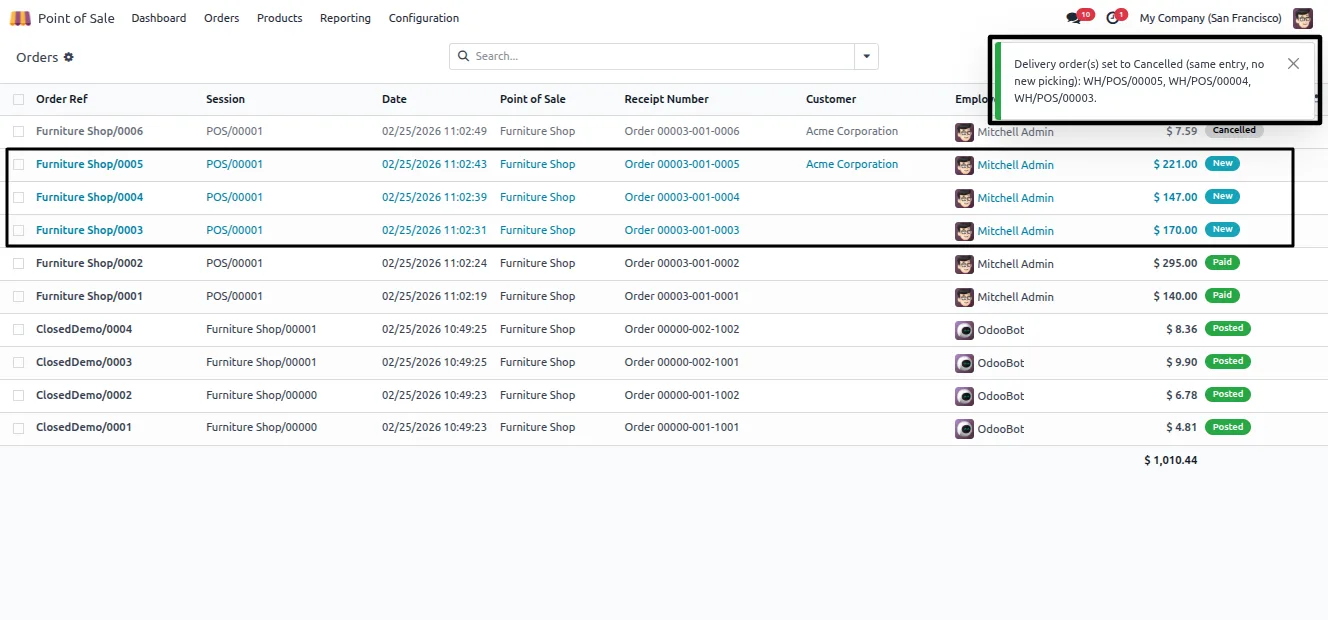
Cancelling POS orders in standard Odoo means opening each order's form one by one. Bulk POS Order Cancellation moves the job into the list view, so you select orders with checkboxes and cancel them together.
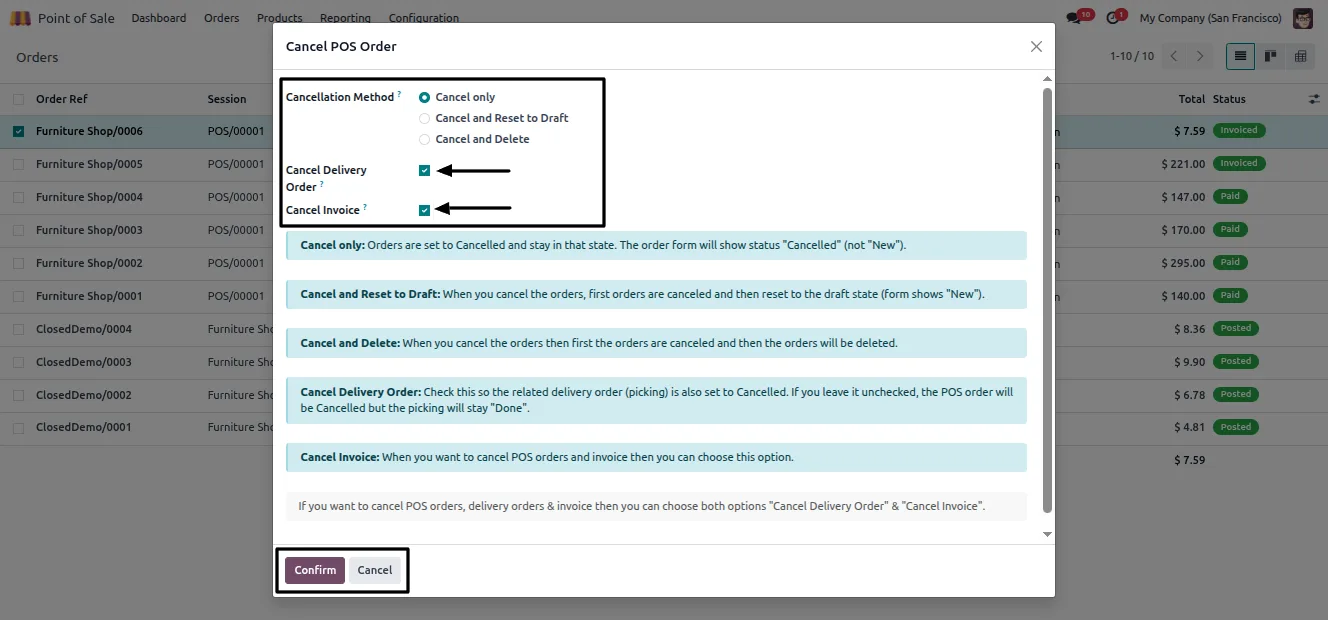
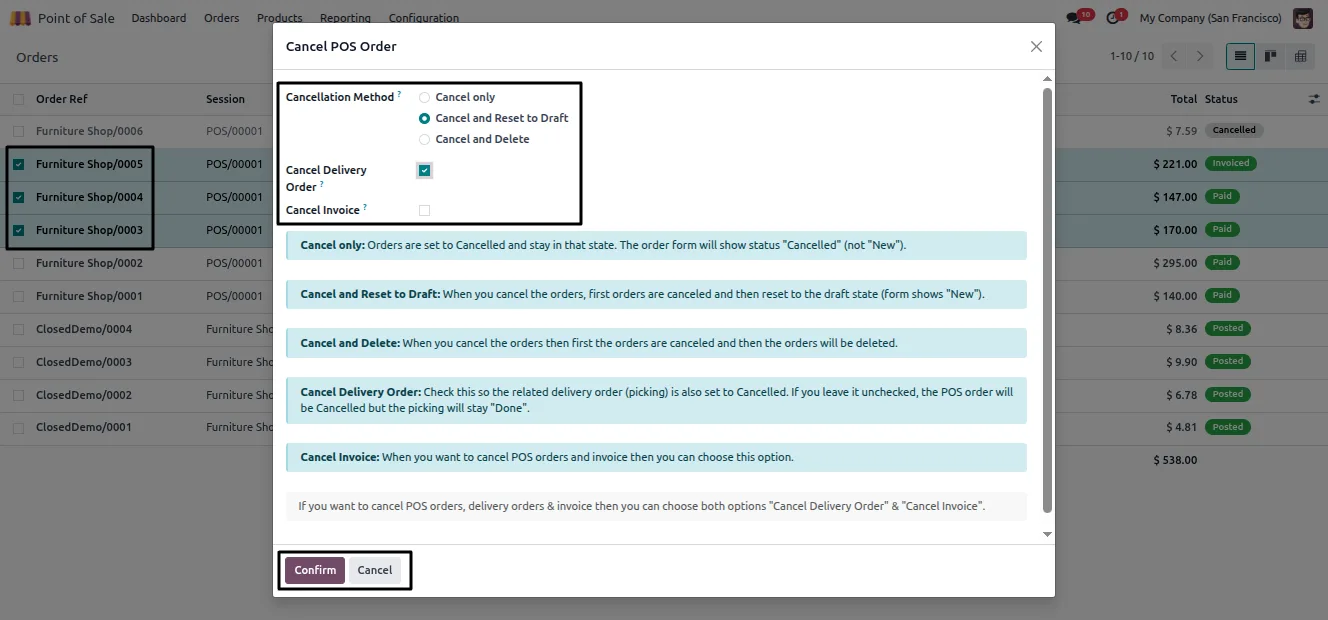
Built by TechUltra Solutions, the module adds a Cancel POS Order action that opens a wizard. From there you choose what should happen: reset the orders to draft, delete them permanently, and optionally cancel the delivery orders and invoices tied to them — all in one pass.
The module works as soon as it is installed, with no extra settings to configure, and stays inside the standard Odoo Point of Sale workflow. It supports Odoo 16, 17, 18, 19, and 20, in both the Community and Enterprise editions.
Key features
-
Cancel from the list view
Cancel POS orders directly from the list (tree) view, without opening each order's form one at a time.
-
Bulk cancellation
Select several orders with checkboxes and cancel them in a single action, instead of repeating the same steps per order.
-
Reset to draft
Send cancelled orders back to the Draft state when an order needs to be reopened or corrected rather than removed.
-
Permanent deletion
Permanently delete cancelled orders when they should be cleared from the system entirely.
-
Optional delivery cancellation
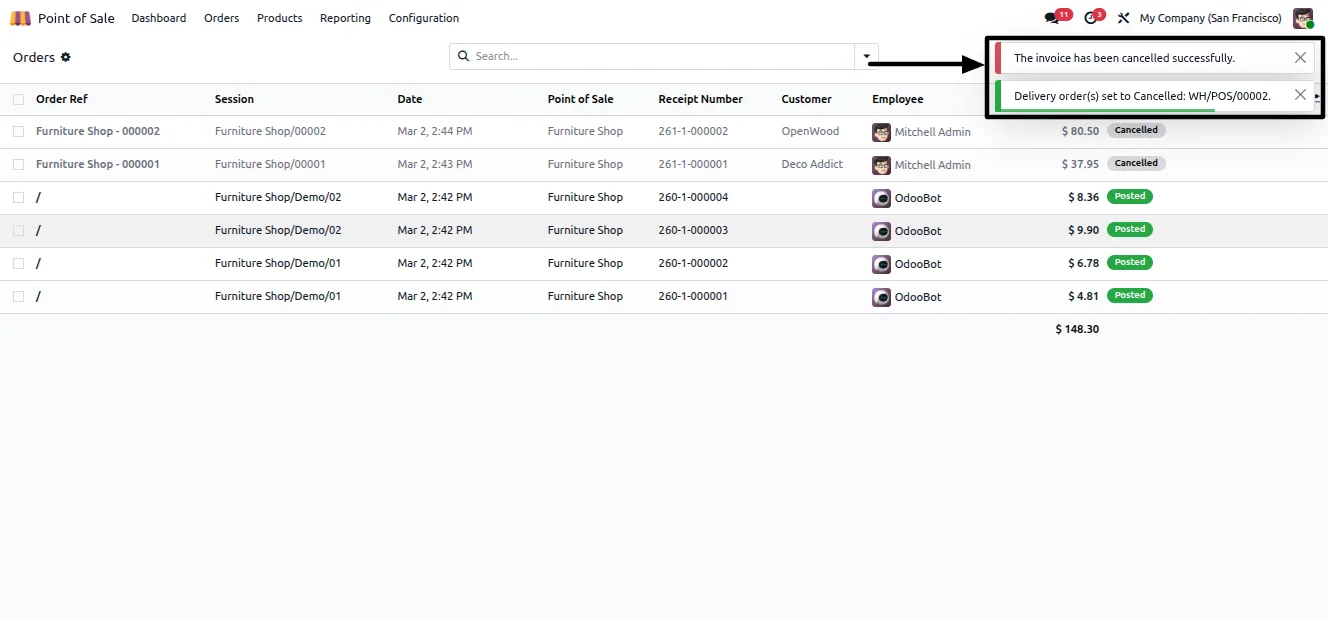
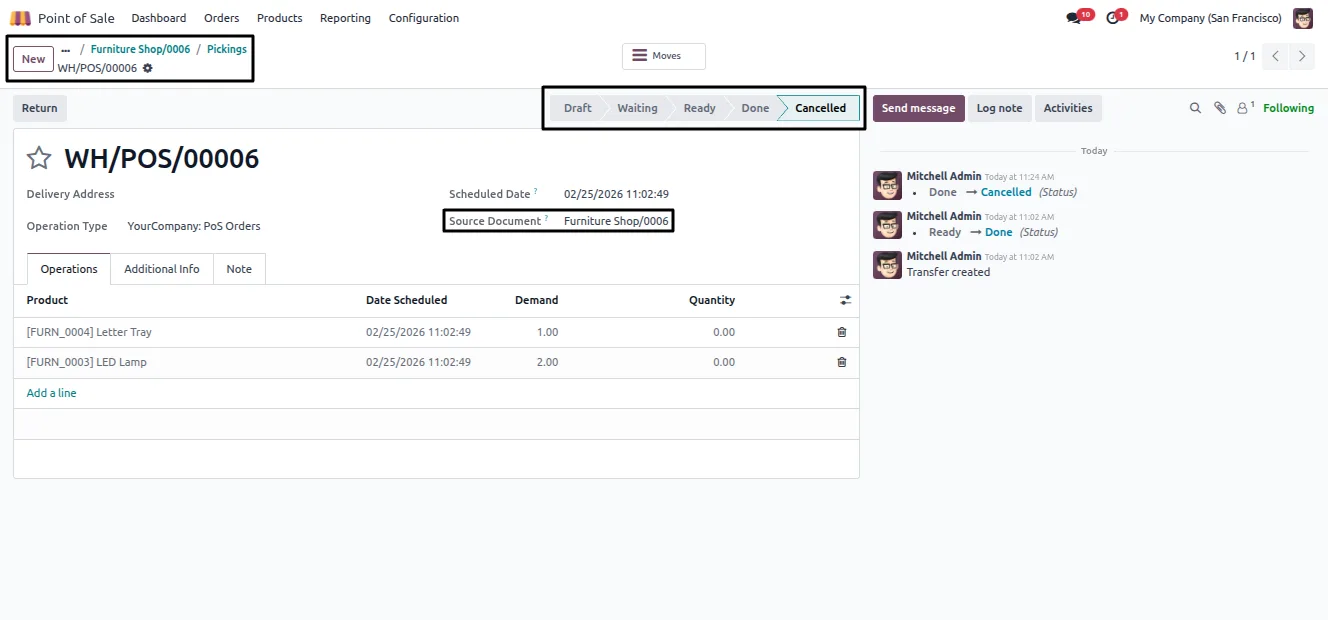
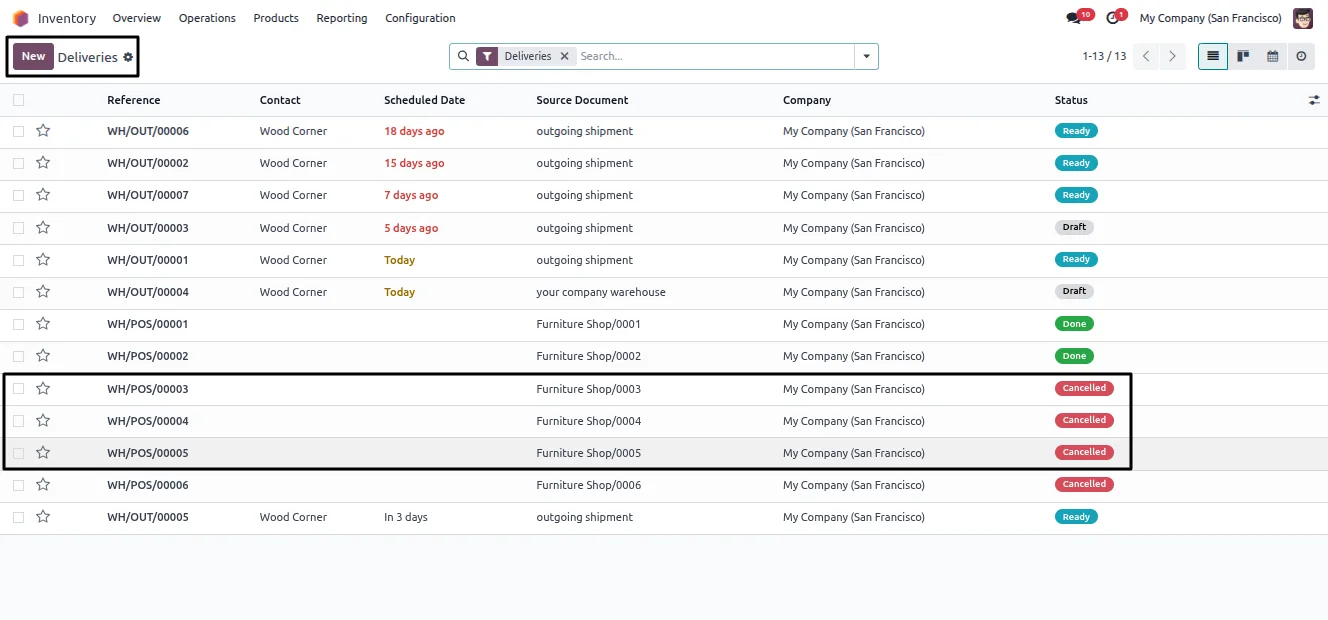
Cancel the delivery orders linked to the POS orders as part of the same action, keeping stock movements consistent.
-
Optional invoice cancellation
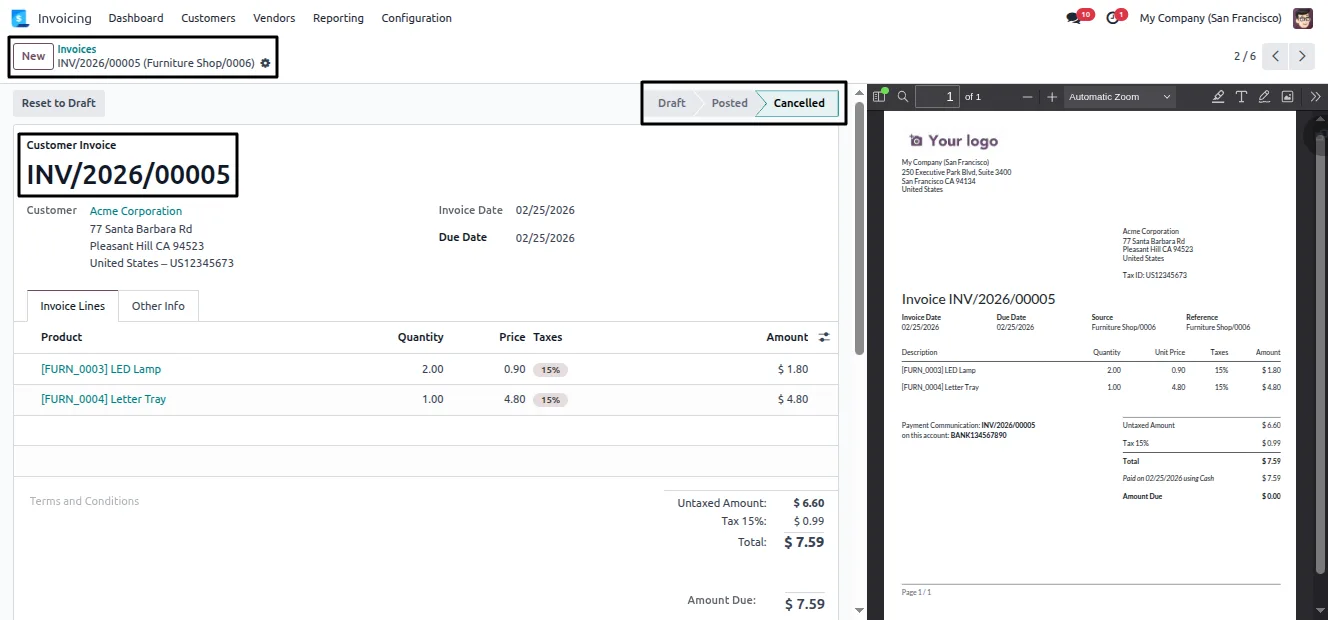
Cancel the invoices related to the POS orders in the same step, so accounting records stay aligned with the cancellation.
-
Cancellation wizard
A single Cancel POS Order wizard gathers the choices — draft, delete, deliveries, invoices — so the whole operation is confirmed at once.
-
Standard workflow integration
The module fits cleanly into the standard Odoo Point of Sale workflow and needs no extra configuration after installation.
Bulk POS Order Cancellation in Odoo
Every screen, in the order you meet it — configuration first, then the module in use.
Technical details
Specification
- Publisher
- TechUltra Solutions Private Limited
- Technical name
- pos_order_cancel_control
- Odoo versions
- 16.0, 17.0, 18.0, 19.0, 20.0
- Lines of code
- 440
- License
- Odoo Proprietary License v1.0 (OPL-1)
- Price
- $15.90 (one-time)
Deployment
- Odoo Online
- Odoo.sh
- On-premise
Odoo dependencies
- Point of Sale
- Inventory
- Invoicing
- Discuss
Support
90 days of bug-fix support, Monday to Friday (10:00–19:00 IST). Raise a ticket at support@techultra.in.
Setup & configuration
From install to first call — here is the path.
- 1
Install the module
In Odoo, open Apps, remove the Apps filter, search for “POS Order Cancel Control”, and click Install.
- 2
Open the orders list
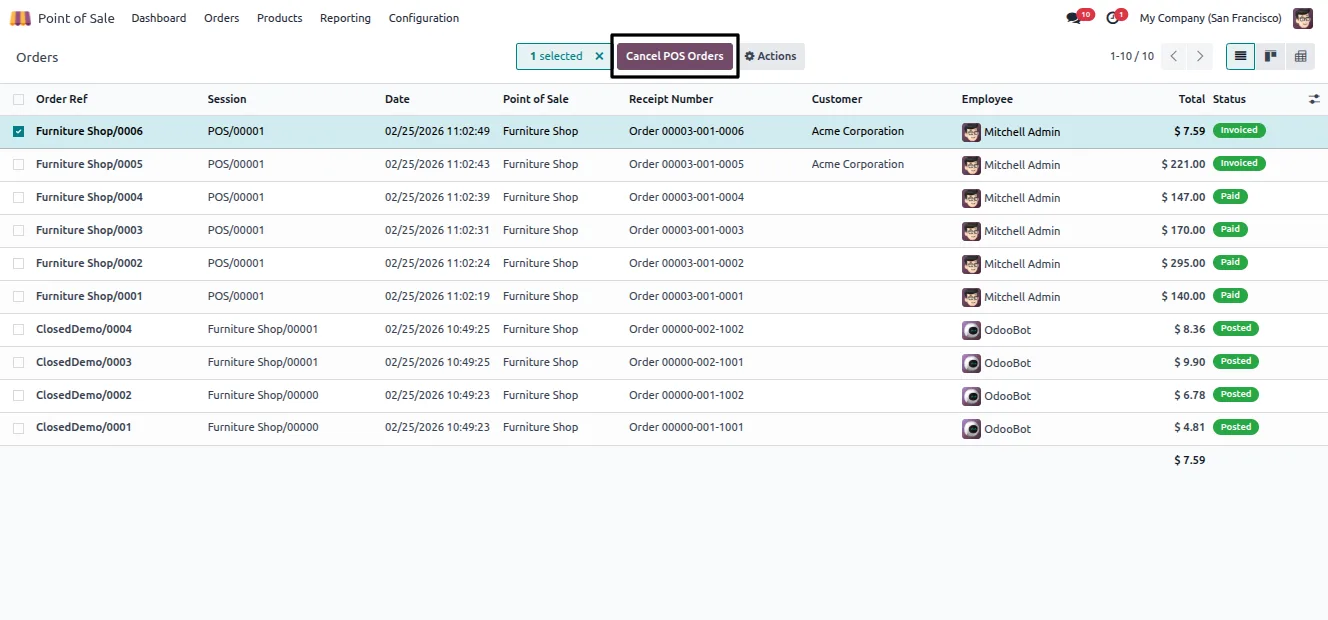
Go to Point of Sale → Orders → Orders to see the full list of POS orders in tree view.
- 3
Select the orders
Use the checkboxes to pick one order or several orders you want to cancel.
- 4
Run the cancellation
Click the Cancel POS Order button to open the wizard.
- 5
Choose the options
In the wizard, decide whether to reset to draft or delete, and whether to cancel the related deliveries and invoices, then confirm.
Frequently asked questions
-
Can I cancel several POS orders at once?
Yes. Select multiple orders with checkboxes in the list view and cancel them together with the Cancel POS Order action — no need to open each order.
-
What is the difference between reset to draft and delete?
Reset to draft moves cancelled orders back to the Draft state so they can be reopened or corrected. Permanent deletion removes the orders from the system entirely.
-
Does it also cancel deliveries and invoices?
It can. The cancellation wizard has optional choices to cancel the delivery orders and invoices linked to the selected POS orders in the same action.
-
Do I cancel orders from the form or the list?
From the list. The module adds the cancellation action to the POS Orders list view, which is what removes the one-by-one form work.
-
Is any configuration required?
No. The module works immediately after installation. There are no extra settings to configure.
-
Does it change the standard POS workflow?
No. The module fits cleanly into the standard Odoo Point of Sale workflow and only adds the bulk cancellation action and wizard.
-
Which Odoo versions are supported?
The module supports Odoo 16.0, 17.0, 18.0, 19.0, and 20.0, in both the Community and Enterprise editions.
-
Is support included?
Yes. The module includes 90 days of bug-fix support, Monday to Friday, 10:00–19:00 IST.
Listing verified against the Odoo App Store:
Related solutions
Whole-platform solutions that complement Bulk POS Order Cancellation.
Related services
Get the most out of this module with senior TechUltra consultants.
Odoo Customization Services
Odoo customization from a Gold Partner: custom modules, workflows, reports and Studio changes, written upgrade-safe and quoted at a fixed scope. Free scoping call.
Hire Odoo Developers
Hire certified Odoo developers from a Gold Partner: one developer or a team, full-time or part-time, 70–160 hours a month. Silver, Gold or Platinum plan, free trial.
Odoo Support Services & Maintenance
Odoo support services from a Gold Partner: functional and technical support plus server cover for Enterprise and Community, 30-minute P1 response, 24/7 option.







