
Odoo App · Productivity
Auto Refresh List & Kanban
Keep Odoo list and Kanban views current with automatic, configurable refresh.

Overview
Auto Refresh List & Kanban keeps Odoo's list and Kanban views current without anyone pressing the refresh button. On shared pipelines — sales orders, CRM leads, inventory operations, project tasks — data goes stale the moment a colleague updates a record, and a manual reload is the only way to catch up.
Built by TechUltra Solutions, the module re-loads view records at a refresh interval set in system settings, measured in milliseconds. Updates happen in place: rows and cards refresh without a full page reload, so scroll position and the rest of the screen stay put.
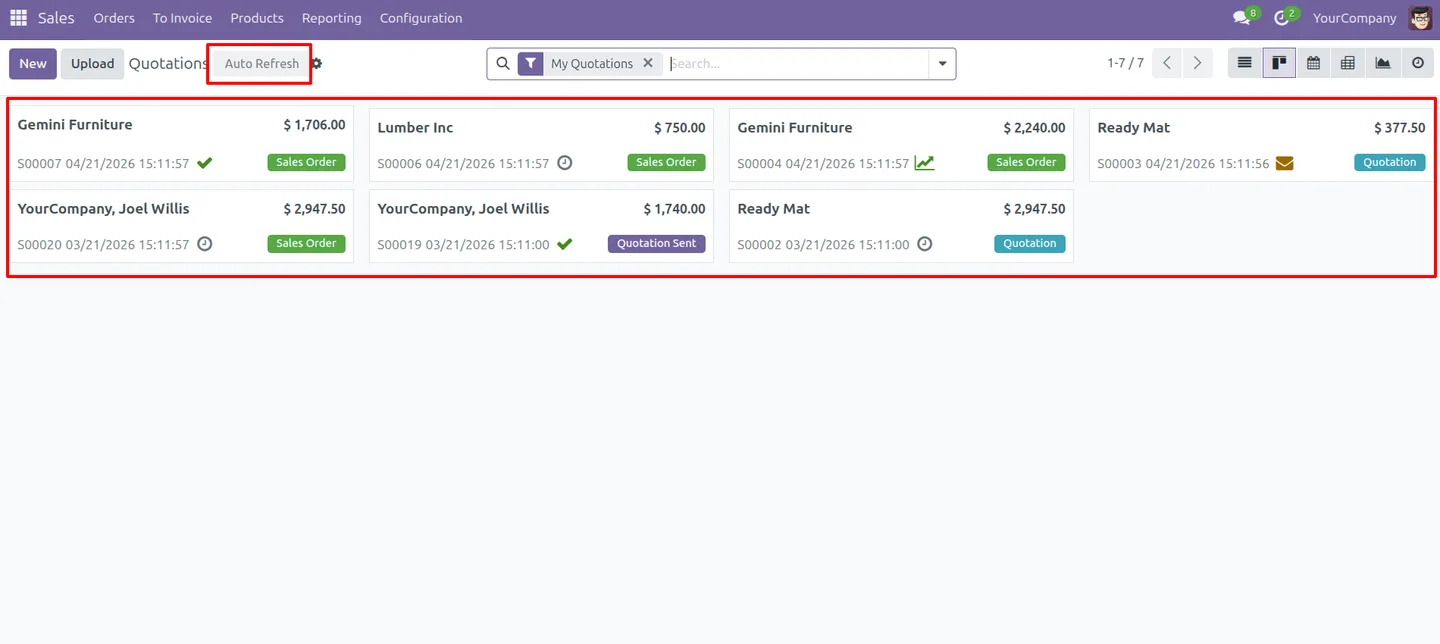
An administrator enables the feature and sets the interval globally, and each user can switch refresh on or off for a view with a toggle button in the view header. A minimum-interval safeguard rejects values that are too low, keeping the refresh rate safe for performance and multi-user environments.
Key features
-
Automatic refresh for list and Kanban views
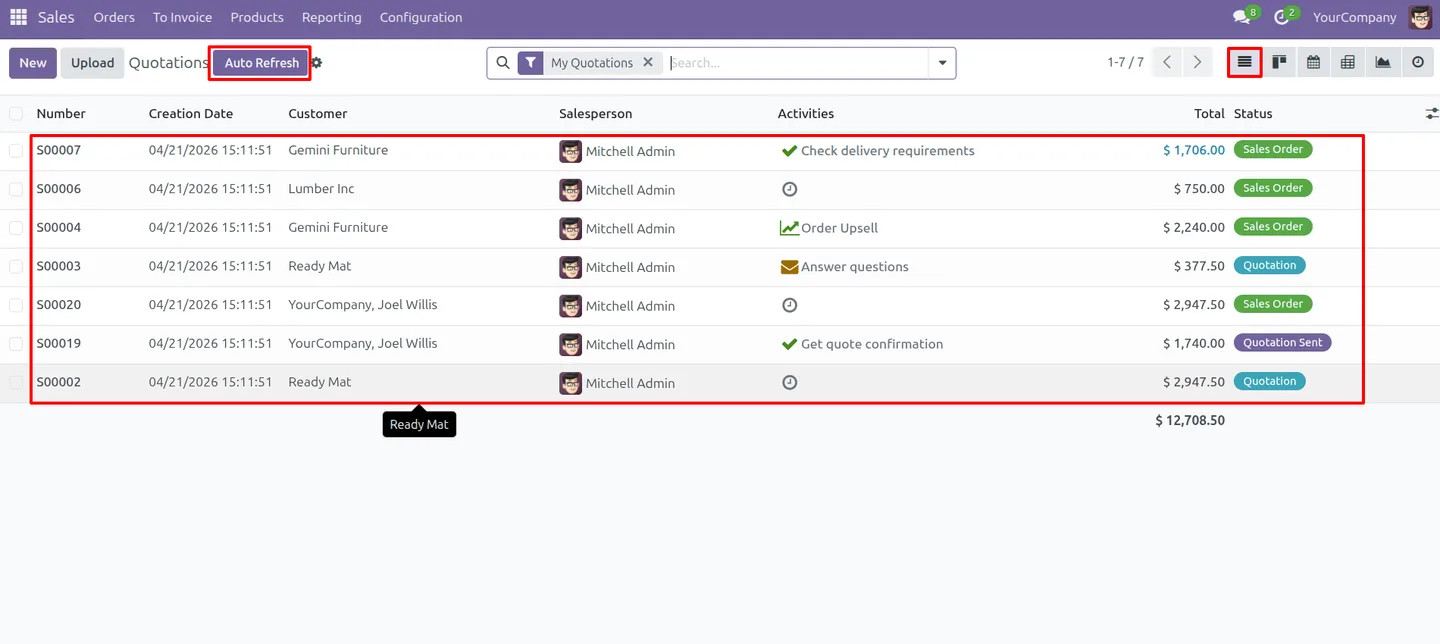
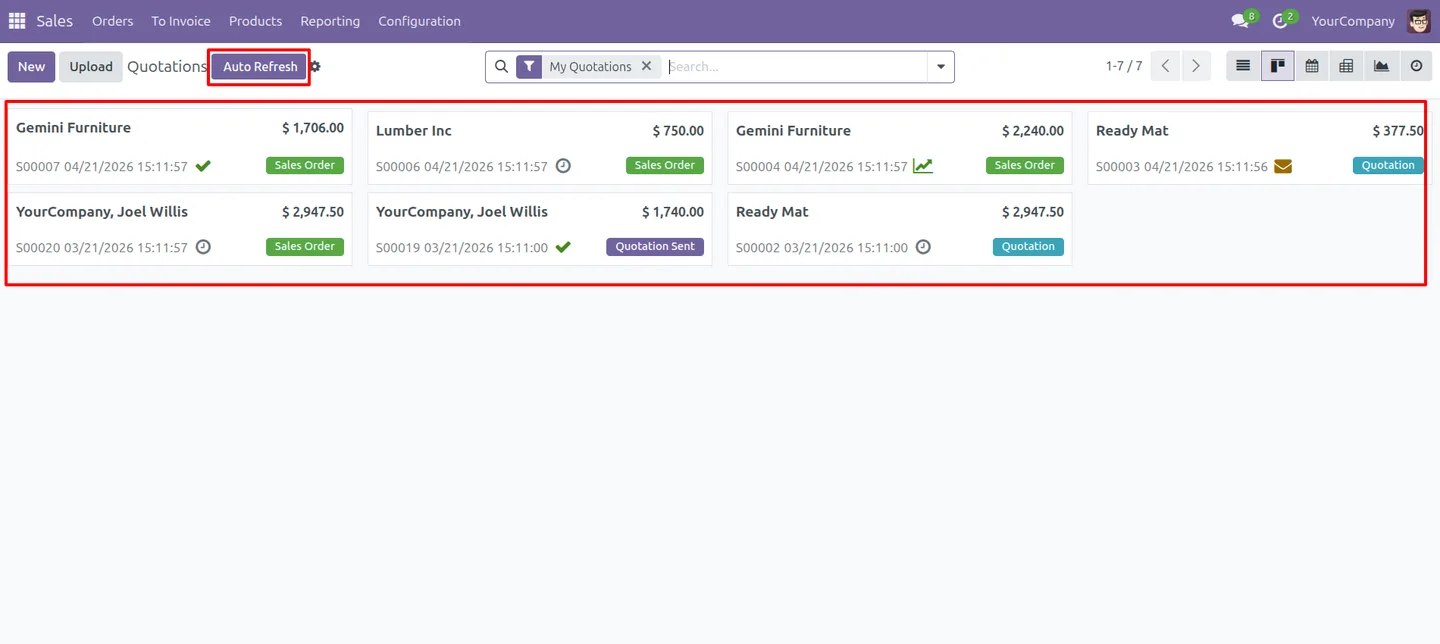
List and Kanban views re-load their records on a timer, so the data on screen stays current without anyone pressing refresh.
-
In-place updates, no full page reload
Rows and cards update in place rather than reloading the whole page, keeping the experience smooth and uninterrupted while you work.
-
Configurable refresh interval
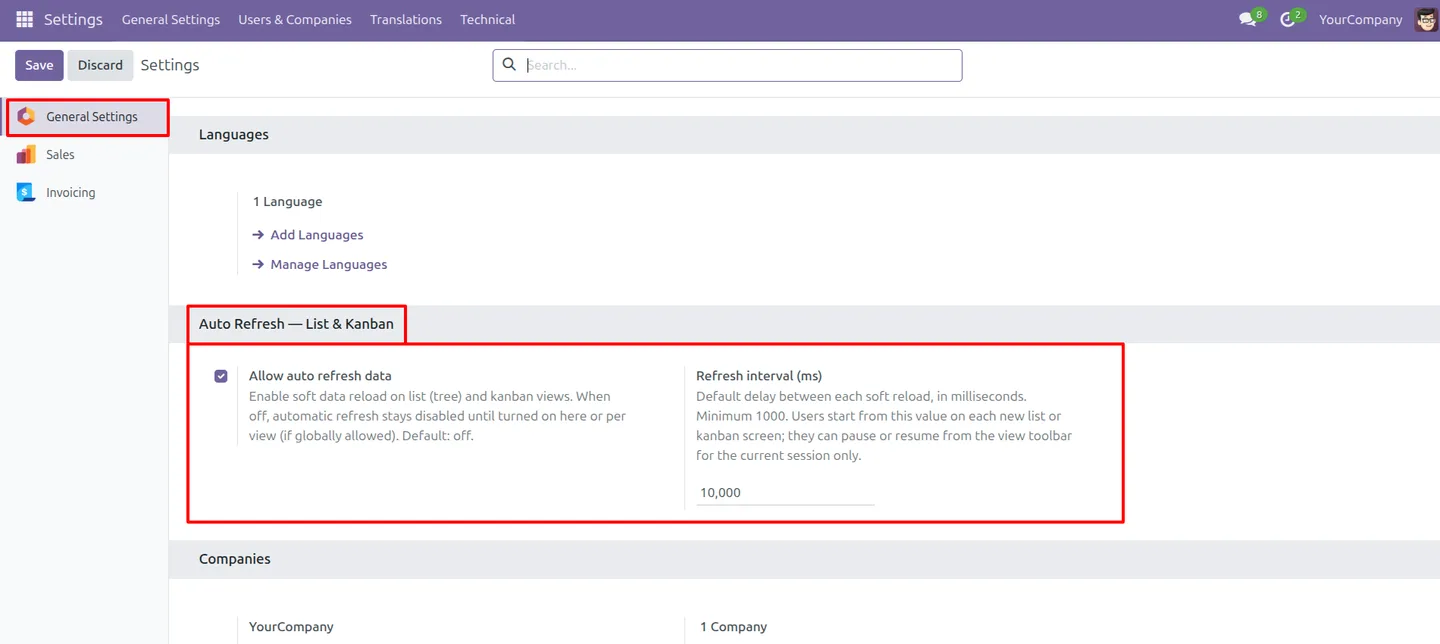
Set the refresh interval in milliseconds from system settings, so the refresh rate matches how fast your data actually changes.
-
Global enable and disable
Turn auto refresh on or off for the whole database from General Settings, giving administrators a single control over the feature.
-
Per-view toggle button
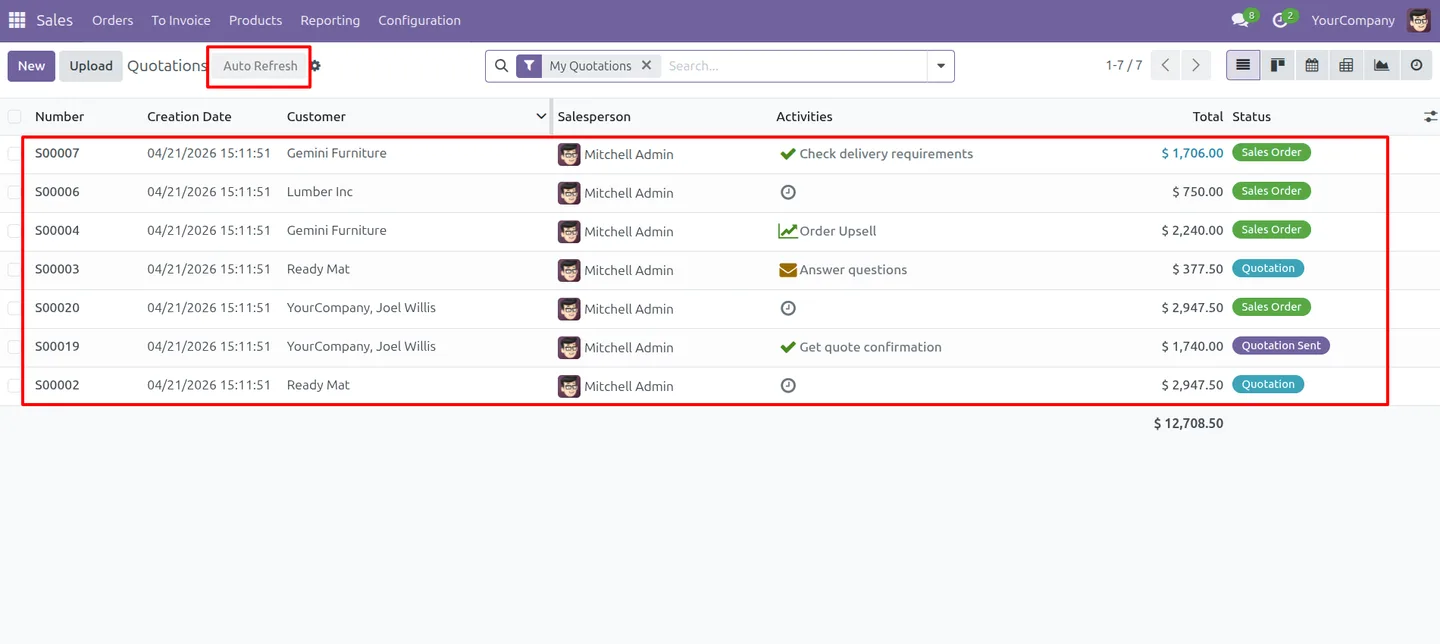
A simple toggle button in the list and Kanban view header lets each user switch auto refresh on or off without changing any settings.
-
Works across all models and menus
The refresh applies to every list and Kanban view across all models and menus, and it is built to work in multi-user environments.
-
Minimum-interval safeguard
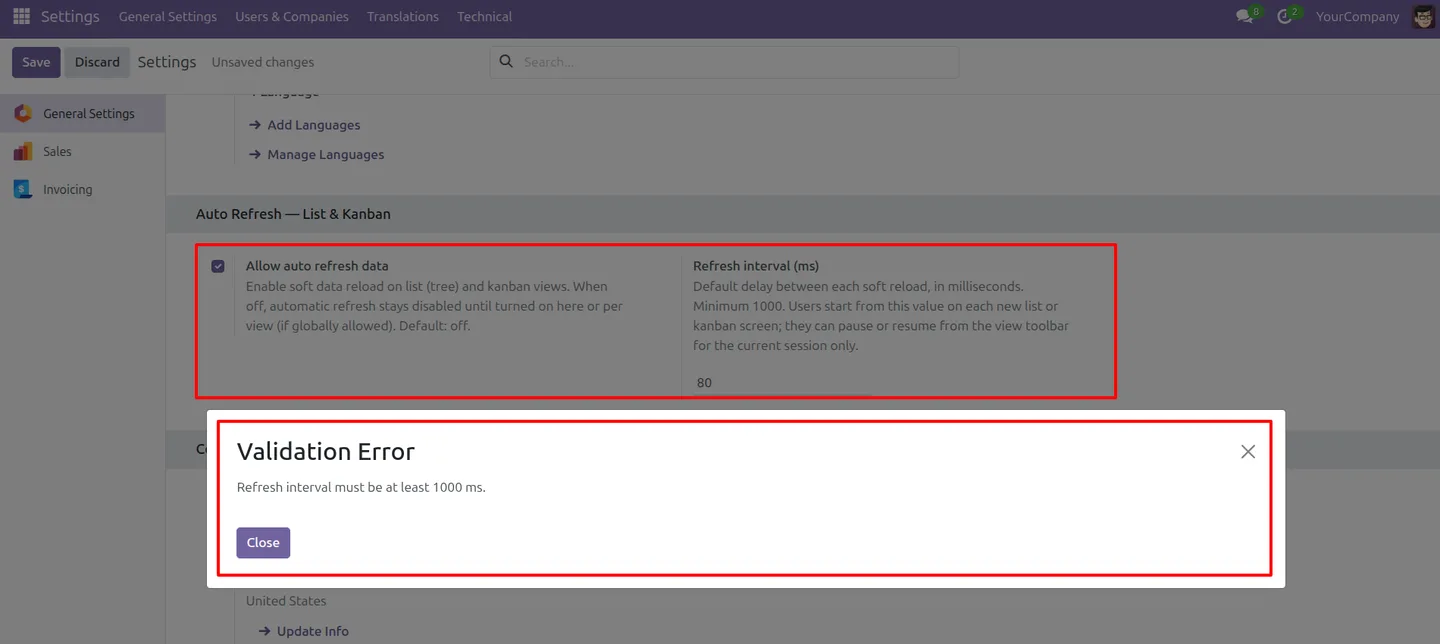
The module enforces a safe minimum refresh interval and rejects values below it, so an interval that is too short cannot harm performance.
-
Fewer mistakes from stale data
Because everyone sees up-to-date records, teams stay aligned and act on current information, which reduces errors caused by working from an old view.
Auto Refresh List & Kanban in Odoo
Every screen, in the order you meet it — configuration first, then the module in use.
Technical details
Specification
- Publisher
- TechUltra Solutions Private Limited
- Technical name
- list_kanban_auto_refresh
- Odoo versions
- 16.0, 17.0, 18.0, 19.0, 20.0
- Lines of code
- 239
- License
- Odoo Proprietary License v1.0 (OPL-1)
- Price
- $15 (one-time)
Deployment
- Odoo Online
- Odoo.sh
- On-premise
Odoo dependencies
- Web
Support
90 days of bug-fix support, Monday to Friday (10:00–19:00 IST). Raise a ticket at support@techultra.in.
Setup & configuration
From install to first call — here is the path.
- 1
Install the module
In Odoo, open Apps, remove the Apps filter, search for “Auto Refresh List & Kanban”, and click Install.
- 2
Open the settings
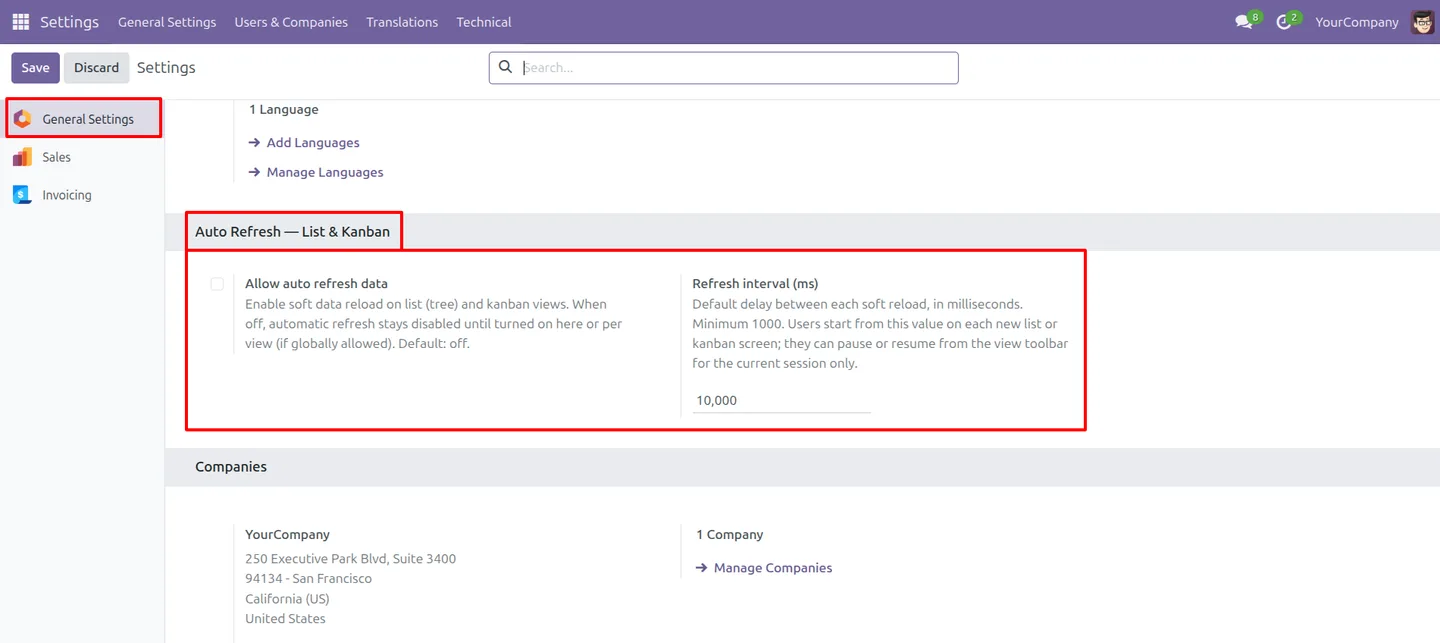
Go to Settings → General Settings and find the “Auto Refresh - List & Kanban” section.
- 3
Set the refresh interval
Enter the refresh interval in milliseconds. The minimum is 1000ms (one second); the module rejects lower values to protect performance.
- 4
Enable the feature
Turn on the global enable option to make auto refresh available across the database, then save.
- 5
Use the toggle in a view
Open any list or Kanban view and use the toggle button in the header to switch auto refresh on or off for that view.
Frequently asked questions
-
Which views does the auto refresh apply to?
It applies to list and Kanban views across all models and menus in Odoo, and it is built to work in multi-user environments.
-
Does the refresh reload the whole page?
No. Records update in place — rows and cards refresh without a full page reload — so your scroll position and the rest of the screen stay put.
-
How do I set the refresh interval?
An administrator sets the interval in milliseconds in Settings → General Settings, under the Auto Refresh - List & Kanban section.
-
Is there a minimum refresh interval?
Yes. The module enforces a safe minimum interval of 1000ms (one second) and rejects any lower value, so the refresh rate cannot be set too short.
-
Can individual users turn auto refresh off?
Yes. A toggle button in the list and Kanban view header lets each user switch auto refresh on or off for that view without changing any settings.
-
Which Odoo versions are supported?
The module supports Odoo 16.0, 17.0, 18.0, 19.0, and 20.0, in both the Community and Enterprise editions.
-
Is support included?
Yes. The module includes 90 days of bug-fix support, Monday to Friday, 10:00–19:00 IST.
Listing verified against the Odoo App Store:
Related services
Get the most out of this module with senior TechUltra consultants.
Odoo Customization Services
Odoo customization from a Gold Partner: custom modules, workflows, reports and Studio changes, written upgrade-safe and quoted at a fixed scope. Free scoping call.
Hire Odoo Developers
Hire certified Odoo developers from a Gold Partner: one developer or a team, full-time or part-time, 70–160 hours a month. Silver, Gold or Platinum plan, free trial.
Odoo Support Services & Maintenance
Odoo support services from a Gold Partner: functional and technical support plus server cover for Enterprise and Community, 30-minute P1 response, 24/7 option.







