
Odoo App · HR & Attendance
Attendance Reports & Analytics
Professional attendance reports, a matrix view, and an analytics dashboard for Odoo HR.

Overview
Attendance Reports & Analytics turns Odoo's raw attendance check-ins into reports HR teams can act on. It adds reporting, analysis, and configuration tools on top of the standard Attendances app, covering management review, audits, and payroll preparation.
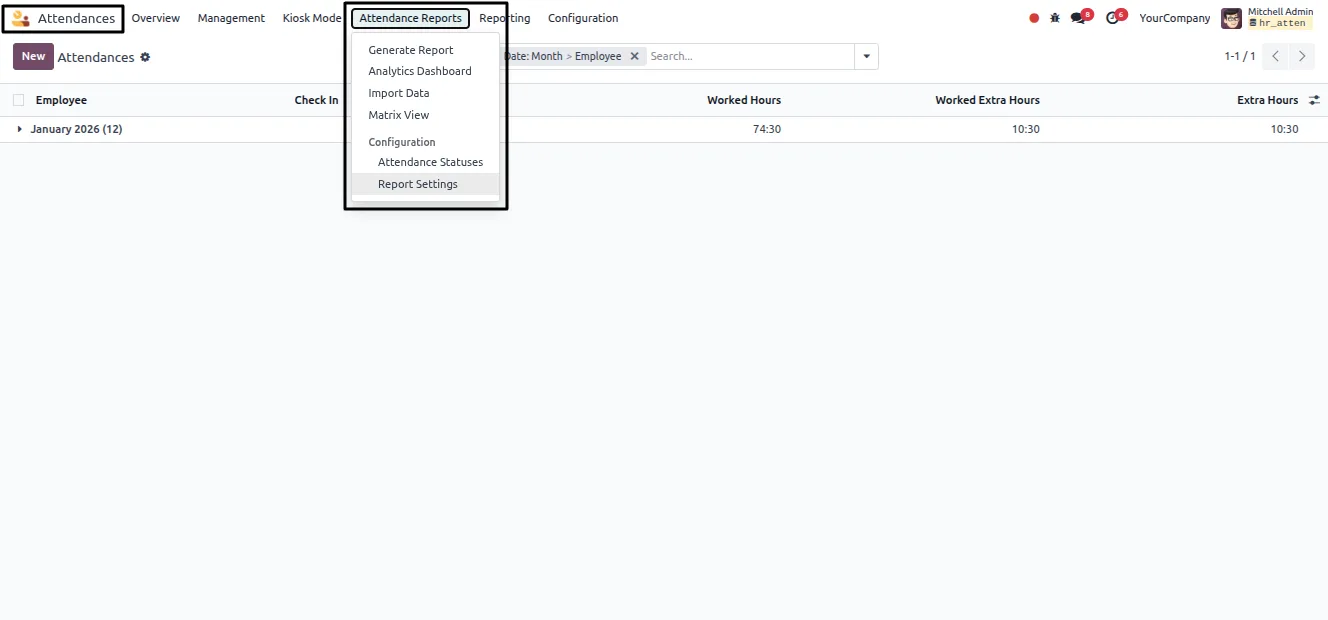
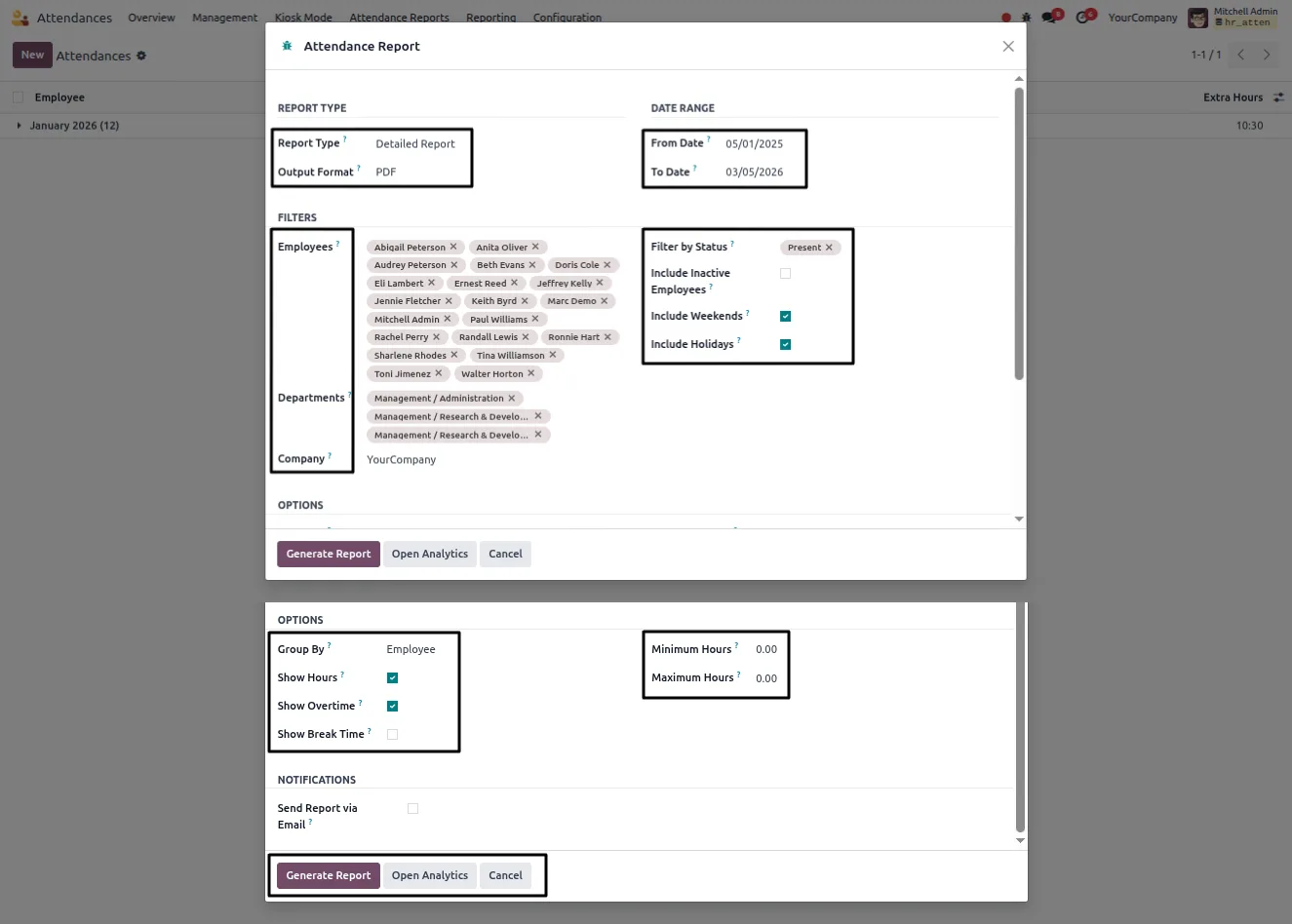
Built by TechUltra Solutions, the module adds an Attendance Reports menu with a report generator, an analytics dashboard, a data importer, and a matrix view. Reports come in detailed, summary, combined, analytics, and matrix formats, output as clean PDF or Excel, and can be filtered by date range, employee, department, status, and company.
Beyond reporting, the module lets HR define custom attendance statuses with short codes and colours, set company-level rules for working hours and late or early thresholds, and import historical attendance data in bulk. A colour-coded matrix gives a fast employee-by-date overview, and report runs can be emailed to recipients as they are generated.
Key features
-
Detailed, summary, and matrix reports
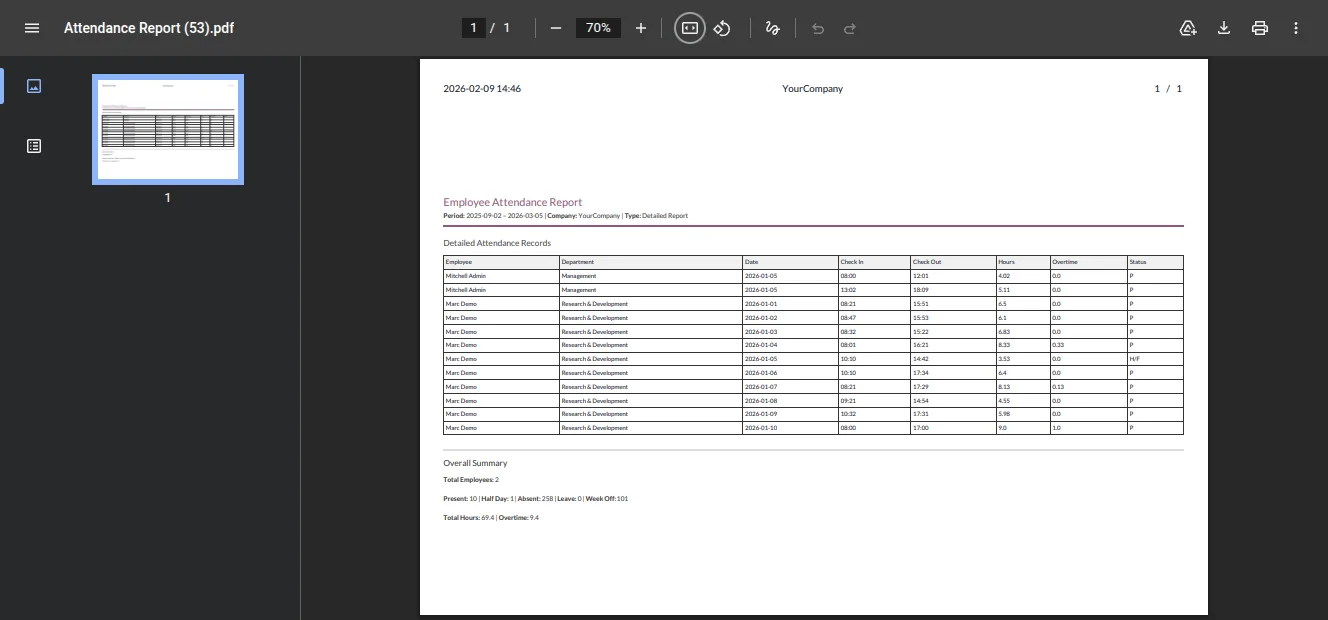
Generate detailed, summary, combined, analytics, and matrix attendance reports, so HR can move from a single employee's log to a whole-department overview.
-
PDF and Excel output
Reports are produced as clean, printable PDFs or as Excel files, suitable for management review, audits, and payroll processing.
-
Analytics dashboard
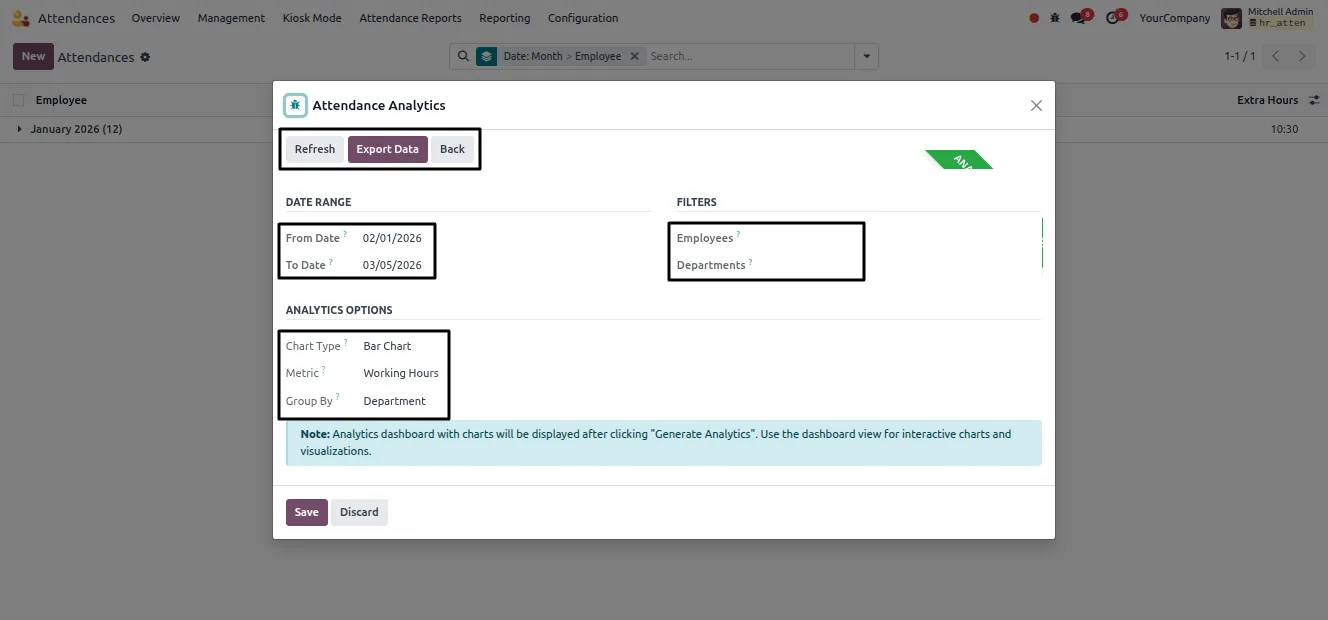
An analytics dashboard turns attendance data into charts across a chosen date range and filters, with grouping options for quick insight.
-
Colour-coded matrix view
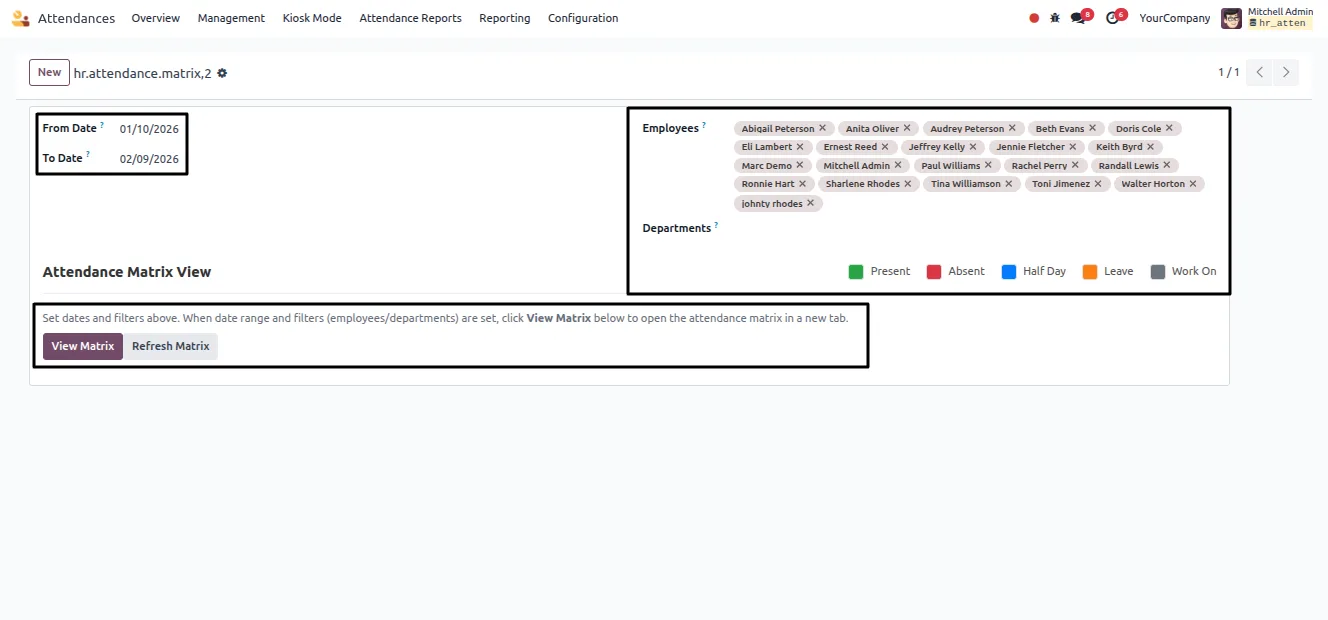
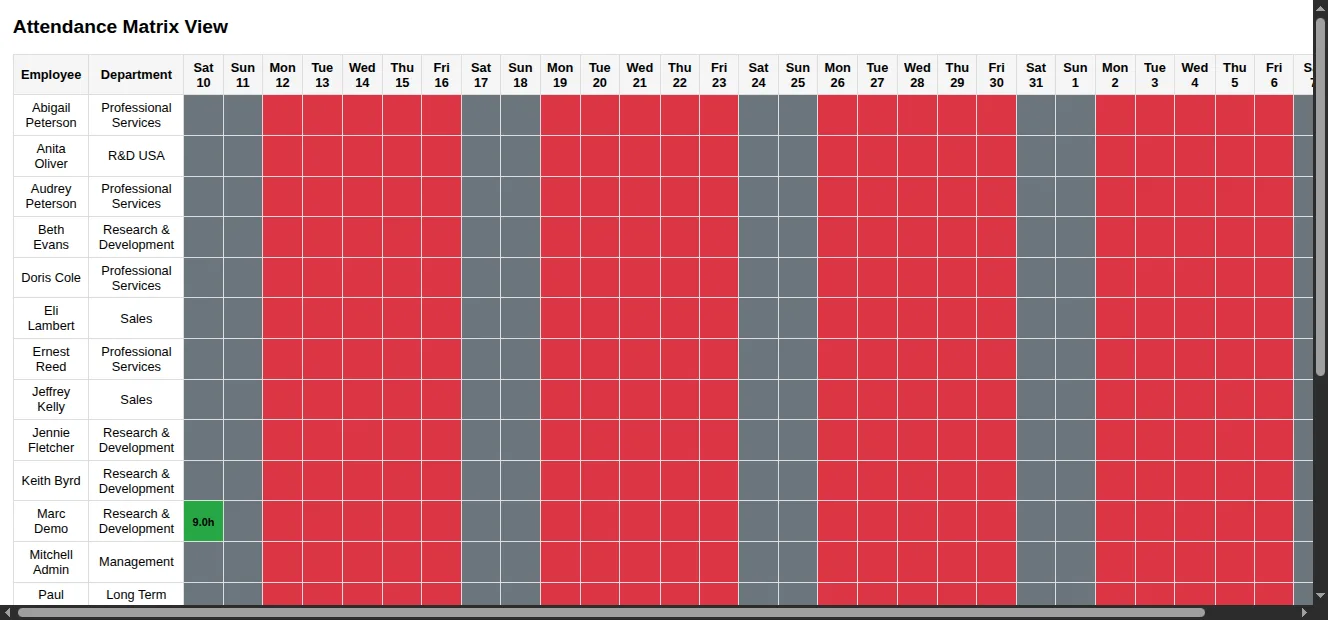
The matrix view shows employees against dates with colour-coded status indicators, giving a fast read of attendance across a team or department.
-
Custom attendance statuses
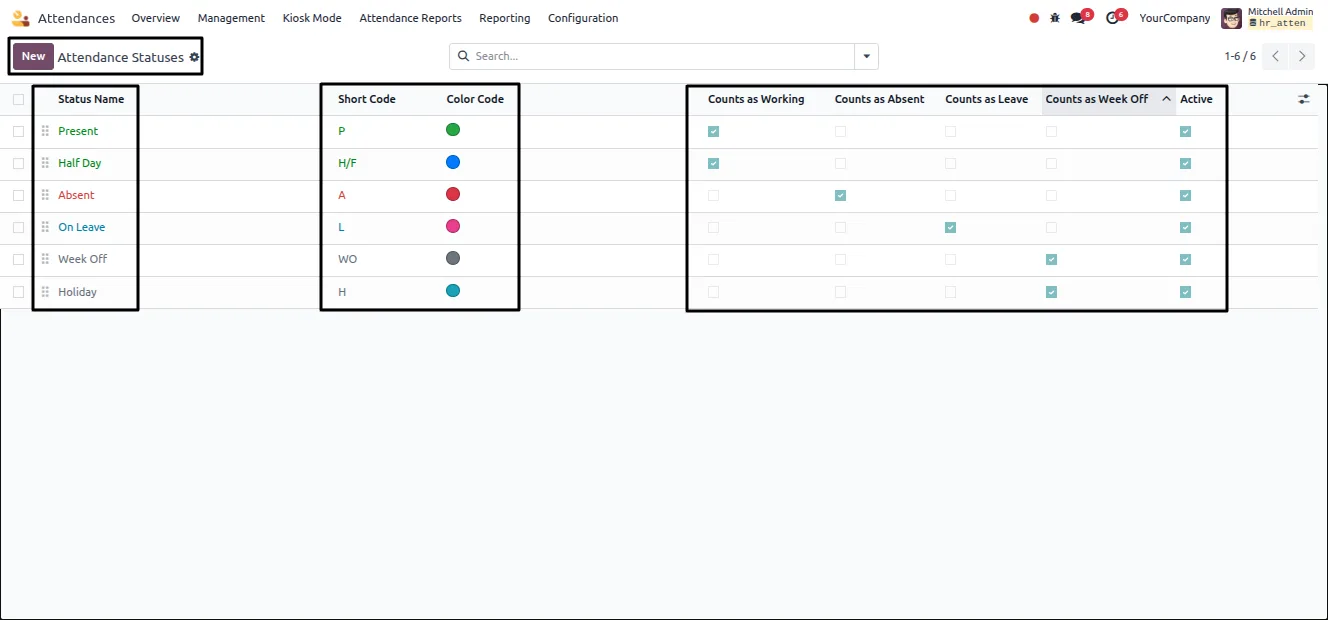
Define attendance statuses with names, short codes, and colours, and set whether each counts as working, absence, leave, or week off.
-
Company-level report rules
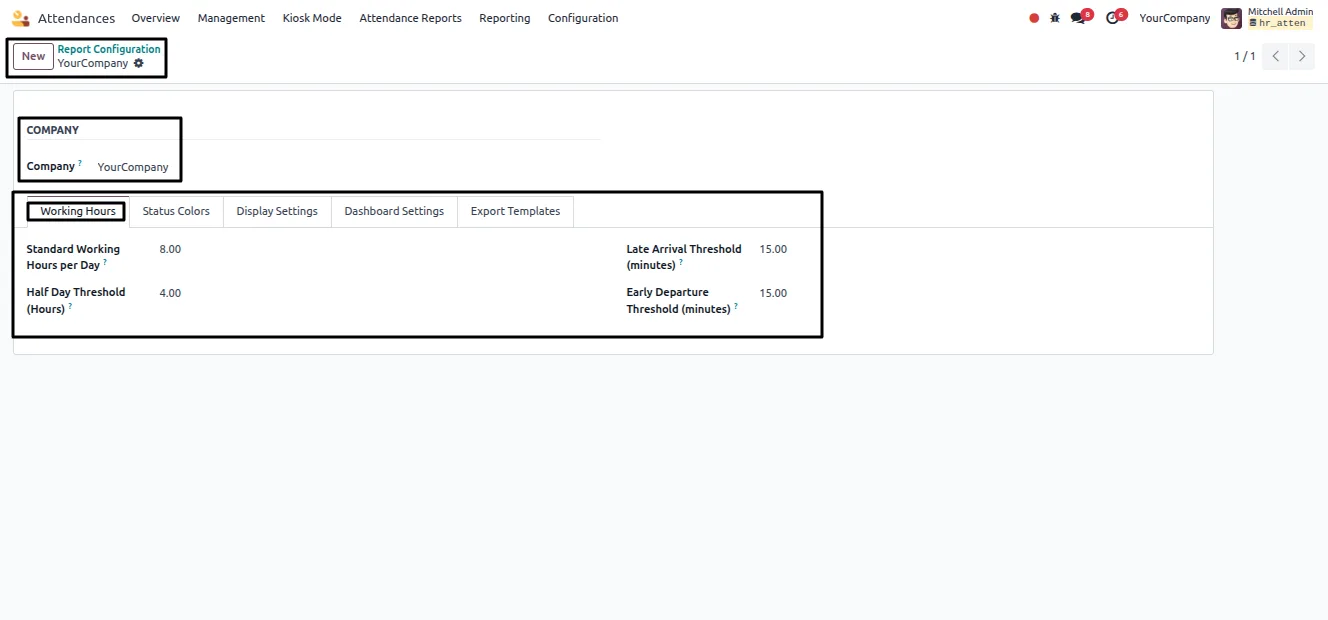
Report Configuration defines standard working hours, half-day thresholds, and limits for late arrivals and early departures, so reports follow company policy.
-
Bulk data import
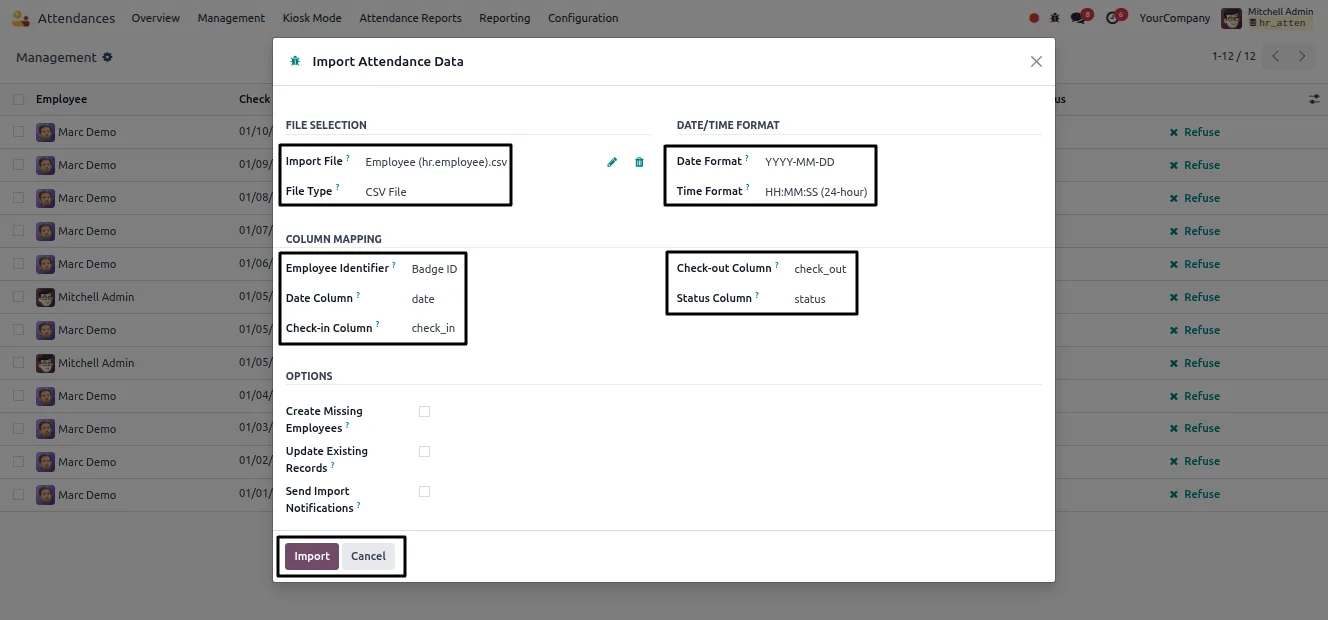
Import attendance data in bulk from a file with configurable date formats and column mappings, with options to create missing employees and update existing records.
-
Email report distribution
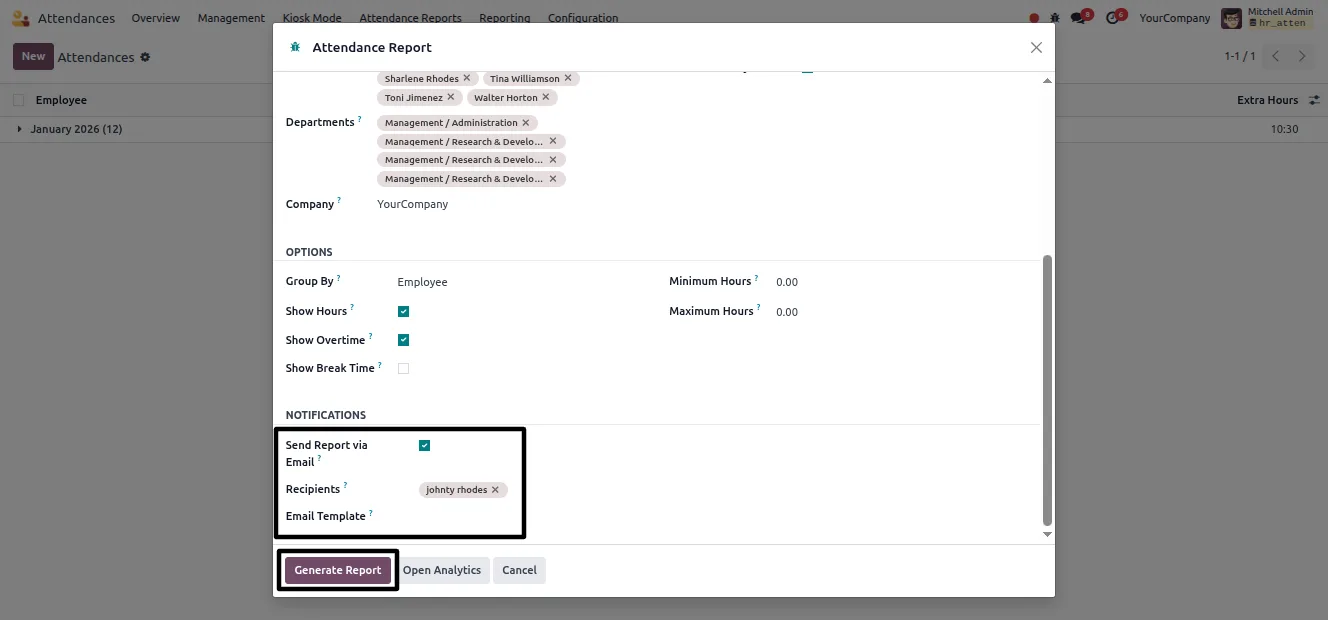
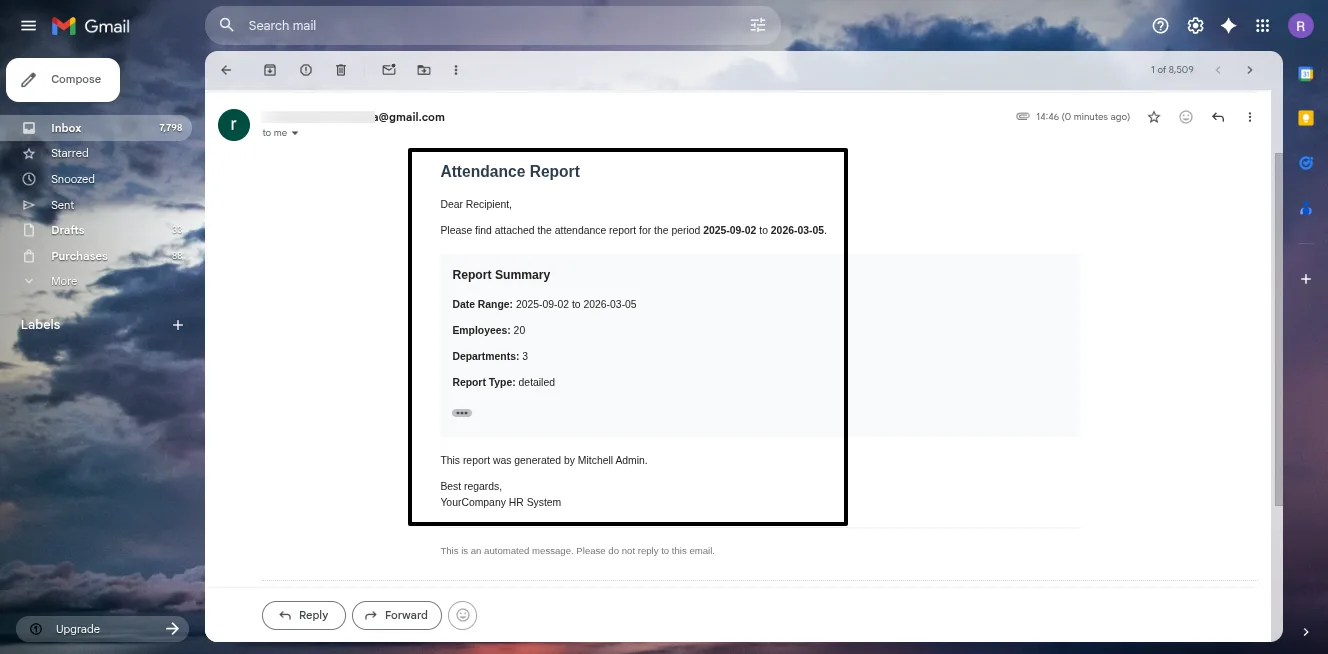
Enable Send Report via Email in the wizard to download a report and send it to chosen recipients at the same time, optionally using an email template.
-
Configurable display settings
Display settings control how weekends, holidays, working hours, overtime, break time, and punctuality analysis appear in generated reports.
-
Role-based access control
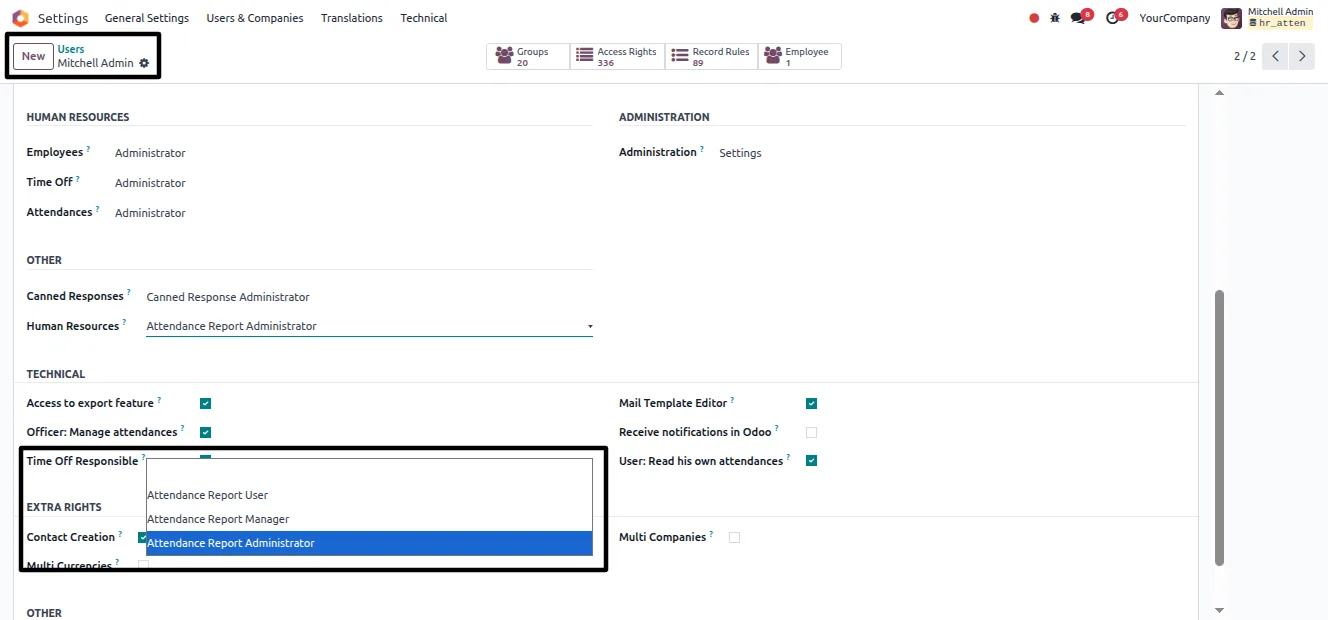
Access is secured with standard Odoo permissions; the Attendance Report Administrator role grants full access to the reporting and configuration tools.
Attendance Reports & Analytics in Odoo
Every screen, in the order you meet it — configuration first, then the module in use.
Technical details
Specification
- Publisher
- TechUltra Solutions Private Limited
- Technical name
- hr_attendance_report_advanced
- Odoo versions
- 16.0, 17.0, 18.0, 19.0
- Lines of code
- 4,148
- License
- Odoo Proprietary License v1.0 (OPL-1)
- Price
- $19.89 (one-time)
Deployment
- Odoo Online
- Odoo.sh
- On-premise
Odoo dependencies
- Attendances
- Employees
- Time Off
- Calendar
- Discuss
Support
90 days of bug-fix support, Monday to Friday (10:00–19:00 IST). Raise a ticket at support@techultra.in.
Setup & configuration
From install to first call — here is the path.
- 1
Install the module
In Odoo, open Apps, remove the Apps filter, search for “Attendance Reports & Analytics”, and click Install.
- 2
Grant user access
Go to Settings → Users & Companies → Users, open a user, and in the Other section set Human Resources access to Attendance Report Administrator for full module access.
- 3
Set company attendance rules
Open Attendance → Attendance Reports → Report Configuration and define standard working hours, half-day thresholds, and limits for late arrivals and early departures.
- 4
Define attendance statuses
Under Attendance Reports → Attendance Statuses, set up status names, short codes, and colours, marking each as working, absence, leave, or week off.
- 5
Import historical data
Use Attendance Reports → Import Data to upload an attendance file, set the date format and column mappings, and choose whether to create or update employee records.
- 6
Generate reports and dashboards
Use Generate Report to produce detailed, summary, or matrix reports as PDF or Excel, and open Analytics Dashboard or Matrix View for visual analysis.
Frequently asked questions
-
What report types can this module produce?
It produces detailed, summary, combined, analytics, and matrix attendance reports. Each can be generated as a clean PDF or as an Excel file for payroll and audit use.
-
What is the matrix view?
The matrix view shows employees down one axis and dates across the other, with colour-coded status indicators, giving a fast overview of attendance for a team or department.
-
Can I import attendance data from outside Odoo?
Yes. The Import Data tool uploads an attendance file with configurable date formats and column mappings, and can create missing employees or update existing records.
-
Can I email reports automatically?
Yes. Enabling Send Report via Email in the Generate Report wizard downloads the report and sends it to the recipients you specify, optionally using an email template.
-
Can I define my own attendance statuses?
Yes. You can create attendance statuses with names, short codes, and colours, and set whether each one counts as working, absence, leave, or week off.
-
How do reports follow our company policy?
Report Configuration defines company-level rules — standard working hours, half-day thresholds, and late or early limits — so generated reports reflect your attendance policy.
-
Which Odoo versions are supported?
The module supports Odoo 16.0, 17.0, 18.0, and 19.0, in both the Community and Enterprise editions.
-
Is support included?
Yes. The module includes 90 days of bug-fix support, Monday to Friday, 10:00–19:00 IST.
Listing verified against the Odoo App Store:
Related solutions
Whole-platform solutions that complement Attendance Reports & Analytics.
Related services
Get the most out of this module with senior TechUltra consultants.
Odoo Customization Services
Odoo customization from a Gold Partner: custom modules, workflows, reports and Studio changes, written upgrade-safe and quoted at a fixed scope. Free scoping call.
Hire Odoo Developers
Hire certified Odoo developers from a Gold Partner: one developer or a team, full-time or part-time, 70–160 hours a month. Silver, Gold or Platinum plan, free trial.
Odoo Support Services & Maintenance
Odoo support services from a Gold Partner: functional and technical support plus server cover for Enterprise and Community, 30-minute P1 response, 24/7 option.







