
Odoo App · AI & WhatsApp
AI WhatsApp Chatbot (Community)
An AI chatbot that answers WhatsApp messages from your uploaded documents, on Odoo Community.
Overview
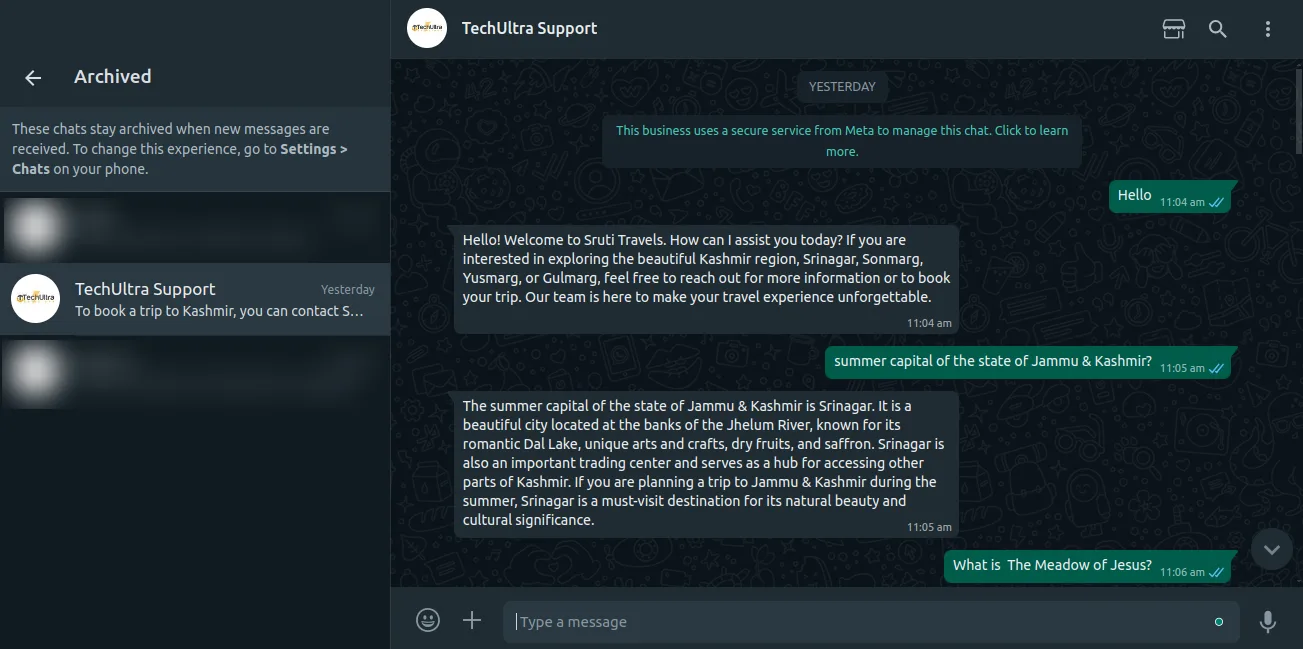
AI WhatsApp Chatbot (Community) connects document-based AI answers to WhatsApp inside Odoo. Instead of a fixed decision tree, the chatbot reads from documents you upload and generates a reply that fits the question asked.
Built by TechUltra Solutions, the module uses a Retrieval-Augmented Generation (RAG) approach: an OpenAI model extracts and understands the content of your uploaded PDFs, then writes a contextual response. Messages are sent and received through the WhatsApp Cloud API, so customers reach you on a channel they already use.
This is the Community edition, built to run on Odoo Community without the Enterprise WhatsApp module. It supports Odoo 15 through 19, and conversations are recorded in the chatbot and channel history so you can review what was asked and how the bot replied.
Key features
-
Document upload
Upload PDF documents straight into Odoo to give the chatbot the source material it answers questions from.
-
AI-powered data extraction
An OpenAI model reads and understands the content of the uploaded documents, so answers are drawn from your material, not generic knowledge.
-
Retrieval-Augmented Generation
The chatbot uses a RAG approach — retrieving relevant document content and then generating a reply — to keep responses grounded in your documents.
-
Automated response generation
Each incoming question gets a contextual response built from the extracted data, rather than a fixed scripted answer.
-
WhatsApp Cloud API delivery
Replies are sent to customers over the official WhatsApp Cloud API, so conversations happen on the channel customers already use.
-
Configurable OpenAI settings
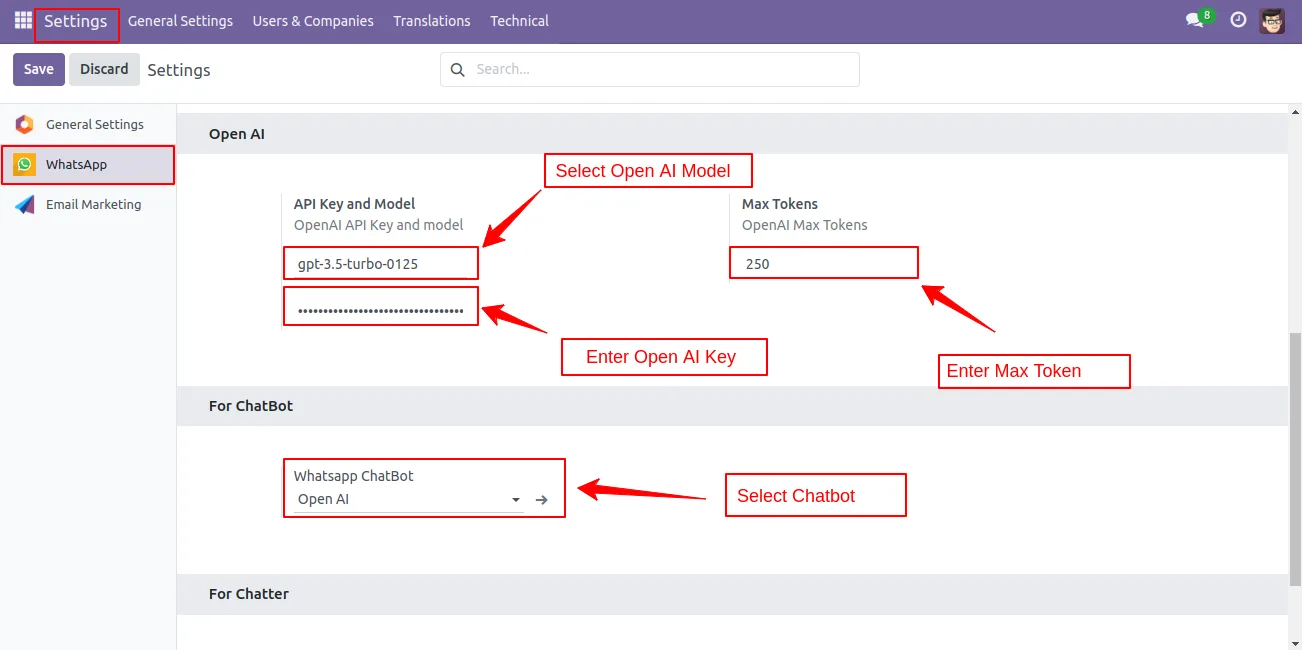
Set the OpenAI model, API key, and maximum token limit from the module configuration to control how the chatbot responds.
-
Chatbot script setup
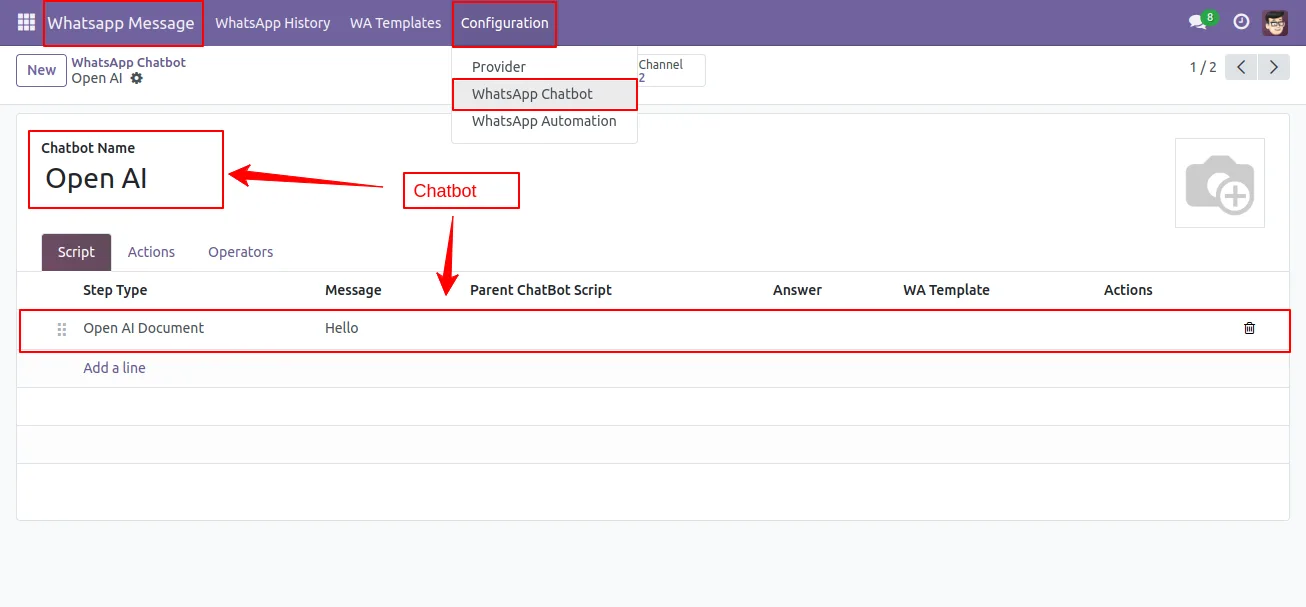
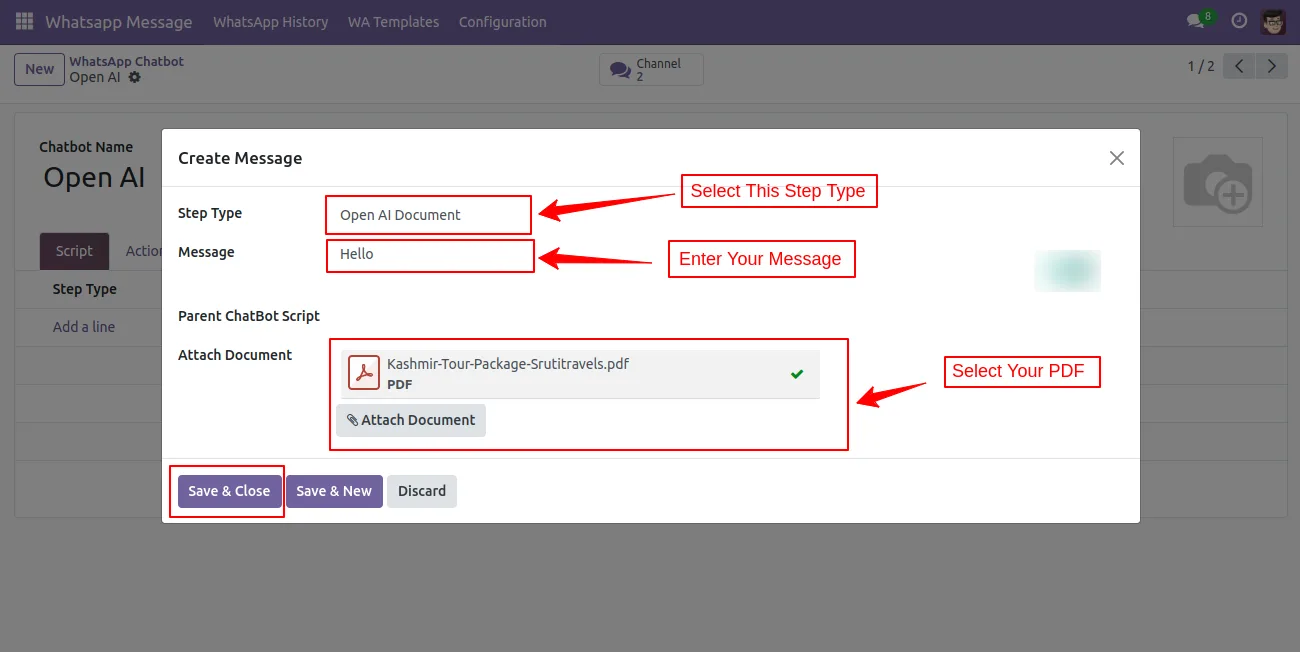
Build the chatbot script by selecting an OpenAI document, entering the message, and attaching the PDF the bot should answer from.
-
Conversation history
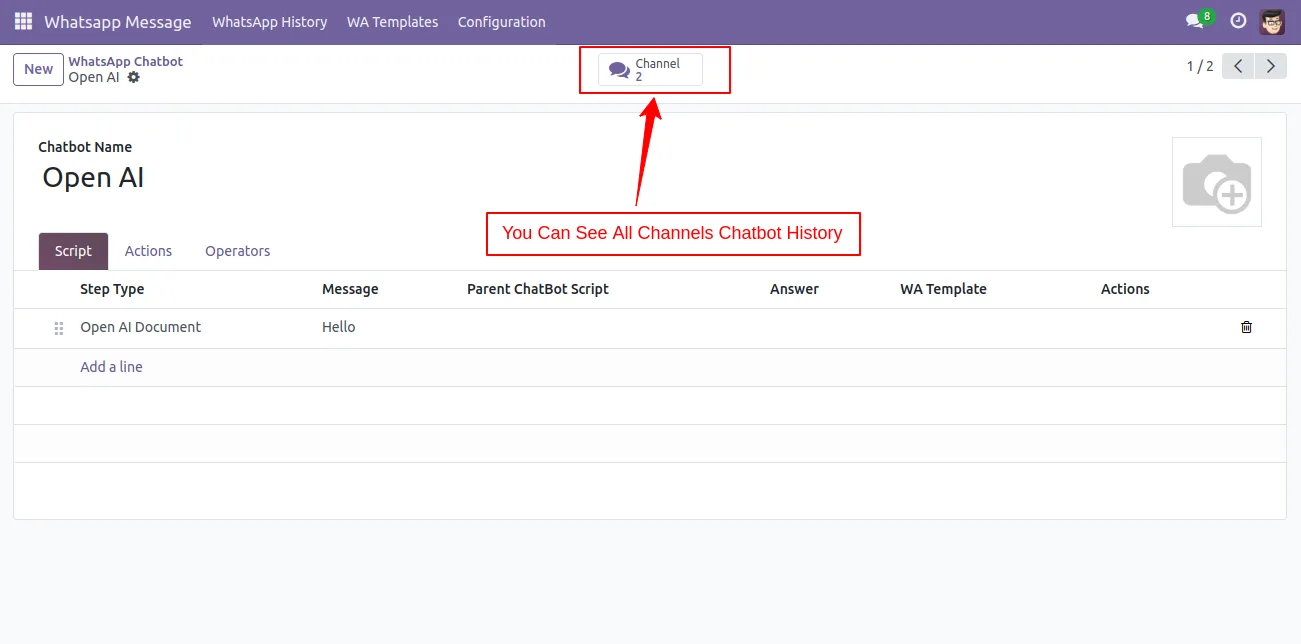
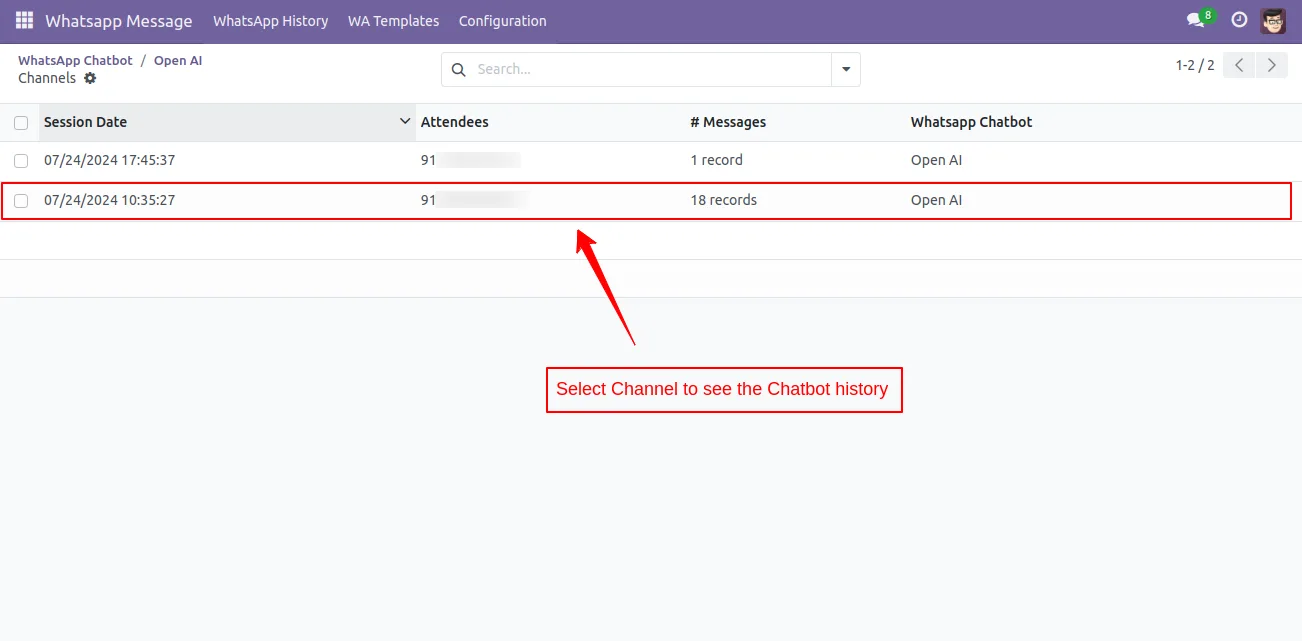
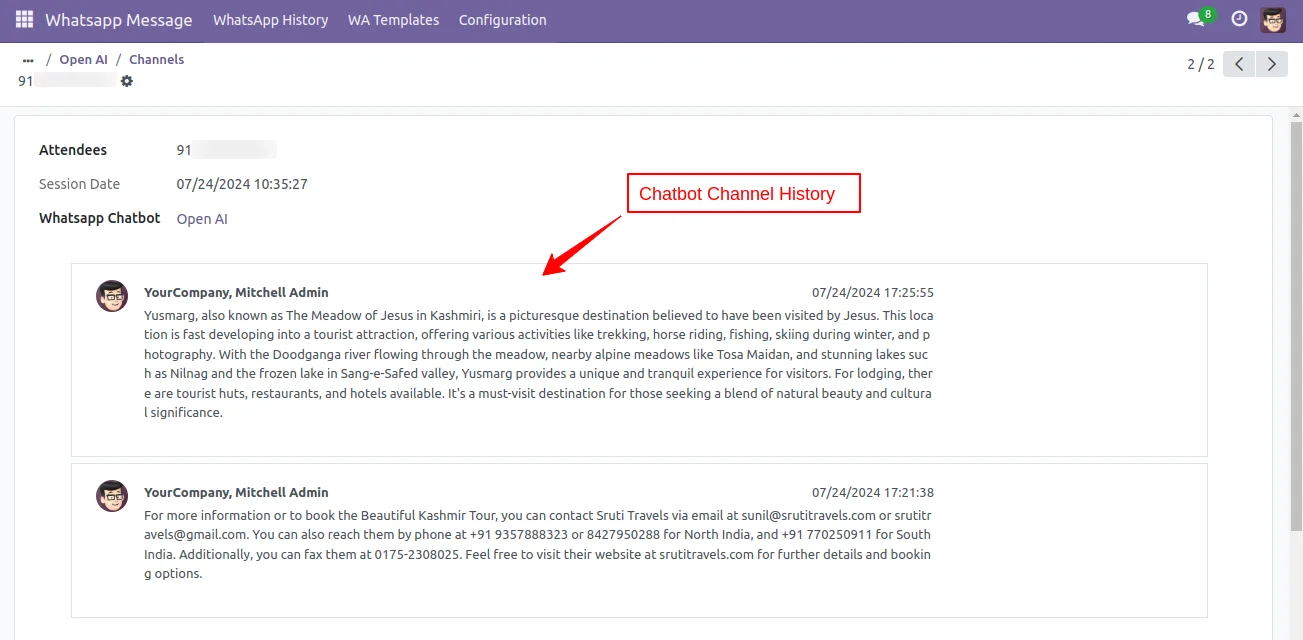
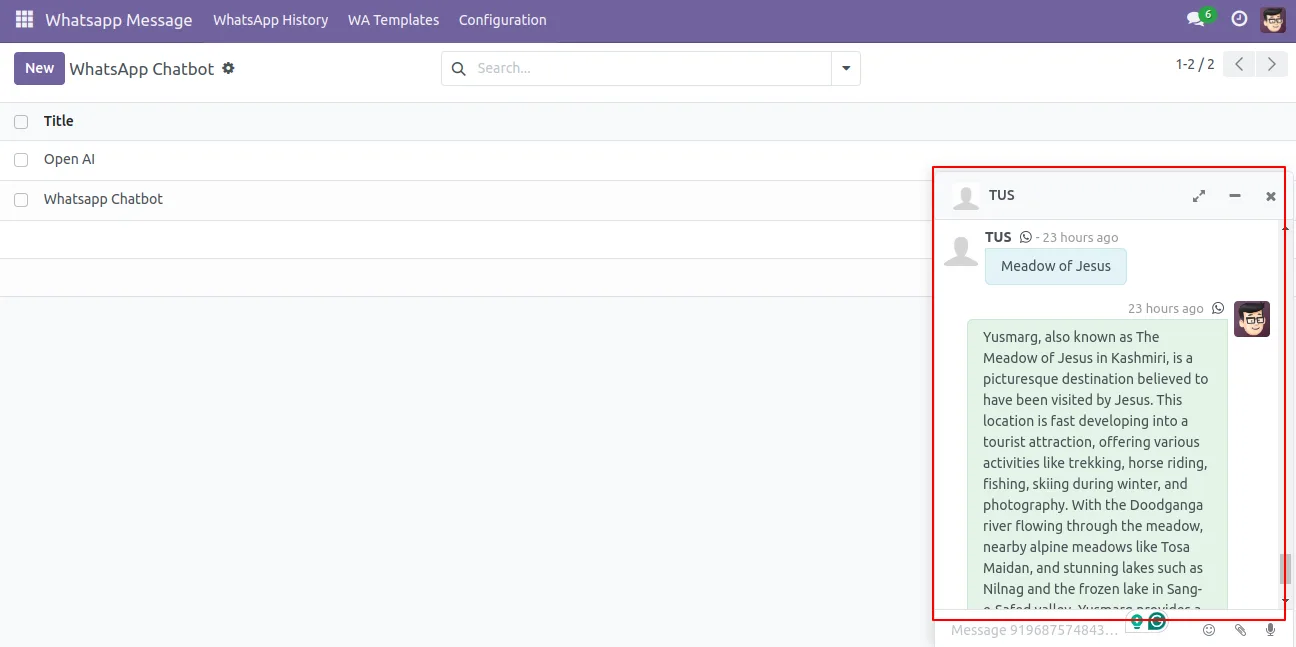
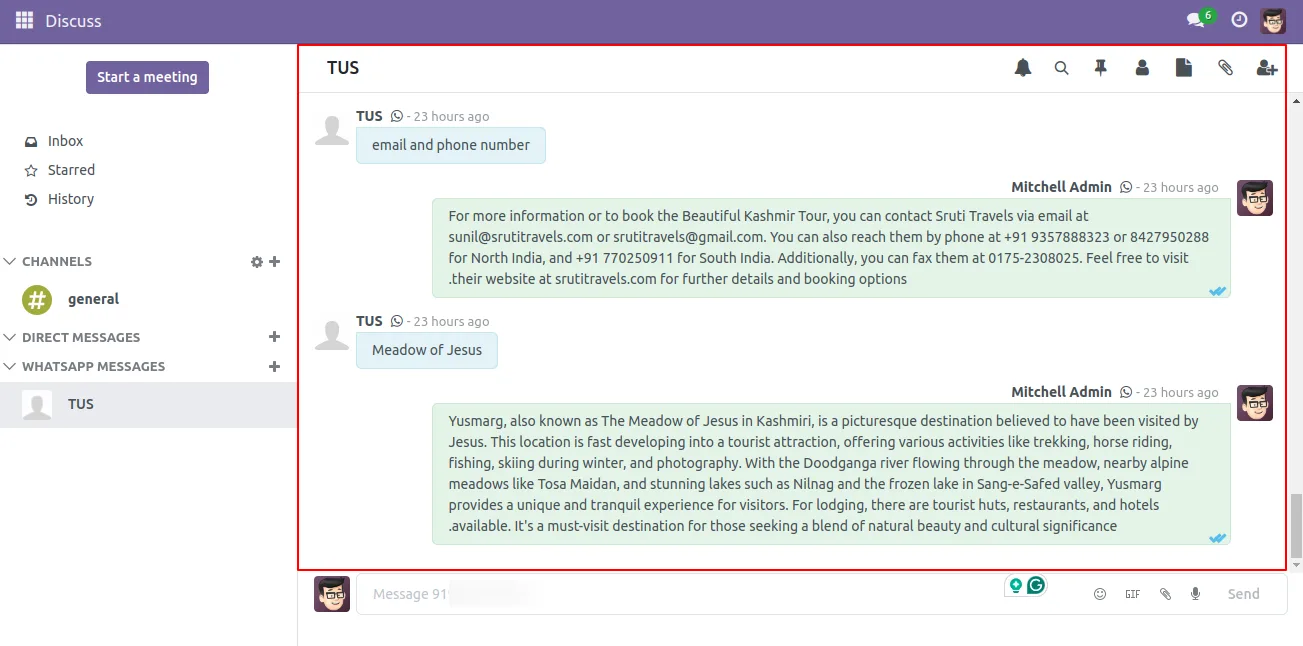
Chatbot history and channel history sections record interactions, so you can review questions, replies, and chatbot performance.
-
Odoo Community support
The module runs on Odoo Community editions 15 through 19, with no dependency on the Enterprise WhatsApp module.
AI WhatsApp Chatbot (Community) in Odoo
Every screen, in the order you meet it — configuration first, then the module in use.
Technical details
Specification
- Publisher
- TechUltra Solutions Private Limited
- Technical name
- ai_whatsapp_chatbot
- Odoo versions
- 15.0, 16.0, 17.0, 18.0, 19.0
- Lines of code
- 11,891
- License
- Odoo Proprietary License v1.0 (OPL-1)
- Price
- $296 (one-time)
Deployment
- Odoo Online
- Odoo.sh
- On-premise
Odoo dependencies
- CRM
- Contacts
- Calendar
- Discuss
Support
90 days of bug-fix support, Monday to Friday (10:00–19:00 IST). Raise a ticket at support@techultra.in.
Setup & configuration
From install to first call — here is the path.
- 1
Install the module
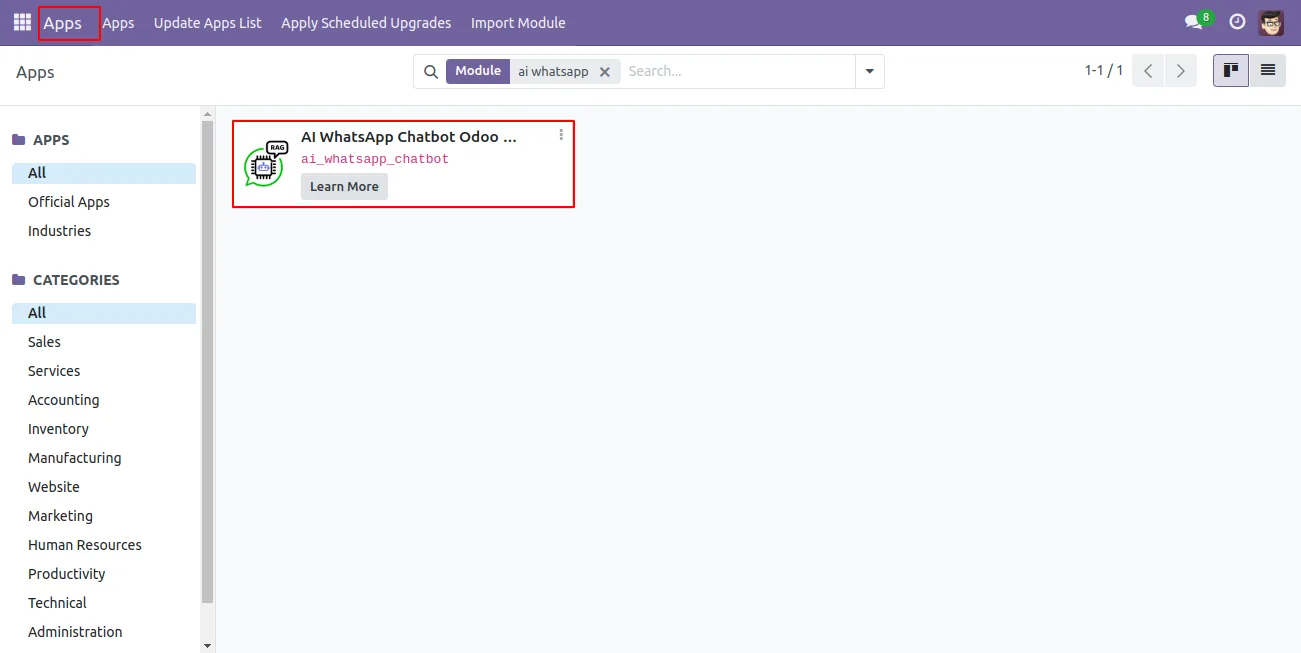
In Odoo, open Apps, remove the Apps filter, search for “AI WhatsApp Chatbot”, and click Install.
- 2
Configure the AI settings
In the module settings, enter the OpenAI model, OpenAI API key, and maximum token limit, then set up the chatbot.
- 3
Set up the WhatsApp chatbot
Go to WhatsApp Message → Configuration → WhatsApp Chatbot, select your chatbot, and configure the chatbot script.
- 4
Build the chatbot script
In the script, select the OpenAI document, enter the message the bot should send, and attach the PDF document it answers from.
- 5
Monitor the history
Review the AI WhatsApp Chatbot History and Channel History sections to check conversations and chatbot performance.
Frequently asked questions
-
How does the chatbot answer questions?
It uses Retrieval-Augmented Generation. You upload PDF documents into Odoo, an OpenAI model extracts the relevant content, and the chatbot generates a contextual reply from that material.
-
Which messaging channel does it use?
The chatbot sends and receives messages through the WhatsApp Cloud API, so customers interact with it directly on WhatsApp.
-
What is the difference from the Enterprise edition?
This is the Community edition. It runs on Odoo Community without the Enterprise WhatsApp module and supports Odoo 15 through 19. The Enterprise edition builds on Odoo's WhatsApp Messaging app.
-
Do I need an OpenAI account?
Yes. You provide an OpenAI model and API key in the module configuration, along with a maximum token limit, so the chatbot can generate replies.
-
What documents can the chatbot read?
You upload PDF documents into Odoo and attach them in the chatbot script. The AI model extracts content from those PDFs to answer customer questions.
-
Can I review past conversations?
Yes. The AI WhatsApp Chatbot History and Channel History sections record interactions so you can review questions, replies, and chatbot performance.
-
Which Odoo versions are supported?
The Community edition supports Odoo 15.0, 16.0, 17.0, 18.0, and 19.0.
-
Is support included?
Yes. The module includes 90 days of bug-fix support, Monday to Friday, 10:00–19:00 IST.
Listing verified against the Odoo App Store:
Related services
Get the most out of this module with senior TechUltra consultants.
Odoo Customization Services
Odoo customization from a Gold Partner: custom modules, workflows, reports and Studio changes, written upgrade-safe and quoted at a fixed scope. Free scoping call.
Hire Odoo Developers
Hire certified Odoo developers from a Gold Partner: one developer or a team, full-time or part-time, 70–160 hours a month. Silver, Gold or Platinum plan, free trial.
Odoo Support Services & Maintenance
Odoo support services from a Gold Partner: functional and technical support plus server cover for Enterprise and Community, 30-minute P1 response, 24/7 option.







