

Odoo App · AI & Email
AI Email Generator
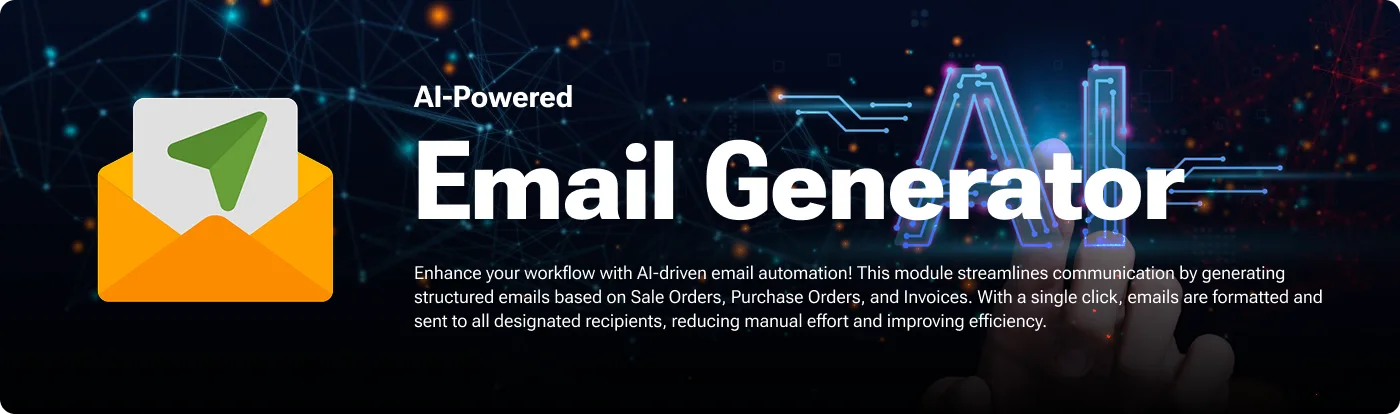
Generate professional business emails in Odoo from selected record fields.

Overview
AI Email Generator writes business emails inside Odoo using AI. Rather than starting from a blank message, you choose the record fields the AI should read, and it produces a personalized email built around that data.
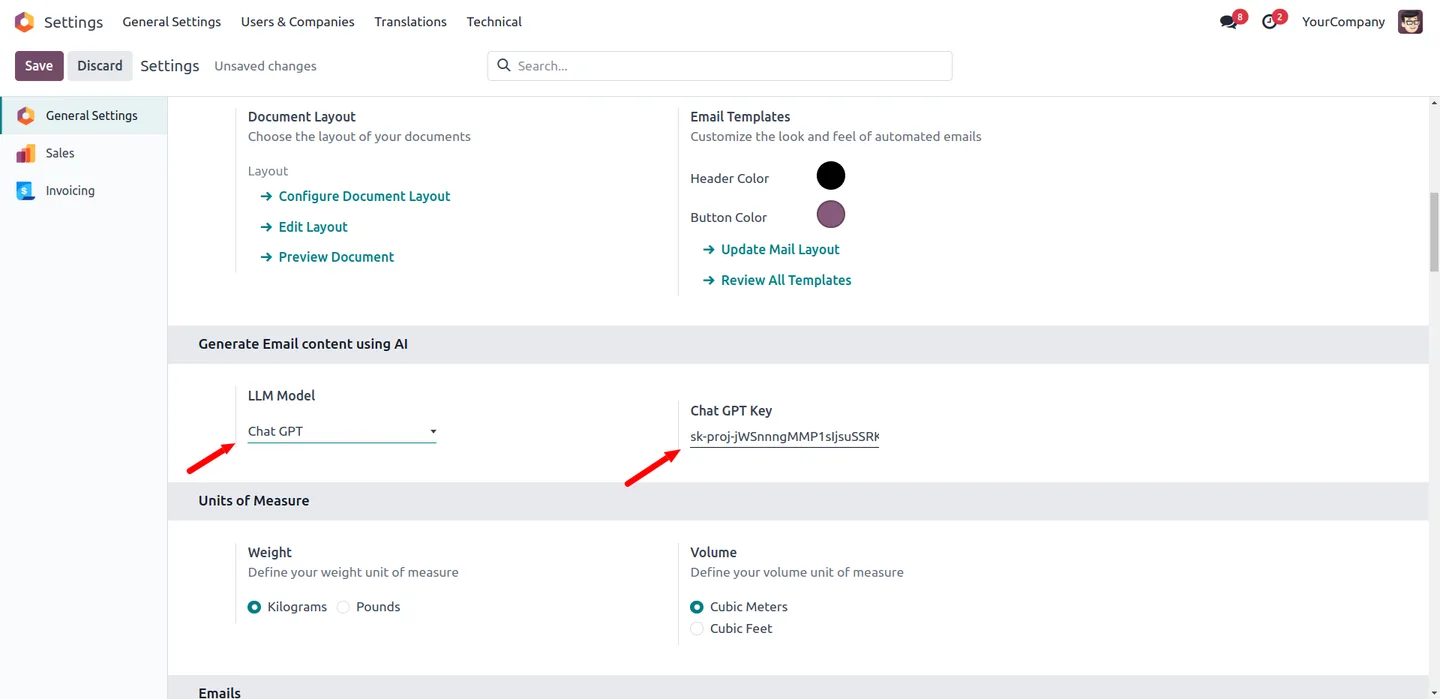
Built by TechUltra Solutions, the module connects to OpenAI's ChatGPT or Google's Gemini. You set the model and its API key once in Odoo Settings, and you map which fields feed the generated content. It handles a range of communications — order confirmations, follow-ups, payment reminders — and an active internet connection is needed for the AI to process each request.
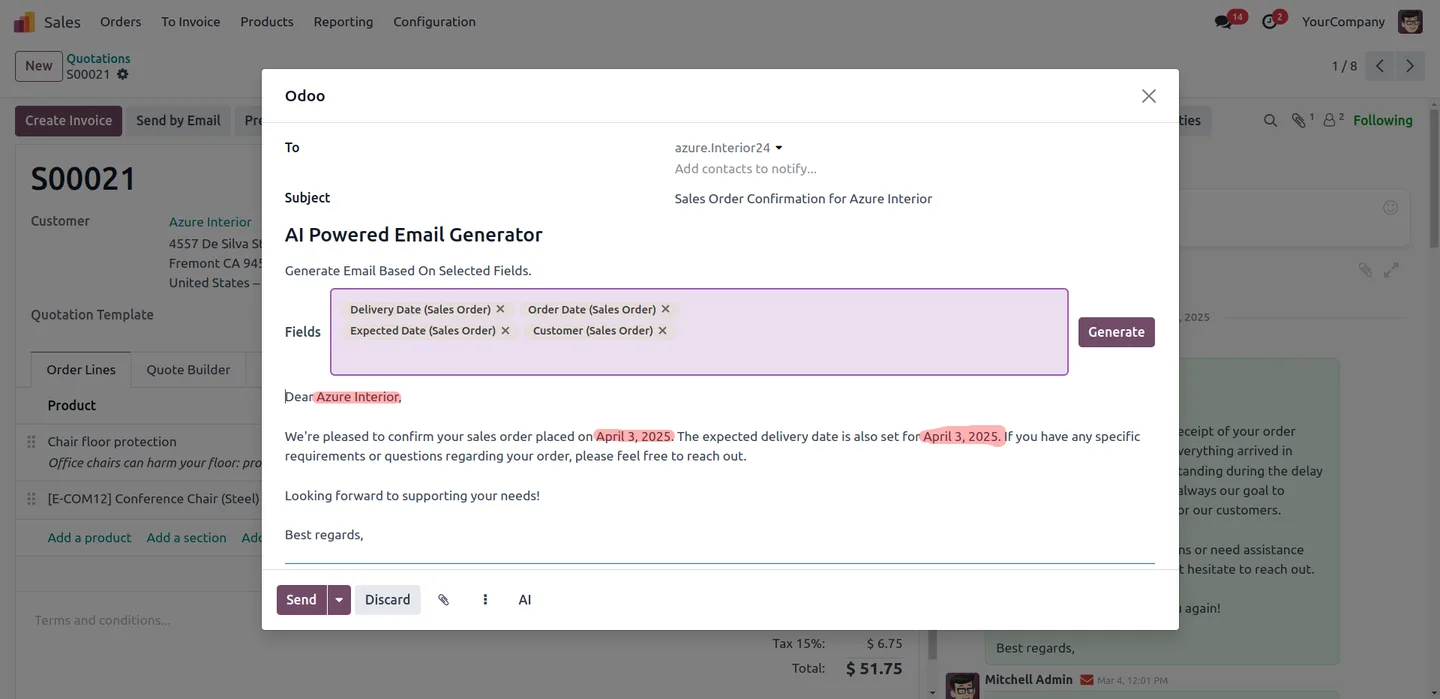
Generated emails are a draft, not a send. You review the content, adjust the wording to match your organization's tone, and then send it. The AI speeds up writing while the final message stays under human control.
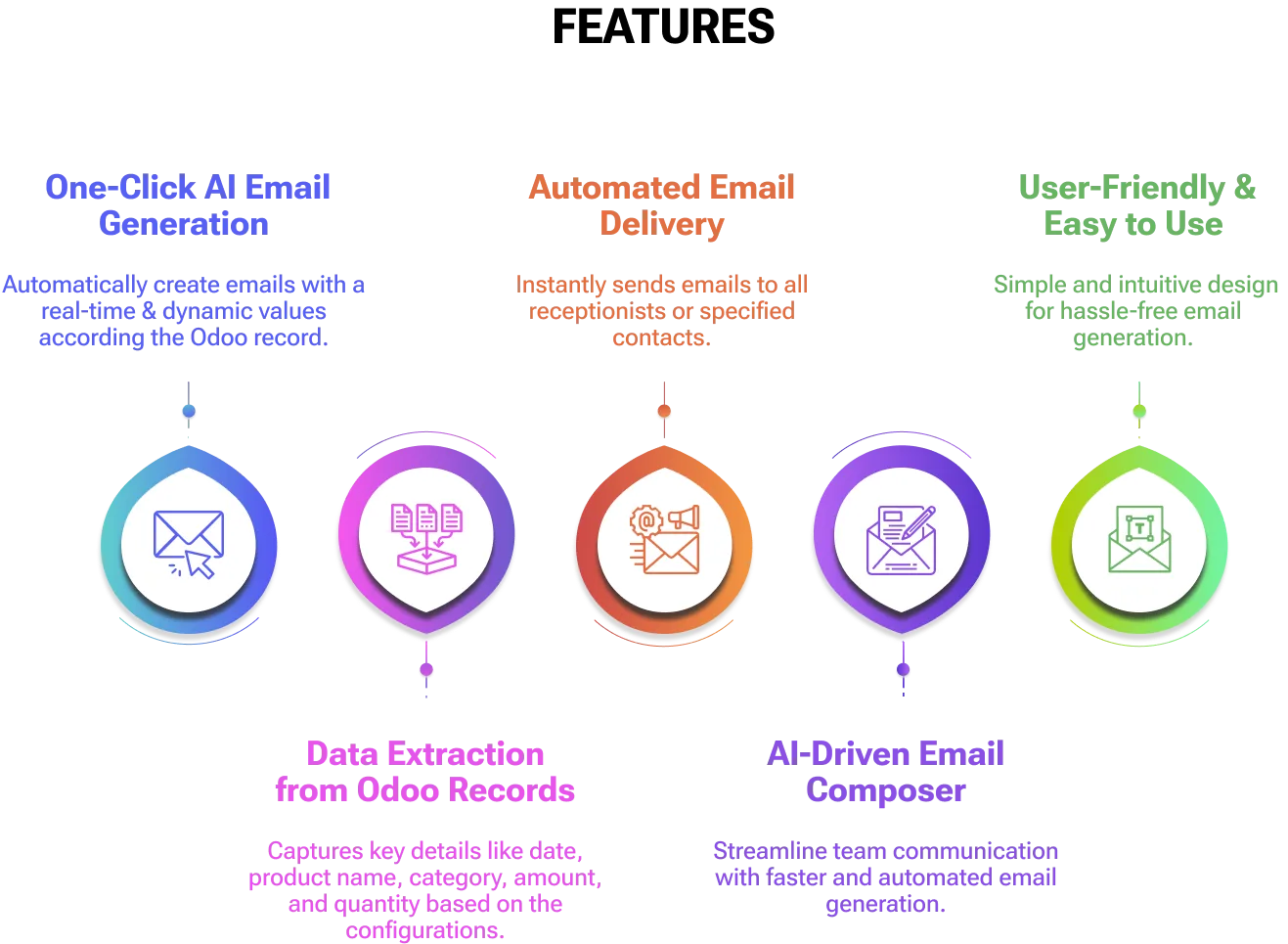
Key features
-
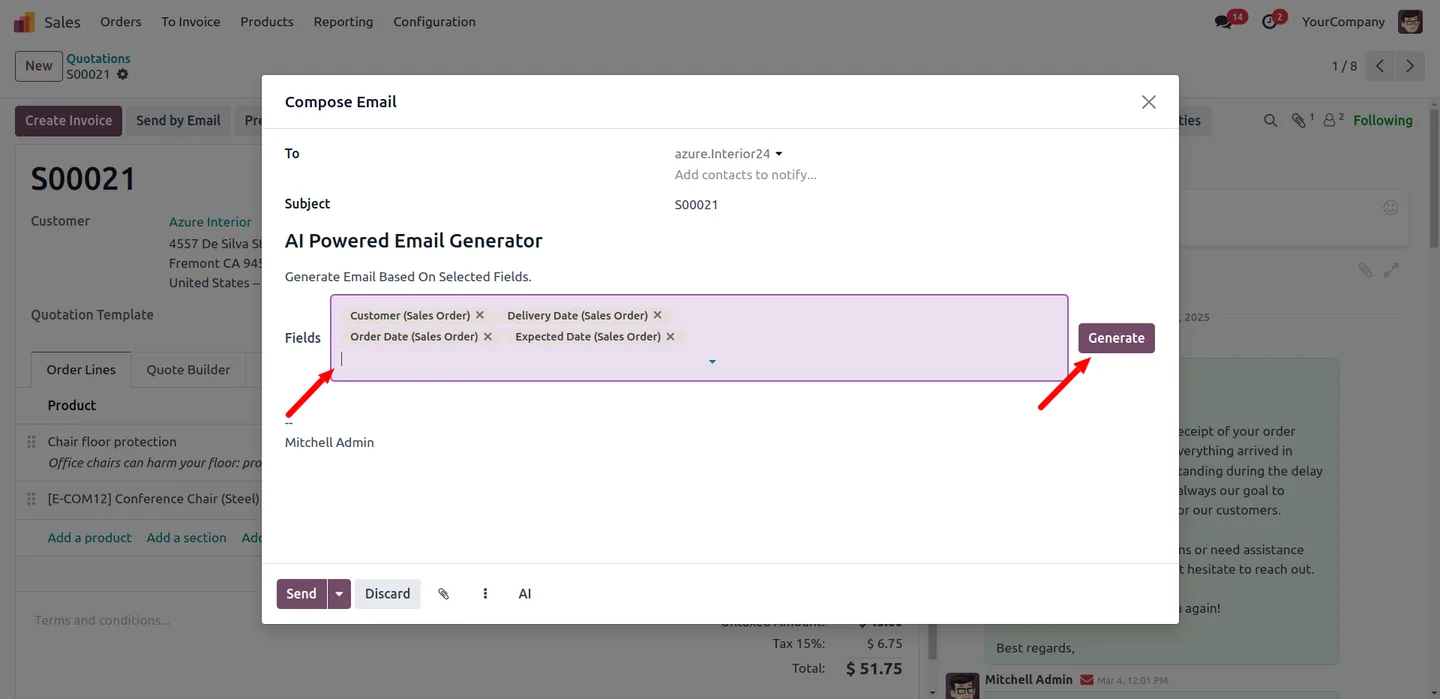
Emails from selected fields
Pick the record fields you want the AI to use as input, and it generates an email built around that specific data.
-
ChatGPT and Gemini support
Choose OpenAI's ChatGPT or Google's Gemini for content generation. You select the model and supply its API key in Odoo Settings.
-
Dynamic field mapping
Configure which fields feed email generation through the module's mapping interface, so the AI always works from the right source data.
-
Multiple email types
Generate a range of business communications, including order confirmations, follow-ups, and payment reminders, from one module.
-
Full editorial control
Every generated email is a draft. Review and adjust the content fully before sending it, so the final wording is yours.
-
Personalized output
Because the email is built from the record's own fields, the generated content is tailored to the customer or document it relates to.
-
Configured inside Odoo Settings
The AI model, API key, and field mapping are all set up in Odoo Settings — a short, one-time configuration.
AI Email Generator in Odoo
Every screen, in the order you meet it — configuration first, then the module in use.
Technical details
Specification
- Publisher
- TechUltra Solutions Private Limited
- Technical name
- ai_powered_email_generator
- Odoo versions
- 16.0, 17.0, 18.0, 19.0
- Lines of code
- 182
- License
- Odoo Proprietary License v1.0 (OPL-1)
- Price
- $57.08 (one-time)
Deployment
- Odoo Online
- Odoo.sh
- On-premise
Odoo dependencies
- Discuss
Support
90 days of bug-fix support, Monday to Friday (10:00–19:00 IST). Raise a ticket at support@techultra.in.
Setup & configuration
From install to first call — here is the path.
- 1
Install the module
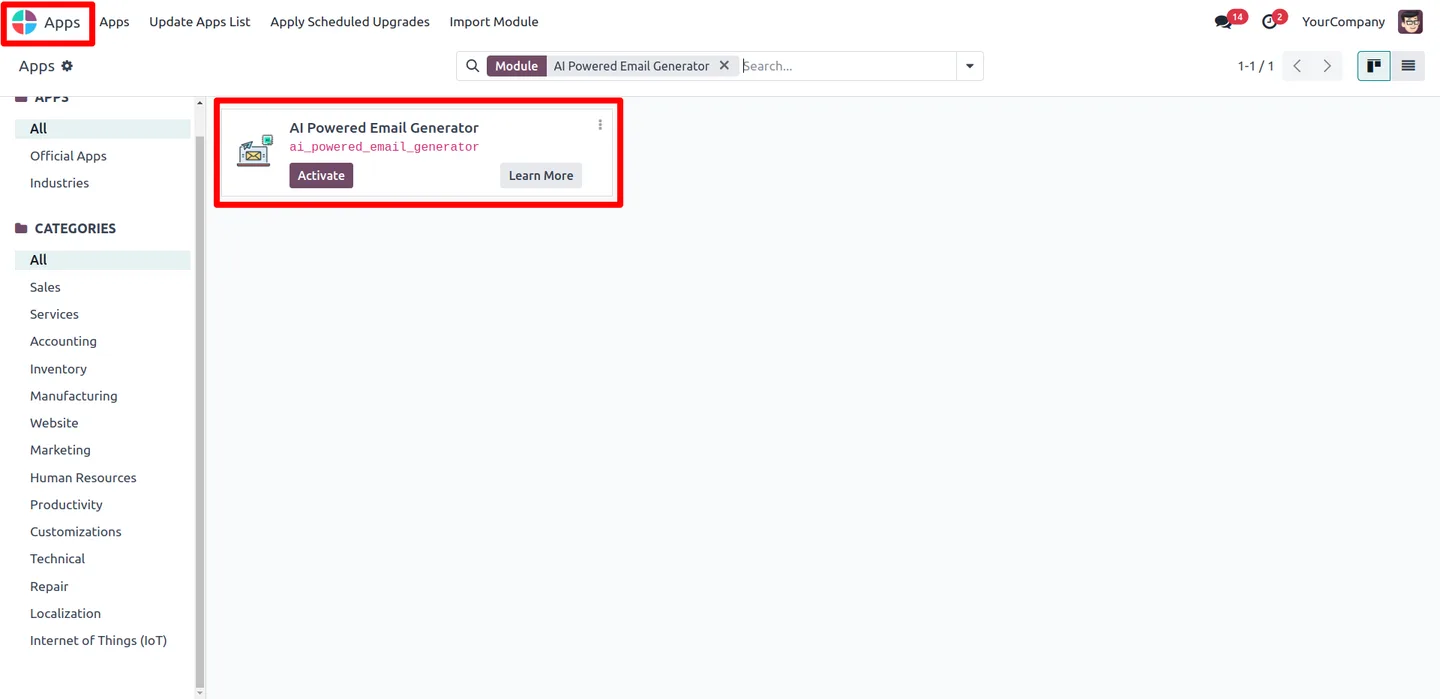
In Odoo, open Apps, remove the Apps filter, search for “AI Email Generator”, and click Install.
- 2
Choose an AI model
Go to Settings, open “Generate Email content using AI”, and select either Gemini or ChatGPT as the LLM model.
- 3
Add your API key
Enter the API key for the model you selected — a Google Gemini key for Gemini, or an OpenAI key for ChatGPT.
- 4
Map the fields
Use the dynamic mapping interface to choose which record fields the AI should read when generating an email.
- 5
Generate an email
Open a record, run the generator, review and adjust the drafted email, and send it once it matches your tone.
Frequently asked questions
-
How does the generator decide what to write?
You map the record fields the AI should use as input. It builds the email around that data, so the content reflects the specific record.
-
Which AI models are supported?
The module supports OpenAI's ChatGPT and Google's Gemini. You select one in Odoo Settings and provide its API key.
-
What kinds of emails can it produce?
It can generate a range of business communications, including order confirmations, follow-ups, and payment reminders, all from the mapped record fields.
-
Can I edit the email before it is sent?
Yes. Every generated email is a draft. You can fully review and adjust the content before sending, so the final wording is under your control.
-
Do I need an internet connection?
Yes. The AI processes each request online, so the Odoo server needs an active internet connection for generation to work.
-
Do I need my own API key?
Yes. You supply your own OpenAI or Google Gemini API key in Odoo Settings, and AI usage is billed by that provider.
-
Which Odoo versions are supported?
The module supports Odoo 16.0, 17.0, 18.0, and 19.0, in both the Community and Enterprise editions.
-
Is support included?
Yes. The module includes 90 days of bug-fix support, Monday to Friday, 10:00–19:00 IST.
Listing verified against the Odoo App Store:
Related services
Get the most out of this module with senior TechUltra consultants.
Odoo Customization Services
Odoo customization from a Gold Partner: custom modules, workflows, reports and Studio changes, written upgrade-safe and quoted at a fixed scope. Free scoping call.
Hire Odoo Developers
Hire certified Odoo developers from a Gold Partner: one developer or a team, full-time or part-time, 70–160 hours a month. Silver, Gold or Platinum plan, free trial.
Odoo Support Services & Maintenance
Odoo support services from a Gold Partner: functional and technical support plus server cover for Enterprise and Community, 30-minute P1 response, 24/7 option.







