

Odoo App · Sales & Commission
Advanced Sales Commission
Rule-based sales commission for Odoo — calculate, track, and pay out by period.

Overview
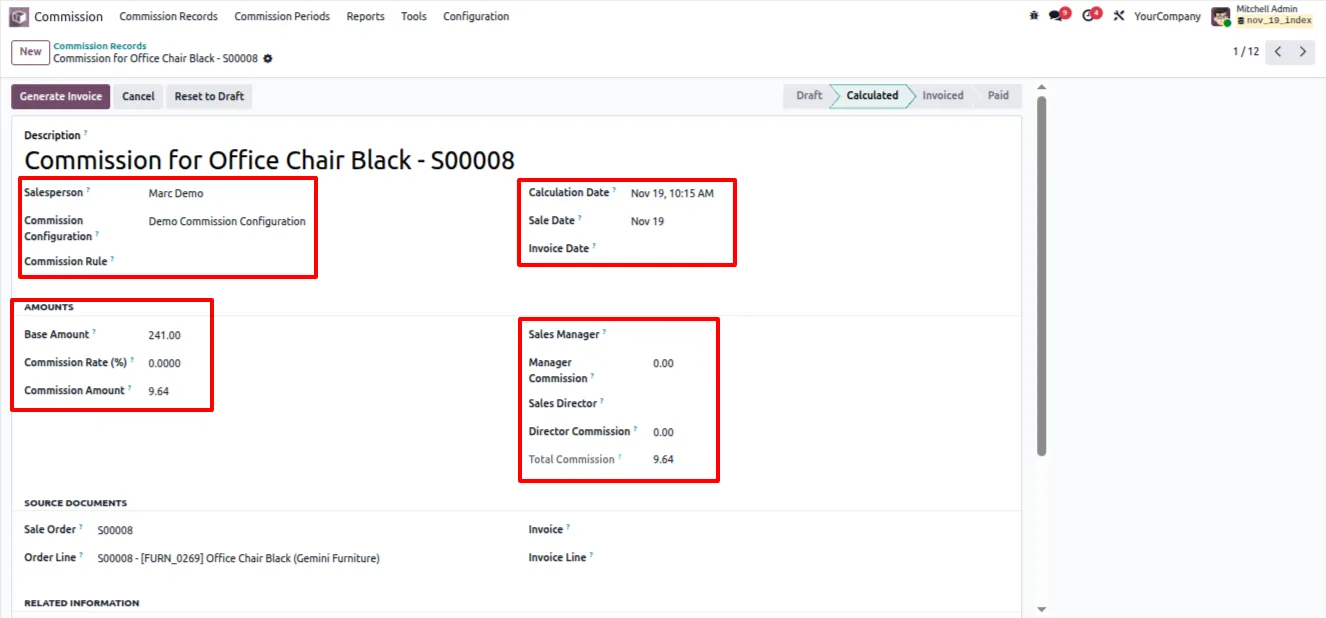
Advanced Sales Commission replaces spreadsheet-based commission tracking with a rule-driven engine inside Odoo. You define how commission is earned once, and the module calculates, assigns, and records it automatically as sales and invoices move through the system.
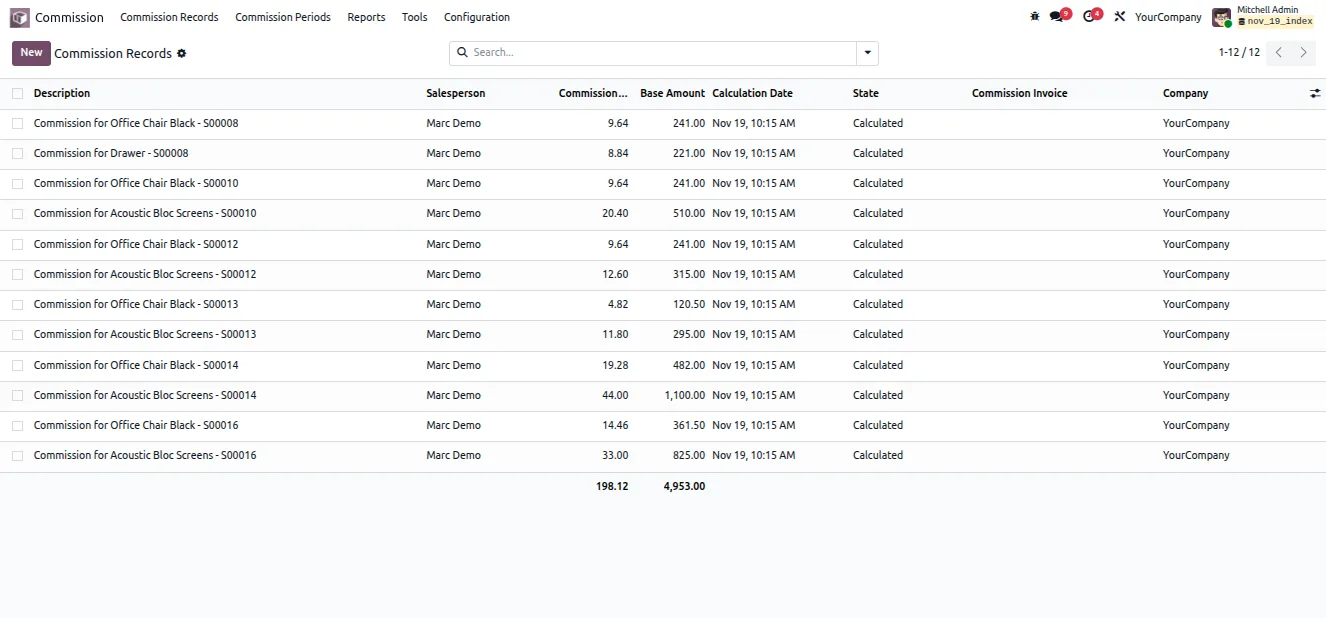
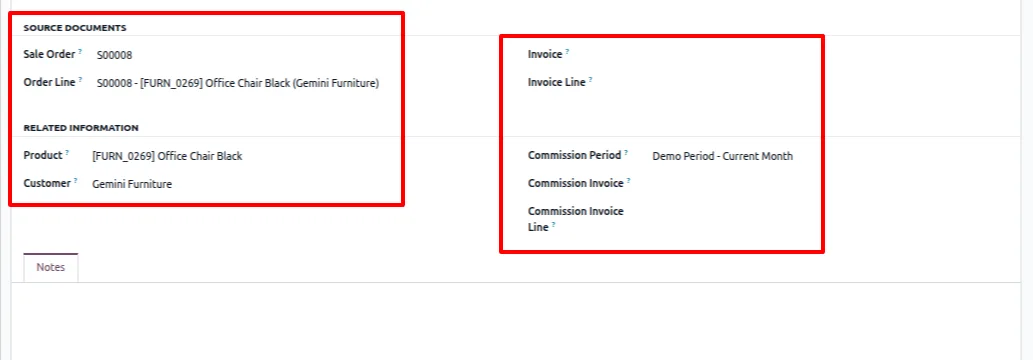
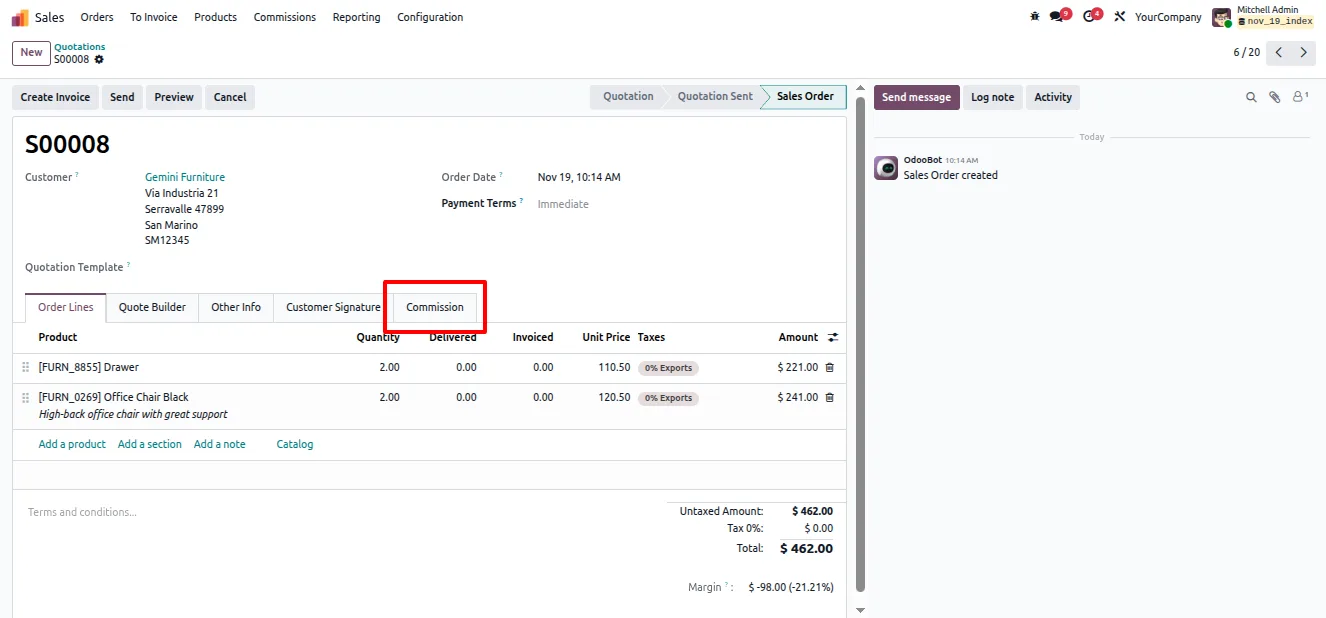
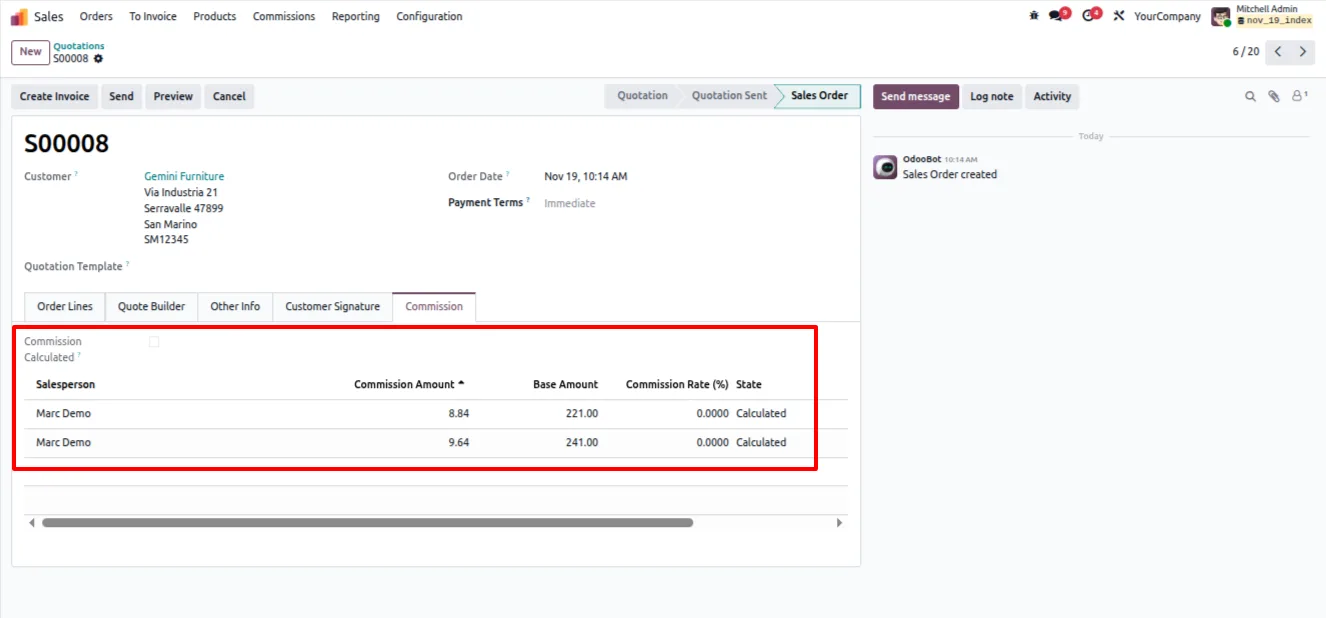
Built by TechUltra Solutions, it supports commission rules based on product, product category, salesperson, customer, or order amount. Commission records are generated when a sale order is confirmed or an invoice is validated, so every payout is traceable back to a real transaction.
Commission is settled period by period. Each period can be locked or unlocked to control changes, payout invoices are raised through a dedicated wizard, and built-in reports break the numbers down by salesperson, product, and period — giving sales managers a clear, auditable view of what is owed.
Key features
-
Rule-based commission calculation
The module calculates and assigns commission automatically from flexible rule configurations, so payouts follow your own policy without manual maths.
-
Multiple commission rule types
Build rules around product, product category, salesperson, customer, or order amount — and combine them to match how your team actually earns.
-
Commission on confirmation or invoice
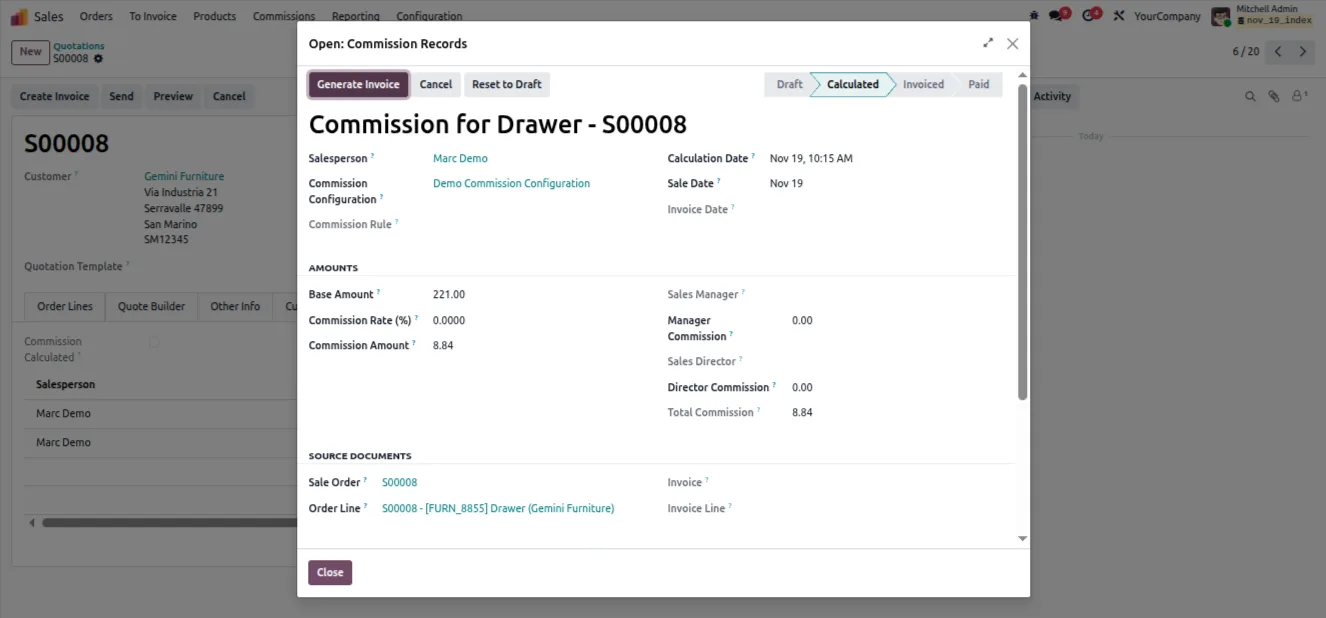
Commission records are generated when a sale order is confirmed or when an invoice is validated, so you can tie payouts to the milestone that suits your business.
-
Period-wise settlement
Commission is calculated period by period, giving you a clear settlement cycle rather than a single running total.
-
Lock and unlock periods
Each commission period can be locked or unlocked, so finalised periods stay fixed while open periods remain editable.
-
Commission payout invoices
A dedicated wizard creates commission payout invoices, turning calculated commission into invoices ready for payment.
-
Detailed commission reports
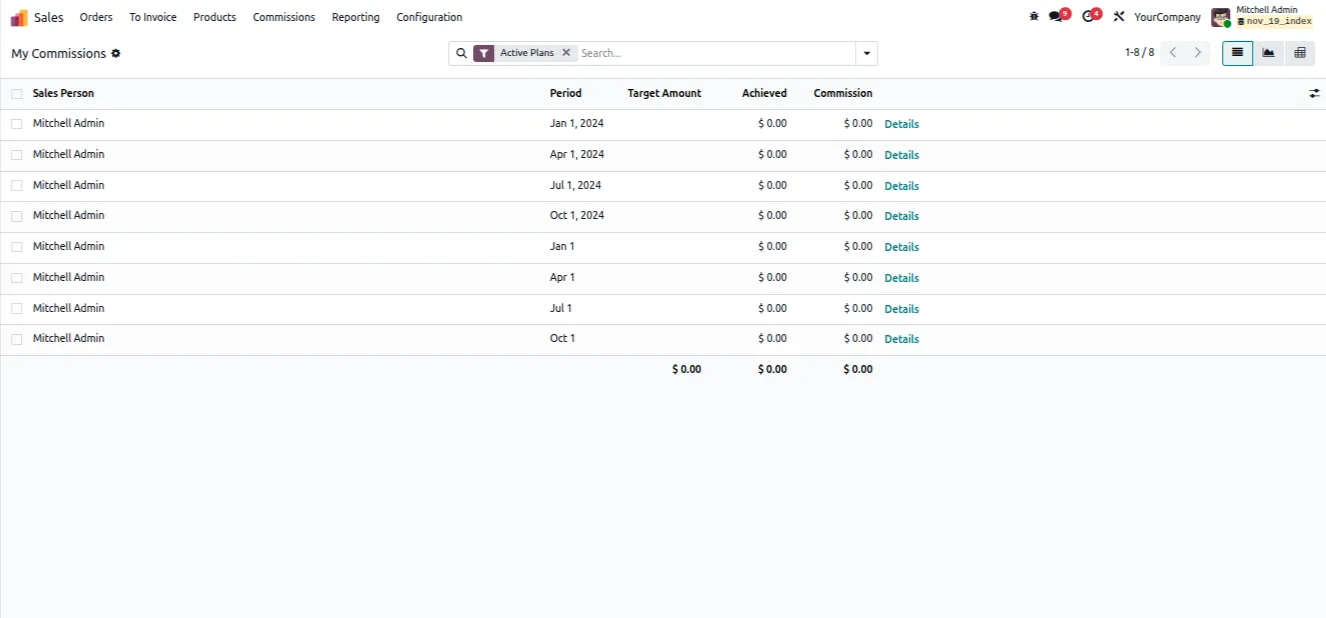
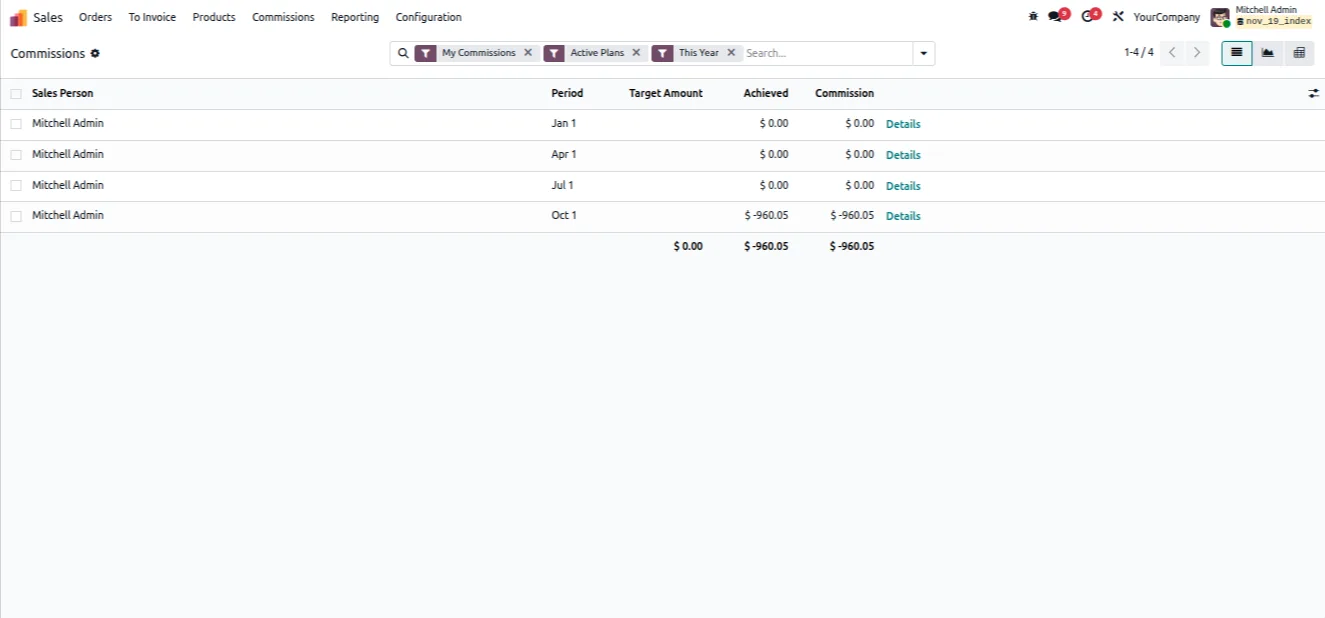
Built-in reports break commission down by salesperson, product, and period, so managers can review and audit what each person has earned.
-
Commission targets per period
Commission periods can carry time settings and sales targets, giving the team a clear goal alongside the settlement window.
Advanced Sales Commission in Odoo
Every screen, in the order you meet it — configuration first, then the module in use.
Technical details
Specification
- Publisher
- TechUltra Solutions Private Limited
- Technical name
- advanced_sales_commission
- Odoo versions
- 16.0, 17.0, 18.0, 19.0, 20.0
- Lines of code
- 3,366
- License
- Odoo Proprietary License v1.0 (OPL-1)
- Price
- $32.99 (one-time)
Deployment
- Odoo Online
- Odoo.sh
- On-premise
Odoo dependencies
- Sales
- Invoicing
- Discuss
Support
90 days of bug-fix support, Monday to Friday (10:00–19:00 IST). Raise a ticket at support@techultra.in.
Setup & configuration
From install to first call — here is the path.
- 1
Install the module
In Odoo, open Apps, remove the Apps filter, search for “Advanced Sales Commission”, and click Install.
- 2
Enable commission in Sales settings
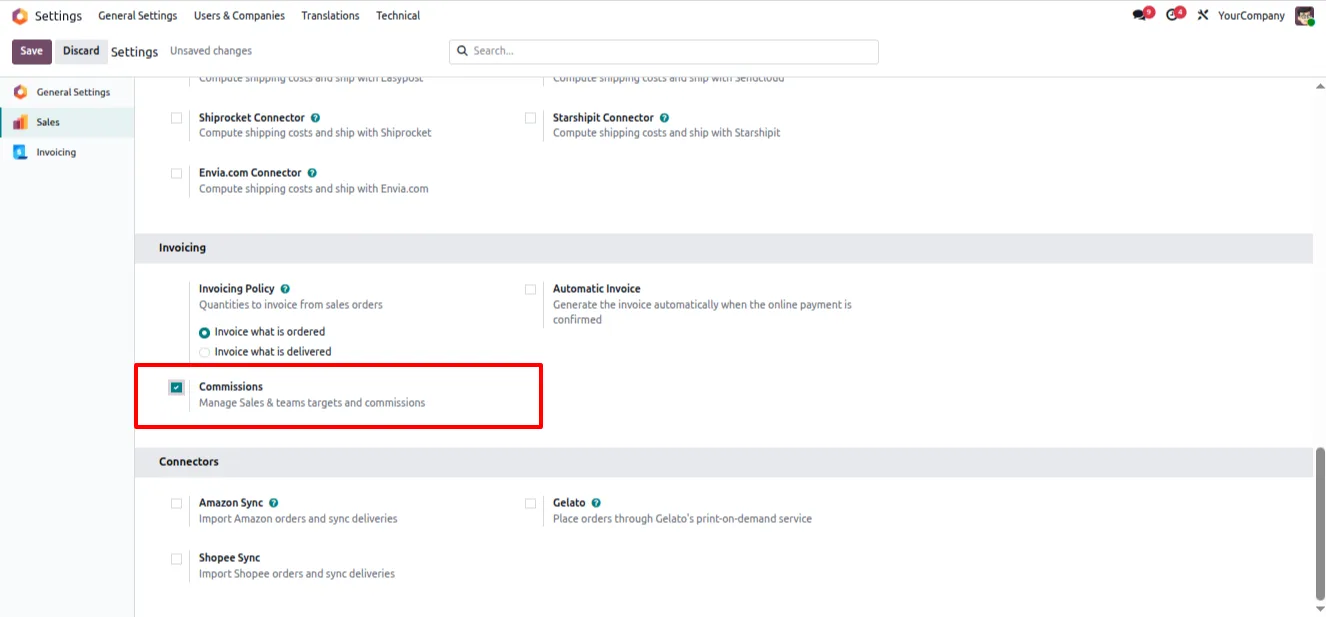
Go to Settings → Sales and, in the Invoicing section, switch on the commission toggle.
- 3
Set user access rights
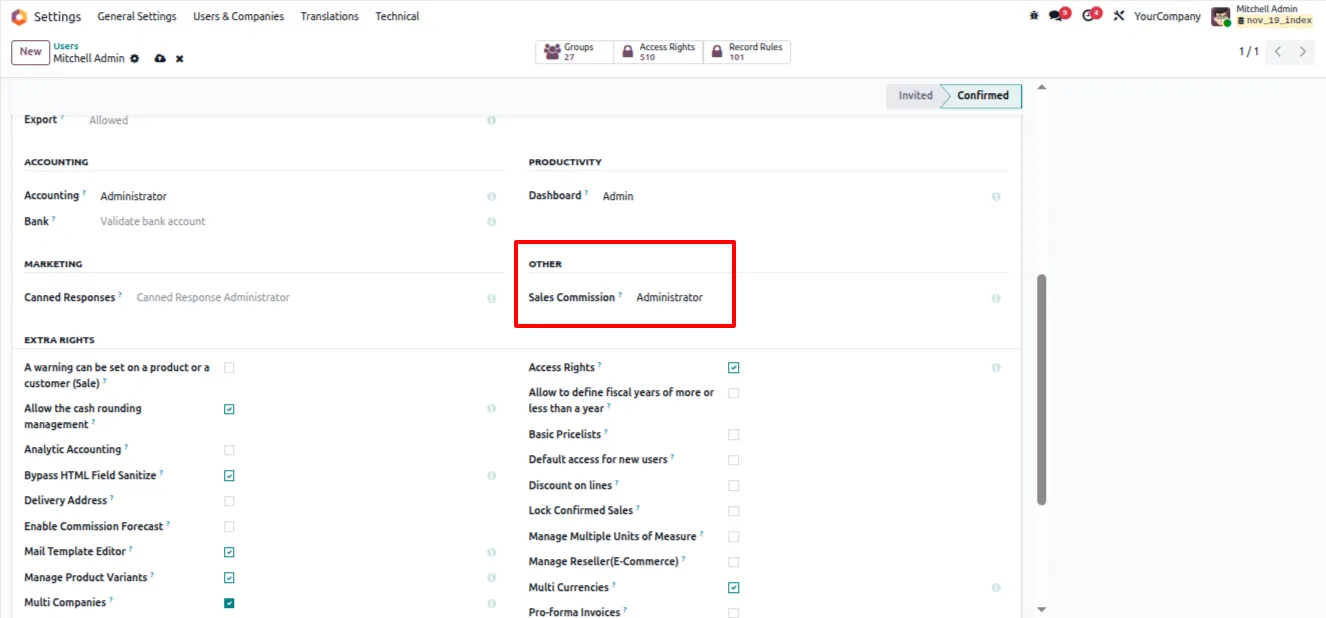
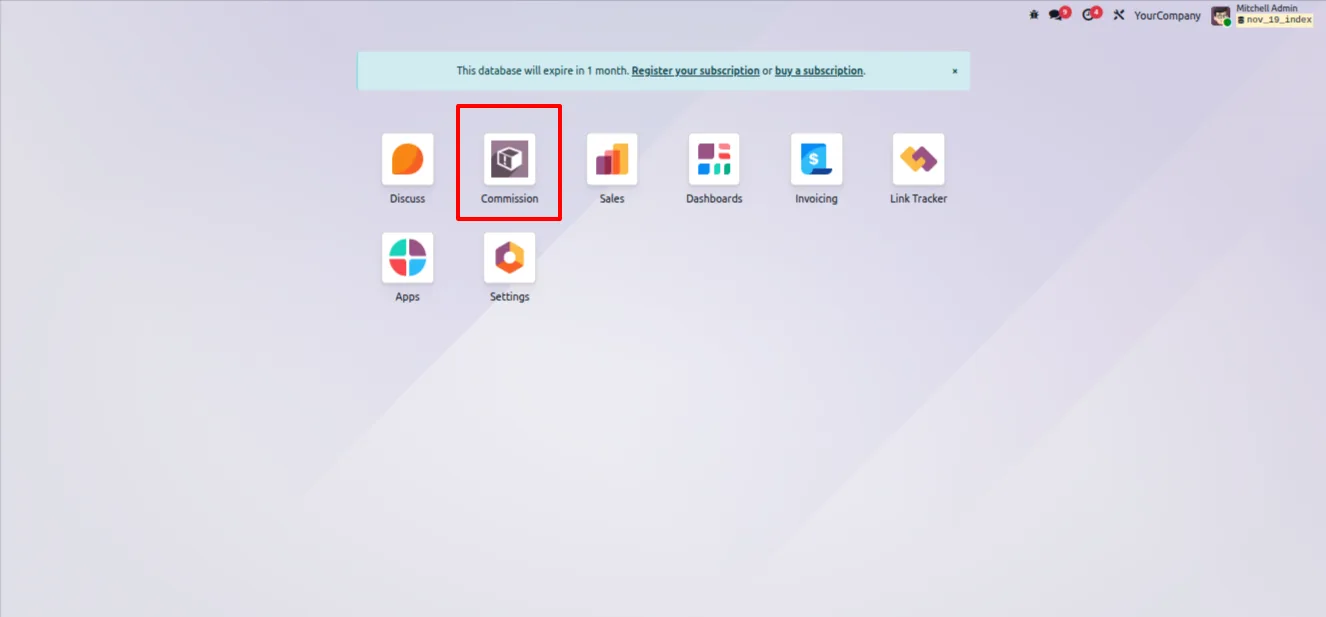
Turn on Developer Mode, then open each user's settings and assign the appropriate Sale Commission access rights in the Other section. The Commission app then appears on the dashboard.
- 4
Configure commission rules and assignments
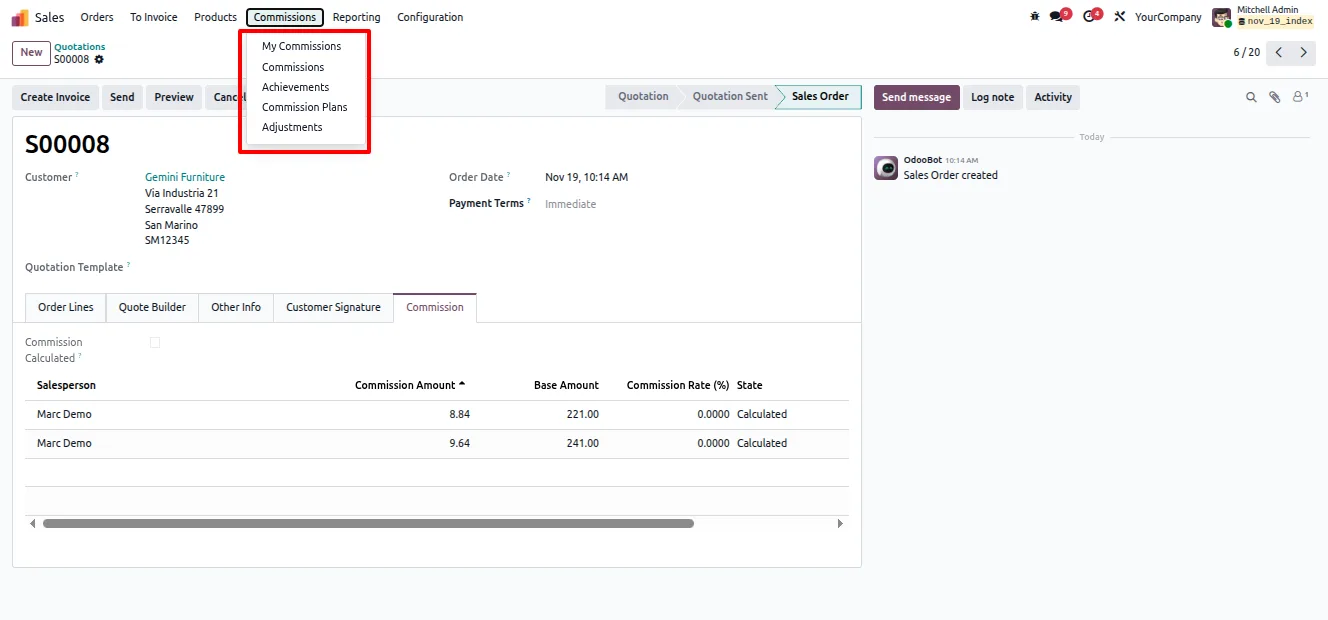
Under Commission → Configurations, set up Commission Rules and Commission Assignments by product, category, salesperson, or customer.
- 5
Create commission periods
Open the Commission Periods menu and define each period with its time settings and sales targets.
- 6
Calculate and pay out
Use Commission → Tools → Calculate Commissions for a date range, then run the Generate Commission Invoices wizard to raise payout invoices in bulk.
Frequently asked questions
-
How does Advanced Sales Commission calculate commission?
It calculates and assigns commission automatically from configurable rules. You can base rules on product, product category, salesperson, customer, or order amount.
-
When are commission records created?
Commission records are generated when a sale order is confirmed or when an invoice is validated, so you can tie payouts to whichever milestone fits your business.
-
Can I lock a commission period once it is settled?
Yes. Commission is calculated period by period, and each period can be locked or unlocked so finalised periods stay fixed while open ones remain editable.
-
How are commissions paid out?
A dedicated wizard creates commission payout invoices. The Generate Commission Invoices wizard can process payouts in bulk for a date range.
-
What reporting does the module include?
It provides detailed commission reports broken down by salesperson, product, and period, so managers can review and audit earned commission.
-
What do I need to enable before using it?
Turn on the commission toggle in Settings → Sales, then assign Sale Commission access rights to users in Developer Mode. The Commission app then appears on the dashboard.
-
Which Odoo versions are supported?
The module supports Odoo 16.0, 17.0, 18.0, 19.0, and 20.0.
-
Is support included?
Yes. The module includes 90 days of bug-fix support, Monday to Friday, 10:00–19:00 IST.
Listing verified against the Odoo App Store:
Related services
Get the most out of this module with senior TechUltra consultants.
Odoo Customization Services
Odoo customization from a Gold Partner: custom modules, workflows, reports and Studio changes, written upgrade-safe and quoted at a fixed scope. Free scoping call.
Hire Odoo Developers
Hire certified Odoo developers from a Gold Partner: one developer or a team, full-time or part-time, 70–160 hours a month. Silver, Gold or Platinum plan, free trial.
Odoo Support Services & Maintenance
Odoo support services from a Gold Partner: functional and technical support plus server cover for Enterprise and Community, 30-minute P1 response, 24/7 option.







