
Odoo App · Productivity
Advanced Chatter Filter
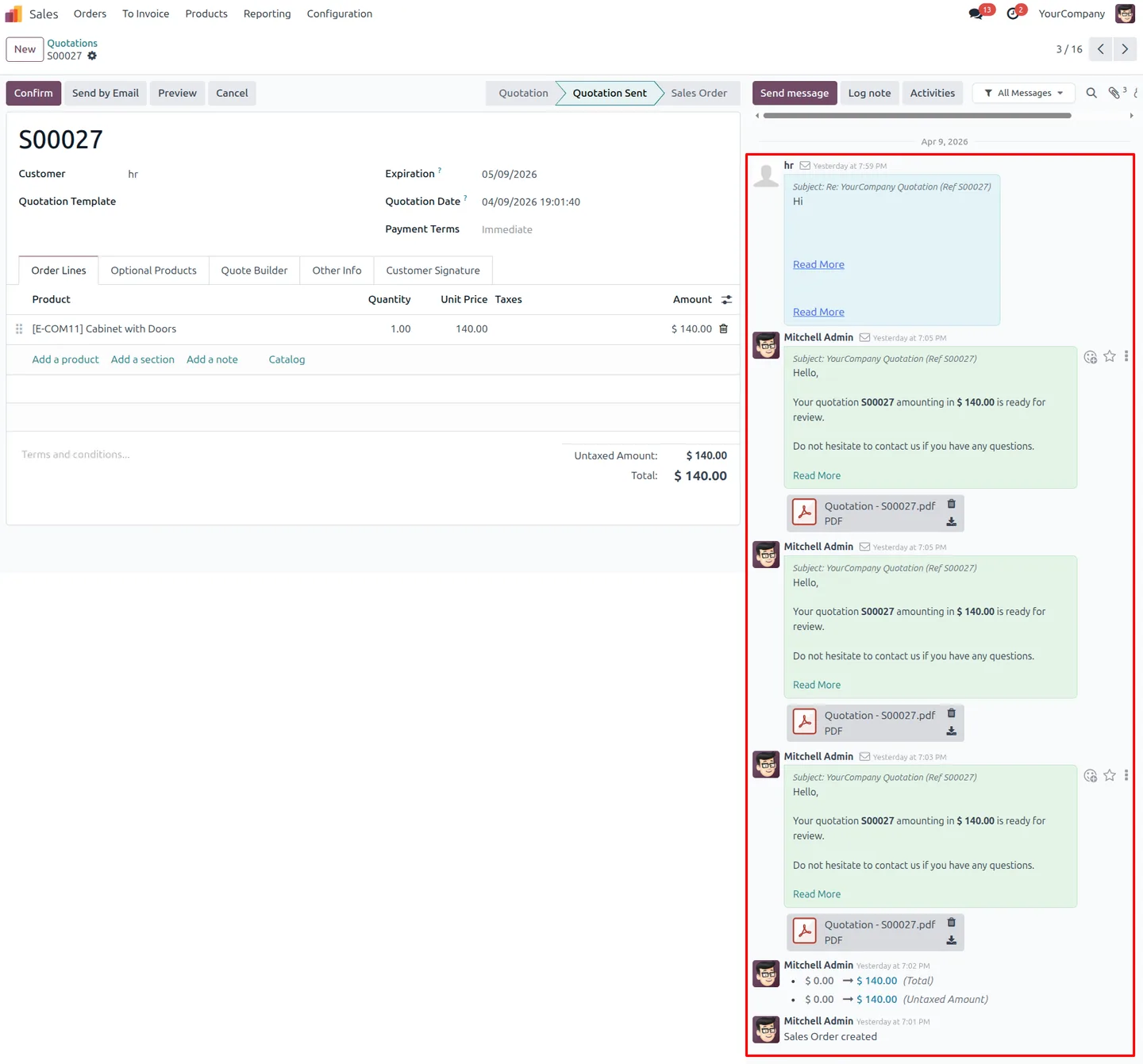
Sort and filter Odoo chatter messages by type and date — without a page reload.

Overview
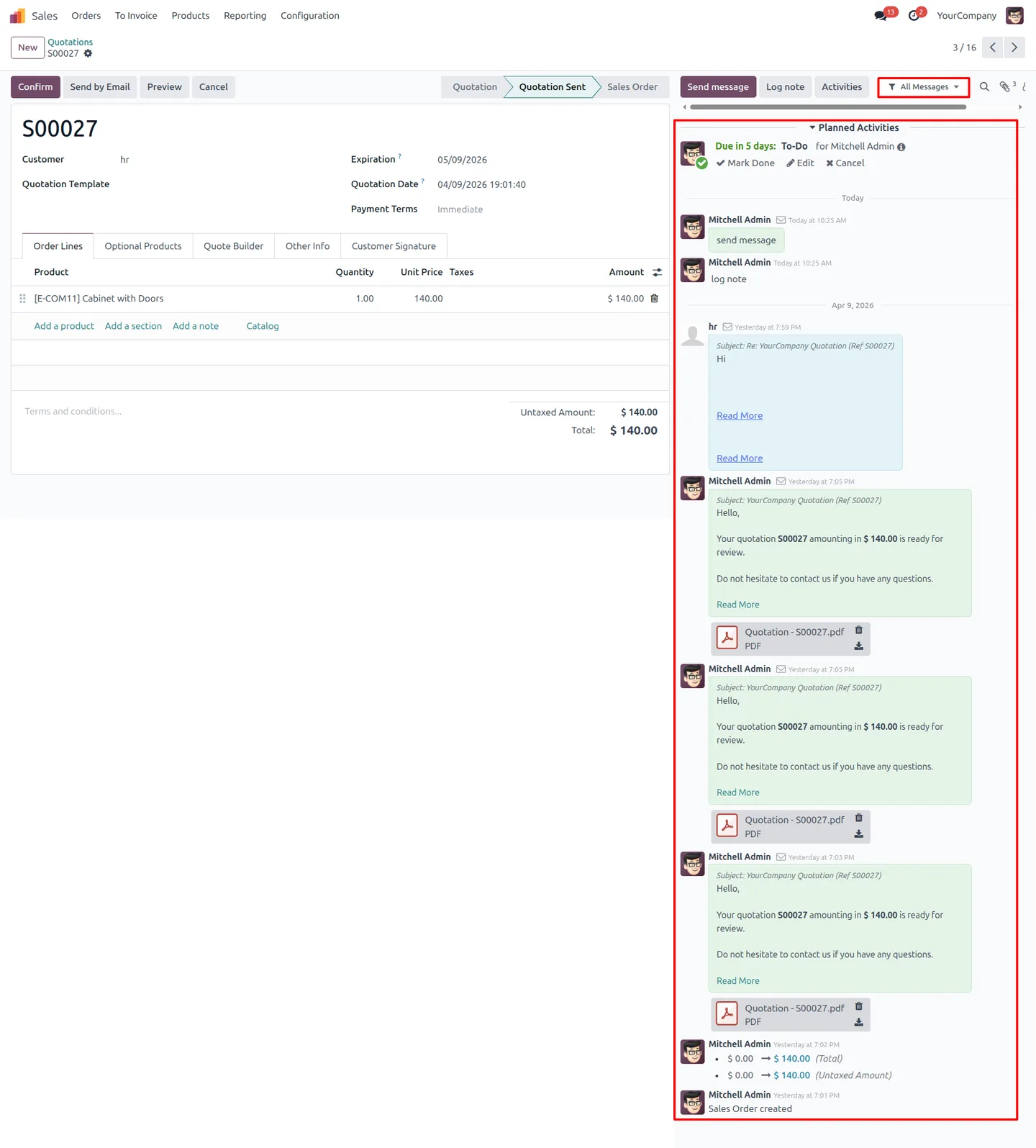
Advanced Chatter Filter cleans up the chatter — the message and activity log Odoo attaches to every record. On busy contacts, leads, or invoices the chatter fills with hundreds of mixed entries, so finding one customer email or a single internal note means scrolling through unrelated system messages.
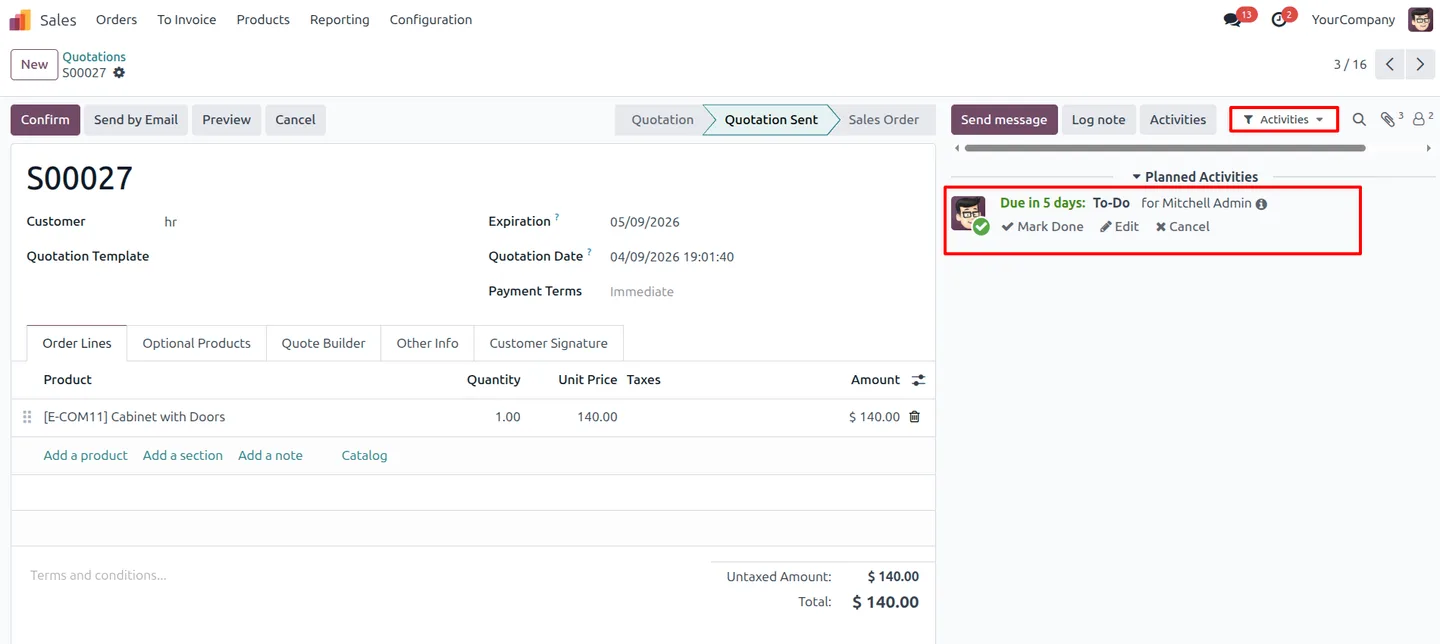
Built by TechUltra Solutions, the module adds a compact filter control to the chatter itself. Users pick a message type or a date range and the thread updates in place — no page reload and no backend request. The filter covers communications, sent and received messages, log notes, system messages, and scheduled activities.
Because the filter attaches wherever a chatter exists, it works the same on Sales orders, CRM leads, invoices, projects, and any custom model. There is nothing to configure: once installed, the filter appears across the database for every user.
Key features
-
Filter chatter by message type
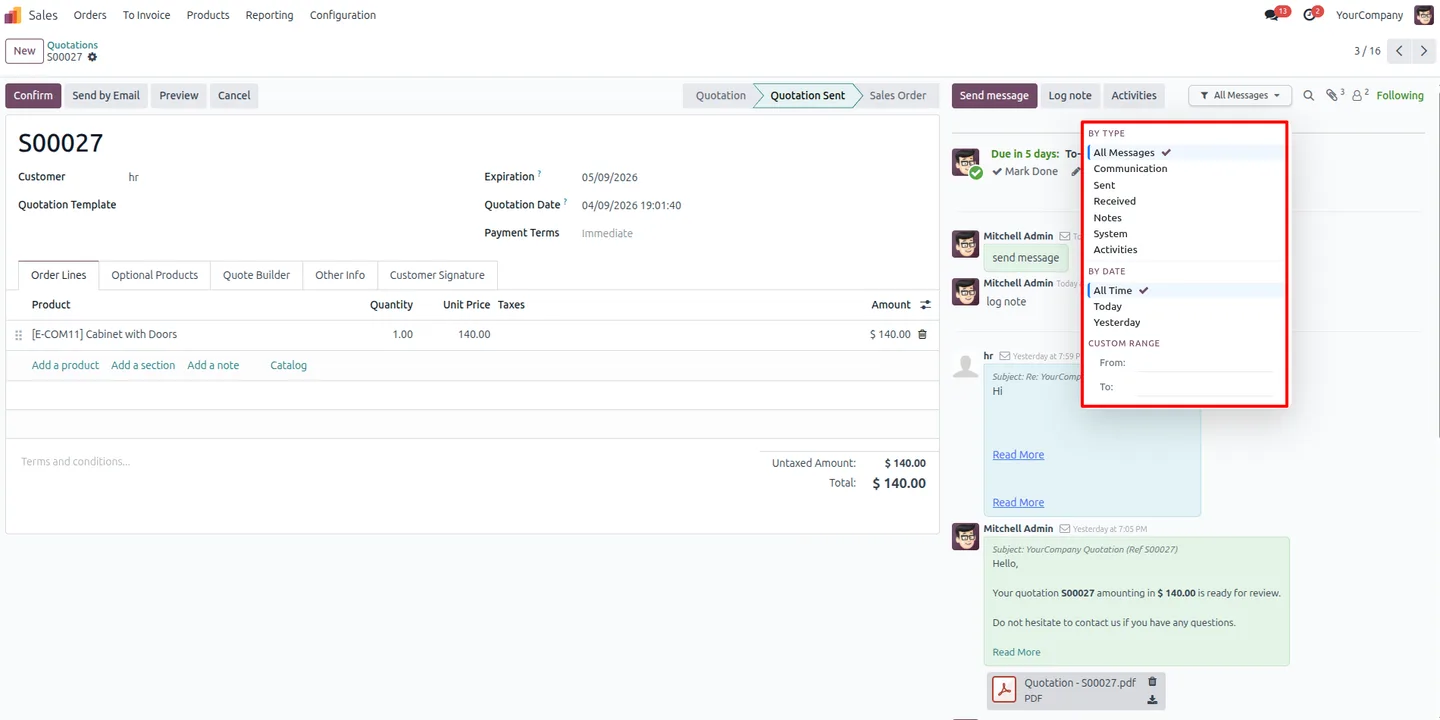
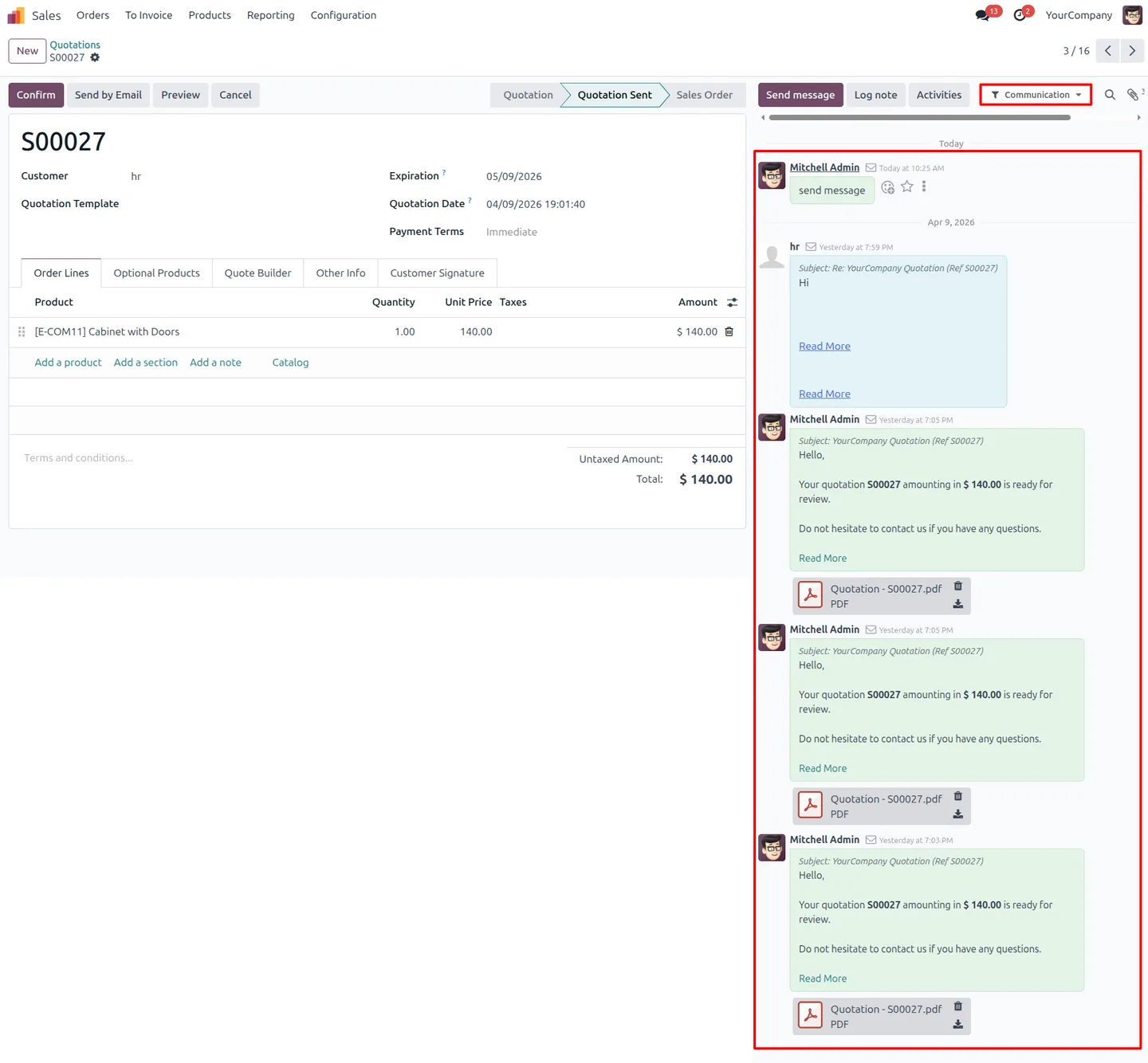
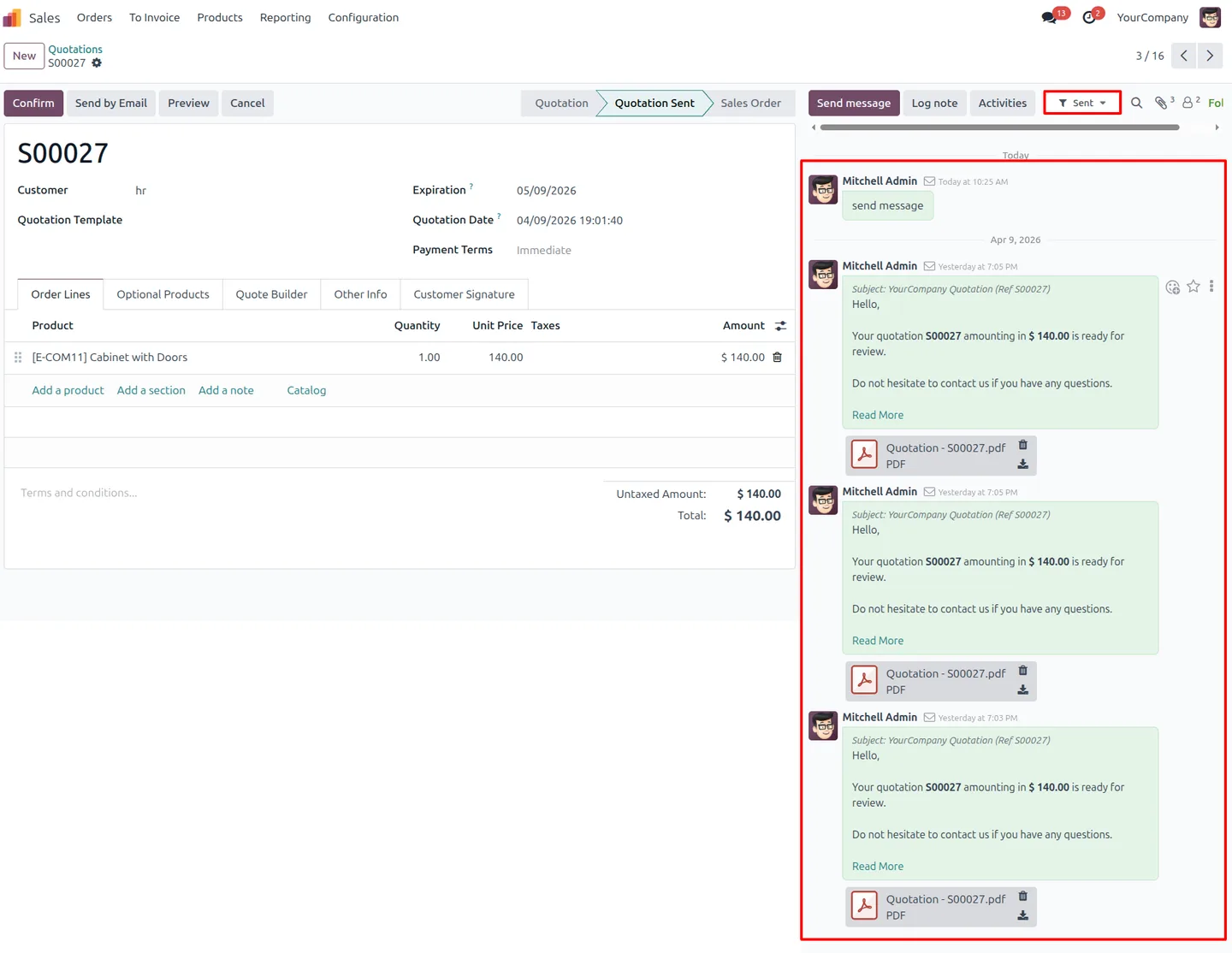
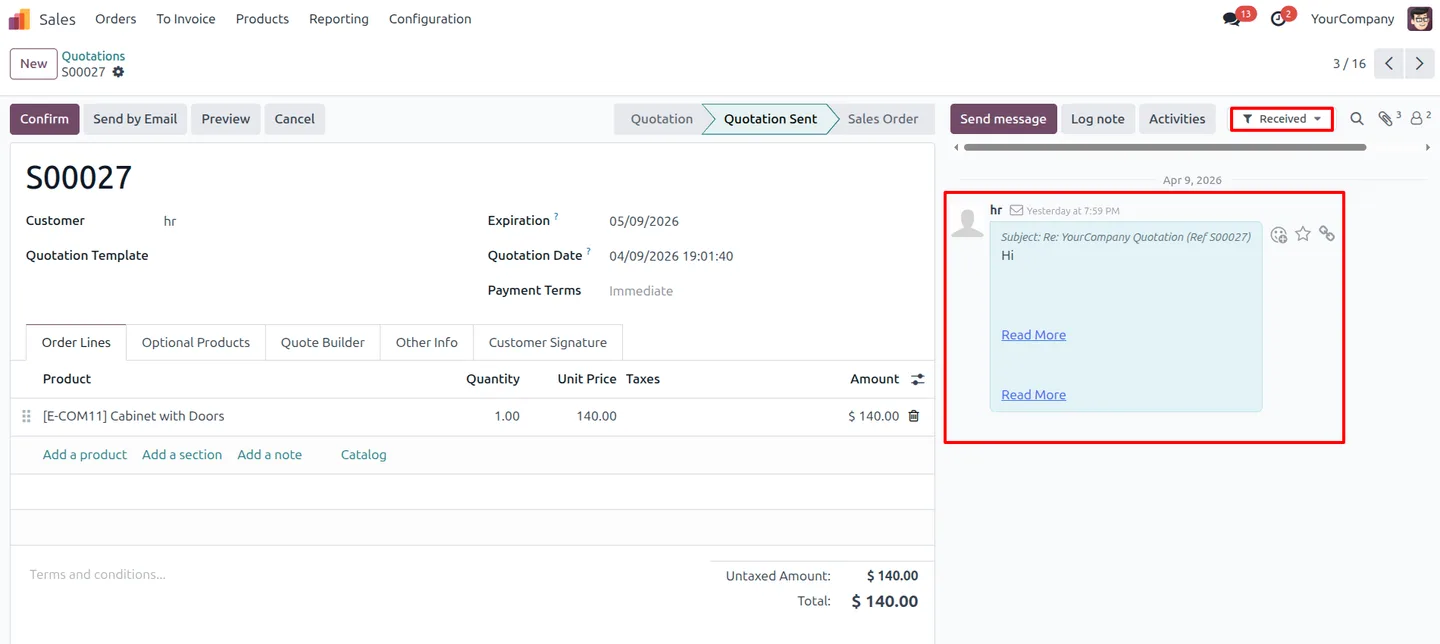
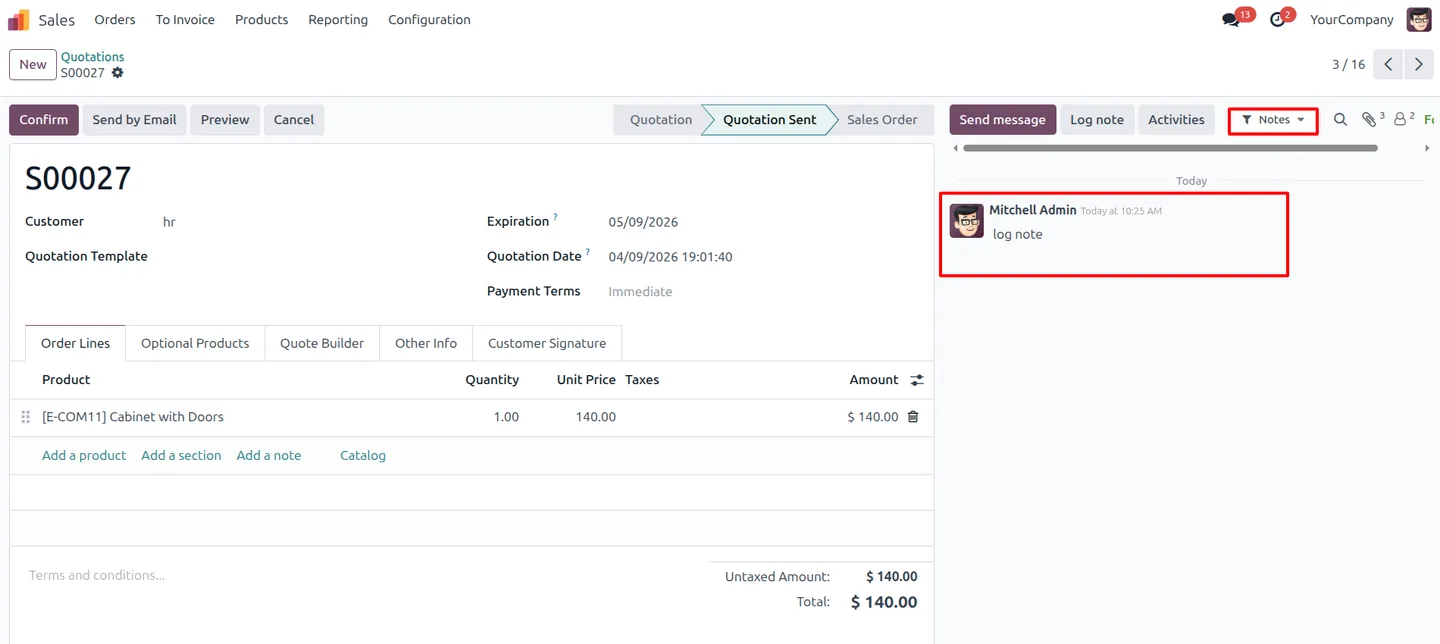
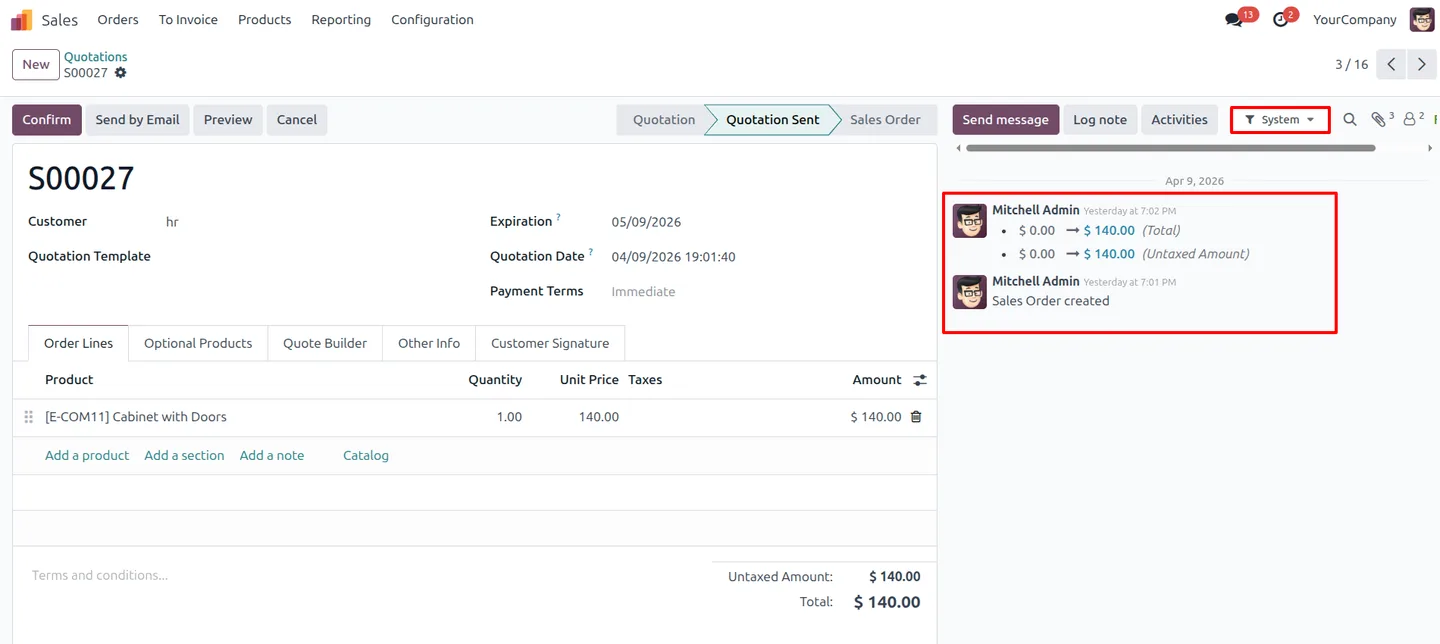
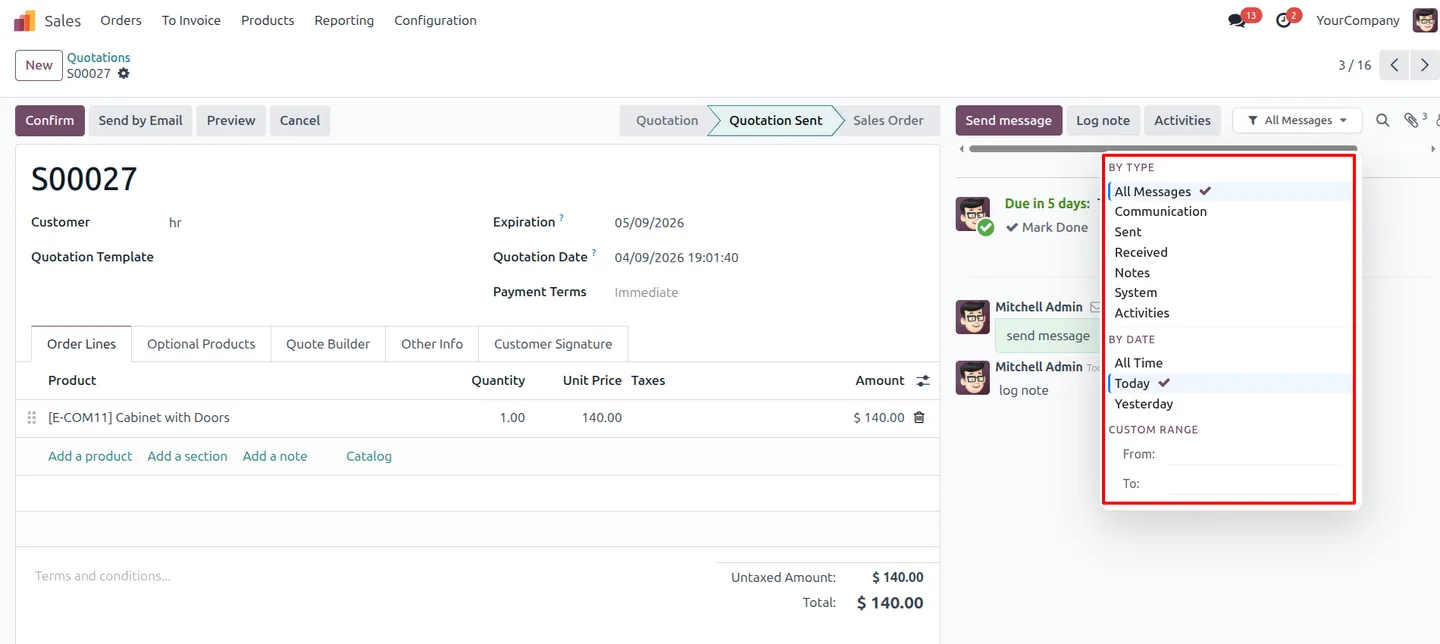
Narrow the chatter to communications, sent messages, received messages, log notes, system messages, or activities — so you see only the entries that matter for the task at hand.
-
Instant filtering, no page reload
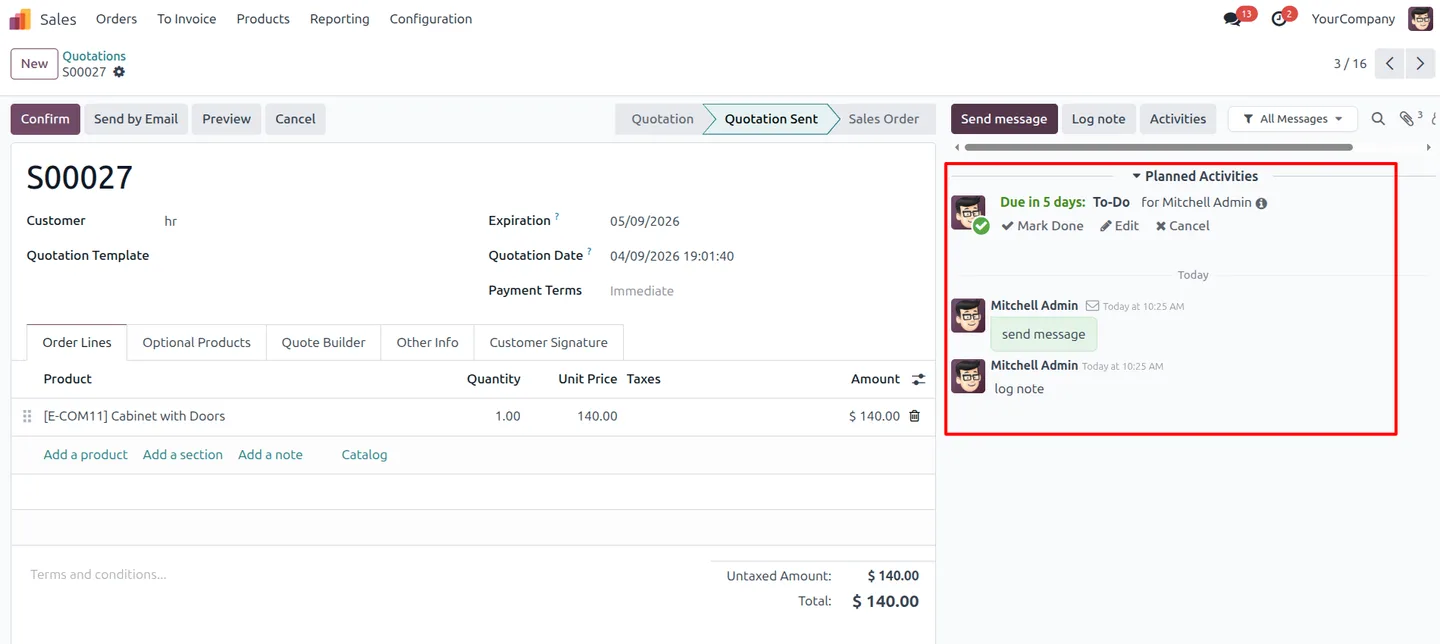
The thread updates in place the moment a filter is applied. There is no page refresh and no backend processing, so switching views stays fast even on long histories.
-
Date filters and custom ranges
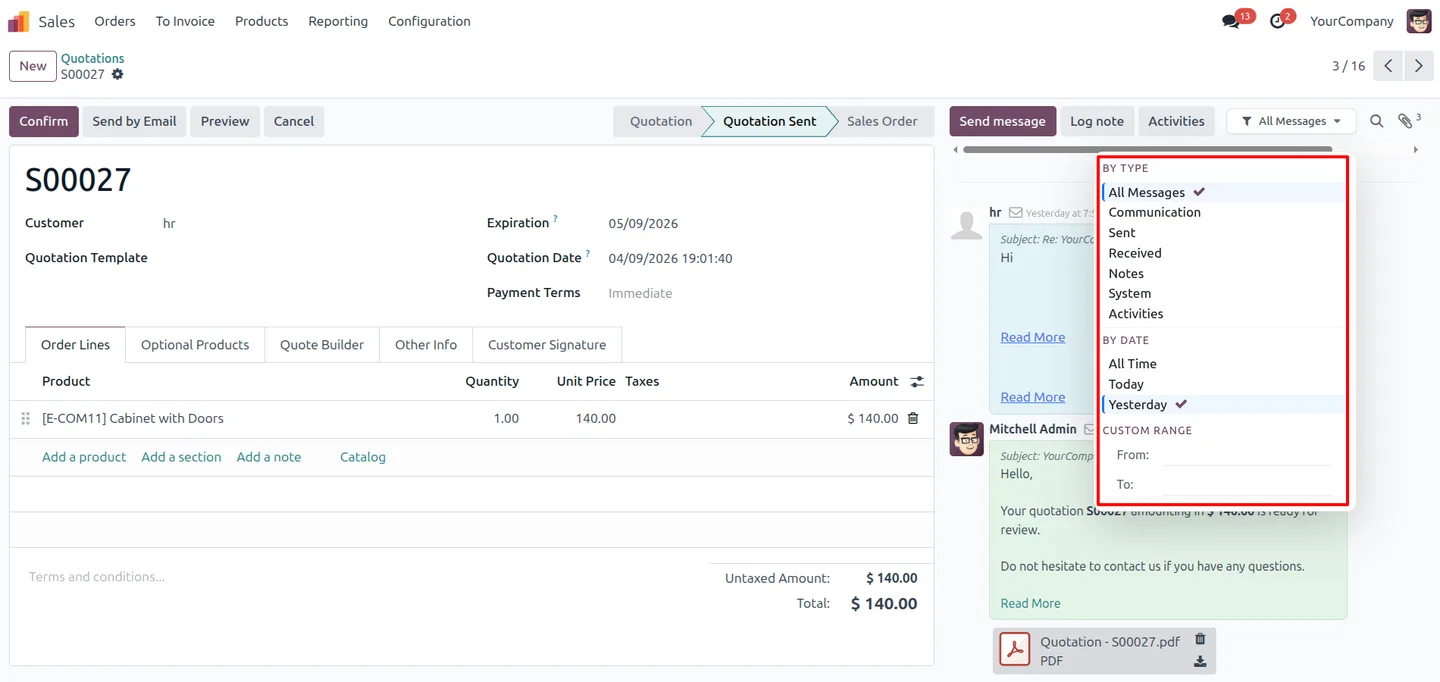
Predefined filters cover All Time, Today, and Yesterday, and a custom date range lets users pin the chatter to any specific period.
-
Works on every model with a chatter
The filter appears wherever Odoo shows a chatter — Contacts, CRM, Sales, Invoicing, Project, and any custom model — so the experience is consistent across the whole database.
-
Accurate message segmentation
Each message is classified by its real type, so a customer email and a system note never get mixed up when a filter is applied.
-
Separates customer messages from system noise
Filtering out automated system logs leaves a clean view of genuine customer communications, which speeds up review of contact and deal history.
-
Zero configuration
The module works immediately after installation. There are no settings to set up — the Chatter Filter option simply appears on every record that uses the chatter.
-
Useful across business roles
Sales teams, accountants, project managers, and support staff all get the same faster, less cluttered view of record history without any training.
Advanced Chatter Filter in Odoo
Every screen, in the order you meet it — configuration first, then the module in use.
Technical details
Specification
- Publisher
- TechUltra Solutions Private Limited
- Technical name
- tus_chatter_filter
- Odoo versions
- 16.0, 17.0, 18.0, 19.0, 20.0
- Lines of code
- 221
- License
- Odoo Proprietary License v1.0 (OPL-1)
- Price
- $19.89 (one-time)
Deployment
- Odoo Online
- Odoo.sh
- On-premise
Odoo dependencies
- Discuss
Support
90 days of bug-fix support, Monday to Friday (10:00–19:00 IST). Raise a ticket at support@techultra.in.
Setup & configuration
From install to first call — here is the path.
- 1
Install the module
In Odoo, open Apps, remove the Apps filter, search for “Advanced Chatter Filter”, and click Install.
- 2
Open any record with a chatter
Go to a contact, lead, invoice, or any record that shows a chatter. The Chatter Filter control appears automatically — there is nothing to configure.
- 3
Filter by message type
Use the filter control to switch between communications, sent and received messages, log notes, system messages, and activities. The thread updates instantly.
- 4
Filter by date
Choose All Time, Today, or Yesterday, or set a custom date range to pin the chatter to a specific period.
Frequently asked questions
-
What message types can I filter the chatter by?
You can filter by communications, sent messages, received messages, log notes, system messages, and scheduled activities, so the chatter shows only the entry type you need.
-
Does applying a filter reload the page?
No. Filtering happens in place with no page reload and no backend request, so the chatter updates instantly even on records with long message histories.
-
Can I filter chatter messages by date?
Yes. The module includes All Time, Today, and Yesterday filters, plus a custom date range so you can pin the chatter to any specific period.
-
Which Odoo models does the filter work on?
The filter appears on every model that uses the chatter — Contacts, CRM, Sales, Invoicing, Project, and any custom model — so it works consistently across the whole database.
-
Does the module need any configuration?
No. It works immediately after installation. Once installed, the Chatter Filter option appears on every record with a chatter, with no settings to set up.
-
Which Odoo versions are supported?
The module supports Odoo 16.0, 17.0, 18.0, 19.0, and 20.0, in both the Community and Enterprise editions.
-
Is support included?
Yes. The module includes 90 days of bug-fix support, Monday to Friday, 10:00–19:00 IST.
Listing verified against the Odoo App Store:
Related services
Get the most out of this module with senior TechUltra consultants.
Odoo Customization Services
Odoo customization from a Gold Partner: custom modules, workflows, reports and Studio changes, written upgrade-safe and quoted at a fixed scope. Free scoping call.
Hire Odoo Developers
Hire certified Odoo developers from a Gold Partner: one developer or a team, full-time or part-time, 70–160 hours a month. Silver, Gold or Platinum plan, free trial.
Odoo Support Services & Maintenance
Odoo support services from a Gold Partner: functional and technical support plus server cover for Enterprise and Community, 30-minute P1 response, 24/7 option.







