
Odoo App · Security & Access
Advanced Access Control
Restrict menus, buttons, tabs, export, import, print, and duplicate per user or group.

Overview
Advanced Access Control extends Odoo's permission system beyond data access rights. It governs what users can see and do in the interface — which menus, buttons, and tabs appear, and whether actions like export, import, print, and duplicate are available.
Built by TechUltra Solutions, the module uses a policy-driven engine. Administrators define reusable access policies and apply them to any model, targeting individual users or whole groups. A centralised configuration keeps every rule in one place rather than scattered across the system.
Restrictions are enforced at three layers — backend logic, the frontend UI, and HTTP routes — so a hidden control cannot simply be reached another way. This multi-layer enforcement helps protect sensitive data and supports compliance requirements without complex setup.
Key features
-
Policy-driven access management
Create dynamic access policies and apply restrictions to any Odoo model, controlling data access and interface behaviour from one engine.
-
Hide menus, buttons, and tabs
Hide specific buttons in forms, disable or remove notebook tabs, and control which menus a user can see, tailoring the interface to each role.
-
Block export and import
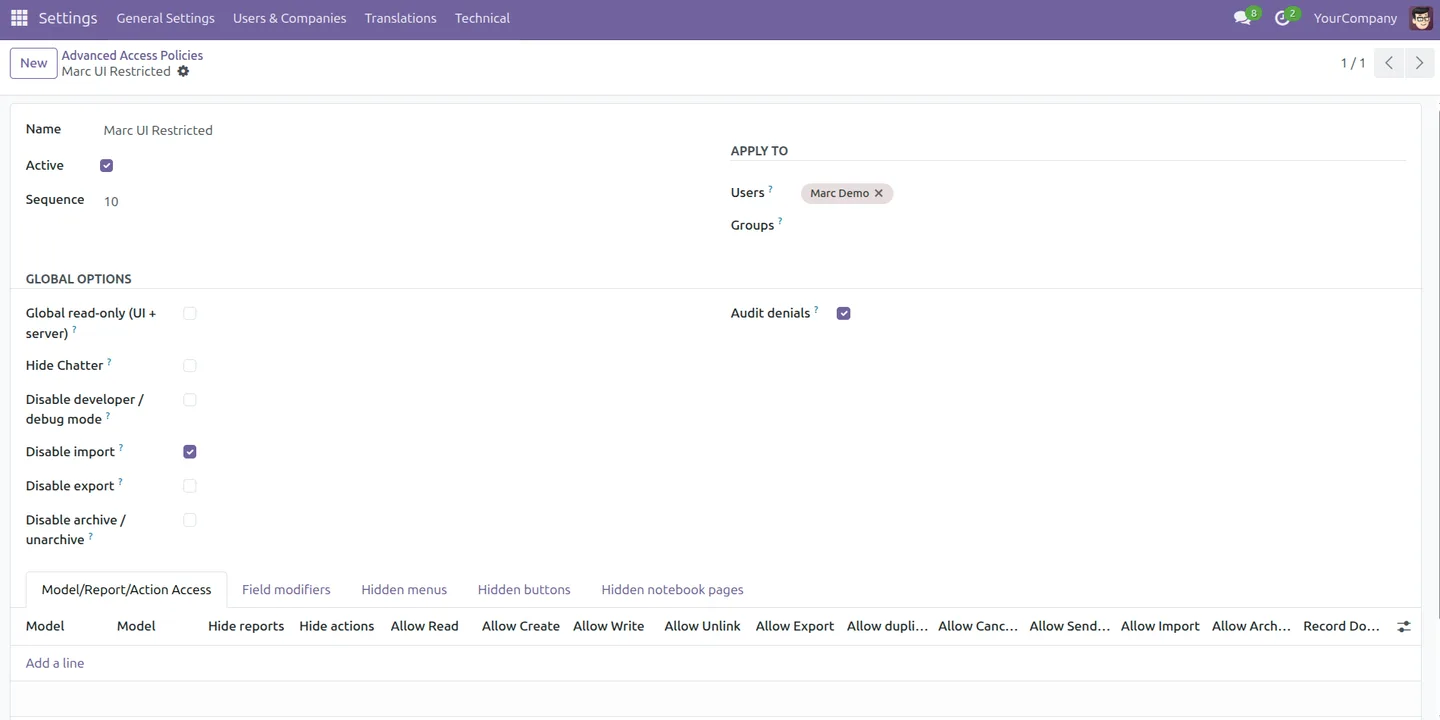
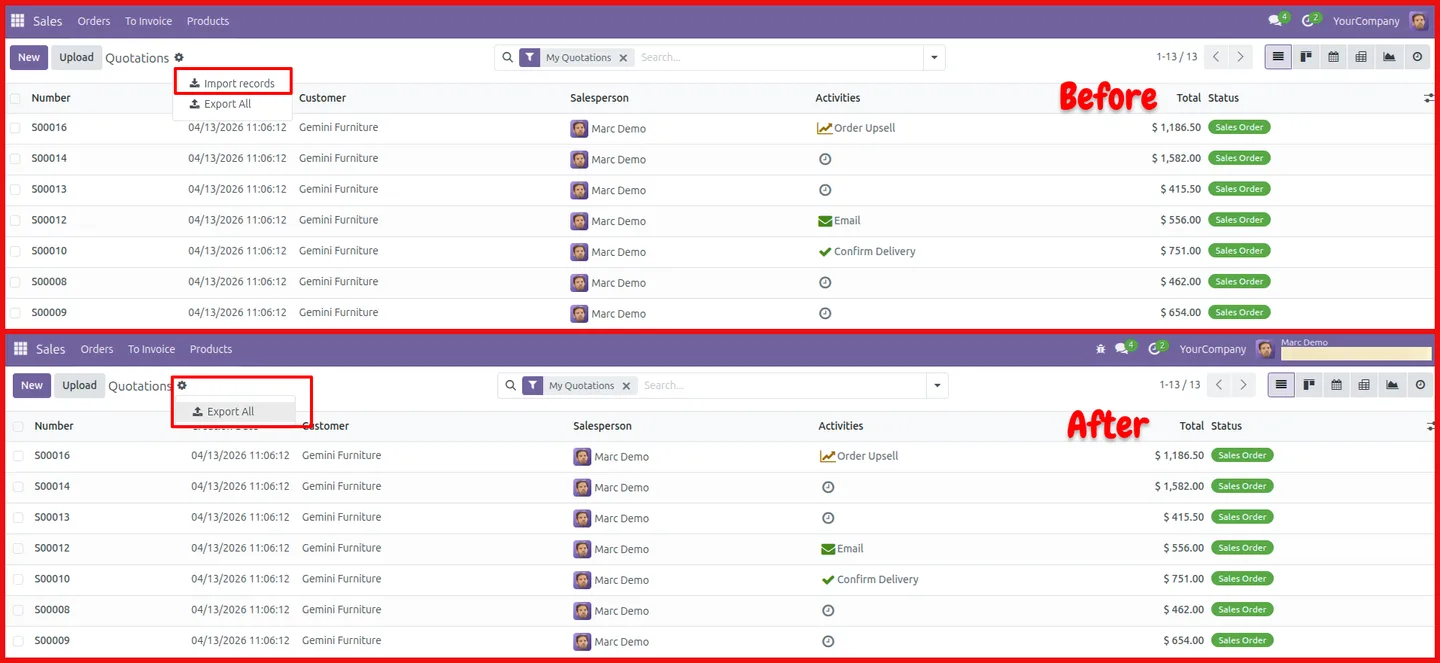
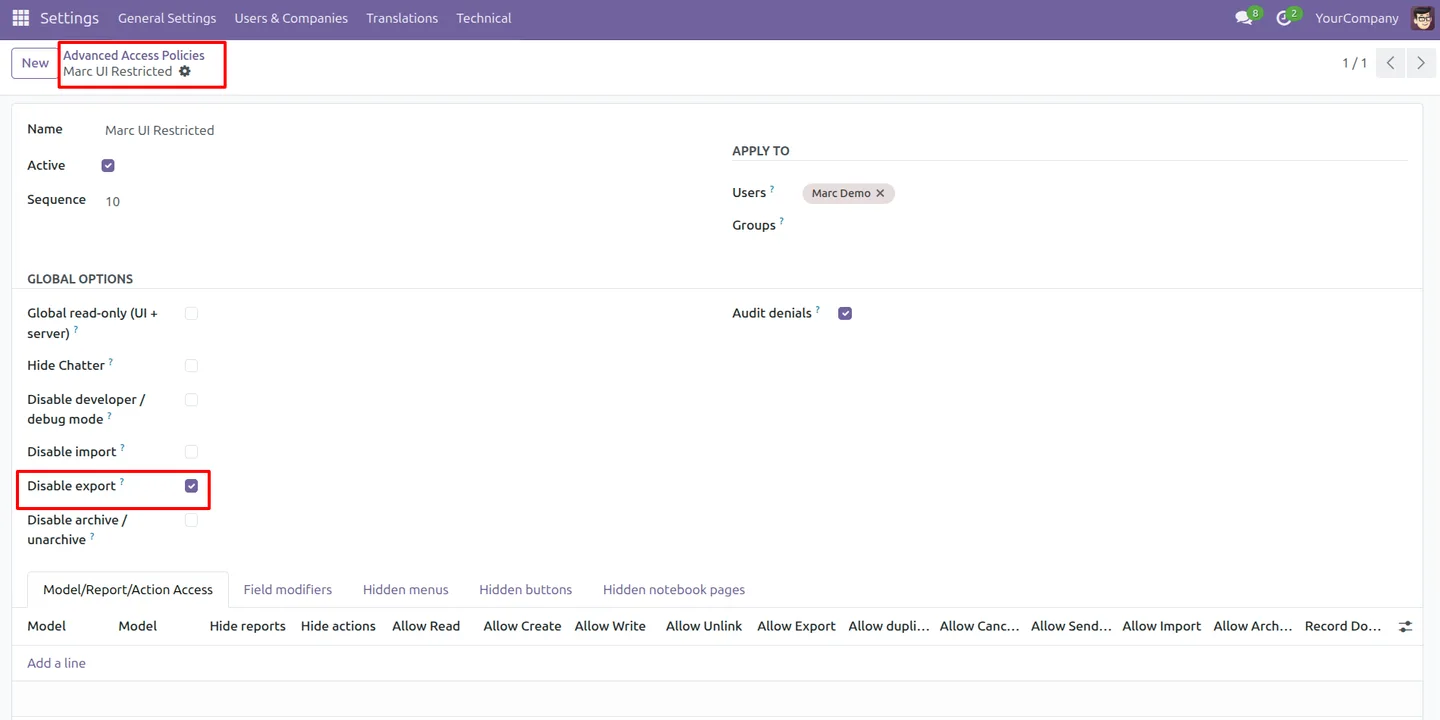
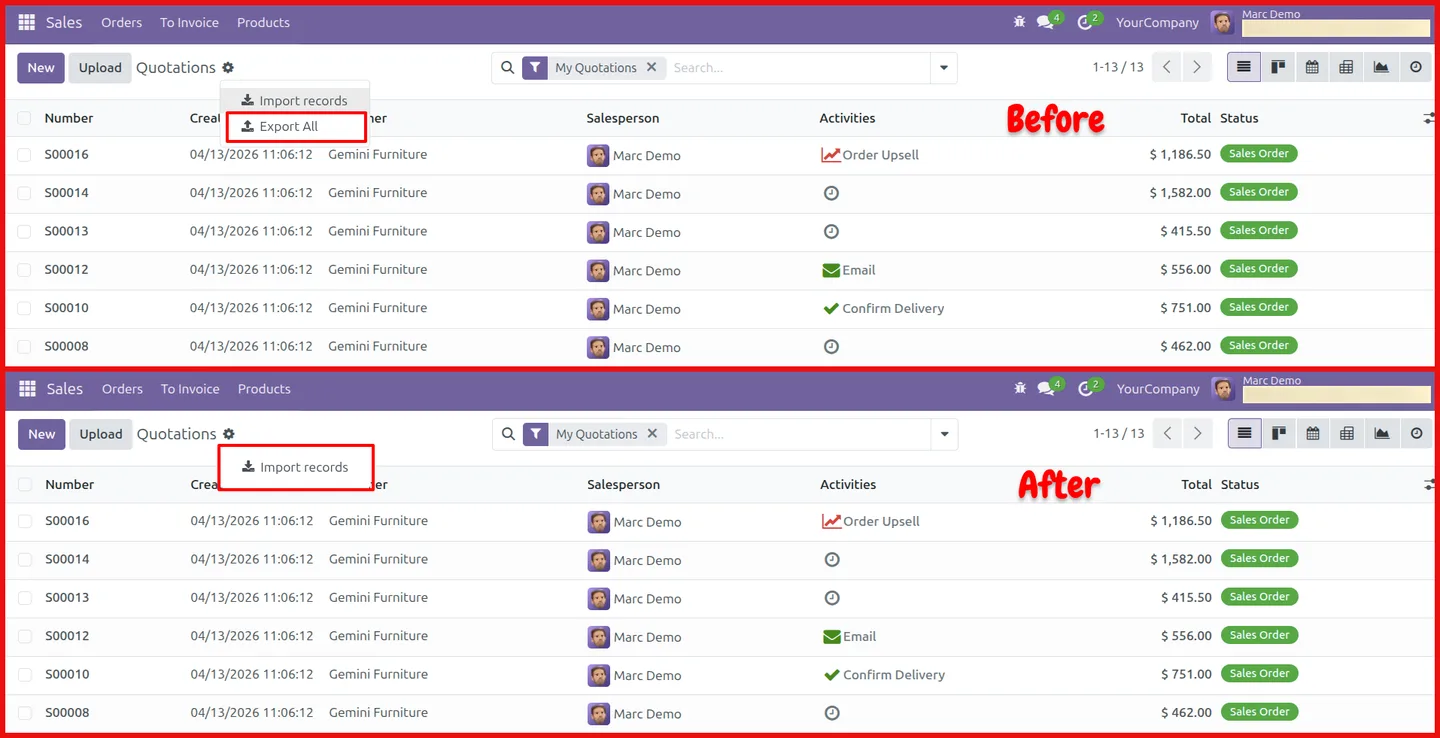
Disable the Export action to prevent unauthorised data extraction, and disable the Import option to control how records enter the system.
-
Restrict print and duplicate
Restrict Print actions and prevent record duplication, so users cannot copy or print data outside of approved workflows.
-
Per-user and per-group rules
Apply policies to individual users, not only to groups, giving precise control where one person needs different access from their team.
-
Multi-layer enforcement
Restrictions hold across backend logic, the frontend UI, and HTTP routes, so a hidden or blocked action cannot be reached by another path.
-
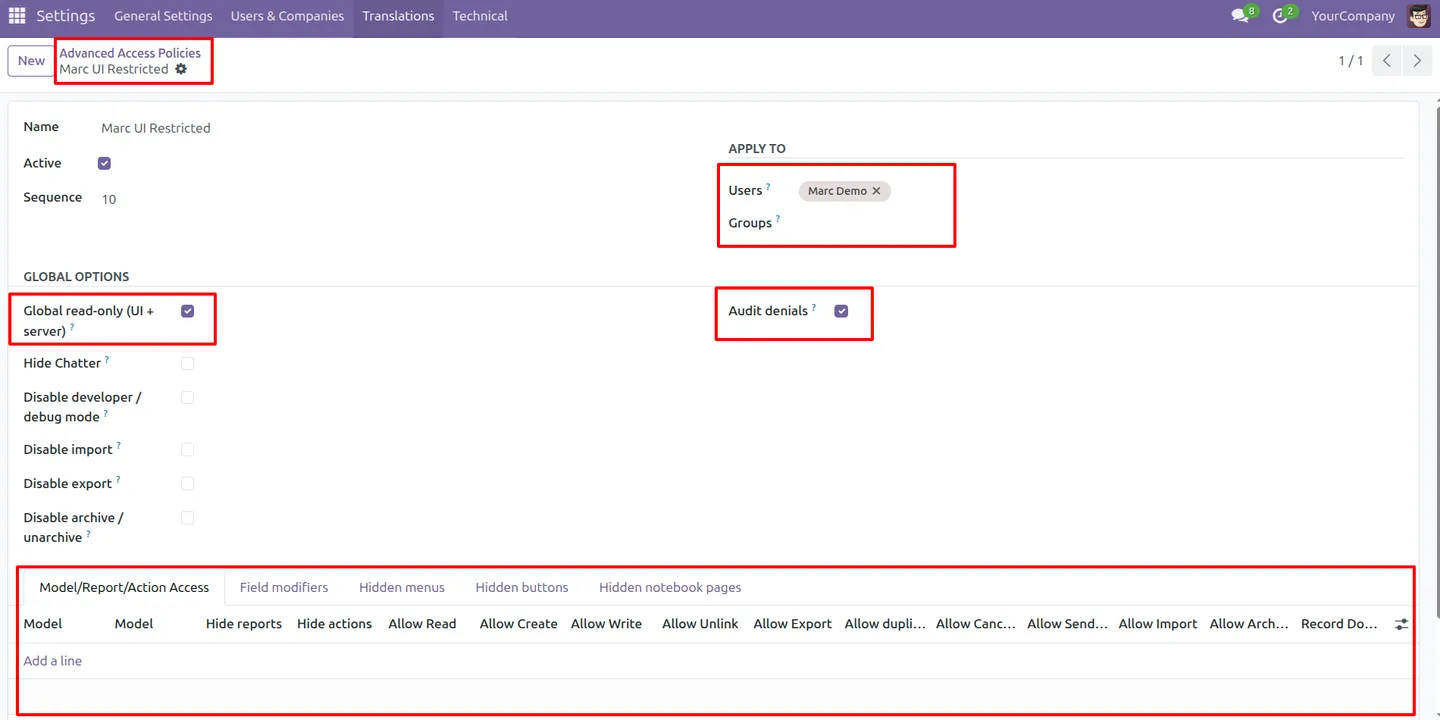
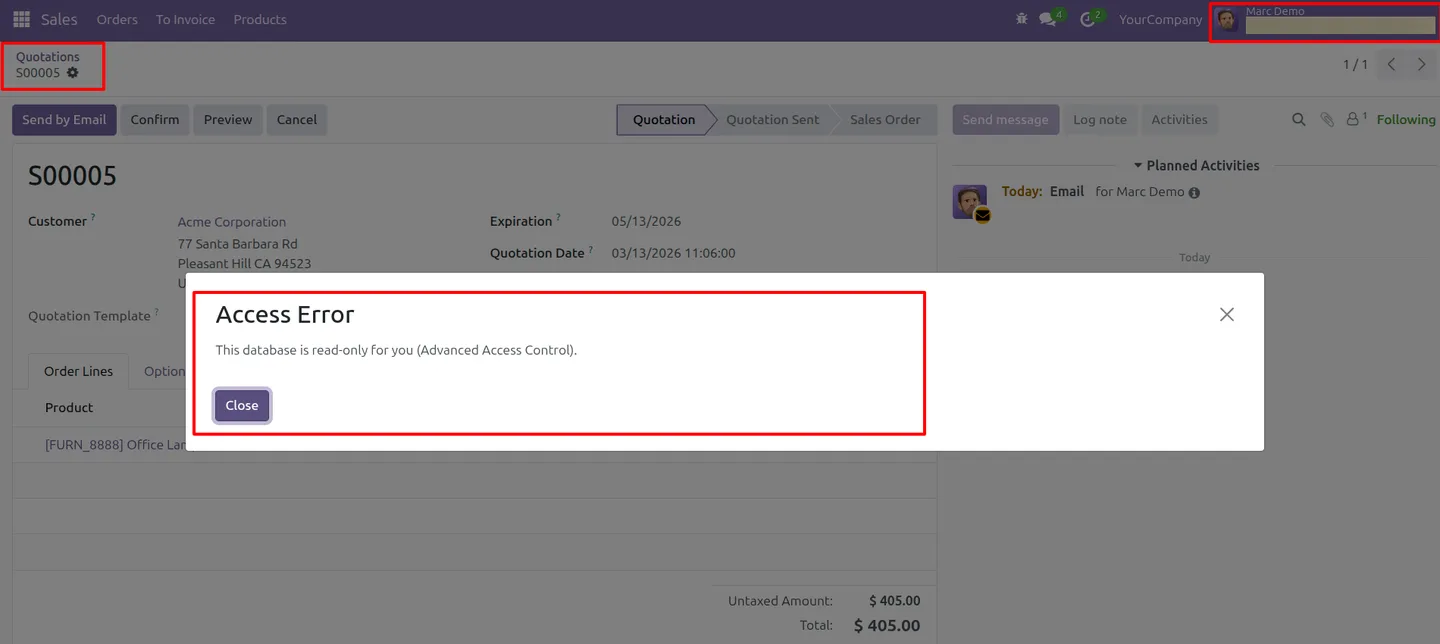
Global read-only mode
A global read-only setting locks a user out of editing across the system when their role should only review, not change, data.
-
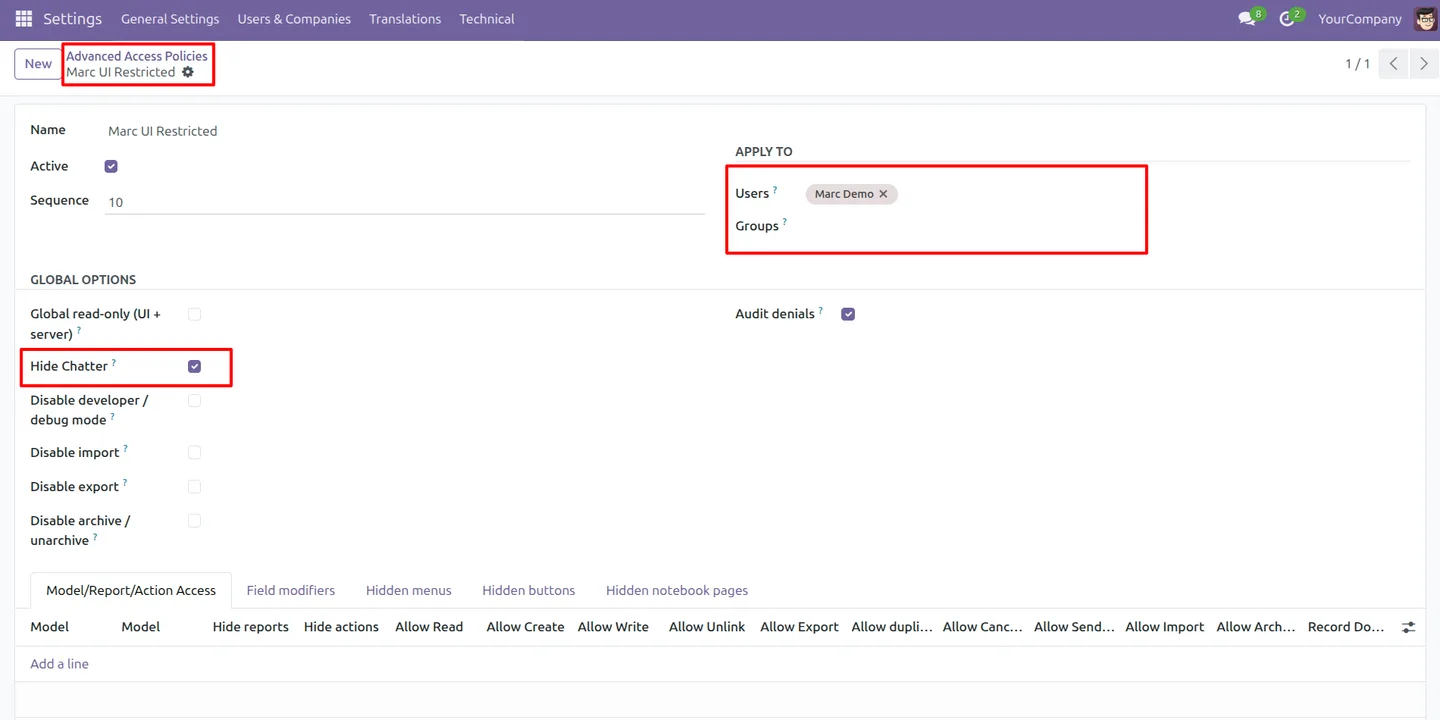
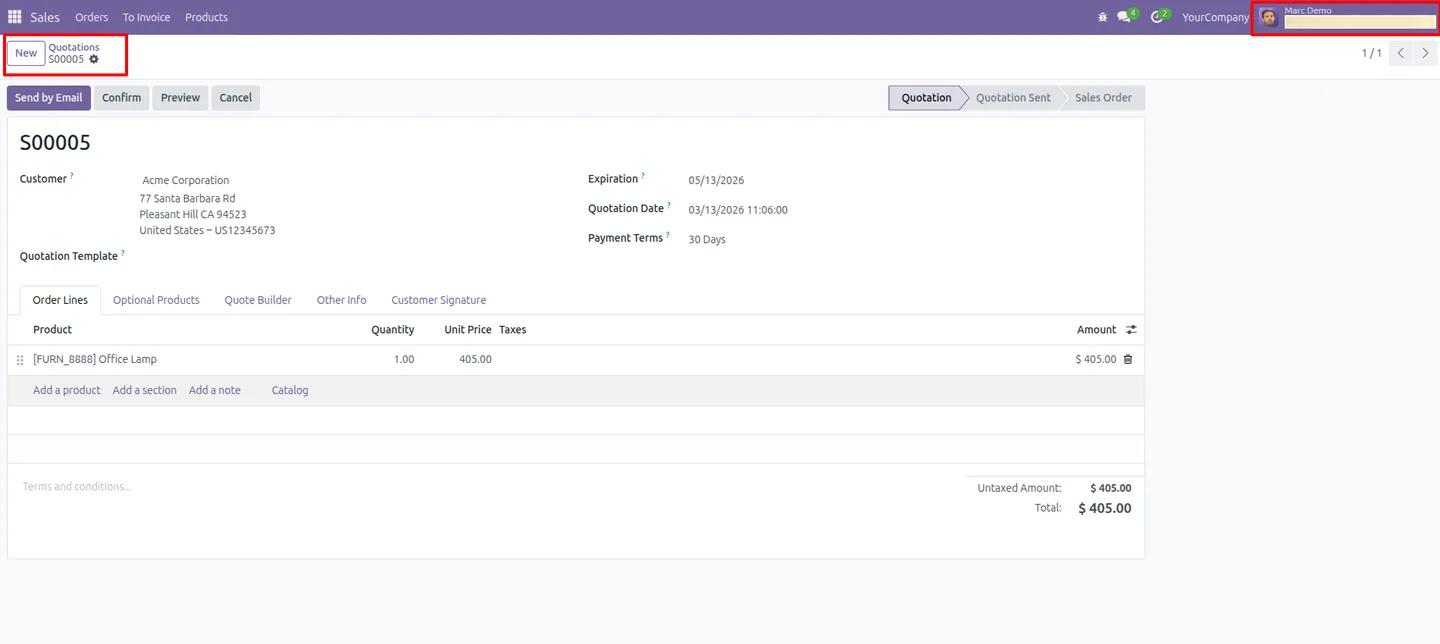
Hide chatter and debug mode
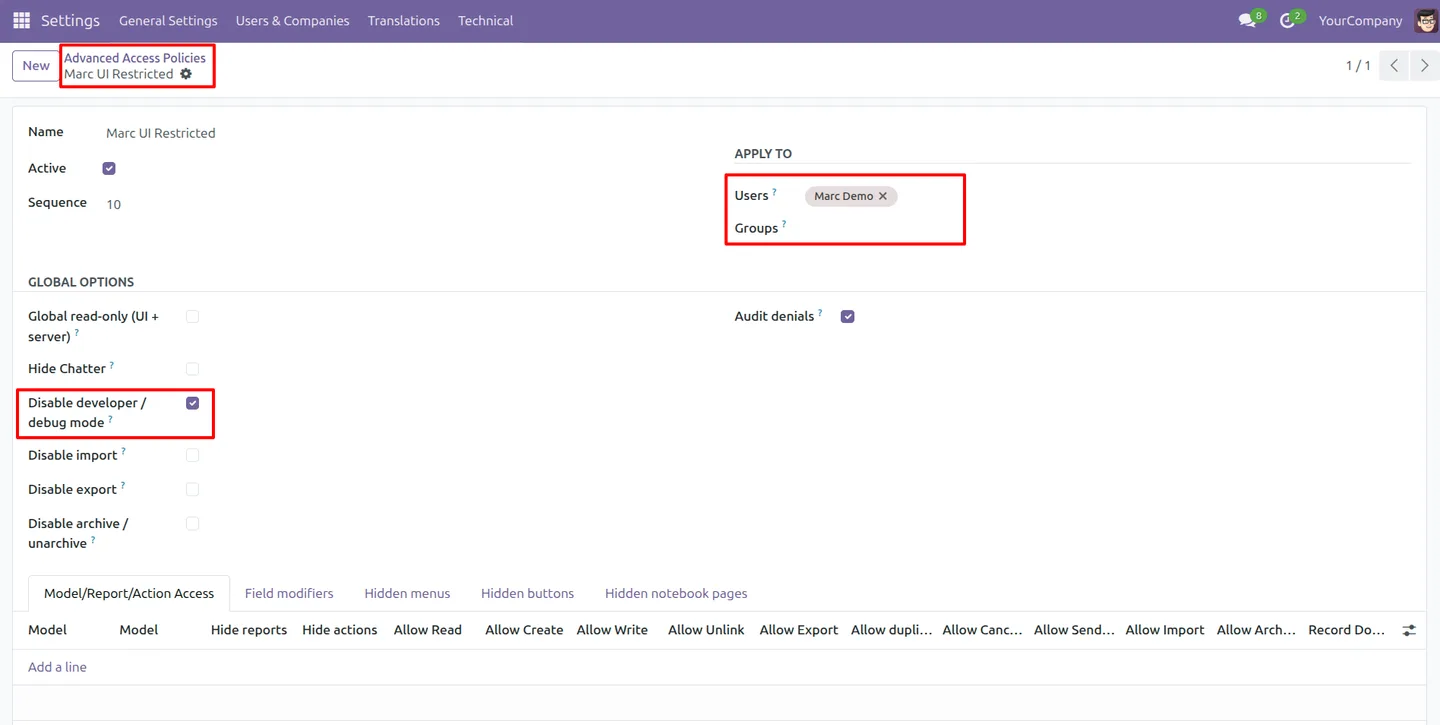
Hide the chatter on records and disable developer or debug mode for chosen users, reducing clutter and limiting technical access.
-
Archive and unarchive controls
Restrict archive and unarchive actions so users cannot remove records from active views without the right permission.
-
Centralised, reusable policies
A single configuration area holds every policy, and policies can be reused across models with real-time enforcement when they change.
Advanced Access Control in Odoo
Every screen, in the order you meet it — configuration first, then the module in use.
Technical details
Specification
- Publisher
- TechUltra Solutions Private Limited
- Technical name
- advanced_access_control
- Odoo versions
- 16.0, 17.0, 18.0, 19.0, 20.0
- Lines of code
- 1,915
- License
- Odoo Proprietary License v1.0 (OPL-1)
- Price
- $45 (one-time)
Deployment
- Odoo Online
- Odoo.sh
- On-premise
Odoo dependencies
- Discuss
Support
90 days of bug-fix support, Monday to Friday (10:00–19:00 IST). Raise a ticket at support@techultra.in.
Setup & configuration
From install to first call — here is the path.
- 1
Install the module
In Odoo, open Apps, remove the Apps filter, search for “Advanced Access Control”, and click Install.
- 2
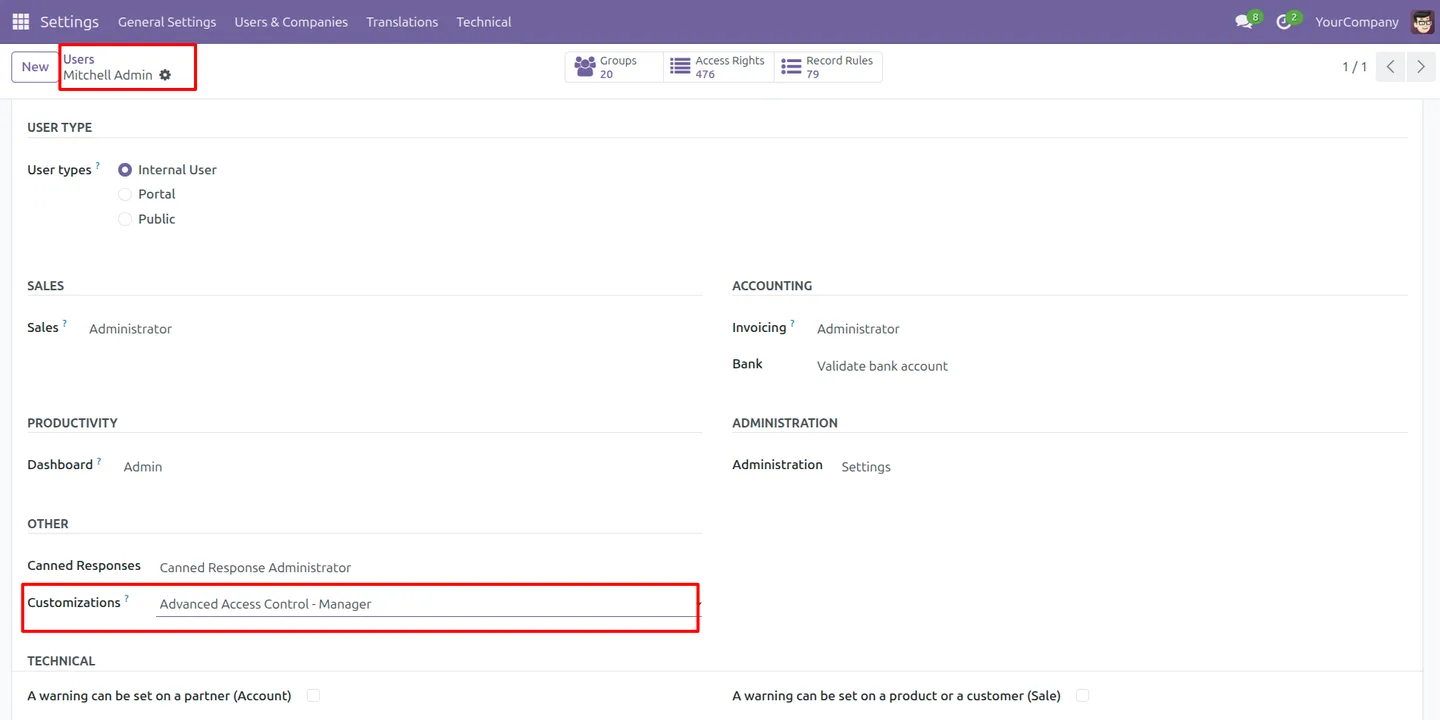
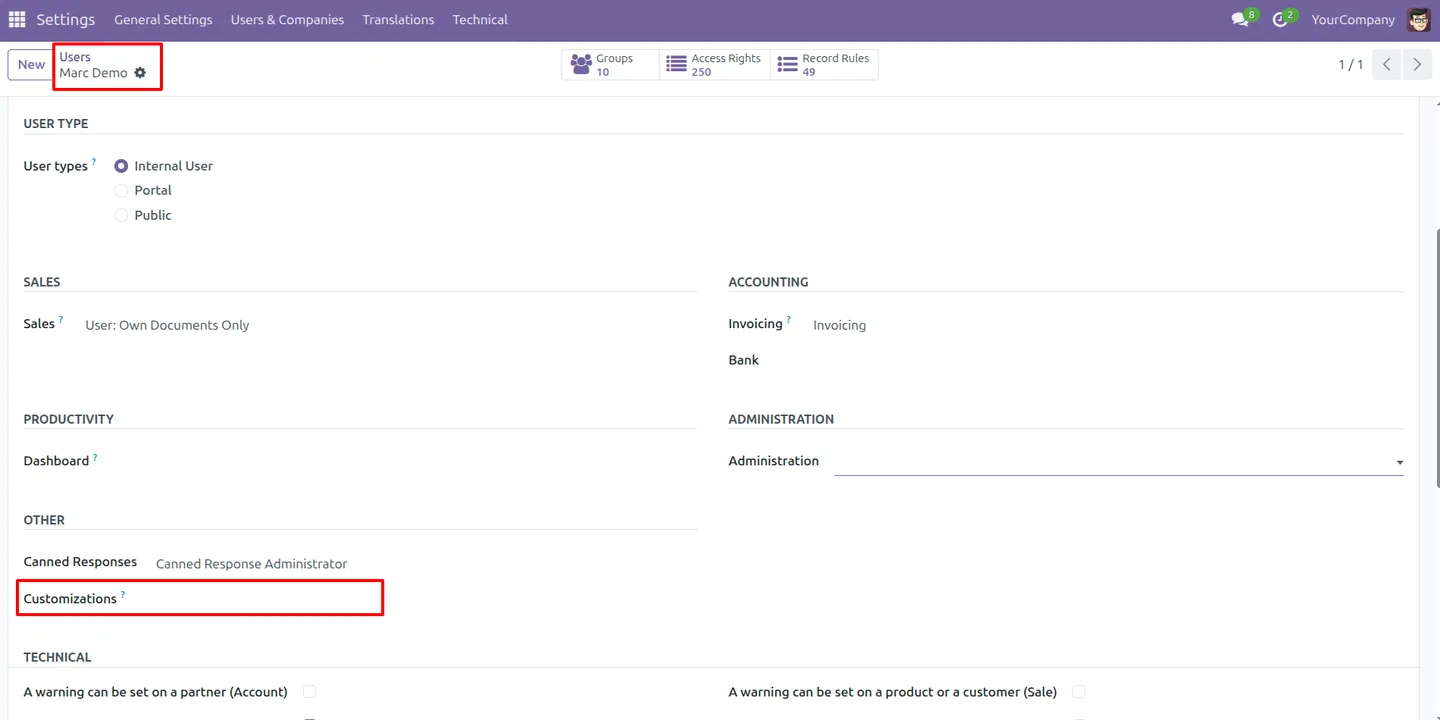
Assign manager access
Go to Settings → Users & Companies → Users and give the right people the Advanced Access Control - Manager role so they can create policies.
- 3
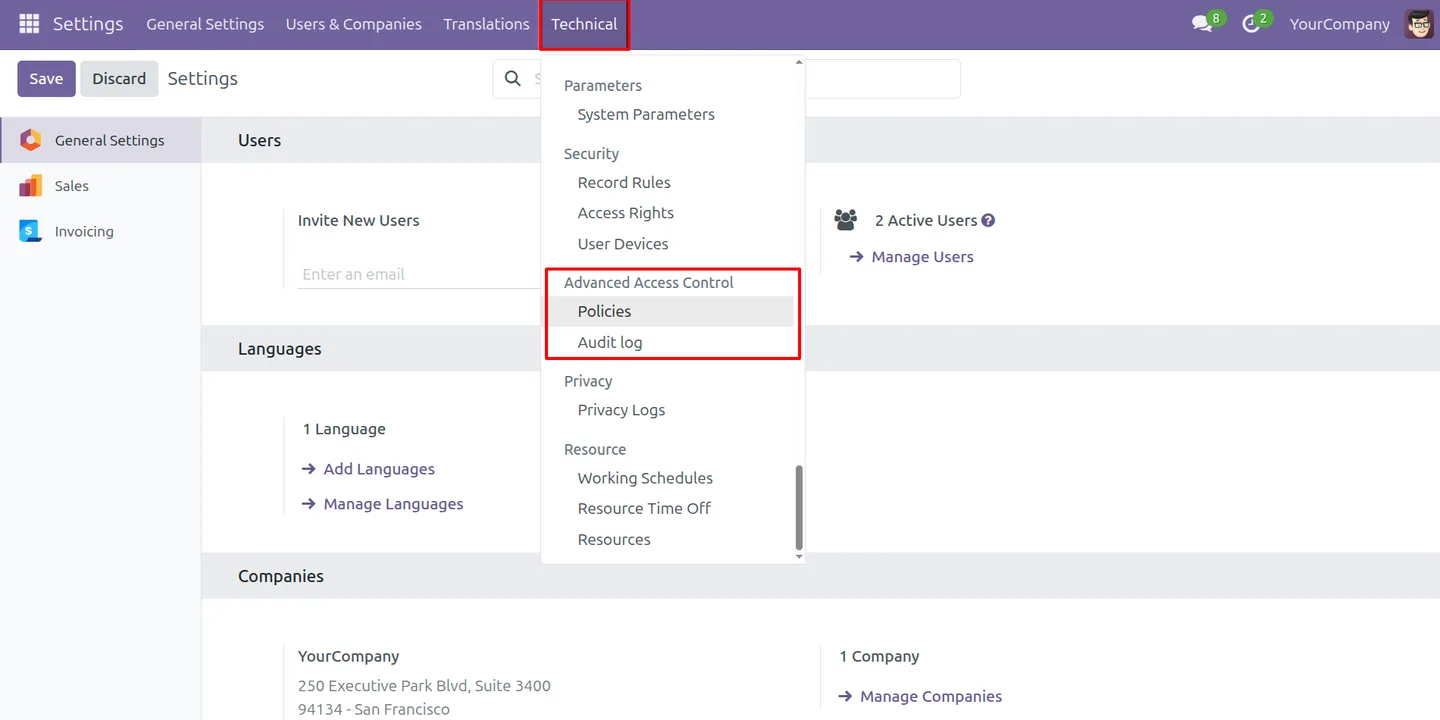
Open the access control menu
Navigate to Settings → Technical → Advanced Access Control to reach the Policies and Audit Log sections.
- 4
Create an access policy
Add a policy and set its rules — global read-only, hide chatter, disable debug mode, block import or export, and archive or unarchive limits.
- 5
Configure model-specific restrictions
For chosen models, hide menus, buttons, and notebook tabs, and restrict print, report visibility, and duplicate actions.
- 6
Assign the policy and test
Apply the policy to the target users or groups, then log in as one of them to confirm the restrictions behave as expected.
Frequently asked questions
-
How is this different from Odoo's standard access rights?
Standard access rights control data access. Advanced Access Control adds control over interface behaviour and actions — hiding menus, buttons, and tabs, and blocking export, import, print, and duplicate.
-
Can I restrict a single user instead of a group?
Yes. Policies apply to individual users, not only to groups, so you can give one person different access from the rest of their team.
-
Can users bypass a hidden button or menu?
Restrictions are enforced across backend logic, the frontend UI, and HTTP routes. A hidden or blocked action cannot simply be reached through another path.
-
Can I stop users from exporting data?
Yes. You can disable the Export action to prevent unauthorised data extraction, and disable Import to control how records enter Odoo.
-
What is global read-only mode?
Global read-only mode locks a user out of editing across the system. It suits roles that should review data but never change it.
-
Which Odoo versions are supported?
Advanced Access Control supports Odoo 16.0, 17.0, 18.0, 19.0, and 20.0. It depends on the Discuss module.
-
Are policies reusable across models?
Yes. Policies are defined in one centralised configuration and can be reused across models, with real-time enforcement when a policy changes.
-
Is support included with the purchase?
Yes. The module includes 90 days of bug-fix support, Monday to Friday, 10:00–19:00 IST. Raise a ticket at support@techultra.in.
Listing verified against the Odoo App Store:
Related services
Get the most out of this module with senior TechUltra consultants.
Odoo Customization Services
Odoo customization from a Gold Partner: custom modules, workflows, reports and Studio changes, written upgrade-safe and quoted at a fixed scope. Free scoping call.
Hire Odoo Developers
Hire certified Odoo developers from a Gold Partner: one developer or a team, full-time or part-time, 70–160 hours a month. Silver, Gold or Platinum plan, free trial.
Odoo Support Services & Maintenance
Odoo support services from a Gold Partner: functional and technical support plus server cover for Enterprise and Community, 30-minute P1 response, 24/7 option.







