Upgrading to Odoo 20: what changes, what breaks and how long it takes
Odoo 20 reaches general availability in mid-October 2026. What an upgrade from 16, 17, 18 or 19 involves, which parts of your build are at risk, and how long it runs.
Odoo 20 was presented at Odoo Experience on 24 September 2026 and reaches general availability in mid-October. Our Odoo 20 pricing article covers what the release adds and what it costs. This one covers the other question every existing customer asks: what does it take to get there from the version we run today?
The short answer: standard Odoo moves cleanly. What needs work is everything you built on top of it.
Do you need to upgrade now?
Odoo fixes bugs and security issues only in its three most recent major versions. With 20 released, that window is 18, 19 and 20. Odoo 17 and older now sit outside it.
Odoo does offer support beyond that window. Its documentation on standard and extended support describes extended support as carrying a mandatory additional fee, without publishing the amount. Staying on an old version is a cost decision as much as a technical one.
So, by version:
- On 16 or 17: plan the move. You are outside standard support, and every year you wait adds another version to cross.
- On 18 or 19: you have time. If nothing in Odoo 20 is decisive for you, waiting for the first update release is a reasonable choice.
- On 15 or older: expect a larger project. The data has more releases of change to pass through, and the custom code is further from current Odoo.
What changes underneath
Most of Odoo 20 is additive: new applications, agentic AI and accounting work. One change is not, and it belongs in every upgrade estimate.
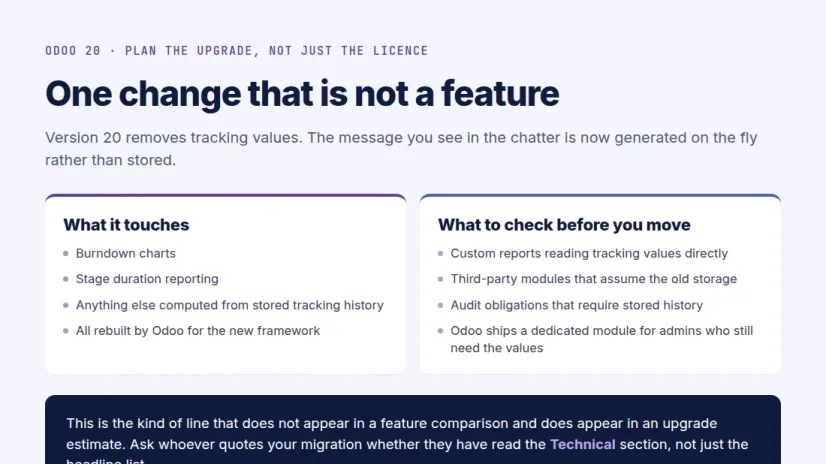
Odoo 20 removes stored tracking values. The tracking message in the chatter is now generated on the fly instead of being stored. Odoo has rebuilt the standard features that depended on stored values, such as burndown charts and stage duration, and ships a dedicated module for admins who still need the old values.
Nothing in standard Odoo breaks. The risk sits in what you added:
- Custom reports that read tracking values directly
- Third-party modules that assume the old storage
- Audit obligations that require stored change history rather than a generated message
AI features consume credits. Odoo’s release notes state that AI features use credits bought through In-App Purchase. The capability is included; the usage is metered. If you plan to use the AI agents after upgrading, budget for usage against your real document volumes.
What breaks in a typical upgrade
In our experience the database itself is rarely the hard part. These are:
- Custom modules. Every major version changes APIs and data models, so custom code has to be ported to the target version and tested, module by module.
- App Store modules. Each third-party app needs an Odoo 20 version from its vendor. If there isn’t one yet, the module has to be ported, replaced or retired.
- Reports and document layouts. Custom invoice layouts and reports are code too, and move with your modules.
- Integrations. Banks, e-commerce, shipping and your own systems need retesting against the upgraded database, even when nothing in them changed.
- Studio customisations. Fields, views and automations built in Studio live in the database and carry over, but they belong in your test plan like everything else.
The question that tells you whether a partner has scoped this properly: ask how they check that the data still adds up after the upgrade. Trial balance, stock valuation, receivables and payables should match before and after. If the answer is “users will check”, the testing is on you.
How the upgrade runs, version by version
You can go from Odoo 16 to Odoo 20 in one project, but not in one jump. Each release changes the database, so the migration passes through every version in order:
16 → 17 → 18 → 19 → 20
Each step is migrated and checked before the next one starts. You test only the final Odoo 20 system, on a copy, before anything touches production. If a specific third-party app is not ready for 20, you can stop at 19 and take the last step later.
Where your Odoo runs changes who does the work:
- Odoo Online: upgraded by Odoo directly. Odoo Online does not allow custom modules, so if you want them, the first step is moving to Odoo.sh or your own server.
- Odoo.sh: upgraded from a backup, with your custom code delivered as a branch for your Odoo.sh project.
- On-premise or your own cloud: upgraded from a backup, or on your own server if your database cannot leave it.
How long it takes
Three things set the length: database size, the number of versions you cross and the amount of custom code.
End to end, our published ranges are 4–8 weeks for a short hop (18 or 19 to 20) and 8–14 weeks for a longer jump or a heavily customised system. A near-standard system can move in days.
The automated part, migrating the database step by step, is a small share of that. Most of the calendar is your own team testing the upgraded system and confirming it behaves the way your business does. Plan go-live for a quiet period, after a month-end close rather than just before one.
Before you start
- List every custom module and App Store app, and check which App Store vendors already support Odoo 20.
- Find any report, module or audit process that reads tracking values.
- List your integrations and who owns each one.
- Remove modules you no longer use. Every module you keep is one more to port and test.
- Decide whether your database can leave your server. Some sectors cannot share it, and that changes how the upgrade is run.
- Pick a go-live window away from month-end and peak season.
The next step
We run Odoo 20 upgrades for Community and Enterprise, from Odoo 16, 17, 18 or 19, including the custom code. Every project starts with a free written assessment: a module-by-module breakdown, the risks in your build, the recommended path and a fixed quote.
See how an Odoo 20 upgrade works, or go straight to the free upgrade assessment.
Sources
- Odoo 20 release notes — general availability, the tracking-values removal and the AI credits statement.
- Odoo standard and extended support — the support window and the extended-support fee.
- Timeline ranges are from our Odoo upgrade service page.
Frequently asked questions
-
Do we have to upgrade to Odoo 20 now?
Not necessarily. Odoo fixes bugs and security issues only in its three latest major versions, which are now 18, 19 and 20. If you are on 17 or older you are outside that window and should plan the move. If you are stable on 18 or 19 and nothing in Odoo 20 is decisive for you, waiting for the first update release is reasonable.
-
Can we upgrade from Odoo 16 straight to Odoo 20?
Yes, as one project. Underneath, the database still passes through each version in order (16 to 17, 17 to 18, 18 to 19, 19 to 20), because every release has its own data changes. You test only the final result.
-
Will our custom modules still work on Odoo 20?
Not without porting. Each major version changes APIs and data models, so custom modules have to be rewritten for the target version and tested. Third-party App Store modules need an Odoo 20 version from their vendor, or a port.
-
What is the tracking-values change in Odoo 20?
Odoo 20 removes stored tracking values. The tracking message in the chatter is generated on the fly instead. Standard features that depended on it have been rebuilt, and Odoo ships a module for admins who still need the old values. Check custom reports, third-party modules and audit obligations that read stored change history.
-
How long does an Odoo 20 upgrade take?
It depends on database size, how many versions you cross and how much custom code you have. End to end, short hops typically run 4–8 weeks and longer jumps or heavily customised systems 8–14 weeks. The automated migration itself is a small part of that; most of the calendar time is your team testing.
-
Can we upgrade an Odoo Online database ourselves?
Odoo Online databases are upgraded by Odoo directly. Partners upgrade Odoo.sh and on-premise systems, including the custom modules that Odoo Online does not allow.
Related services & solutions
Put this into practice with TechUltra's senior Odoo consultants.
Odoo Migration Services
Migrate to Odoo from SAP, QuickBooks, Tally, or older Odoo versions. Zero data loss, minimal downtime, fixed-scope quotes. Free Odoo consulting call.
Odoo Upgrade & Version Migration Services
Upgrade to Odoo 20 with an AI-accelerated, upgrade-safe process — custom modules ported, data migrated, minimal downtime, zero data loss. Free scoping call.
Migrate to Odoo
Source-by-source playbooks: QuickBooks, Tally, SAP B1, NetSuite, and more.
Odoo 19 features
The 9 material changes in Odoo 19 and the upgrade-path matrix.