
Business process
Plan-to-produce in Odoo 20, step by step
From the first demand signal to a finished, traced and costed lot: the eight steps, the Odoo app that runs each one, and the gaps we usually close for manufacturers.
Last reviewed:
How does plan-to-produce run in Odoo 20?
8 steps, each run by the Odoo app named on it. The screenshots are from our Odoo 20 feature guide.
- 1 Turn demand into a quantity to make
- 2 Define the bill of materials and its operations
- 3 Buy and receive the components
- 4 Plan manufacturing and work orders
- 5 Run the work on the shop floor
- 6 Check quality at receipt and in process
- 7 Produce and trace each lot
- 8 Cost the order
- 1
Turn demand into a quantity to make
Odoo 20 · Sales · Inventory · Master Production Schedule
Sales orders, reordering rules and the master production schedule set what to make and when. A make-to-order route creates the manufacturing order straight from the sales order; a make-to-stock product is replenished from its min and max levels.
Who: Production planner
Product replenishment: how it works in Odoo 20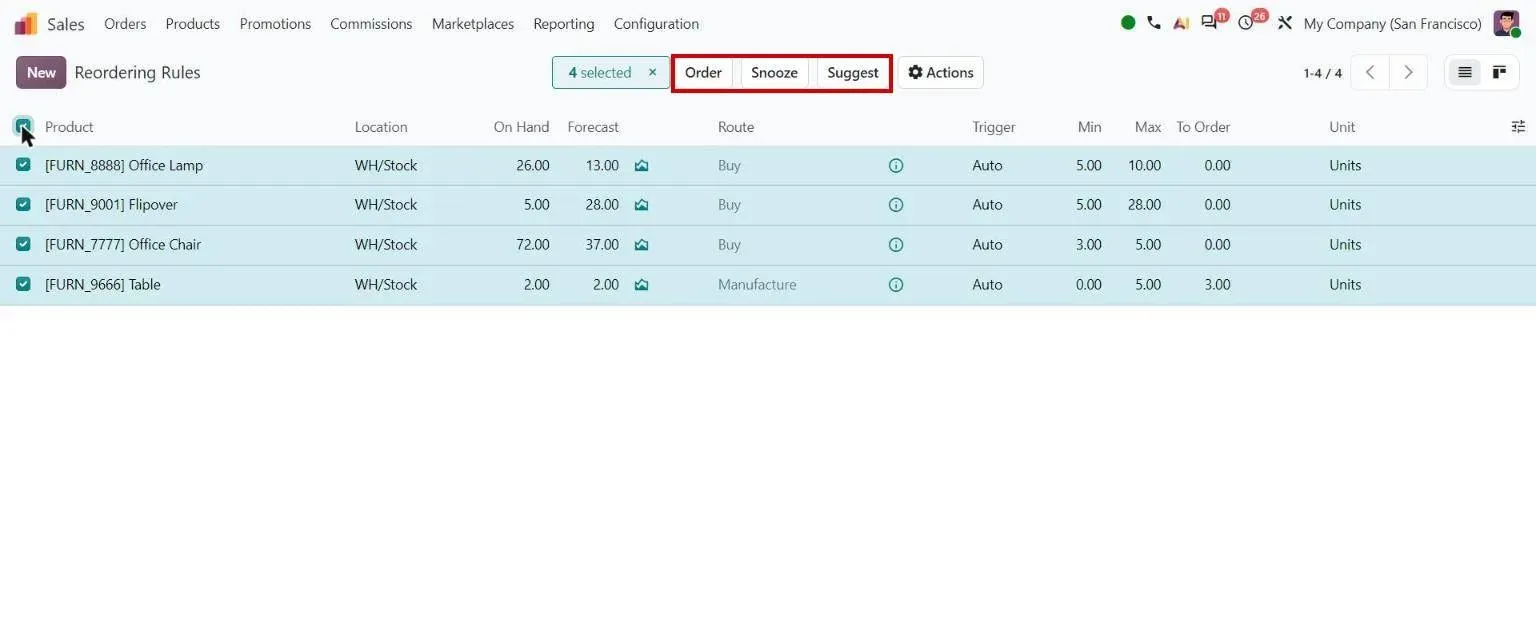
Step 1, Odoo 20 Inventory: Reordering rules: Order, Snooze, Suggest - 2
Define the bill of materials and its operations
Odoo 20 · Manufacturing
The bill of materials lists the components and quantities. Its operations name the work center and expected time for each stage. Multi-level bills build sub-assemblies first, and kits explode into their components on delivery.
Who: Production engineer
Bill of materials: how it works in Odoo 20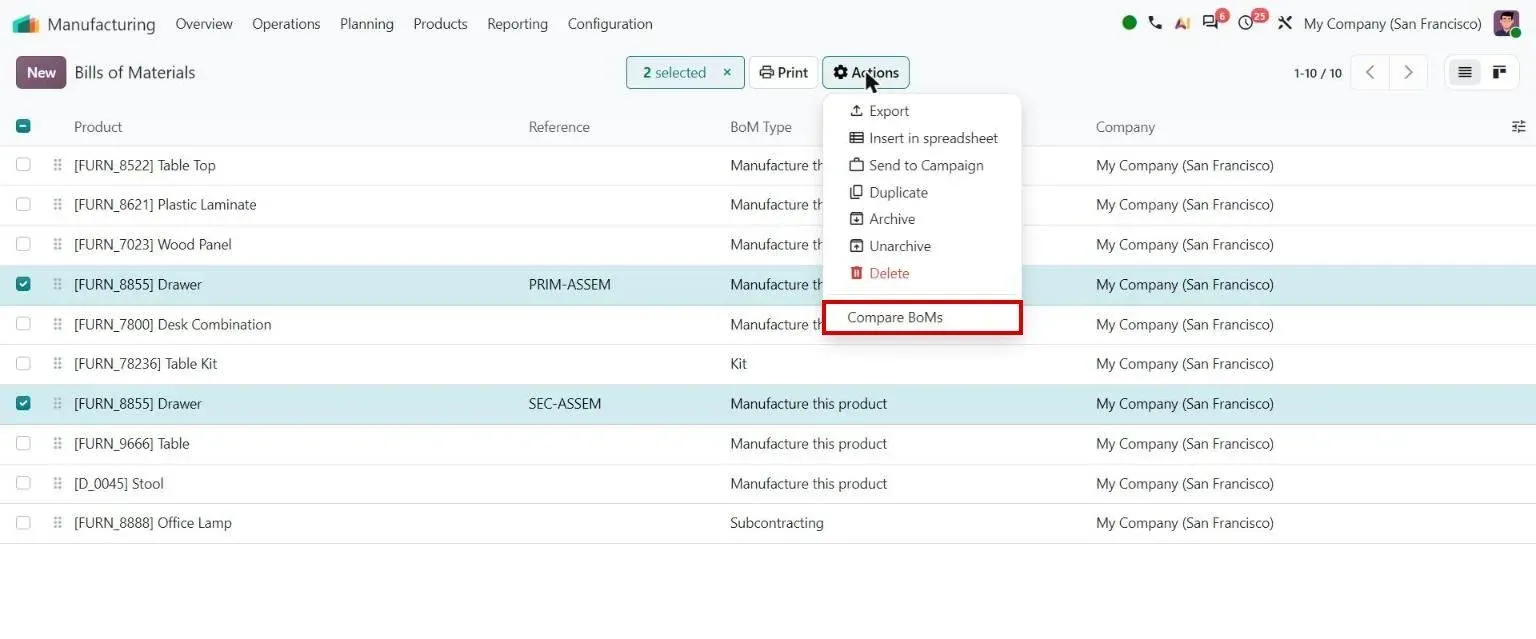
Step 2, Odoo 20 Manufacturing: Products menu: Compare BoMs - 3
Buy and receive the components
Odoo 20 · Purchase · Inventory
Missing components become requests for quotation. Buyers compare alternative vendor offers line by line before confirming, and receipts update stock against the purchase order.
Who: Buyer, stores
Alternatives comparison: how it works in Odoo 20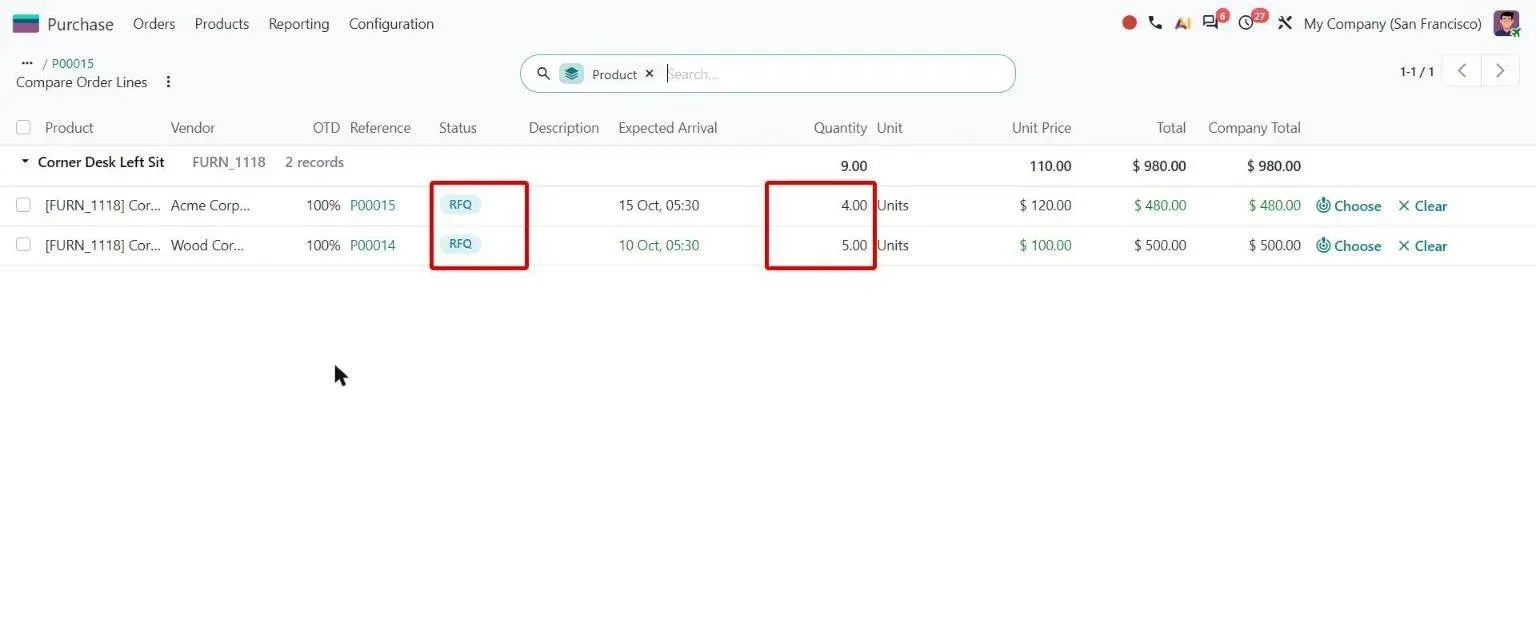
Step 3, Odoo 20 Purchase: Compare Order Lines with status badges and editable quantities - 4
Plan manufacturing and work orders
Odoo 20 · Manufacturing
Each manufacturing order splits into work orders, one per operation. Planners schedule them at the earliest free capacity on each work center and confirm the plan from the Gantt view.
Who: Production planner
Visualize and confirm work orders: how it works in Odoo 20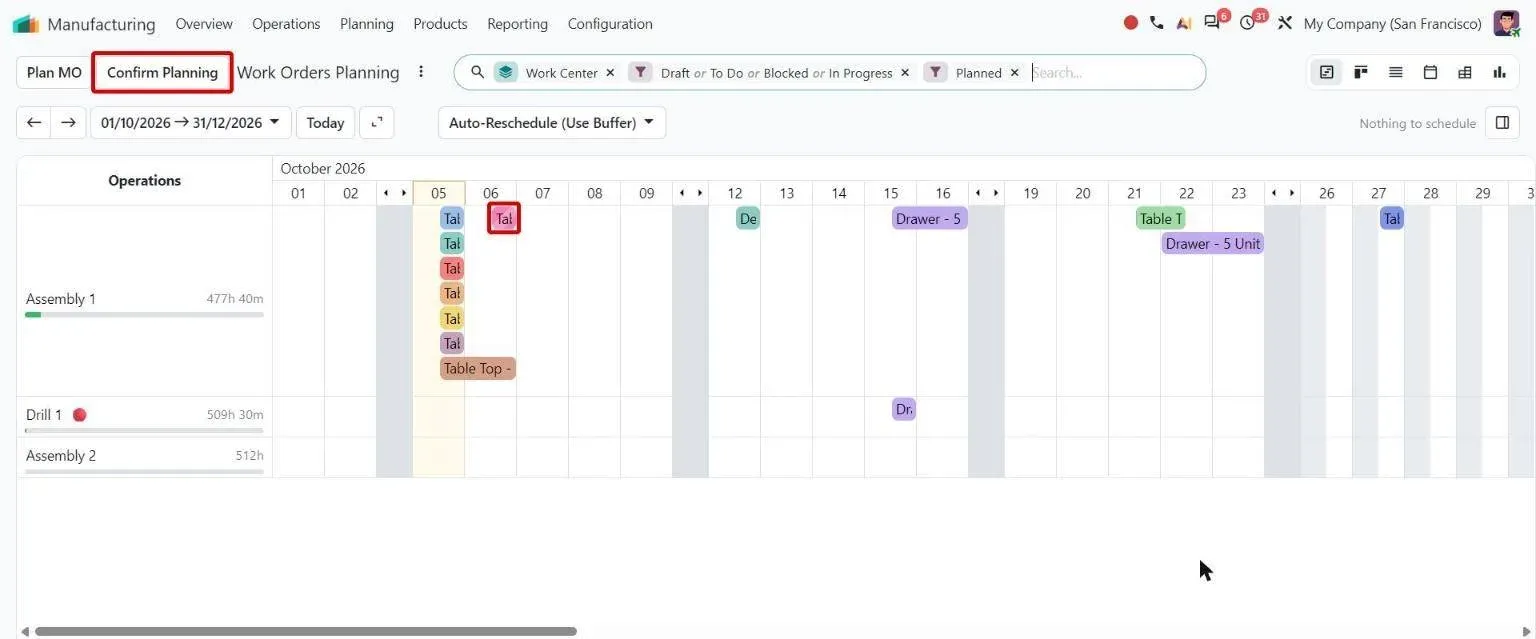
Step 4, Odoo 20 Manufacturing: Work order Gantt showing a draft MO and the Confirm Planning button - 5
Run the work on the shop floor
Odoo 20 · Shop Floor
Operators open their work orders by work center on a tablet, follow the step instructions, record components and time, and mark each operation done.
Who: Operators, shift supervisor
Instruction updates: how it works in Odoo 20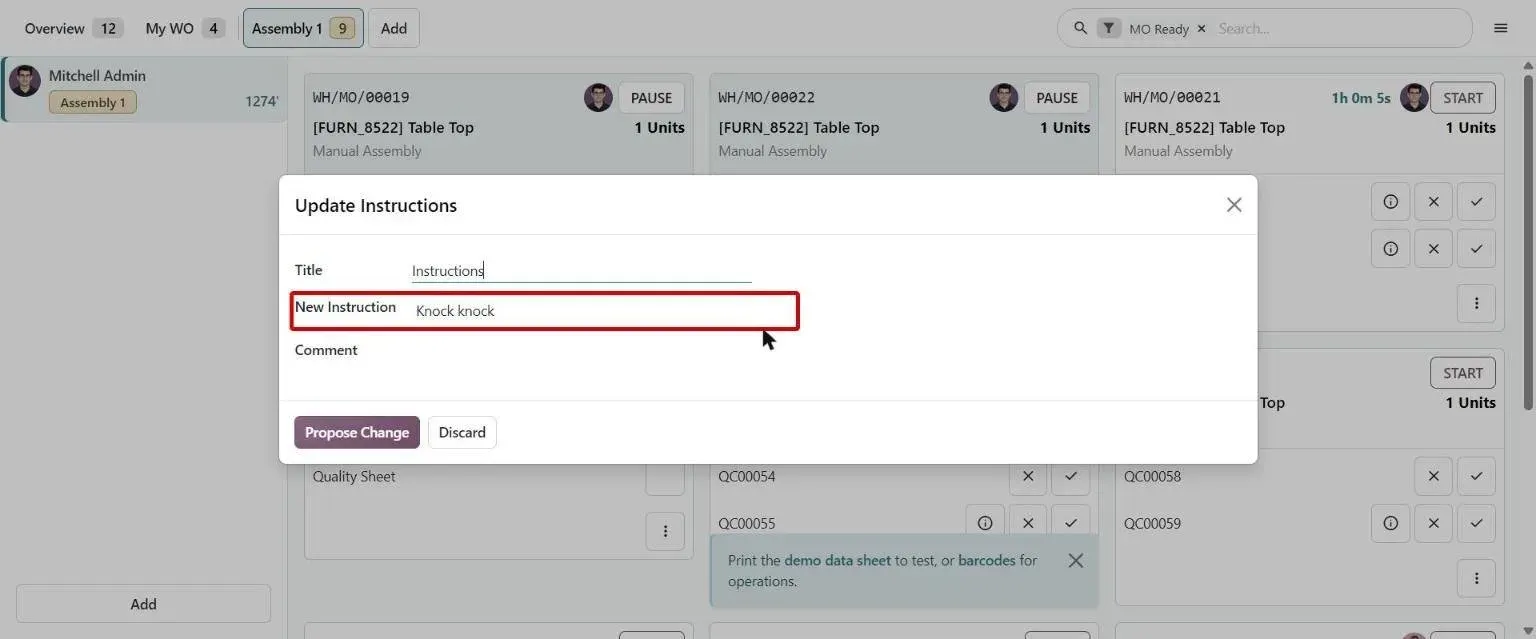
Step 5, Odoo 20 Shop Floor: Shop Floor Update Instructions dialog pre-filled with the current step text - 6
Check quality at receipt and in process
Odoo 20 · Quality
Quality control points raise checks on a receipt or an operation. A failed check records the result, can raise a quality alert for the quality team, and can move the failed items to a chosen failure location.
Who: Quality inspector
Failure location: how it works in Odoo 20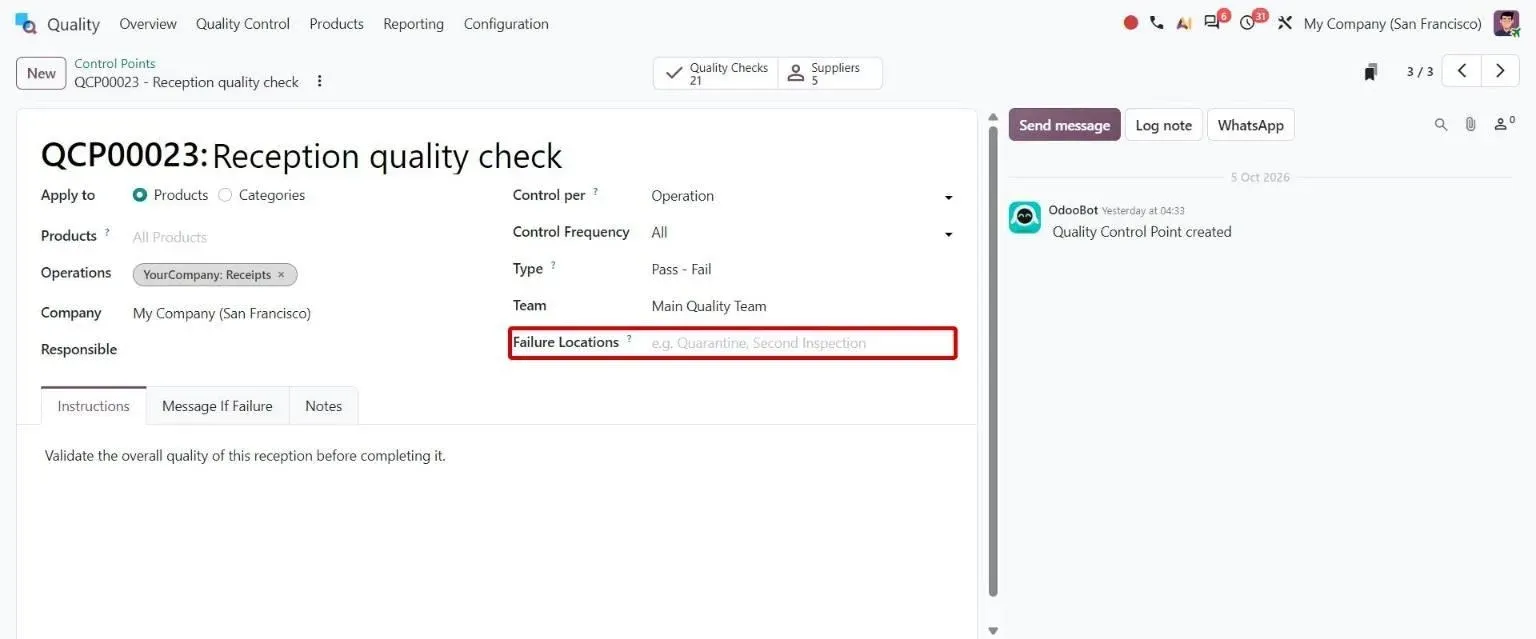
Step 6, Odoo 20 Quality: Control point form with new Failure Locations field - 7
Produce and trace each lot
Odoo 20 · Manufacturing · Inventory
Closing the manufacturing order consumes the components and generates the lot or serial numbers. The traceability report then follows each lot from raw material to the customer delivery.
Who: Shift supervisor
Generate lots and serials when closing manufacturing orders: how it works in Odoo 20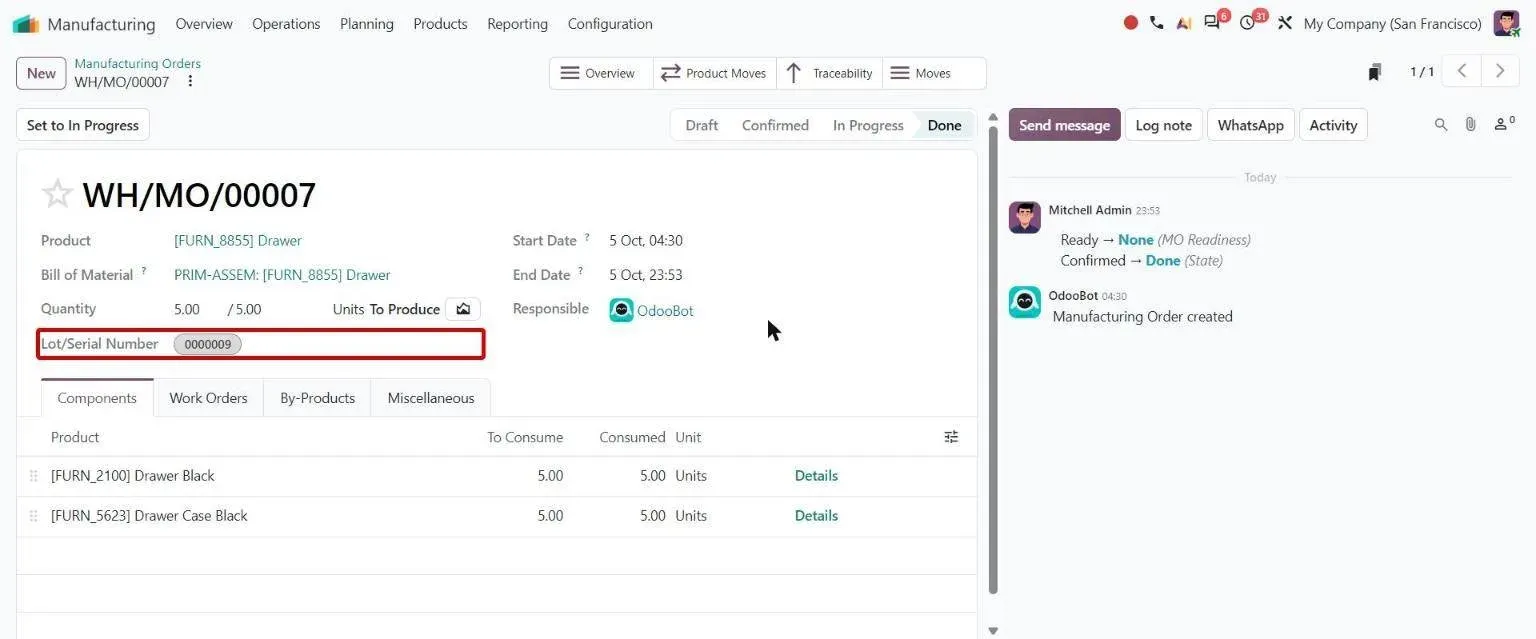
Step 7, Odoo 20 Manufacturing: Done MO with lot number auto-generated on Produce - 8
Cost the order
Odoo 20 · Manufacturing · Accounting
The order overview compares expected and actual cost of components and operations, including subcontracted parts. With automated stock valuation, production posts to the books as it happens.
Who: Cost accountant
MO cost: how it works in Odoo 20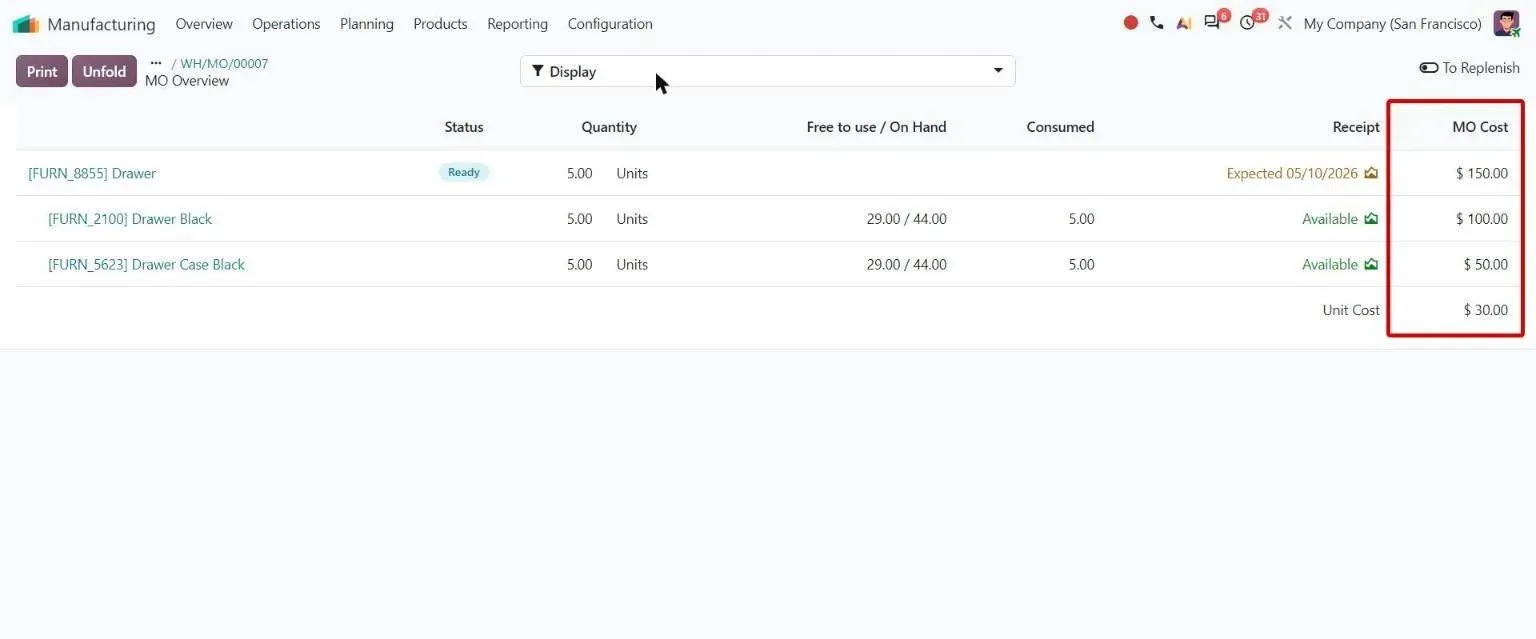
Step 8, Odoo 20 Manufacturing: MO Overview with single MO Cost column and unit cost
Which Odoo 20 apps does plan-to-produce use?
| Odoo app | Module (edition) | What it does here |
|---|---|---|
| Manufacturing | mrp (Community) | Bills of materials, manufacturing orders, work orders and work centers |
| Master Production Schedule | mrp_mps (Enterprise) | Forecast demand against planned production, period by period |
| Shop Floor | mrp_workorder (Enterprise) | Operator tablet view, step instructions and time tracking |
| Quality | quality_control (Enterprise) | Control points, quality checks and alerts |
| Inventory | stock (Community) | Warehouses, routes, reordering rules, lots and traceability |
| Purchase | purchase (Community) | Requests for quotation and purchase orders for components |
| Subcontracting | mrp_subcontracting (Community) | Components sent out and finished goods received back against the BoM |
| Manufacturing costing | mrp_account (Community) | Order cost and stock valuation entries from production |
| PLM | mrp_plm (Enterprise) | Engineering change orders with approval stages for BoM changes |
| Maintenance | maintenance (Community) | Preventive and corrective maintenance on work-center equipment |
Where is standard Odoo enough, and where is it not?
Standard Odoo runs every step above. These are the gaps we close most often. Each is scoped and priced in discovery, not from a list.
-
A capacity check before an order is confirmed
Standard Odoo: Odoo plans work orders at the earliest free capacity, but it does not stop a planner confirming an order the plant cannot make in time.
What we add: We validate work-center capacity when the order is confirmed, as we built for Duke Pipes.
-
Inspections that follow the product
Standard Odoo: Standard quality checks are pass or fail against generic control points. A plant making to several product standards needs a different inspection layout for each.
What we add: For Duke Pipes, each product category maps to its own inspection format, about 18 in all, with one report engine printing the right document per pipe standard.
-
Rework that shows up in product cost
Standard Odoo: In standard Odoo, rework after a failed check is handled by hand, so its cost is easy to lose from the product's cost.
What we add: Rework records raised from failed checks, with their cost feeding the product's standard price.
-
One approval engine across documents
Standard Odoo: PLM change orders give BoM changes an approval flow, but each Odoo app approves its own documents in its own way.
What we add: Where the same rules must cover BoMs, purchases, sales and maintenance, one ordered approval engine reused across all of them, as at Duke Pipes.
-
Industry data the standard model does not hold
Standard Odoo: Odoo has no fields for heats, melt chemistry or mould plans.
What we add: Our Foundry ERP adds heat traceability, chemistry, mould plans, cost per kg and test certificates on Odoo 20.
Who approves what, and what is recorded?
- BoM changes go through a PLM change order with approval stages before the new version is used.
- Access groups separate who can create, confirm and close manufacturing orders from who only records work.
- Every manufacturing order, quality check and stock move keeps a history of who changed what, and when.
- Failed items move to a failure location instead of back into usable stock.
- At Duke Pipes, stock adjustments need a reason and sit with a restricted group, and scrap is checked against the inspected quantity.
What data moves when you migrate this process?
For plan-to-produce, these records move from the old system. Open manufacturing orders are usually finished there rather than moved half-done.
- Item master with units of measure and product categories
- Bills of materials, with operations, work centers and times
- Stock balances by warehouse, location and lot
- Vendors, lead times and vendor price lists
- Reordering levels and routes
- Open purchase orders
Moving from another system? See Tally to Odoo , SAP Business One to Odoo or NetSuite to Odoo .
What can AI take over in plan-to-produce?
The AI layer proposes and checks. A person still approves what gets bought, made or promised.
- AI inventory forecasting Forecasts trained on your own demand history. The planner still approves what gets ordered or made.
- Erpmate in Odoo Manufacturing Checks components against the planned date before a manufacturing order is promised, and flags the gap to a person.
- OCR for purchase orders Supplier documents read into Odoo purchase orders instead of typed.
- Intelligent Warehouse (3D) A 3D model of zones, racks and bins on the same stock records, for finding components and planning picks.
- AI cost estimator What the AI layer costs to run each month, from your own operation volumes.
Who runs plan-to-produce on Odoo with TechUltra?
Duke Pipes
A uPVC and HDPE pipe manufacturer in Palanpur, Gujarat, on Odoo 18 Enterprise: capacity checks at confirmation, lot-wise production with traceability, category-driven quality control with about 18 inspection formats, rework cost capture and BoM approval, on one platform with finance and payroll.
Read the Duke Pipes case studyHow long does it take, and what does it cost?
Implementation starts from about USD 4,000 and goes up with scope: the number of plants and products, the gaps above, integrations and how clean your data is. A one-week discovery maps your process and ends with a fixed timeline and a fixed price.
How does it differ by industry?
Only the industries where we have a reference for this process.
-
Pipes and plastics
Make-to-stock lines with lot-wise output, and inspections that change with the pipe standard: casing, pressure, plumbing, SWR/UDS, column and HDPE.
Duke Pipes case study -
Textiles
A cotton and trouser-fabric manufacturer moved from Tally to Odoo 17 Enterprise, six modules live in 16 weeks.
Shree Mahadev Tex Fab case study -
Foundries
Heats, melt chemistry, mould plans and cost per kg, with test certificates, on Odoo 20.
Foundry ERP for Odoo
Questions about plan-to-produce in Odoo
-
What is plan-to-produce in Odoo?
It is the manufacturing process from a demand signal to a finished, costed lot: demand planning, bills of materials, buying components, planning manufacturing and work orders, shop-floor work, quality checks, lot generation and order cost. In Odoo 20 it runs across Manufacturing, Inventory, Purchase, Quality and Shop Floor.
-
Which Odoo apps do I need for plan-to-produce?
Manufacturing, Inventory and Purchase at minimum. Add Quality for inspections, Shop Floor for operator tablets, Master Production Schedule for forecast-led planning, PLM for controlled BoM changes and Maintenance for equipment.
-
Can Odoo Community run plan-to-produce?
Partly. Manufacturing, Inventory, Purchase, Subcontracting, Maintenance and manufacturing costing are Community modules. Master Production Schedule, Shop Floor, Quality and PLM are Enterprise only.
-
Does Odoo check work-center capacity when an order is confirmed?
Odoo 20 plans work orders at the earliest free capacity, but it does not stop a planner confirming an order the plant cannot make in time. Duke Pipes needed that gate, so we added a capacity check at confirmation.
-
How long does a plan-to-produce rollout take?
It depends on the number of plants, products and custom steps. A one-week discovery maps your process and ends with a fixed timeline and price. Our implementation process shows each phase.
-
What does it cost to set up plan-to-produce in Odoo?
Implementation starts from about USD 4,000 and goes up with scope: modules, custom steps, integrations and data clean-up. A one-week discovery ends with a fixed price. Odoo's own subscription is billed by Odoo; see Odoo pricing.