

Odoo App · Accounting & Finance
Ageing Alerts for Customers & Vendors
Turn overdue customer invoices and vendor bills into risk-graded alerts in Odoo.

Overview
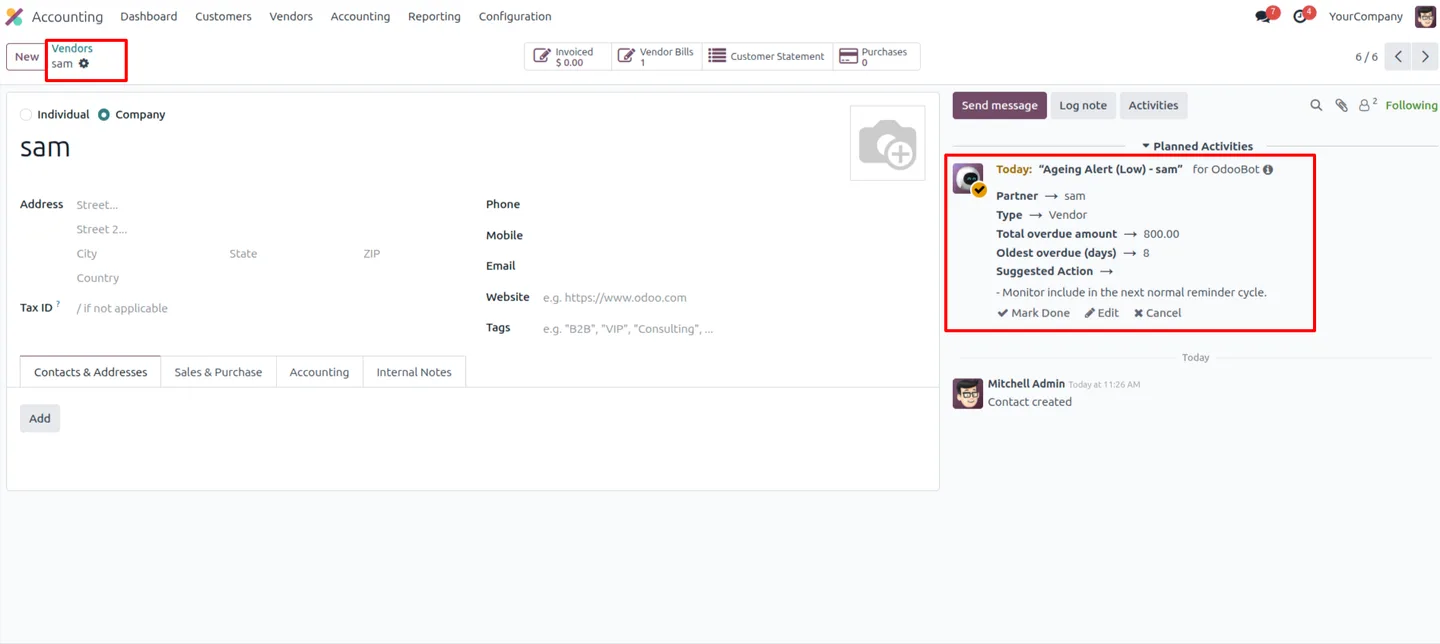
Ageing Alerts for Customers & Vendors strengthens credit control by turning raw ageing data into clear operational alerts. Instead of reading an ageing report and deciding which balances need chasing, your team sees risk-graded alerts directly on the invoices and bills in Odoo.
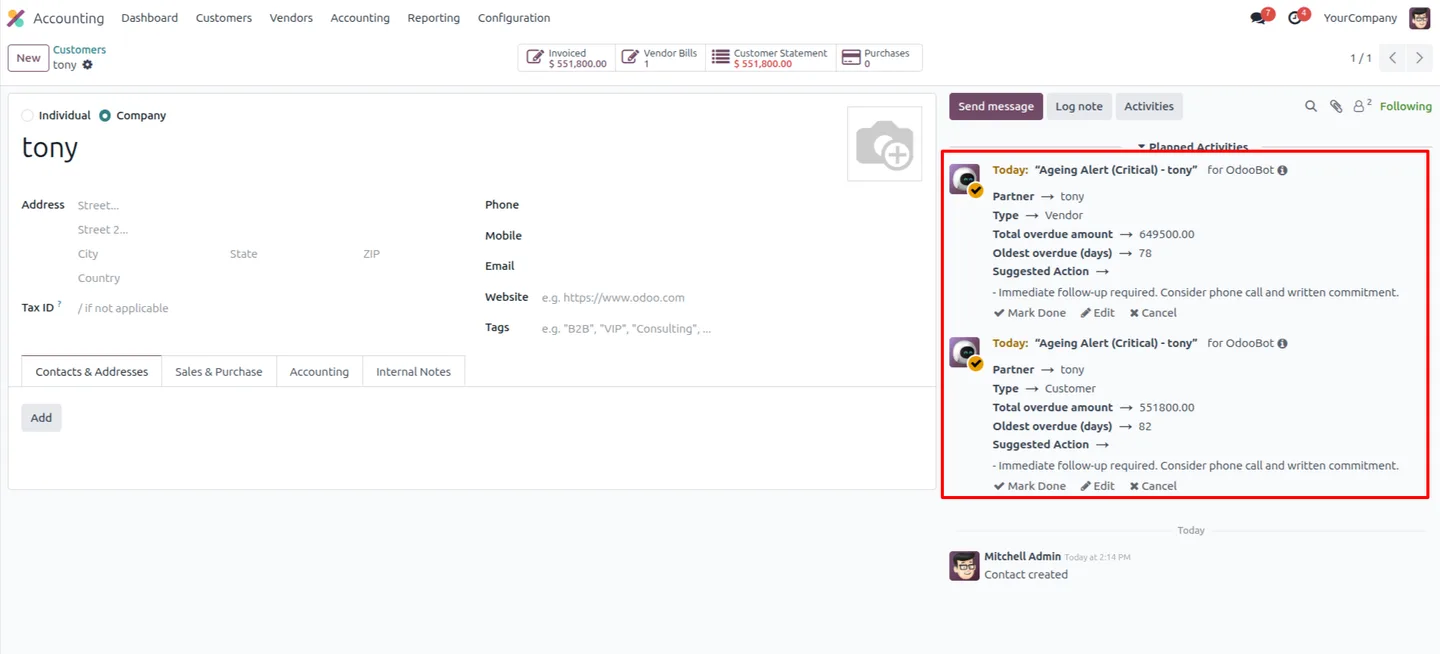
Built by TechUltra Solutions, the module monitors both sides of the ledger — customer receivables and vendor payables. A scheduled job runs daily, evaluates every overdue document, and assigns a Medium, High, or Critical risk level based on the amount outstanding and how long it has been due.
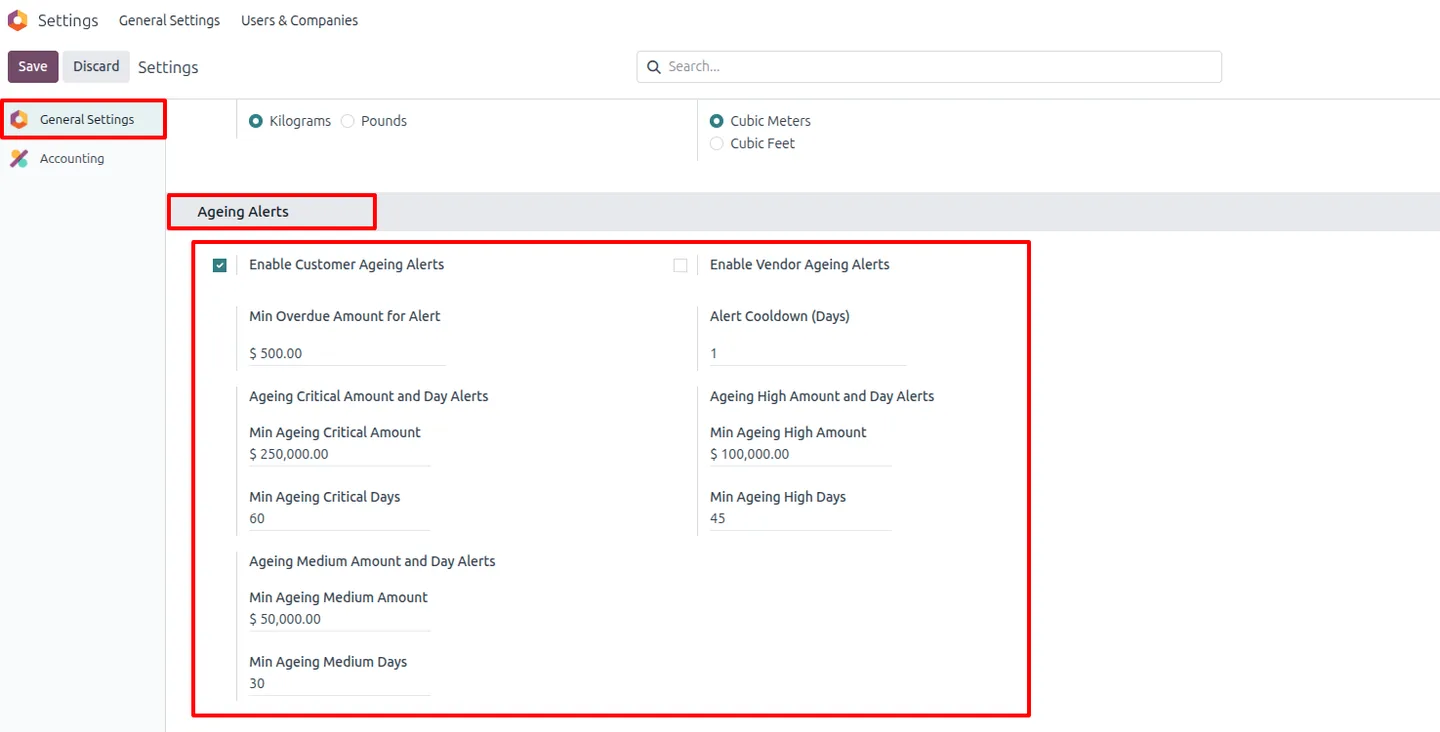
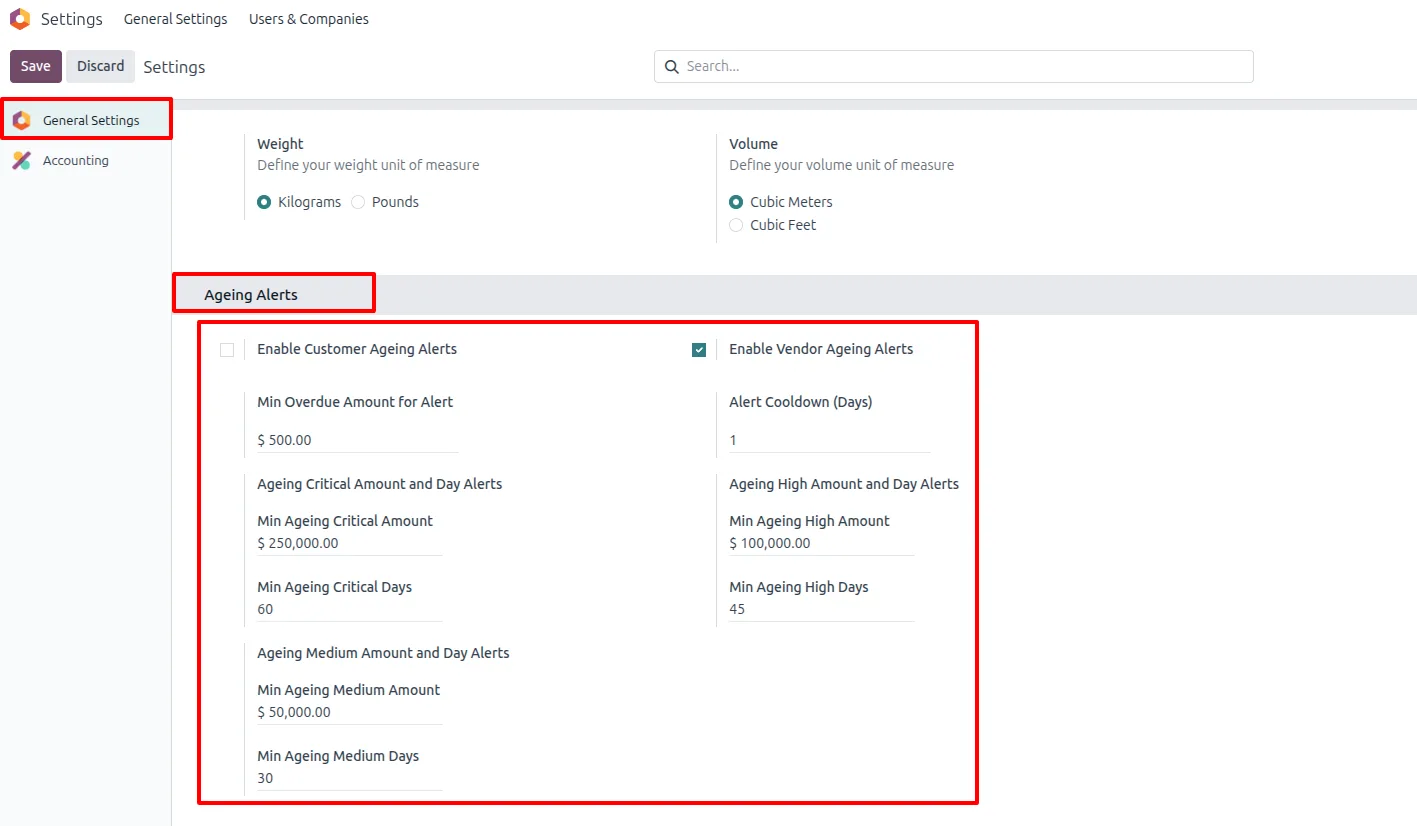
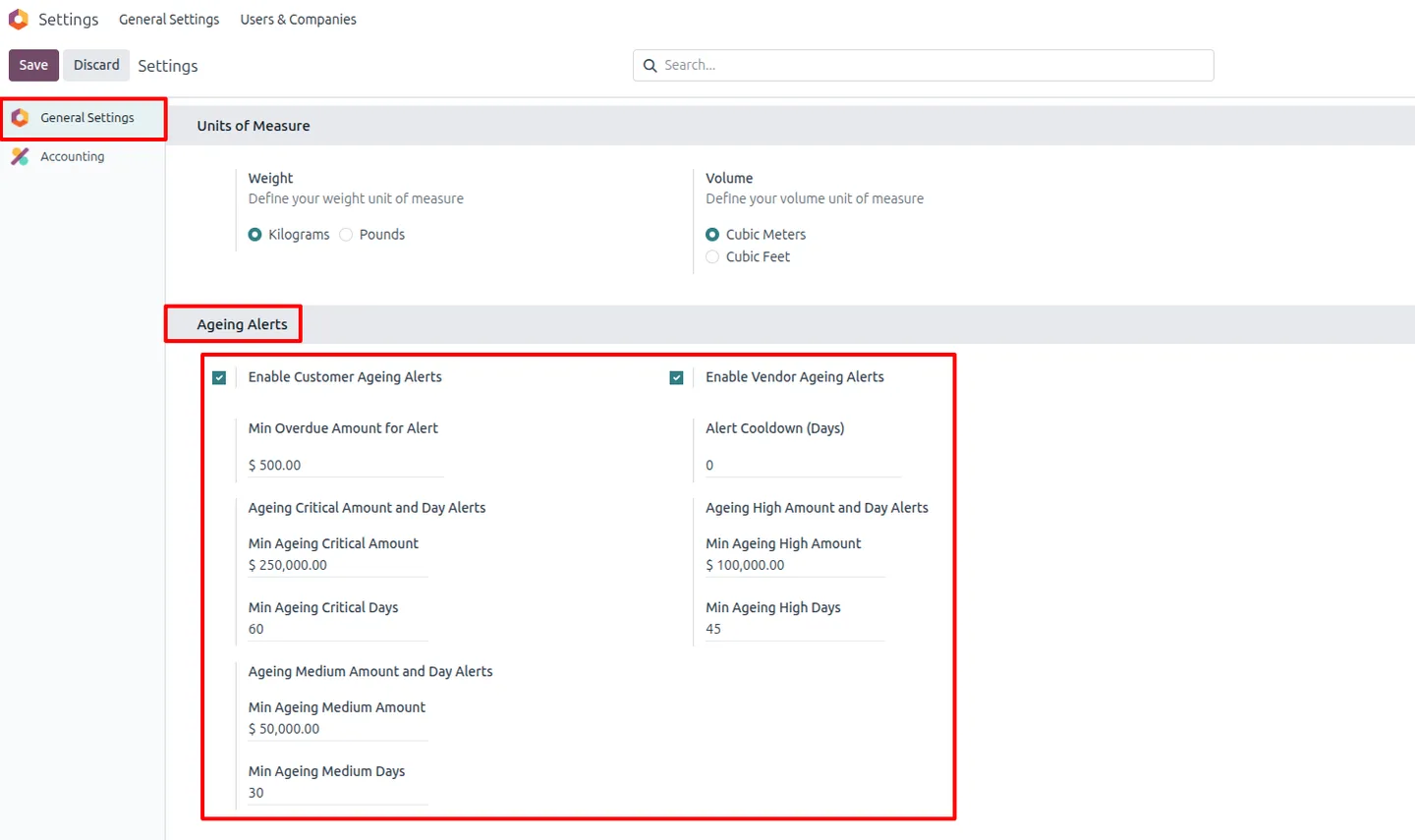
Thresholds are fully configurable. You set separate due-amount limits, day counts, and cooldown periods for customers and vendors, and you can enable or disable customer and vendor alerts independently — so the alerts match your own credit policy and cash-flow priorities.
Key features
-
Advanced ageing analysis
The module evaluates overdue customer invoices and vendor bills in detail, turning ageing data into something your team can act on rather than just read.
-
Risk-graded alert engine
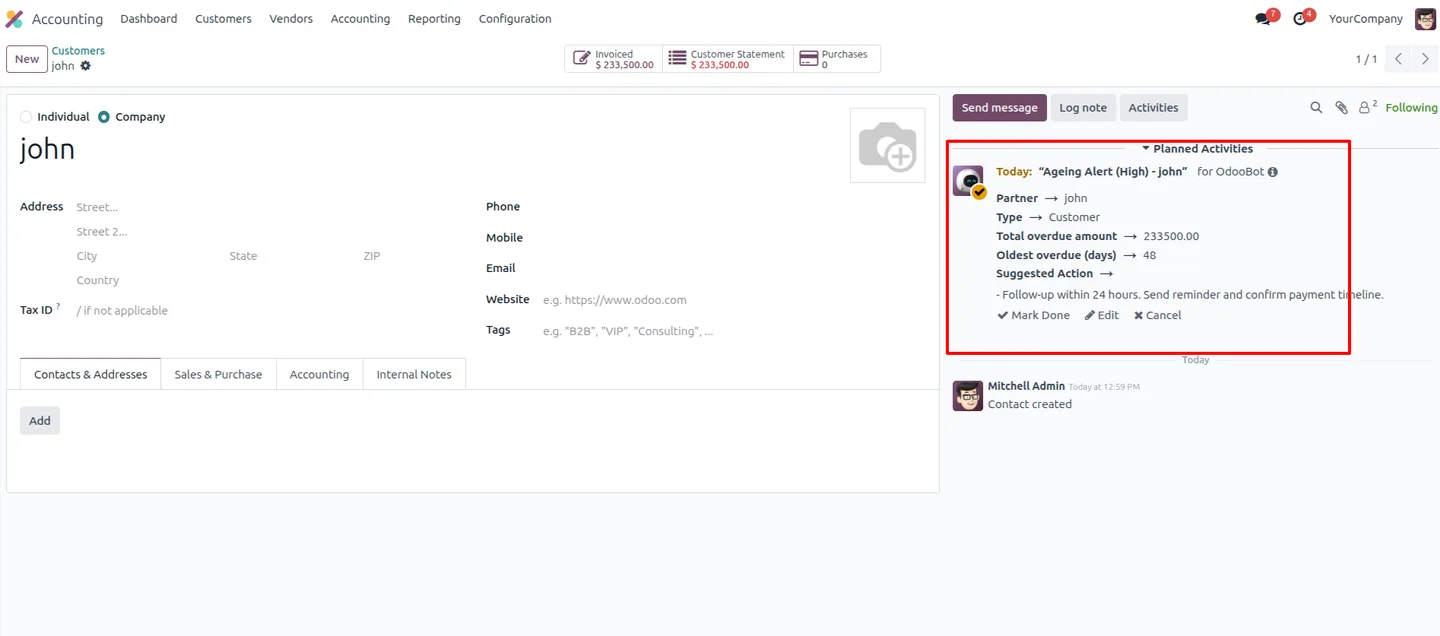
Outstanding amounts are classified into Medium, High, and Critical risk levels, so the most pressing balances stand out immediately.
-
Automated daily monitoring
A scheduled cron job checks overdue documents every day, keeping risk levels current without anyone running a report.
-
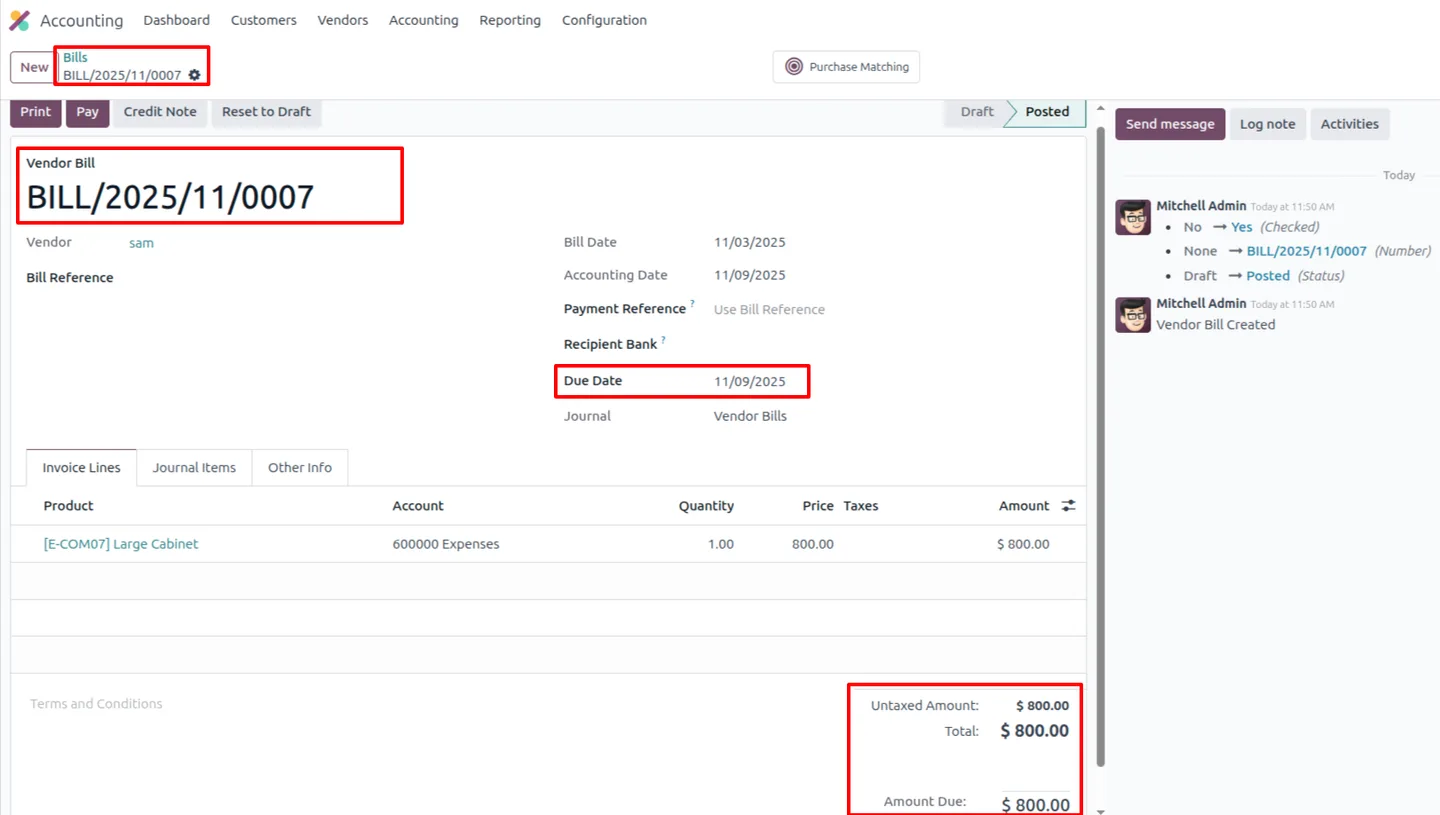
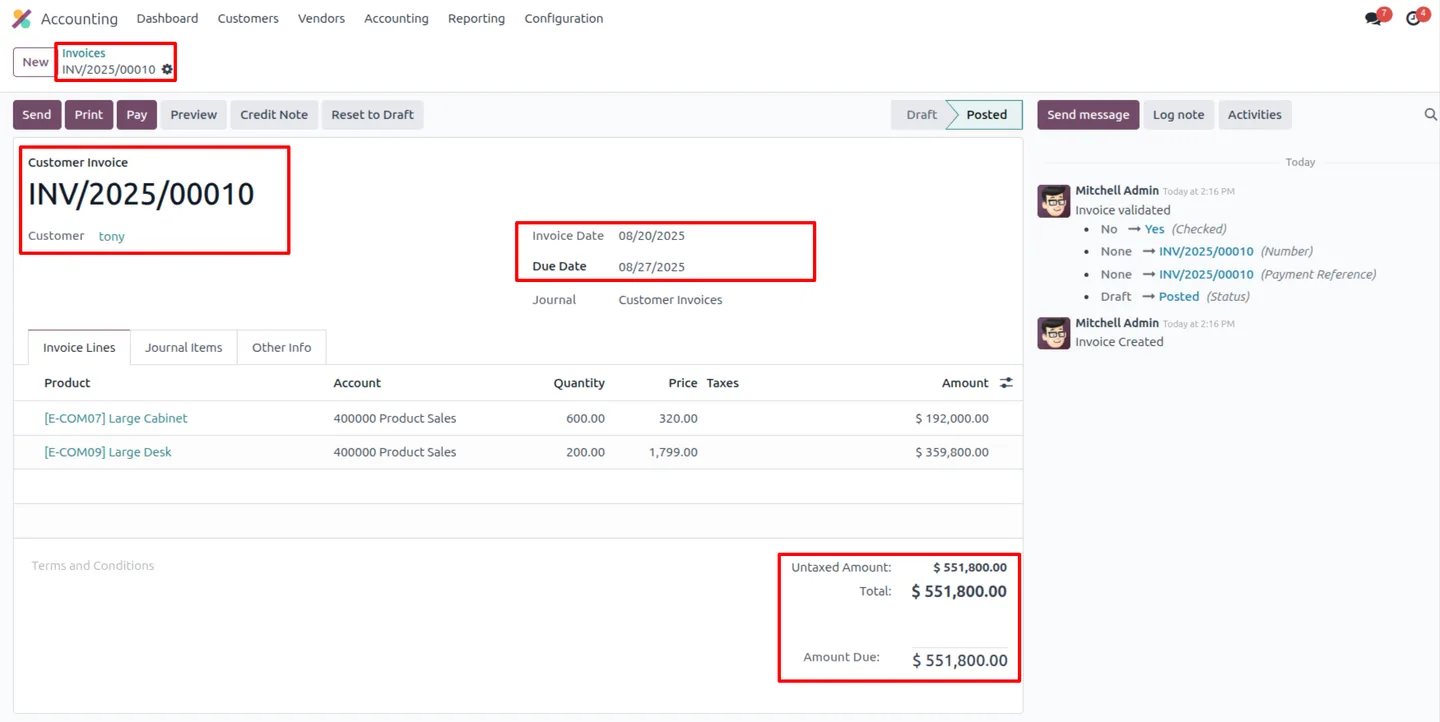
Alerts inside Odoo
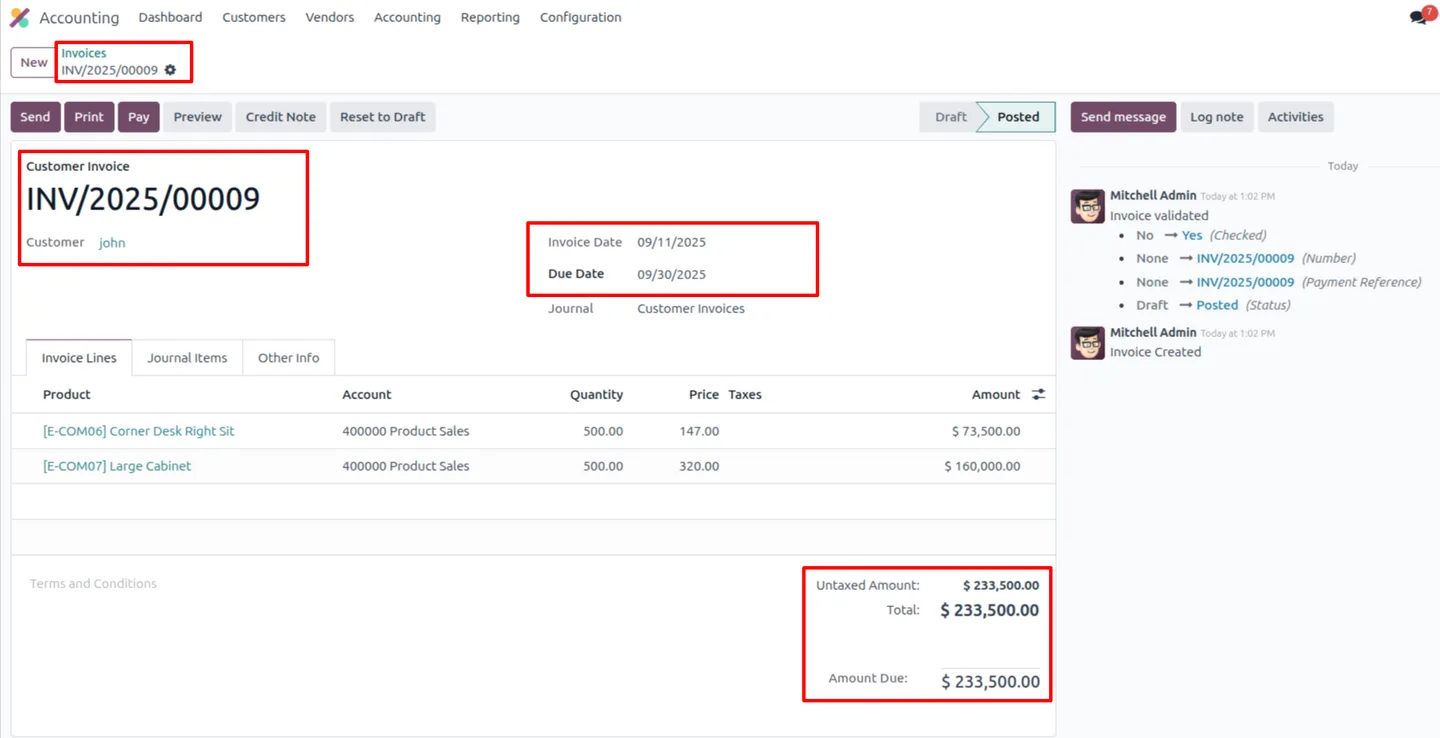
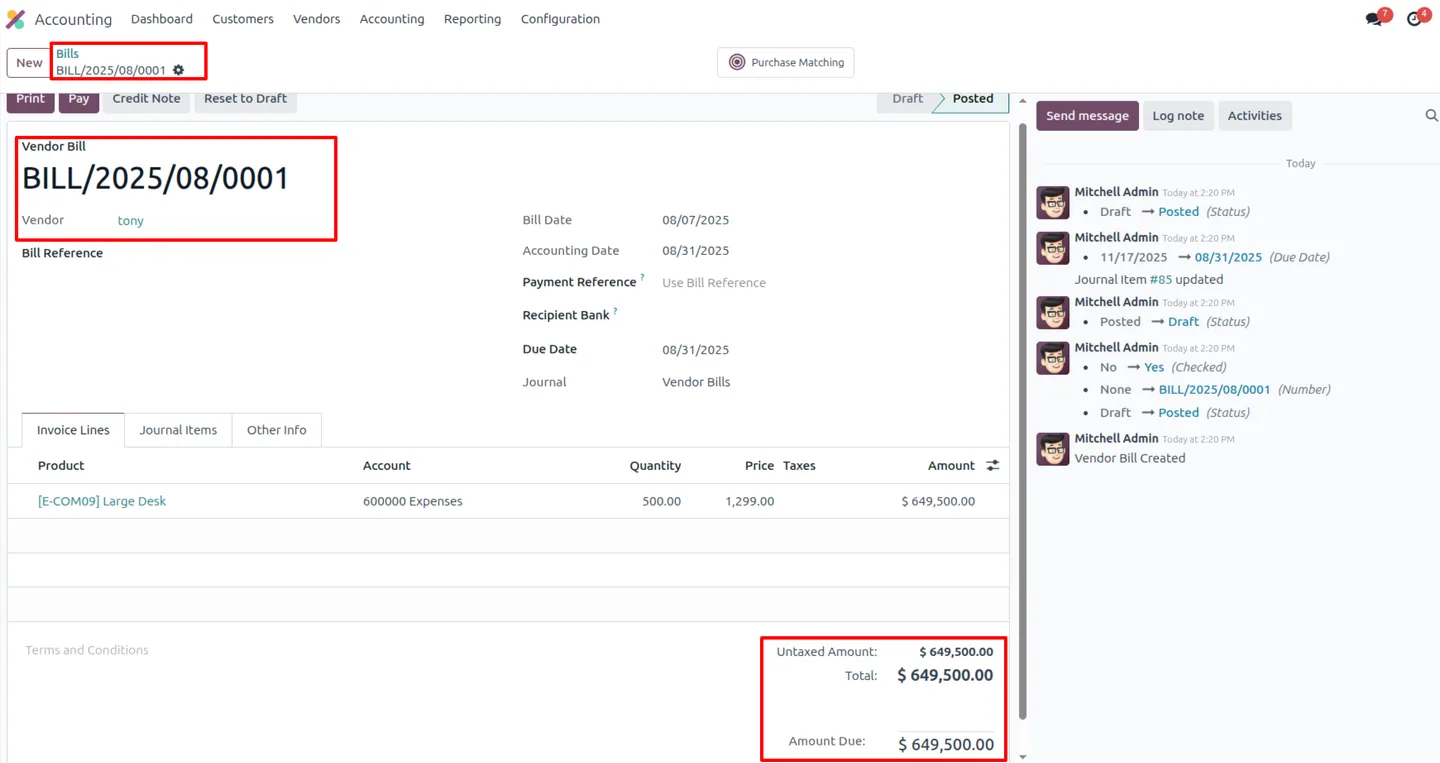
Alerts surface directly on the invoices and bills in Odoo, so credit control happens where the accounting work already takes place.
-
Configurable alert thresholds
Set due-amount limits, day thresholds, and cooldown periods between alerts, tuning the engine to your own credit policy.
-
Customer and vendor workflows
The module handles both receivables and payables, with separate threshold settings for customer invoices and vendor bills.
-
Independent customer and vendor control
Customer alerts and vendor alerts can be enabled or disabled separately, so you can monitor one side of the ledger or both.
Ageing Alerts for Customers & Vendors in Odoo
Every screen, in the order you meet it — configuration first, then the module in use.
Technical details
Specification
- Publisher
- TechUltra Solutions Private Limited
- Technical name
- ageing_alerts
- Odoo versions
- 16.0, 17.0, 18.0, 19.0
- Lines of code
- 313
- License
- Odoo Proprietary License v1.0 (OPL-1)
- Price
- $25 (one-time)
Deployment
- Odoo Online
- Odoo.sh
- On-premise
Odoo dependencies
- Invoicing
- Discuss
Support
90 days of bug-fix support, Monday to Friday (10:00–19:00 IST). Raise a ticket at support@techultra.in.
Setup & configuration
From install to first call — here is the path.
- 1
Install the module
In Odoo, open Apps, remove the Apps filter, search for “Ageing Alerts for Customers & Vendors”, and click Install.
- 2
Open the alert settings
Go to Settings → General Settings and find the Ageing Alerts configuration section.
- 3
Set customer and vendor thresholds
Configure separate due-amount limits and cooldown periods for customers and vendors, then set the amount and day thresholds for Medium, High, and Critical alerts.
- 4
Enable the alerts you need
Switch customer alerts and vendor alerts on or off independently, depending on whether you want to monitor receivables, payables, or both.
- 5
Let the daily job run
The scheduled job checks overdue invoices and bills each day and posts risk-graded alerts. Review them on the invoices and bills inside Odoo.
Frequently asked questions
-
What does Ageing Alerts for Customers & Vendors do?
It monitors overdue customer invoices and vendor bills, grades each one by risk, and posts clear alerts inside Odoo so your team can act on ageing balances.
-
What risk levels does it assign?
The alert engine classifies outstanding amounts into Medium, High, and Critical risk levels, based on the amount due and how long it has been overdue.
-
How often are documents checked?
A scheduled cron job checks overdue documents every day, so risk levels stay current without anyone running an ageing report manually.
-
Can I set different rules for customers and vendors?
Yes. You configure separate due-amount limits, day thresholds, and cooldown periods for customers and vendors, and you can enable each side independently.
-
Where do I configure the thresholds?
Open Settings → General Settings after installing the module. There you set the amount and day thresholds for Medium, High, and Critical alerts and the cooldown periods.
-
What is the cooldown period for?
The cooldown period controls the minimum gap between alerts on the same document, so a single overdue invoice or bill does not generate repeated alerts too frequently.
-
Which Odoo versions are supported?
The module supports Odoo 16.0, 17.0, 18.0, and 19.0.
-
Is support included?
Yes. The module includes 90 days of bug-fix support, Monday to Friday, 10:00–19:00 IST.
Related solutions
Whole-platform solutions that complement Ageing Alerts for Customers & Vendors.
Odoo Accounting
Odoo Accounting — multi-entity, multi-currency, bank-feed integration, reconciliation, deferred revenue, GAAP / IFRS. 60+ country localisations.
Odoo as Accounting Software
Odoo Accounting standalone — alternative to QuickBooks, Tally, Xero, Zoho Books. Real GL, multi-entity, statutory compliance, scales into full ERP.
E-Invoicing on Odoo
Native e-invoicing for Odoo — India GST, Italy FatturaPA, Saudi ZATCA, Mexico CFDI, EU EN 16931. IRN registration, statutory submission, audit archives.
Related services
Get the most out of this module with senior TechUltra consultants.
Odoo Customization Services
Tailored Odoo customizations from a Gold Partner — 200+ projects, upgrade-safe patterns, fixed-scope quotes, senior consultants. Free demo consultation.
Hire Odoo Developers
Hire certified Odoo developers from a Gold Partner — 400+ implementations, 92% satisfaction, Odoo since 2016. Silver / Gold / Platinum packages, free trial.
Odoo Support & Maintenance
Odoo Gold Partner support — 24/7 functional, technical, and server coverage for Enterprise and Community editions. Fast turnaround, free consultation.







