Record once, document forever: AI Video Knowledge for Odoo 19
Record a screen inside Odoo and let AI turn it into a transcript, a training manual, voice notes, and a clickable onboarding tour — published straight to Odoo Knowledge. Here's how it works.
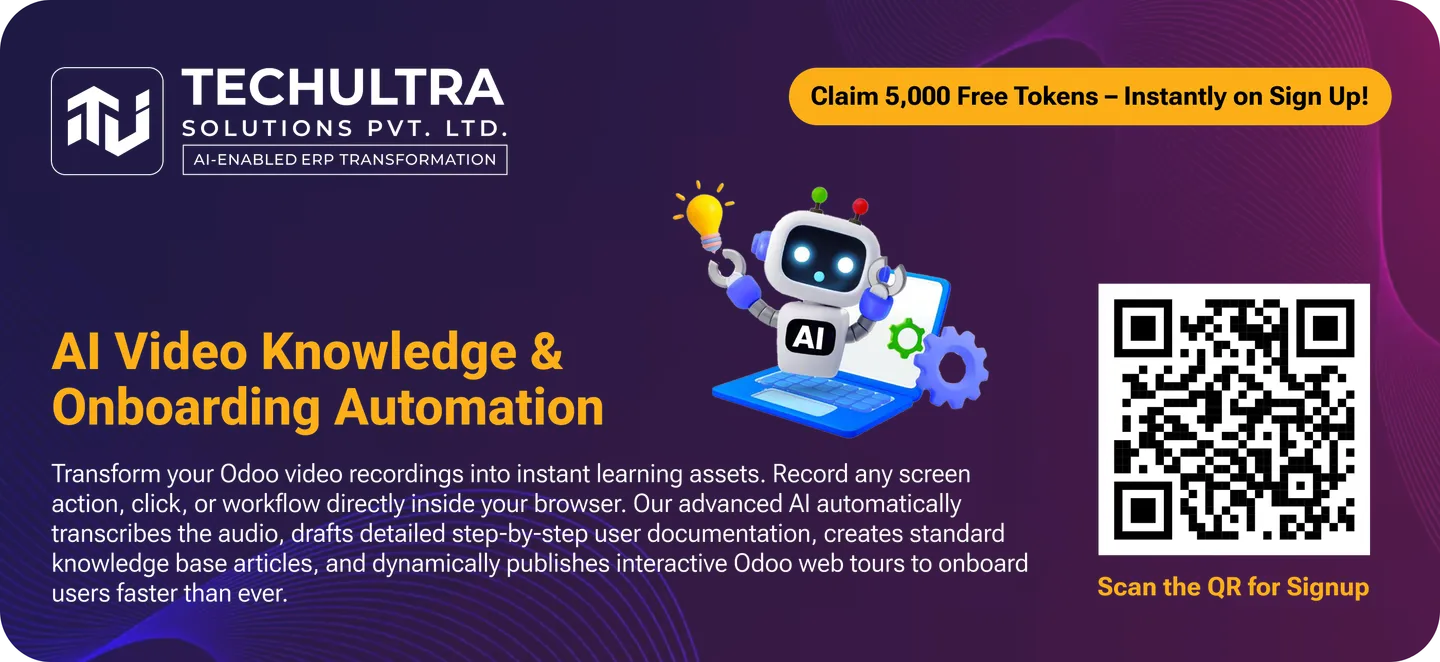
Every Odoo team has the same documentation problem. Someone writes a careful how-to for a process, complete with screenshots. Three months later the workflow changes, the screenshots are wrong, and the doc quietly becomes a liability instead of a help. So people stop writing docs — and onboarding gets slower every quarter.
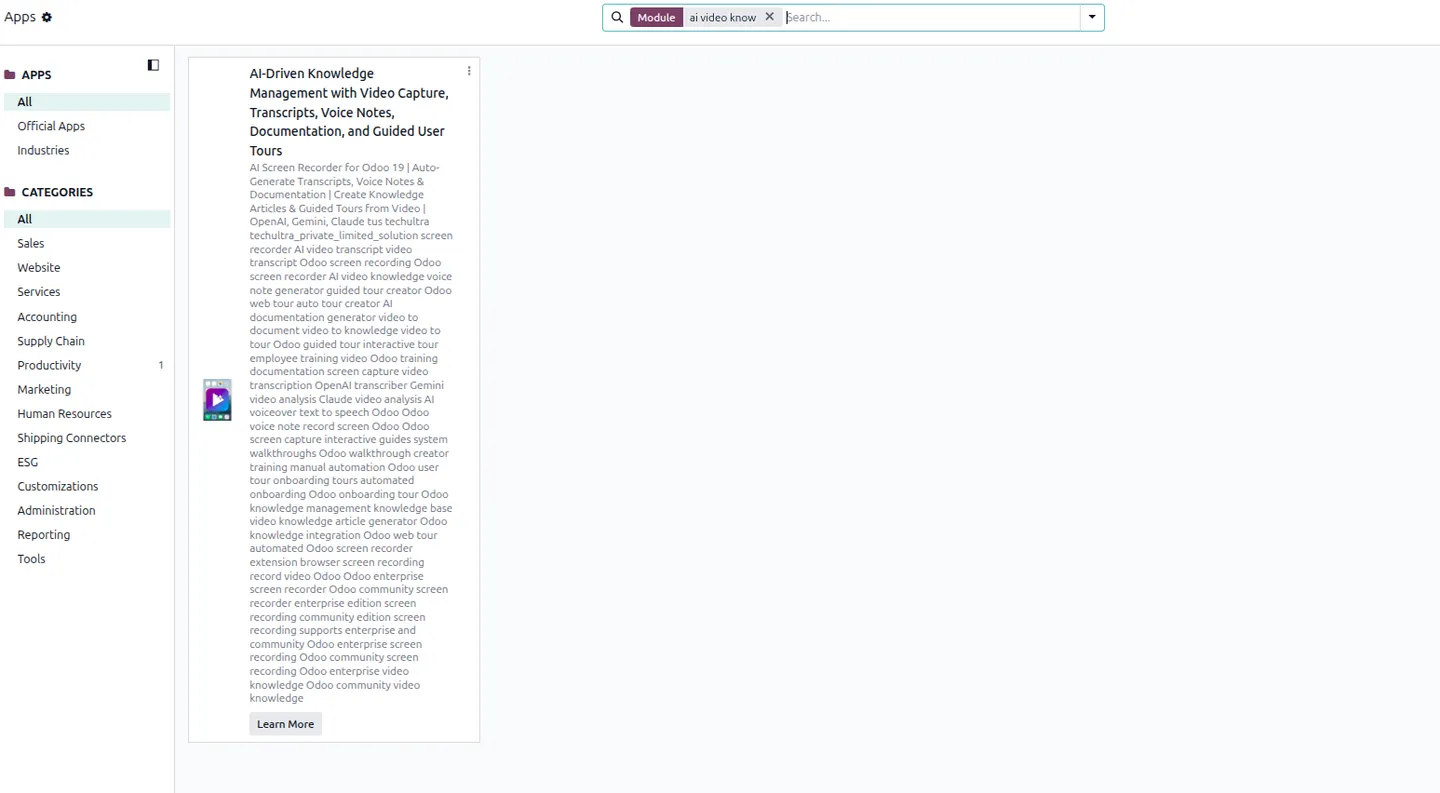
AI Video Knowledge attacks the cost of that work. You record a task once, and AI produces the written manual, the narration, and a clickable in-app tour — all inside Odoo. When the process changes, you record it again; regenerating the whole package is one click. It’s an Odoo 19 module from TechUltra Solutions, available on the Odoo App Store.
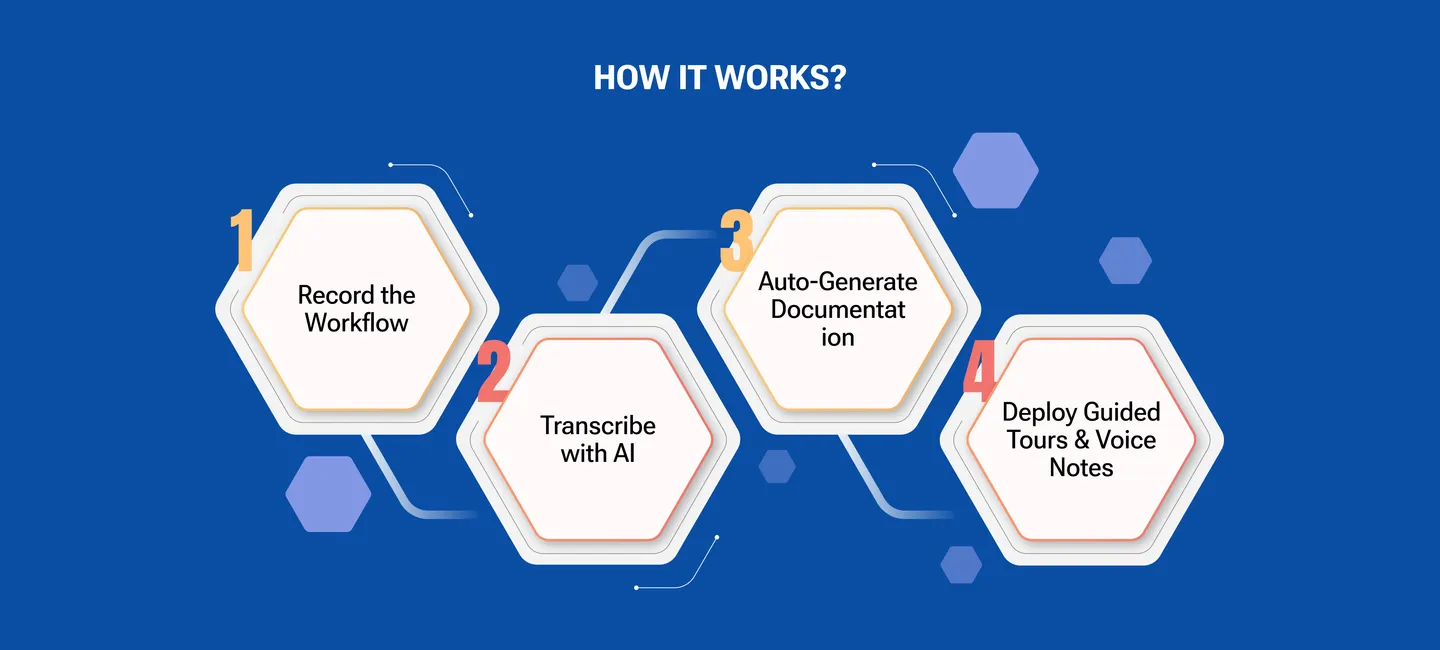
How do you record something?
A lightweight recorder lives in the Odoo systray. Click the camera icon to capture a full screen, a browser tab, or a single application window; click again to stop and save. The recording opens in the AI Video Knowledge app, ready to process. There’s no separate desktop tool to install and no video editor to learn — the capture happens where you already work.
What does the AI actually generate?
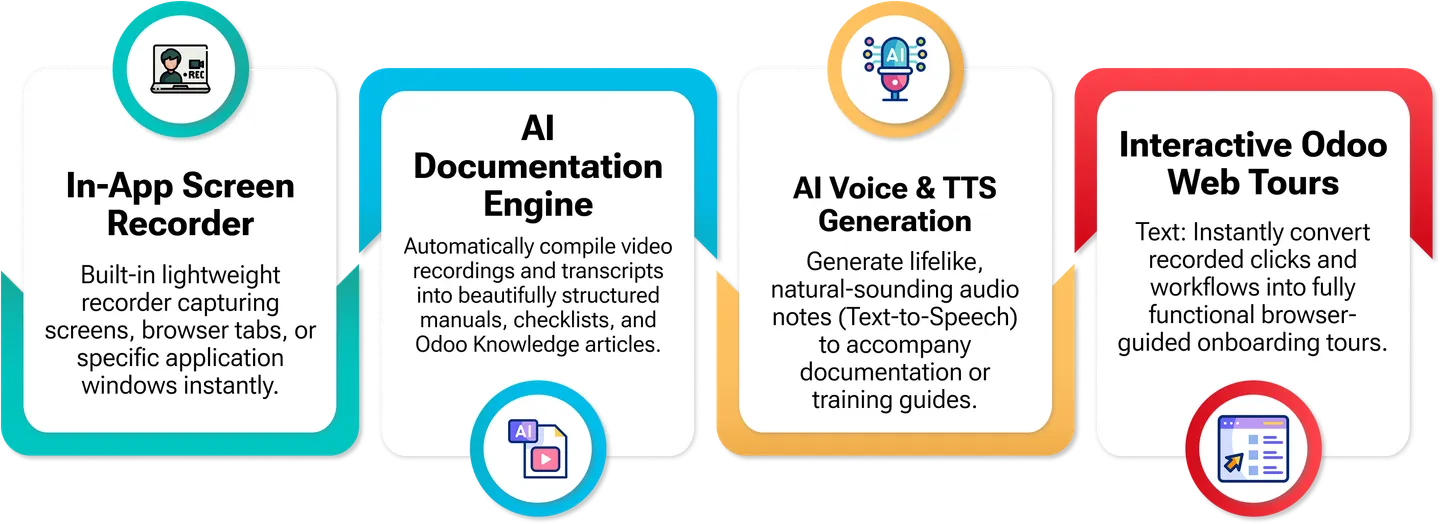
From that single recording, one action produces four different assets:
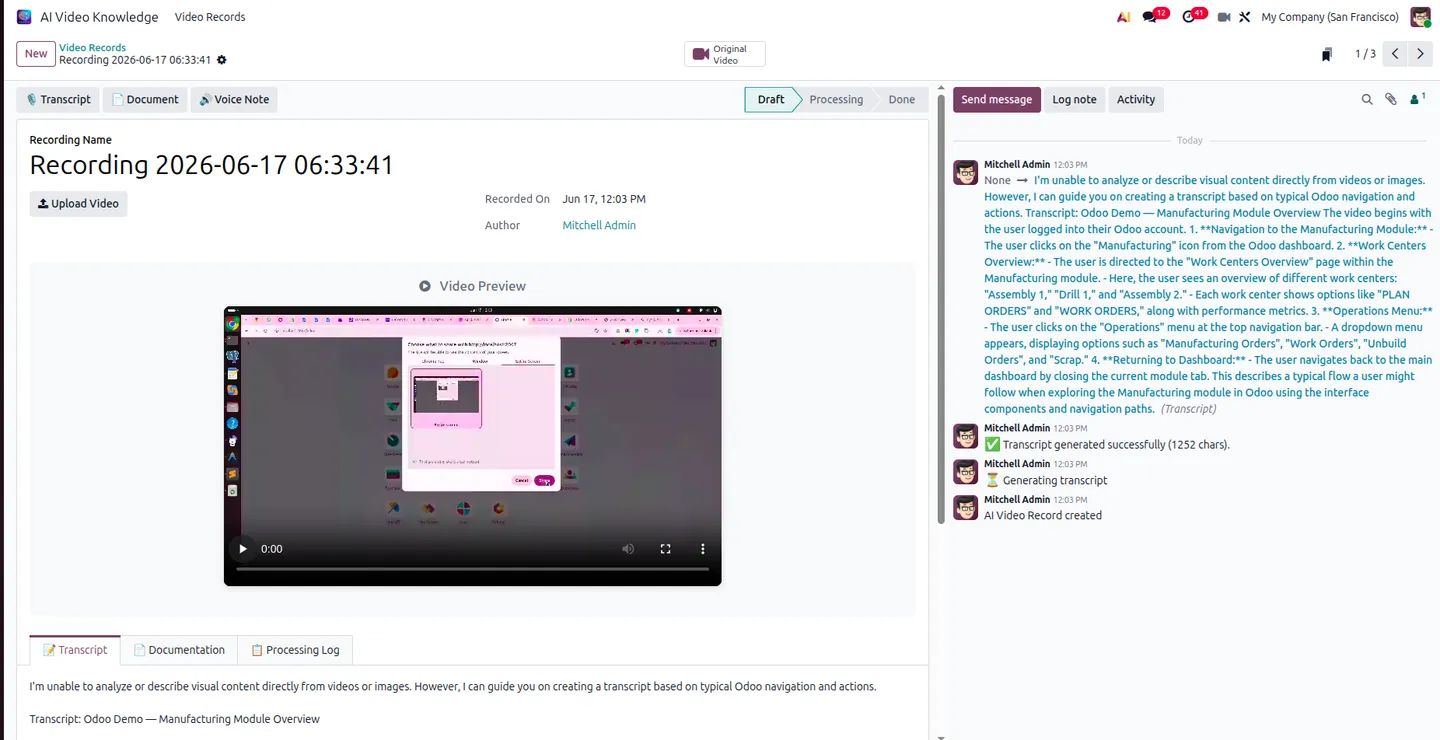
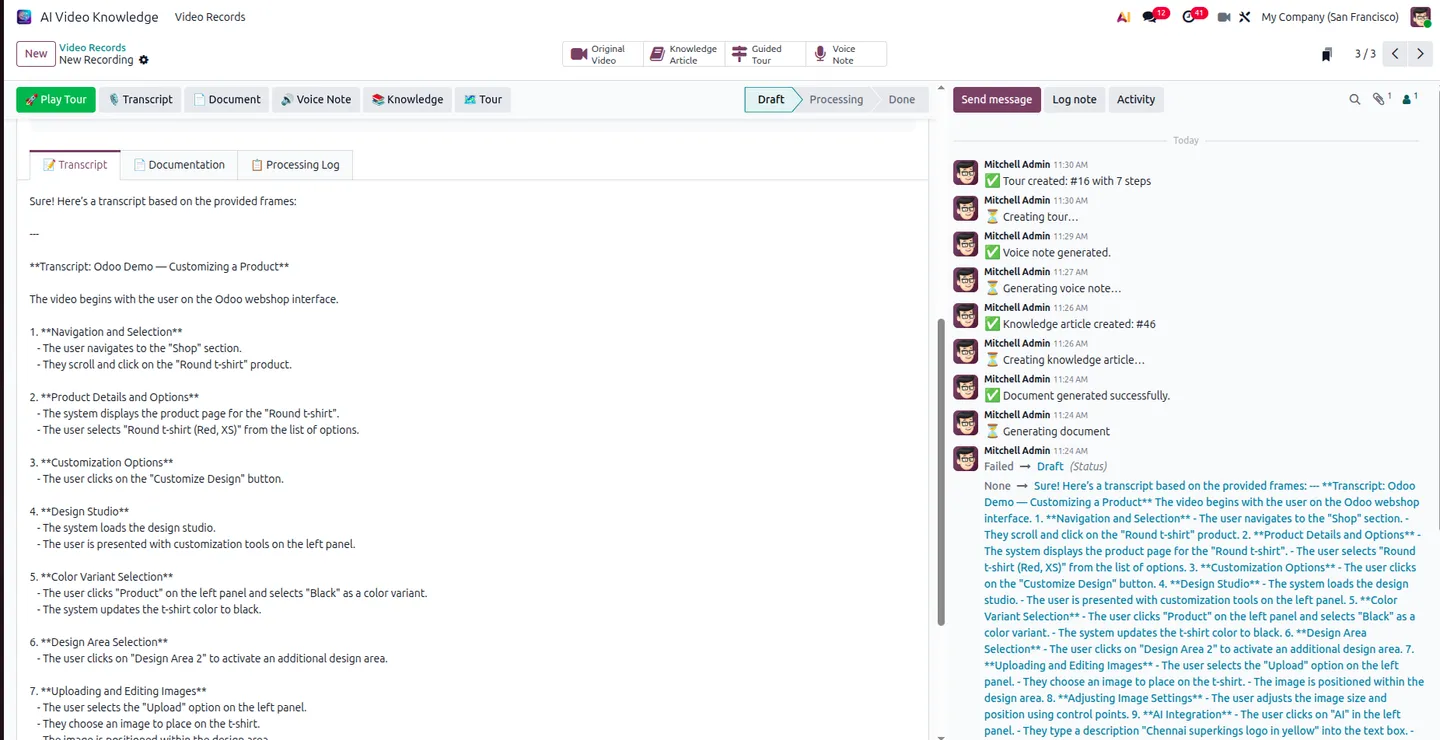
- A transcript that details every action step, system response, and dialogue, with real-time progress shown in the chatter log.
- An HTML manual structured into Overview, Steps, and Key Takeaways sections — the kind of doc you’d otherwise spend an afternoon writing.
- Text-to-speech voice notes that narrate the guide in a natural-sounding voice, for video-style training without a recording booth.
- An interactive Odoo web tour — the AI parses your recorded clicks into a working, browser-guided walkthrough you replay with a Play Tour button.
Where does the finished documentation live?
Straight in Odoo Knowledge. Generated manuals — screenshots included — publish as formatted articles in Odoo’s official Knowledge app, so your documentation sits inside the same system as the work it describes. No wiki to keep in sync, no PDF graveyard on a shared drive.
Does it work on Odoo Community?
Yes — and that’s a deliberate design decision. Many AI features in the Odoo world are Enterprise-only. AI Video Knowledge routes its AI through the Fynix AI gateway (installed via a bundled connector), so the same transcripts, manuals, voice notes, and tours work identically on Community and Enterprise.
What does it cost to run?
Two parts, both transparent. The module is a one-time $100 on the Odoo App Store. AI processing is pay-as-you-go — 2 million Fynix tokens for $20 — so you pay for what you generate instead of a fixed monthly subscription. For a team documenting a few dozen processes, that’s a rounding error against the hours saved.
Who gets the most out of it?
Implementation teams handing a system over to a client; internal ops leads onboarding new hires; support teams who answer the same “how do I…” question every week. Anyone whose real job keeps getting interrupted to explain a process is a candidate — record it once, send the tour, move on.
It’s part of our broader AI & Agentic ERP toolkit — productized AI modules you install today.
Getting started
Register for a Fynix key and tokens at ai.fynix.app, install AI Video Knowledge (it pulls in the connector), paste your key in settings, and record your first workflow from the systray. The full setup guide and screenshots are on the app page, and you can buy it from the Odoo App Store listing.
Prefer a guided look first? Talk to our team for a walkthrough on your own processes — or browse the full Odoo App Store catalogue for the rest of our AI and automation modules.
Frequently asked questions
-
Does AI Video Knowledge work on Odoo Community?
Yes. It's engineered to deliver identical features on both Community and Enterprise — recording, transcripts, manuals, voice notes, and guided tours all work the same way, because AI runs through the Fynix AI gateway rather than an Enterprise-only service.
-
What AI does it use, and is that an extra cost?
AI runs through the Fynix AI gateway, installed via a bundled connector. Processing is pay-as-you-go — 2 million tokens cost $20, purchased separately at ai.fynix.app — on top of the one-time $100 module price.
-
What does the AI generate from one recording?
A transcript detailing every action and system response, an HTML manual with Overview, Steps and Key Takeaways, natural-sounding text-to-speech voice notes, and a clickable Odoo web tour built from the recorded clicks — all publishable to Odoo Knowledge with screenshots.
-
What can it record?
A full screen, a specific browser tab, or a single application window — chosen when you start the recording from the systray camera icon.
-
Which Odoo version and editions are supported?
Odoo 19.0, both Community and Enterprise, deployable on Odoo Online, Odoo.sh, or on-premise. It depends on Discuss and the Fynix AI Connector.
Related services & solutions
Put this into practice with TechUltra's senior Odoo consultants.
OCR AI Invoice Capture
Free Odoo OCR AI module for Odoo 16–19. AI reads PDF and image vendor bills and invoices and creates the matching Odoo journal entry in one click.
AI WhatsApp Chatbot
LLM-powered WhatsApp chatbot grounded in your Odoo data. Handles ordering, support, FAQs, and lead qualification with human-agent escalation.
Odoo Development Services
Innovative Odoo development by a Gold Partner — 100+ projects, certified senior engineers, transparent pricing, and end-to-end support. Free consultation.
AI & Agentic ERP services
OCR, AI assistants, and agentic automation productized on Odoo.