Odoo App · Website & eCommerce
Website Form Captcha & Login Security
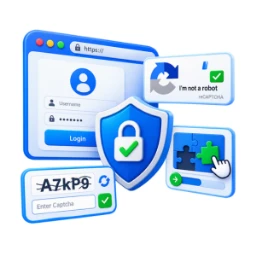
reCAPTCHA, text, or slider-puzzle captcha on any Odoo website form, plus a login-lockout that blocks brute-force attempts.

Overview
Odoo's public forms — contact, signup, job applications, password reset — are open endpoints, and on a site with any traffic they collect automated submissions. This module puts a captcha in front of each one and lets you pick a different method per form.
The important detail is that validation is server-side. A captcha enforced only in the browser stops nothing once a script posts directly to the endpoint; this module checks the answer on the server, including verifying Google reCAPTCHA responses against Google's service.
Alongside the captcha, a configurable login lockout temporarily blocks an account after repeated failed sign-ins, which is the piece that addresses brute-force password attempts rather than form spam. Both are configured per website, so a multi-website Odoo instance can hold different policies side by side.
Key features
-
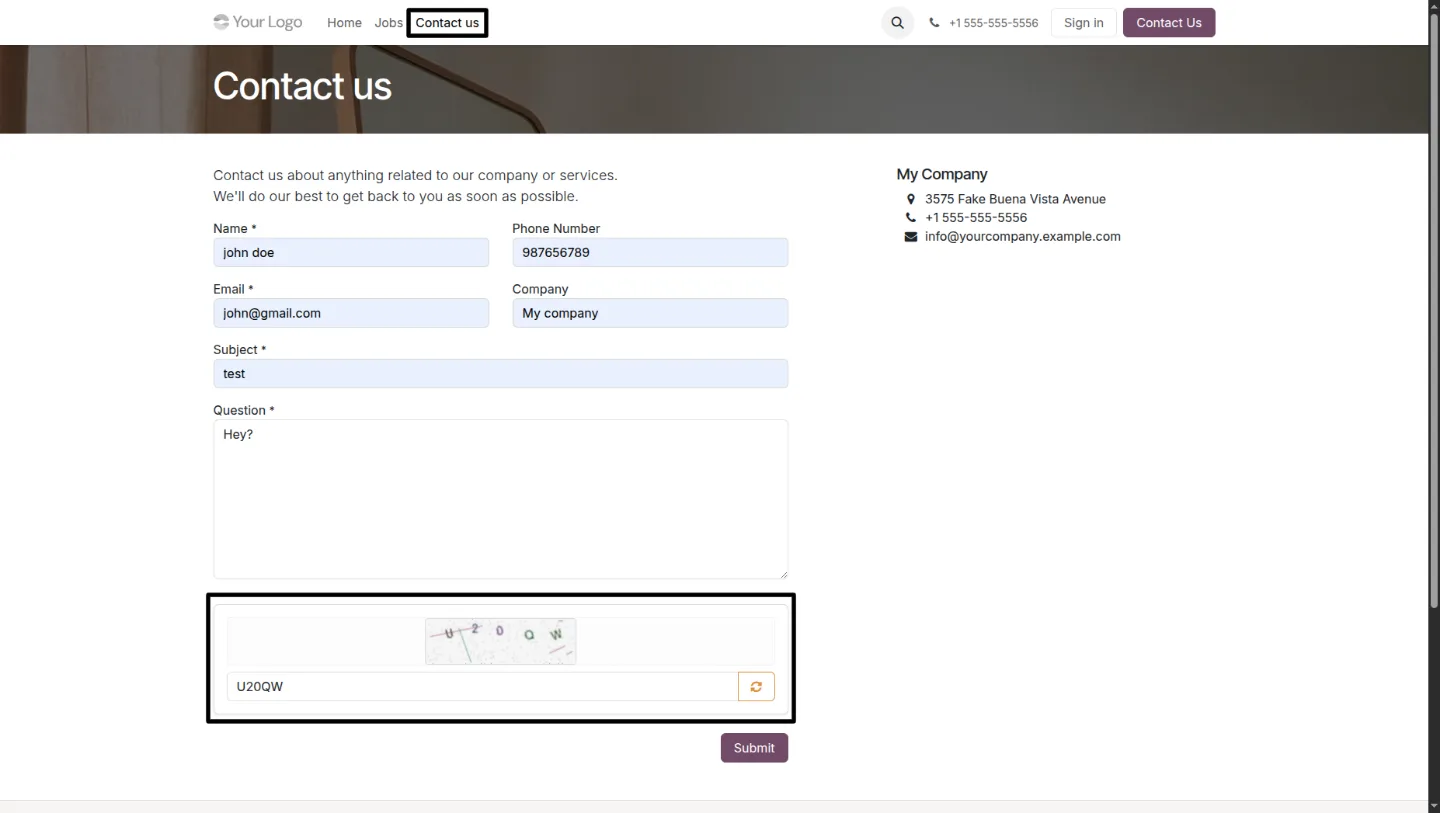
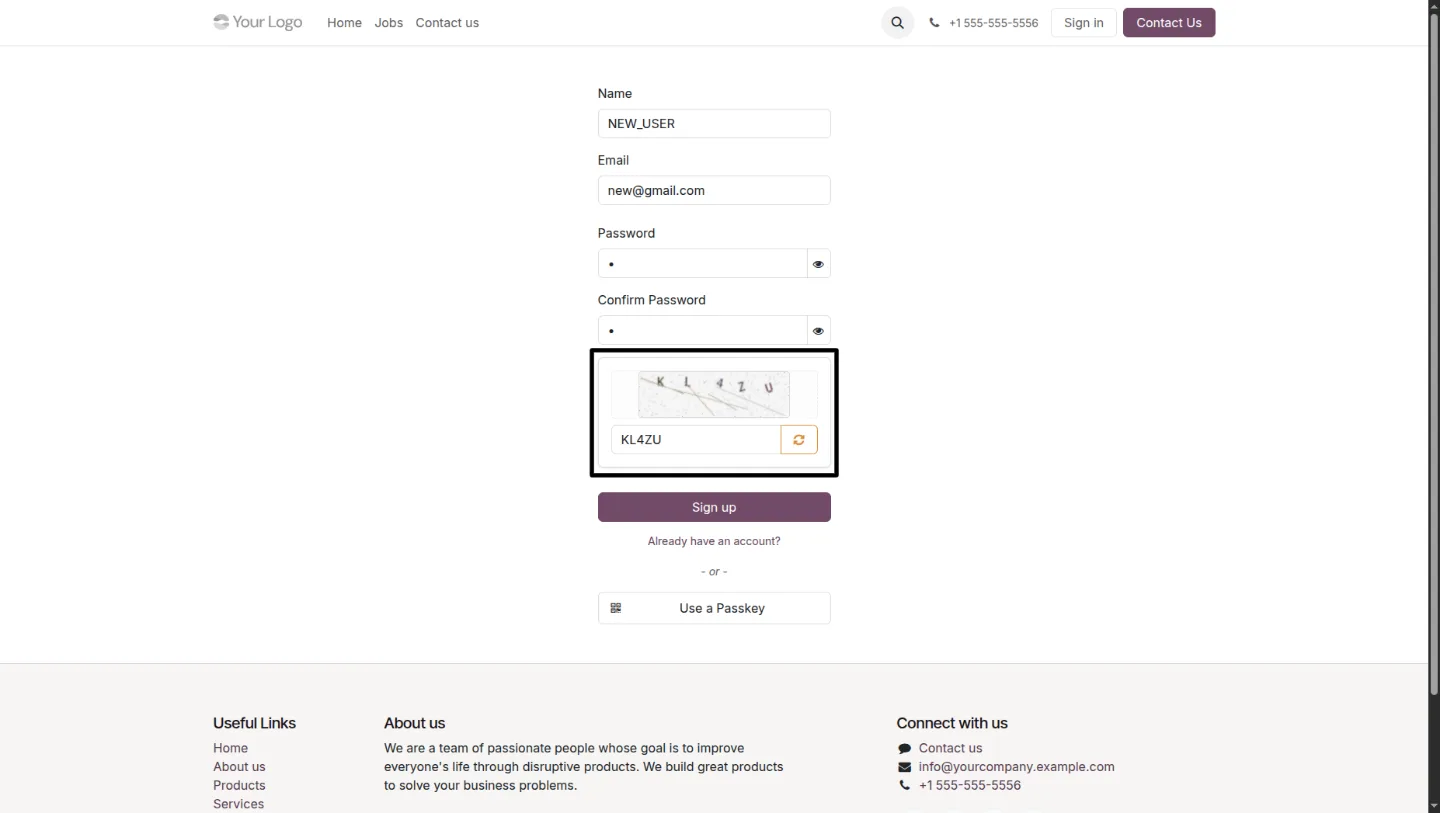
Dynamic text captcha
Generates a unique distorted text image per request to resist automated recognition, with an SVG fallback when the image-processing dependencies are not available.
-
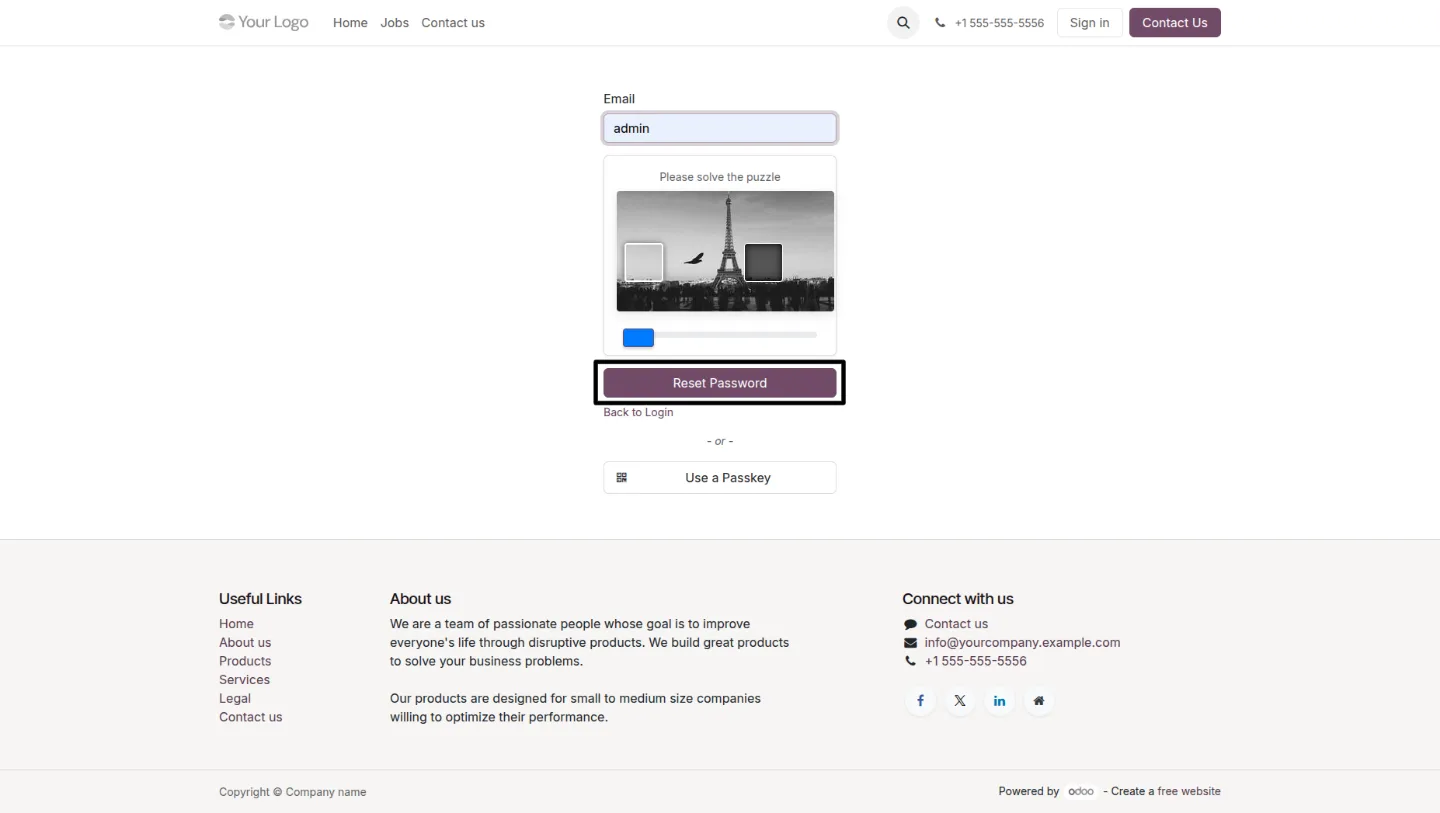
Slider-puzzle captcha
An interactive puzzle challenge the visitor must complete before a protected form will submit.
-
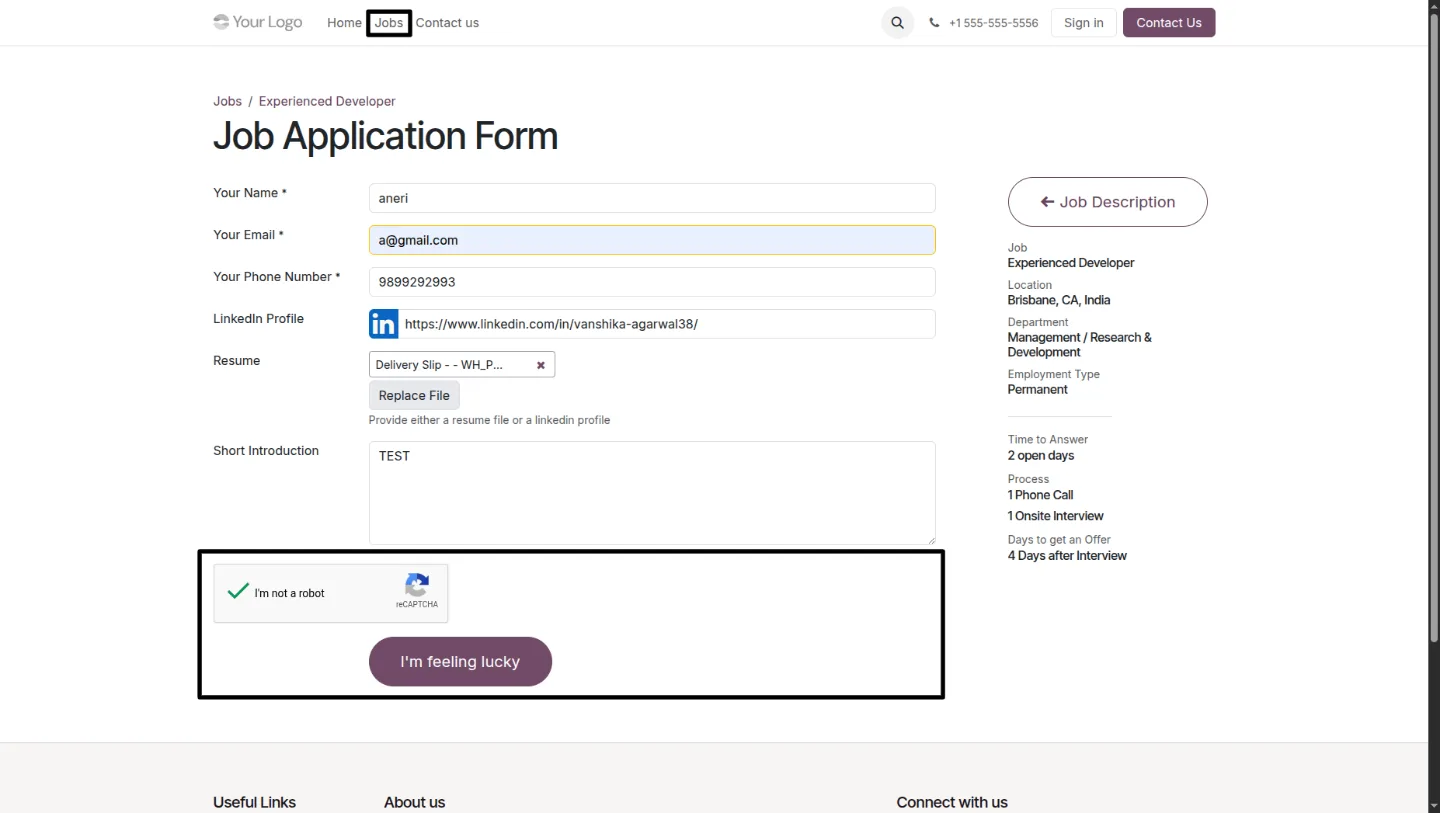
Google reCAPTCHA v2
Configure your Site Key and Secret Key in Website Settings; responses are verified server-side against Google's reCAPTCHA service.
-
Per-form protection
Turn captcha on independently for Login, Signup, Contact Us, Password Reset, and Job Application forms, each with its own captcha method.
-
Login lockout
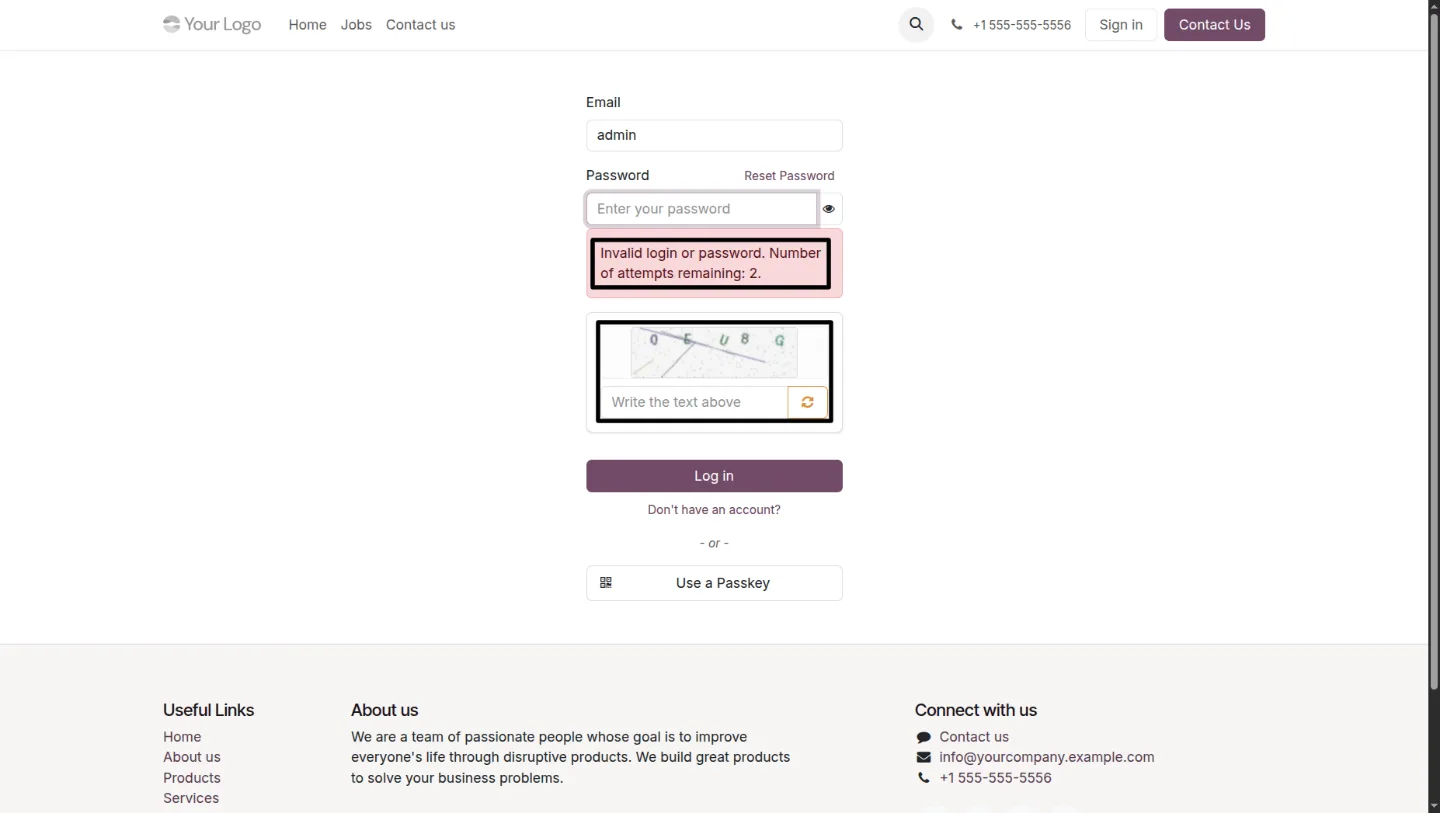
Repeated failed sign-in attempts are recorded and temporarily blocked, protecting accounts against brute-force attacks.
-
Multi-website support
Each website keeps its own captcha and login-security configuration, so one Odoo instance can serve sites with different policies.
Website Form Captcha & Login Security in Odoo
Every screen, in the order you meet it — configuration first, then the module in use.
Technical details
Specification
- Publisher
- TechUltra Solutions Private Limited
- Technical name
- website_easy_captcha
- Odoo versions
- 16.0, 17.0, 18.0, 19.0
- Lines of code
- 621
- Validation
- Server-side for every captcha method
- License
- Odoo Proprietary License v1.0 (OPL-1)
- Price
- $34.96 (one-time)
Deployment
- Odoo Online
- Odoo.sh
- On-premise
Odoo dependencies
- Website
- CRM
- Recruitment
- Online Jobs
- Contacts
- Calendar
- Employees
- Discuss
Support
90 days of bug-fix support, Monday to Friday, 10:00–19:00 IST. Raise a ticket at support@techultra.in.
Setup & configuration
From install to first call — here is the path.
- 1
Configure captcha per form
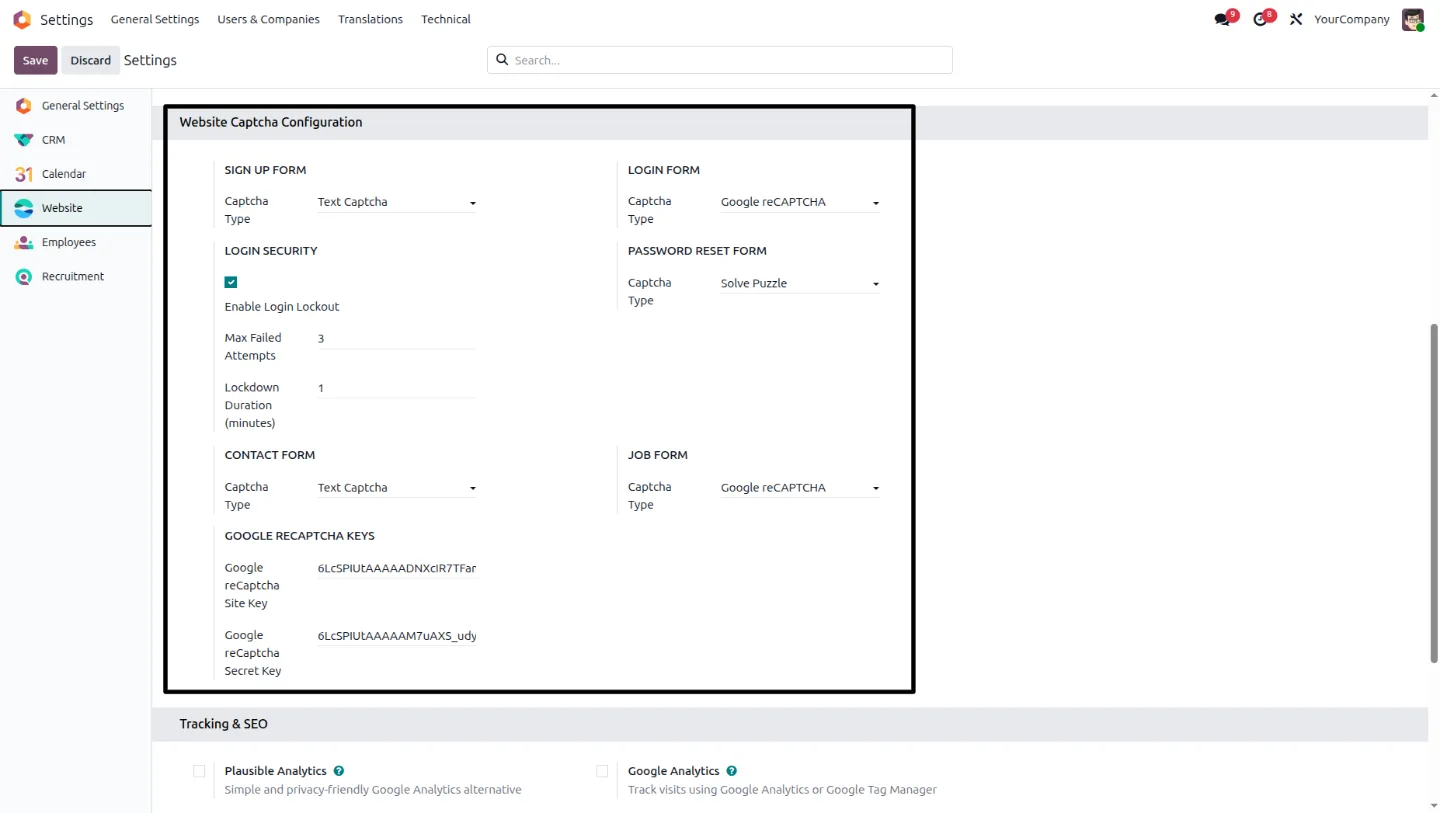
Go to Website → Configuration → Settings → Website Captcha Configuration and pick the captcha type — Google reCAPTCHA, text captcha, or slider puzzle — for each supported form, then save.
- 2
Add reCAPTCHA credentials
If you chose Google reCAPTCHA, paste the Site Key and Secret Key from your Google reCAPTCHA account into the same settings section.
- 3
Set the login lockout
Configure how many failed sign-in attempts are allowed and how long an account is blocked afterwards.
- 4
Verify each protected form
Walk the login, signup, contact, password-reset, and job-application forms to confirm the captcha appears and that an incorrect password produces the failed-attempt warning.
Frequently asked questions
-
Which captcha methods does the module support?
Three: Google reCAPTCHA v2, a dynamically generated distorted text captcha, and an interactive slider-puzzle captcha. You can use a different method on each protected form.
-
Which forms can be protected?
Login, Signup, Contact Us, Password Reset, and Job Application forms, each configured independently.
-
Is the captcha checked in the browser or on the server?
On the server. Client-side-only captchas are bypassed by scripts posting straight to the endpoint, so every validation — including the Google reCAPTCHA response — is verified server-side.
-
Does it stop brute-force login attempts?
That is what the login lockout is for. Repeated failed sign-ins are recorded and the account is temporarily blocked, separately from the captcha on the login form itself.
-
Does it work with multiple websites in one database?
Yes. Captcha and login-security settings are stored per website, so each site in a multi-website instance can run its own policy.
-
What happens if the image-processing dependencies are missing?
The text captcha falls back to SVG rendering, so protection continues without the image libraries installed.
Related solutions
Whole-platform solutions that complement Website Form Captcha & Login Security.
Shopify + Odoo Integration
Native Shopify-to-Odoo bidirectional sync. Products, inventory, orders, customers, refunds, accounting entries in real time. Multi-store, multi-currency, B2B.
WooCommerce + Odoo Integration
Native WooCommerce-to-Odoo bidirectional sync. Products, inventory, orders, refunds, subscriptions, accounting entries. WP-Cron-free, reliable, B2B-ready.
Amazon (Seller / Vendor Central) + Odoo Integration
Native Amazon-to-Odoo sync — Seller Central (FBM/FBA), Vendor Central, multi-marketplace. Orders, inventory, fees, reimbursements reconciled to Odoo accounting.
Related services
Get the most out of this module with senior TechUltra consultants.
Odoo Customization Services
Tailored Odoo customizations from a Gold Partner — 200+ projects, upgrade-safe patterns, fixed-scope quotes, senior consultants. Free demo consultation.
Hire Odoo Developers
Hire certified Odoo developers from a Gold Partner — 400+ implementations, 92% satisfaction, Odoo since 2016. Silver / Gold / Platinum packages, free trial.
Odoo Support & Maintenance
Odoo Gold Partner support — 24/7 functional, technical, and server coverage for Enterprise and Community editions. Fast turnaround, free consultation.