
Odoo App · Productivity
Advanced Approval Workflow
Multi-level approval chains for Odoo orders, products, invoices, and more.

Overview
Advanced Approval Workflow brings formal sign-off to Odoo documents that need controlled changes — price updates, high-value orders, or any transaction your finance team wants to review before it proceeds.
Built by TechUltra Solutions, the module links a sequential approval chain directly to source documents including orders, products, and invoices. You configure approval types with ordered approval lines, mark approvers as required, and set domain conditions that decide when an approval is needed.
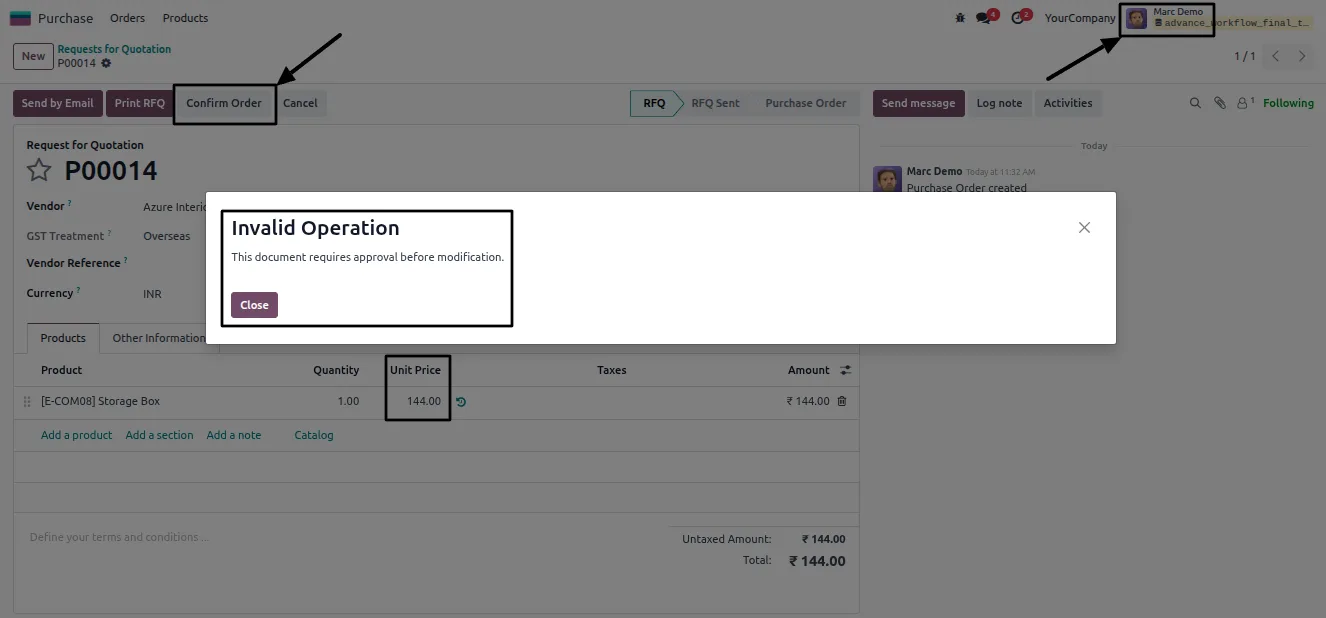
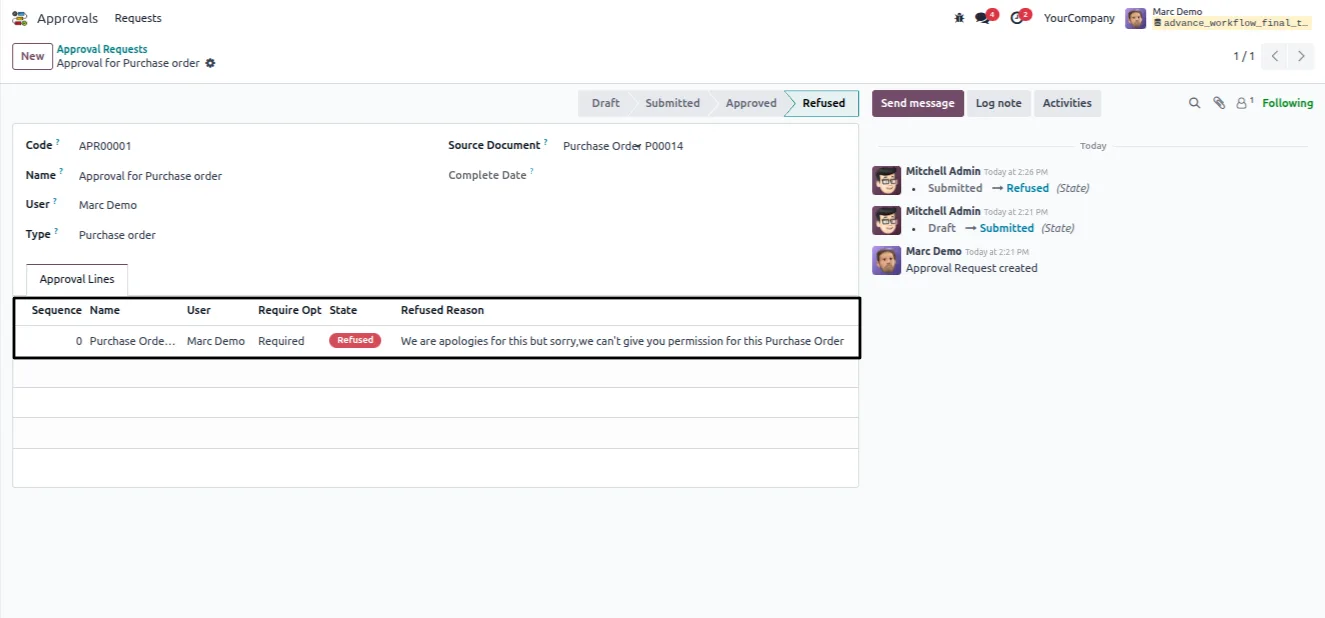
When every approver has signed off, the module updates the document's status and locks the relevant fields, so the approved figures cannot be changed afterwards. Refused requests can be returned with a reason and resubmitted, keeping a clear record of every decision.
Key features
-
Multi-level sequential approval chains
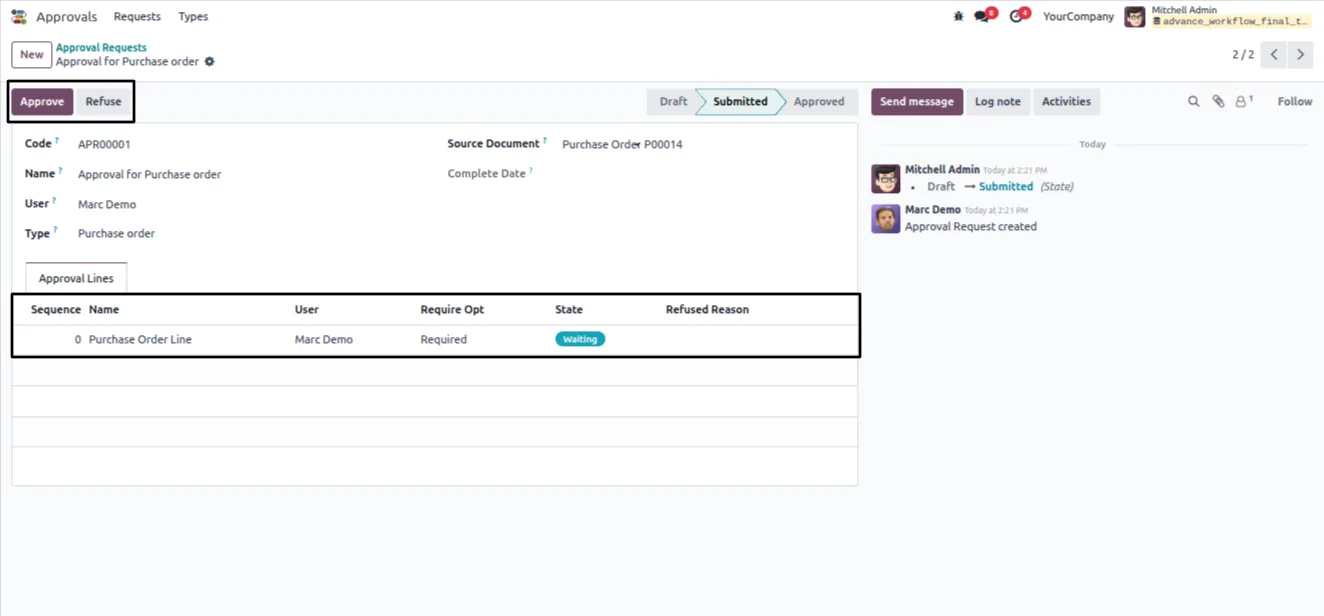
Build approval chains with as many stages as a process needs. Each stage has its own configured approvers, and requests move through them in order.
-
Domain-based automation
Trigger approvals automatically from domain rules — an amount threshold, a product category, or any custom condition — so only the documents that need review are held.
-
Linked to source documents
Approval requests attach directly to the originating record, whether that is a sales order, purchase order, product, or invoice.
-
Required and optional approvers
Mark each approval line as required or optional, with user restrictions, so the right people must sign off before a request can complete.
-
Automatic field locking
On approval, the module updates the document status and locks its fields, preventing unauthorised edits to figures that have already been approved.
-
Manager-based assignment
Assign approvers based on the manager hierarchy, so requests route to the correct manager without manual selection on every document.
-
Refuse with a reason
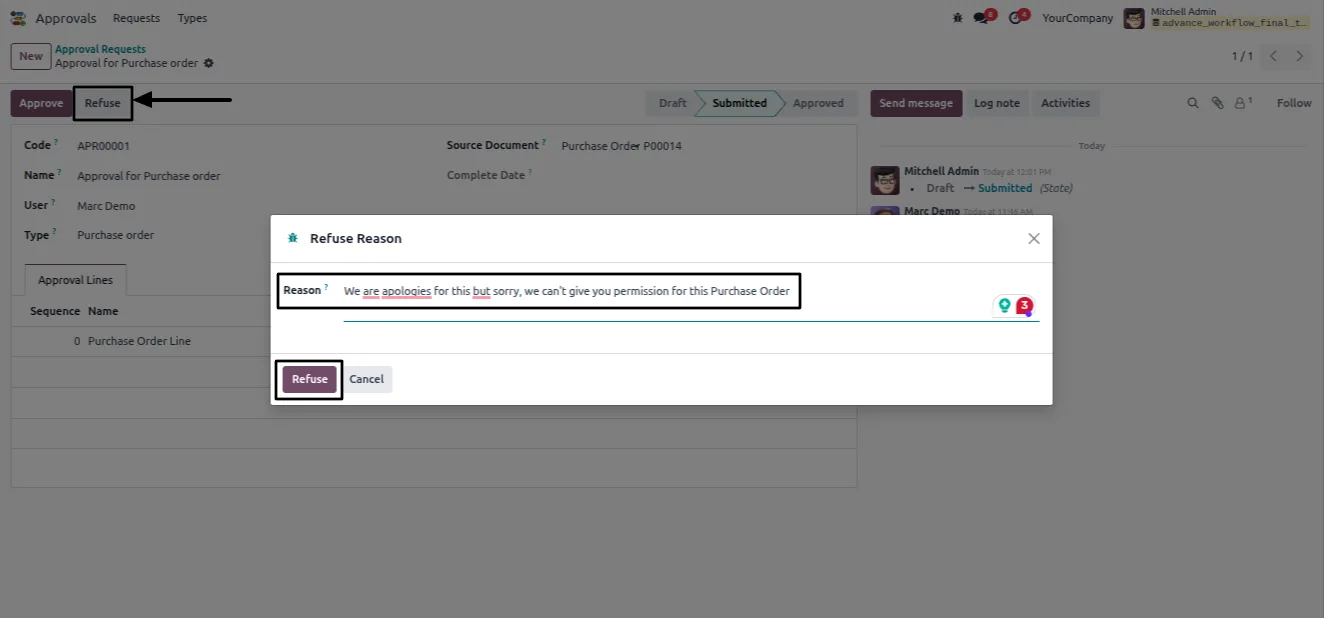
Approvers can refuse a request and record the reason. Refused requests can be corrected and resubmitted for review.
-
Model-level configuration
Enable approvals per Odoo model from a central configuration screen, choosing the target model and the domain conditions that apply.
Advanced Approval Workflow in Odoo
Every screen, in the order you meet it — configuration first, then the module in use.
Technical details
Specification
- Publisher
- TechUltra Solutions Private Limited
- Technical name
- advanced_approval_workflow
- Odoo versions
- 16.0, 17.0, 18.0, 19.0, 20.0
- Lines of code
- 806
- License
- Odoo Proprietary License v1.0 (OPL-1)
- Price
- $22 (one-time)
Deployment
- Odoo Online
- Odoo.sh
- On-premise
Odoo dependencies
- Discuss
- Employees
Support
90 days of bug-fix support, Monday to Friday (10:00–19:00 IST). Raise a ticket at support@techultra.in.
Setup & configuration
From install to first call — here is the path.
- 1
Install the module
In Odoo, open Apps, remove the Apps filter, search for “Advanced Approval Workflow”, and click Install.
- 2
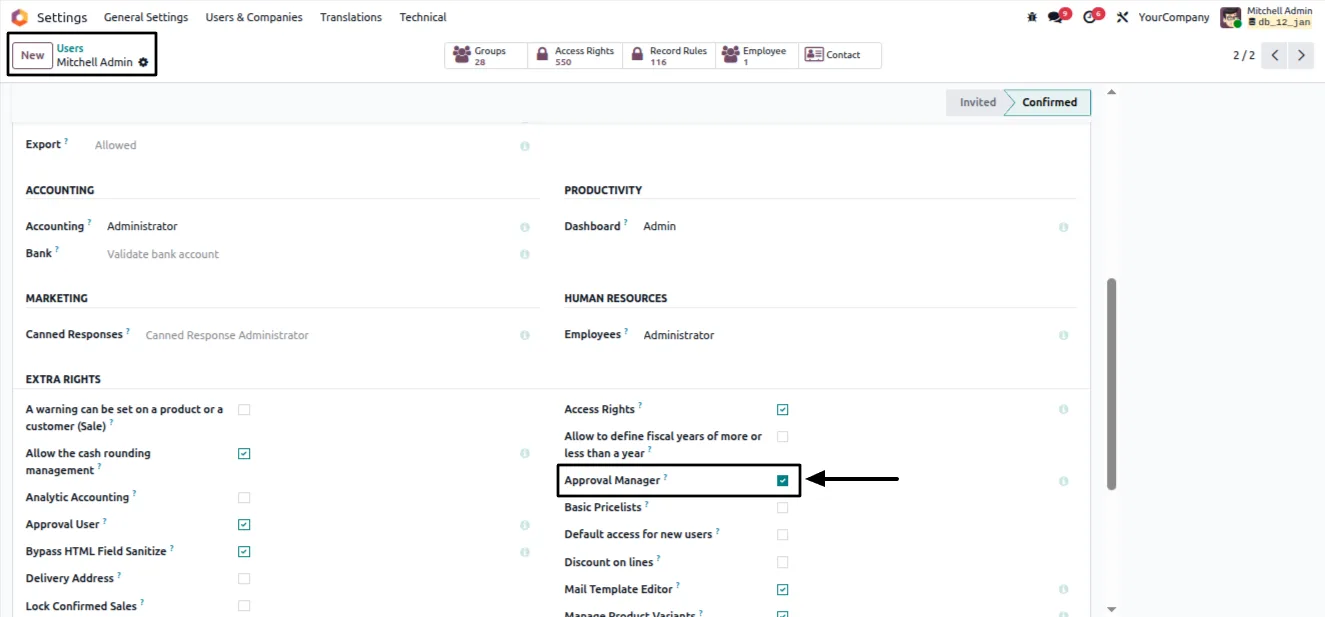
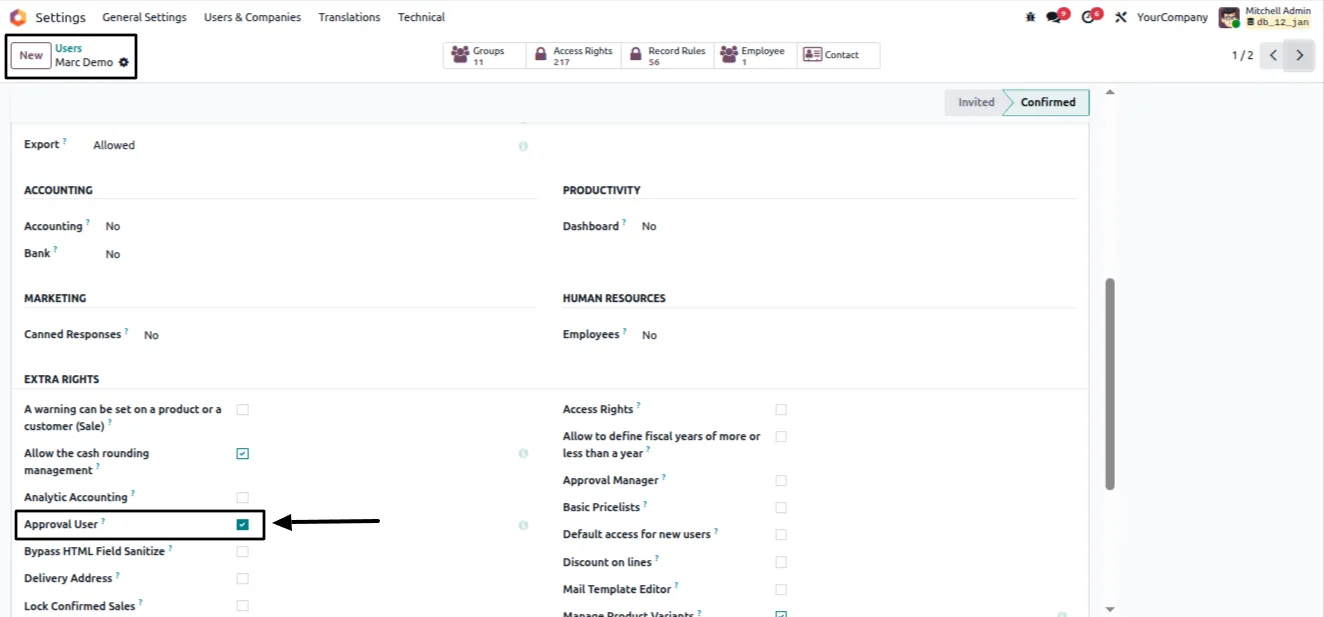
Assign the Approval Manager role
Go to Settings → Users & Companies → Users, open the user who should manage approvals, and assign the Approval Manager role.
- 3
Create approval types
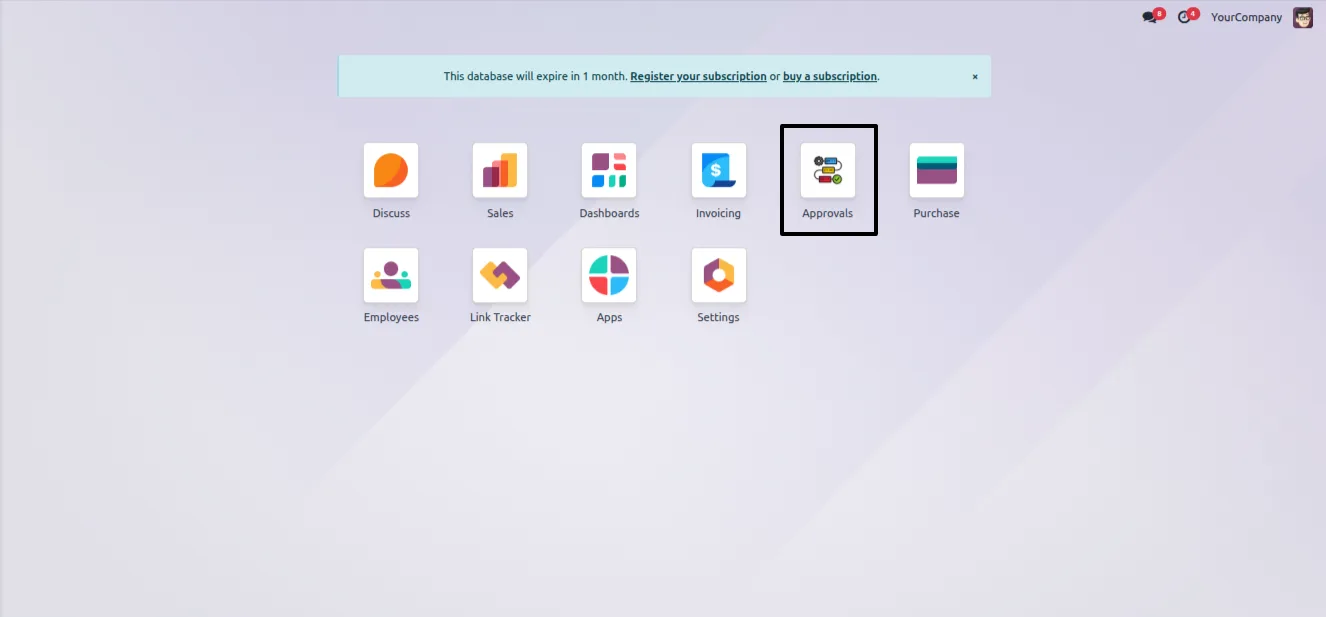
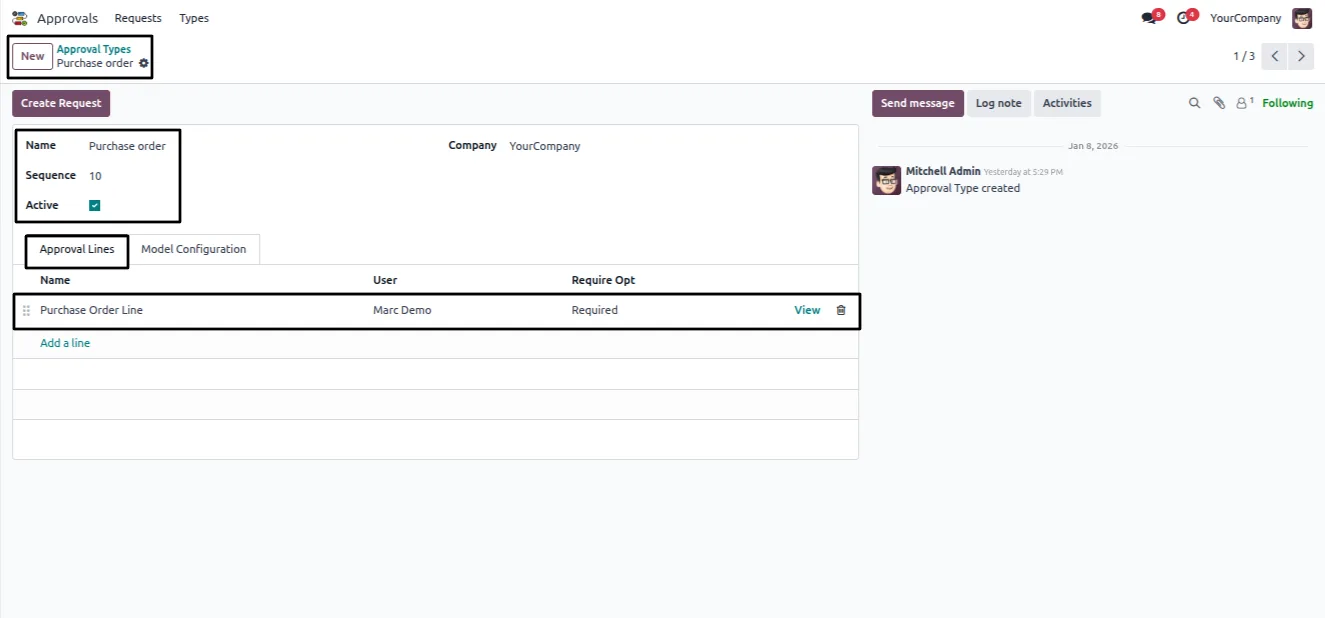
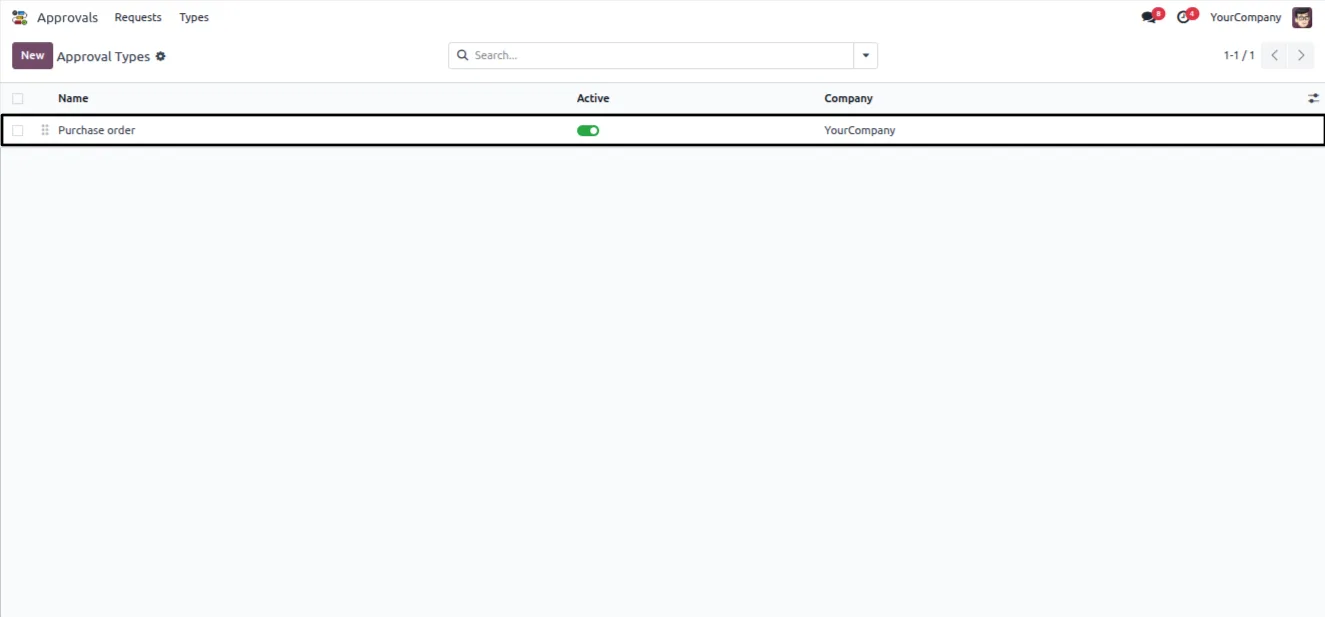
Open Approvals → Types and create a type such as “Purchase Order”. Set Active to True, configure the sequence, and add approval lines with the required users.
- 4
Configure model-level rules
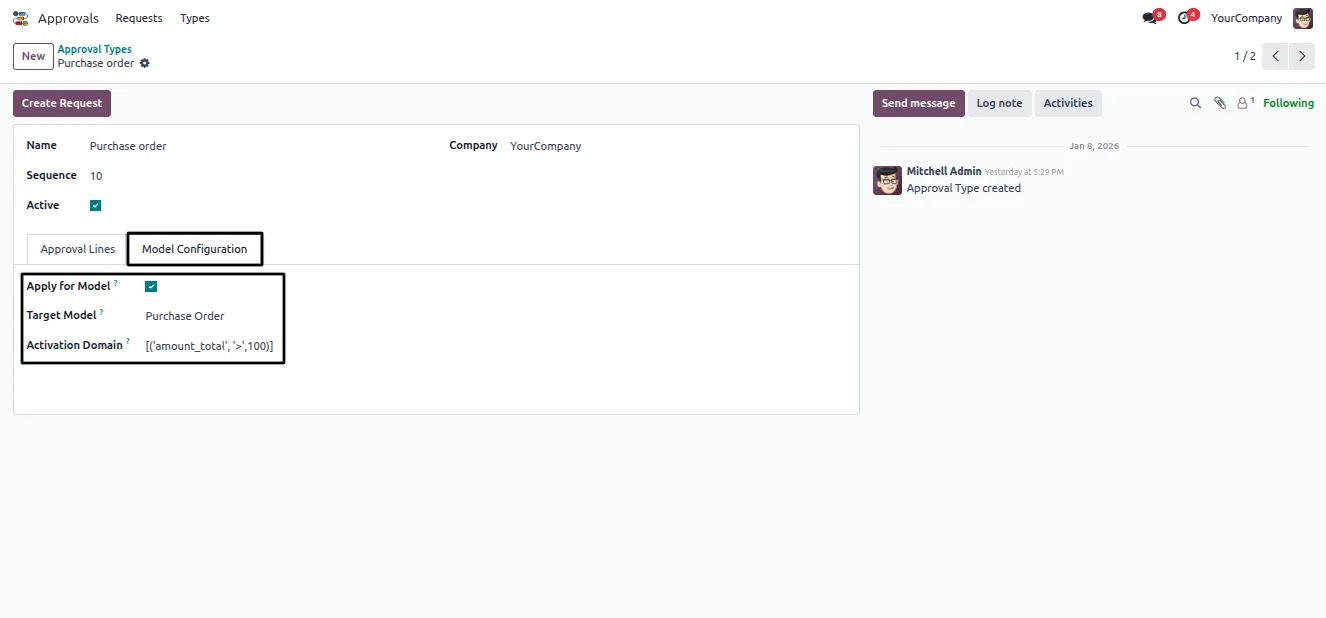
In Model Configuration, enable Apply for Model, choose the target model — for example Purchase Order — and define the domain conditions, such as amount_total > 100.
- 5
Create an approval request
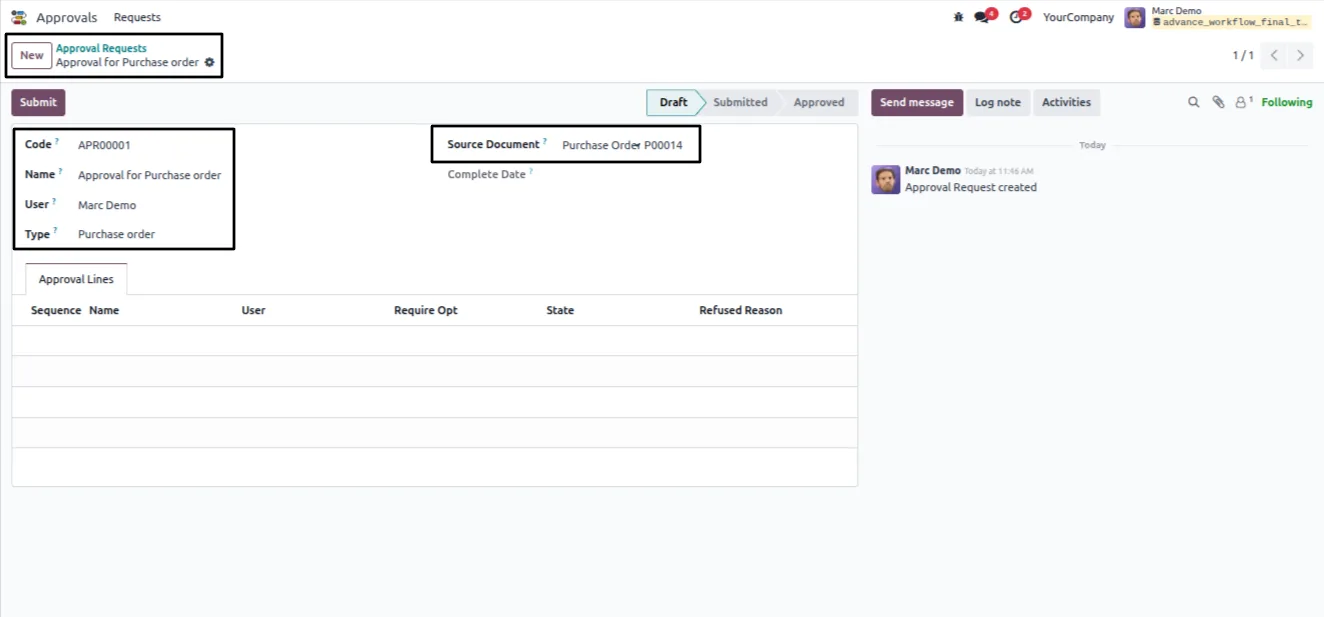
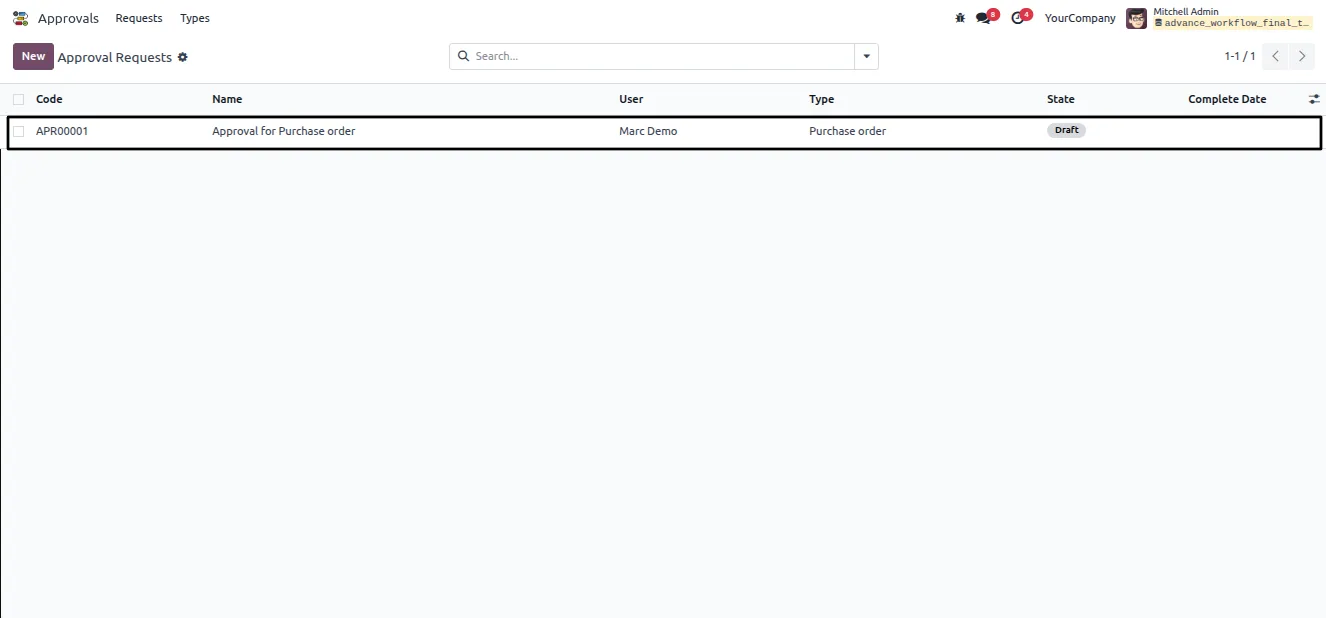
A user opens Approvals → Requests, creates a request with a name, selects the approval type, and links the source document.
- 6
Submit and process
The user submits the request for review. Approvers can approve it, refuse it with a reason, or resubmit a refused request after corrections.
Frequently asked questions
-
Which Odoo documents can use an approval workflow?
Approval requests link to source documents including sales orders, purchase orders, products, and invoices. You enable approvals per model from the Model Configuration screen.
-
Can approvals trigger automatically?
Yes. Domain rules decide when an approval is needed — for example an amount above a set threshold or a specific product category — so only qualifying documents are held for review.
-
How many approval levels can I set up?
The module supports unlimited sequential approval levels. Each level has its own approvers, and requests move through the levels in the configured order.
-
What happens to a document once it is approved?
The module updates the document's status and locks the relevant fields, preventing unauthorised changes to figures that have already been signed off.
-
Can an approver reject a request?
Yes. An approver can refuse a request and record a reason. The request can then be corrected and resubmitted for review.
-
Who can manage approval configuration?
Users assigned the Approval Manager role manage approval types, model configuration, and the review of submitted requests.
-
Which Odoo versions are supported?
The module supports Odoo 16.0, 17.0, 18.0, 19.0, and 20.0, in both the Community and Enterprise editions.
-
Is support included?
Yes. The module includes 90 days of bug-fix support, Monday to Friday, 10:00–19:00 IST.
Listing verified against the Odoo App Store:
Related services
Get the most out of this module with senior TechUltra consultants.
Odoo Customization Services
Odoo customization from a Gold Partner: custom modules, workflows, reports and Studio changes, written upgrade-safe and quoted at a fixed scope. Free scoping call.
Hire Odoo Developers
Hire certified Odoo developers from a Gold Partner: one developer or a team, full-time or part-time, 70–160 hours a month. Silver, Gold or Platinum plan, free trial.
Odoo Support Services & Maintenance
Odoo support services from a Gold Partner: functional and technical support plus server cover for Enterprise and Community, 30-minute P1 response, 24/7 option.







